
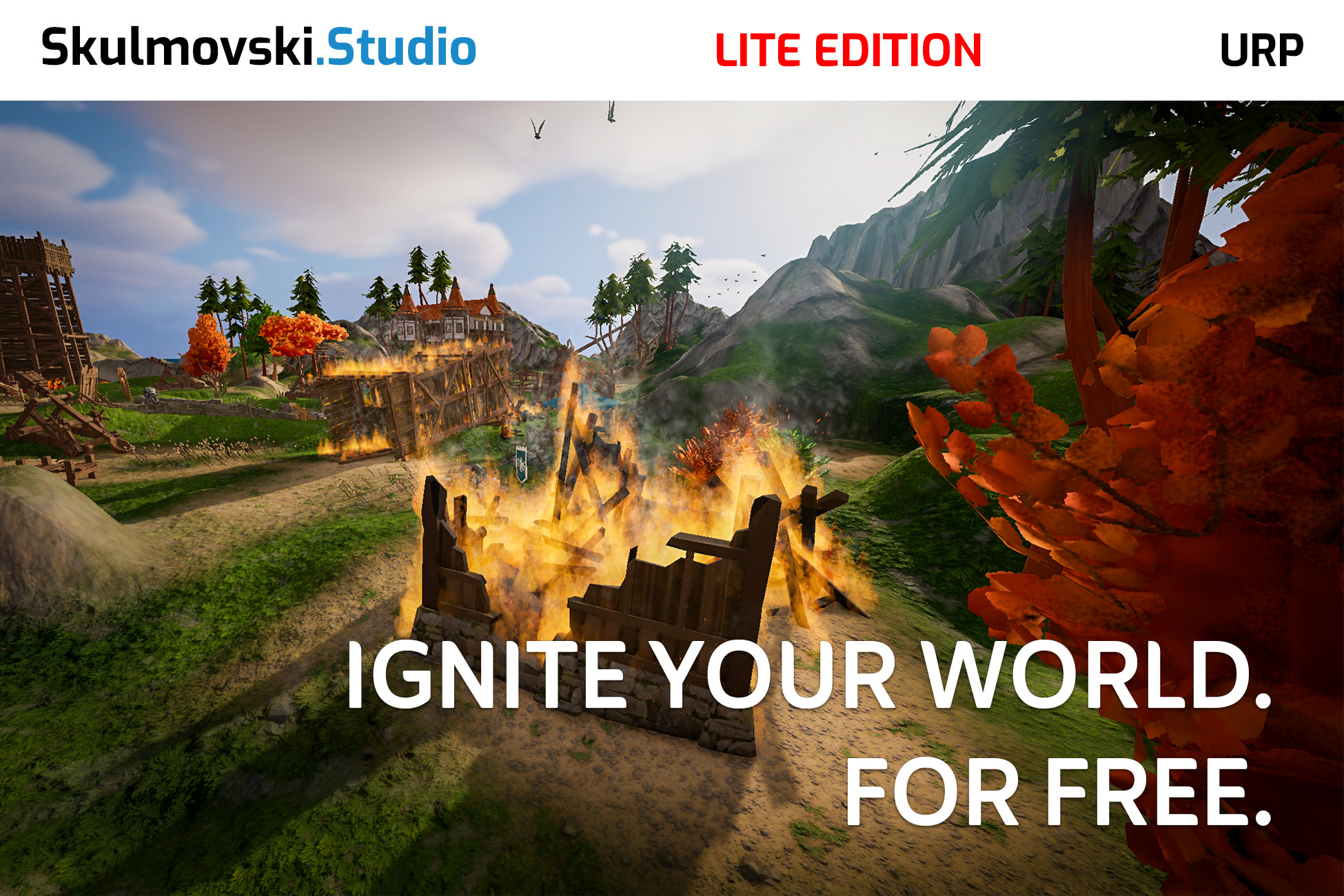
 View on Asset Store (opens in new tab)
Package details
- Latest version
- 1.0.4
- Last updated
- First released
- Unity version
- 6000.0.77 or later
- Package size
- 17.2 MB
- Files
- 56
- Favorites
- 7
- Views in the past week
- 88
Price tracking
- Last checked
- Tracked since
- Lowest recorded
- Free on
Keywords

Fire VFX · Lite · Surface Burning
Set your own stationary 3D models on fire for free. Create flames that spawn across the mesh surface, with adjustable smoke and sparks. Built with VFX Graph for Unity URP.
Affiliate link · Purchases support this site
Price history
Last 6 months
USDAsset preview
1 / 6
Fire VFX · Lite · Surface Burning screenshot 1

About this asset
━━━━━━━━━━━━━━━━━━━━━━━━━━━━━━━━━━━━━
Free Fire VFX for Your Own 3D Models
Set stationary 3D objects on fire with Fire VFX Lite — a free, GPU-driven surface fire system built with Unity's VFX Graph for URP. Instead of placing generic fire particles in a volume near your model, the system uses baked Point Cache positions to spawn flames directly on its surface.
Create burning buildings, environmental props, campfires and other stationary fire effects. Customize flames, smoke and sparks through exposed Inspector controls, and bring the same fire system to your own prepared 3D meshes.
⚡ YOUR MESH. YOUR FIRE. FOR FREE.
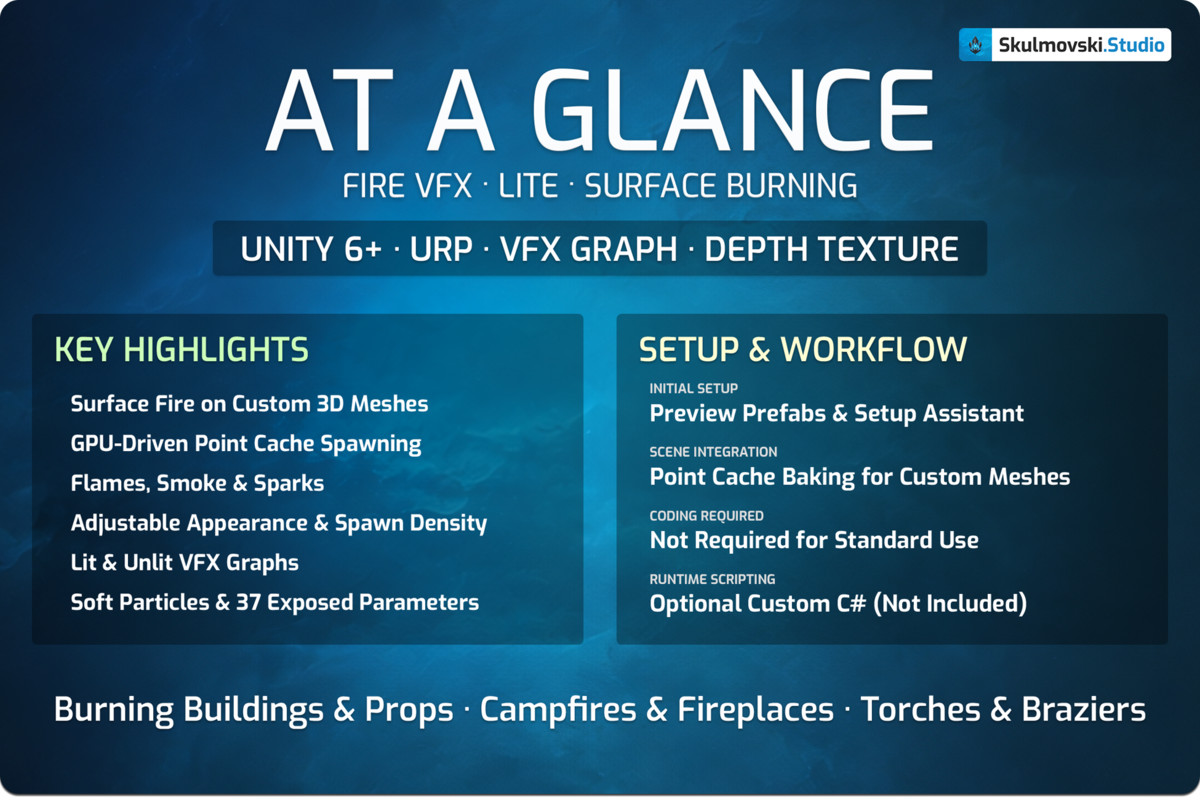
- Free Surface Fire for Custom 3D Meshes
- GPU-Driven Point Cache Spawning
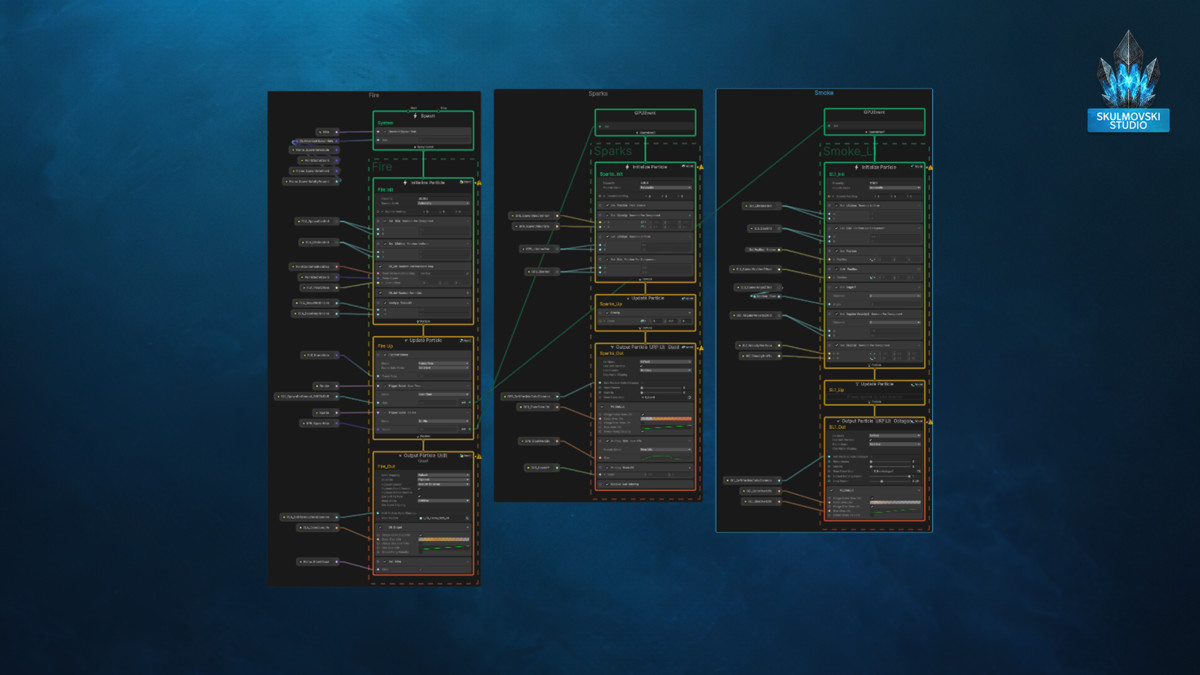
- Main Flame, Smoke & Sparks
- Fixed & Percentage-Based Spawn Control
- Adjustable Flame, Smoke & Spark Appearance
- Lit & Unlit VFX Graph Variants
- Soft Particle Blending
- 37 Exposed VFX Graph Parameters
- 5 Ready-to-Use Prefabs & 7 Point Caches
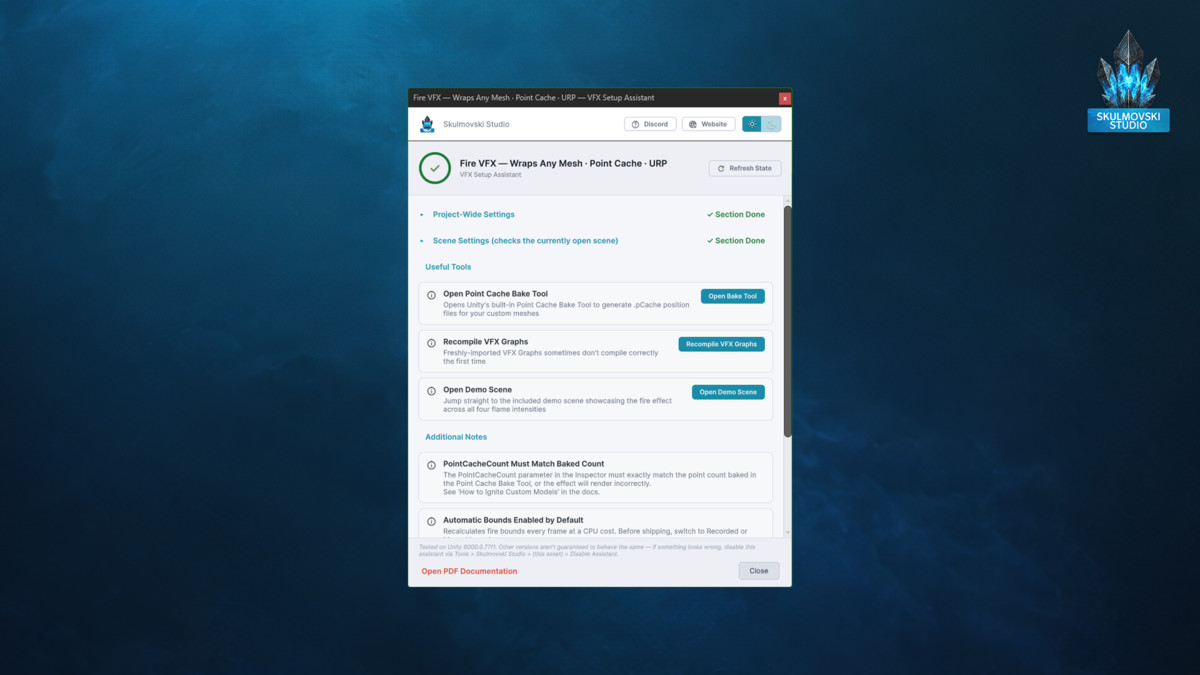
- VFX Setup Assistant
For a quick overview, see the “At a Glance” image in the gallery.
━━━━━━━━━━━━━━━━━━━━━━━━━━━━━━━━━━━━━
🔥 MAKE YOUR OWN 3D OBJECTS BURN
━━━━━━━━━━━━━━━━━━━━━━━━━
Fire VFX Lite uses Point Cache to distribute flame spawn positions across the surface of a prepared mesh. This mesh fire workflow allows you to create a burning effect that follows the baked shape of your object rather than relying on a generic particle volume.
Use Unity's Point Cache Bake Tool to prepare your own geometry, then assign the baked position map to the effect. Adjust the point count and spawn rate to achieve the flame coverage you need.
The system is designed for stationary objects, making it suitable for environmental fire, static props and decorative burning effects.
🎨 CUSTOMIZE FLAMES, SMOKE & SPARKS
━━━━━━━━━━━━━━━━━━━━━━━━━
Shape your fire effect with 37 exposed parameters available through the Inspector.
Adjust flame size, lifetime, animation speed and color over life. Fine-tune the single Smoke layer with independent size, movement, lifetime and color controls. Add Sparks with adjustable spawning, velocity and appearance.
Choose between Lit and Unlit VFX Graph variants and use Soft Particles to create smoother transitions where flames, smoke and sparks intersect scene geometry.
Start with the included flame flipbook and customize the effect's appearance without writing C# scripts for standard use.
🎯 COMMON USE CASES
━━━━━━━━━━━━━━━━━━━━━━━━━
- Burning Buildings & Environment Props — Add surface-based flames to stationary structures, ruins and prepared scene objects.
- Campfires & Fireplaces — Create adjustable campfire and fireplace effects with flames, rising smoke and sparks.
- Torches & Braziers — Build smaller stationary fire effects and customize their appearance to suit your environment.
🛠️ GET STARTED WITH YOUR OWN MESHES
━━━━━━━━━━━━━━━━━━━━━━━━━
The package includes 5 ready-to-use prefabs, 7 Point Cache assets and a VFX Setup Assistant to help check your project configuration and access useful tools.
To use a custom mesh, bake its surface positions with Unity's Point Cache Bake Tool, assign the generated position map, and set PointCacheCount to match the baked point count.
The initial Flame spawn rate is intentionally set to 1 per second for safety. Increase it gradually, or switch to By Percent mode to scale spawning relative to the Point Cache size.
⚙️ ADJUST SPAWN DENSITY & PERFORMANCE
━━━━━━━━━━━━━━━━━━━━━━━━━
Choose between Fixed and By Percent spawning for the main flames. Smoke and Sparks have their own spawn controls, allowing you to balance visual density and performance.
For production use, choose an appropriate Point Cache density, review particle capacities and configure suitable VFX bounds. Higher spawn rates and longer particle lifetimes can increase GPU cost.
🚀 WANT MORE CONTROL? EXPLORE THE FULL EDITION
━━━━━━━━━━━━━━━━━━━━━━━━━
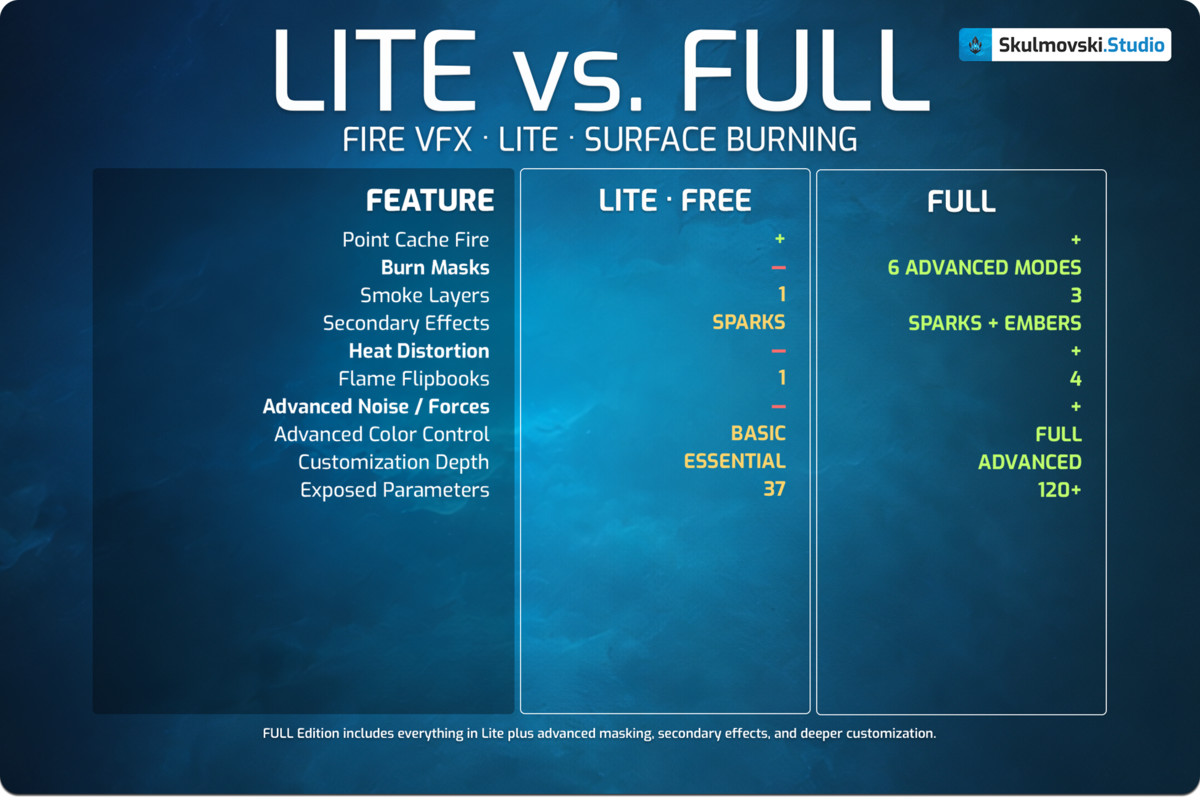
Fire VFX Lite provides the core surface-burning workflow as a standalone free asset.
For more advanced artistic control, Fire VFX · Mask-Driven Surface Burning — Full Edition expands the system with:
- 6 Burn Mask Modes
- UV Texture & Vertex Color Masking
- Procedural 3D Noise & Combined Masks
- 3 Independently Adjustable Smoke Layers
- Embers & Heat Distortion
- 4 Flame Flipbooks
- Advanced Color & Smoke Controls
- Custom Flame Flipbook Support
- 120+ Exposed VFX Graph Parameters
👉 Explore the Full Edition on Unity Asset Store
⚠️ KNOWN CONSTRAINTS & DESIGN TRADE-OFFS
━━━━━━━━━━━━━━━━━━━━━━━━
- Designed for stationary objects. New particles spawn using the source object's current Transform, but existing particles remain in world space instead of following it. Movement or animation can leave visible particle trails.
- Custom meshes require Point Cache baking. The baked position map must be assigned, and PointCacheCount must match the number of baked points.
- Lite focuses on essential fire effects. Burn Masks, Embers, Heat Distortion, additional Smoke layers and advanced appearance controls are available in the Full Edition.
- The default Flame spawn rate is intentionally minimal. Increase it to obtain the desired fire coverage while monitoring particle counts.
- High spawn rates and long lifetimes can reach particle capacity limits or increase GPU load. Review optimization settings and VFX bounds for production.
- No sound effects are included. This is a visual effects package. Promotional environments and models are not included unless explicitly listed as package contents.
💬 DOCUMENTATION & SUPPORT
━━━━━━━━━━━━━━━━━━━━━━━━━
The package includes PDF and Markdown documentation covering setup, Point Cache baking, exposed parameters, optimization and troubleshooting.
For questions or technical support:
Discord: Join the community
Email: [email protected]
🧩 Check out other VFX by Skulmovski Studio
From the publisher's Asset Store listing.
Technical details
VFX Graph Effects (2):
• VFX_Fire_PointCache_Lit_URP
• VFX_Fire_PointCache_Unlit_URP
Prefabs (5):
• 5x Ready-to-Use Fire VFX Prefabs
Point Caches (7):
• 7x Ready-to-Use Point Cache Assets
Textures (3):
• 1x Flame Flipbook Texture
• 1x Smoke Texture
• 1x Spark Texture
Materials (1):
• 1x Material
VFX Subgraphs (4):
• 4x Visual Effect Graph Subgraphs
Documentation (2):
• 1x PDF Documentation
• 1x Markdown Documentation
Compatibility
| Unity version | Built-in | URP | HDRP |
|---|---|---|---|
| 6000.0.77f1 | Not listed | Compatible | Not listed |
Requires Unity 6+ and the Visual Effect Graph package.
Depth Texture and Opaque Texture must be enabled in your URP Asset settings — required for Heat Distortion and Soft Particles to render correctly.
As listed on the Asset Store.