
 View on Asset Store (opens in new tab)
Package details
- Latest version
- 1.6.0
- Last updated
- First released
- Unity version
- 6000.1.4 or later
- Package size
- 70.1 MB
- Files
- 1,237
- Favorites
- 3
- Views in the past week
- 21
Price tracking
- Last checked
- Tracked since
- Lowest recorded
- $29.99 on
Keywords
Mass Battle Framework - GPU Crowd Combat & Animation
Build large Unity 6 URP battles with compatible custom models and animations, modular units and abilities, 40 first-party GPU effects, two demos, source and documentation.
Affiliate link · Purchases support this site
Price history
Last 6 months
USDAsset preview
1 / 3
Mass Battle Framework - GPU Crowd Combat & Animation screenshot 1
About this asset
MASS BATTLE FRAMEWORK
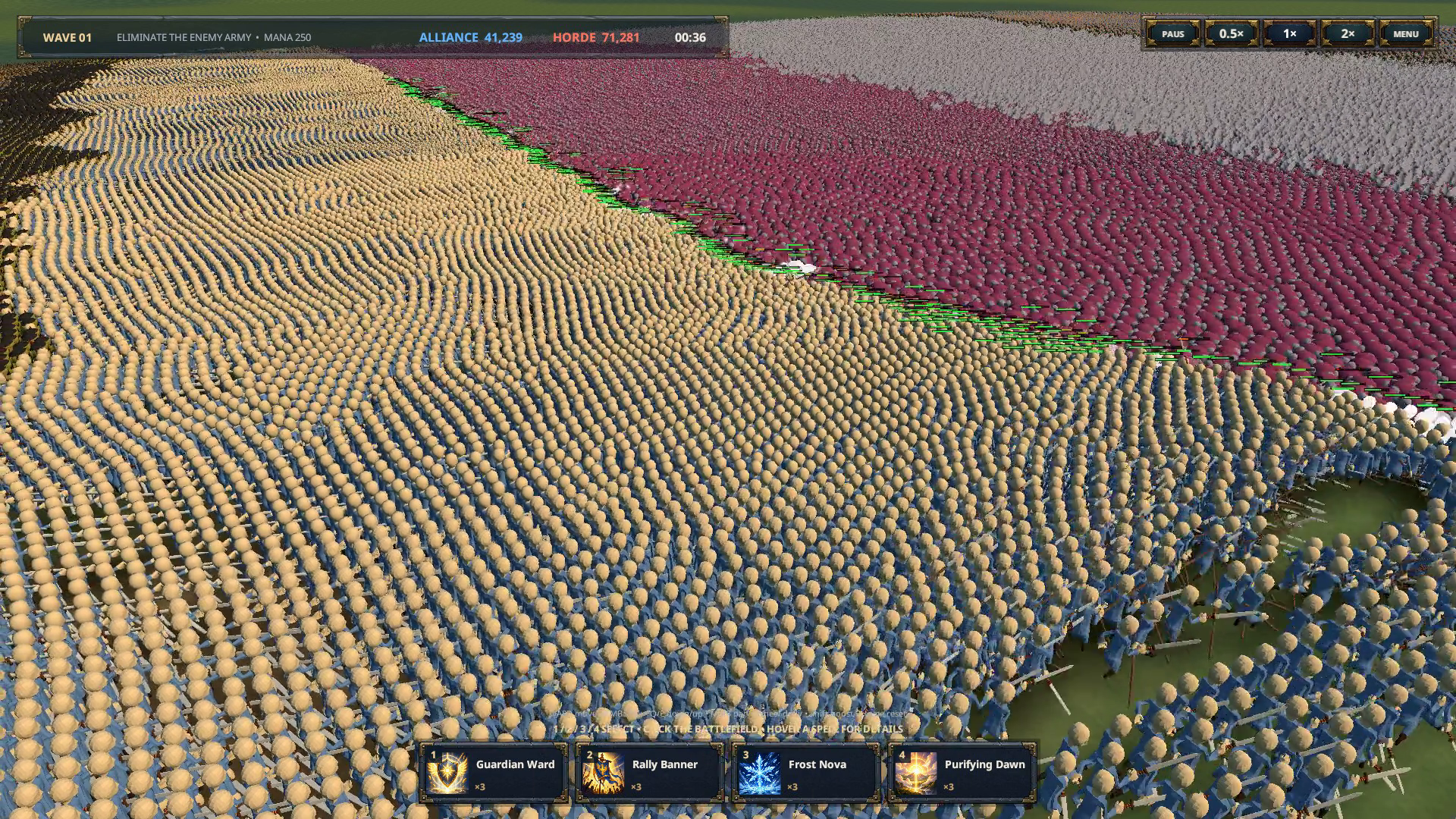
Build large two-team battles in Unity 6 URP without turning every soldier into a GameObject, Animator, Rigidbody or Canvas.
Mass Battle Framework is a source-included toolkit for solo developers and small teams creating strategy games, battle sandboxes, bullet-heaven encounters or other projects that need animated armies. It provides a reusable foundation for crowd movement, targeting, combat, animation, projectiles, LOD, hit presentation and visual effects, while leaving the characters, rules and game around it in your hands.
Play a game built with Mass Battle Framework
Arcane Legion is a free standalone game on Steam built with Mass Battle Framework. Try it to experience the framework’s large-scale combat, animation, and visual effects in a complete game—no framework purchase is required to play.
Play Arcane Legion for free on Steam
BRING YOUR OWN ARMIES
Use the included Model Baker to bring compatible character models and animation clips into the framework. Configure one to eight variants for Idle, Move, Attack and Death, plus up to eight named special-action pools. Build units from reusable Model, Animation, Behavior and Ability profiles so art, stats, traits, skills and presentation can be changed independently.
This modular workflow makes it practical to create infantry, ranged units, cavalry, monsters, flying units, siege units and heroes without rebuilding every new unit as a separate framework subsystem.
BUILT-IN GPU EFFECTS
The package includes 40 first-party GPU effects covering the 20-unit sample roster. GPU Effect Studio lets you preview, play, pause, scrub, fork, edit and create effects directly in the Unity Editor without entering Play Mode. The supplied generated effects can be previewed as-is and forked into editable copies before customization.
WHAT IS INCLUDED
• 20 ready-made Human Alliance vs Monster Horde unit definitions
• 40 first-party GPU effects and GPU Effect Studio
• Direct Battle and Castle Siege demonstration scenes
• Melee, ranged, cavalry, siege, aerial and special-action examples
• Configurable animation variants and named special-action pools
• Model-baking and modular authoring tools
• Readable C#, Compute Shader and URP shader source
• Public APIs, Quickstart, model/VFX documentation, performance guidance and current limitations
LARGE-BATTLE DEMONSTRATION
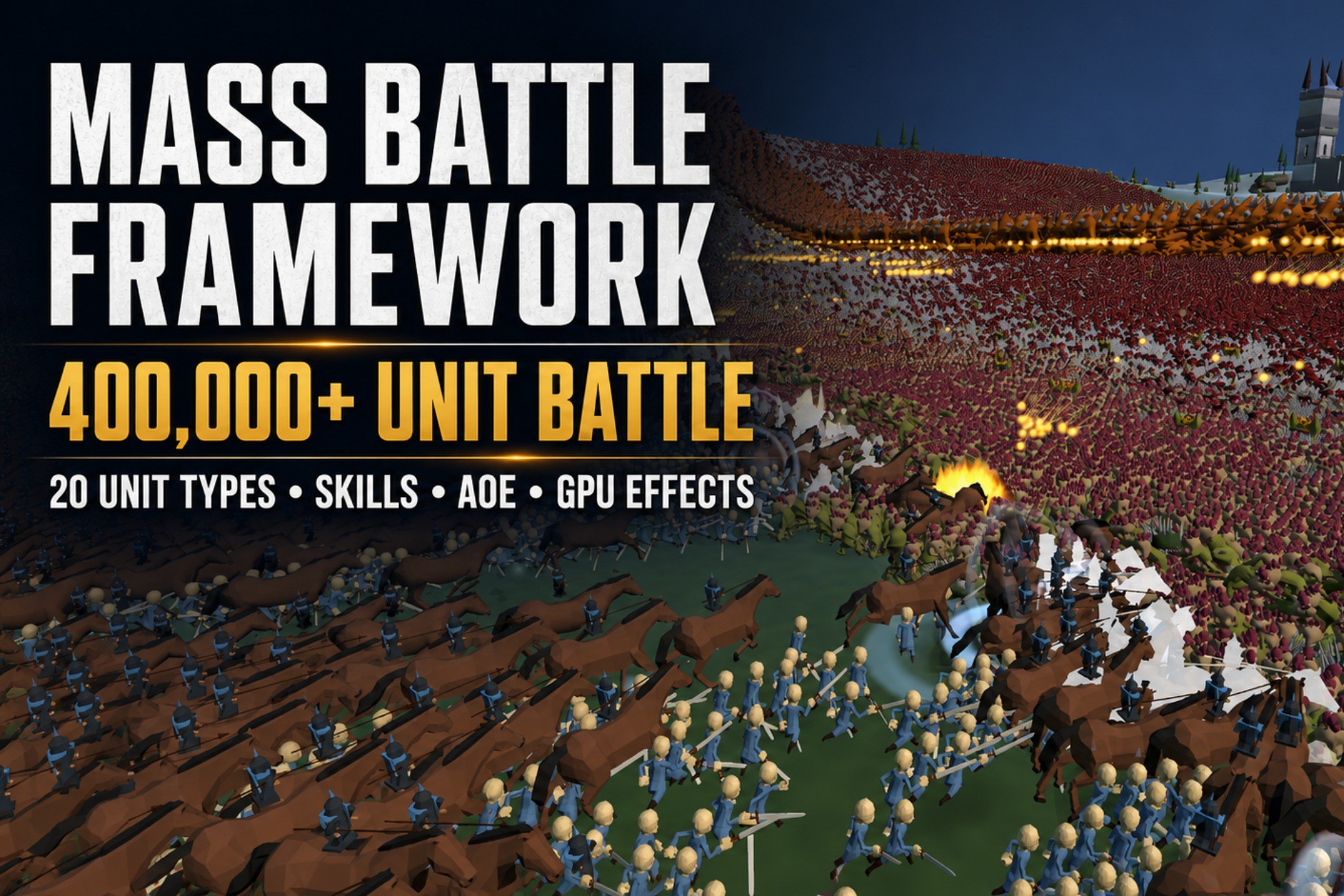
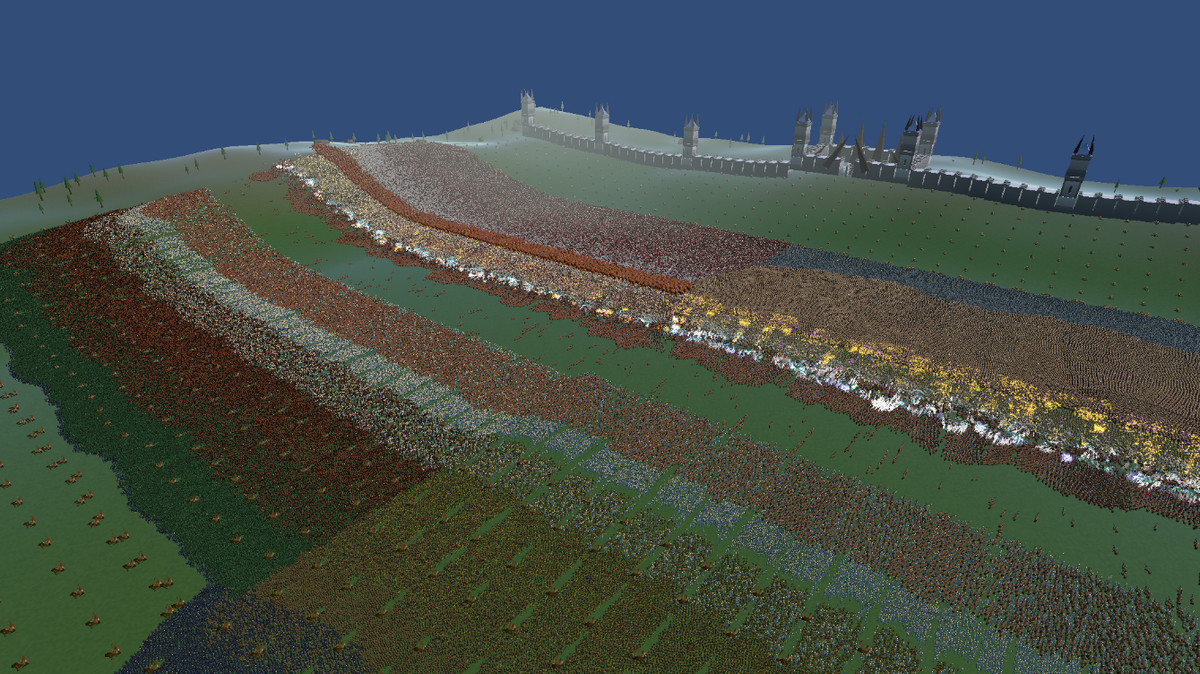
The Castle Siege demo opens with more than 400,000 units across 20 unit types in the supplied configuration. World capacity is configurable up to 1,000,000 entity slots. These figures describe a demo configuration and capacity ceiling, not a universal frame-rate guarantee. Practical results depend on hardware, models, effects, projectiles, resolution, camera coverage, battle composition and project settings.
VERIFIED BASELINE
• Unity 6000.1.4f1
• Universal Render Pipeline 17.1.0
• Windows x64 with DirectX 11
• Compute Shader and indirect drawing support required
• AsyncGPUReadback required for requested snapshots
Mass Battle Framework is a focused battle foundation, not a complete RTS template. Bring your own world, armies and gameplay ideas; use the included examples as a practical starting point. I will continue refining, documenting and expanding the same product as my own large-scale battle game evolves.
From the publisher's Asset Store listing.
Technical details
Core features
• GPU-first simulation for exactly two opposing teams
• Model Baker for compatible custom characters with multiple submeshes/materials and eligible rigid bone-mounted parts
• One to eight variants for each Idle, Move, Attack and Death pool
• Up to eight named special-action pools
• Modular Model, Animation, Behavior and Ability profiles
• 40 first-party GPU effects and GPU Effect Studio authoring outside Play Mode
• Four generated animated LOD levels
• Melee, ranged, cavalry, siege, aerial and special-action examples
• 20 included unit types and two generated demos
• 400,000+ unit Castle Siege demonstration configuration
• Capacity configurable up to 1,000,000 entity slots
• Readable C#, Compute Shader and URP shader source, public APIs and documentation
Verified environment
• Unity 6000.1.4f1
• Universal Render Pipeline 17.1.0
• Windows x64 with DirectX 11
• Compute Shader and indirect drawing support required
• AsyncGPUReadback required for requested snapshots
• Other Unity versions, render pipelines, graphics APIs and platforms are not currently verified
Important scope
• The supplied demos and capacity ceiling are not universal frame-rate or supported-hardware guarantees.
• Performance depends on hardware, models, materials, effects, projectiles, resolution, camera coverage and battle composition.
• The Model Baker uses a documented compatible input contract; it is not a universal character or shader converter.
• The product is a battle foundation, not a complete RTS, networking, save/load, pathfinding, economy or building solution.
• Read Documentation/CUSTOM-MODELS.md, Documentation/LIMITATIONS.md and Documentation/PERFORMANCE.md before production integration.
Compatibility
| Unity version | Built-in | URP | HDRP |
|---|---|---|---|
| 6000.1.4f1 | Not listed | Compatible | Not listed |
As listed on the Asset Store.