
 View on Asset Store (opens in new tab)
Package details
- Latest version
- 1.0.2
- Last updated
- First released
- Unity version
- 6000.0.36 or later
- Package size
- 6.3 MB
- Files
- 656
- Favorites
- 38
- Views in the past week
- 64
Price tracking
- Last checked
- Tracked since
- Lowest recorded
- $45.00 on
Keywords
RLD - Runtime Level Designer
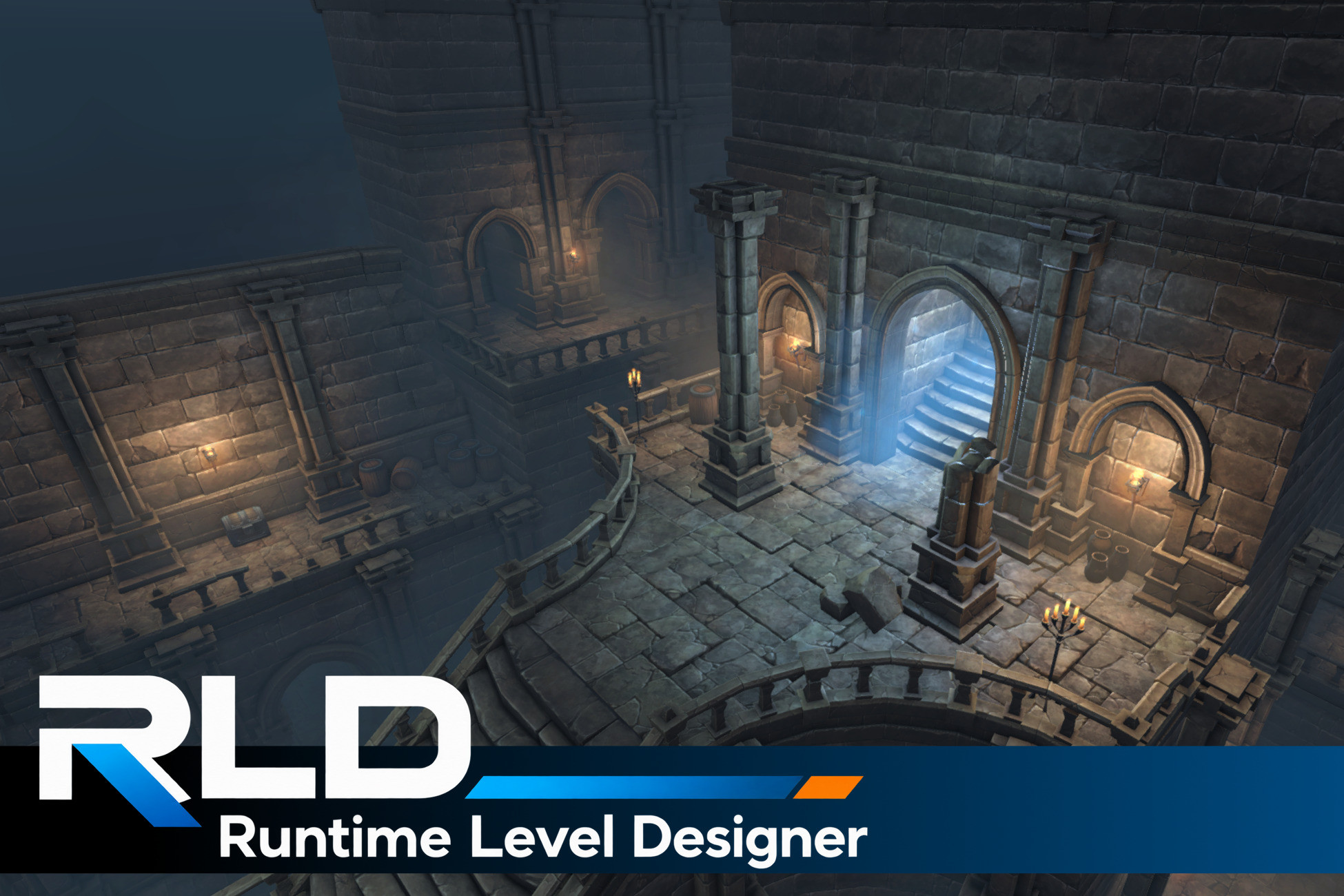
Build powerful runtime level editors in Unity with modular construction, procedural spawning, snapping, selection, Undo/Redo, scene persistence, and more.
Affiliate link · Purchases support this site
Price history
Last 6 months
USDAsset preview
1 / 9

RLD - Runtime Level Designer video 1


About this asset
RLD is a complete runtime level-authoring framework for Unity, built for runtime level-editing applications, sandbox construction systems, user-generated-content workflows, and dedicated level-design tools.
Instead of assembling separate runtime gizmo, snapping, placement, hierarchy, prefab, UI, Undo/Redo, and persistence systems, RLD provides them as one integrated editing environment.
From modular construction and surface placement to paths, volumes, scatter painting, retained curves, runtime inspection, and editable scene documents, RLD provides the foundation for building serious runtime level-design tools.
🛠️ Looking for level design inside the Unity Editor?
Check out GSpawn – Level Designer, a powerful level-design plugin built directly for the Unity Editor.
⠀
Tutorials
▶ RLD Tutorial 1 - Setup & UI overview
▶ RLD Tutorial 2 - Modular Environments I (Basics)
▶ RLD Tutorial 3 - Modular Environments II (Modular Actions)
▶ RLD Tutorial 4 - Modular Environments III (Spawn Actions)
▶ RLD Tutorial 5 - Outdoor Environments I (Props Spawn)
▶ RLD Tutorial 6 - Outdoor Environments II (Curve Spawn)
▶ RLD Tutorial 7 - Outdoor Environments III (Scatter Brush)
▶ RLD Tutorial 8 - Object Groups
Purpose-Built Runtime Level Design
RLD goes beyond a generic runtime editor by providing dedicated workflows for constructing levels.
Build modular structures, place props directly on surfaces, create repeated layouts along paths, fill grid-aligned volumes, paint scattered content, and author retained Catmull-Rom curves that remain editable after creation.
All of these systems share the same selection, prefab identity, Object Groups, scene queries, Undo/Redo, hierarchy, configuration, shortcuts, and persistence infrastructure.
⠀
Runtime Authoring Environment
RLD includes a complete dockable runtime workspace with:
- Hierarchy View
- Runtime Inspector
- Prefab Manager
- Object Groups
- Dockable and floating windows
- Saveable workspace layouts
- Runtime settings and configurable shortcuts
- Style customization
- Runtime Console
- Integrated runtime Undo/Redo
- Dedicated Erase tools
- Runtime creation of supported primitives, lights, audio objects, cameras, empty objects, and Object Groups
Selection and Editing
RLD supports:
- Single and multi-object selection
- Rectangle Selection
- Selection Path
- 3D Selection Box
- Grid-level selection
- Select Connected
- Select Similar Prefabs
- Isolation and Restore
- Configurable selection filters
- Prefab replacement
- Selection Bridge
- Group rotation
- Non-destructive transform randomization
Direct manipulation tools include Move, Rotate, Scale, TRS, Box Scale, Extrude, and Mirror, with configurable Pivot/Center and Global/Local transform spaces.
⠀
Snapping and Placement
RLD provides several specialized snapping workflows:
- Grid Snap for modular construction
- Modular Snap with optional Grid Climb
- Surface Snap for placement against scene geometry
- Box Snap
- Vertex Snap
- Projection
Each system is designed around a different level-design task rather than forcing every placement problem through one universal snapping mode.
⠀
Spawn Tools
RLD includes dedicated runtime spawning workflows:
- Modular Spawn — fast modular construction
- Props Spawn — surface-based prop placement
- Path Spawn — repeated placement along authored paths
- Box Spawn — grid-aligned volume construction
- Scatter Brush — spacing-aware prefab painting
- Curve Spawn — retained Catmull-Rom curves with generated content
Spawn Mirror can reflect Modular, Path, Box, and Props output through one or more construction planes while preserving the normal spawning workflow.
⠀
Procedural Authoring Systems
RLD also includes higher-level authoring systems:
- Random Prefab Profiles for weighted prefab variation
- Cell Layout Providers for procedural Path and Box layouts
- Modular Actions for reusable modular construction behavior
- Spawn Actions for reusable contextual spawning
- Curve Spawn Profiles
- Object Group routing
These systems operate through the same prefab, scene, persistence, and Undo/Redo infrastructure as the rest of RLD.
⠀
Scene Documents and Export
RLD includes editable .rldscene documents with New, Open, Save, and Save As workflows.
Application configuration and workspace layouts can also persist through RLD.rldconfig and .rldlayout files.
For projects that require their own level format, RLD provides a controlled Export API. Exporters receive a read-only, reconstruction-oriented representation of the authored scene containing identifiers, hierarchy relationships, transforms, prefab GUIDs, and supported scene data.
RLD's native Save and Export systems are not designed to embed source prefab assets, Meshes, Materials, Textures, AudioClips, or similar third-party asset payloads.
Developers remain responsible for ensuring that third-party content is used and distributed according to its applicable license.
⠀
Requirements
RLD is built for the Universal Render Pipeline (URP), uses Unity's Input System, and relies on Render Graph APIs. Built-in Render Pipeline and HDRP support should not be assumed.
⠀
Third-Party Assets
The RLD demo, screenshots, tutorials, and promotional material may feature the following third-party environment assets:
- FANTASTIC - Village Pack — Tidal Flask Studios
- FANTASTIC - Dungeon Pack — Tidal Flask Studios
- Multistory Dungeons — Mana Station
- KUBES - Voxel-Style Modular Worldbuilder Kit for Unity — Zerin Labs
These assets are used for demonstration purposes only and are not included with RLD.
Any other third-party environments, props, textures, audio, characters, or assets shown in screenshots, tutorials, videos, trailers, or demonstration scenes are also not included with RLD unless explicitly stated otherwise.
Support
From the publisher's Asset Store listing.
Compatibility
| Unity version | Built-in | URP | HDRP |
|---|---|---|---|
| 6000.0.36f1 | Not listed | Compatible | Not listed |
As listed on the Asset Store.