
 View on Asset Store (opens in new tab)
Package details
- Latest version
- 1.0.9
- Last updated
- First released
- Unity version
- 2022.3.62 or later
- Package size
- 63 KB
- Files
- 25
- Views in the past week
- 19
Price tracking
- Last checked
- Tracked since
- Lowest recorded
- $9.99 on
Keywords
Quick Minimap Pro
by Krykftn | Advanced Editor Tools & Systems (opens in new tab)
A minimap with proven geometry. One-click rig, north-up or rotating, icons clamped to the edge at their true bearing, click-to-world by exact inverse projection, and fog of war with measured coverage.
Affiliate link · Purchases support this site
Price history
Last 6 months
USDAsset preview
1 / 3
Quick Minimap Pro screenshot 1
About this asset
Quick Minimap Pro is a minimap whose geometry is proven, not eyeballed. The projection from world to map pixels is one pure function, its inverse is exact, and both are pinned by tests with hand-computed points - so where an icon sits, what a click means, and where the edge is can never disagree with what the camera shows.
ONE-CLICK RIG
Tools > Quick Minimap Pro > Add Minimap To Scene builds everything: a top-down camera into a RenderTexture, a circular or rectangular panel, an icon layer, a target marker and a fog overlay. Assign your player and you have a working minimap.
TWO MODES, ZOOM, FOLLOW OR FIXED
North-up, or rotating so the player's heading points up. Zoom from code or hotkeys. Follow the target, or watch a fixed area of the world.
ICONS THAT TELL THE TRUTH
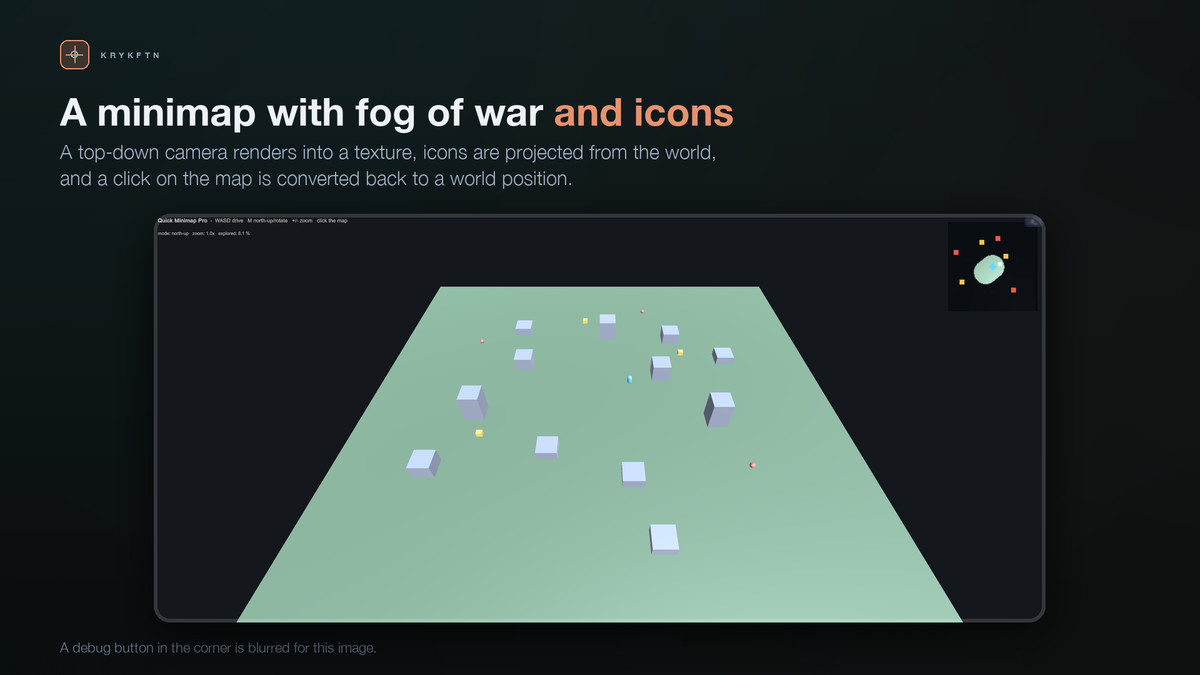
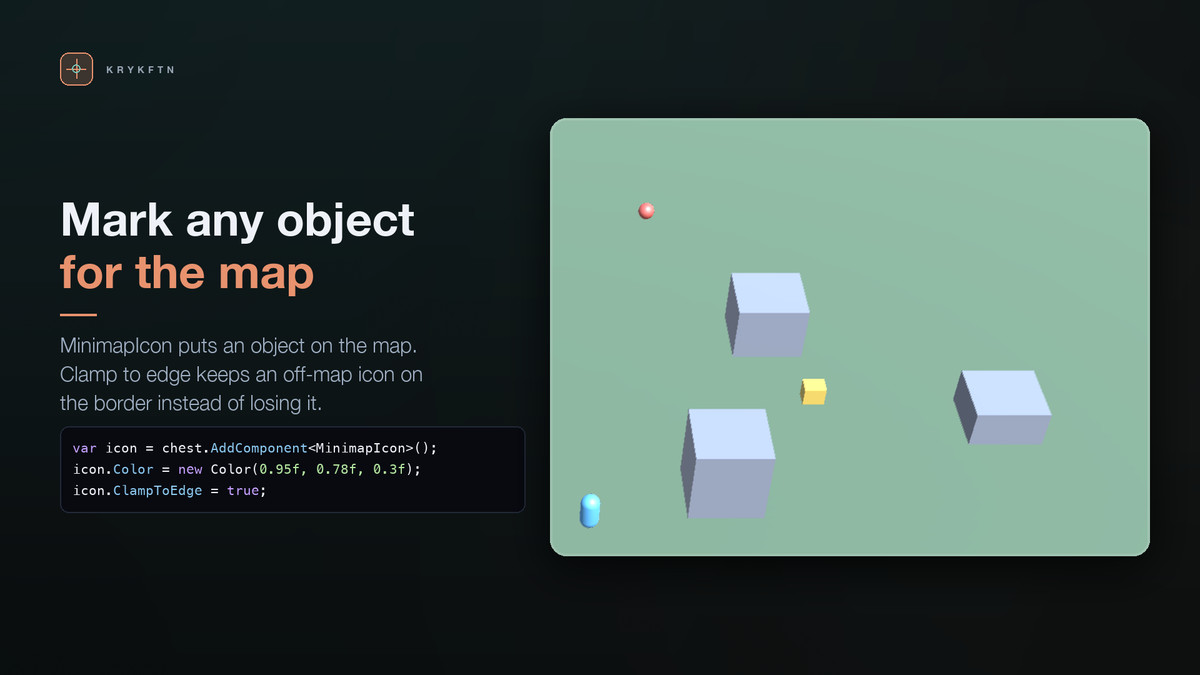
Add a MinimapIcon component to anything. The view projects it every frame with the same math the camera uses. Off-map icons either clamp to the edge at their exact bearing - verified against a 3-4-5 triangle, direction preserved to a millionth of a radian - or hide entirely. They never lie about direction.
CLICK-TO-WORLD
A map click runs the exact inverse projection. One line gives you move-to-click: OnMapClicked = world => agent.SetDestination(world). Verified by inverting 2000 random points, rotated and zoomed, with sub-millimeter worst-case error.
FOG OF WAR YOU CAN MEASURE
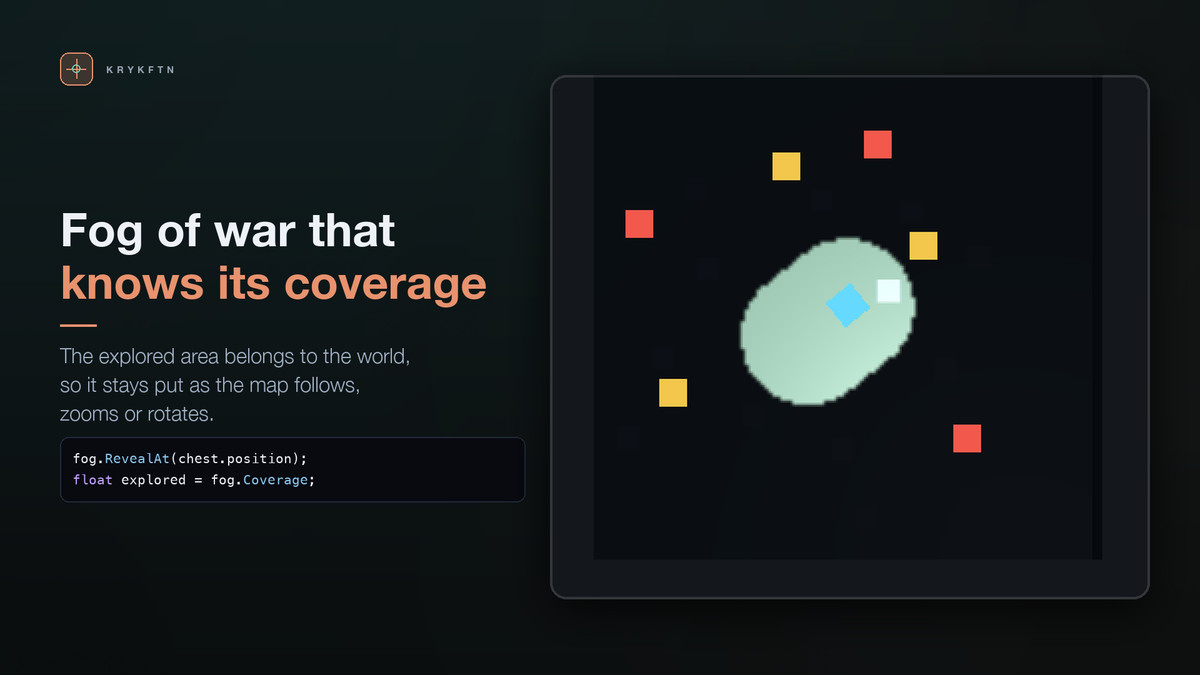
A serializable grid the revealer clears as it moves, covering whatever square of the world you set - your whole level, not just what the map window shows. Coverage is a real number your HUD can show - "explored: 51.6%" - and a test confirms a radius-10 reveal clears exactly the cells the circle equation predicts: 316 on a 1-unit grid. The grid round-trips through JSON with your save system.
IMPORT-SAFE INTO ANY PROJECT
The asset needs uGUI (which ships with Unity). If uGUI is missing, the assemblies gate themselves off - zero compile errors - and a dependency-free Setup window offers the one-click install. Both project shapes are verified headlessly.
THE DEMO
Tools > Quick Minimap Pro > Build Demo Scene: a little town, a patrolling explorer you can take over with WASD, chests pinned to the map rim, enemies that hide when out of range, M to toggle rotating mode, +/- to zoom, and a live explored-percentage readout as the fog clears.
HONEST LIMITS
The map is a ground-plane projection: world Y is ignored by design, so multi-floor interiors need one view per floor. The fog is coverage, not line of sight - walls do not block revealing - and ground outside the fog area you set stays fogged; the console says so if the player walks out of it. These limits are in the README, not waiting in your reviews.
WHAT IS IN THE PACKAGE
Full C# source. Runtime with no dependencies beyond uGUI, works on Built-in, URP and HDRP. Rig builder, demo scene builder, Setup window, README and CHANGELOG.
From the publisher's Asset Store listing.
Technical details
Features:
• One-click rig: a top-down map camera into a RenderTexture, a circular or rectangular uGUI panel, an icon layer, a target marker and a fog overlay, added as one Undo step
• North-up or rotating mode, zoom from code or hotkeys, follow a target or watch a fixed area
• MinimapIcon component: icons are projected with the camera's own math; off-map icons clamp to the edge at their exact bearing or hide
• Click-to-world: OnMapClicked hands you the world point through the exact inverse projection
• Fog of war on a serializable grid, with a Coverage value your HUD can show; Area Half Extent and Area Center make it cover your whole level
• The fog grid round-trips through JSON with your own save system
• Demo scene builder: a town, a patrolling explorer you can take over, chests, enemies, M to rotate, +/- to zoom
Measured on Unity 2022.3 and Unity 6:
• A radius-10 reveal clears exactly the 316 cells the circle equation predicts on a 1-unit grid
• The cleared patch stays on the ground when the view moves, rotates or zooms
• Ground 120 units from the origin, and a level built around (500, 300), are revealed where the player walks
• Add Minimap To Scene is undone in one step and marks the scene as changed
• The demo runs with 0 errors in a project set to the Input System alone
• Imports with 0 compile errors with or without uGUI
Supported OS: all platforms Unity supports
Technical notes:
• Namespaced under Krykftn.QuickMinimapPro; runtime, editor, setup and sample assemblies separated
• Only dependency: uGUI (com.unity.ugui)
• Deleting the Samples folder leaves the tool intact
• Unity 2022.3 LTS or newer
Documentation: included as README.md and CHANGELOG.md
Compatibility
| Unity version | Built-in | URP | HDRP |
|---|---|---|---|
| 2022.3.62f2 | Compatible | Compatible | Compatible |
Built-in, URP and HDRP. The map is a second camera rendering into a RenderTexture shown on a uGUI panel, so no renderer feature or custom pass is needed. The demo town ships on Built-in's Standard shader; an editor script moves only those materials to the active pipeline's lit shader, and the demo was rendered in URP and HDRP with no pink pixels. Needs uGUI; a Setup window installs it if missing.
As listed on the Asset Store.