
 View on Asset Store (opens in new tab)
Package details
- Latest version
- 1.0
- Last updated
- First released
- Unity version
- 6000.3.8 or later
- Package size
- 5.2 MB
- Files
- 158
- Favorites
- 1
- Views in the past week
- 11
Price tracking
- Last checked
- Tracked since
- Lowest recorded
- $39.99 on
Keywords
Voxel Obby Parkour Template
A complete Unity URP obby parkour template with player controller, checkpoints, moving platforms, skins, animations, 5 maps and a lobby. Designed for single-player projects.
Affiliate link · Purchases support this site
Price history
Last 6 months
USDAsset preview
1 / 4
Voxel Obby Parkour Template screenshot 1
About this asset
Demo WebGL: itch.io
Voxel Obby Parkour Template is a complete Unity URP game template for creating stylized obstacle course and parkour games.
The template provides a ready-to-use player controller, third-person camera, checkpoint system, death zones, moving platforms, character skins, animations, audio support, multiple playable maps, and a lobby. It is designed as a flexible starting point that can be customized and expanded with your own platforms, environments, gameplay mechanics, and visual content.
The player controller is based on Unity's CharacterController and uses the Unity Input System for movement and jump controls. Movement includes configurable walking and running speeds, acceleration, air control, slope handling, step offset, jump height, jump distance, coyote time, jump buffering, and grounded detection. The template also includes an orbit-style third-person camera with collision detection.
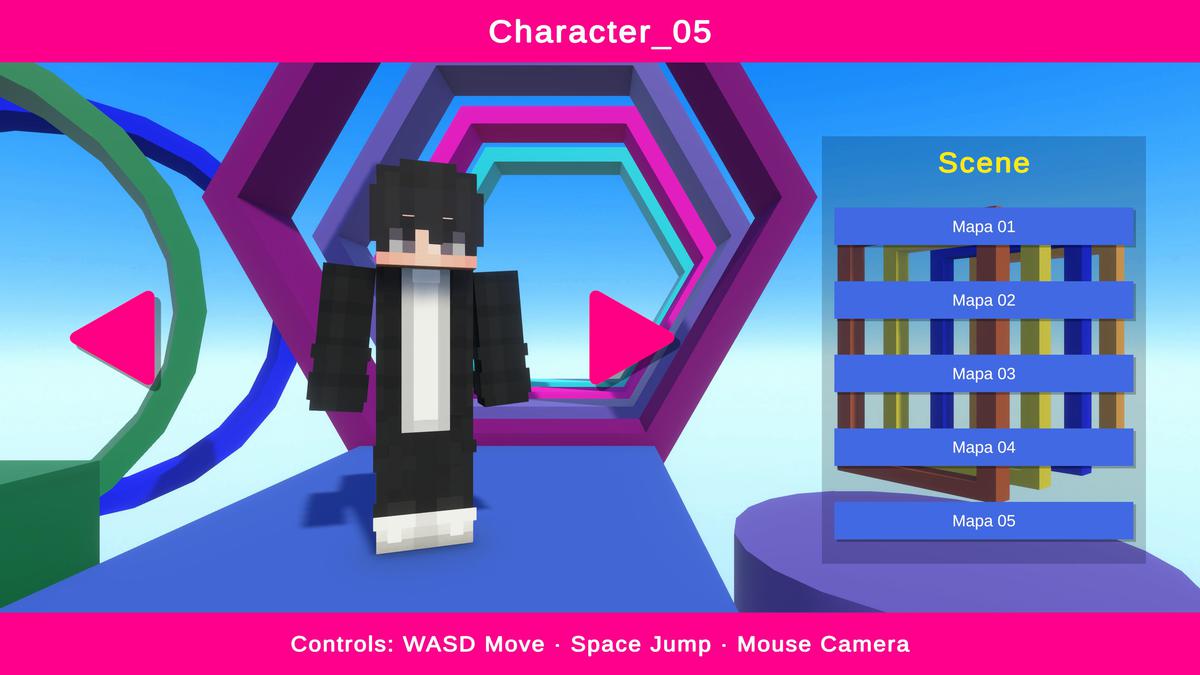
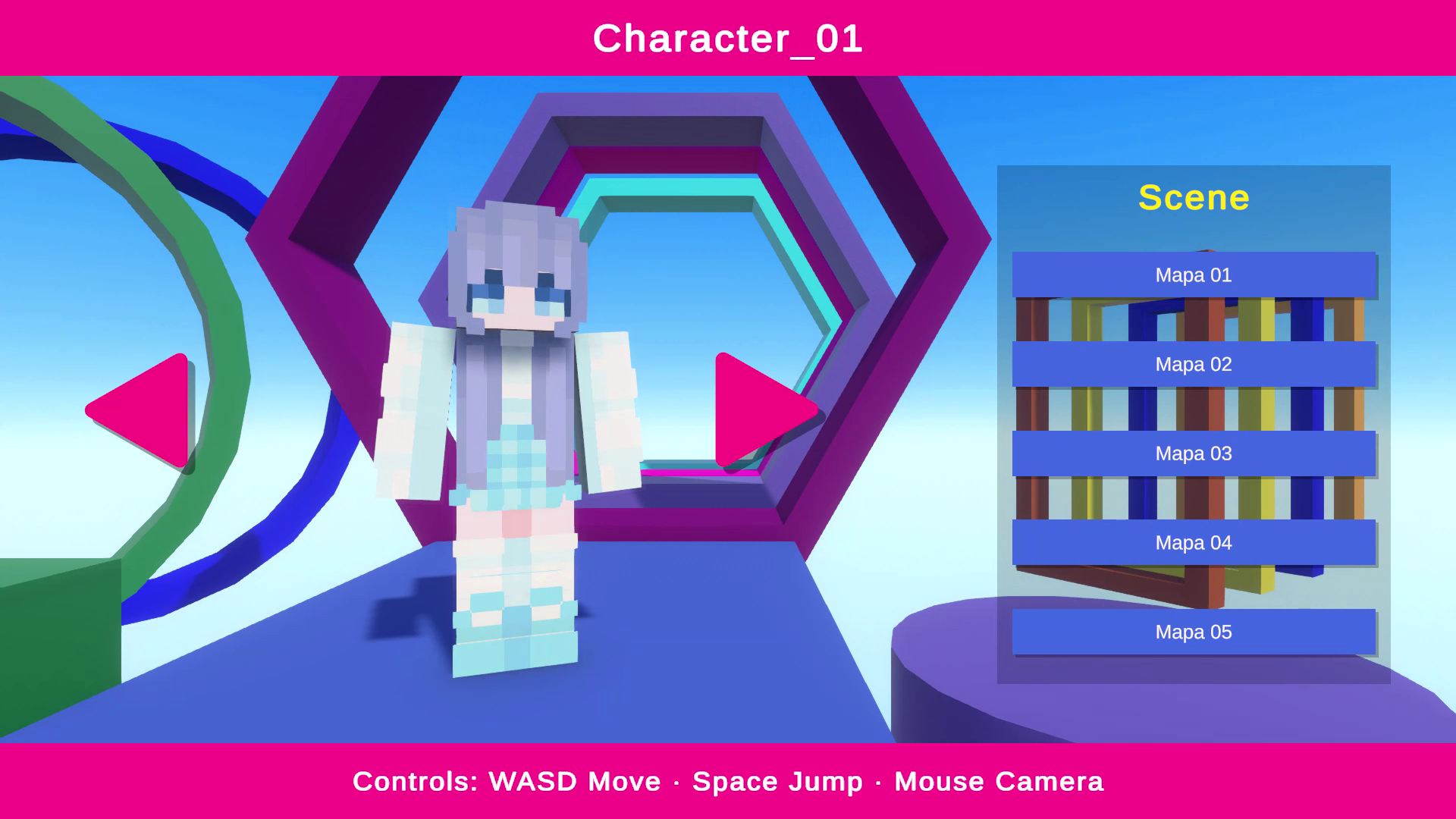
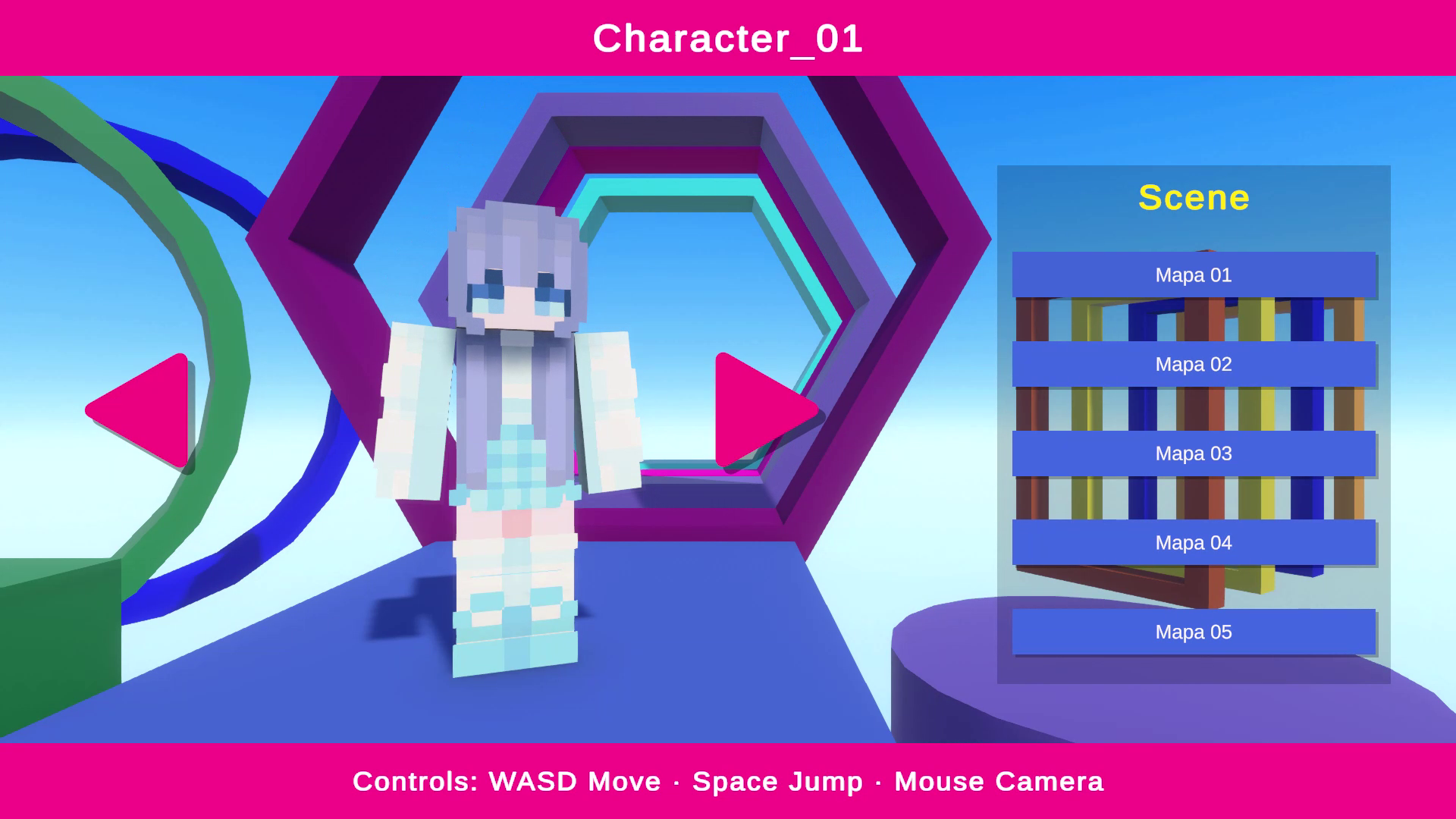
The character includes 12 ready-to-use skin variations, using 64×64 PNG textures. The character is built from separate body pieces, making the visual setup highly editable. The player contains 10 main body pieces with an additional visual layer, resulting in 20 meshes in total. The individual body meshes are lightweight, with approximately 22–27 vertices and 12–15 triangles each.
The template includes 7 character animations: Idle, Walk, Run, Jump, Fall, Land, and Death. The character does not use a traditional skeletal rig. The animations are created directly in Unity by animating the individual character body parts, making the character structure simple and easy to modify.
The package includes 15 materials and does not use PBR texture maps. It also includes a Player prefab and a separate Graphics prefab containing the character's visual parts and skin setup. The Graphics prefab can be edited or replaced if you want to customize the player's appearance.
The environment content includes 5 playable maps and a lobby, along with a collection of geometric obstacle platforms. The package contains 54 platform prefabs plus 13 additional gameplay/environment prefabs, including start, end, checkpoint and death-zone related elements. The included platforms are primarily geometric shapes intended to provide a foundation for building obstacle courses.
The platform models range from approximately 18 vertices / 0 triangles up to 288 vertices / 192 triangles, depending on the shape. You can freely add additional platforms and create your own combinations, including larger structures, connected platform sections, corridors, elevated paths, and custom obstacle layouts.
Single-Player and Multiplayer Compatibility
This template is designed for single-player gameplay and is not multiplayer-ready out of the box. It does not include a networking architecture, networked player state synchronization, server-authoritative movement, RPCs, or synchronized checkpoints and moving platforms. A multiplayer implementation would therefore require additional networking development using a solution such as Unity Netcode for GameObjects, Mirror, Photon, or another networking framework. The existing gameplay systems can serve as a foundation for such a conversion, but multiplayer functionality.
The template is intended for developers who want a customizable starting point for an obby, parkour, platformer, prototype, game jam project, portfolio project, or single-player commercial game.
Input Support
Current release: The template currently provides PC controls only, using keyboard and mouse through the Unity Input System. Mobile touch controls and gamepad-specific controls are not included in the current release.
Requirements
- Unity 6
- Universal Render Pipeline (URP)
- Unity Input System
- Unity CharacterController
- C#
The project requires the Unity Input System and a properly configured Player layer for the controller and camera collision systems to operate correctly.
From the publisher's Asset Store listing.
Technical details
General
- Asset Type: Game Template / Obby Parkour Framework
- Render Pipeline: Universal Render Pipeline (URP)
- Target Platforms: PC, Console, Mobile
- Programming Language: C#
- Input: Unity Input System
- Character Controller: Unity CharacterController
- Multiplayer: Not included / Single-player focused
Player
- Player Prefabs: 1
- Graphics Prefab: 1
- Character Body Pieces: 10
- Total Character Meshes: 20
- Body Mesh Vertices: Approximately 22–27 per mesh
- Body Mesh Triangles: Approximately 12–15 per mesh
- Skins: 12
- Skin Texture: 64×64 PNG
- Materials: 15
- PBR: Not used
- Rig: No traditional skeletal rig
- Character Animation Method: Individual body-part animation created in Unity
Input
- Input System: Unity Input System
- Current Controls: PC keyboard and mouse
- Mobile Touch Controls: Not included
- Gamepad Controls: Not specifically configured
- Console Controls: Not included
Animations
7 character animations:
- Idle
- Walk
- Run
- Jump
- Fall
- Land
- Death
The animation system uses Unity's Animator/state-machine workflow for controlling the character states.
Gameplay Systems
- CharacterController-based movement
- Walk and run states
- Configurable acceleration and air control
- Slope handling
- Step offset
- Configurable jump height and distance
- Coyote time
- Jump buffering
- Ground detection
- Death and respawn system
- Checkpoint system
- Moving platform system
- Third-person orbit camera
- Camera collision detection
- Footstep audio system
- Jump, landing and death audio support
The core architecture includes dedicated player controller, input, animation, audio, camera, checkpoint, kill-zone and moving-platform systems.
Environment Content
- Playable Maps: 5
- Lobby: 1
- Platform Prefabs: 54
- Additional Gameplay / Environment Prefabs: 13
- Platform Style: Geometric / stylized obstacle-course elements
- Platform Mesh Range: Approximately 18–288 vertices
- Platform Triangle Range: Approximately 0–192 triangles
The included platforms are designed to be combined and rearranged. Developers can add additional custom platforms and create larger structures, connected obstacle sections, corridors, elevated paths, or entirely new layouts.
Platform & Gameplay Elements
Included content covers:
- Start area
- End area
- Checkpoints
- Death / kill zones
- Moving platforms
- Static obstacle platforms
- Multiple map layouts
- Lobby environment
Skin System
The template includes a skin management system with resource-based skin loading, UI navigation and persistence functionality. The documented system supports loading skins from the Resources folder and storing the selected skin using PlayerPrefs and JSON.
Requirements
- Unity 6
- Universal Render Pipeline
- Unity Input System package
- Unity CharacterController
- Properly configured Player layer
The Player layer is mandatory for correct camera collision and physics behavior.
Multiplayer
Not included.
The template does not contain networking, RPCs, network synchronization, server-authoritative movement, client prediction/reconciliation, or networked checkpoint/platform systems. Multiplayer conversion is possible as a separate development task, but it requires substantial networking implementation and is not included with this asset.
Compatibility
| Unity version | Built-in | URP | HDRP |
|---|---|---|---|
| 6000.3.8f1 | Not listed | Compatible | Not listed |
URP Support
The package uses only 15 standard materials, making manual conversion to HDRP or built-in materials easy to adapt.
As listed on the Asset Store.