
 View on Asset Store (opens in new tab)
Package details
- Latest version
- 1.0.8
- Last updated
- First released
- Unity version
- 2022.3.62 or later
- Package size
- 36 KB
- Files
- 18
- Views in the past week
- 15
Price tracking
- Last checked
- Tracked since
- Lowest recorded
- $9.99 on
Keywords

Quick Save Pro - Save System
by Krykftn | Advanced Editor Tools & Systems (opens in new tab)
A save system that survives a crash mid-write - and proves it. Atomic writes with backup, checksummed files, versioned sections with migrations, and a Save Browser showing what is inside every save.
Affiliate link · Purchases support this site
Price history
Last 6 months
USDAsset preview
1 / 3
Quick Save Pro - Save System screenshot 1
About this asset
Quick Save Pro is a save system whose crash-safety is not a promise but a test result. Every write goes to a temp file, then the same bytes to a backup, then the temp file takes the real name - so at no moment does the disk hold zero good copies. Tests that tear save files in half at every stage of the write, and load anyway, prove it on Unity 2022.3 and Unity 6.
CRASH-SAFE BY CONSTRUCTION
A crash mid-save leaves either the new save or the previous one on disk - never a corrupt file and nothing else. If the main file is torn, the load falls back to the backup automatically and tells you it did, and the backup is a second copy of the latest save, so the player gets back exactly what they last saved.
NOTHING FAILS SILENTLY
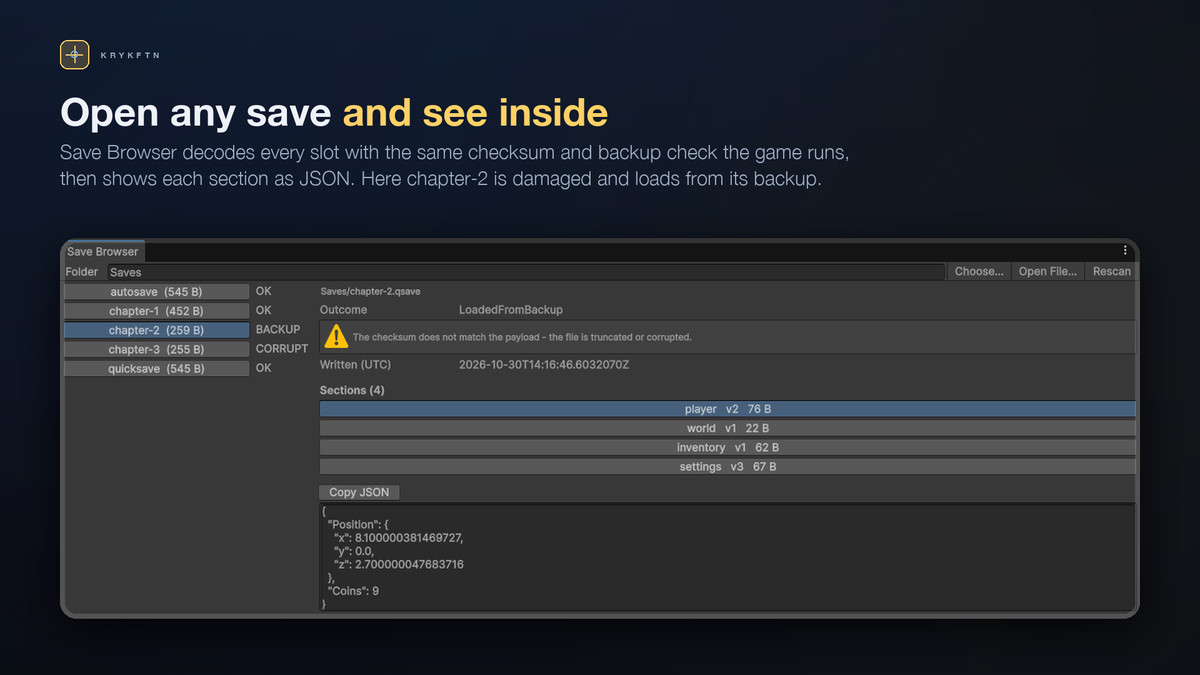
Every file starts with a QSAVE header carrying a SHA-256 checksum of the payload. A truncated or edited file is caught on load. Every load returns an outcome in words - Loaded, LoadedFromBackup, Missing, CorruptWithoutBackup - plus a sentence explaining what happened, so your load screen can tell the player the truth.
VERSIONED SECTIONS WITH MIGRATIONS
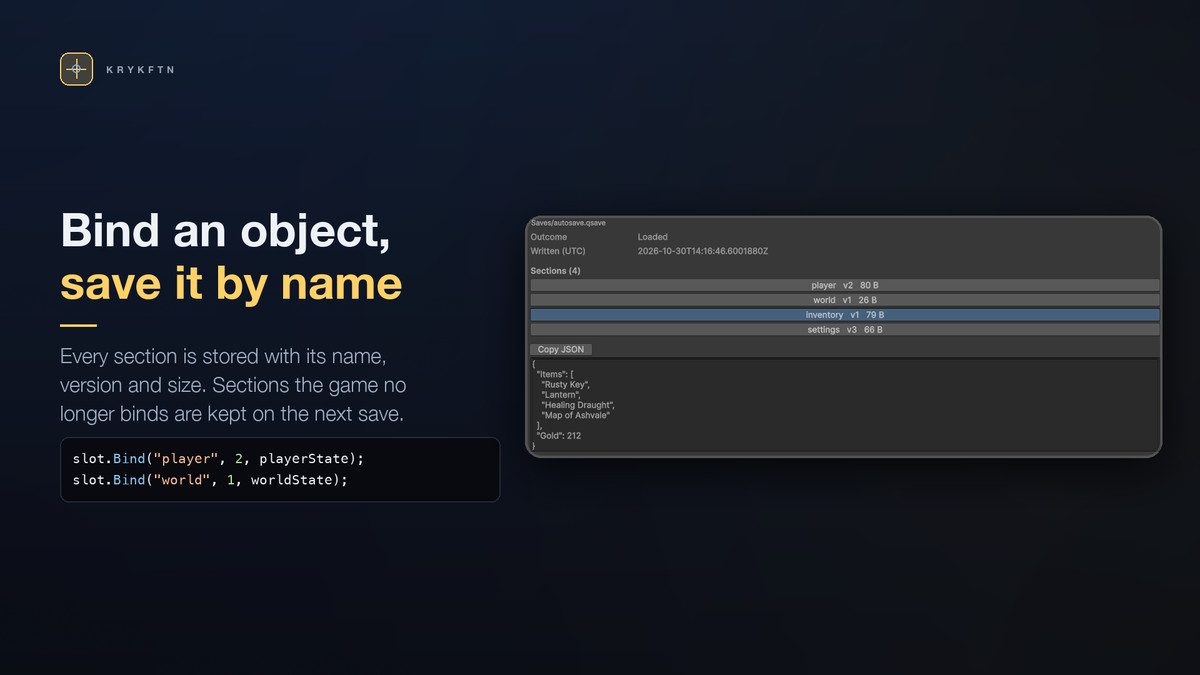
Each serializable class you bind is stored as its own named section with its own version number. When a section's shape changes, register one pure migration step per version bump. Old saves walk the chain on load; a missing step is refused with its exact position named, and the bound object is left untouched. One section's problem never touches another, and sections your build does not know about - DLC, mods, a newer build's data - survive a save/load cycle untouched. A section that a newer build wrote at a higher version is carried over untouched by an older build, never overwritten with its defaults.
SAVE BROWSER
Tools > Quick Save Pro > Save Browser lists every save file with its outcome, its sections with versions and sizes, and the exact JSON inside. "Why does my save not load" is answered by looking, not guessing.
LOAD MENUS THAT NEVER LIE
SaveCatalog scans the save folder and actually decodes every file - checksum, backup fallback and all - so a load menu built from it never offers a slot that would then fail to load.
A DEMO WITH A SELF-DESTRUCT BUTTON
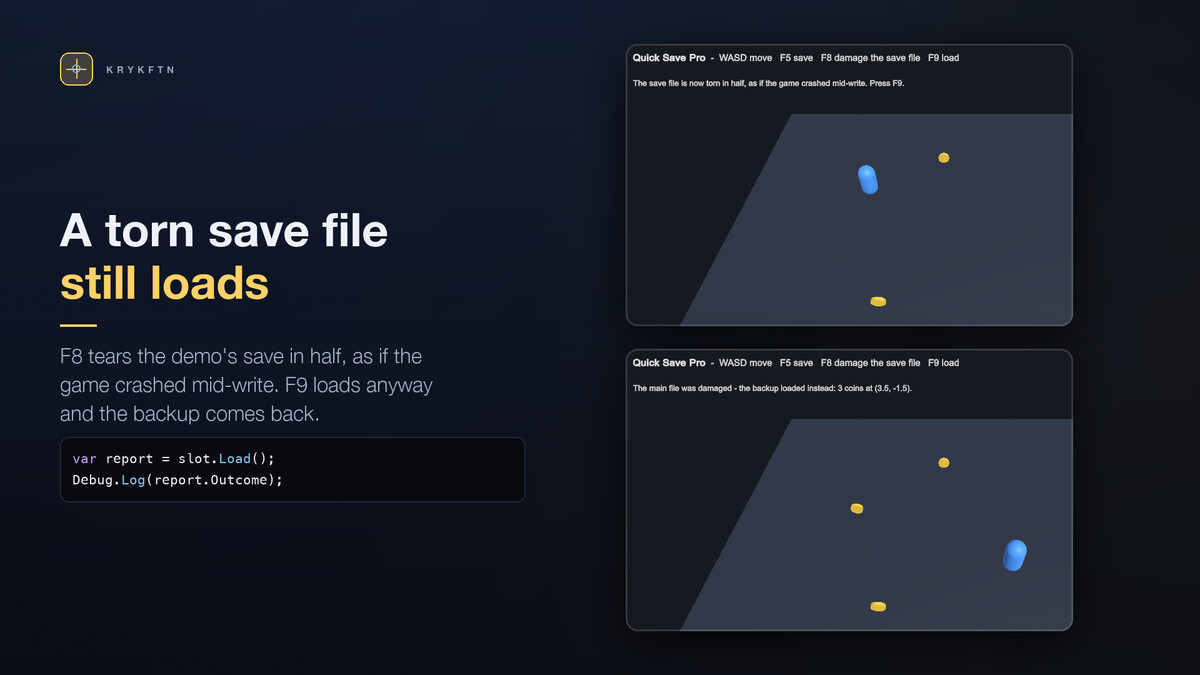
Build the demo scene from the menu, press Play: walk with WASD, collect coins, save with F5 - then press F8 to tear the save file in half, as if the game crashed mid-write, and press F9 to load anyway and watch the backup restore your exact position and coins.
HONEST LIMITS
Sections are serialized with Unity's JsonUtility: fields only, no dictionaries or polymorphism inside a section. Files are plain text and not encrypted - the checksum is integrity, not secrecy. These limits are stated in the documentation rather than discovered in production.
WHAT IS IN THE PACKAGE
Full C# source. Runtime with zero dependencies, editor window, buildable demo scene, README and CHANGELOG. Works with the Built-in Render Pipeline, URP and HDRP - the runtime never touches rendering.
From the publisher's Asset Store listing.
Technical details
- Atomic write order: the new save goes to a temp file and is flushed, the same bytes go to the .bak and are flushed, then the temp file takes the real name. At no moment does the disk hold zero good copies, and the backup is always the latest save· verified by tests that tear files at every stage.
- File format: "QSAVE 1 <checksum>" header, SHA-256 first 8 bytes over the payload, UTF-8 plain text.
- Load outcomes: Loaded, LoadedFromBackup, Missing, CorruptWithoutBackup - each with a worded explanation.
- Sections: named, versioned, serialized with JsonUtility; one section's failure never touches another; unknown sections are preserved across save/load cycles.
- Migrations: pure string-to-string steps registered per section and version; a broken chain is refused with the missing step named; the bound object is left untouched.
- SaveCatalog: scans a folder and fully decodes every file before a menu offers it.
- Save Browser editor window: outcomes, sections, versions, sizes, pretty-printed JSON.
- Files live in Application.persistentDataPath/saves with .bak alongside.
- Runtime has zero dependencies and never touches rendering; works on all render pipelines.
- Requires Unity 2022.3 LTS or newer (tested on 2022.3 and Unity 6.3). Full source included.
Compatibility
| Unity version | Built-in | URP | HDRP |
|---|---|---|---|
| 2022.3.62f2 | Compatible | Compatible | Compatible |
Works in any render pipeline: the runtime is plain C# that writes save files under Application.persistentDataPath and never touches rendering. No package dependencies. The sample scene is built from Unity primitives with the active pipeline's default material, and its keys read the Input System or the Input Manager, whichever the project uses. Unity 2022.3 LTS or newer.
As listed on the Asset Store.