
 View on Asset Store (opens in new tab)
Package details
- Latest version
- 1.0.8
- Last updated
- First released
- Unity version
- 2022.3.62 or later
- Package size
- 43 KB
- Files
- 32
- Favorites
- 1
- Views in the past week
- 16
Price tracking
- Last checked
- Tracked since
- Lowest recorded
- $9.99 on
Keywords
Quick Wave Spawner Pro
by Krykftn | Advanced Editor Tools & Systems (opens in new tab)
A deterministic wave director for tower-defense, survivor and horde games: an editor timeline that plots every spawn before Play, and a pooled runtime that provably executes the same plan.
Affiliate link · Purchases support this site
Price history
Last 6 months
USDAsset preview
1 / 3
Quick Wave Spawner Pro screenshot 1
About this asset
Every wave spawner can spawn things. The question is whether you can see the encounter before you press Play - and whether what you saw is what actually happens.
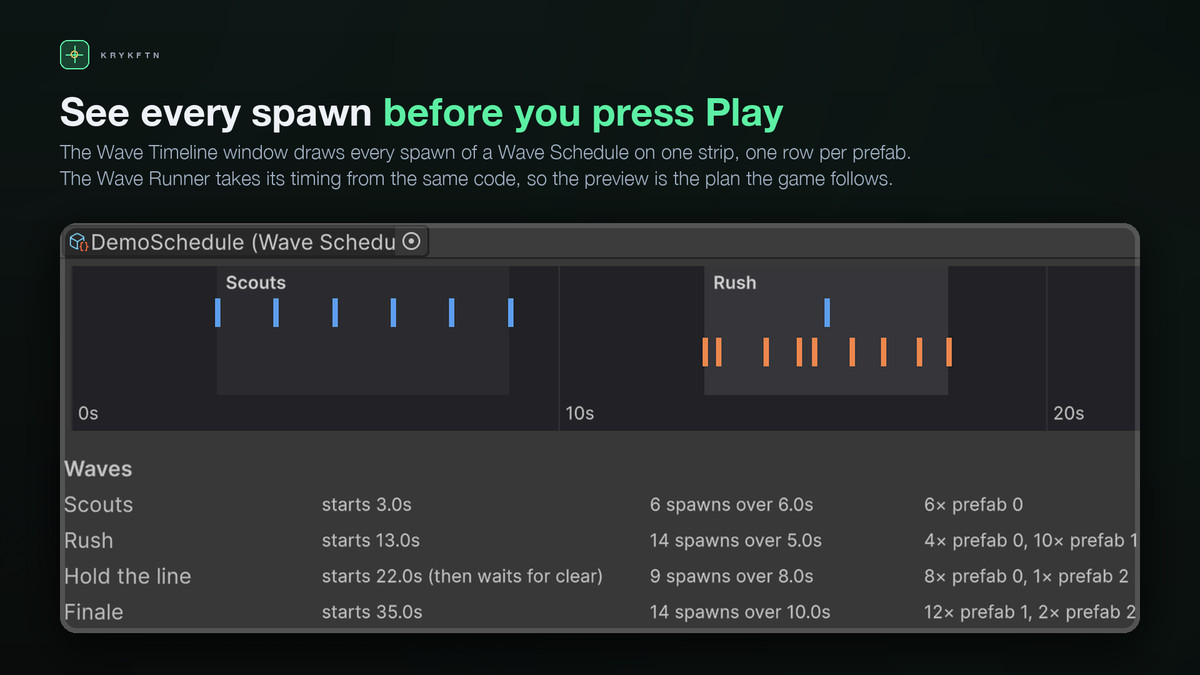
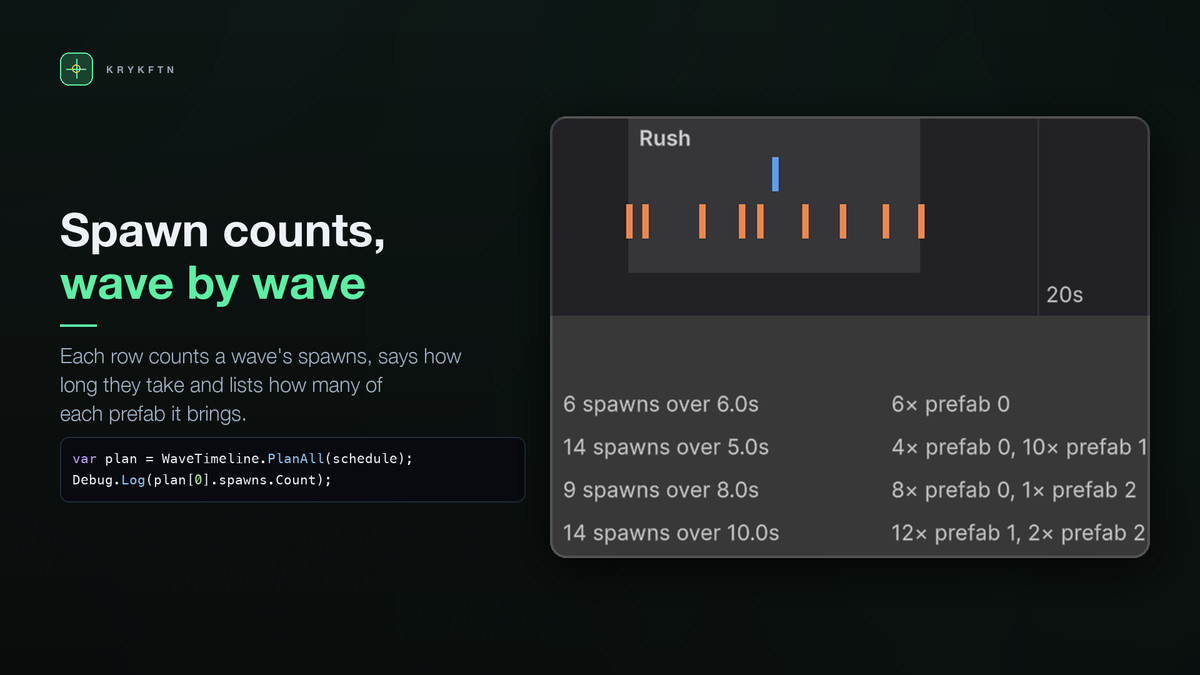
This one plots it. Open the Wave Timeline window, pick a schedule, and every spawn of the whole encounter is drawn on one strip: what spawns, when, from which entry. The same code computes that strip and drives the game, and a test steps the runtime against the plan spawn for spawn, across random frame times, to prove they match. It is a preview in the literal sense.
AUTHOR WAVES AS ASSETS
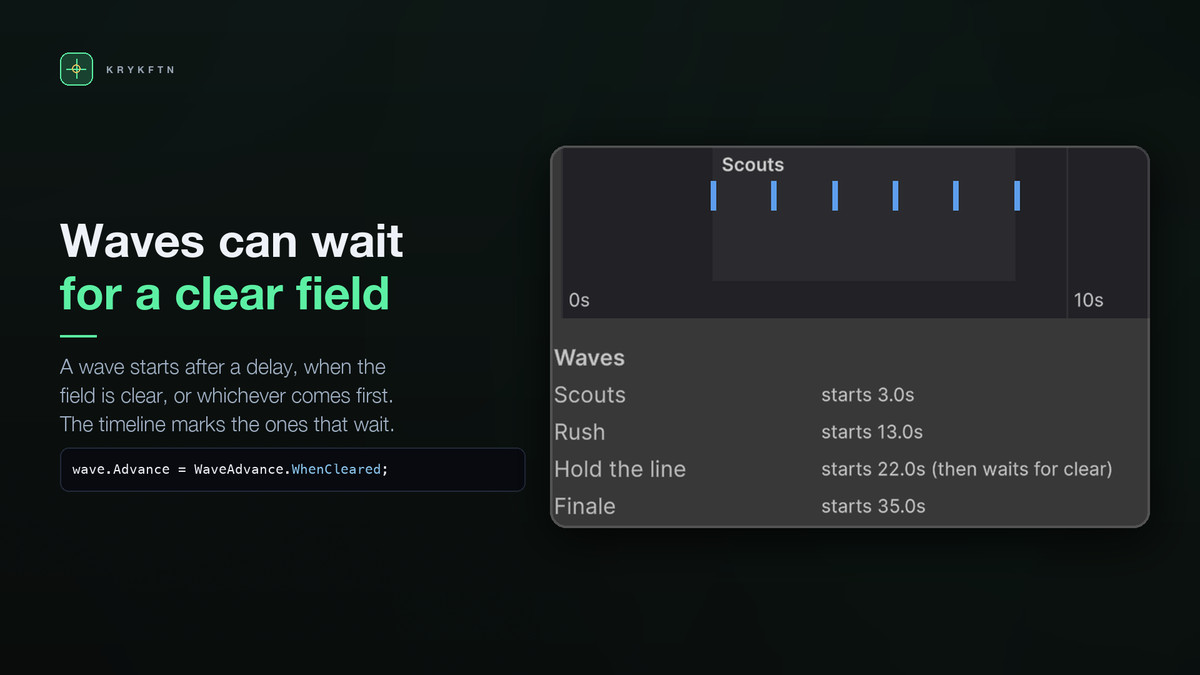
A WaveSchedule is a ScriptableObject: waves of entries, each entry saying which prefab, how many, and how they are spread - Burst (all at once), Stream (evenly over a duration) or Stagger (evenly with seeded jitter). Waves advance by one of three rules:
• AfterDelay - fully timed, fully plottable
• WhenCleared - the next wave waits until everything is dead; player-paced pressure
• ClearedOrDelay - whichever comes first; reward fast clears without letting slow ones stall
DETERMINISTIC, PROVABLY
The same seed always produces the same plan, on every platform - randomness comes from an explicit generator, not System.Random, whose algorithm is not guaranteed stable. Waves are seeded independently, so editing wave three never changes wave one's plan. Set a different seed per run when you want variety.
DRIFT-FREE TIMING
Scheduled transitions anchor to their scheduled moments, not to the frame that noticed them. Without that rule, each wave boundary adds up to a frame of lateness and the error accumulates - measured at 216 ms of drift by the second wave before the rule existed. With it: across deliberately ugly random frame times, no spawn ever fires early and none is later than one frame.
ONE CALL TO INTEGRATE
When something dies in your game, call runner.Despawn(instance). That single call returns the object to its pool and lets clear-based waves advance. An enemy you remove with Destroy counts as gone too. Everything else - pooling, timing, spawn points, events - is the runner's job.
POOLED, COUNTED
Spawned objects come from per-prefab pools with prewarm. Prewarmed objects do not wake until they spawn, and spawned objects live under an object of their own, so moving or switching off the runner leaves them where they are. The counters are public, because "it pools" is a claim: in the sample encounter, 43 spawns are served by 24 objects, all created up front, with nothing instantiated after.
IT NAMES YOUR MISTAKES
The timeline window checks the schedule and the runner, and says what it finds in words: a WhenCleared wave that spawns nothing and would therefore wait forever, a prefab index the runner does not have, a stream over zero seconds, a spawn group with no usable points. A correct setup produces no findings.
THE SAMPLE
Four waves, three enemy types, all three advance rules, a live HUD counting alive / spawned / objects-ever-created, click-to-kill, and an auto-killer so the encounter also completes unattended. Rebuild it any time from the menu.
MEASURED
The numbers here come from the automated checks that ship with the package, run on Unity 2022.3.62f2: runtime-versus-plan parity across random 5-125 ms frames with worst lateness 115 ms and zero accumulation; a hand-computed stream of five over eight seconds landing exactly on 0, 2, 4, 6, 8; 43 spawns from 24 pooled objects. Each suite was verified by deliberately breaking the code and confirming the tests caught it.
REQUIREMENTS
• Unity 2022.3 LTS or newer
• Pure C#, no dependencies, no accounts, any render pipeline
LIMITS
Spawn counts and timings are fixed per schedule; difficulty scaling is yours to apply by choosing a schedule or editing counts before Play. WhenCleared relies on your Despawn calls - if nothing reports deaths, the wave waits by design, and the inspection names the one case where that is certain. One runner runs one schedule at a time; use several runners for overlapping encounters.
From the publisher's Asset Store listing.
Technical details
Features:
• WaveSchedule assets: waves, entries, Burst / Stream / Stagger patterns, three advance rules
• Wave Timeline window: every spawn of the encounter plotted before Play, plus a per-wave table
• Setup checks that name specific mistakes, including the wave that would wait forever
• Deterministic: same seed, same plan, on every platform; waves seeded independently
• Drift-free runtime: scheduled transitions anchor to scheduled moments, so lateness never accumulates
• Per-prefab pooling with prewarm and public created/reused counters
• Spawn point groups with round-robin and random assignment
• One-call integration: Despawn(instance) returns the object to its pool and advances clear-based waves
• UnityEvents for wave started, finished spawning, all finished, and spawned
• Unity-free core (WaveRunnerCore) steppable with fake time for your own tests
Measured on Unity 2022.3.62f2 and 6000.3.12f1:
• Runtime vs plan across random 5-125 ms frames: every spawn in order, none early, worst lateness 105 ms - under one frame, zero accumulation
• Sample encounter: 43 spawns served by 24 pooled objects, none instantiated after prewarm
• Import into a bare project: 0 errors and 0 warnings, with and without the sample
Supported OS: all platforms Unity builds to; the package is pure C#
Technical notes:
• Namespaced under Krykftn.QuickWaveSpawnerPro; runtime, editor and demo assemblies separated
• No dependencies, no accounts, no network access; works in any render pipeline
• Unity 2022.3 LTS or newer
Documentation: included as README.md
Compatibility
| Unity version | Built-in | URP | HDRP |
|---|---|---|---|
| 2022.3.62f2 | Compatible | Compatible | Compatible |
Works in any render pipeline. The package is pure C# gameplay and editor tooling: it spawns your prefabs with your project's own materials and shaders, and renders nothing itself. Built-in, URP and HDRP behave identically. Editor code (the timeline window and checks) is in a separate editor-only assembly and does not ship in builds.
As listed on the Asset Store.