
 View on Asset Store (opens in new tab)
Package details
- Latest version
- 1.3.0
- Last updated
- First released
- Unity version
- 6000.0.72 or later
- Package size
- 10.1 MB
- Files
- 28
- Favorites
- 2
- Views in the past week
- 16
Price tracking
- Last checked
- Tracked since
- Lowest recorded
- $4.99 on
Keywords
BetterTools
A lightweight 4-in-1 suite of Unity Editor Tools to organize scene hierarchies, inspect object references, debug animations, and streamline your daily development workflow.
Affiliate link · Purchases support this site
Price history
Last 6 months
USDAsset preview
1 / 19
BetterTools screenshot 1

About this asset
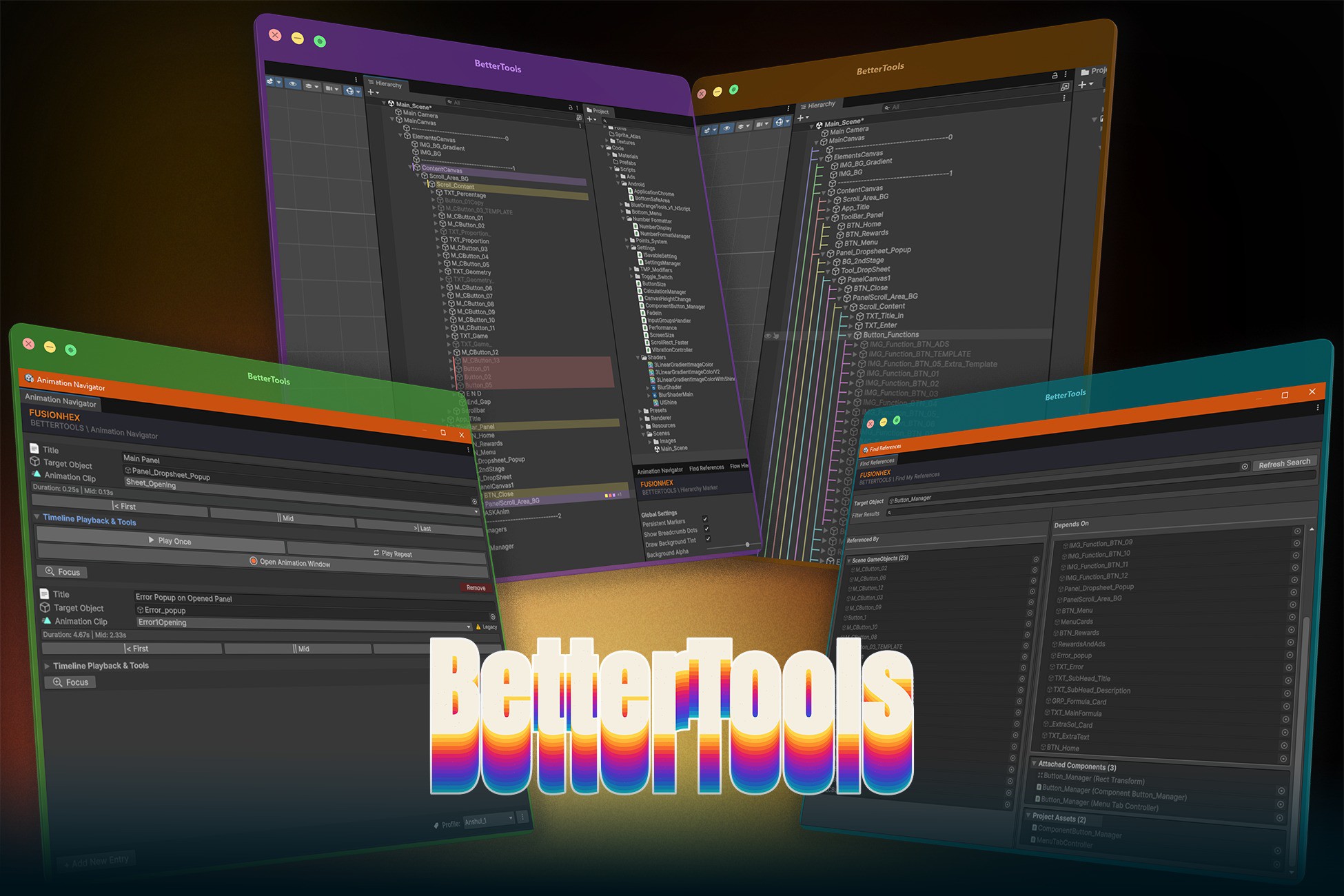
BetterTools is a modular collection of four lightweight Unity Editor utilities designed to reduce scene clutter, inspect object dependencies, improve animation workflows, and make everyday development faster and more organized.
Built with a modular architecture, each tool stores its data using the most appropriate persistence method reducing project clutter, minimizing version control conflicts, and keeping workflows clean for both solo developers and teams..
---
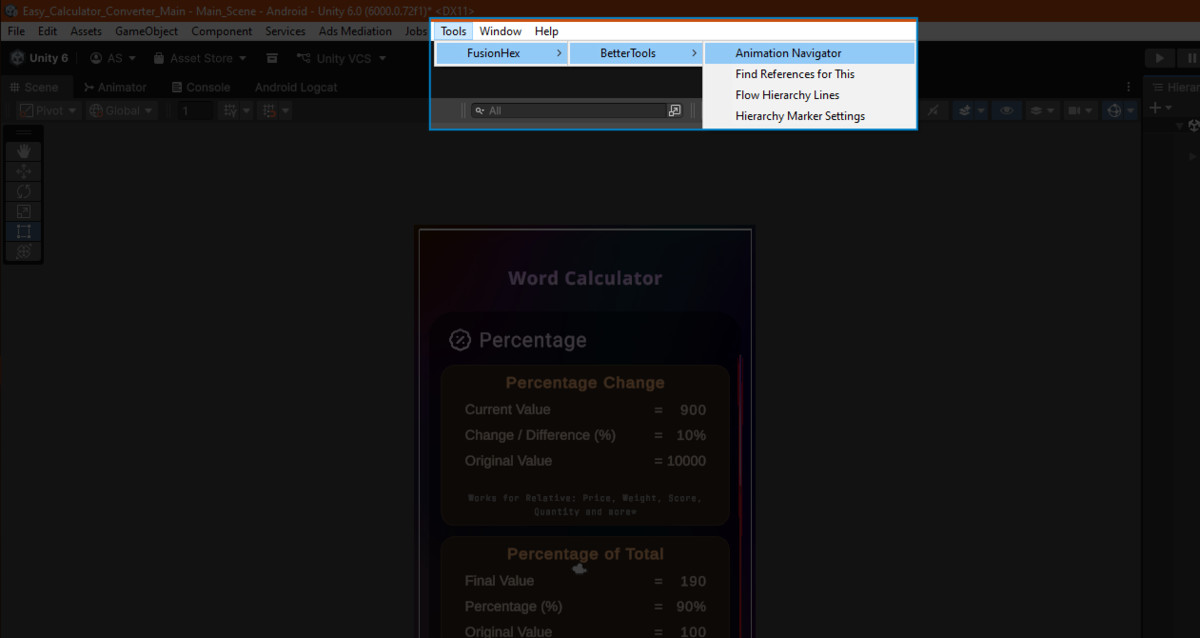
Included Tools-
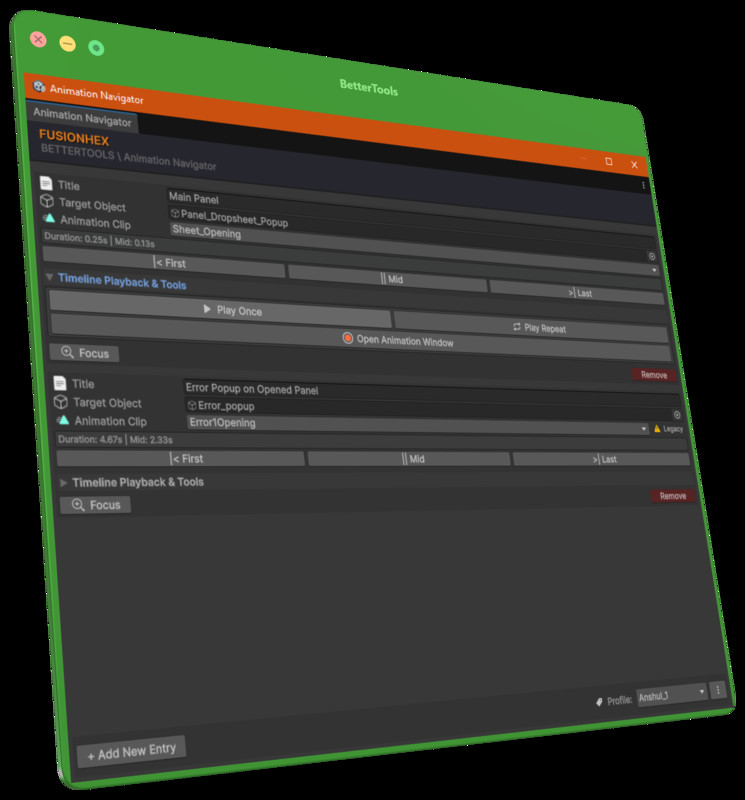
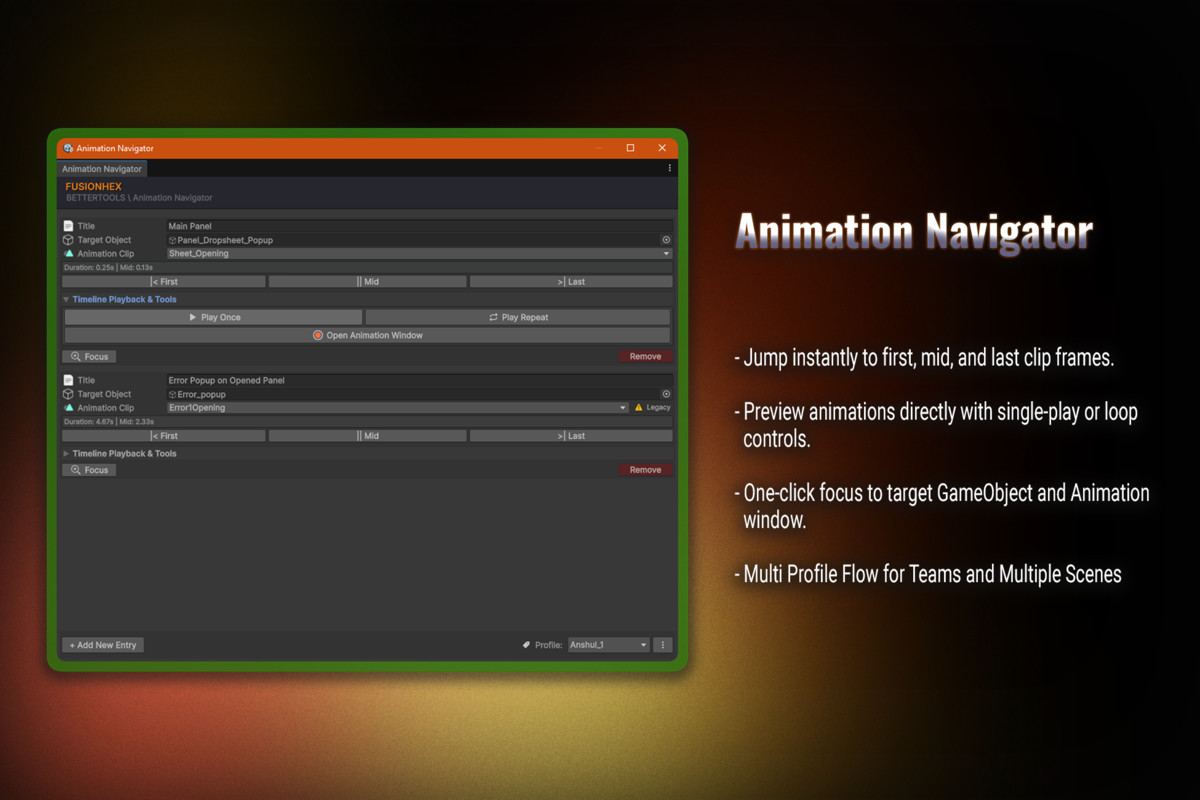
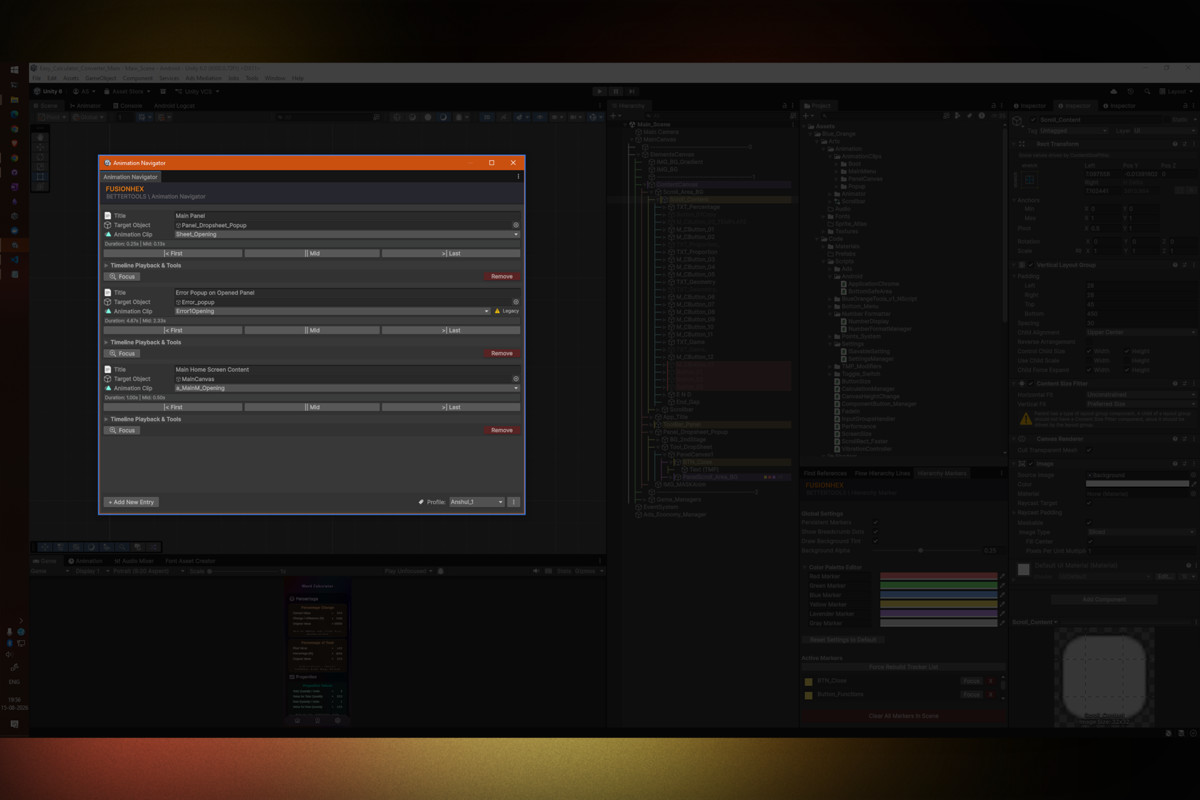
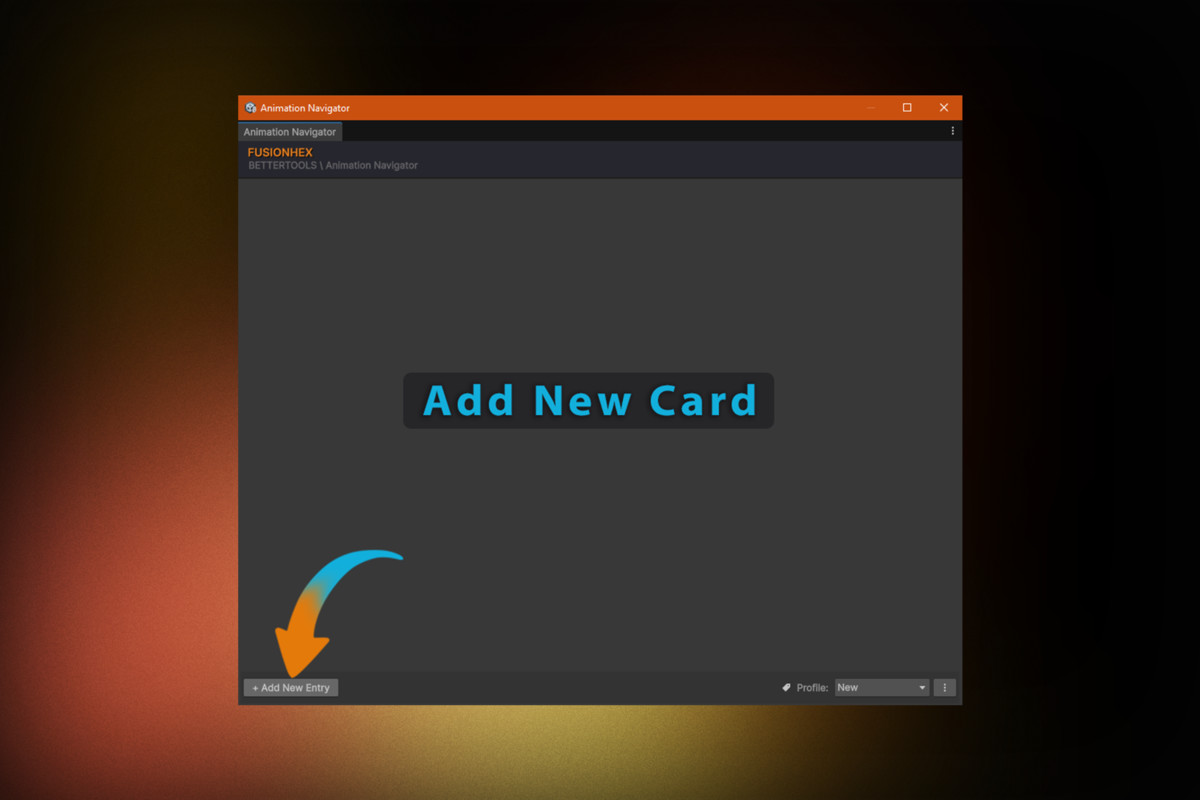
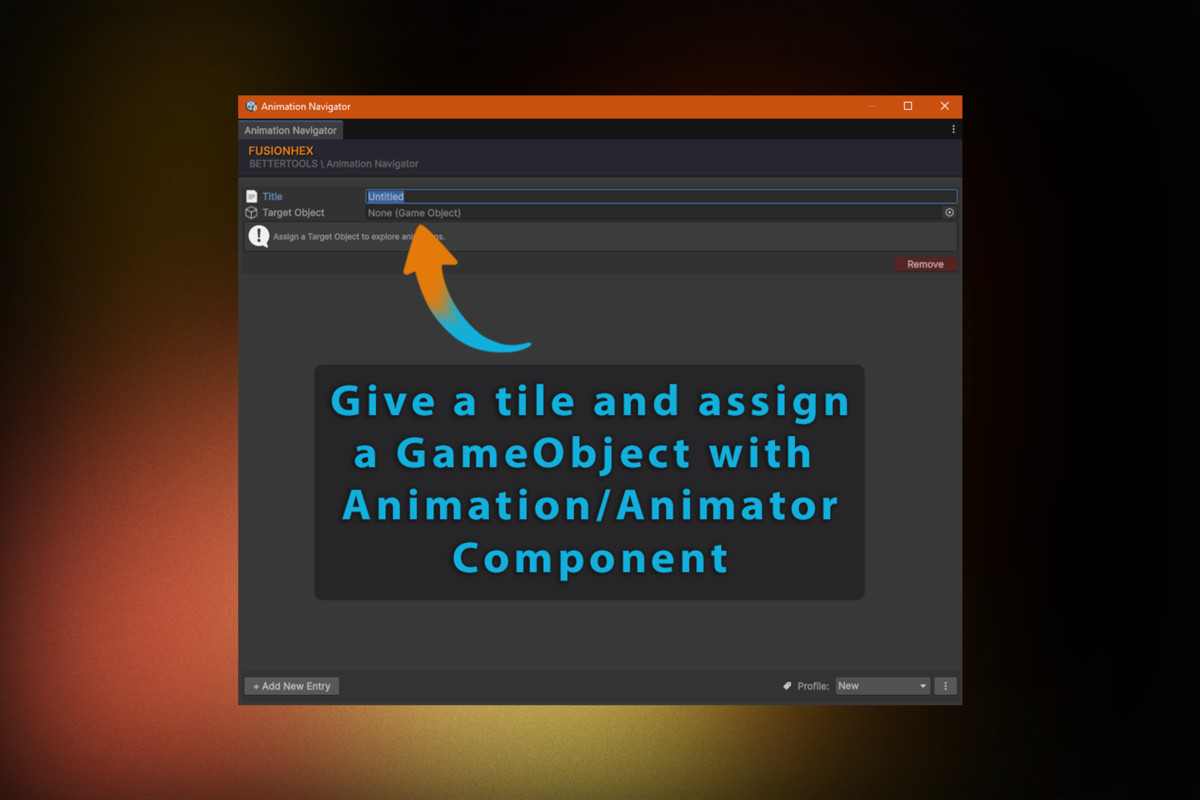
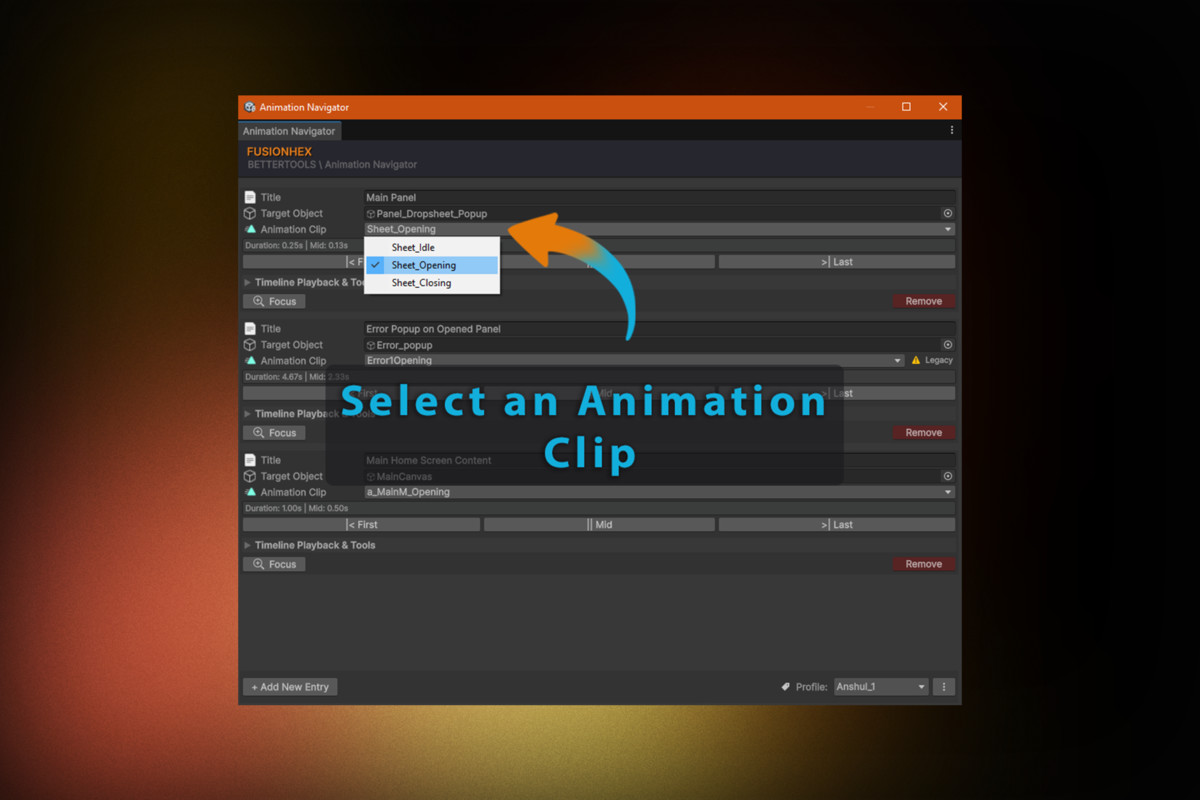
1. Animation Navigator
Simplify animation inspection and debugging directly inside the Unity Editor.
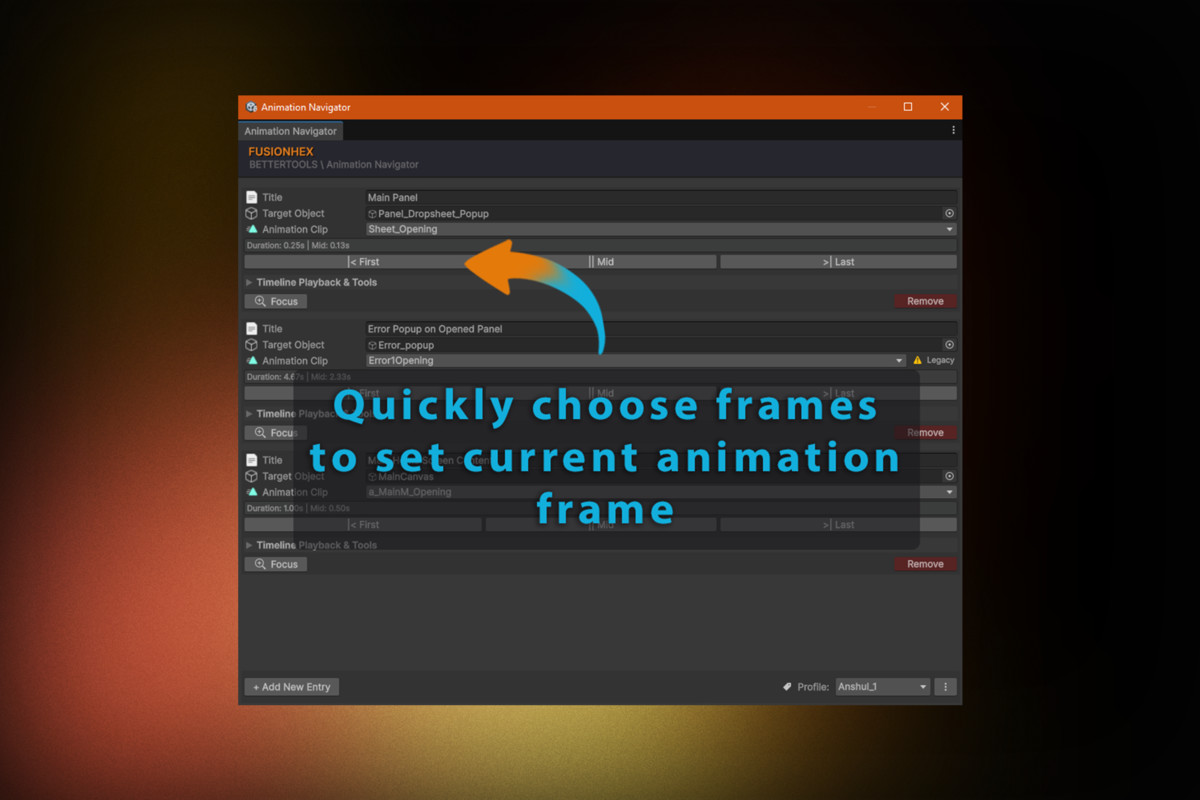
- Jump instantly to the first, middle, or last frame of any selected animation clip.
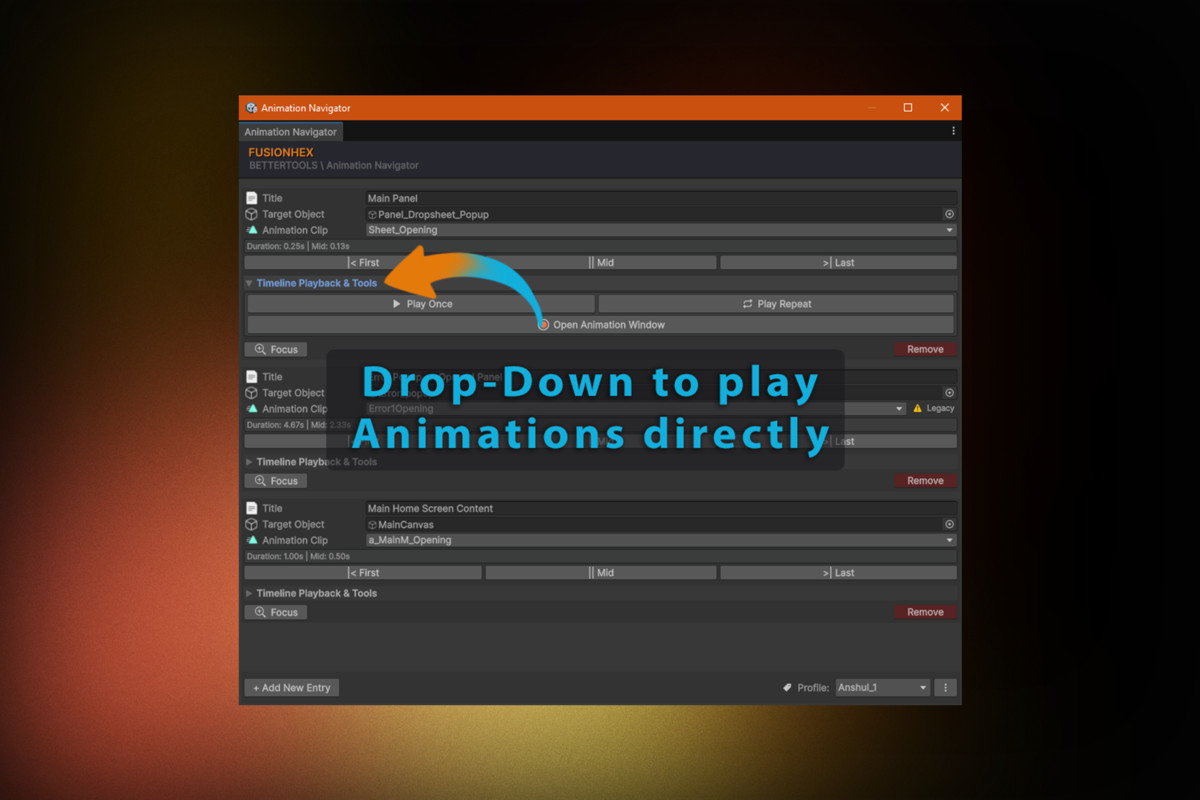
- Preview animations with single-play or loop playback without entering Play Mode.
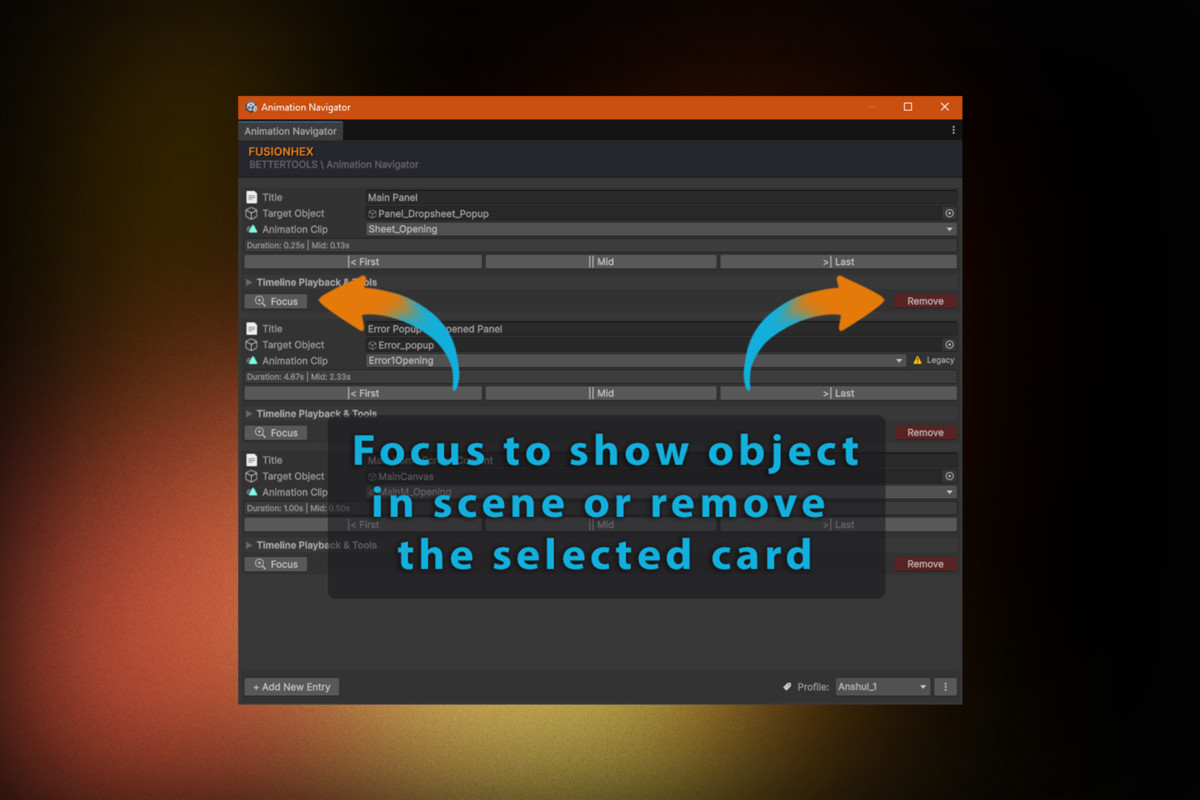
- Ping the target GameObject and focus the Animation window with a single click.
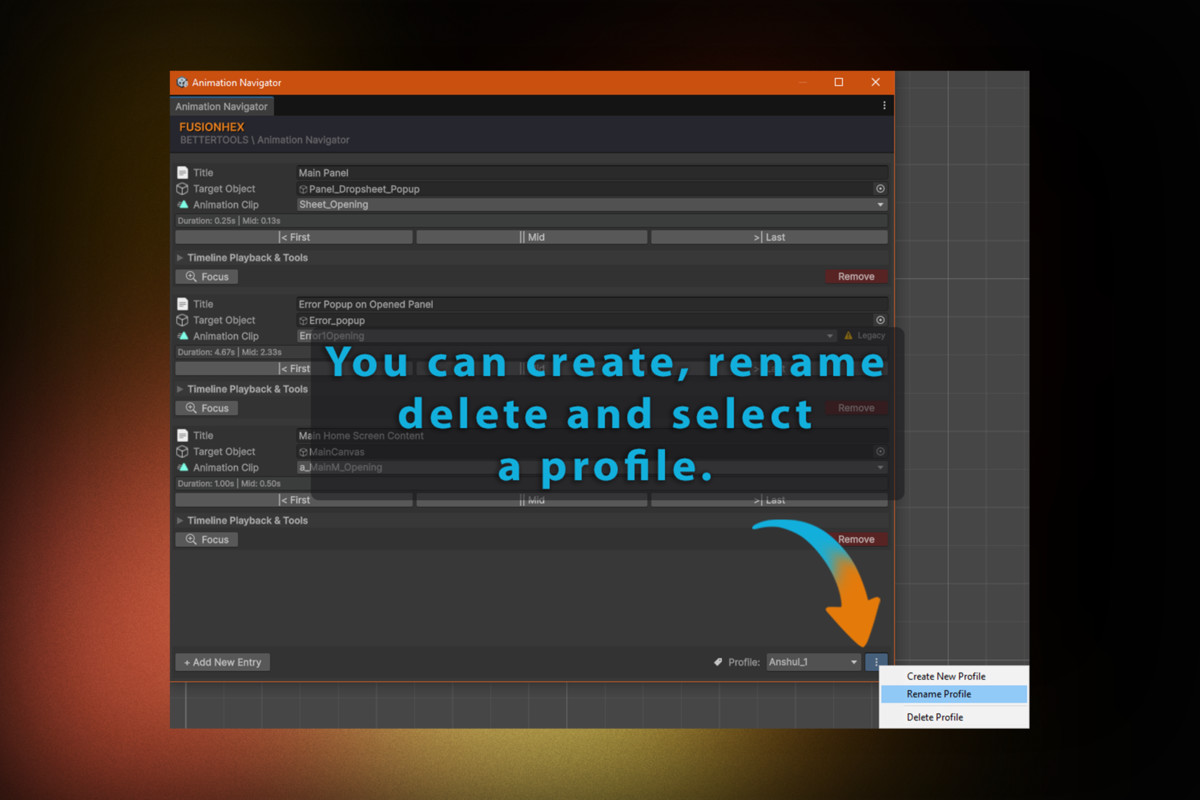
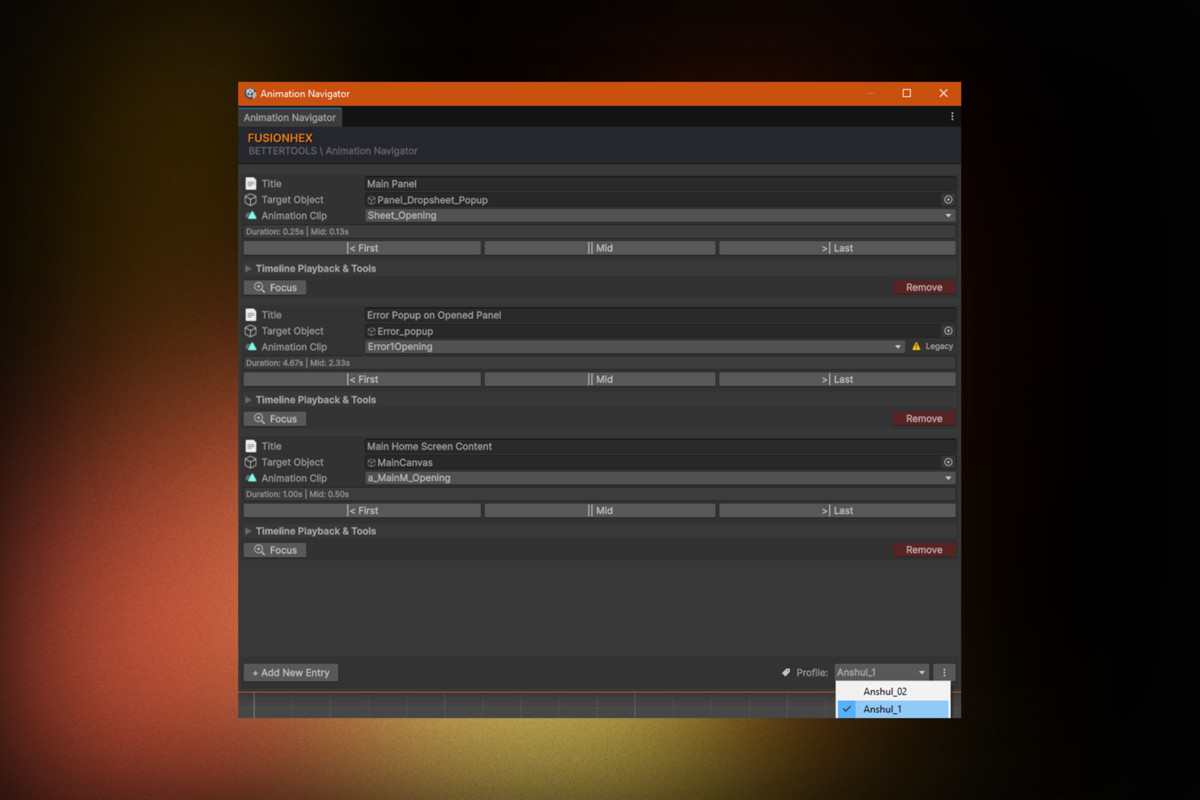
- Create multiple profile cards stored as individual JSON files inside "ProjectSettings", allowing each team member to maintain personal setups without version control merge conflicts.
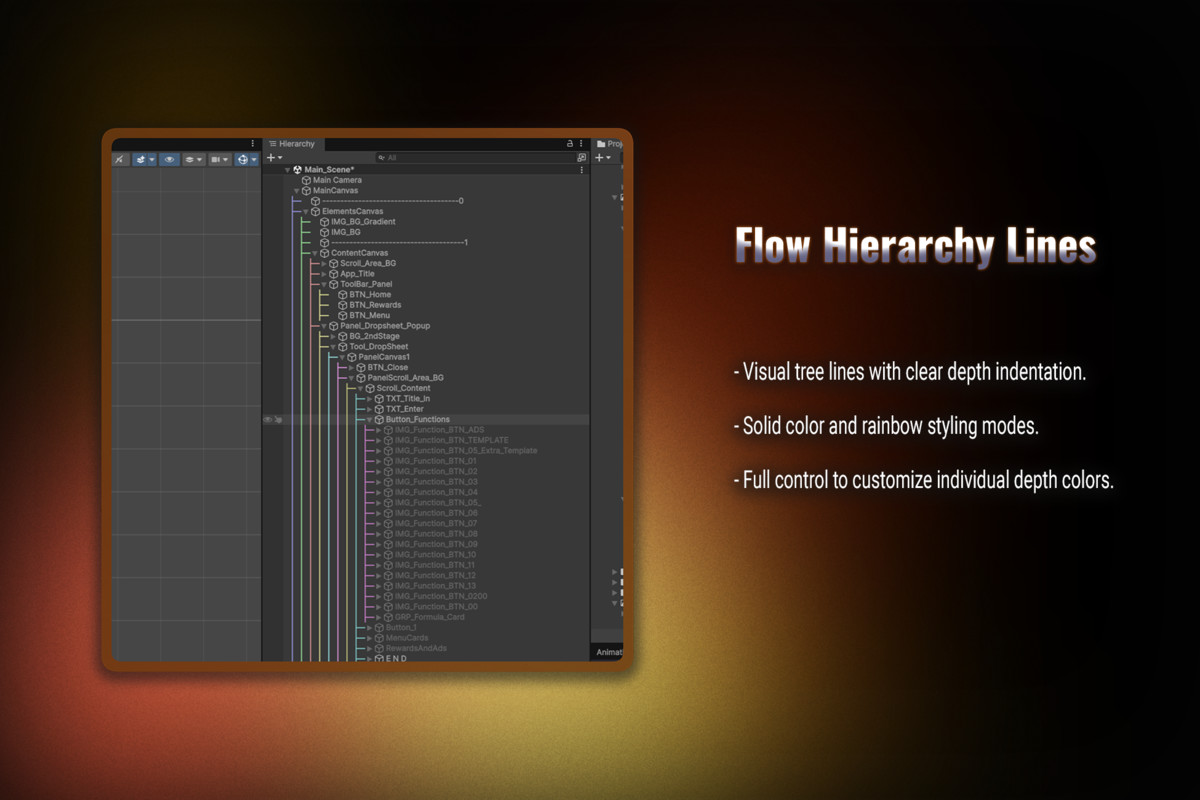
2. Flow Hierarchy Lines
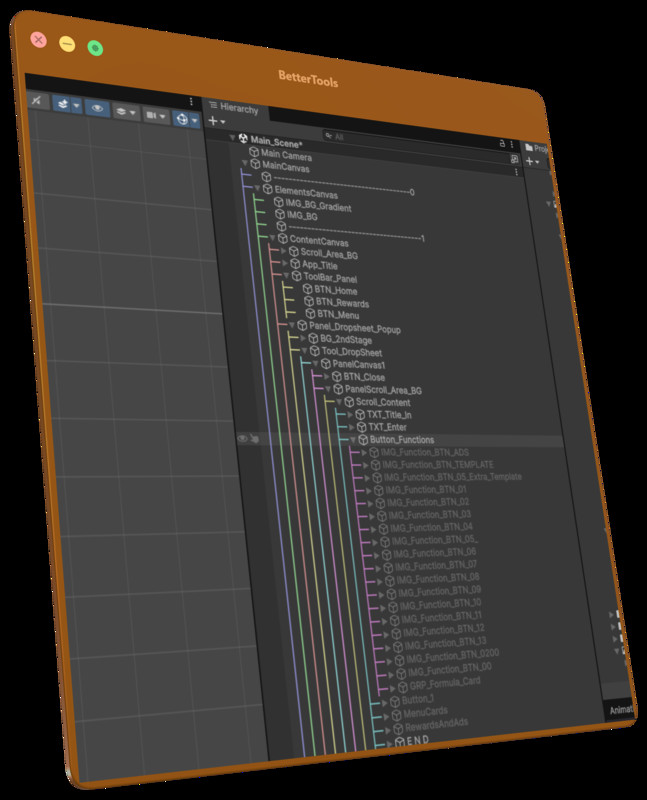
Improve readability of complex scene hierarchies with clear visual guides.
- Display parent-child hierarchy guide lines throughout the Hierarchy window.
- Choose between solid colors or customizable rainbow color modes.
- Override colors for individual hierarchy depth levels.
- Store personal preferences locally using "EditorPrefs" without modifying project files.
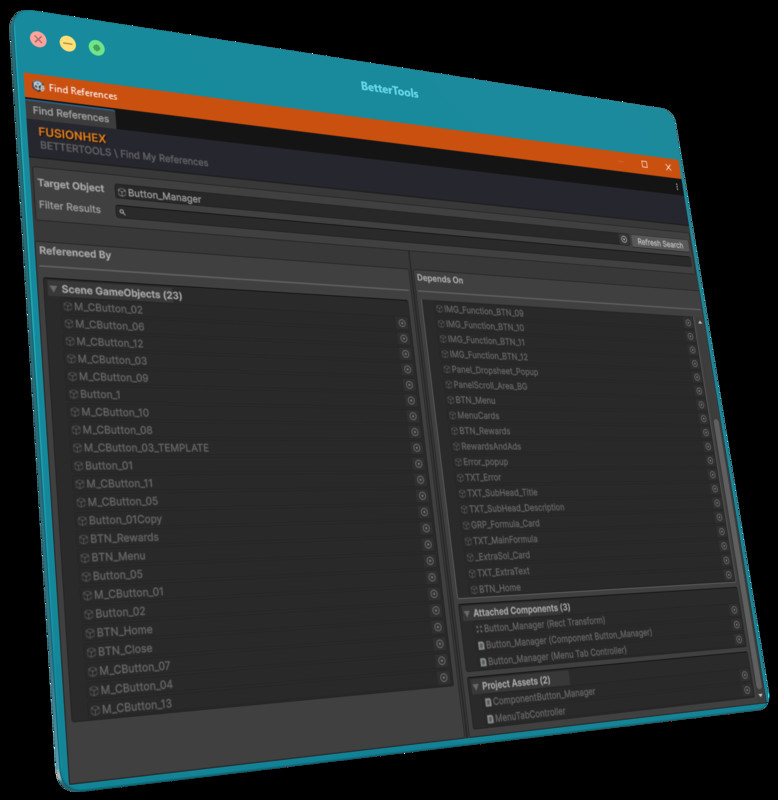
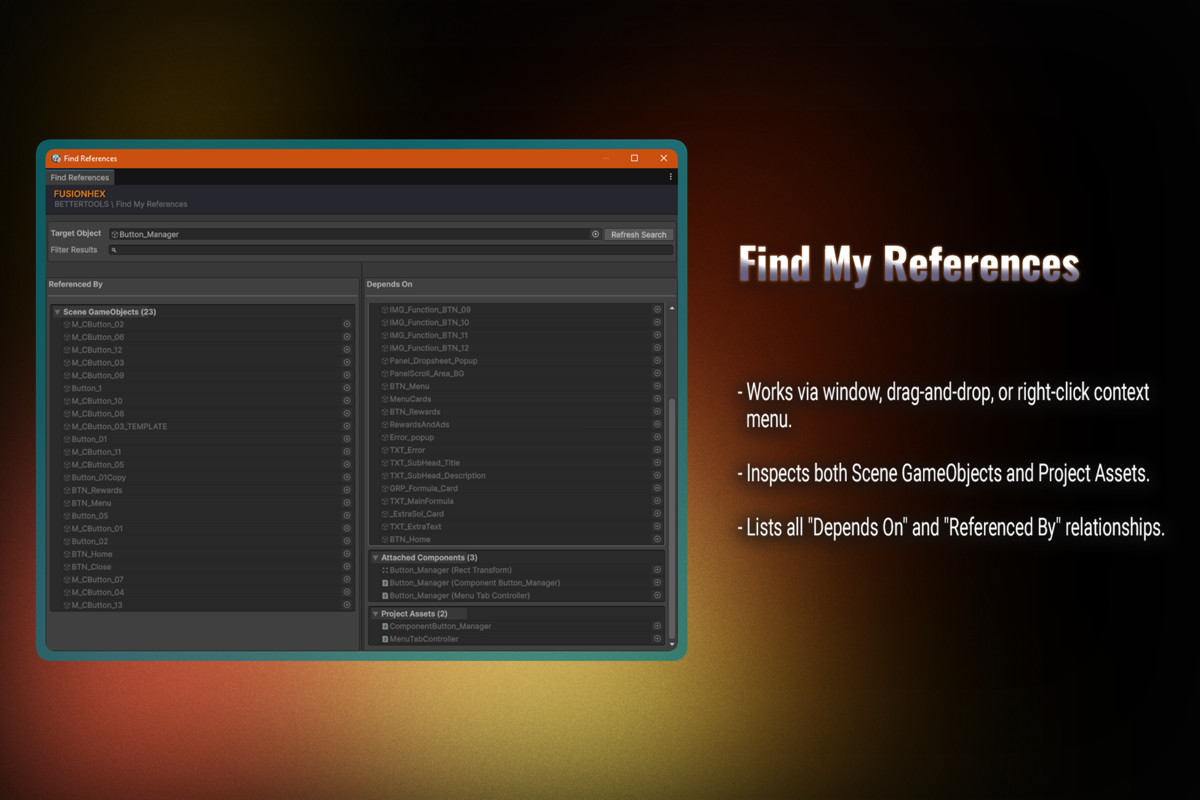
3. My Reference Finder
Quickly inspect dependencies and references throughout your project.
- Find everything an object depends on and everywhere it is referenced.
- Search both Scene GameObjects and Project Assets, including prefabs, ScriptableObjects, materials, textures, and more.
- Access searches through a dedicated window, drag & drop field, or context menu.
- Performs on demand analysis without generating background cache files.
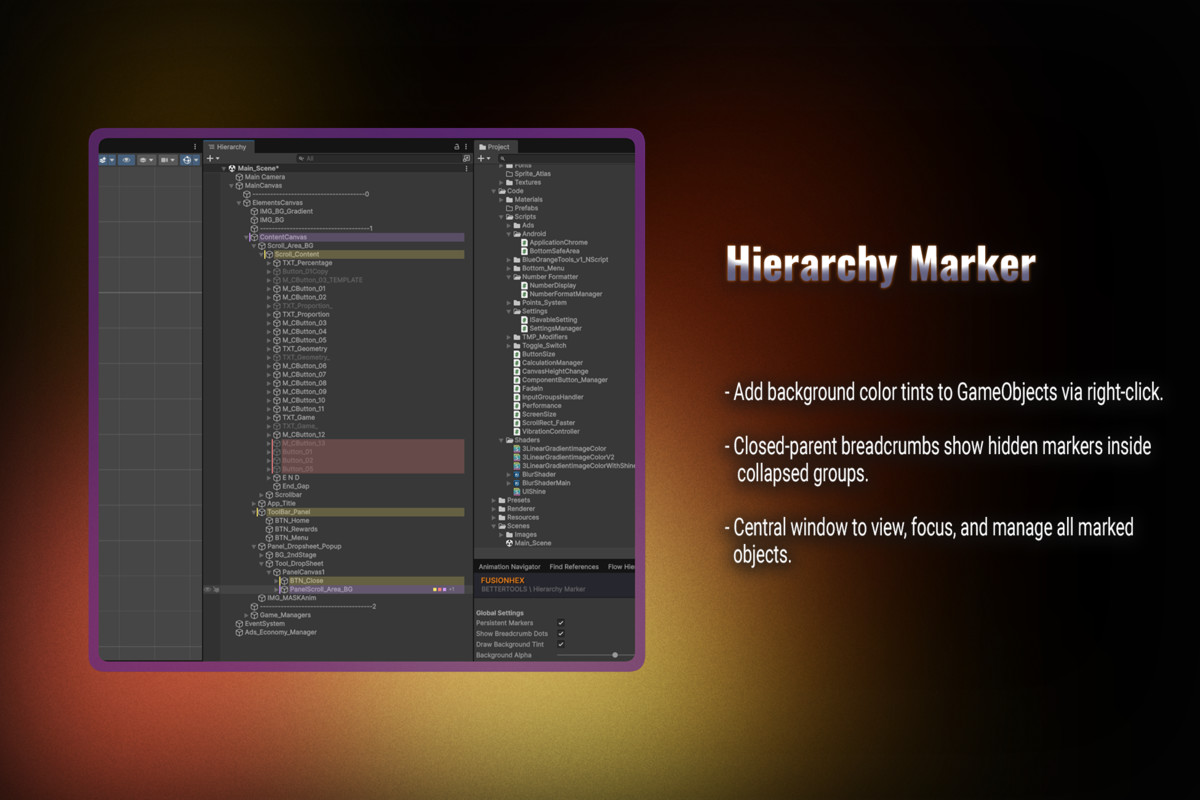
4. Hierarchy Marker
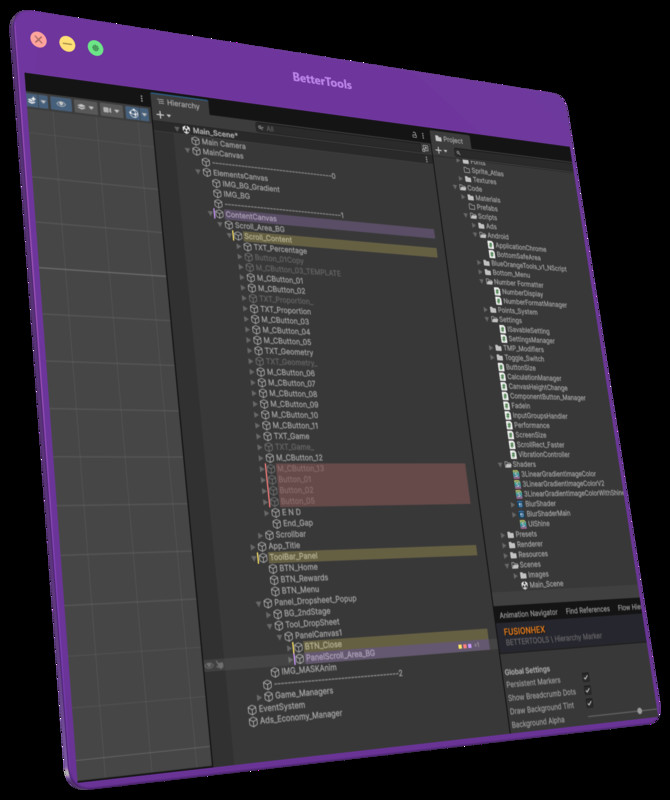
Highlight important GameObjects for faster scene navigation.
- Apply custom background colors directly from the Hierarchy context menu.
- Display colored parent indicators when marked objects are hidden inside collapsed hierarchies.
- Manage, filter, focus, or remove markers from a centralized manager window.
- Uses lightweight hidden components to ensure markers persist across scene saves and prefab edits.
---
Why BetterTools? -
- Editor Only: All tools are isolated inside dedicated Editor Assembly Definitions (".asmdef") with zero runtime build impact.
- No Dependencies: Works out of the box without requiring third-party packages.
- Version Control Friendly: Data is stored intelligently using "ProjectSettings", "EditorPrefs", or lightweight scene components depending on the feature.
- Cross Pipeline Compatibility: Compatible with Built-in Render Pipeline, Universal Render Pipeline (URP), and High Definition Render Pipeline (HDRP).
- Designed for Productivity: Built to remain responsive even in large projects and complex scene hierarchies.
Unity Versions: 2021.3 LTS or newer (Till Unity 6.3 LTS).
From the publisher's Asset Store listing.
Technical details
Key Features
- Four integrated Unity Editor tools:Animation Navigator
Flow Hierarchy Lines
My Reference Finder
Hierarchy Marker - Smart data persistence using ProjectSettings, EditorPrefs, and lightweight scene components.
- Visual hierarchy enhancements with customizable guide lines and color markers.
- On-demand reference analysis for Scene GameObjects and Project Assets.
- Animation preview and frame navigation directly inside the Unity Editor.
- Dedicated Editor Assembly Definitions (.asmdef) with zero runtime build impact.
- No third-party dependencies.
Technical Specifications
- Unity Versions: 2021.3 LTS or newer (Till Unity 6.3 LTS).
- Render Pipelines: Built-in Render Pipeline, Universal Render Pipeline (URP), High Definition Render Pipeline (HDRP).
- Operating Systems: Windows, macOS, and Linux (Unity Editor supported platforms).
- Dependencies: None.
- Documentation: Included PDF documentation inside Package Folder.
Compatibility
| Unity version | Built-in | URP | HDRP | Custom |
|---|---|---|---|---|
| 6000.0.72f1 | Compatible | Compatible | Compatible | Compatible |
This package consists of pure Unity Editor utilities and contains no shaders, materials, or runtime rendering code. It is 100% compatible out-of-the-box with the Built-in Render Pipeline, Universal Render Pipeline (URP), and High Definition Render Pipeline (HDRP) across all supported Unity versions with zero additional setup or conversion needed.
As listed on the Asset Store.