
 View on Asset Store (opens in new tab)
Package details
- Latest version
- 1.0.5
- Last updated
- First released
- Unity version
- 2022.3.62 or later
- Package size
- 59 KB
- Files
- 32
- Views in the past week
- 18
Price tracking
- Last checked
- Tracked since
- Lowest recorded
- $9.99 on
Keywords

Quick List View Pro
by Krykftn | Advanced Editor Tools & Systems (opens in new tab)
A uGUI scrolling list that instantiates row objects only for the rows on screen. Variable heights with no pre-measure pass, and a report window that counts the work instead of promising it.
Affiliate link · Purchases support this site
Price history
Last 6 months
USDAsset preview
1 / 4
Quick List View Pro screenshot 1
About this asset
A list of ten thousand items does not need ten thousand GameObjects. It needs as many as fit on screen. This is a uGUI list that builds exactly that many, and shows you the numbers while it does it.
WHAT IT DOES
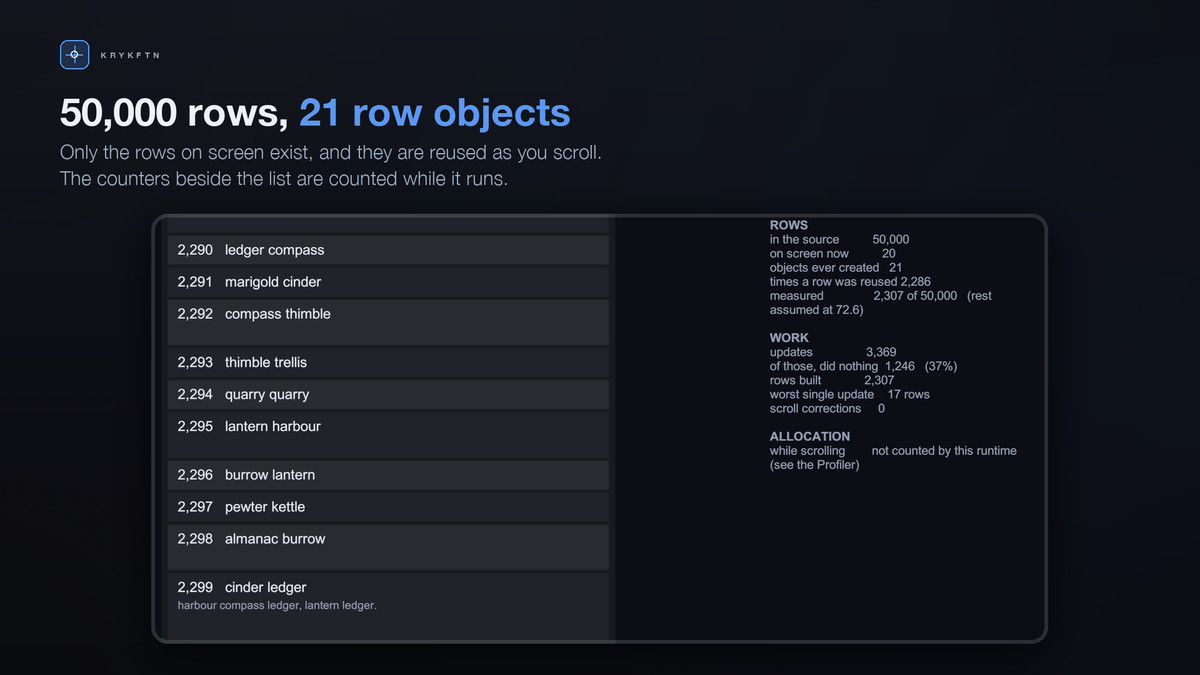
Rows are instantiated only while they are visible. When one scrolls off, it goes back to a pool and comes out again as a different row. In the first sample scene - 50,000 rows in a viewport 1,156 units tall - 21 GameObjects are ever created, and scrolling the whole list a second time creates none.
ROWS DO NOT HAVE TO BE THE SAME HEIGHT
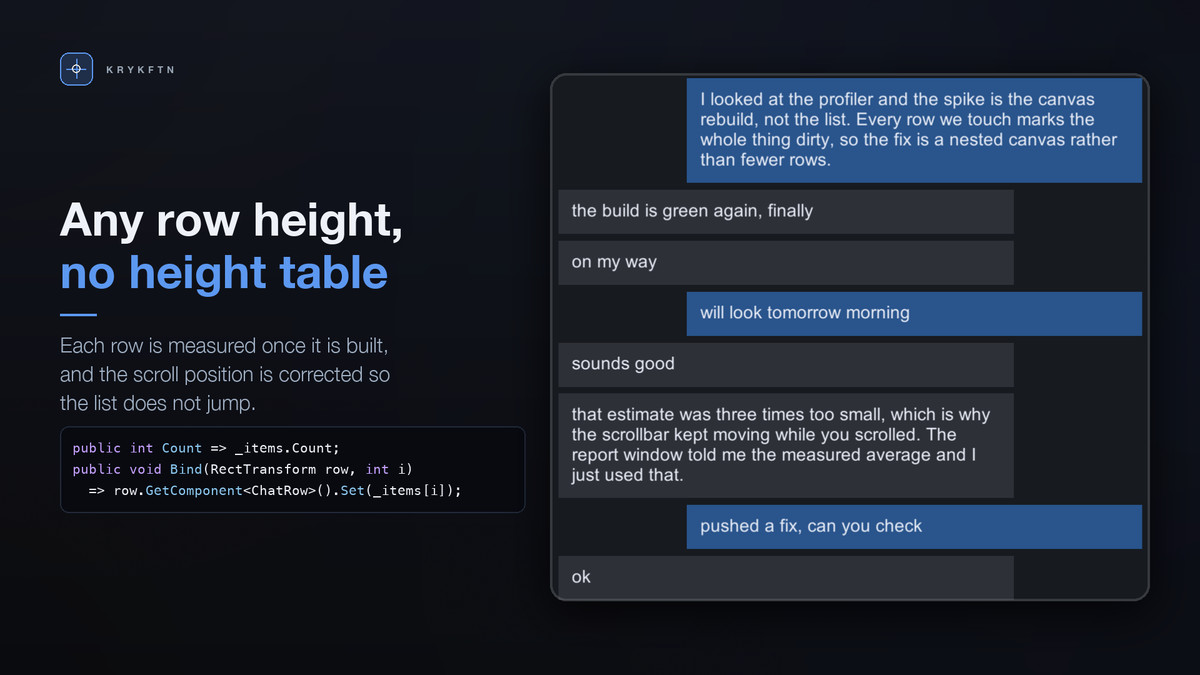
And you do not have to know the heights in advance. Each row starts at an estimate you set. The first time it is built it is measured, and the running average of the measured rows becomes the estimate for the rows that have not been built yet, so the content size settles as the user scrolls.
If you already know your sizes, implement IListSizeSource and nothing is measured or corrected.
IT DOES NOT JUMP
When a row above the viewport turns out to be a different size than assumed, everything below it moves. The list adds that difference to the scroll position in the same frame, before anything draws, so the rows the user is reading stay exactly where they were.
THE REPORT WINDOW
Window > Analysis > Quick List View Report, or the Open report button on the component. Leave it open while you scroll.
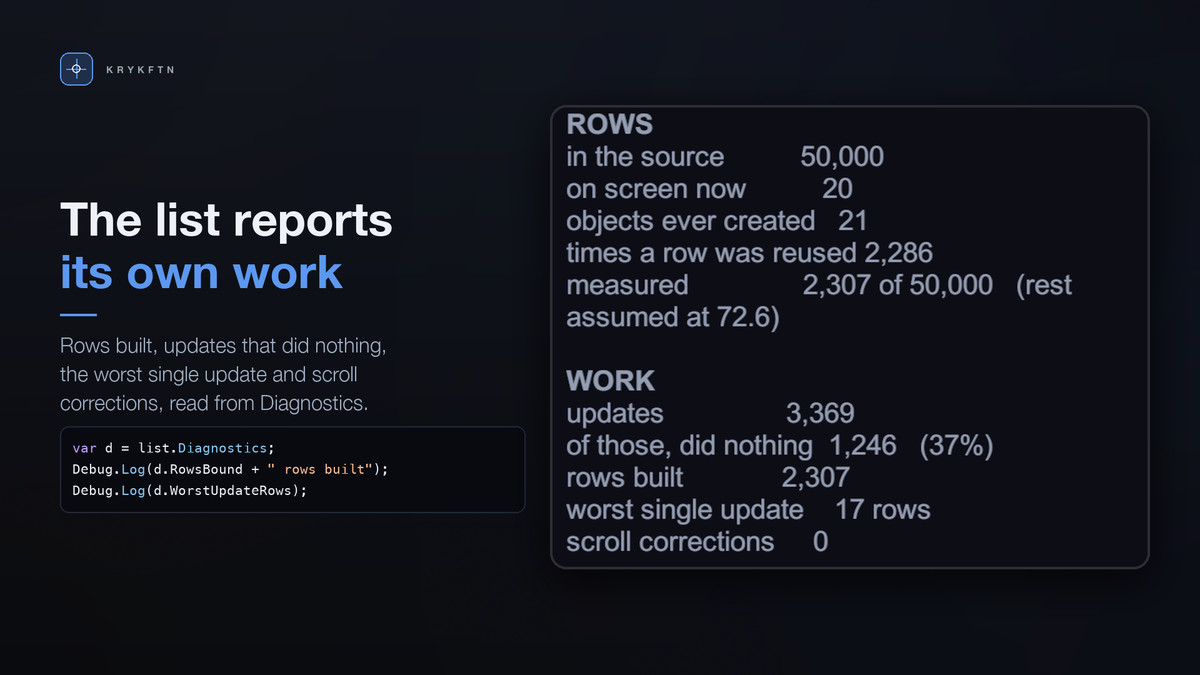
It counts the work rather than describing it: objects ever created, times a row was reused, rows measured, updates that did nothing because the visible window had not moved, and the largest number of rows any single update had to build. Unity's runtime does not count allocation per call, so for that the window points to the GC Alloc column of Unity's Profiler instead of showing a zero nobody measured.
IT ALSO READS YOUR SETUP
Most complaints about list performance are not about the list. A layout component quietly forcing a rebuild every frame costs more than the rows do, and it is findable by looking. So the window looks, and names what it finds:
• a layout group or ContentSizeFitter on the Content, which will fight the list every frame
• a ScrollRect that cannot scroll on the axis the list is set to
• a row prefab with a ContentSizeFitter but nothing that reports a preferred size, so every row collapses
• the list sharing a Canvas with the rest of the screen, so one row change re-batches everything
• a Viewport with nothing clipping it
• Movement Type set to Unrestricted
• an Estimated Row Size far from the measured average
• more than four raycast targets on one row
A correct setup produces no findings at all.
FOUR SAMPLE SCENES
• Rows: 50,000 rows of unknown heights. Watch the object counter stop at a couple of dozen and stay there.
• Chat: messages sized by their text, with Send buttons that append new ones at runtime. Adding 200 messages creates zero objects.
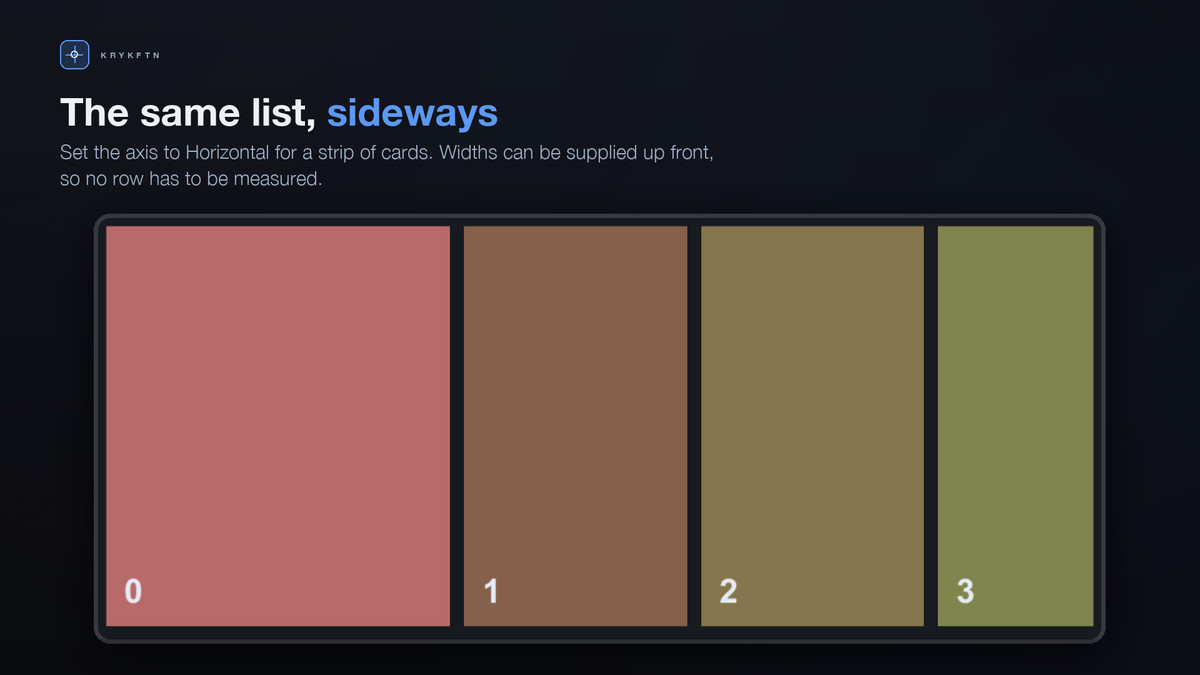
• Strip: the same component horizontal, 20,000 cards, widths supplied up front so nothing is measured.
• Jump: 200,000 rows and a box to jump to any of them; a jump is one index lookup, not a walk.
Each scene has an on-screen readout counting objects, reuses, measurements and skipped updates as you drag.
GETTING STARTED
Implement one interface: a Count property and a Bind method that fills a row from an index. Call SetSource and that is the whole integration. Implement IListRecycleAware as well if a row owns something that should be released when it leaves the screen.
MEASURED
Unity 2022.3.62f2 and 6000.3.12f1. 50,000 rows in a 600-unit viewport, rows 60 units tall with every seventh one 180, overscan 2, scrolled in 37-unit steps from the top of the list to the bottom and back.
• 13 GameObjects instantiated; the pass back up creates none
• No allocation by the list itself while scrolling, measured with Unity's frame allocation counter
• 91,880 of 208,465 updates did no work at all
• Size index, 200,000 rows: 1 ms to build, 1 ms to measure every row, 15 ms for 200,000 offset lookups
These come from the automated checks the package is tested with. Your own project is the only benchmark that matters, which is what the report window is for.
REQUIREMENTS
• Unity 2022.3 LTS or newer
• Unity's UI package (com.unity.ugui)
• No other dependencies, no accounts, no plugins
• Any render pipeline
LIMITS
One column; grids are not supported in 1.0. Rows are measured after they are built, so a row that changes height while it is on screen needs Rebuild, or sizes supplied through IListSizeSource. A row that computes its height in Start rather than in Bind will be measured before it is ready. The samples use legacy Text so they have no package dependencies; TextMeshPro works the same way.
PART OF A BUNDLE
Quick List View Pro is one of the five tools in Quick uGUI Tools Bundle, together with uGUI blend modes, screen transitions, a contrast-checked palette and every-device screen fit. Owning the bundle makes each paid tool a free upgrade, and Quick Screen Fit Pro is free.
https://assetstore.unity.com/packages/tools/gui/quick-ugui-tools-bundle-405706
From the publisher's Asset Store listing.
Technical details
Features:
• Row objects are instantiated only for the rows on screen, plus a configurable overscan
• Variable row heights, measured when a row is first built, with no pre-measure pass
• Scroll position corrected in the same frame when a row above the viewport changes size
• Fenwick-tree size index: O(log n) to correct a row, O(log n) to find the row at an offset
• Row pool with counters for objects created and rows reused
• IListSource, with optional IListRecycleAware and IListSizeSource
• Report window: live counters plus setup checks that name eight specific mistakes
• Vertical and horizontal axes
• Four sample scenes: rows, chat, horizontal strip, jump-to-index
Measured on Unity 2022.3.62f2 and 6000.3.12f1, 50,000 rows, 600-unit viewport, one row in seven three times taller, scrolled to the bottom and back:
• 13 GameObjects instantiated, and the pass back up creates none
• No allocation by the list itself while scrolling, measured with Unity's frame allocation counter
• 91,880 of 208,465 updates did no work because the visible window had not moved
• Size index, 200,000 rows: 1 ms to measure every row, 15 ms for 200,000 offset lookups
Supported OS: Windows, macOS, Linux
Technical notes:
• Namespaced under Krykftn.QuickListViewPro
• Assembly definitions constrained on com.unity.ugui, so a project without it gets zero compile errors
• Editor code is in a separate editor-only assembly
• Works in any render pipeline
• Unity 2022.3 LTS or newer, no other dependencies
Documentation: included as README.md
Compatibility
| Unity version | Built-in | URP | HDRP |
|---|---|---|---|
| 2022.3.62f2 | Compatible | Compatible | Compatible |
Works in any render pipeline. The tool is a uGUI list component plus editor tooling: it lays out and recycles canvas rows and never renders anything itself, so Built-in, URP and HDRP behave identically. The editor windows read counters and setup state only. No render-pipeline-specific code or shaders are included.
As listed on the Asset Store.