
 View on Asset Store (opens in new tab)
Package details
- Latest version
- 1.0
- Last updated
- First released
- Unity version
- 6000.5.0 or later
- Package size
- 3.9 MB
- Files
- 90
- Views in the past week
- 10
Price tracking
- Last checked
- Tracked since
- Lowest recorded
- $9.99 on
Keywords

Simple Stage Progression
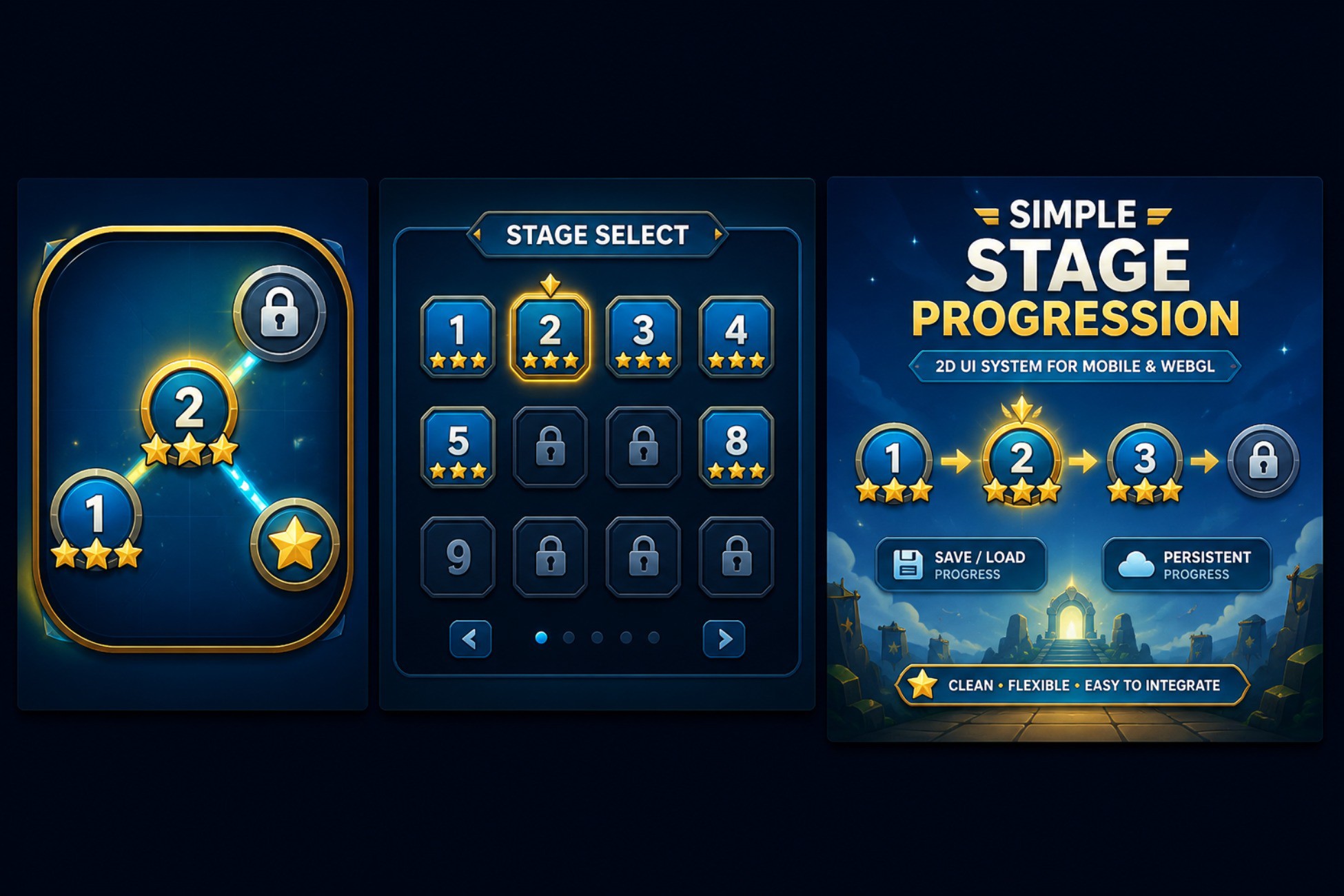
lightweight and easy-to-integrate Unity asset designed to manage and display stage progression in your 2D games. Perfect for mobile, WebGL, and desktop projects.
Affiliate link · Purchases support this site
Price history
Last 6 months
USDAsset preview
1 / 2
Simple Stage Progression screenshot 1

About this asset
Simple Stage Progression is a lightweight and easy-to-integrate Unity system for managing stage-based progression in 2D games.
It provides the essential tools needed to unlock stages, track completion status, save player progress, and display star ratings. The package is designed to help developers create a clean and organized stage selection flow without building the entire progression system from scratch.
Key Features
• Stage unlocking system
• Stage completion tracking
• 0–3 star rating support
• PlayerPrefs-based progress saving
• Basic XOR and Base64 save-data obfuscation
• Editor-only tool for clearing saved progress
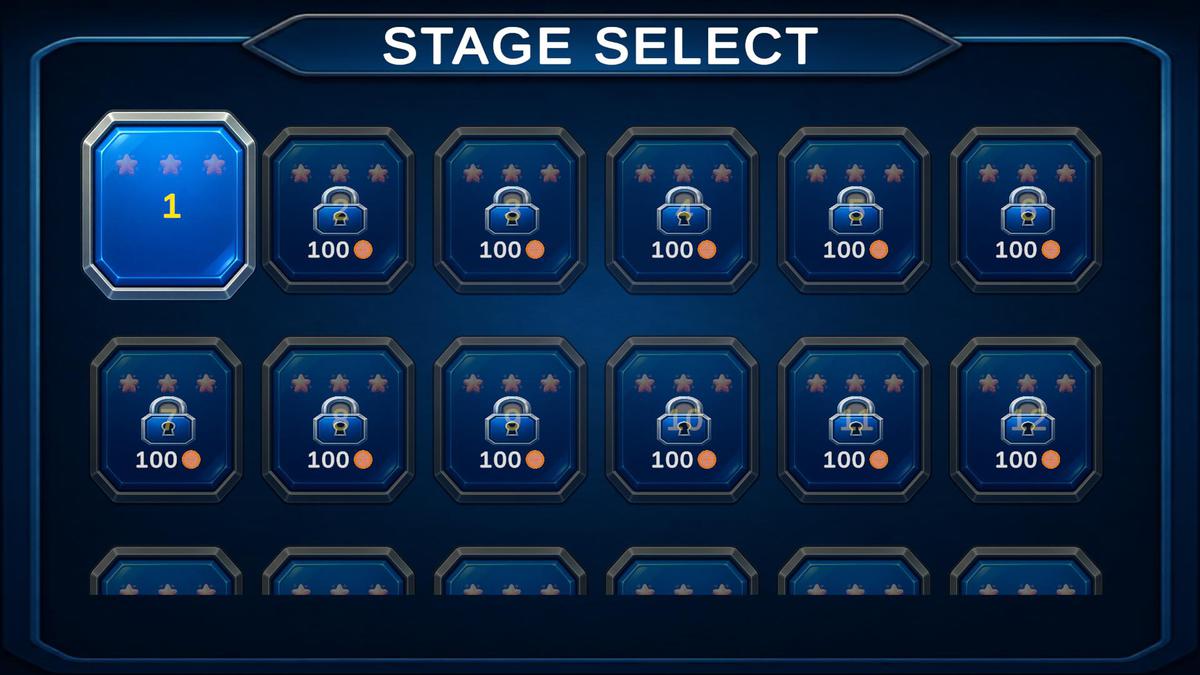
• Demo scene with example stage selection UI
• Simple and developer-friendly integration
• Organized Runtime, Editor, and Demo folders
• English README documentation and setup instructions
Customization
The provided UI and demo content are fully customizable. You can replace the visual design, modify buttons and labels, change colors and animations, and adapt the system to match your own game's style.
The core progression logic can also be integrated into an existing stage selection screen or custom game flow. Developers can use the included demo as a starting point and build their own UI and gameplay structure around the system.
Genre Suitability
Simple Stage Progression is suitable for a wide range of stage-based games, including:
• Puzzle games
• Platformers
• Casual games
• Arcade games
• Adventure games
• Hyper-casual games
• Educational games
• Mobile and WebGL games
The package is especially useful for games that organize gameplay into individual levels or stages and use completion status or star ratings to encourage replayability.
Save Data Information
Player progress is saved using Unity PlayerPrefs. The package includes basic XOR and Base64 obfuscation to make the saved data less readable. This is not high-level encryption and should not be considered a security system.
Requirements
• Unity 2022.3 or higher
• TextMesh Pro, available through Unity's Package Manager
The package includes a demo scene and example content to help you understand the setup and integrate the system into your project.
From the publisher's Asset Store listing.
Technical details
• Modular Architecture: Decoupled progression logic from UI, allowing for easy integration into existing projects.
• C#-based Progression Manager: Lightweight and efficient system for managing stage state (Locked, Unlocked, Completed).
• Persistent Save Data: Uses PlayerPrefs with integrated XOR and Base64 obfuscation for basic data obfuscation.
• Editor Extensibility: Includes a custom Editor window (Tools > Simple Stage Progression > Clear Saved Progress) for rapid development and testing.
• Optimized 2D UI Support: Designed specifically for standard Unity UI components.
• Clean Project Structure: Separated into Runtime, Editor, and Demo namespaces/folders to avoid project clutter.
• Ready-to-use Demo: Includes a fully set-up Demo scene with stage select logic, star rendering, and button navigation.
• Lightweight: Minimal footprint with no external dependencies other than standard Unity TextMesh Pro.
• Versioning Support: Compatible with Unity 2022.3 and
Compatibility
| Unity version | Built-in | URP | HDRP |
|---|---|---|---|
| 6000.5.0f1 | Compatible | Not listed | Not listed |
Works out of the box with any render pipeline.
As listed on the Asset Store.