
 View on Asset Store (opens in new tab)
Package details
- Latest version
- 1.0.9
- Last updated
- First released
- Unity version
- 2022.3.62 or later
- Package size
- 1.0 MB
- Files
- 26
- Views in the past week
- 23
Price tracking
- Last checked
- Tracked since
- Lowest recorded
- $9.99 on
Keywords
Quick Scatter Pro
by Krykftn | Advanced Editor Tools & Systems (opens in new tab)
- Price drop
Scatter prefabs over your terrain by rule, then read what actually happened: the spacing really achieved, how many things overlap, and why every candidate that did not land was thrown away.
Lowest recorded price
Get 60% off on Asset Store (opens in new tab)Affiliate link · Purchases support this site
Price history
Last 6 months
USDAsset preview
1 / 3
Quick Scatter Pro screenshot 1
About this asset
Any tool can throw objects at a landscape. This one measures the result afterwards and tells you the truth about it.
THE REPORT IS THE PRODUCT
After every run the inspector shows what really happened, measured from the objects now in your scene rather than copied from the settings above them:
How many candidates were considered, and how many became objects.
Where every rejected candidate went: no ground, slope, height, thinned by density, over the limit.
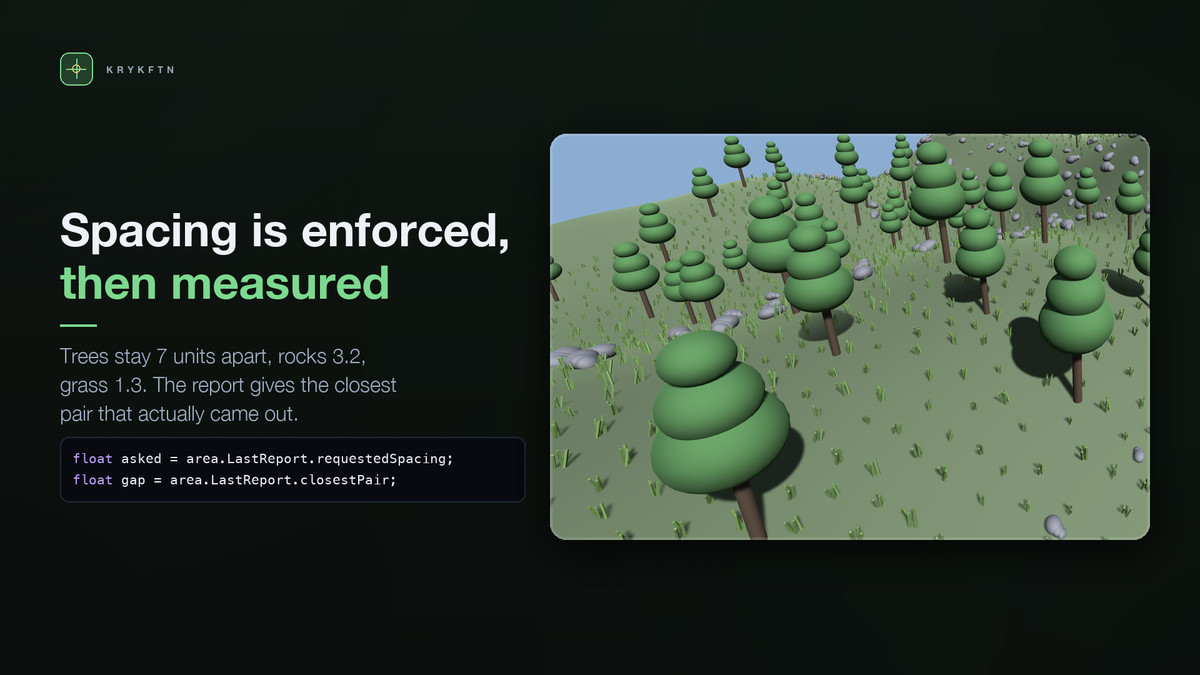
The spacing you asked for, and the closest pair actually found.
How many objects overlap another, using each prefab's own width.
The density you ended up with.
Measuring afterwards is the only way the report could ever disagree with your settings, and disagreeing is exactly what makes it useful. In the demo scene: 7 asked, 7.017 measured across 80 trees. 3.2 asked, 3.210 across 463 rocks. 1.3 asked, 1.301 across 2812 blades of grass. Zero overlaps in all three.
When nothing is placed, the inspector names the reason instead of shrugging: no collider, wrong layer, the area sitting under the ground rather than over it, slope range too narrow.
EVEN, NOT RANDOM
Points come from Bridson's Poisson-disc sampling. Random points clump in some places and leave holes in others; a grid reads as artificial. Poisson-disc fills the area evenly and still looks natural, and it is what makes a spacing guarantee possible at all.
Same count, same area, same seed: Poisson-disc came out at 5.000 where 5 was asked for. The same number of uniform random points came out at 0.437.
SAME SEED, SAME LANDSCAPE
The generator belongs to the call, not to Unity. UnityEngine.Random is global mutable state: scattering with it would disturb anything else drawing numbers that frame, and a coroutine running alongside would quietly change your layout.
So the same seed and the same rules give the same points, on every machine and every run. That is what makes a scattered scene something you can commit to source control and reproduce, rather than a one-off you must never touch again. Two areas sharing one profile can still differ by a seed offset, and the profile asset is not modified.
THE RULES
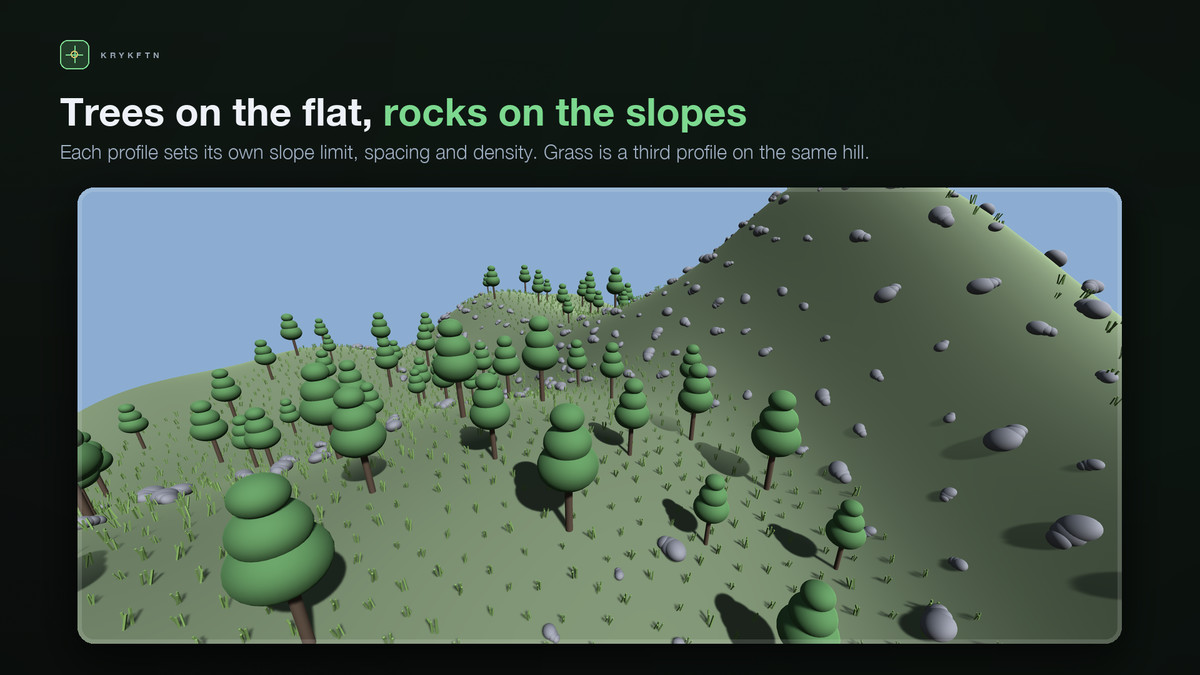
Spacing, density, and a hard limit.
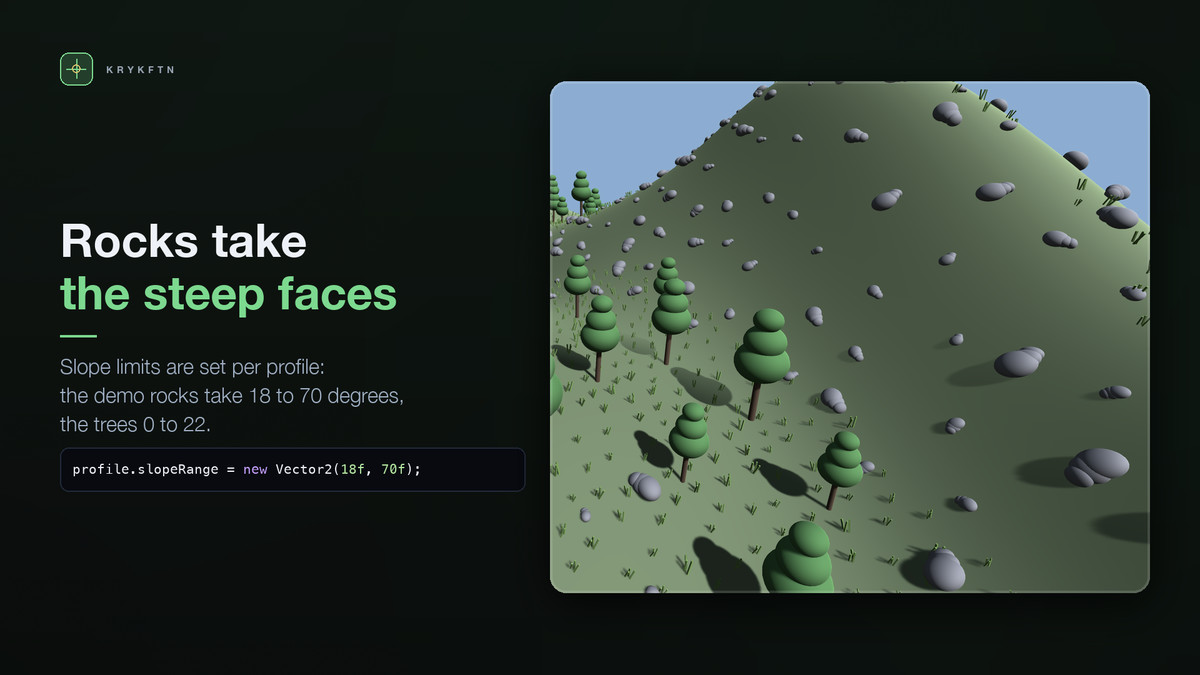
Surface layers, slope range in degrees from flat, world height range.
Follow normal, from upright to lying square on the surface. Trees want a little; rocks want a lot.
Random yaw and per-entry scale, added to each prefab's own rotation and scale, so a model imported with its root turned still stands up. Surface offset and weights.
SIMPLE TO USE
GameObject > 3D Object > Scatter Area, drag it over your ground, give it a profile, press Scatter.
Everything it makes goes under one child, so scattering again replaces the last run cleanly and deleting the area takes its work with it. Nothing else in your scene is touched, and one undo puts any of it back.
Profiles are assets, so one look can be shared by every area in the level.
PREFAB LINKS KEPT
Scattering in the editor goes through PrefabUtility, so everything it places is a real prefab instance. Edit the tree and all three thousand of them change.
NO DEPENDENCIES
No packages, no manager object, no bake. It works on anything with a collider: meshes, Unity terrain, or a mix. Built-in, URP and HDRP, because it places your prefabs and never touches how they are drawn.
AT RUNTIME TOO
ScatterEngine.Scatter(profile, centre, size, rayHeight, out report) is plain runtime code. The same call that fills a level for you at author time can fill one at load time, with the same seed giving the same result. Scattering an area again while playing replaces its last run cleanly: the old objects leave the physics scene at once, so the new layout stands on the ground rather than on what it replaces.
WHAT IS IN THE BOX
Scatter Area component, with one-click scatter and clear and full undo.
Scatter Profile assets: what to place, and the rules for where it may land.
The Scatter window: every area in the scene, with scatter-all and clear-all.
ScatterMath: Poisson-disc, slopes, weighted picking and the measuring, as plain C# you can call from your own tools and tests.
A demo scene: one landscape with trees, rocks and grass under three different rules.
Full commented C# source.
Support: [email protected]
From the publisher's Asset Store listing.
Technical details
A report measured from the placed objects: candidates considered, where every rejected one went, the closest pair actually achieved, overlap count and density.
Bridson Poisson-disc sampling, so the area fills evenly instead of clumping.
Deterministic: the same seed and rules give the same layout on every machine, using a generator owned by the call rather than Unity's global one.
Rules: spacing, density, limit, surface layers, slope range, height range, follow normal, yaw, surface offset.
Per-entry prefab weights and scale ranges, so one profile can mix several prefabs. A prefab's own root rotation and scale are kept.
Works on any collider: meshes, Unity terrain, or a mix.
Prefab links kept intact - everything placed is a real prefab instance.
One-click scatter and clear, with full undo, and a Scatter window that drives every area in the scene at once.
Runtime API, so a level can be filled at load time with the same result.
No dependencies. Built-in, URP and HDRP.
Full commented C# source, and a demo scene with three rules over one landscape.
Compatibility
| Unity version | Built-in | URP | HDRP |
|---|---|---|---|
| 2022.3.62f2 | Compatible | Compatible | Compatible |
Works in any render pipeline: it places your own prefabs, as real prefab instances, on anything with a collider and never touches how they are drawn. No package dependencies. The demo's materials are moved to the active pipeline's lit shader by an editor script, and the demo was rendered in URP and HDRP with no pink pixels. Unity 2022.3 LTS or newer.
As listed on the Asset Store.