
 View on Asset Store (opens in new tab)
Package details
- Latest version
- 1.0
- Last updated
- First released
- Unity version
- 6000.3.11 or later
- Package size
- 277 KB
- Files
- 56
- Views in the past week
- 5
Price tracking
- Last checked
- Tracked since
- Lowest recorded
- $24.90 on
Keywords
MM Level Design Toolkit
A fast Unity Editor toolkit for level design, scene building, object placement, snapping, randomization, replacement, and workflow shortcuts.
Affiliate link · Purchases support this site
Price history
Last 6 months
USDAsset preview
1 / 14
MM Level Design Toolkit screenshot 1


About this asset
MM Level Design Toolkit is a lightweight Unity Editor toolkit built to speed up scene building, object placement, hierarchy management, and everyday level design workflows.
Work directly from the Scene View with fast access to creation tools, geometry snapping, favorites, modifiers, randomization, replacement, and placement utilities.
━━━━━━━━━━━━━━━━━━━━
⚡ WHY MM?
━━━━━━━━━━━━━━━━━━━━
MM helps you move faster inside Unity by reducing repetitive editor work and giving you quick access to the tools you use most.
Whether you are building environments, placing props, organizing hierarchies, or iterating on scene layouts, MM keeps the workflow simple and fast.
━━━━━━━━━━━━━━━━━━━━
⭐ KEY FEATURES
━━━━━━━━━━━━━━━━━━━━
⚡ Quick Actions
Open the main MM menu with Shift + A and quickly access creation tools, GameObject actions, Cursor tools, Modifiers, and Favorites.
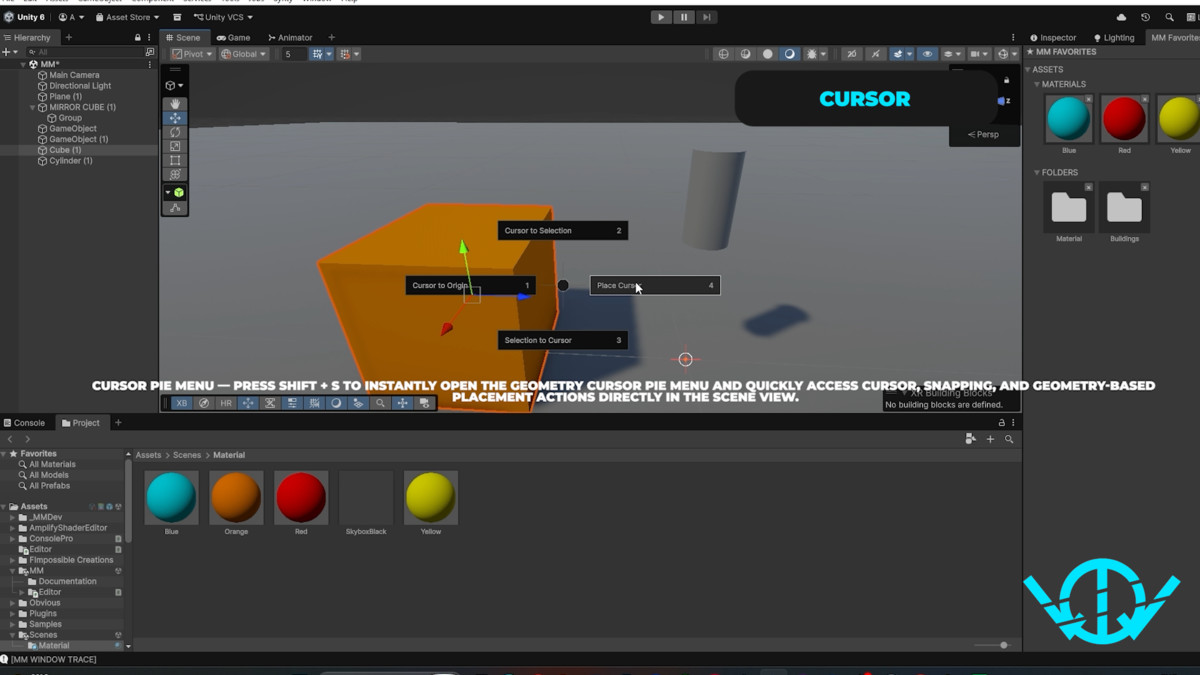
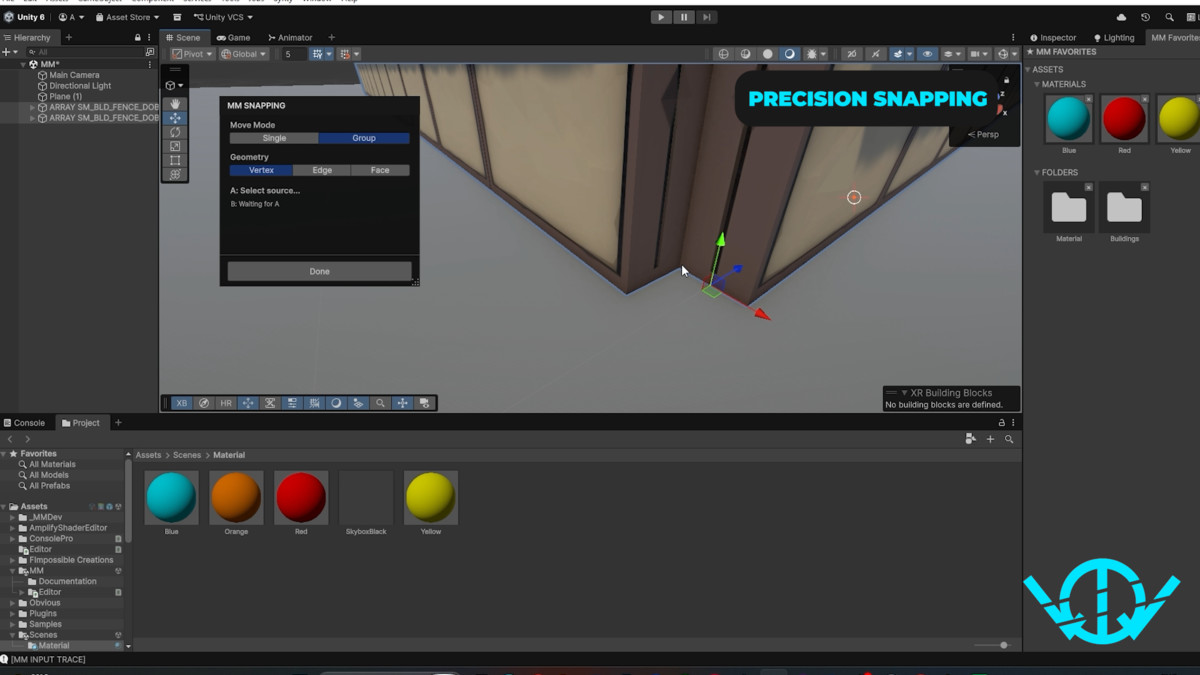
🎯 Geometry Cursor & Snapping
Place the MM Cursor directly on vertices, edges, and faces.
Use multi-selection and A → B / B → A snapping to align objects precisely.
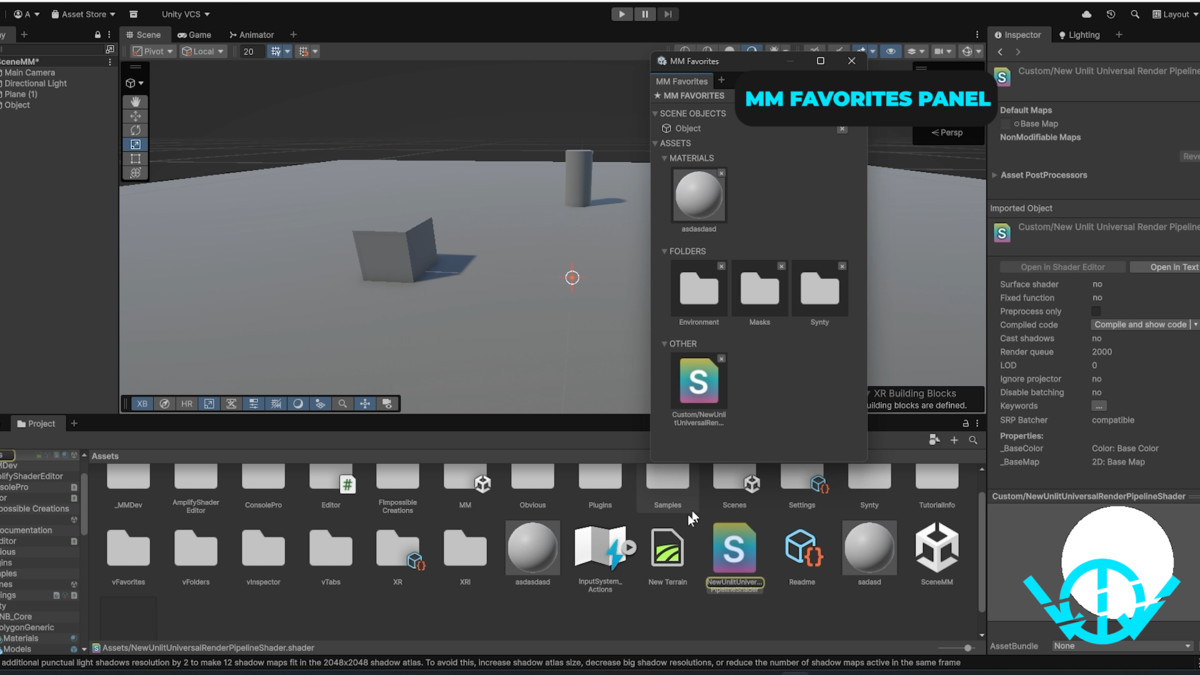
🧩 Favorites
Save frequently used prefabs, materials, folders, and tools.
Prefab and material favorites use visual thumbnails in a responsive grid.
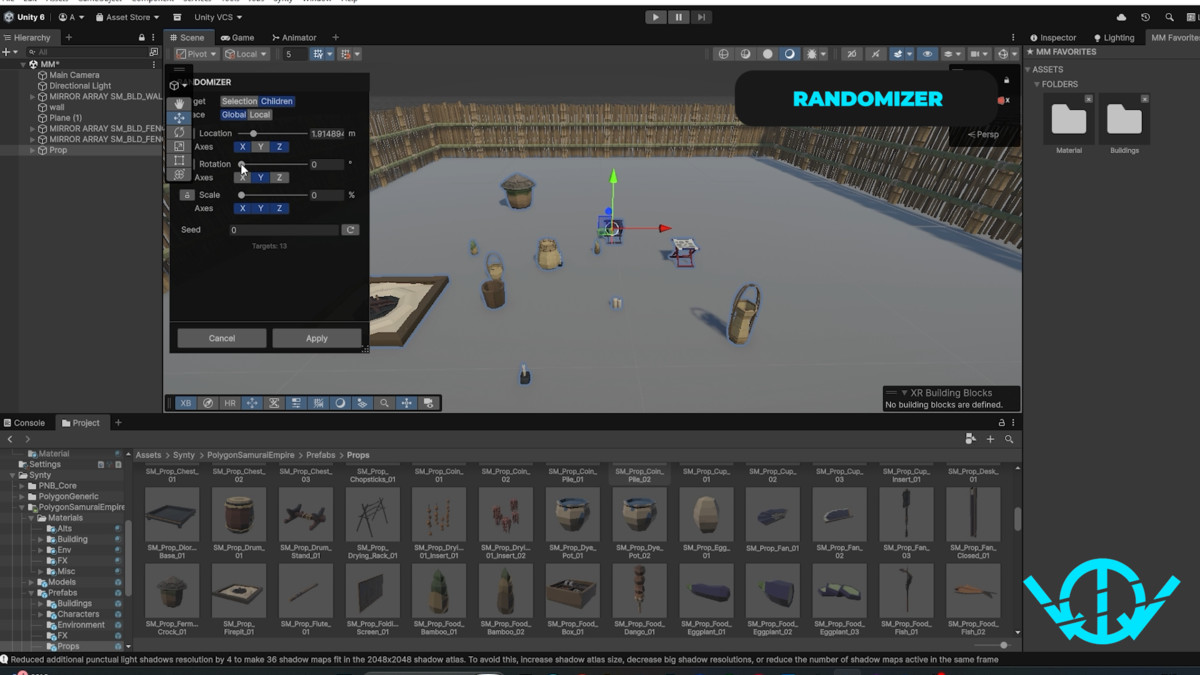
🎲 Randomizer
Randomize Position, Rotation, and Scale with independent XYZ axis controls.
Supports Selection or Children targets, Global/Local position and rotation, deterministic seeds, live preview, Apply, Cancel, and Undo.
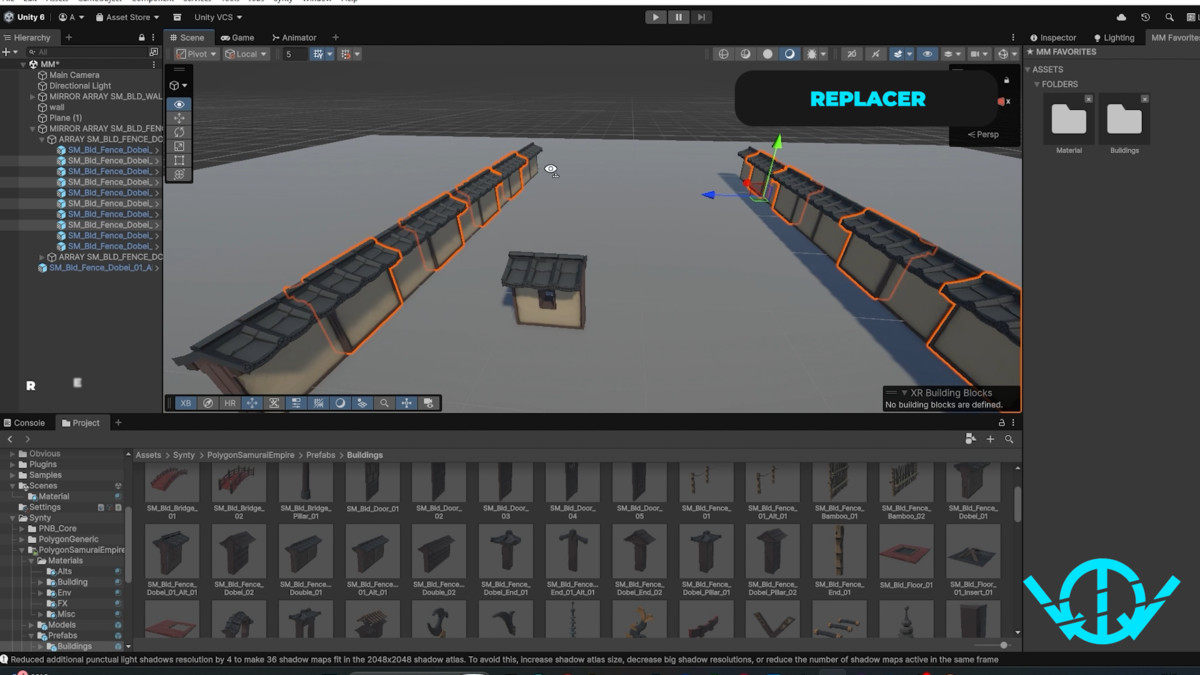
🔁 Replacer
Replace selected objects or direct children with prefabs or scene objects.
Supports Manual and Random percentage workflows while preserving hierarchy and transform placement.
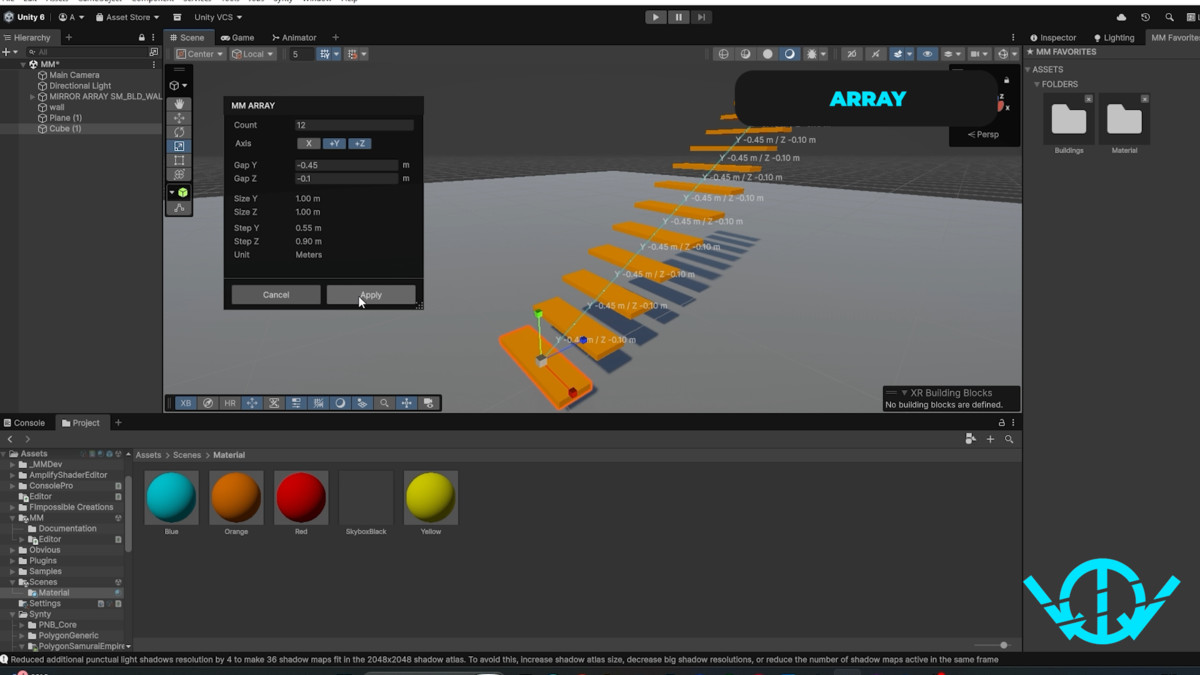
📚 Array
Create repeated object arrangements with interactive Count, Gap, and Axis controls.
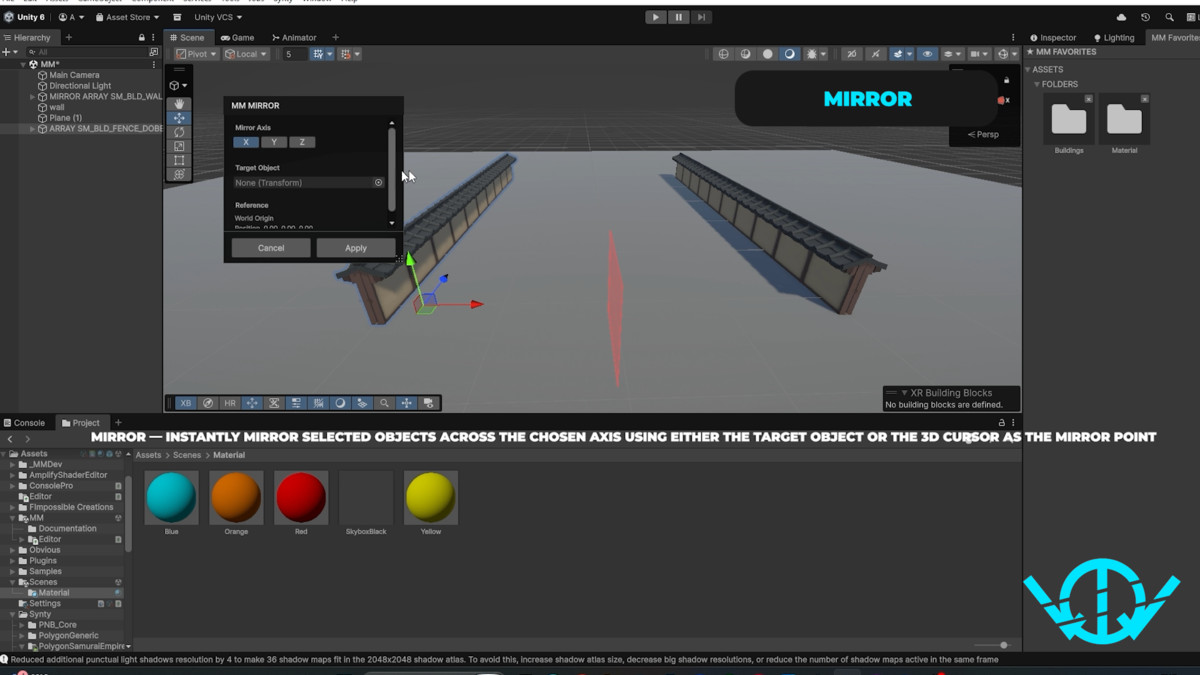
🪞 Mirror
Mirror objects across X, Y, or Z using Target, Cursor, or World origins.
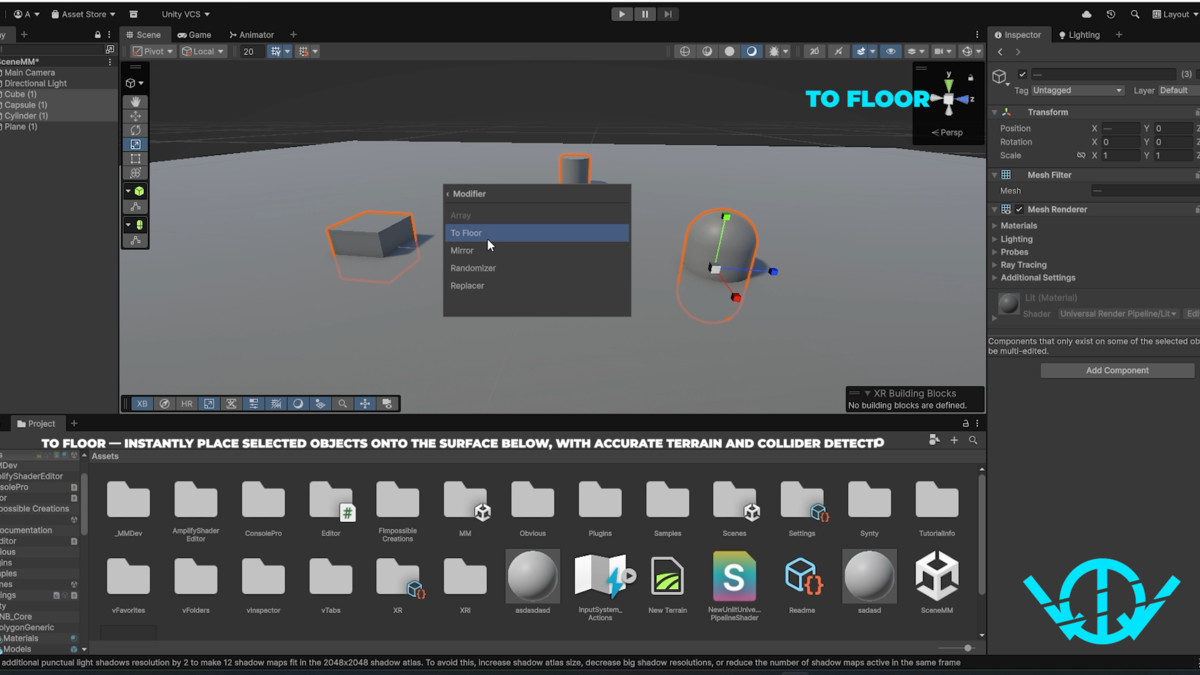
⬇ To Floor
Drop selected objects onto the surface below.
Supports Unity Terrain, mesh/collider surfaces, elevated platforms, and multi-point sampling for uneven terrain.
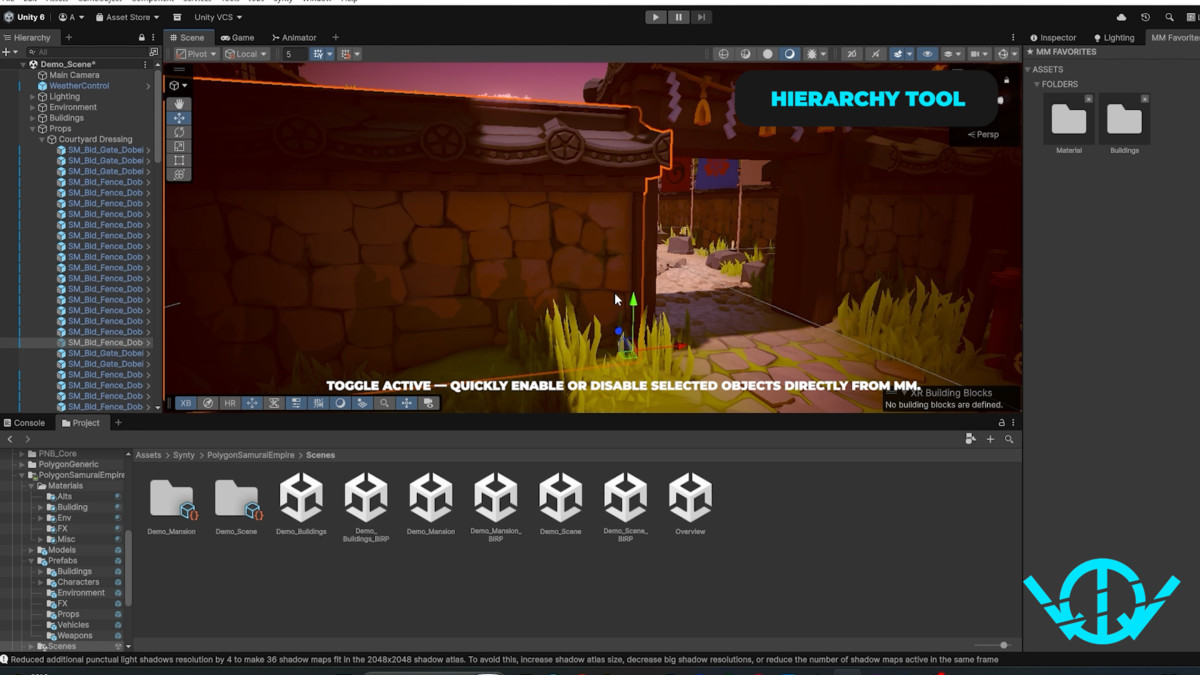
🗂 Hierarchy Tools
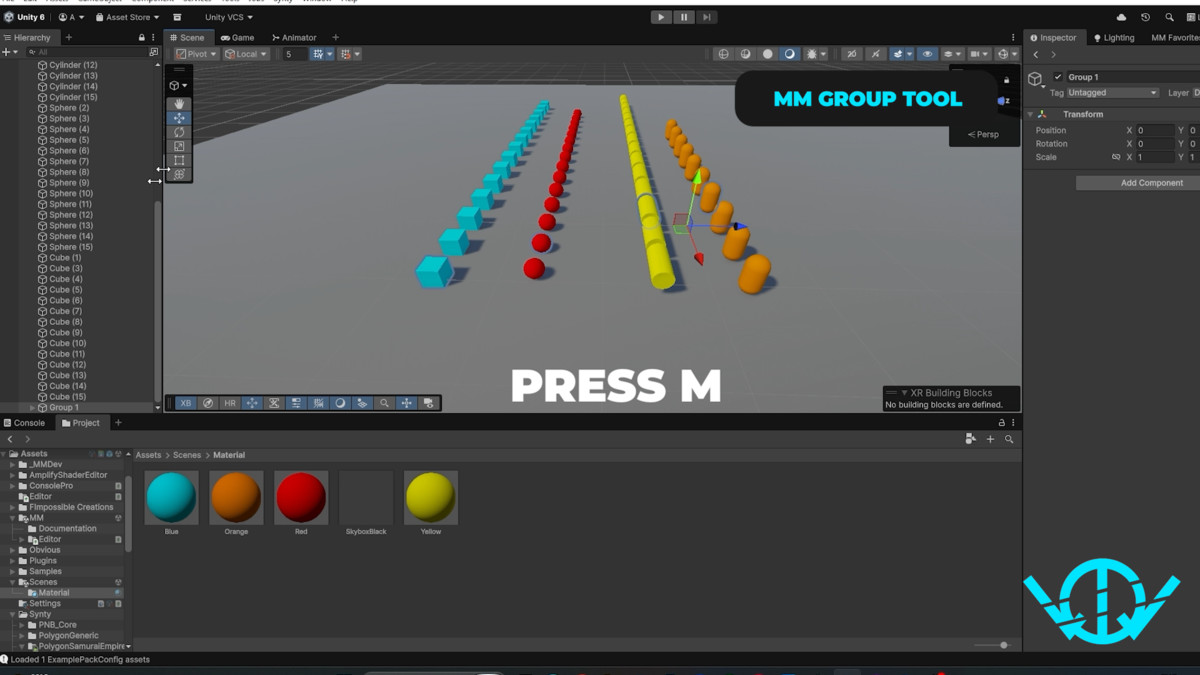
Group selected objects, move objects between groups, create parents and children, navigate hierarchy selections, and quickly toggle GameObject active states.
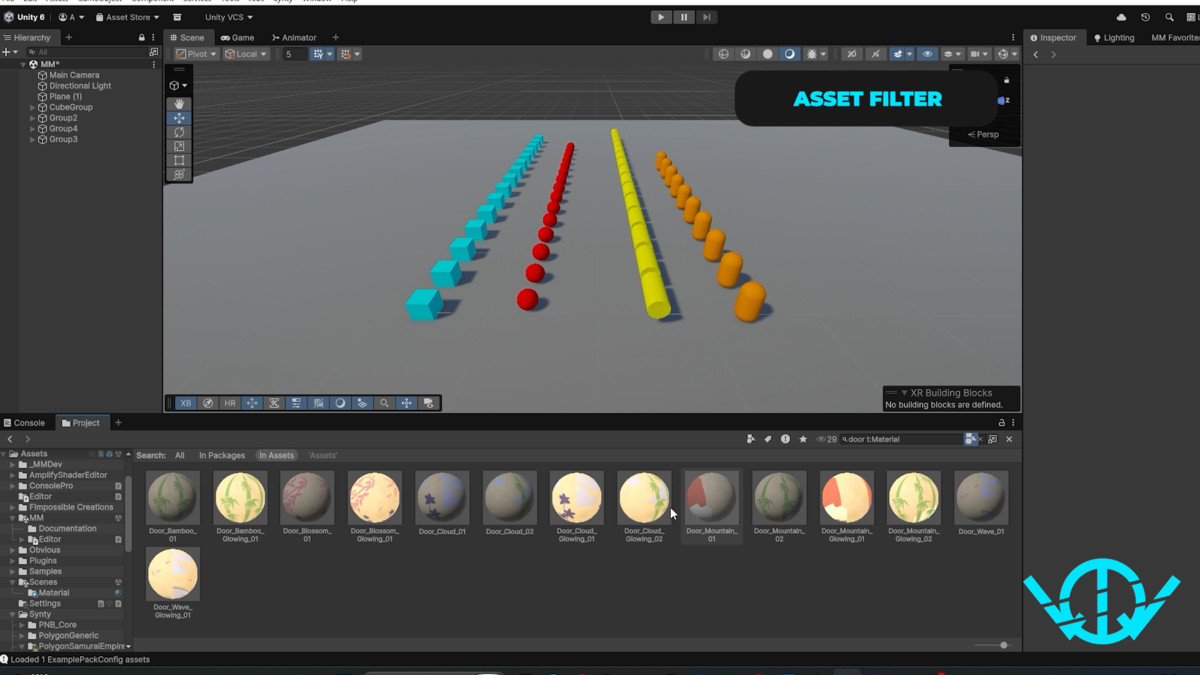
🔎 Project Filter
Compact Project Browser filtering while keeping Unity's normal search workflow available.
📁 Project Group
Organize selected assets and folders directly from the Project Browser.
Press M while the Project Browser is focused to:
• Create a new folder and move the current selection into it
• Move selected assets or folders to an existing folder
• Search Project folders by name or path
• Save frequently used destination folders through drag and drop
Asset moves preserve GUIDs and existing references by using Unity’s Asset Database workflow.
━━━━━━━━━━━━━━━━━━━━
⌨ SHORTCUTS
━━━━━━━━━━━━━━━━━━━━
Shift + A — MM Quick Actions
Shift + S — Cursor Pie Menu
M — Move to Group in the Scene View or Hierarchy
M — Group Project Assets in the Project Browser
━━━━━━━━━━━━━━━━━━━━
✅ COMPATIBILITY
━━━━━━━━━━━━━━━━━━━━
• Editor-only tool
• Tested with Unity 6000.3.11f1
• No URP or HDRP requirement
• Global Volume action is shown only when Unity's Volume system is available
• No third-party commercial dependencies
━━━━━━━━━━━━━━━━━━━━
📝 NOTES
━━━━━━━━━━━━━━━━━━━━
• Randomizer Rotation applies the specified positive or negative delta on each enabled axis. For example, 180° produces either +180° or −180°, rather than an intermediate angle.
• To Floor performs vertical placement only and does not rotate objects to match surface normals.
• Project Group moves assets without changing their GUIDs, helping existing scenes, prefabs, materials, and script references remain intact.
From the publisher's Asset Store listing.
Technical details
• Editor-only Unity toolset
• Tested with Unity 6000.3.11f1
• No runtime components added to builds
• No third-party commercial dependencies
• No URP or HDRP requirement
• Quick Actions with Shift + A
• Vertex, Edge and Face Cursor placement
• A → B / B → A geometry snapping
• Visual Favorites for prefabs, materials and folders
• Array and Mirror modifiers with live preview
• Position / Rotation / Scale Randomizer with XYZ axis controls and deterministic seed
• Replacer with Selection / Children targeting
• Terrain-aware To Floor placement
• Hierarchy and GameObject workflow tools
• Project Browser filtering
• Unity Undo support where applicable
Compatibility
| Unity version | Built-in | URP | HDRP |
|---|---|---|---|
| 6000.3.11f1 | Compatible | Compatible | Compatible |
Editor-only toolkit.
Tested with Unity 6000.3.11f1.
No URP or HDRP package is required for the core MM tools. MM is designed to work with Built-in, URP, and HDRP projects.
The optional Global Volume Quick Action is shown only when Unity's Volume system is available.
No third-party commercial Asset Store dependencies are required.
As listed on the Asset Store.