
 View on Asset Store (opens in new tab)
Package details
- Latest version
- 1.3.0
- Last updated
- First released
- Unity version
- 6000.1.17 or later
- Package size
- 58.4 MB
- Files
- 150
- Favorites
- 21
- Views in the past week
- 83
Price tracking
- Last checked
- Tracked since
- Lowest recorded
- $19.99 on
Keywords
Brushstroke Shader
A real-time brushstroke shader for Unity that turns 3D models into a hand-painted aesthetic. Create layered strokes, directional brushwork, flowing patterns, and loose strokes with full control.
Affiliate link · Purchases support this site
Price history
Last 6 months
USDAsset preview
1 / 13
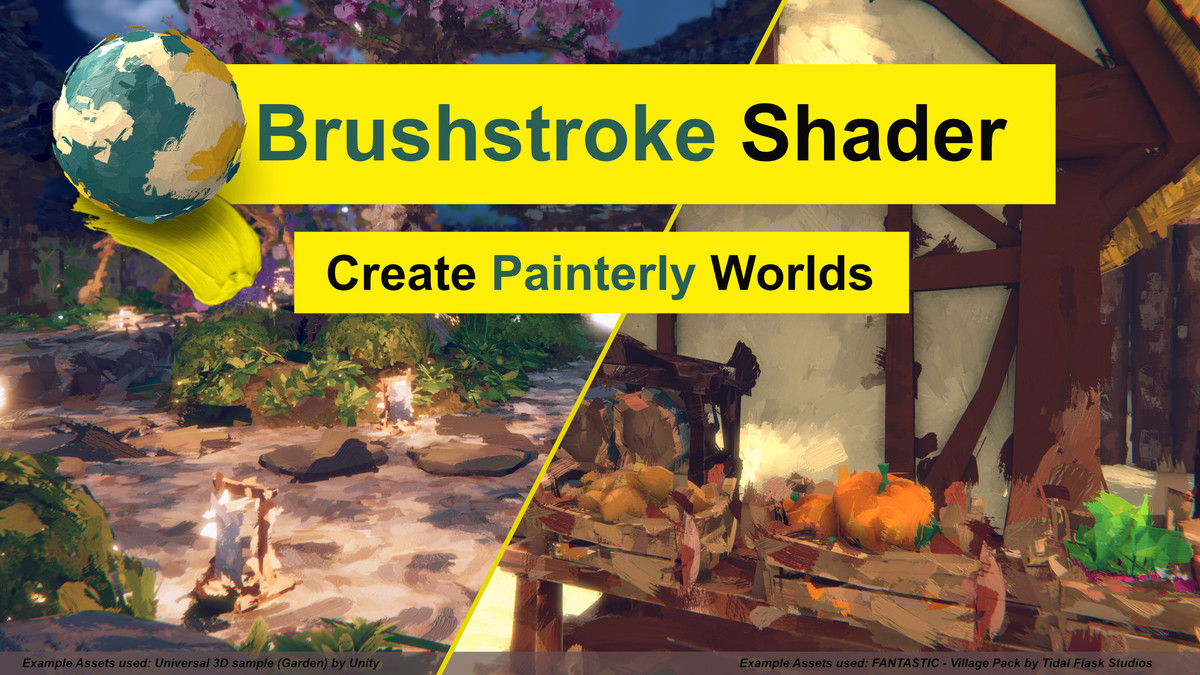
Brushstroke Shader screenshot 1
About this asset
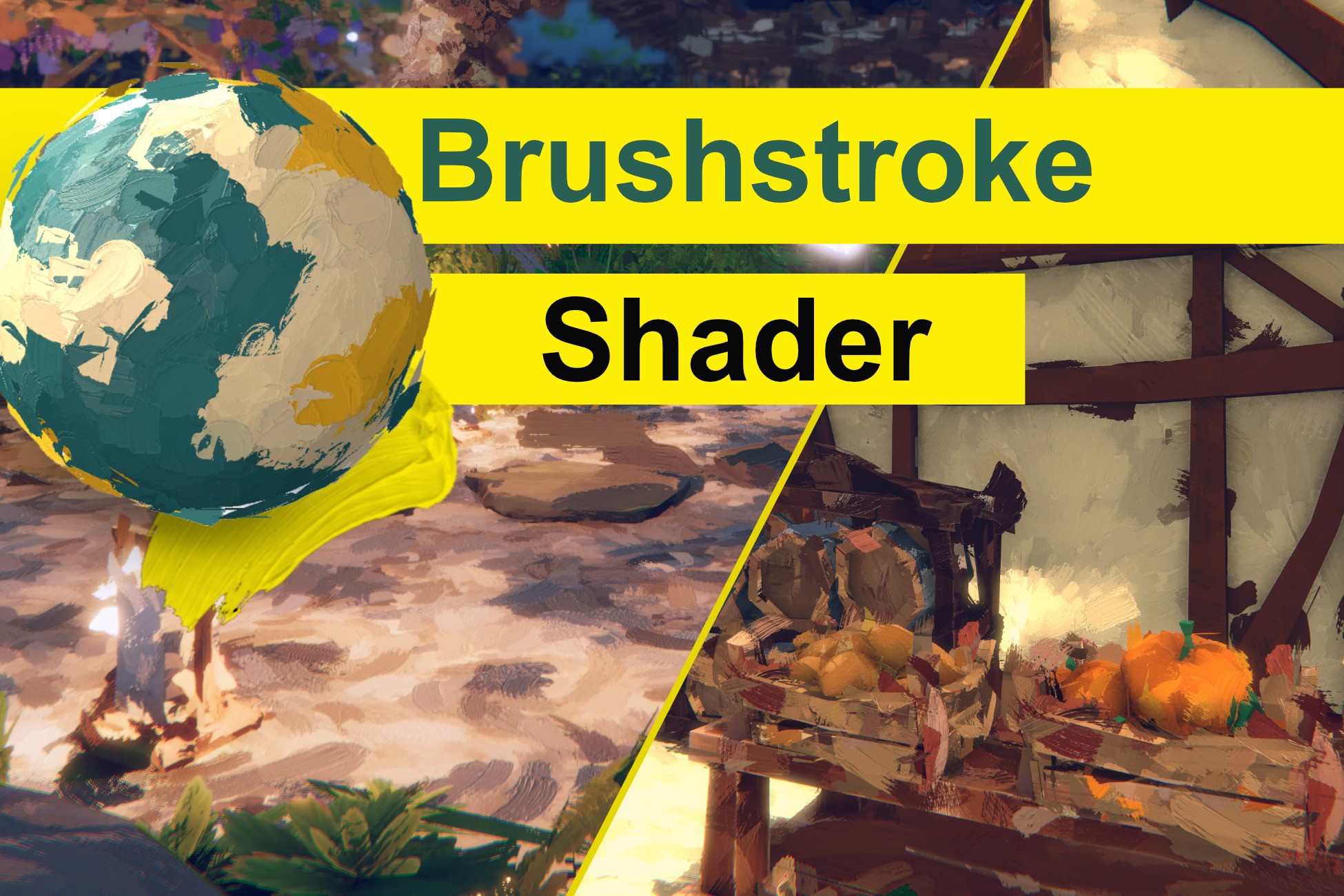
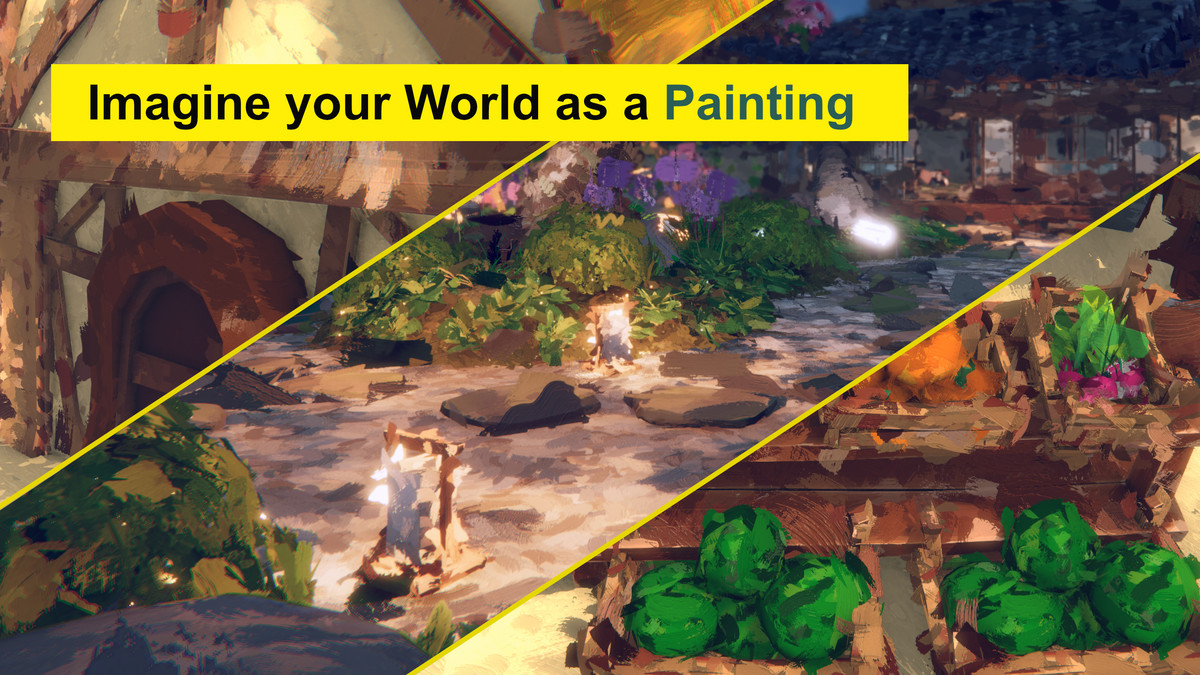
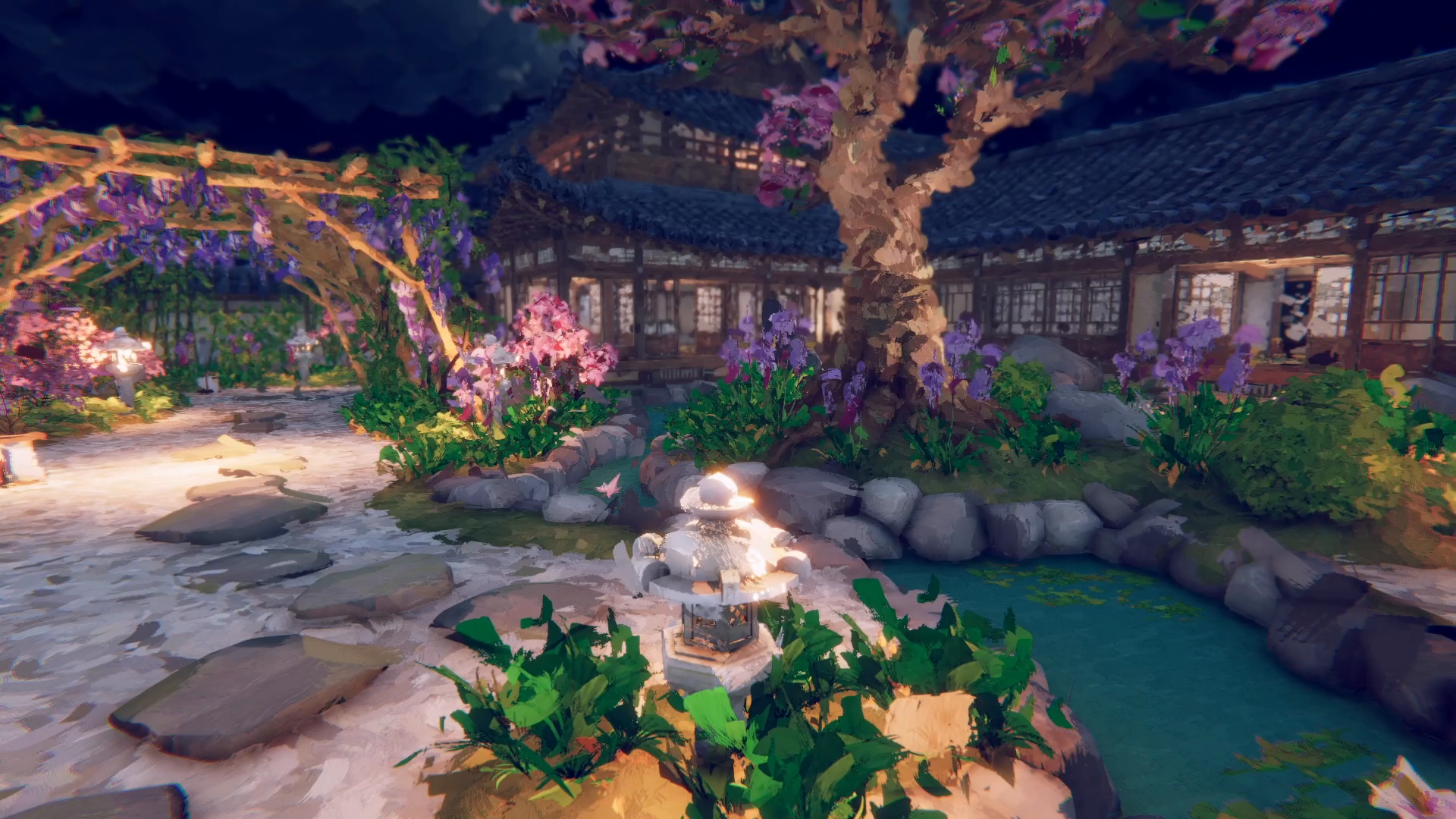
Brushstroke Shader is a real-time painterly rendering system for Unity URP that transforms 3D models into a hand-painted aesthetic. Instead of relying on pre-rendered textures, it covers your geometry with layered and individually generated brush strokes that follow the surface, react to lighting, and maintain consistent world-space size.
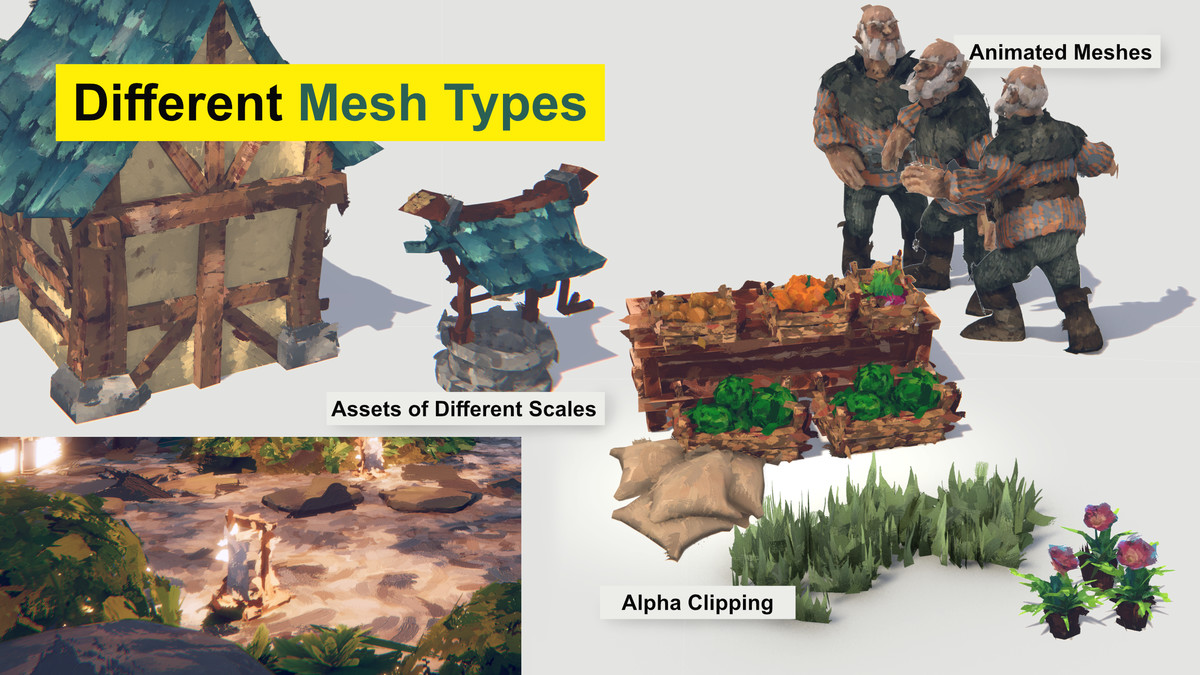
Build anything from broad, expressive paint coverage to fine layered detail, directional brushwork, flowing strokes, and loose painted edges. The system works with static and animated meshes and includes reusable presets and workflow tools for applying a consistent style across entire scenes.
📢 Access our Discor Server for questions, news, updates!
─────────────────────────────────────
☑️ Real-Time Surface Brush Strokes
Cover any UV-mapped mesh with individually generated brush strokes that follow the surface. Stroke size remains consistent across the object regardless of its UV layout, avoiding the stretching and visible seams associated with texture-based approaches.
☑️ Layered Brushwork
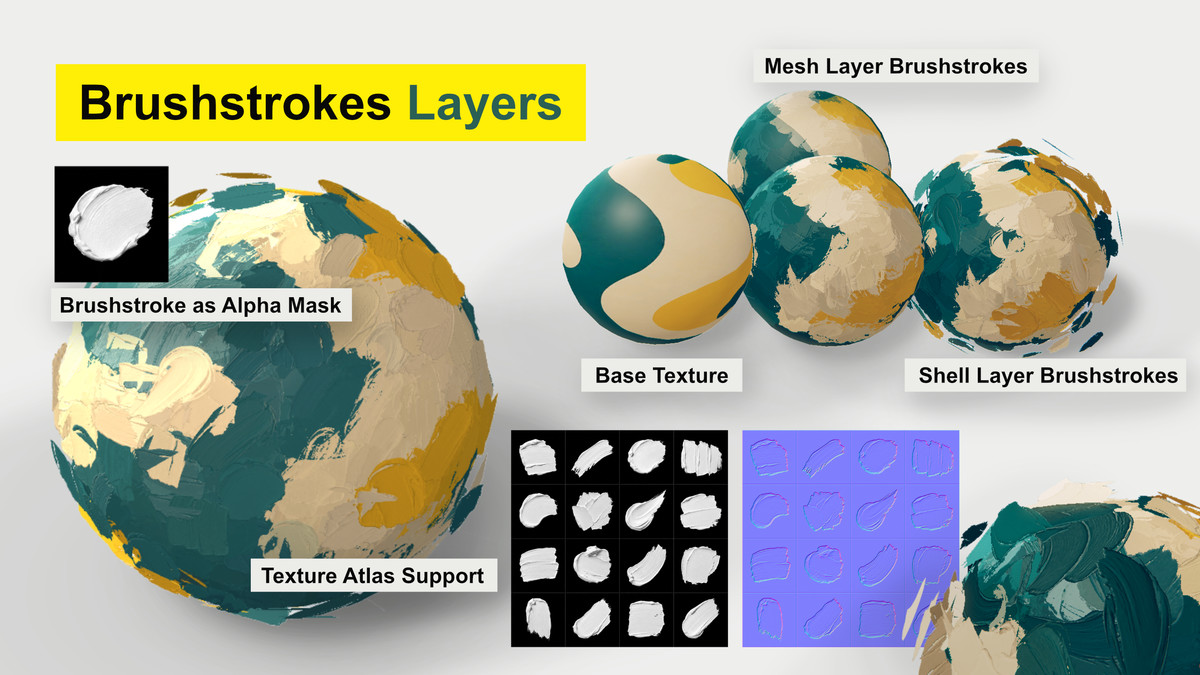
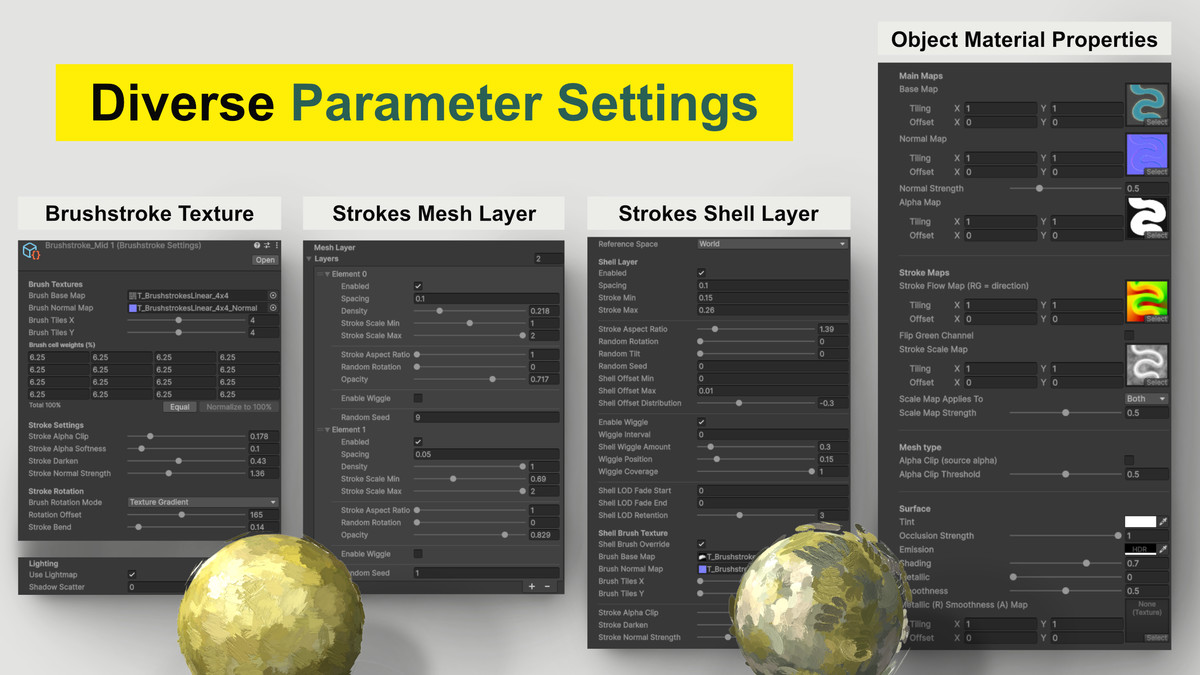
Combine multiple stroke layers from broad to fine. Each layer has independent control over spacing, scale, aspect ratio, opacity, density, rotation, randomness, and subtle animated wiggle.
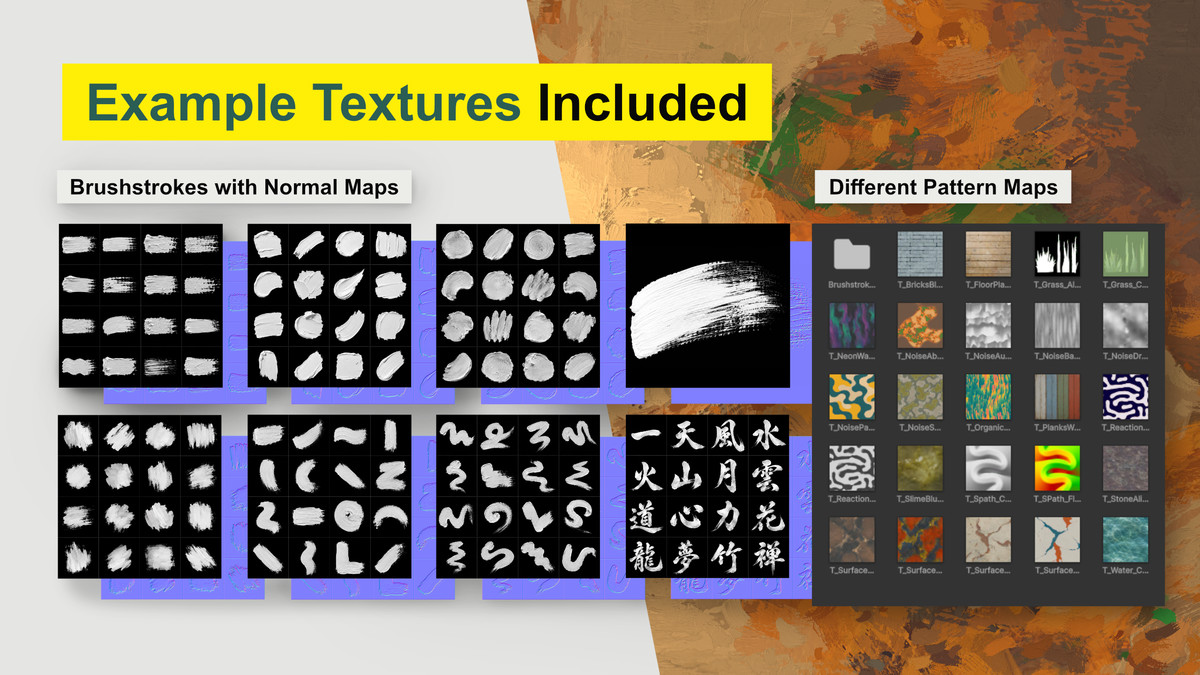
☑️ Custom Brush Shapes
Use your own brush textures to define the shape of each stroke. Texture atlases are supported, with adjustable weights for controlling how frequently individual brush shapes appear.
☑️ Material Properties
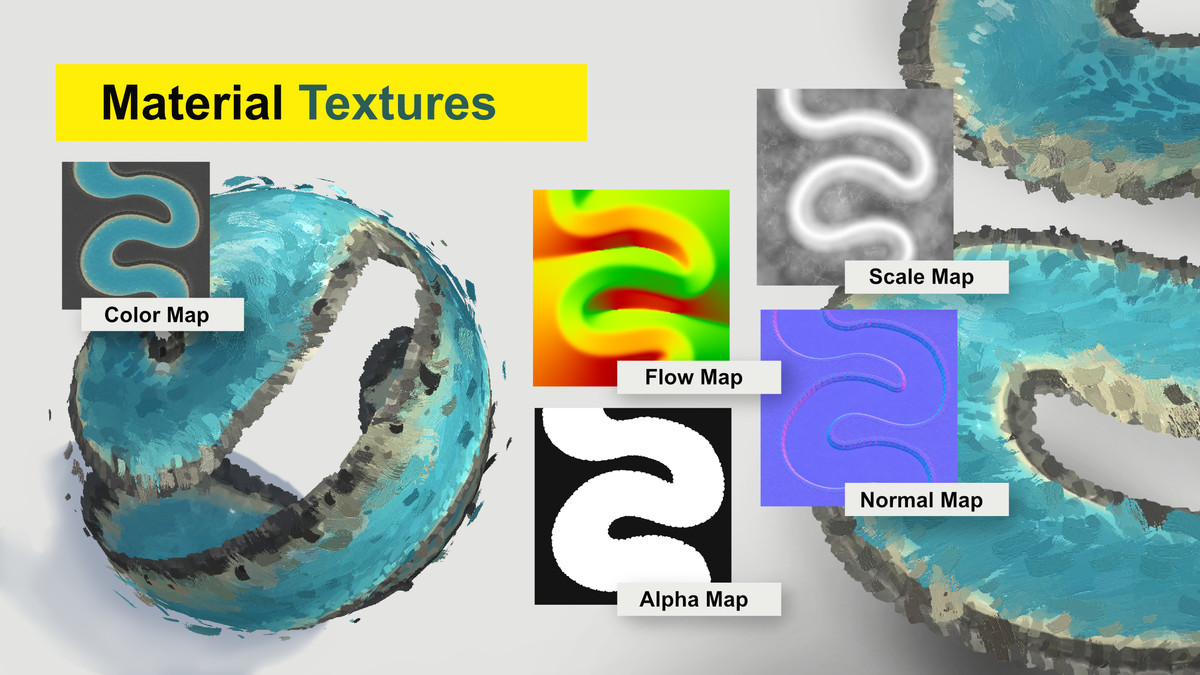
Add brush normal maps to create the appearance of thick, raised paint. Strokes respond to your object's material properties, including colour, normal maps, alpha maps, metallic, gloss, emission, and baked lighting. Texture tiling and offset supported. Vertex color supported for static and skinned meshes.
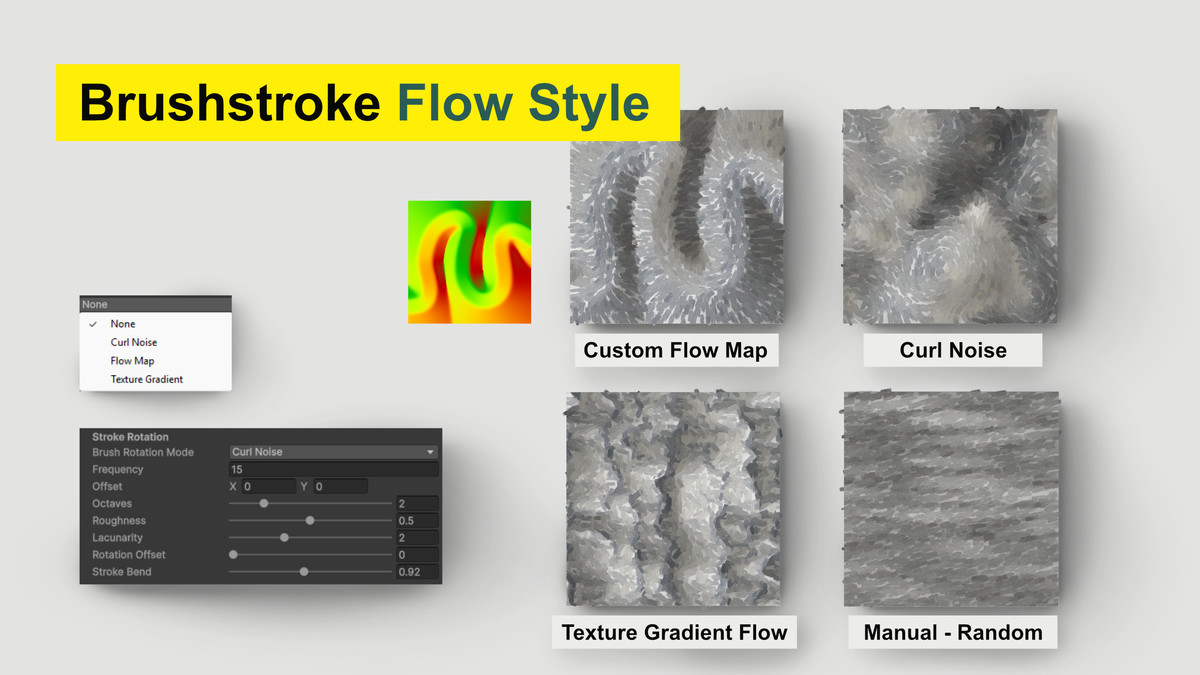
☑️ Directional Brushwork control
Control the direction of your strokes using multiple rotation modes:
• Random / Manual
• Curl Noise for procedural flowing patterns
• Flow Maps for custom directional control
• Texture Gradient for strokes that follow contours and edges in your color texture
Add Stroke Bend to curve brushwork along changing flow directions.
☑️ Flow Map Support
Use custom directional flow textures to guide both surface and shell strokes. Green-channel flipping is supported for compatibility with different flow-map conventions.
☑️ Loose Shell Strokes
Add a second layer of strokes slightly above the surface to break up hard 3D silhouettes and create a more expressive style. Control their size, spacing, offset, tilt, randomness, wiggle.
Also a separate Brush Texture can be used exclusively for the Shell Layer.
☑️ Consistent World-Space Scale
Choose between World and Local reference space. World Space keeps brush strokes at a consistent real-world size when objects are scaled, while Local Space makes the strokes scale together with the object.
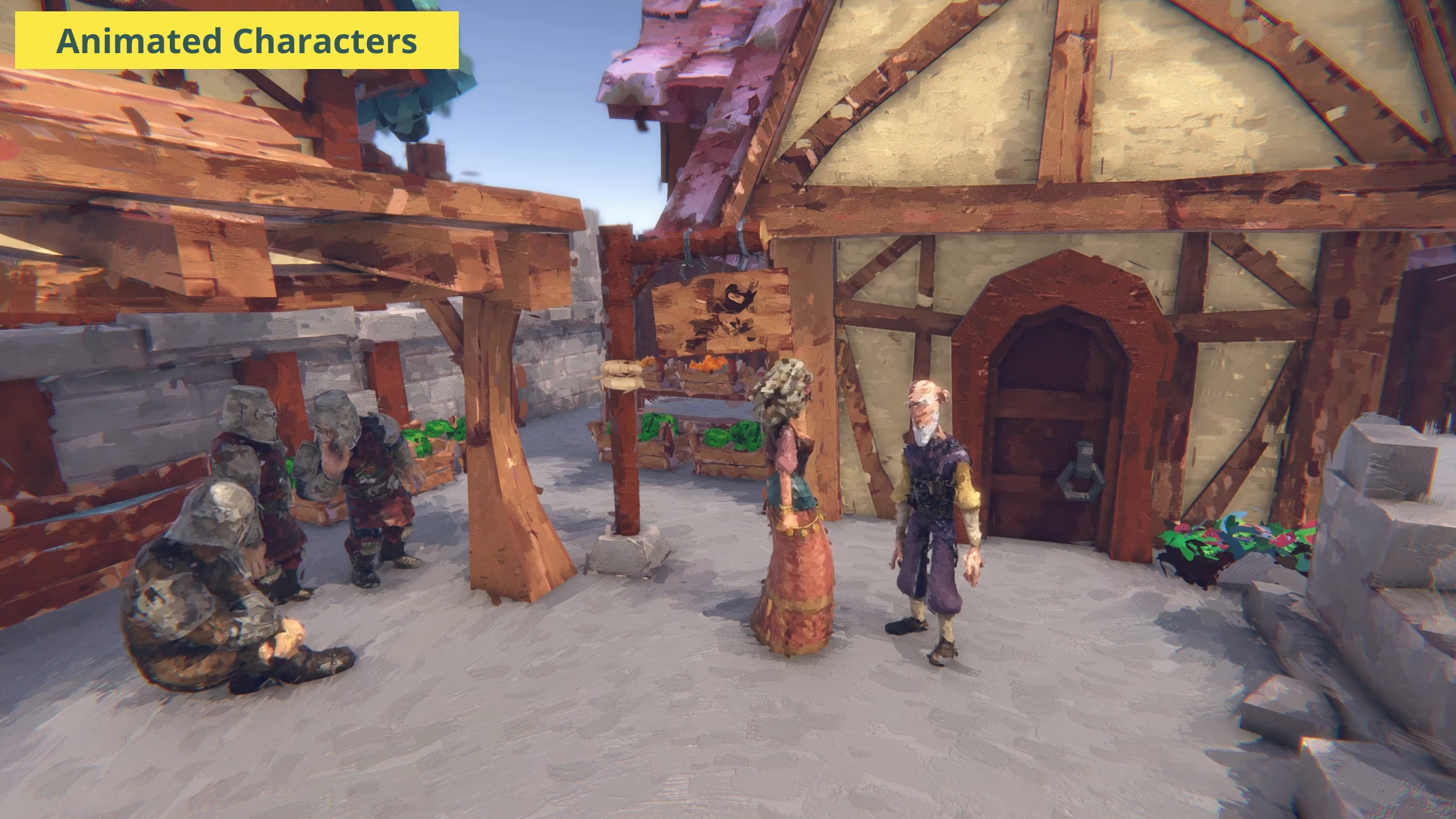
☑️ Animated Characters
Brush strokes are pinned to animated meshes and move with the surface during animation. All Brushstroke Settings apply here as well.
☑️ Support for Unity Terrain
The Brushstroke Shader works with the Unity Terrain Tools Including painted trees and details
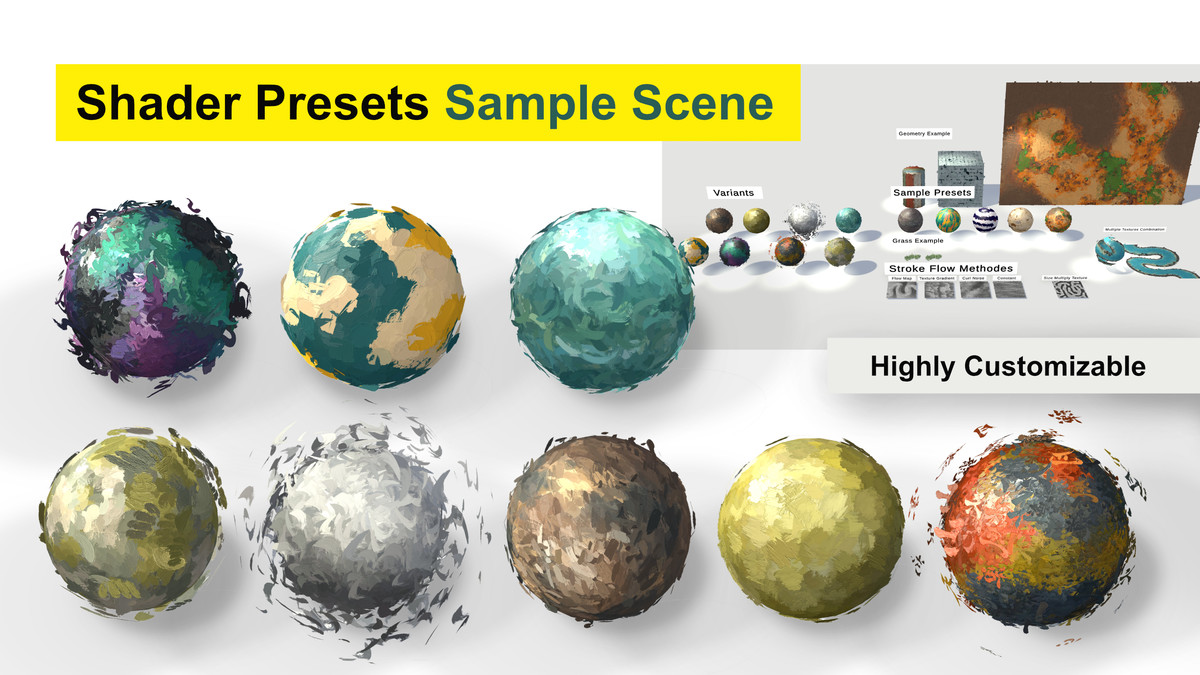
☑️ Reusable Brushstroke Settings Presets
Save complete brush styles as Brushstroke Settings assets and apply them across multiple objects. Edit one shared preset to update the look of every object using it.
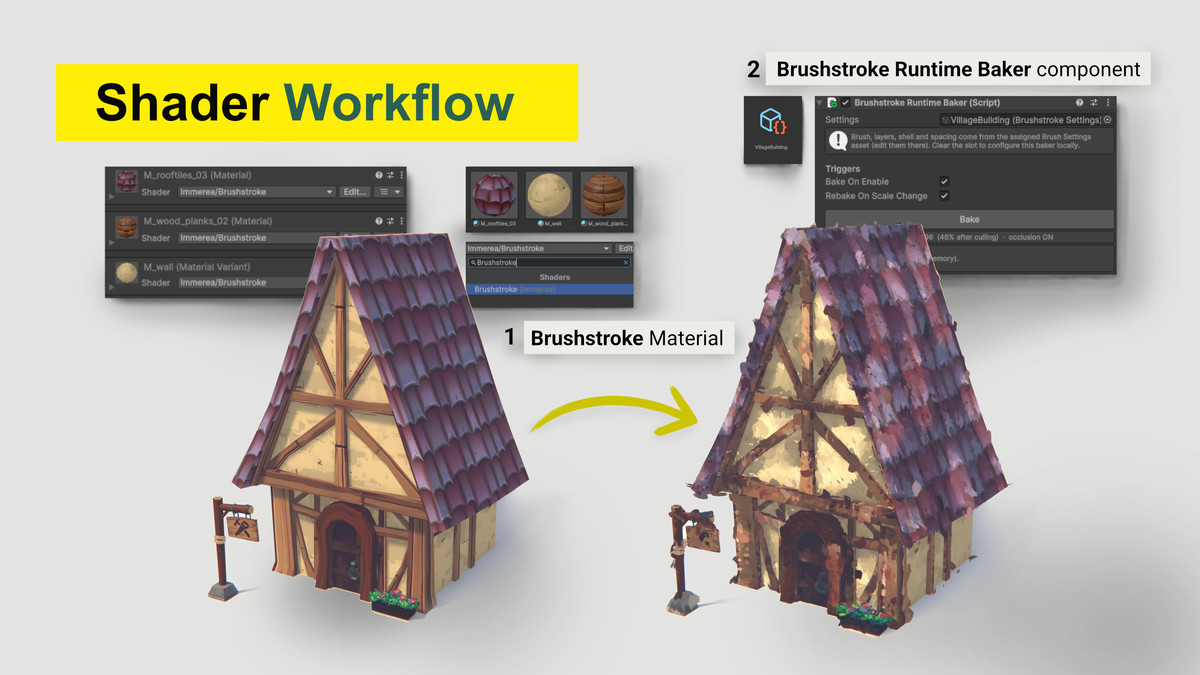
☑️ Scene-Wide Workflow Tools
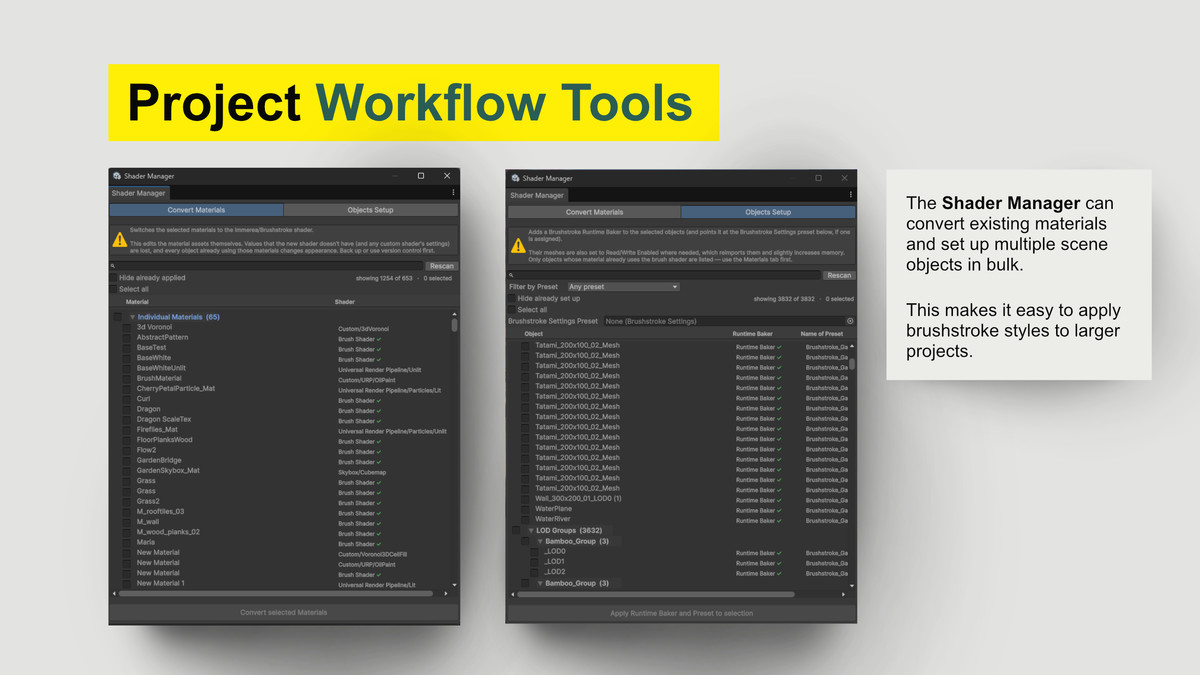
The Asset comes with its own Workflow Tools, making a conversion of an existing project or general scene management easier.
• The Shader Manager can convert existing materials and set up multiple scene objects in bulk, making it easy to apply and manage brushstroke styles in larger projects.
• The Requirements Window checks your project setup and provides one-click fixes for them.
☑️ Runtime Control
Create different Brush Settings presets for different quality levels and switch between them at runtime. Use Refresh() to apply changes and control the amount of generated brushwork for different hardware targets.
☑️ Prebaking
Prebaking of Brushstroke objects to an asset for optimizing loading times for large scenes.
☑️ Lighting & Atmospheres
Support for baked lightmaps, adaptive light probes, ambient lighting, dynamic lights, as well as post processing effects and fog. Allowing you to create atmospheric painterly looks under different lighting conditions.
🎮 Supported Pipeline & Platforms
Universal Render Pipeline (URP)
Graphics APIs: DirectX 11, DirectX 12, Vulkan, Metal
Requires GPU compute shader support
Tested with:
Unity 6000.1
Unity 6000.2
Unity 6000.3
Unity 6000.4
Unity 6000.5
Unity 6000.6
Unity 6000.7.0b3 (the latest beta version at the time of testing) only minor warnings, which don't affect how the asset works.
We will support the 6.7 LTS version, and these warnings will be addressed once 6.7 is out of beta.
─────────────────────────────────────
⚠️ Important
Brushstroke Shader is URP-only and does not support Unity's Built-in Render Pipeline or HDRP.
Use DirectX 11, DirectX 12, Vulkan, or Metal.
Painted meshes require a UV map. For builds, Read/Write must be enabled on the mesh import settings, and painted objects must not be marked Batching Static.
See the documentation for complete requirements, setup instructions, limitations, and performance considerations.
─────────────────────────────────────
📄 Documentation: https://packages.immerea.com/brushstroke-shader/documentation/
✉ Support: [email protected]
From the publisher's Asset Store listing.
Technical details
- Unity Version: 6000.1–6000.4 tested (newer versions may be compatible)
- Render Pipeline: Universal Render Pipeline (URP) only
- Dependencies: No external package dependencies
- Graphics API: DirectX 11, DirectX 12, Vulkan, Metal
- Color Space: Linear
- Mesh Requirements: UV map required; Read/Write enabled for builds
- Static Batching: Painted objects must not be marked Batching Static
- Rendering: Depth Priming + Brushstroke Shell Depth Renderer Feature
- Brush System: Layered surface strokes + optional shell strokes
- Lighting: Material lighting, normal maps, baked lightmaps, adaptive light probes, ambient lighting, fog
- Animation: Compatible with animated meshes
- Presets: Reusable Brush Settings assets
- Scene Workflow: Shader Manager for material conversion and multi-object setup
- Runtime: Quality presets and runtime Refresh() support
- Documentation: Full online documentation included
Compatibility
| Unity version | Built-in | URP | HDRP |
|---|---|---|---|
| 6000.7.0b3 | Not listed | Compatible | Not listed |
| 6000.6.4f1 | Not listed | Compatible | Not listed |
| 6000.5.11f1 | Not listed | Compatible | Not listed |
| 6000.4.8f1 | Not listed | Compatible | Not listed |
| 6000.3.16f1 | Not listed | Compatible | Not listed |
| 6000.2.9f1 | Not listed | Compatible | Not listed |
| 6000.1.17f1 | Not listed | Compatible | Not listed |
As listed on the Asset Store.