
 View on Asset Store (opens in new tab)
Package details
- Latest version
- 1.0.8
- Last updated
- First released
- Unity version
- 2022.3.62 or later
- Package size
- 55 KB
- Files
- 24
- Favorites
- 1
- Views in the past week
- 19
Price tracking
- Last checked
- Tracked since
- Lowest recorded
- $9.99 on
Keywords

Quick Object Pool Pro
by Krykftn | Advanced Editor Tools & Systems (opens in new tab)
Object pooling that allocates nothing per spawn, with a window that measures how big each pool should be and names the objects nobody returned.
Affiliate link · Purchases support this site
Price history
Last 6 months
USDAsset preview
1 / 3
Quick Object Pool Pro screenshot 1
About this asset
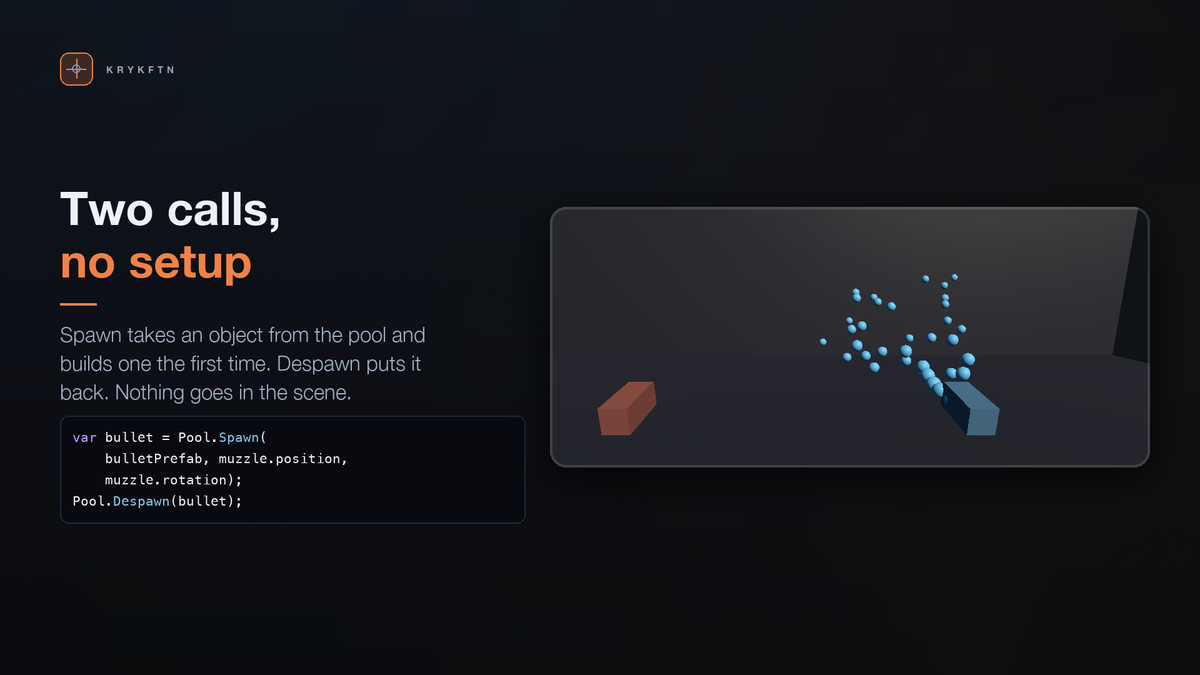
Two lines. No manager object, no packages, nothing to add to a scene.
var bullet = Pool.Spawn(bulletPrefab, muzzle.position, muzzle.rotation);
Pool.Despawn(bullet);
Twenty thousand spawn-and-despawn pairs allocate 0 bytes. The same loop with Instantiate and Destroy allocates about 47 bytes a pair and hands the bill to the garbage collector, which pays it in one visible hitch some frames later. That number is measured, not claimed, and the demo scene puts it on screen while you watch.
NOTHING ALLOCATED ON THE HOT PATH
• No LINQ, no closures, no boxing, and no GetComponent
• Every component a pooled object needs is looked up once, when the object is built, and kept with it
• Per-object bookkeeping is a struct, so tracking an object costs nothing either
A WINDOW THAT TELLS YOU THE NUMBER
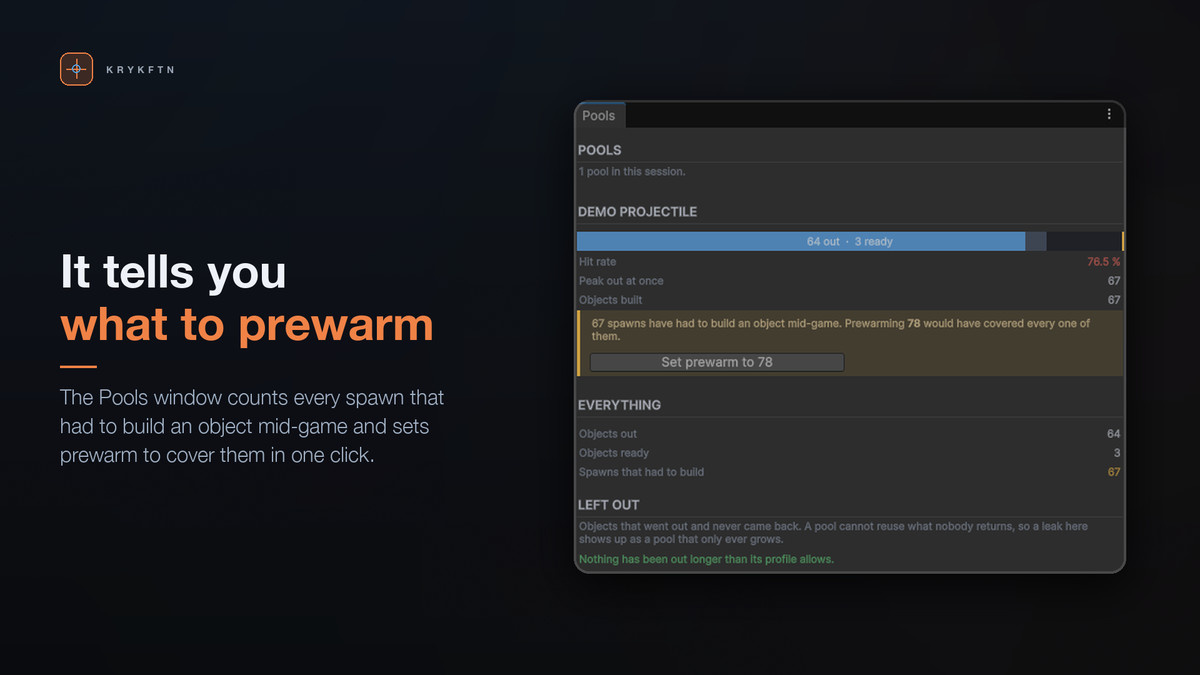
• Live hit rate, peak in use, and objects built
• "23 spawns have had to build an object mid-game. Prewarming 31 would have covered every one of them." — with a button that writes it into the profile
• Guessing pool sizes is the part nobody enjoys. This measures it from what your game actually did.
LEAK DETECTION WITH CALL SITES
• Objects that went out and never came back, how long they have been gone, and the line of code that spawned them
• A pool cannot reuse what nobody returns, so a leak shows up as a pool that only ever grows — and the cause is invisible
• This names it instead. Select the object straight from the list.
PREWARMING THAT DOES NOT HITCH
• Building a thousand objects in one frame is the very freeze pooling exists to prevent
• Prewarm is spread over frames against a millisecond budget
• The pool measures what a creation actually costs on the machine it is running on, so the budget means the same thing on a laptop and on a console
THE REST
• THREE WAYS TO RUN DRY — grow, recycle the oldest, or refuse and let the caller decide. Each explained in the inspector, including the trap: grow plus a ceiling behaves like refuse once it hits the ceiling.
• AUTO-RETURN — after a timeout counted in game time, so pausing the game pauses it too; or when an effect has played and finished. An effect is a prefab made only of particle systems, audio, lights and scripts, so an enemy is never sent back because its spawn puff or its footstep sound ended.
• IPooled — OnSpawned and OnDespawned for resetting state. A pooled object is not a new object; its fields hold whatever the last user left behind, and that is the single most common way pooling introduces bugs.
• THE AWKWARD CASES ARE HANDLED — despawning twice, despawning something that never came from a pool, an instance somebody else destroyed, a scene unload (whatever was spawned in that scene goes back to the pool instead of carrying on in the next one). None of them corrupt the free list, and the ones that are your bug say so.
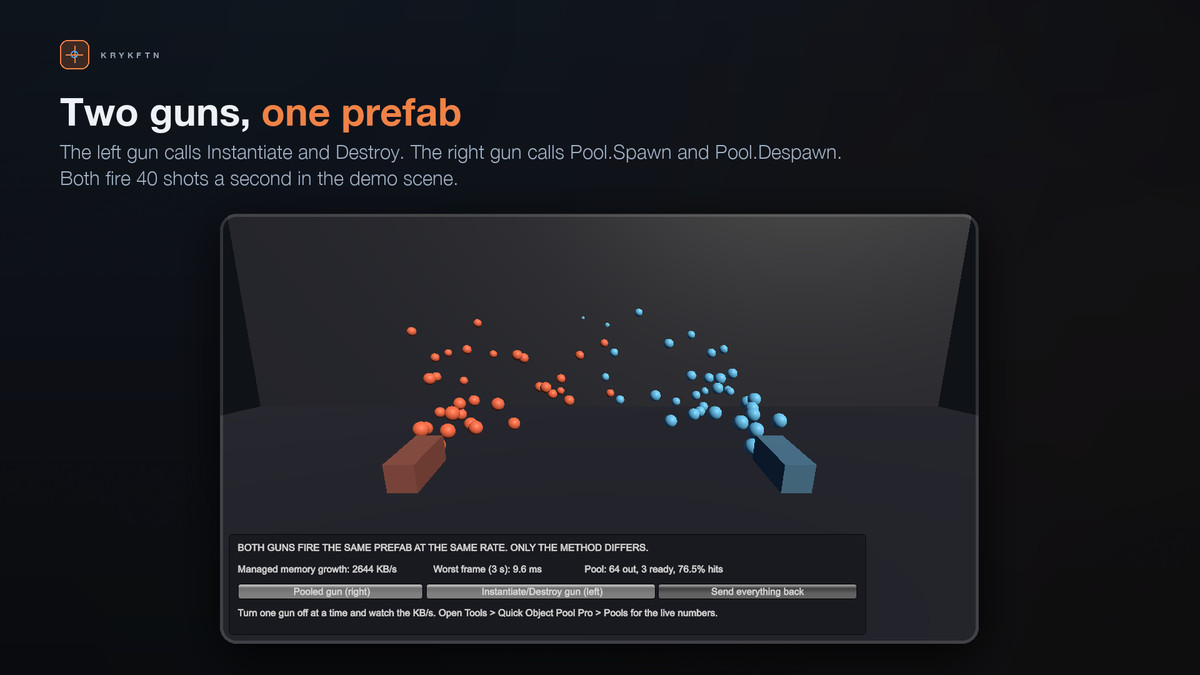
• A DEMO SCENE IN THE PACKAGE — two guns firing the same prefab at the same rate, one pooled and one not, with managed memory growth and worst frame time on screen.
• PURE-C# POLICY — how much to prewarm this frame, what size to suggest, what counts as a leak. No Unity in it, so the inspector's numbers and the running game's numbers cannot disagree.
NO DEPENDENCIES
Not "no third-party dependencies" — no Unity packages either. Nothing to install, no TextMeshPro, no uGUI. It imports into a bare Built-in project with zero console errors, and works the same in URP and HDRP.
From the publisher's Asset Store listing.
Technical details
REQUIREMENTS
• Unity 2022.3 LTS or newer
• Built-in Render Pipeline, URP or HDRP
• No third-party plugins and no Unity packages required
WHAT IS INCLUDED
• Pool — the whole API: Spawn, Despawn, DespawnAll, Prewarm, Leaks
• PoolProfile asset for prewarm, ceiling, run-dry behaviour and auto-return
• Pools window with live stats, the suggested prewarm size and the leak list
• IPooled interface for resetting state between lives
• A demo scene, its projectile prefab and its profile
• Full C# source under the Krykftn.QuickObjectPoolPro namespace
MEASURED
• 20,000 spawn-and-despawn pairs: 0 bytes allocated
• The same loop with Instantiate and Destroy: roughly 47 bytes a pair
• Both figures are measured in a bare Unity 2022.3 project; 1.0.2 was re-measured with 11 play mode tests on Unity 2022.3 and Unity 6.3
NOTES
• A profile is optional. Pool.Spawn(prefab) works with nothing set up and uses sensible defaults.
• Spawn call sites are collected in the editor only, and only when the profile asks for them. A build never collects one.
• Pool.Despawn on an object that did not come from a pool warns rather than failing silently — that is nearly always a bug worth hearing about.
• The pool creates one hidden object to hold its instances and to get a frame tick. It is not saved into your scenes.
Compatibility
| Unity version | Built-in | URP | HDRP |
|---|---|---|---|
| 2022.3.62f2 | Compatible | Compatible | Compatible |
Works in any render pipeline. The pool is plain C# around your own prefabs and never renders anything, so Built-in, URP and HDRP behave the same. No package dependencies, not even uGUI or TextMeshPro. The demo's materials are moved to the active pipeline's lit shader by an editor script, and the demo was rendered in URP and HDRP with no pink pixels. Unity 2022.3 LTS or newer.
As listed on the Asset Store.