
 View on Asset Store (opens in new tab)
Package details
- Latest version
- 1.0.7
- Last updated
- First released
- Unity version
- 2022.3.62 or later
- Package size
- 81 KB
- Files
- 40
- Views in the past week
- 25
Price tracking
- Last checked
- Tracked since
- Lowest recorded
- $9.99 on
Keywords

Quick Outline Pro
by Krykftn | Advanced Editor Tools & Systems (opens in new tab)
- Price drop
Outlines that keep one colour in the open and another behind a wall. Mesh hull or screen space, in Built-in, URP and HDRP.
Lowest recorded price
Get 60% off on Asset Store (opens in new tab)Affiliate link · Purchases support this site
Price history
Last 6 months
USDAsset preview
1 / 5
Quick Outline Pro screenshot 1
About this asset
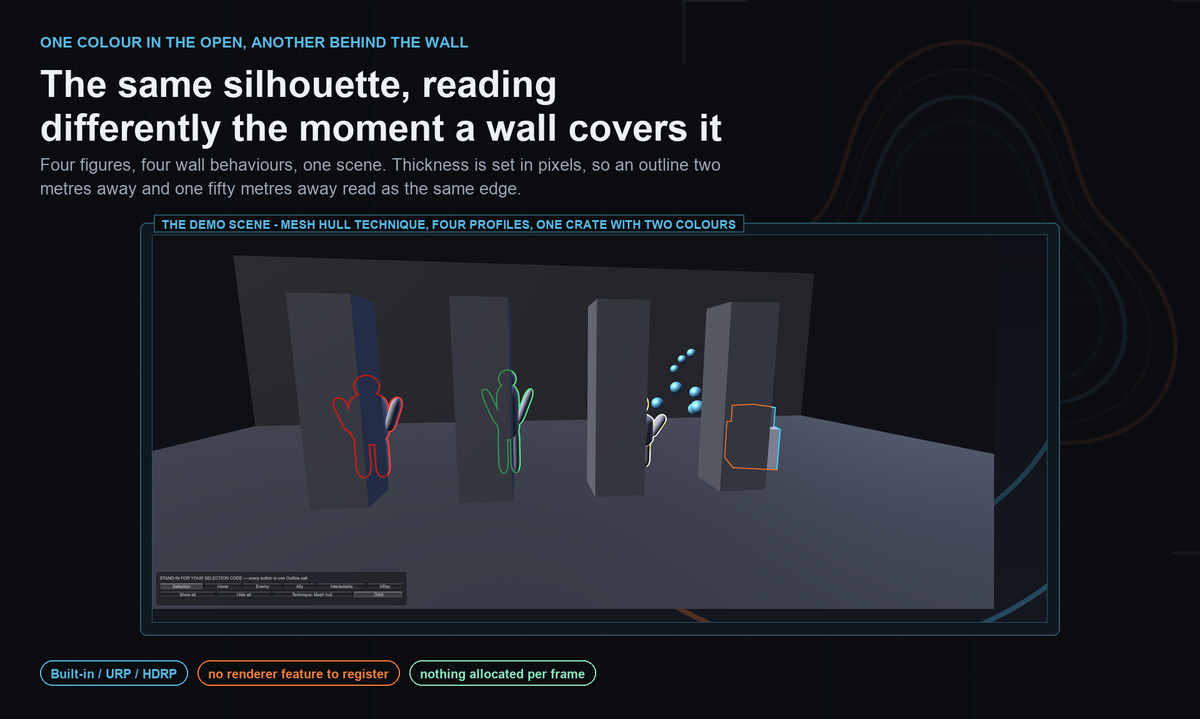
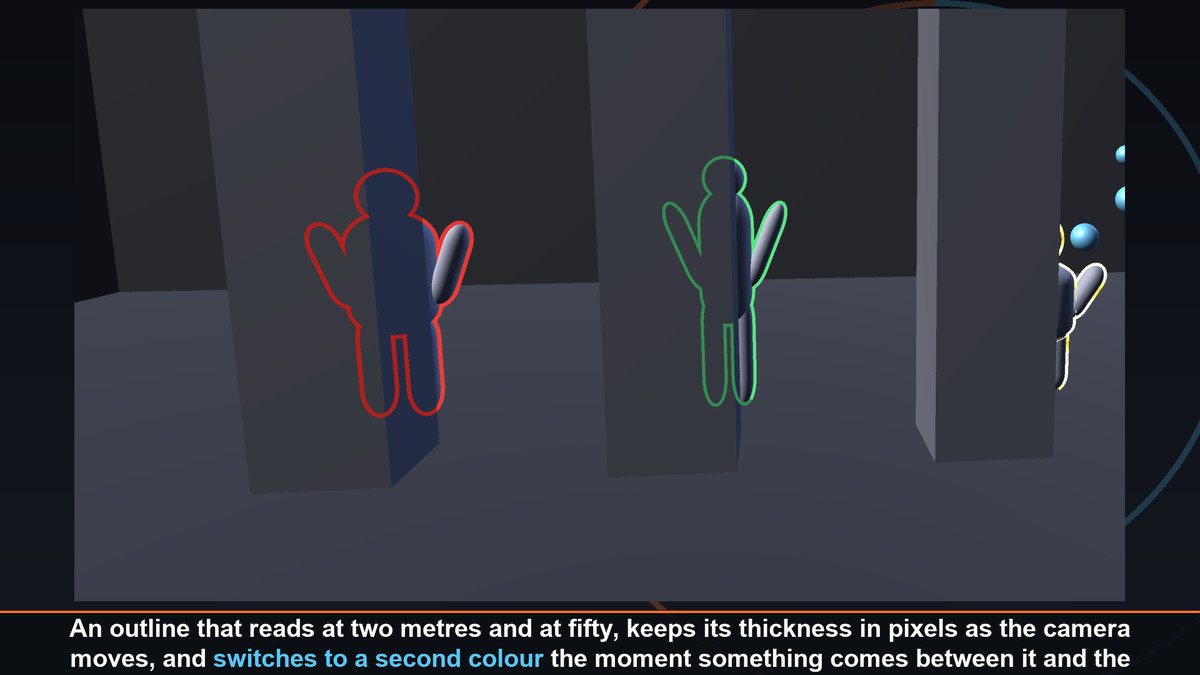
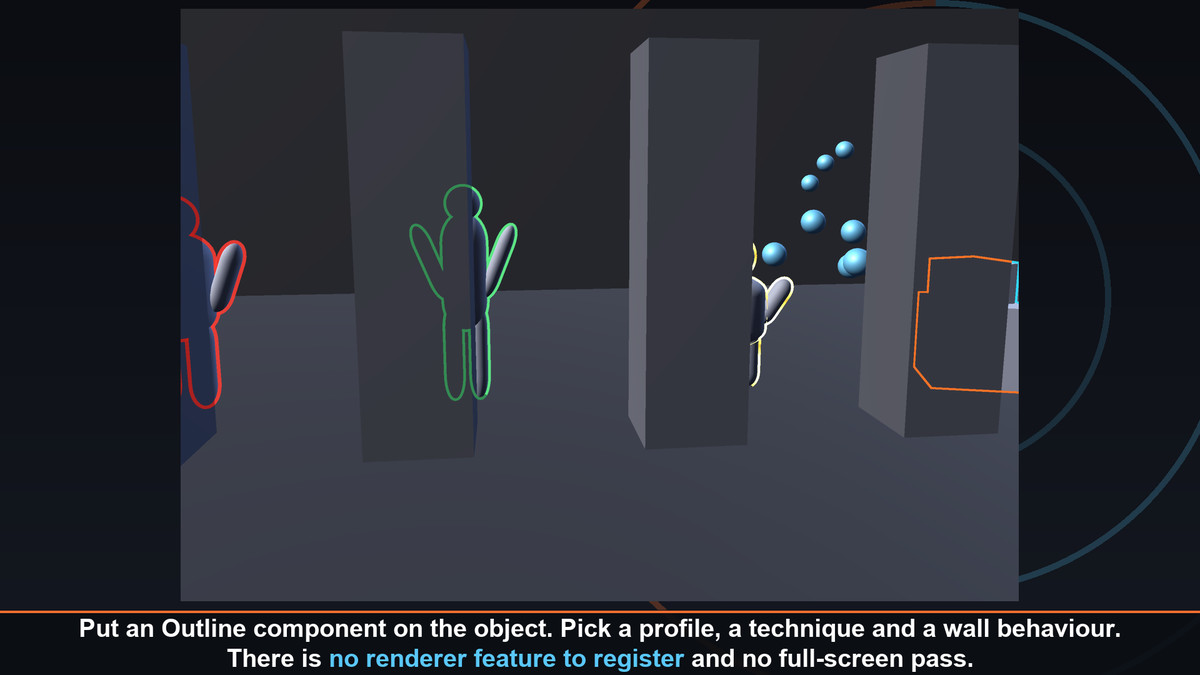
Put one component on a character and it reads at two metres and at fifty, holds its thickness in pixels while the camera moves, and switches to a second colour the moment something comes between it and the camera.
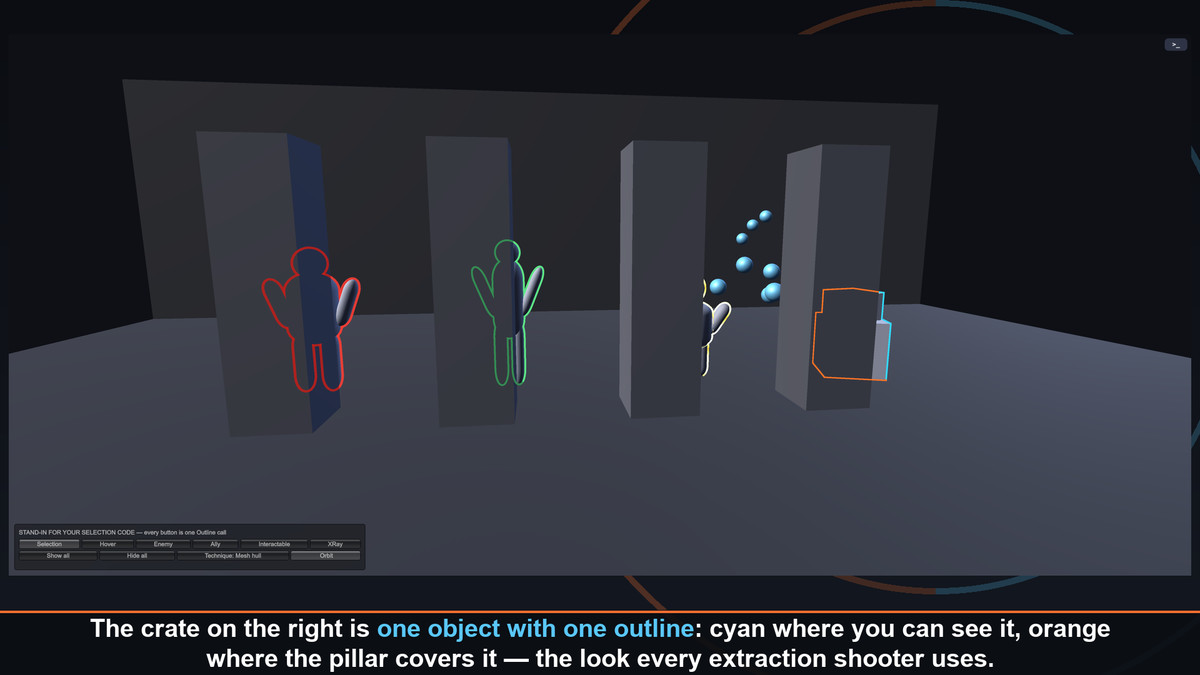
That last part is the whole point: the same silhouette, two colours, split exactly where the wall is. It is the look every extraction shooter, every co-op teammate marker and every "your target is through there" uses — and it is one dropdown here.
Two techniques, four ways of handling walls, six animations, three render pipelines. And when nothing is outlined, it costs nothing at all: no full-screen pass, no material swap, no per-frame allocation.
TWO COLOURS, SPLIT AT THE WALL
• A depth-independent stencil mask stamps the silhouette first, so the hidden half really is the hidden half — not a filled ghost bleeding over the cover
• Four modes: visible only, second colour, x-ray silhouette, always on top
• The x-ray fill has its own opacity, so it hints at a position instead of becoming a wall of colour
TWO TECHNIQUES, ONE COMPONENT
• MESH HULL — one extra draw per renderer, no full-screen work, and nothing at all while nothing is outlined
• SCREEN SPACE — identical thickness on every shape, no baking, and a separable edge detect that costs 34 samples per pixel at radius 8 instead of 289
• Switch on the profile. Nothing else in your scene changes.
THICKNESS THAT BEHAVES
• World units, screen pixels, or world units clamped to a pixel range so a corridor's far end never turns into a hairline
• Worked out PER CAMERA — the Scene View, a split screen and a render-texture camera each get their own correct number instead of inheriting Camera.main's
• Distance fade that drops an object before a single draw call is made
BUILT FOR CROWDS
• Colour and thickness can be overridden per object without a second profile
• Both ride in the property block the outline already fills in, so a hundred enemies in a hundred colours are still four materials, not four hundred
• Hide an outline and the materials come straight back off the renderer
SIX ANIMATIONS
• Pulse, blink, wave, colour shift and scan
• Colour shift and scan run per pixel on the GPU and cost the CPU nothing — and the inspector tells you which of the two any setting uses
• HDR colours above 1 are picked up by bloom, which is how you get an outline that glows
A BAKER FOR HARD EDGES
• An inverted hull tears open at every hard edge, because a hard edge has several normals. One click bakes averaged normals into UV3.
• Your imported mesh is never touched — a copy is written next to it
• Meshes with no project folder of their own go to a Baked folder instead
• Not readable? The inspector says so and points you at the screen-space technique, which needs no baking at all
INSPECTORS THAT EXPLAIN THEMSELVES
• Every choice is a row of buttons with a sentence saying what the selected one actually does
• A live picture of the outline in its real colours, at roughly its real thickness
• Measured readouts: distance, thickness in pixels AND world units, opacity, extra draw calls
• A check panel that names what is wrong — missing profile, a mesh that will tear, a screen-space profile with no hook in the renderer — and offers the fix inline
IN THE BOX
• A ready demo scene at Assets/QuickOutlinePro/Demo, with four procedural figures, built from primitives — no models, no textures, nothing to break on upgrade
• Six presets: Selection, Hover, Enemy, Ally, Interactable and X-Ray
• A setup window that detects your pipeline and installs the screen-space hook for Built-in, URP or HDRP in a click
• Full C# source, README and changelog
NO DEPENDENCIES
Not "no third-party dependencies" — no Unity packages either. Nothing to install, nothing to import, no TextMeshPro, no uGUI. The URP and HDRP folders only compile when those packages are already present, so the package imports into a bare Built-in project with zero errors.
From the publisher's Asset Store listing.
Technical details
REQUIREMENTS
• Unity 2022.3 LTS or newer
• Built-in Render Pipeline, URP or HDRP
• No third-party plugins and no Unity packages required
WHAT IS INCLUDED
• Outline component, OutlineProfile asset, ScreenOutlineCamera
• Mesh hull shader and a separable screen-space edge detect
• URP Renderer Feature and HDRP Custom Pass, each in its own assembly gated on its package
• Demo scene, smooth-normal baker, six sample profiles
• Full C# source under the Krykftn.QuickOutlinePro namespace
HOW IT DRAWS
• Mesh hull: one shared material per profile appended to the renderer — one draw for a plain ring, two for always-on-top, three when a second colour is used, four for the x-ray fill. Shared per profile, not per object.
• Screen space: one mask render plus one full-screen pass, only while something is outlined
• Per-object colour, thickness and opacity travel in a MaterialPropertyBlock, so nothing is allocated per frame
NOTES
• Skinned meshes are supported, as are meshes with several materials: every part is outlined, through hidden companion renderers that follow the renderer and are never saved
• Shaders/Resources/QuickOutlinePro carries the outline shaders into player builds, so nothing needs adding to your project settings
• Hard-edged meshes want a one-click smooth-normal bake for the mesh hull technique; the screen-space technique needs no baking
• Meshes must be marked Read/Write Enabled to be baked. The inspector detects this and says so.
• Screen-space outlines need one hook in your renderer. The setup window adds it for whichever pipeline you are on.
Compatibility
| Unity version | Built-in | URP | HDRP |
|---|---|---|---|
| 2022.3.62f2 | Compatible | Compatible | Compatible |
As listed on the Asset Store.