
 View on Asset Store (opens in new tab)
Package details
- Latest version
- 1.1
- Last updated
- First released
- Unity version
- 2022.3.62 or later
- Package size
- 148 KB
- Files
- 151
- Views in the past week
- 4
Price tracking
- Last checked
- Tracked since
- Lowest recorded
- $9.50 on
Keywords
Extended Inspector
Multi-select components, smart paste, search, favorites, selection history, locked Inspectors, and Play Mode save — without leaving the Unity Inspector.
Affiliate link · Purchases support this site
Price history
Last 6 months
USDAsset preview
1 / 9
Extended Inspector screenshot 1
About this asset
Speed up your Unity Inspector.
Extended Inspector adds multi-select workflows, a smart clipboard, search, favorites, selection history, locked Inspector windows, and Play Mode value save — all inside the Inspector you already use.
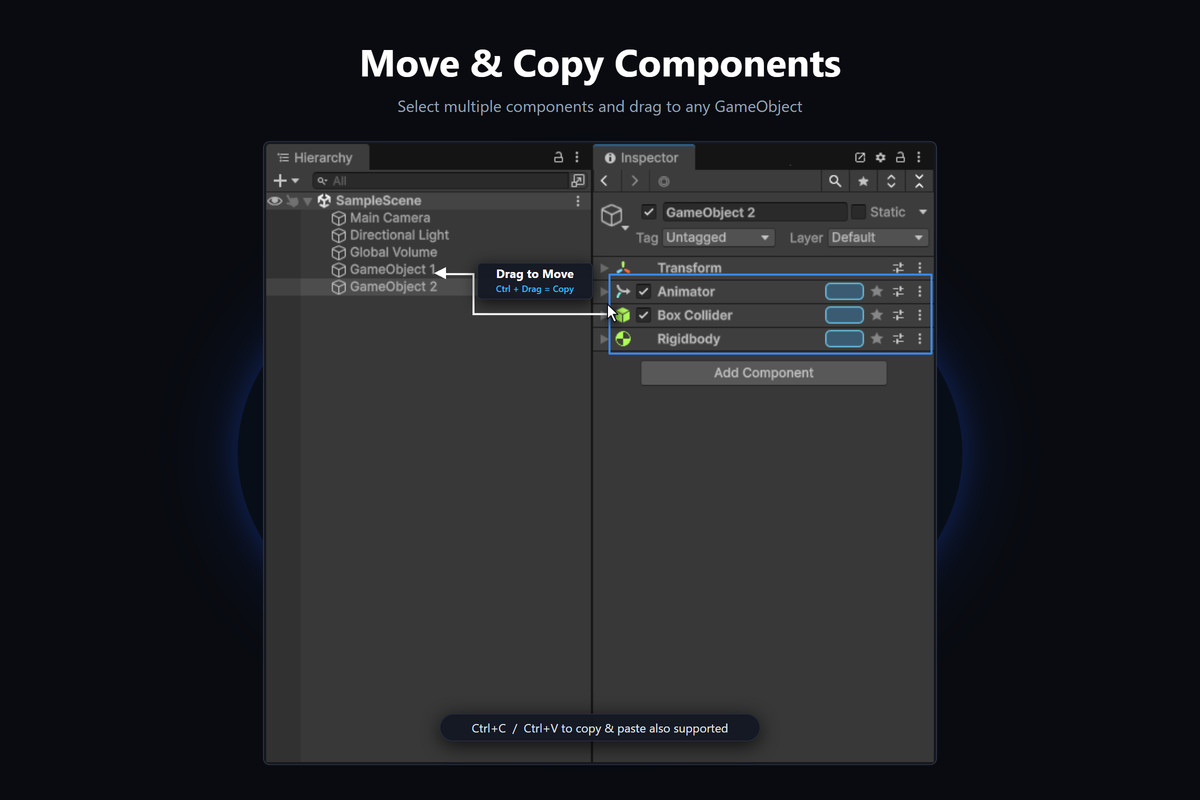
• Multi-select components (Sel) — Ctrl / Shift select, drag to move or copy, delete in bulk
• Smart clipboard — Paste Smart updates matching types or adds missing ones
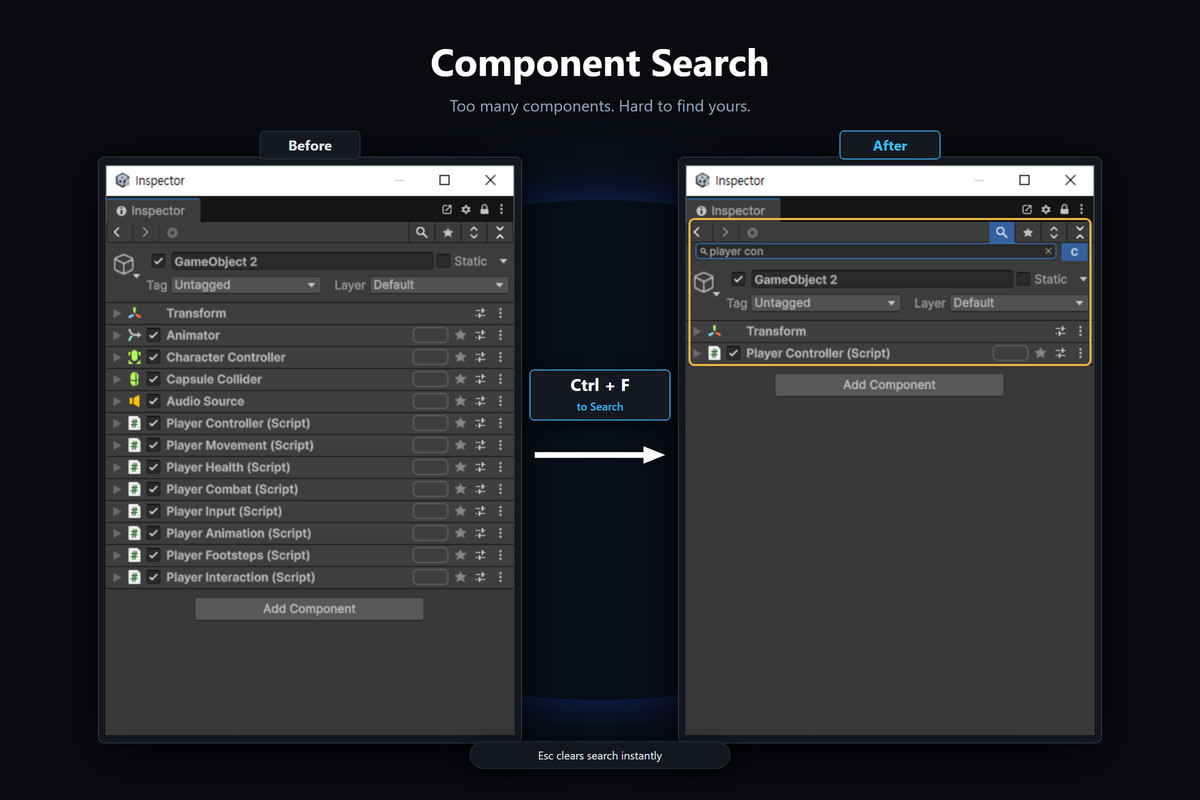
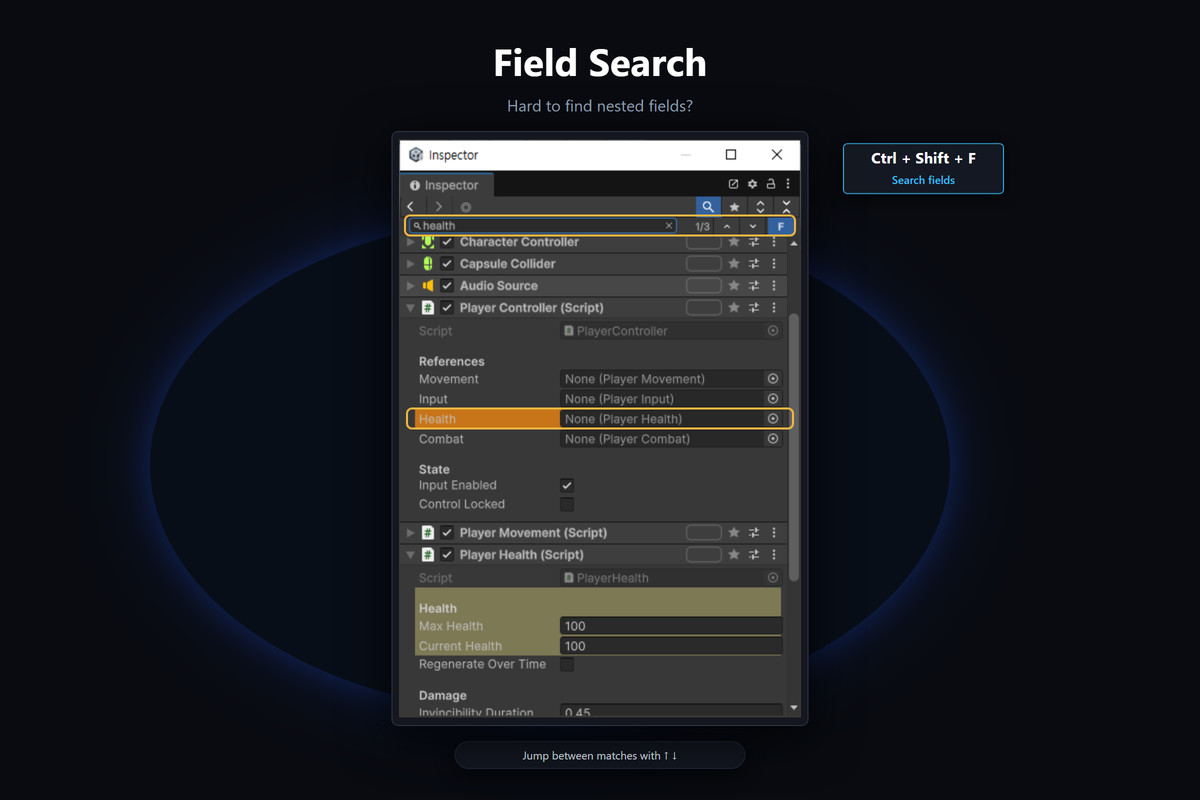
• Search — filter by component name or jump through fields
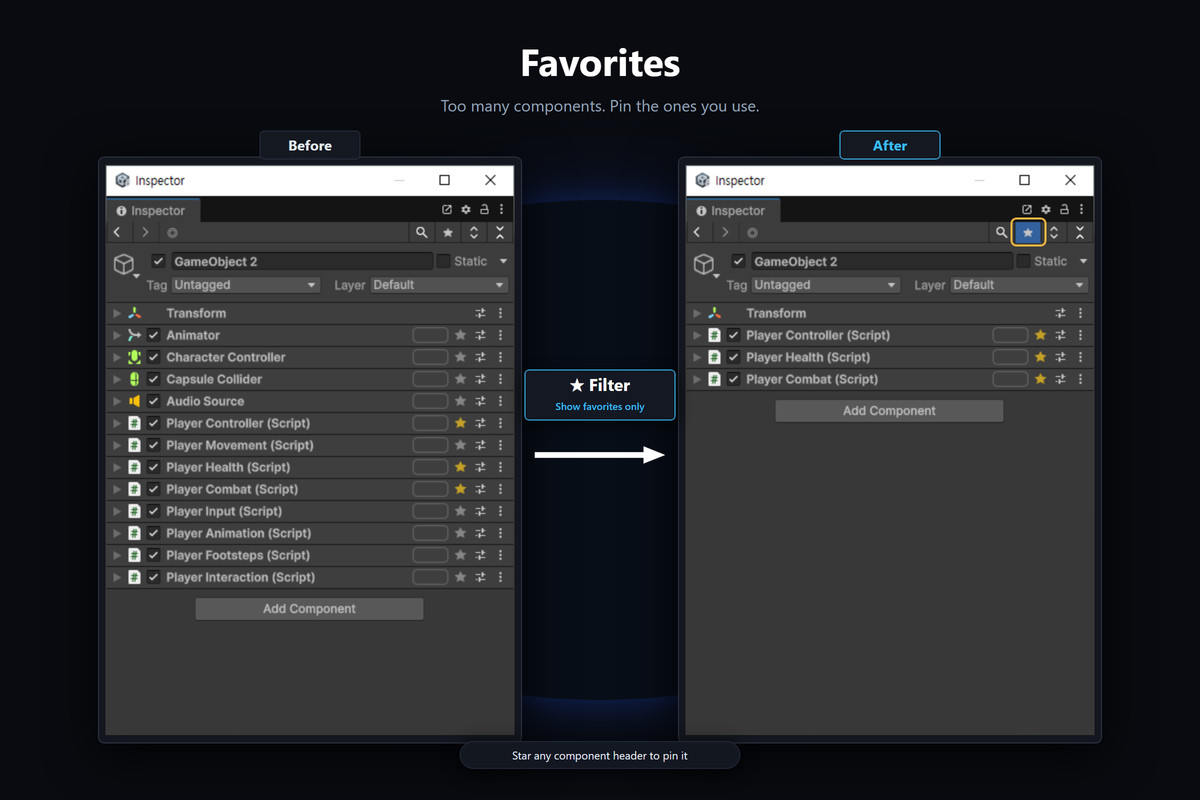
• Favorites — star types and filter the list
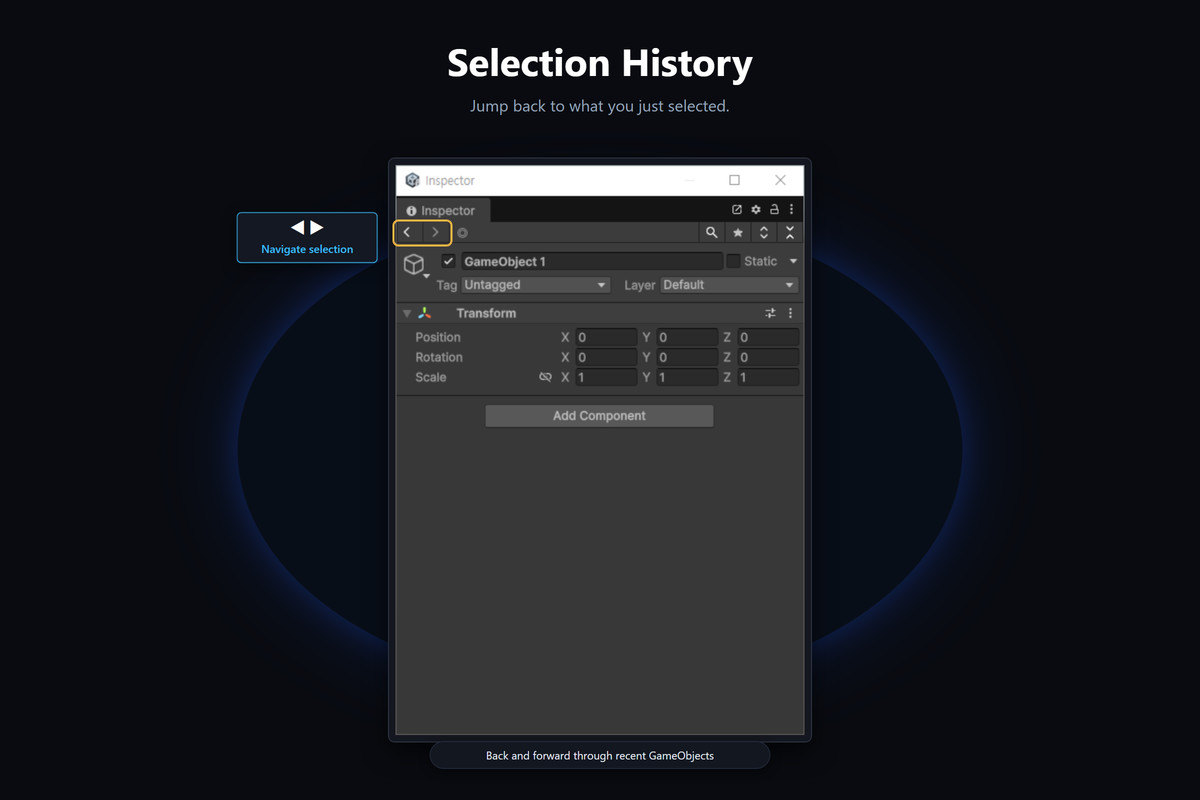
• Selection history — previous / next like a browser
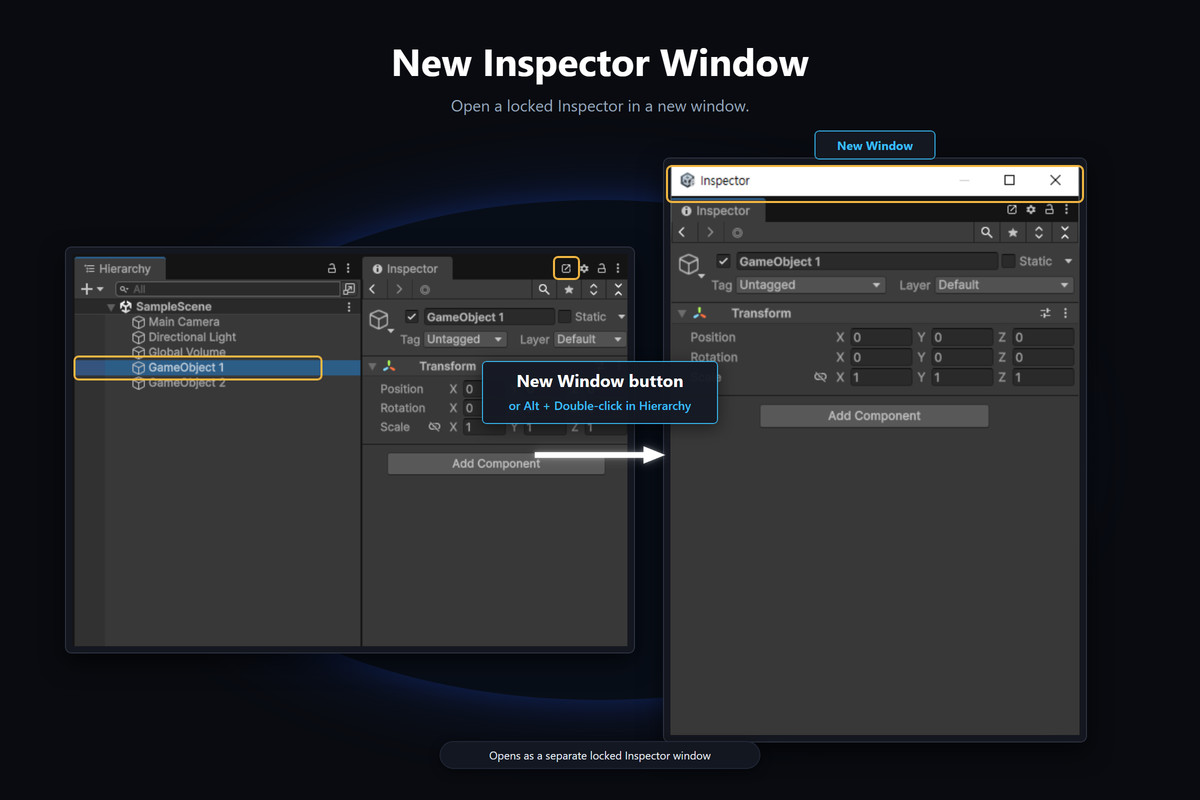
• Locked Inspector — keep one object open while selecting another
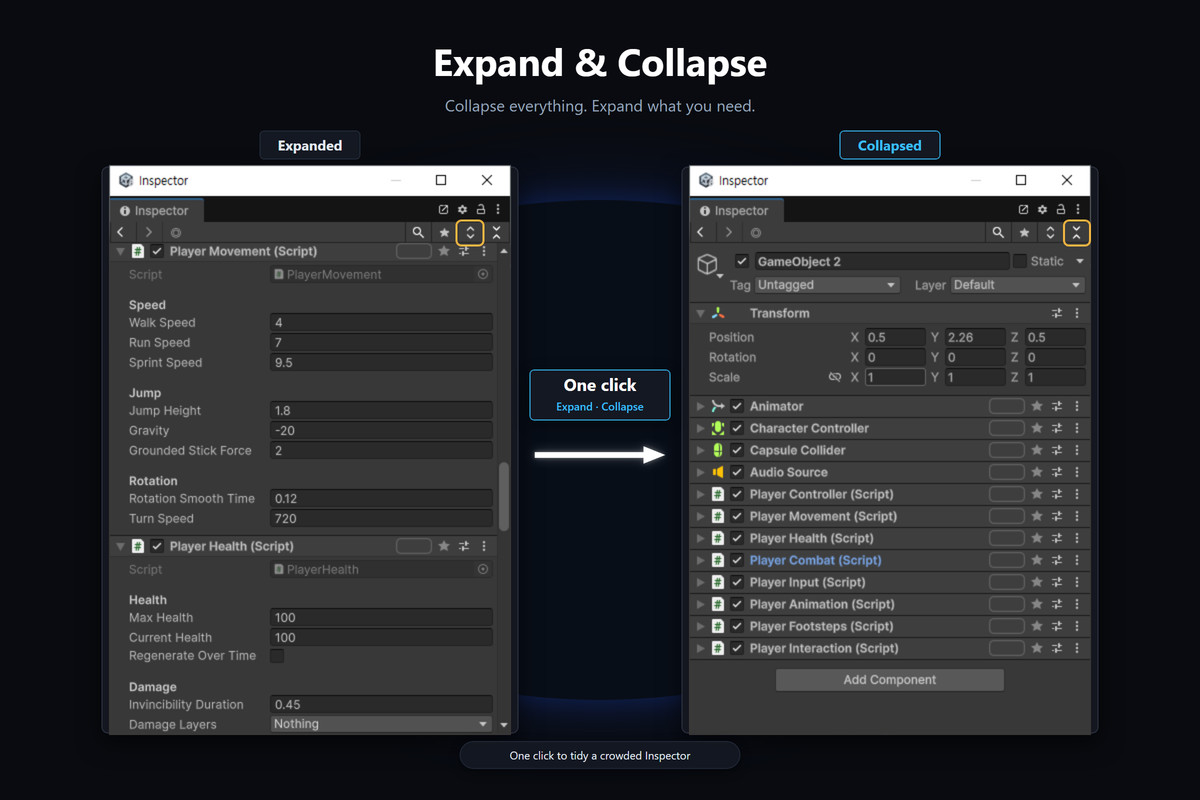
• Expand / Collapse all
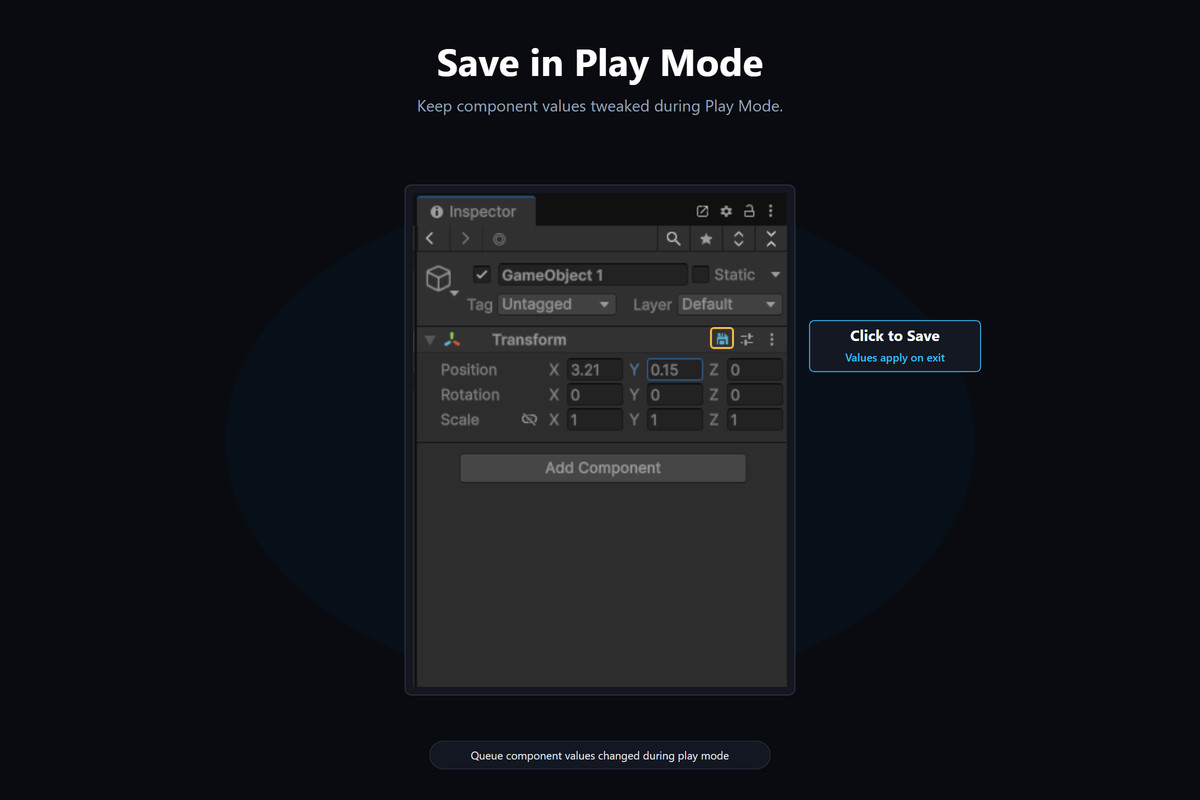
• Play Mode Save — keep tuned values after exit
Editor-only. Import and go — no scene setup.
Documentation included.
From the publisher's Asset Store listing.
Technical details
Editor-only Inspector productivity tool. No runtime code, no third-party dependencies.
Features: component multi-select (Sel) with drag move/copy, extended copy/paste, Inspector search, favorites, selection history, locked Inspector windows, Play Mode save helpers, configurable shortcuts.
Requires Unity 6.3 or newer (Windows / macOS / Linux Editor). Settings are stored locally (EditorPrefs / UserSettings).
Limitations: field search is experimental and mainly for custom MonoBehaviours, not all built-in components.
Compatibility
| Unity version | Built-in | URP | HDRP | Custom |
|---|---|---|---|---|
| 2022.3.62f3 | Compatible | Compatible | Compatible | Compatible |
As listed on the Asset Store.