
 View on Asset Store (opens in new tab)
Package details
- Latest version
- 1.0.9
- Last updated
- First released
- Unity version
- 2022.3.62 or later
- Package size
- 72 KB
- Files
- 25
- Favorites
- 1
- Views in the past week
- 47
Price tracking
- Last checked
- Tracked since
- Lowest recorded
- $4.99 on
Keywords

Quick Combat Feedback Pro - Hit Stop, Screen Shake & Damage Numbers
by Krykftn | Advanced Editor Tools & Systems (opens in new tab)
Damage numbers, hit stop, screen shake and hit flash — all tuned live inside the editor window, without ever entering Play mode. One call from your combat code. 5 genre presets. No dependencies.
Affiliate link · Purchases support this site
Price history
Last 6 months
USDAsset preview
1 / 4
Quick Combat Feedback Pro - Hit Stop, Screen Shake & Damage Numbers screenshot 1
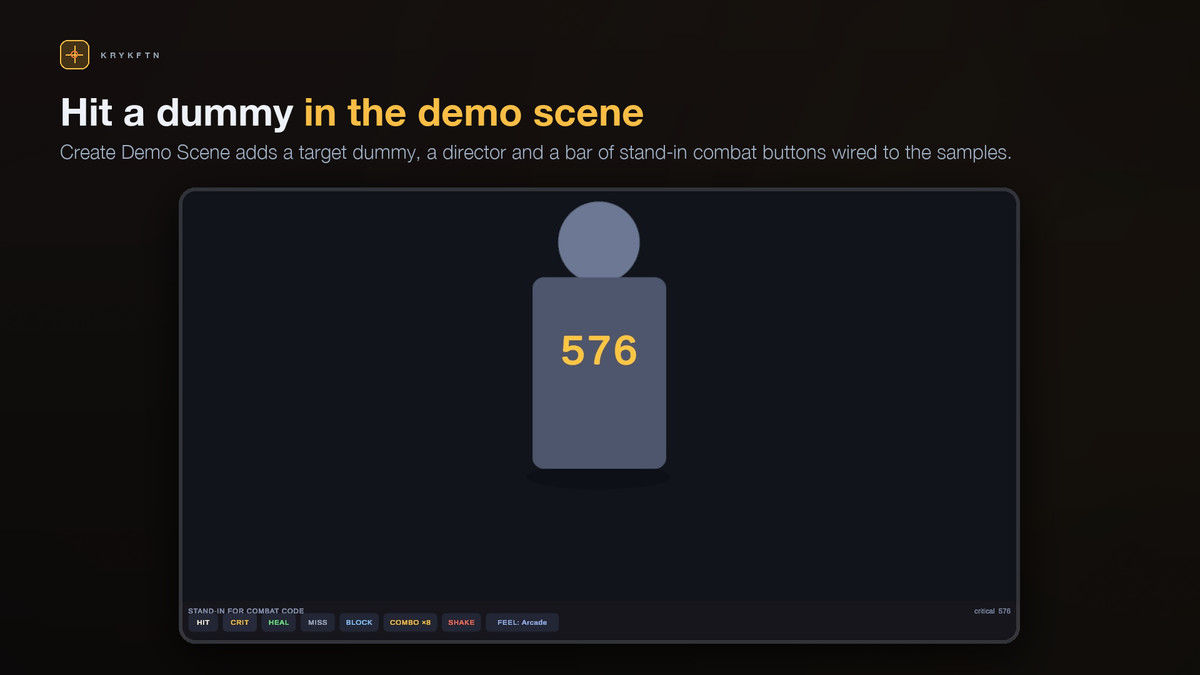
About this asset
Combat feel is tuned by feel, and every tweak costs you a Play-mode round trip. Change the punch, press Play, wait for the domain reload, walk to the enemy, swing, squint, decide it was wrong, go back. Twenty times an hour.
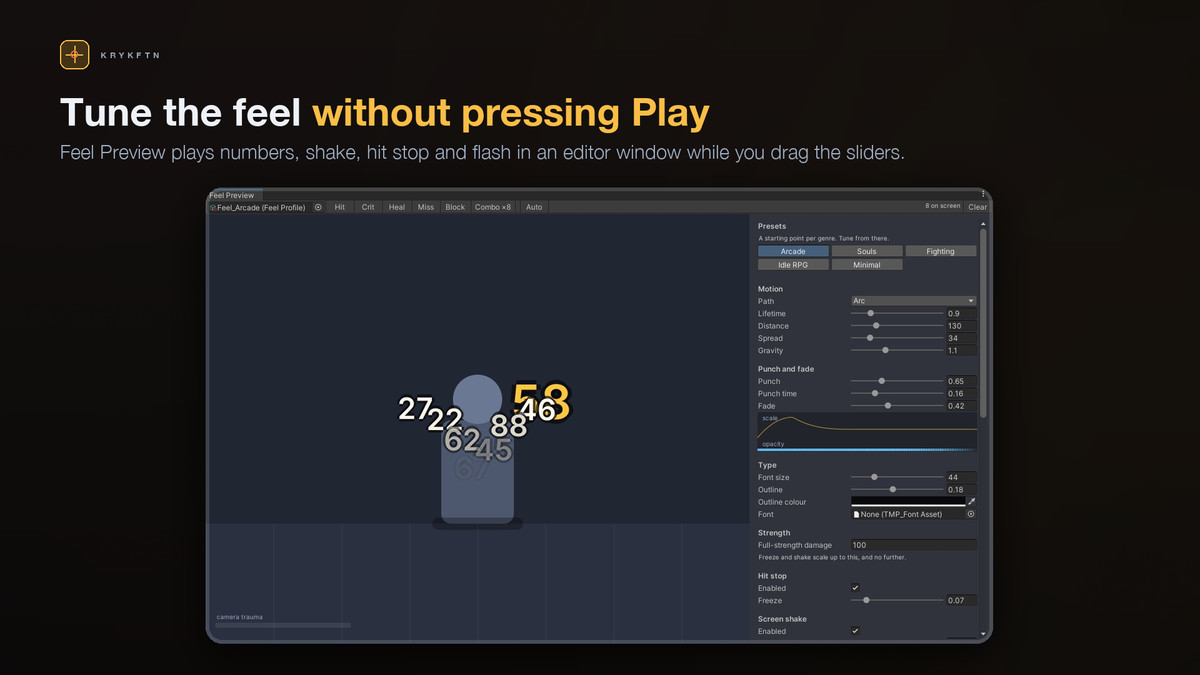
Quick Combat Feedback Pro puts the whole thing inside an editor window. Damage numbers fly, the game freezes on the hit, the camera kicks and the target flashes — all animating in the window while you drag the sliders. No Play mode. No domain reload between two tweaks. Drag Punch while numbers are still in the air and they change under your hand.
The preview is not an approximation of the runtime. It calls the exact same FeelMath functions your build calls, so what you tune is what ships. Even the scale-and-opacity curve drawn in the panel is sampled from that same code rather than redrawn by hand.
WHAT YOU GET
Live in-editor preview — numbers, hit stop, screen shake, target flash and the stacking rules, all animating off EditorApplication.update. Play mode is optional, not the workflow.
Damage numbers that read — four motion paths (rise, arc, burst, drift), a punch-then-settle scale curve, outline, per-hit-kind colour and size, prefixes and words like MISS or BLOCKED.
Hit stop — the freeze that makes a hit land. It scales with damage, so a chip hit taps and a finisher stops the world, and it is capped at your full-strength damage so a 9999 crit cannot lock the game up. Runs on unscaled time and restores your previous timeScale rather than stomping it to 1, and if your game sets its own timeScale during the freeze — a slow-motion finisher — yours is kept.
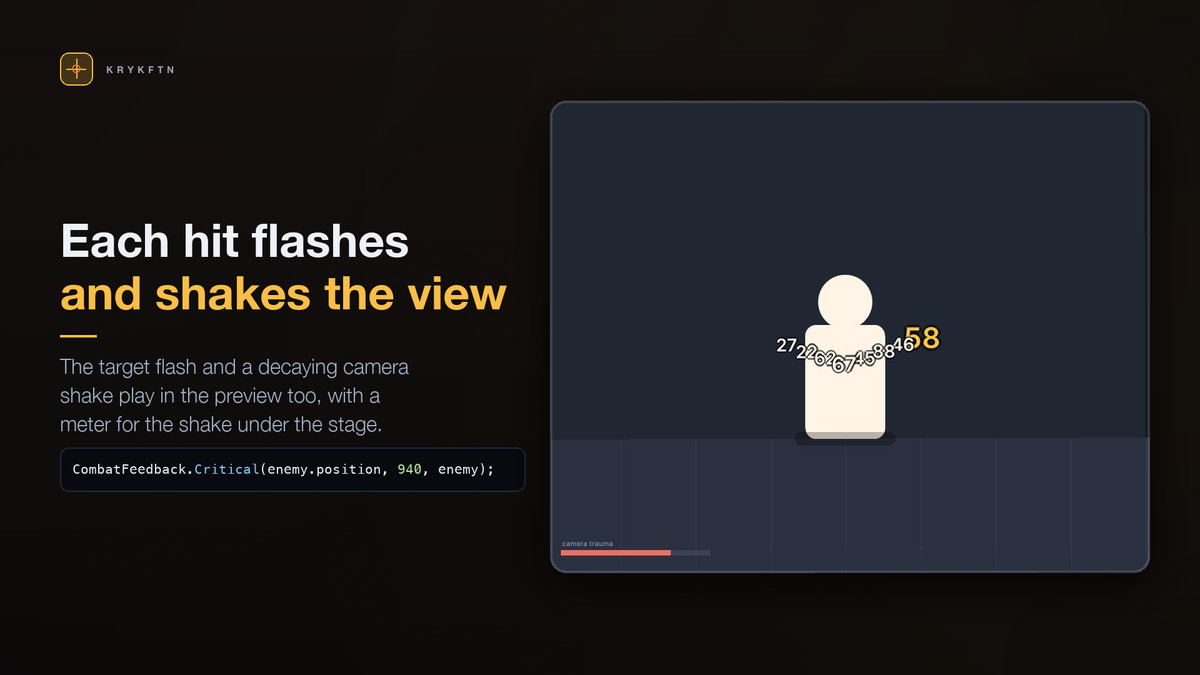
Screen shake with trauma — squared falloff, positional and roll, composed on top of your own camera-follow code: the offset goes on just before the camera renders and comes off straight after, so your follow code never sees it, whatever order your scripts run in. Per-hit-kind multipliers, so a heal never shakes.
Target flash — sprites through their own colour (what the sprite shader tints by), meshes through a MaterialPropertyBlock and uGUI graphics directly, with the colours they had when the hit landed put back afterwards. No material instances or property blocks left behind. A tint can only multiply, so for art whose colour comes from its texture, pick a flash colour that is not white.
Smart stacking and merging — rapid hits on the same target fan out instead of overlapping, and hits inside the merge window add into the number already on screen. A 12-hit combo reads as one growing total instead of twelve labels fighting for the same pixels.
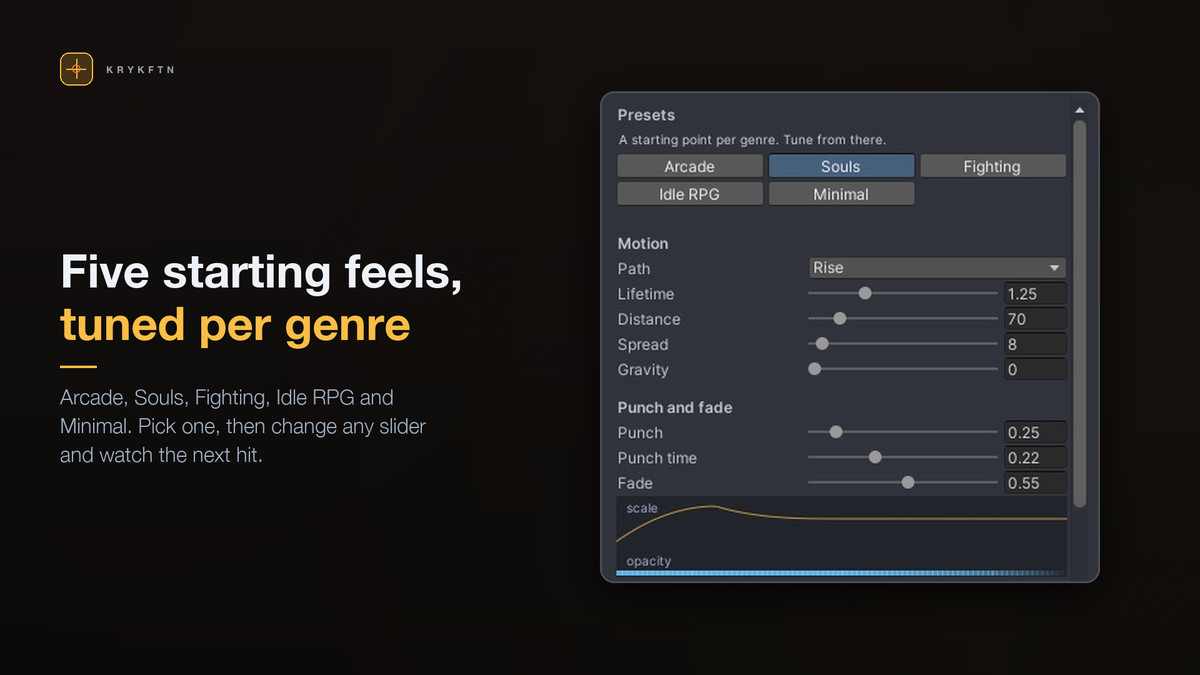
Five genre presets — Arcade, Souls, Fighting, Idle RPG and Minimal. Each one starts from the same baseline and overrides what makes it different, so switching between them can never leave a stale slider behind.
Pooled and allocation-free — labels are reused, nothing is instantiated per hit, and the overlay canvas is created for you on first use if you have not made one.
Pure-C# core — FeelMath is static, deterministic and MonoBehaviour-free. Call it from your own VFX, your own UI, your own tools.
No prefabs, no textures — every sprite is generated at runtime. Nothing to re-link, nothing to break when you upgrade.
INTEGRATION IS ONE LINE
using Krykftn.QuickCombatFeedbackPro;
CombatFeedback.Damage(enemy.position, 240f);
CombatFeedback.Critical(enemy.position, 932f, follow: enemy);
CombatFeedback.Heal(player.position, 45f);
CombatFeedback.Miss(enemy.position);
Or drive the pieces yourself:
director.Show(worldPosition, amount, CombatHitKind.Blocked, follow: enemy);
director.AddTrauma(0.6f);
director.Freeze(0.08f);
No prefab to place, no canvas to build, no manager to wire.
TRY IT IN 30 SECONDS
1. Import the package.
2. Tools > Quick Combat Feedback Pro > Setup Window, then Create Sample Profiles.
3. The Feel Preview opens on Arcade. Press CRIT — the number pops, the stage freezes for a beat and the camera kicks, right there in the window.
4. Press COMBO x8 and watch seven quick hits fold into one growing number and the crit land beside it — the merge window doing in the preview exactly what it does in your game.
5. Switch the preset to Souls and press CRIT again. Same call, completely different game.
REQUIREMENTS
Unity 2022.3 LTS or newer. uGUI and TextMeshPro, both of which ship with Unity and are in every standard template. If either is missing the package switches itself off instead of throwing compile errors, and a one-click setup window installs them along with TMP's essential resources. No third-party packages, ever. Built-in, URP and HDRP.
Namespace: Krykftn.QuickCombatFeedbackPro
Full C# source included. No DLLs.
From the publisher's Asset Store listing.
Technical details
Live in-editor preview: numbers, hit stop, shake and flash animate while you drag the sliders, no Play mode
Damage-scaled hit stop on unscaled time, capped at full strength, restores your previous timeScale
Trauma-based screen shake with position and roll, composed on top of your camera-follow code
Target flash for sprites, meshes and uGUI via MaterialPropertyBlock, colours restored afterwards
Merging and stacking so a 12-hit combo reads as one growing number instead of twelve
Four motion paths and per-hit-kind colour, size, prefix and label
Five genre presets: Arcade, Souls, Fighting, Idle RPG, Minimal
Pooled and allocation-free, with the overlay canvas created for you
Pure-C# deterministic FeelMath core you can call from your own effects
No prefabs, no textures, no third-party dependencies. Built-in, URP and HDRP
Unity 2022.3 LTS or newer. Full C# source, no DLLs
Compatibility
| Unity version | Built-in | URP | HDRP | Custom |
|---|---|---|---|---|
| 2022.3.62f2 | Compatible | Compatible | Compatible | Compatible |
Works in any render pipeline. Damage numbers are uGUI and TextMeshPro, the target flash uses a MaterialPropertyBlock or the sprite's own colour, and screen shake wraps the camera render through Camera.onPreCull in Built-in and RenderPipelineManager in URP and HDRP. No shaders or materials ship with it. Unity 2022.3+ with uGUI and TextMeshPro; a Setup window installs them if missing.
As listed on the Asset Store.