
 View on Asset Store (opens in new tab)
Package details
- Latest version
- 1.0
- Last updated
- First released
- Unity version
- 2022.3.62 or later
- Package size
- 17 KB
- Files
- 23
- Views in the past week
- 4
Price tracking
- Last checked
- Tracked since
- Lowest recorded
- $7.99 on
Keywords
UPM Export Integrity Guard
Compare an authored UPM package folder with the exact exported `.tgz` and catch missing, changed, or identity-conflicting content before publishing.
Affiliate link · Purchases support this site
Price history
Last 6 months
USDAsset preview
1 / 5
UPM Export Integrity Guard screenshot 1
About this asset
A UPM package can look correct in its source folder while the exact tarball
you plan to publish contains different bytes, excludes an important file,
keeps a stale identity, or introduces ownership conflicts. Pack-ignore rules,
generated output, duplicated metadata, and last-minute version changes make
manual review easy to miss.
UPM Export Integrity Guard compares the authored package root with the exact
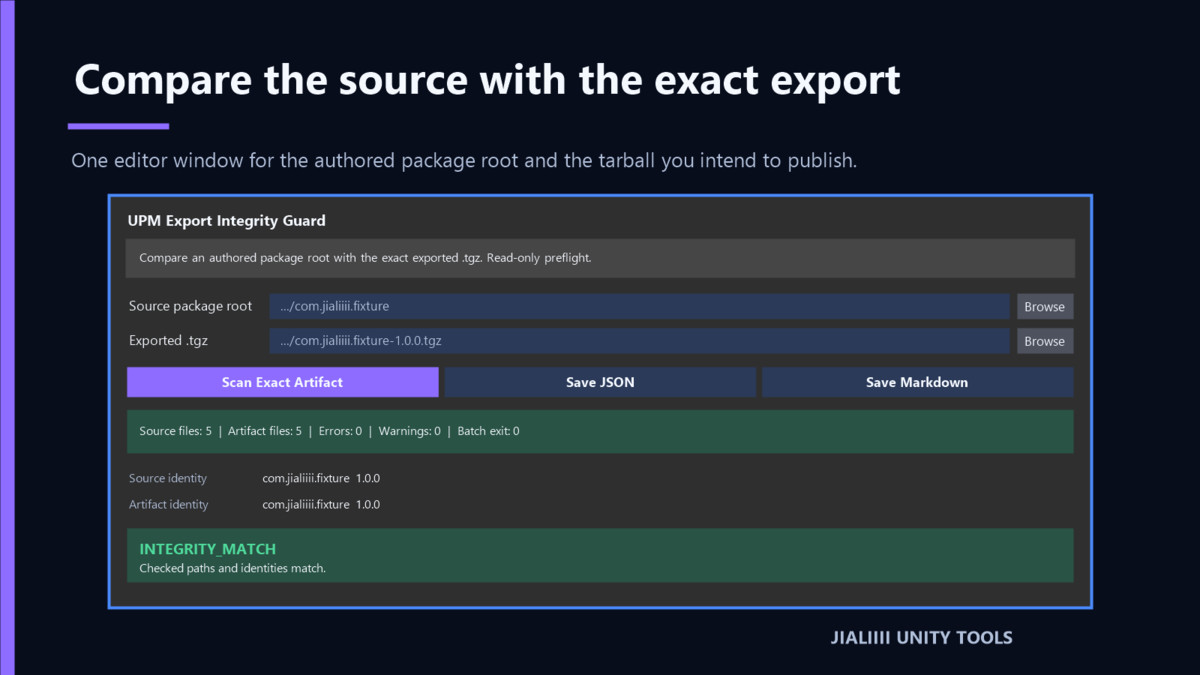
exported `.tgz` in one read-only Unity Editor window.
### Compare the exact artifact
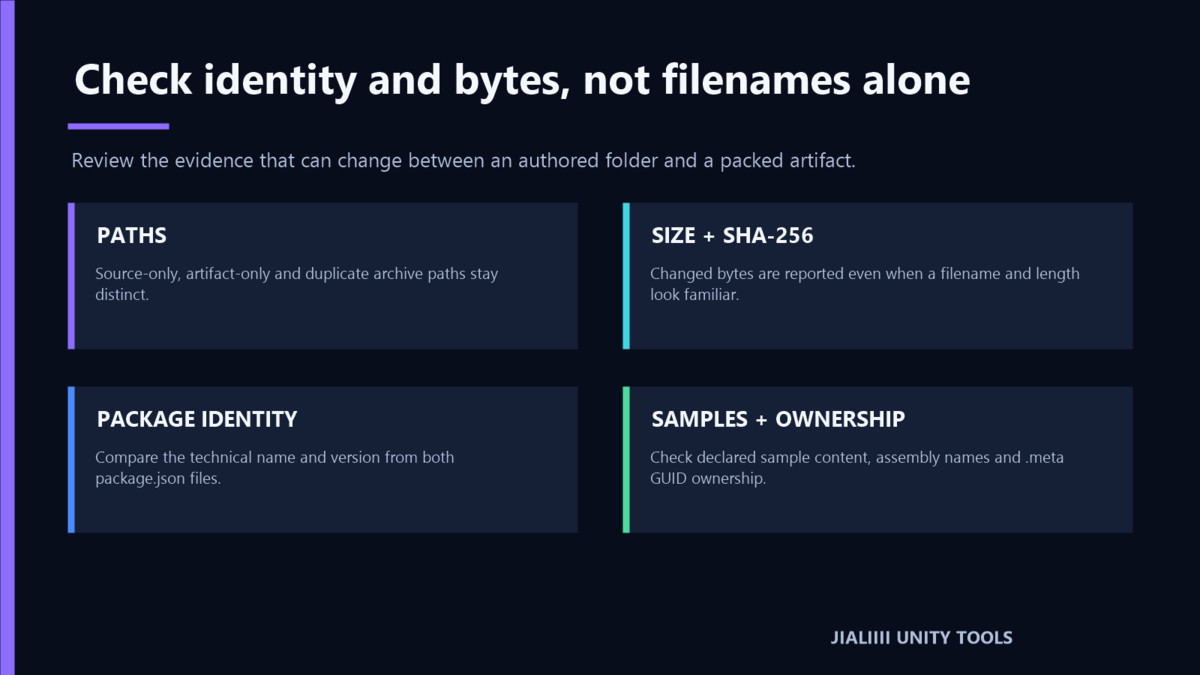
- Inventory source and tarball paths.
- Compare file sizes and SHA-256 hashes.
- Report source-only, artifact-only, and changed files separately.
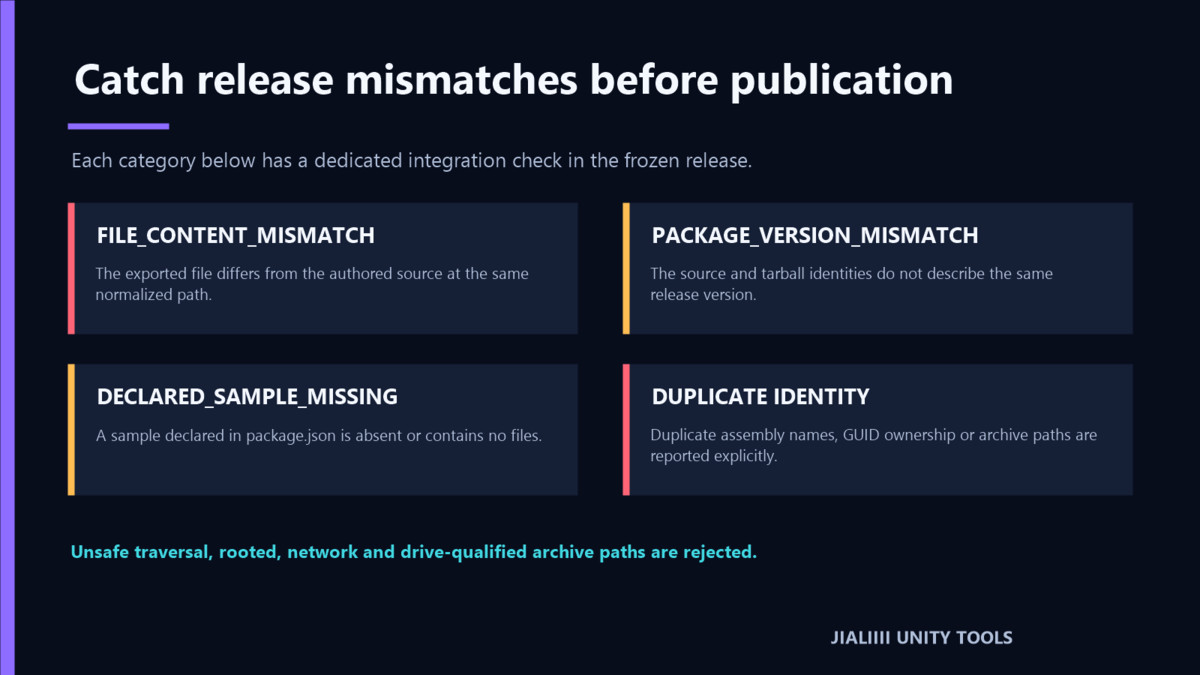
- Normalize archive paths and reject traversal, rooted, network, drive, and
invalid path forms instead of trusting unsafe entries.
### Check package identity
- Compare the technical package name and version from both `package.json`
files.
- Verify declared sample paths exist and contain files.
- Find duplicate assembly names, duplicate `.meta` GUID ownership, and
duplicate archive paths.
### Export repeatable evidence
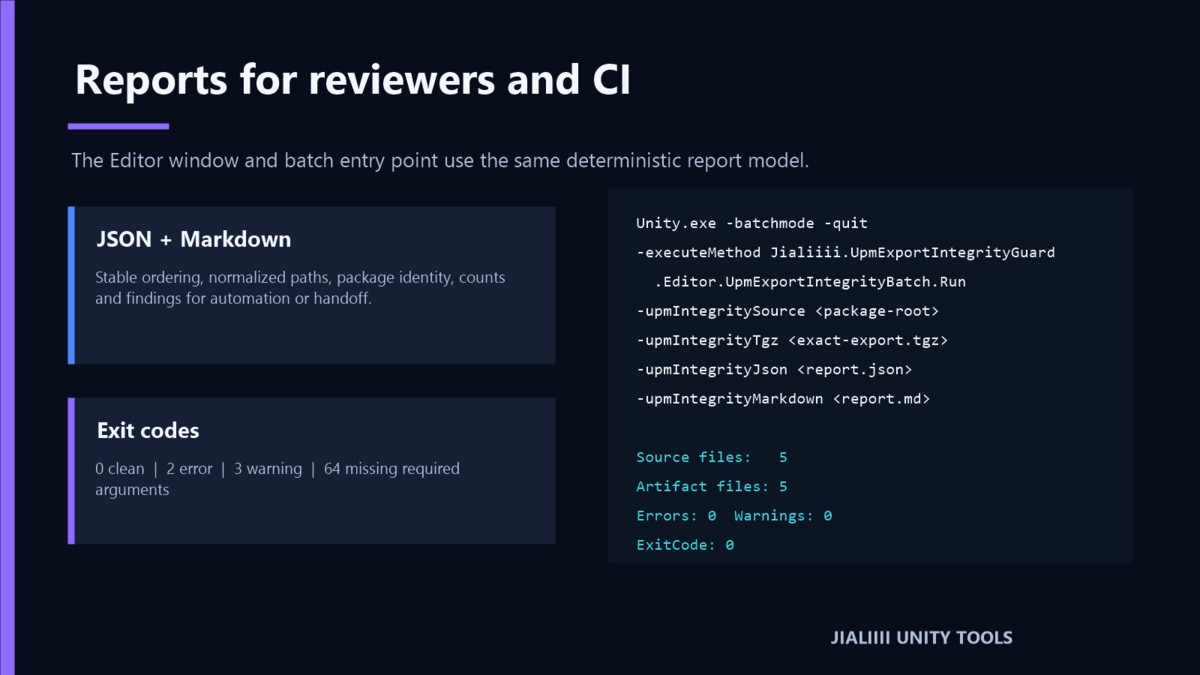
- Save deterministic JSON and Markdown reports.
- Run the same scan in batch mode for CI or release scripts.
- Distinguish clean, warning, error, and invalid-invocation outcomes with
stable exit codes.
### Read-only by design
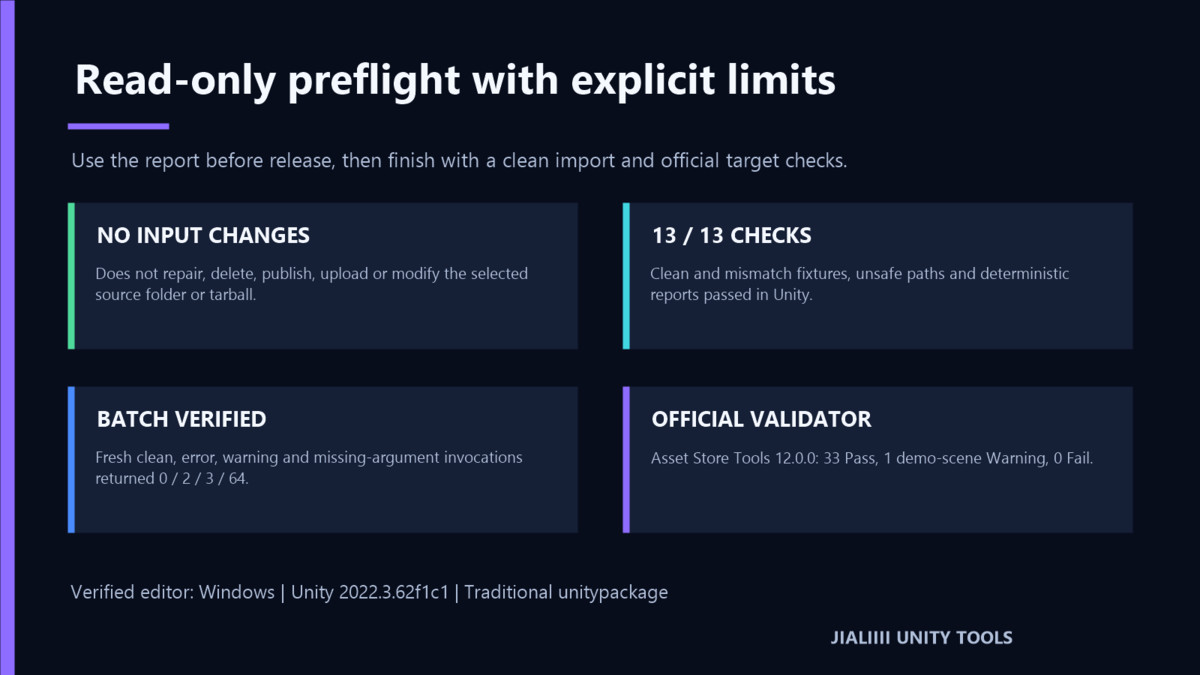
The tool does not repair, delete, upload, publish, modify a registry, resolve
dependencies, or change the selected source folder or archive. It has no
Player component, network service, account requirement, telemetry, or runtime
dependency.
### Tested compatibility
The exact version 1.0.0 traditional package was imported and compiled on
Windows with Unity `2022.3.62f1c1`. Its clean-host import, 13 integration
checks, batch results, documentation, package contents, and official Unity
Asset Store validator result were independently reviewed.
Other Unity versions, macOS, Linux, Package Manager installation of this
store-delivered package, and formal store-delivered installation are not
claimed as tested.
### Important scope
This product is an integrity preflight, not a complete UPM release
certification. It does not compile or run the inspected `.tgz`, validate its
dependencies, judge licensing, prove registry behavior, or guarantee Asset
Store or package-registry approval. Finish with a clean tarball import,
declared tests, and the official tools required by your target registry or
marketplace.
From the publisher's Asset Store listing.
Technical details
1. Compare authored package paths with the exact exported `.tgz`.
2. Check file size and SHA-256 content identity.
3. Compare technical package name and version.
4. Verify declared samples are present and non-empty.
5. Detect duplicate assembly names, GUID ownership, and archive paths.
6. Export deterministic JSON and Markdown reports.
7. Use stable batch exit codes in CI and release scripts.
8. Keep selected inputs unchanged with a local, Editor-only workflow.
## Target users
- Unity package authors preparing a registry or marketplace release.
- Tool teams that generate `.tgz` artifacts from a separate source folder.
- Release engineers who need reviewable source-to-artifact evidence.
- Publishers investigating missing samples, stale versions, or identity
conflicts before submission.
## Installation
1. In Unity, open **Window > Package Manager**.
2. Select **My Assets**.
3. Find **UPM Export Integrity Guard**, download it, and select **Import**.
4. Import all files under
`Assets/Jialiiii/UPM Export Integrity Guard`.
5. Wait for compilation to finish.
6. Open **Tools > Jialiiii Unity Tools > UPM Export Integrity Guard**.
## Basic workflow
1. Select the authored UPM package root containing `package.json`.
2. Select the exact exported `.tgz` intended for testing or publication.
3. Select **Scan Exact Artifact**.
4. Review errors and warnings, including intentional pack-ignore decisions.
5. Save JSON for automation or Markdown for a human handoff.
6. Correct the source or export process, rebuild the tarball, and scan the new
exact artifact.
7. Complete a clean import and the official checks for the target registry or
marketplace.
## Batch exit codes
- `0`: checked inputs match with no warnings or errors.
- `2`: one or more integrity errors were found.
- `3`: no errors, but one or more review warnings were found.
- `64`: the required source-root or tarball command-line argument is missing.
## Requirements and dependencies
- Product type: Editor-only utility.
- Verified editor: Windows, Unity `2022.3.62f1c1`.
- Third-party dependencies: none bundled or required.
- Network, account, server, telemetry, and subscription: none.
- License: Standard Unity Asset Store End User License Agreement.
## Known limitations
- The selected tarball must use the normal UPM `package/` root layout.
- Source-only files are warnings because pack-ignore rules can exclude them
intentionally.
- The tool does not evaluate semantic code behavior, dependency resolution,
license compatibility, registry access, or runtime correctness.
- A clean import and official target-platform validation remain required.
- Compatibility outside the exact tested environment is not claimed.
## Privacy
Scanning and report generation are local. The product does not transmit
package content, paths, reports, or account data.
## Keywords
`UPM, package, tarball, integrity, preflight, publisher, SHA256, asmdef, GUID, samples, CI, package.json, diagnostics, editor tool, release`
The prepared set contains exactly 15 keywords.
Compatibility
| Unity version | Built-in | URP | HDRP | Custom |
|---|---|---|---|---|
| 2022.3.62f1c1 | Compatible | Compatible | Compatible | Compatible |
Editor-only and render-pipeline-agnostic. Verified on Windows with Unity 2022.3.62f1c1. The tool inspects UPM source folders and .tgz archives only; it does not render or modify assets. Other Unity versions, macOS, and Linux are not claimed as tested.
As listed on the Asset Store.