
 View on Asset Store (opens in new tab)
Package details
- Latest version
- 1.0
- Last updated
- First released
- Unity version
- 6000.5.6 or later
- Package size
- 213 KB
- Files
- 73
- Favorites
- 5
- Views in the past week
- 22
Price tracking
- Last checked
- Tracked since
- Lowest recorded
- $8.49 on
Keywords
Skill Tree Creator
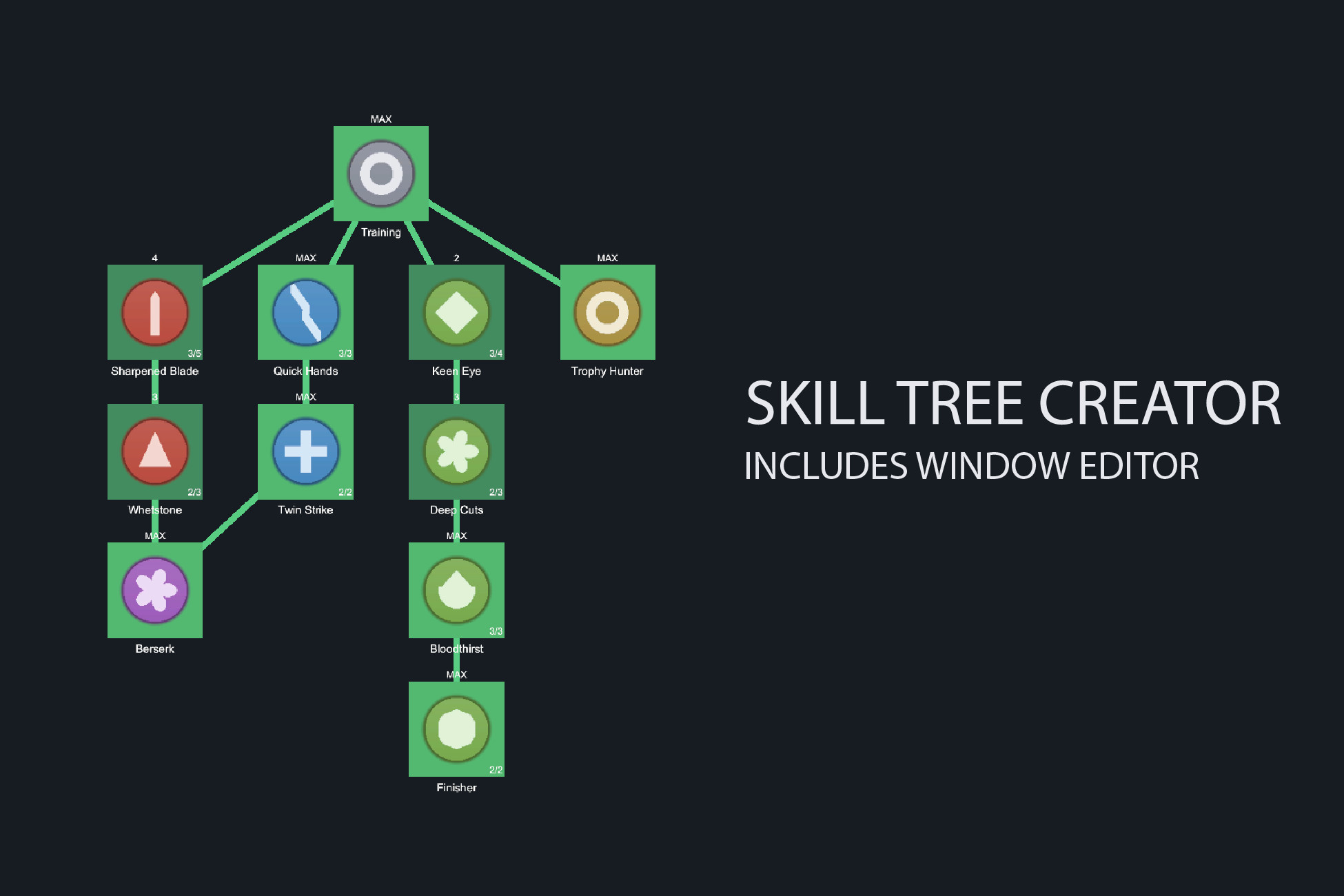
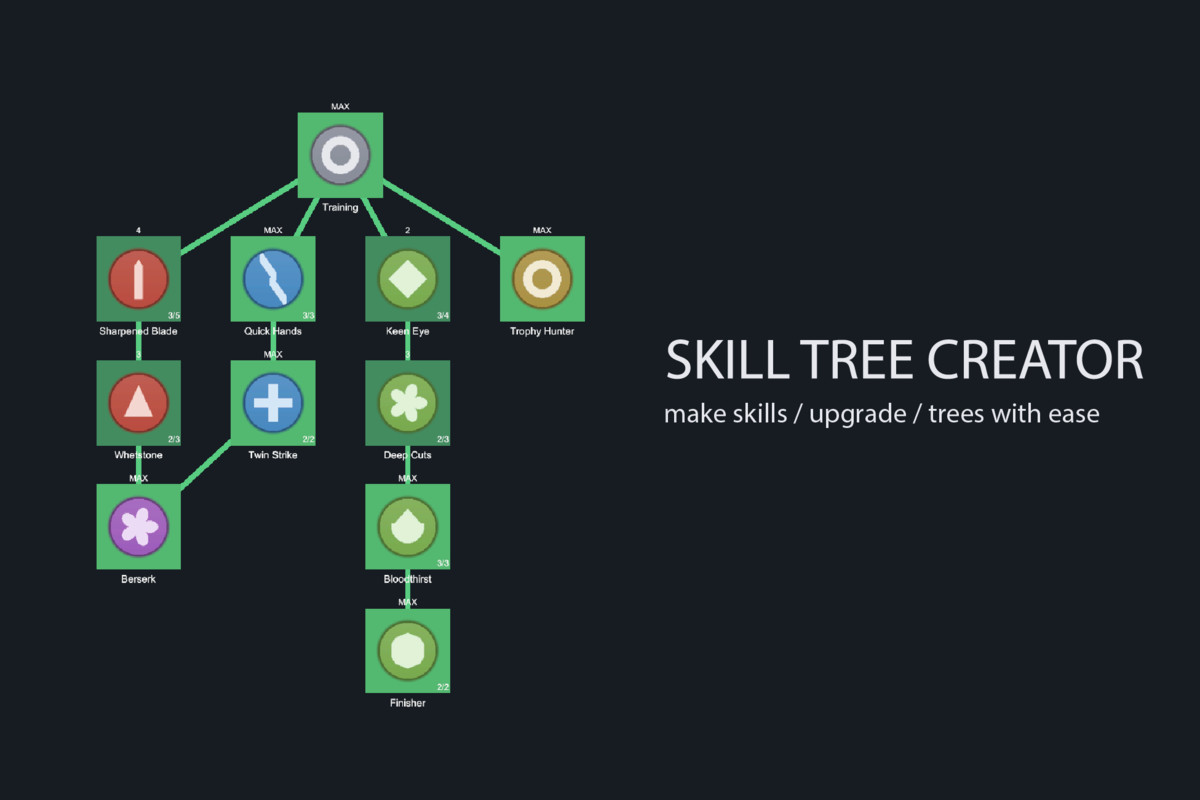
A ScriptableObject skill tree with a visual node editor. Subclass one class to make a skill, double-click a tree to edit it, and it renders with no art required.
Affiliate link · Purchases support this site
Price history
Last 6 months
USDAsset preview
1 / 5
Skill Tree Creator screenshot 1
About this asset
A skill tree is three problems at once: a graph to author, an effect
system to hang off it, and progress that has to survive a patch. This
package handles all three and then gets out of your way.
A REAL GRAPH EDITOR
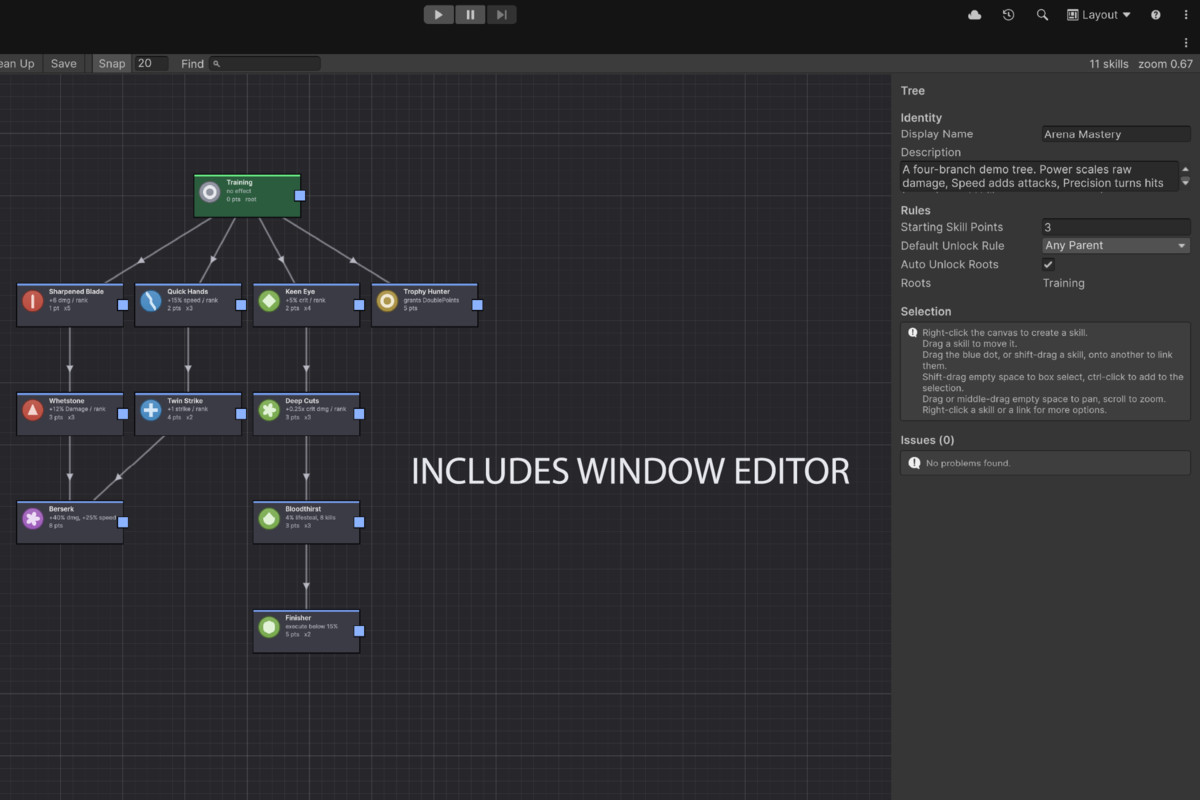
Double-click a tree asset and it opens on a canvas. Right-click to create
skills, drag from a port to link them, drag them into place. Multi-select,
box select, group drag, snap-to-grid and search. Auto layout arranges the
whole tree into layers using longest-path depth, so diamond shapes read
correctly instead of collapsing.
Live validation flags skills nothing can reach, links to missing nodes,
duplicate ids and blank icons - each with a button that jumps straight to
the problem.
Node positions in the editor are the exact positions used at runtime.
What you arrange is what the player sees.
SKILLS ARE YOURS TO WRITE
public class MaxHealthSkillNode : SkillNode {
[SerializeField] private int _healthPerRank = 20;
public override void OnUnlocked(SkillTreeContext context, int rank) {
context.GetService<PlayerHealth>()?.AddMaxHealth(_healthPerRank);
}
}
That is the whole contract. The type appears in the editor's Create menu
on the next compile - no registration, no list to maintain. Override
GetCost for ranks that get pricier, CanUnlock for gates like quest flags
or player level, GetDescription to fold live numbers into the tooltip.
Nothing in the package knows about your game, and nothing in your game
has to know a skill tree exists.
BUILT FOR REAL PROJECTS
- Skills are stored as sub-assets, so a tree is one self-contained file.
Duplicate it, delete it, hand it to a designer - nothing dangles.
- Progress lives in a plain C# object and is never written back into the
asset, so one tree can drive several players at once.
- Saves are keyed by generated ids. Rename a skill, reorder the tree,
re-link a branch - existing saves keep working. Delete a skill from a
shipped tree and its points are refunded rather than the save breaking.
- Multi-rank skills, per-rank cost overrides, Any Parent and All Parents
unlock rules, hidden-until-available skills, and full respec that calls
back into every skill in reverse dependency order.
A UI YOU CAN USE, THEN REPLACE
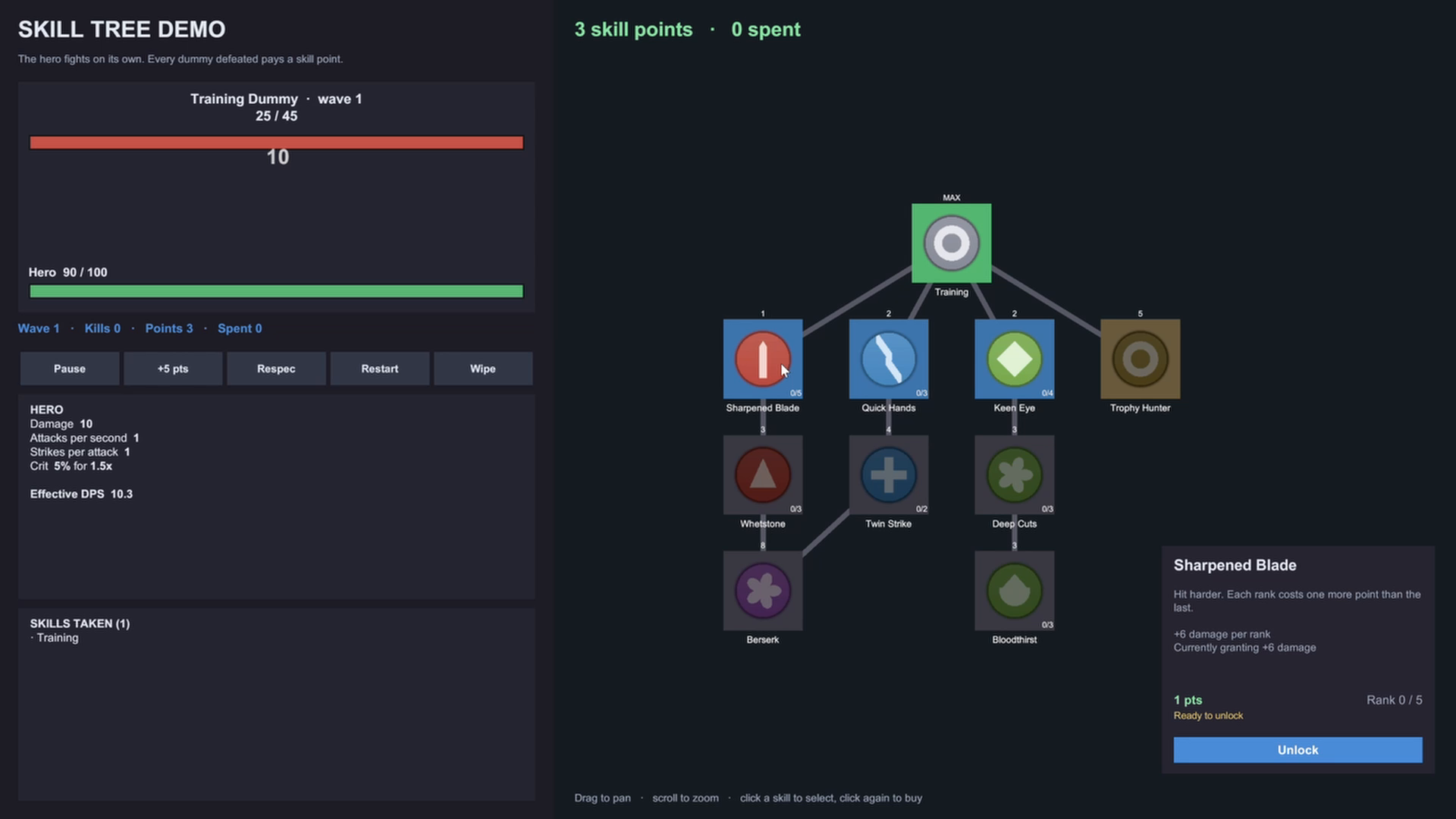
It renders with no art at all: node views are generated from a style
asset, so you can see a tree running the moment it is authored. Drop in
your own prefab when you have one and nothing else changes.
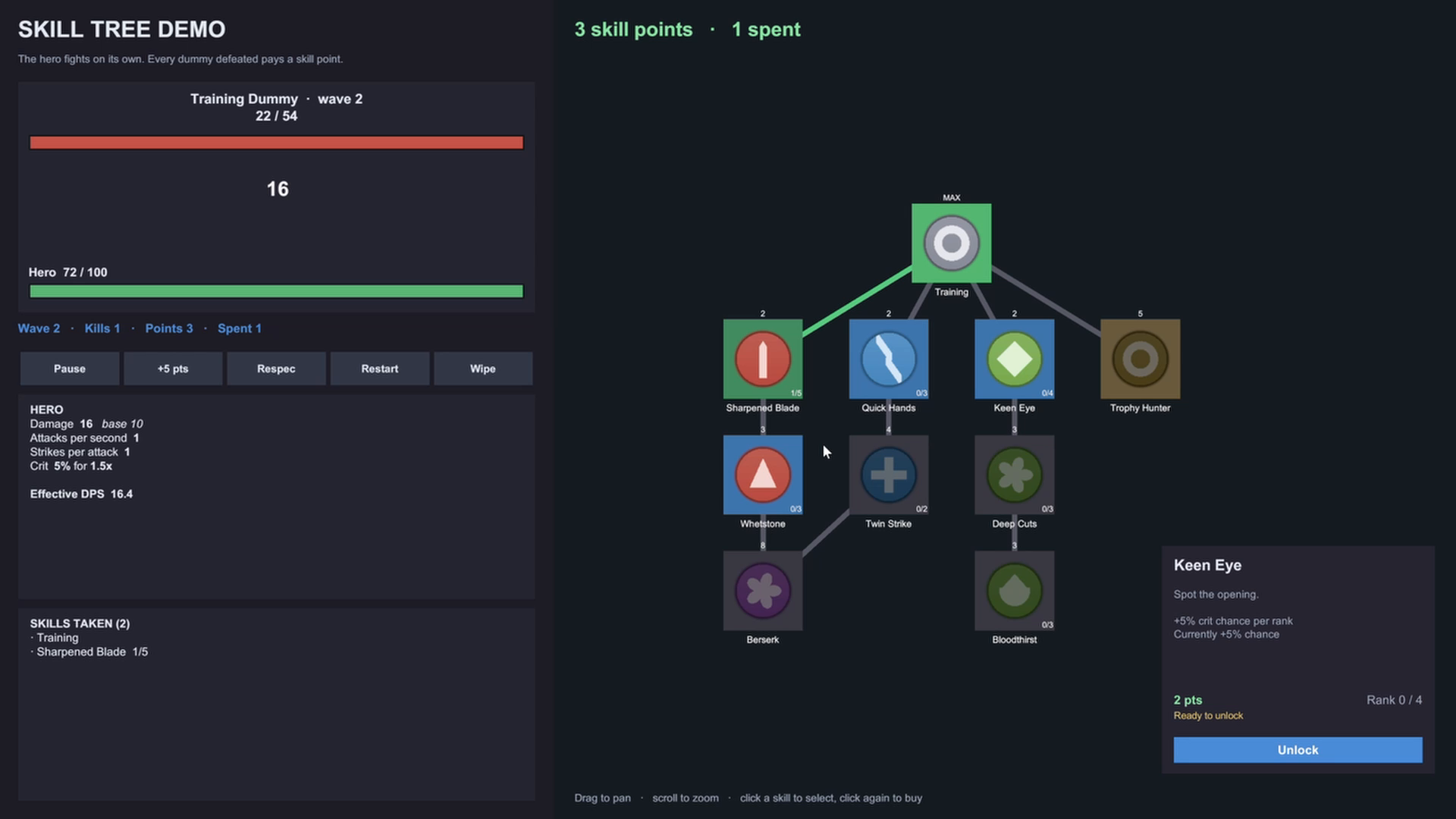
Drag to pan, scroll or pinch to zoom, three reveal modes, a details panel
and a points readout. One menu item builds the whole thing into a scene.
LEARN IT IN TEN MINUTES
A playable demo where a hero auto-fights training dummies and every skill
you buy visibly changes the fight - nine example skill types, each written
to show off a different override. Plus a 31-page PDF manual and in-editor
documentation.
Full C# source. No DLLs, no third-party dependencies, no subscriptions.
From the publisher's Asset Store listing.
Technical details
Scripts: 47 C# source files, roughly 8,350 lines, across 4 assembly
definitions (runtime, editor, demo, demo editor). Full source included,
no DLLs.
Dependencies: com.unity.ugui only, which ships with every Unity install
and supplies both UnityEngine.UI and TextMeshPro. No third-party code.
Unity version: 6000.5 or newer.
Render pipelines: Built-in, URP, HDRP and custom SRPs. The package
contains no shaders, materials, Volume profiles or Renderer Features, and
adds nothing to your cameras. The UI is drawn on a Screen Space - Overlay
canvas, outside the render pipeline entirely.
Input: works with the old Input Manager, the Input System package, or
both. No runtime script calls UnityEngine.Input; all pointer input goes
through the EventSystem, including drag-pan, scroll-zoom and pinch.
Platforms: all. No platform-specific code, no unsafe code, and no runtime
reflection or code generation, so IL2CPP and AOT builds are fine. The
PlayerPrefs save backend works everywhere including WebGL; the optional
JSON file backend targets desktop and mobile.
UI: uGUI. Labels are typed as Graphic, so legacy Text and TextMeshPro
both drop straight into your own prefabs.
Documentation: 31-page PDF manual, eight in-editor markdown guides, and
XML documentation comments throughout the source.
Demo: generated by a menu item on your machine rather than shipped as a
prebuilt scene, so it always matches your project's input backend and
render pipeline.
Compatibility
| Unity version | Built-in | URP | HDRP |
|---|---|---|---|
| 6000.5.6f1 | Compatible | Compatible | Compatible |
Pure uGUI and C#: no shaders, materials, Volume profiles or Renderer Features, and nothing added to your cameras. The tree draws on a Screen Space - Overlay canvas, outside the render pipeline entirely, so Built-in, URP, HDRP and custom SRPs all work unchanged. Input runs through the EventSystem, so either input backend works. Unity 6000.5+; only dependency is com.unity.ugui, included with Unity.
As listed on the Asset Store.