
 View on Asset Store (opens in new tab)
Package details
- Latest version
- 2.1
- Last updated
- First released
- Unity version
- 6000.3.17 or later
- Package size
- 224 KB
- Files
- 41
- Views in the past week
- 13
Price tracking
- Last checked
- Tracked since
- Lowest recorded
- $24.49 on
Keywords

Optimization Suite v2.1 - Draw Calls, VRAM, LODs
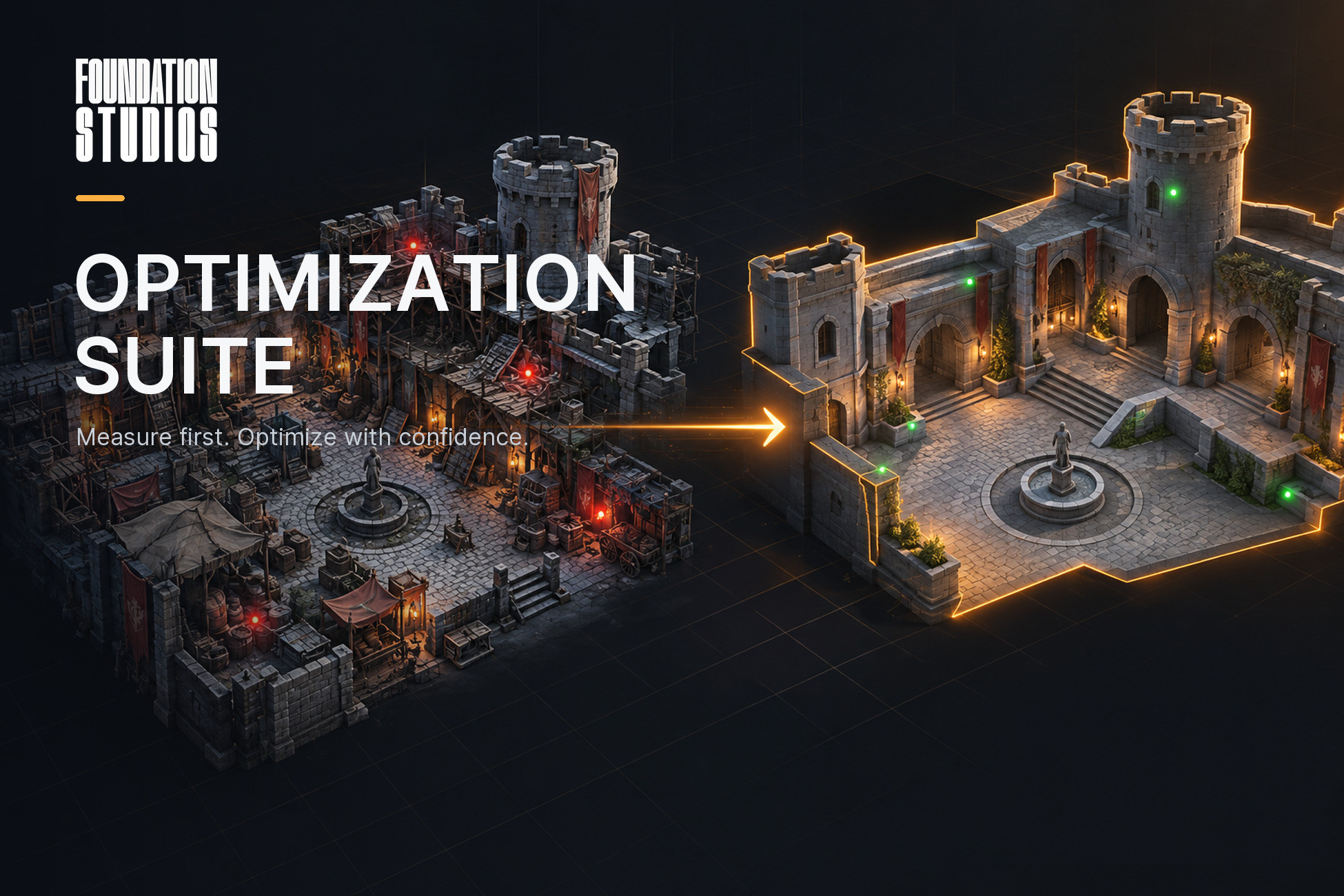
Eight tools to cut draw calls, GPU memory and build size: scene audit, texture optimizer, duplicate materials, mesh merge, material atlas, Auto LOD, Texel density and lightmap UV checks.
Affiliate link · Purchases support this site
Price history
Last 6 months
USDAsset preview
1 / 11
Optimization Suite v2.1 - Draw Calls, VRAM, LODs screenshot 1

About this asset
Most optimization advice is guesswork. This suite measures first, tells you what it is about to do, and lets you undo it.
Eight tools, built and used in production on a Unity 6 games,
to make it start : (In Unity Editor) under Tools ▸ Foundation Studios ▸ Optimization Suite
What it does NOT do :
This is not a magic "make my game fast" button. It finds and fixes structural waste (such as) : memory, draw calls, missing LODs, wrong flags. It will not optimize your scripts, your physics, your shaders or your collection.
From the publisher's Asset Store listing.
Technical details
▍ SCENE AUDIT
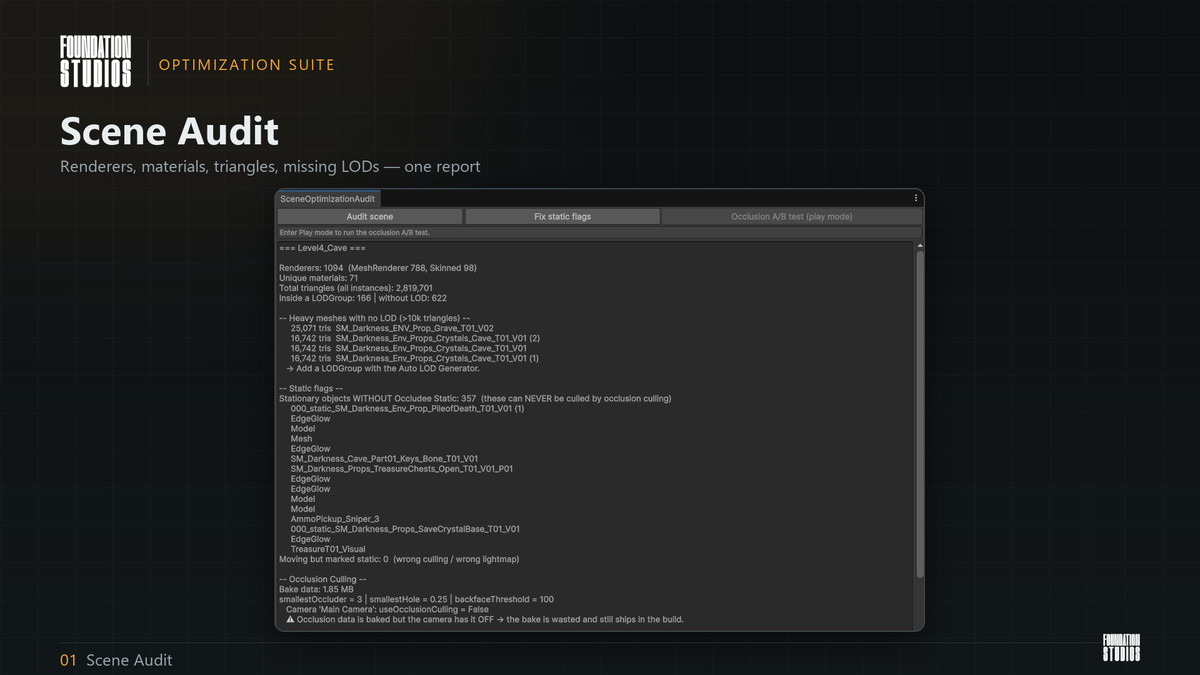
Reports renderer counts, unique materials, total triangles, and which meshes have no LODGroup. Then it audits the two static-flag mistakes that quietly cost the most:
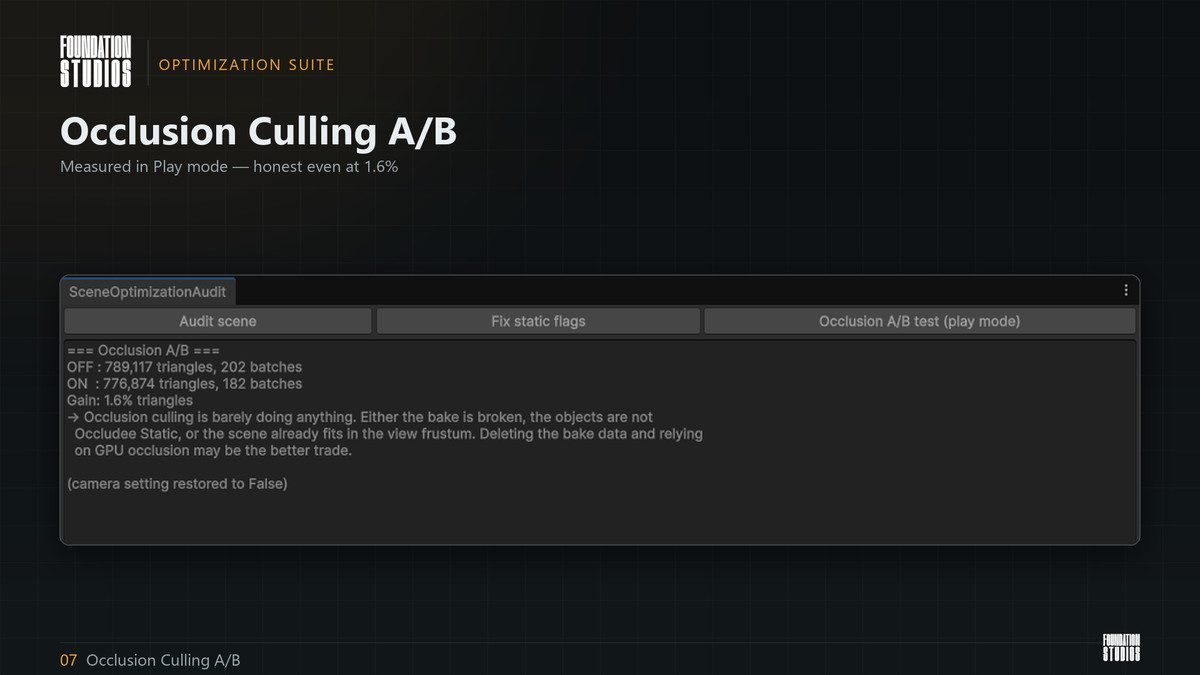
• stationary objects WITHOUT Occludee Static — occlusion culling can never remove them • moving objects MARKED static — wrong culling, wrong lightmaps One button fixes both. It also runs an A/B test in Play mode: occlusion culling off, then on, sampling the real triangle counts. In our own project it reported a 1.6% gain — proof that we were shipping megabytes of occlusion data for nothing. The tool will tell you that about your project too, even when the answer is inconvenient.
▍ TEXTURE OPTIMIZER
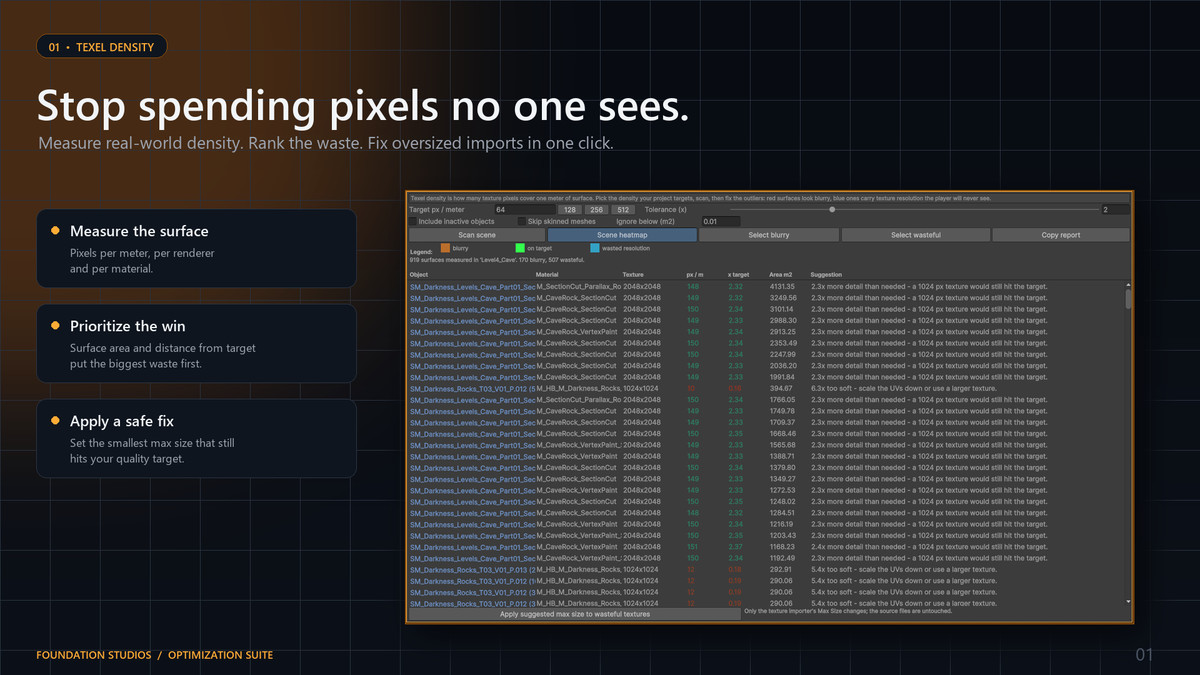
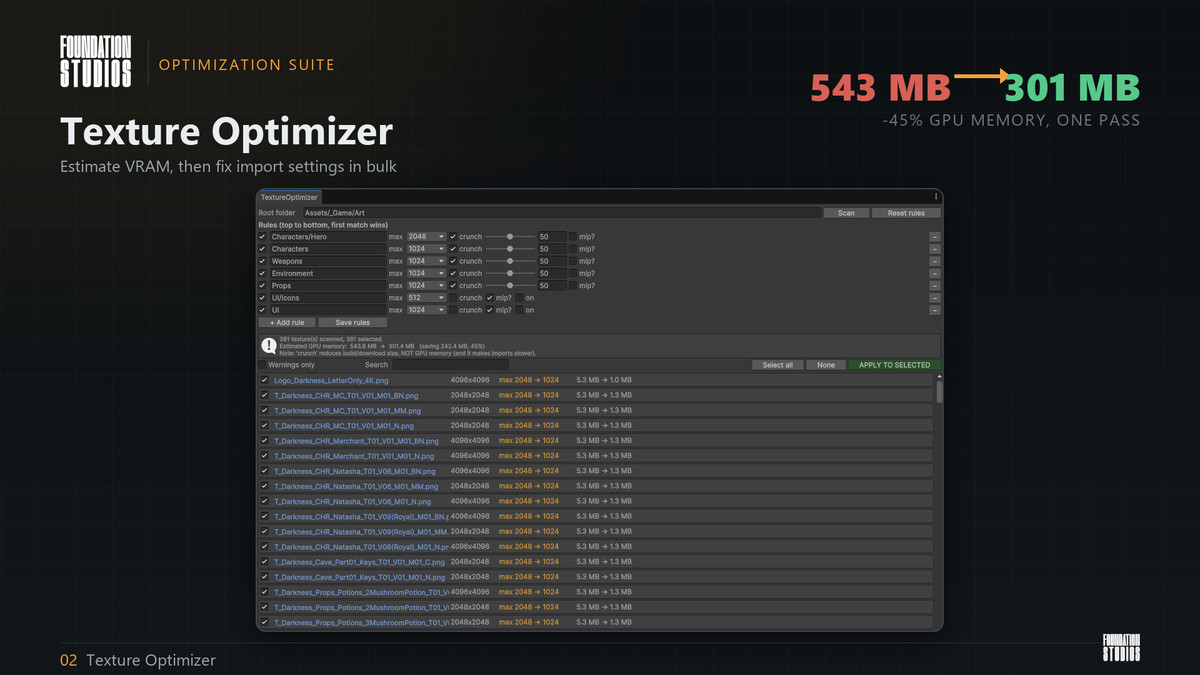
Usually the biggest single win Scans a folder, estimates GPU memory before and after, and applies max-size, crunch and mipmap settings in bulk from folder rules you define.
On our project: 381 textures, 543 MB → 301 MB. A 45% cut, in one pass.
It also flags the classic import mistakes:
• a normal map imported as type "Default"
• a roughness / metallic / AO / mask map with sRGB left on
• Read/Write enabled, keeping a second copy in RAM
• non power-of-two textures that therefore cannot be compressed
• textures left uncompressed entirely
Source files are never touched — only .meta import settings, so everything is reversible.
▍ DUPLICATE MATERIAL MERGER
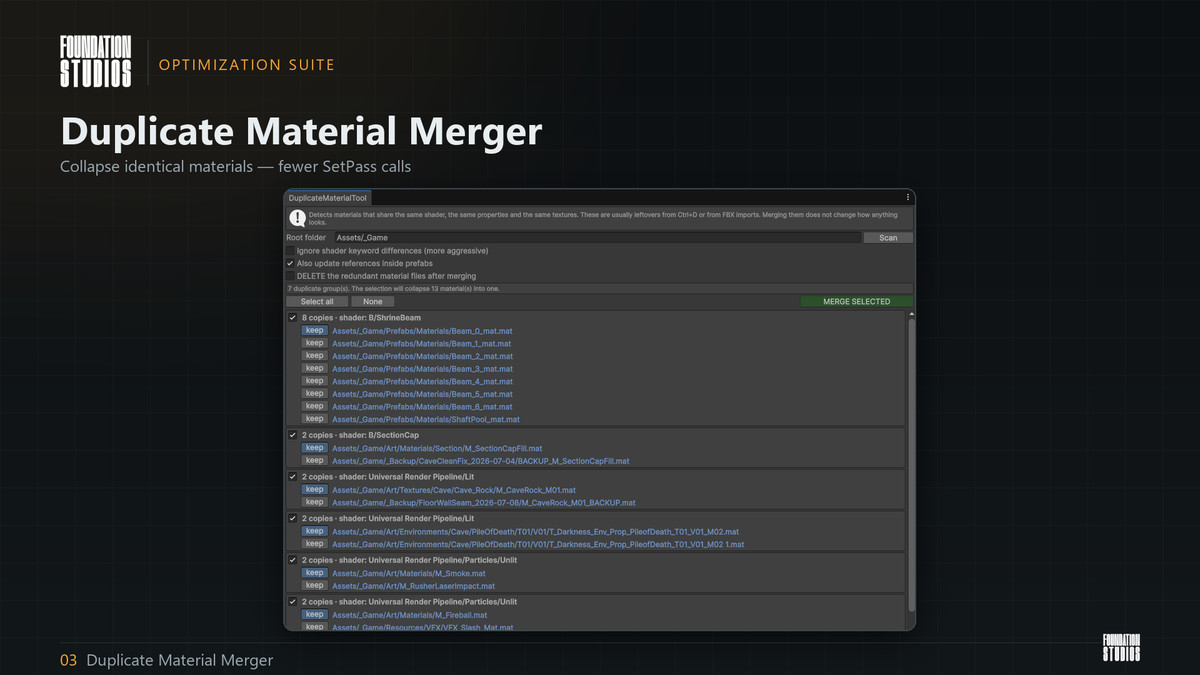
Finds materials that are functionally identical — same shader, same properties, same textures — and points every renderer and prefab reference at one copy. These pile up from Ctrl+D and from FBX imports. Merging changes nothing visually, but it cuts SetPass calls and shader variants and lets the GPU Resident Drawer build larger batches.
▍ MESH MERGE
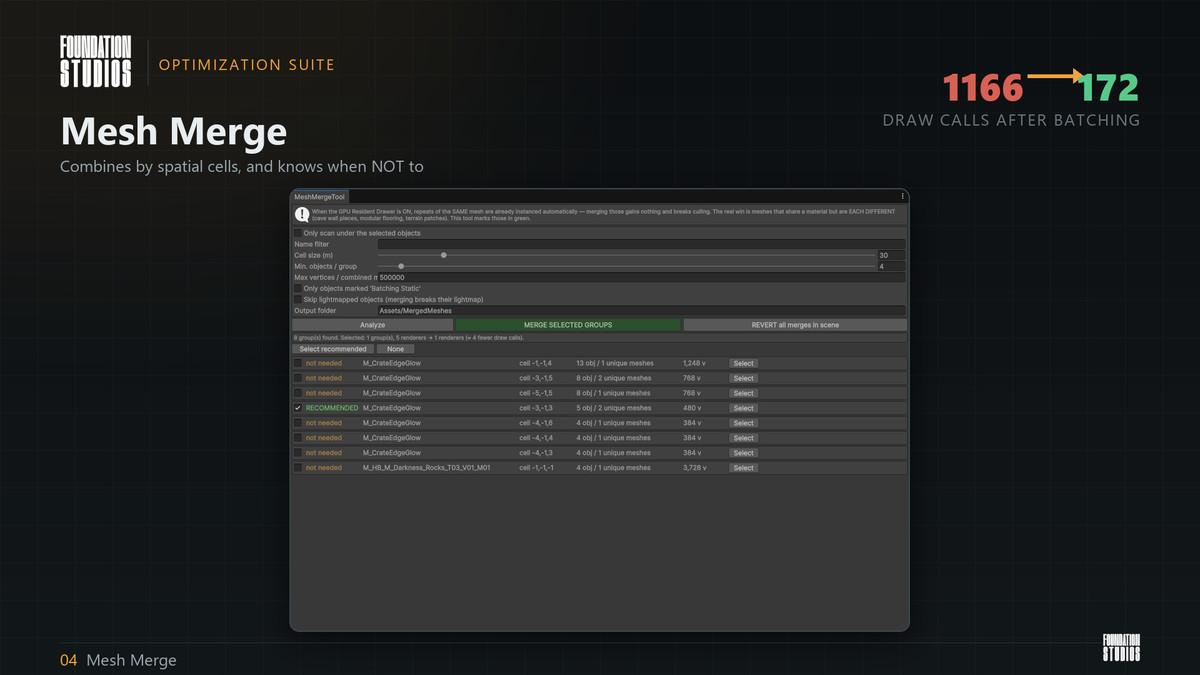
And it knows when NOT to merge Combines static meshes sharing a material, grouped into spatial cells rather than one giant mesh. This matters: naive "combine everything" kills frustum and occlusion culling, so geometry across the map gets drawn every frame. Crucially, it knows when merging is pointless. With the GPU Resident Drawer on, repeats of the SAME mesh are already instanced automatically — merging those gains nothing and breaks culling. The tool marks only the genuinely worthwhile groups in green. It automatically skips anything unsafe: LODGroup members, animated and physics objects, lightmapped renderers, unreadable meshes, negatively-scaled objects. Fully reversible. Originals stay in place — colliders and script references keep working — with only their rendering disabled. One button restores everything.
▍ MATERIAL ATLAS MERGE
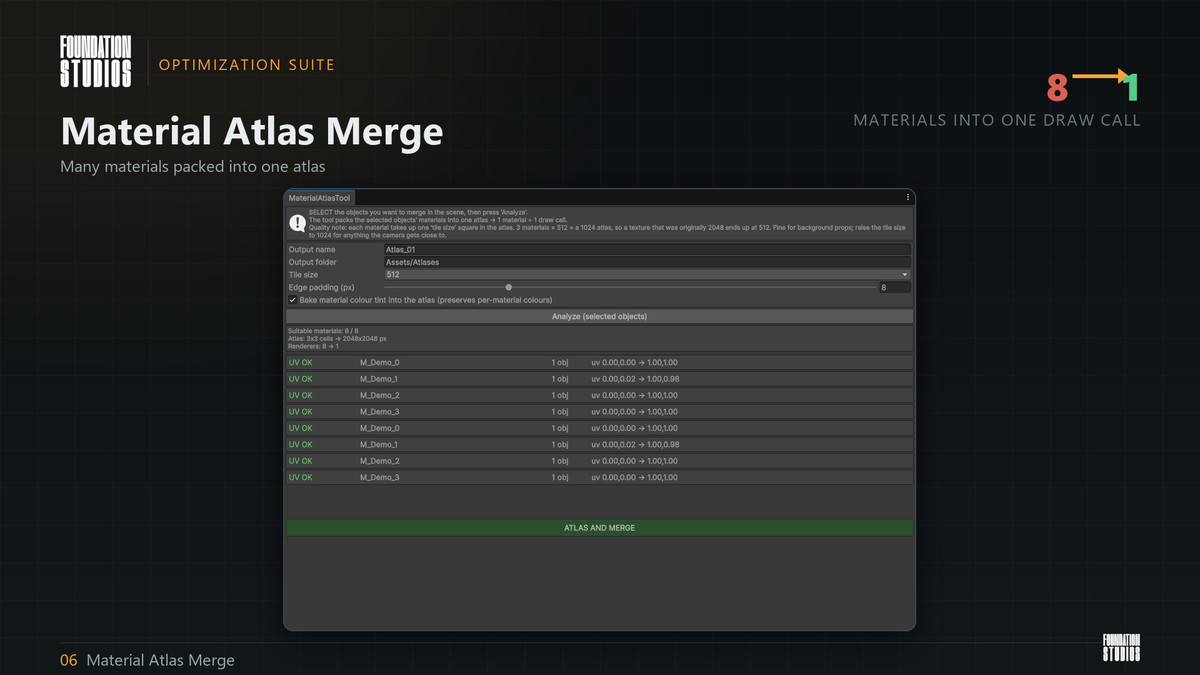
Takes several different materials, packs their textures into one atlas per texture slot (base colour, normal, mask, emission), remaps mesh UVs into their atlas cell, and combines everything into one mesh with one material. One draw call.
• bakes per-material colour tints into the atlas so colours survive
• pads every cell with its own edge pixels so mip levels never bleed between cells
• validates UVs first and tells you exactly which materials are unsuitable, and why
▍ AUTO LOD GENERATOR
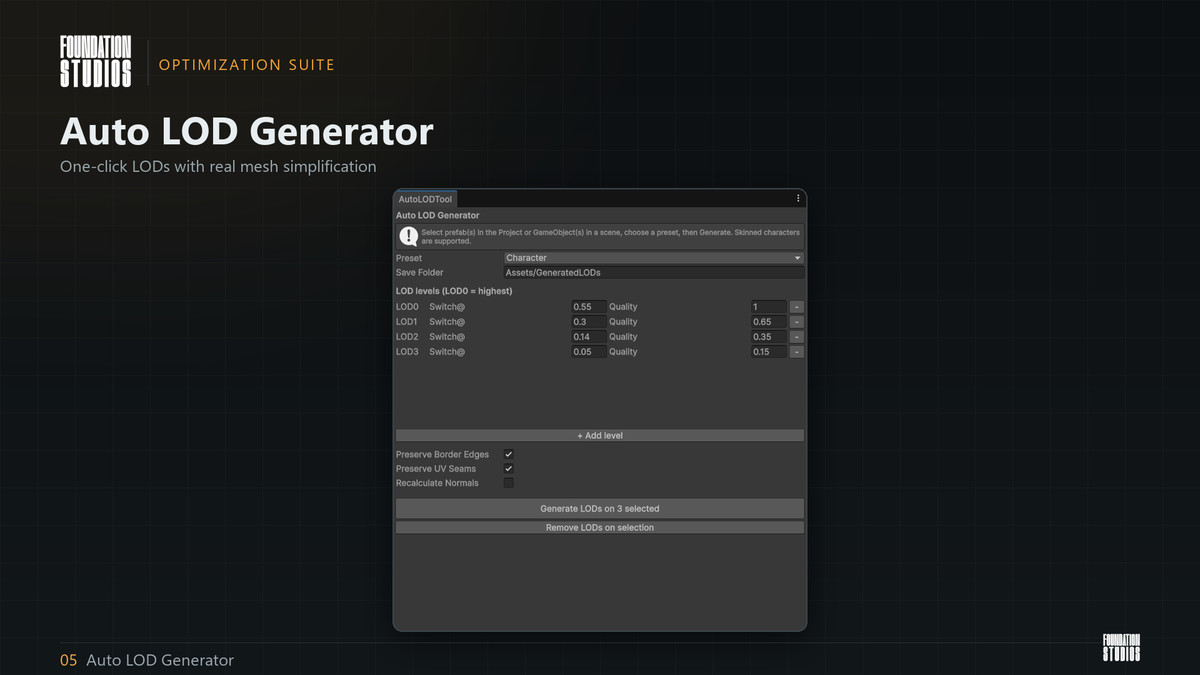
One-click LODGroup generation for prefabs or scene objects, with real mesh simplification per level. Skinned characters supported — bone weights preserved. Four presets (Character, Handheld, Prop, Environment) with sensible curves, all editable. Re-running is safe; "Remove LODs" reverts. The mesh-simplification library is bundled — nothing to install.
▍ Texel Density Heatmap (NEW with V2)
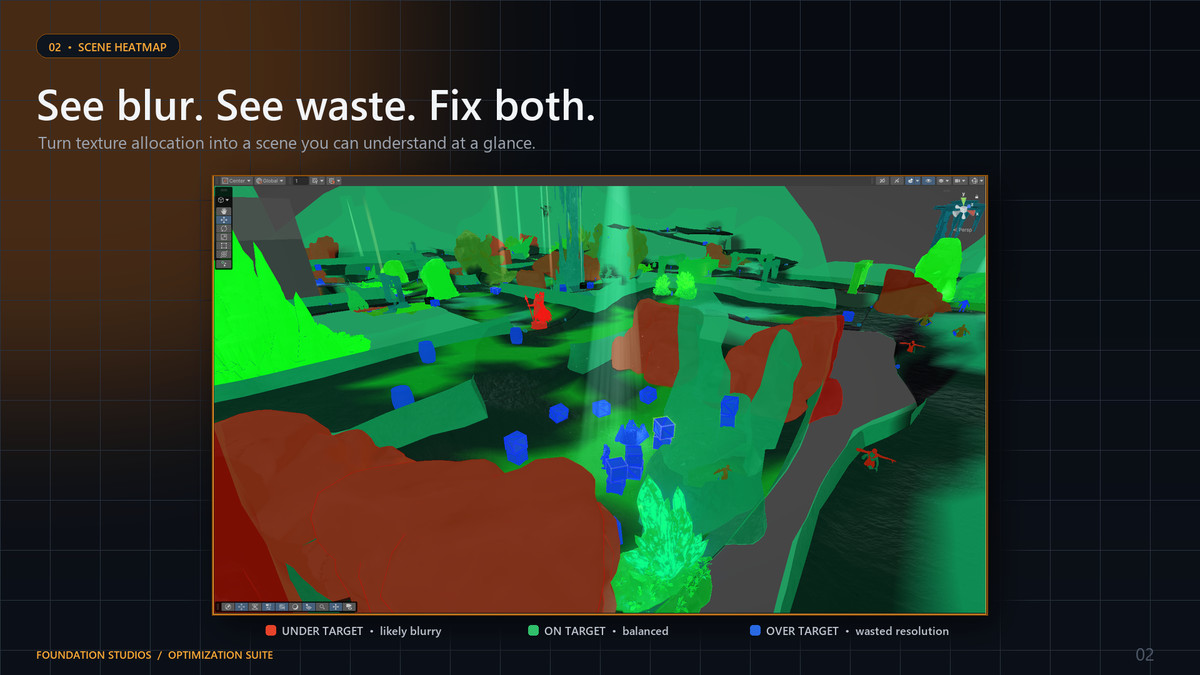
Measures real texel-density (texture pixels per centimeter or meter of world surface) for every renderer and paints it into the scene view: red is blurry, green is on target, blue is resolution the player can never see. The list sorts the worst offenders first, weighted by how much surface they cover, so a wrongly textured cliff outranks a wrongly textured doorknob. One button then applies the texture max size that would hit your target to every oversized texture's importer at once.
▍ Lightmap UV Checker (NEW with V2)
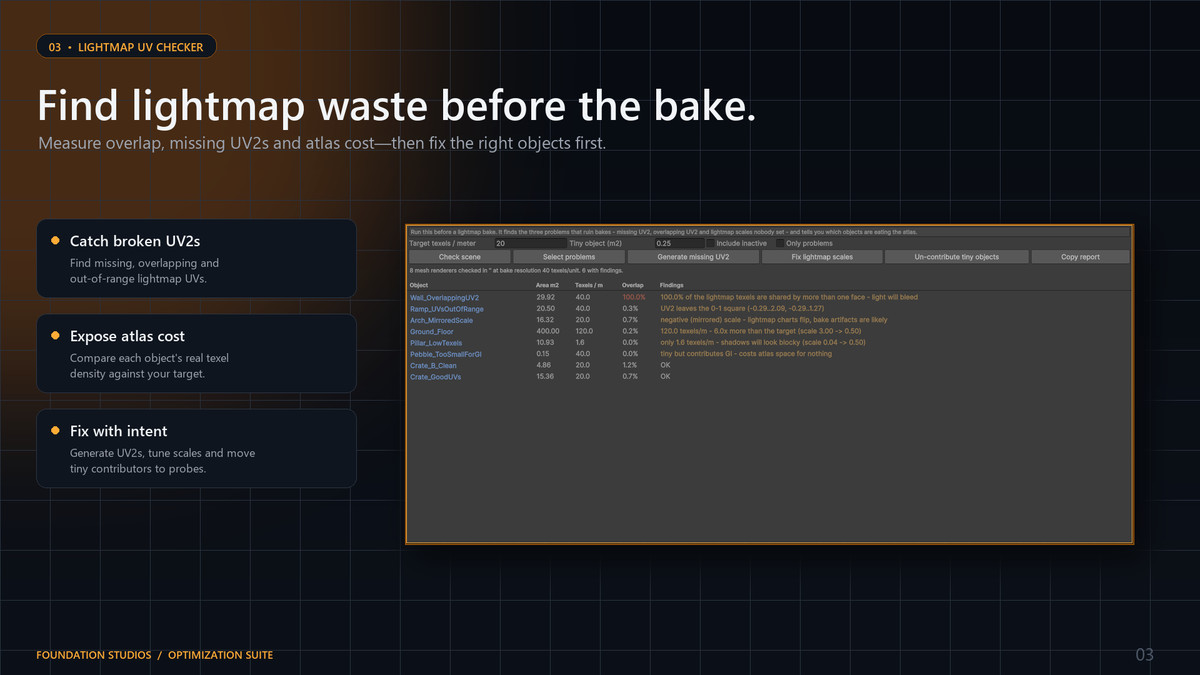
Run it before a bake instead of after. Finds missing UV2, overlapping UV2 (the charts are rasterized at each object's real lightmap resolution and the tool reports the percentage of texels shared by more than one face), UV2 that leaves the 0–1 square, lightmap scales nobody set, mirrored scales, and pebbles that are eating atlas space. Every finding has a one-click fix, all through Undo.
▍ SAFE BY DESIGN
• Texture Optimizer touches import settings only, never source files
• Mesh Merge and Material Atlas Merge disable originals rather than deleting them, and both have one-button revert
• Duplicate materials are only deleted if you explicitly tick that box
• Scene changes go through Unity's Undo system
Full C# source included. No DLLs, no obfuscation, no phoning home.
Requirements :
• Unity 6000.0 or newer
• Works in the Universal Render Pipeline and the Built-in Render Pipeline. (Scene Audit's render-pipeline reporting section is URP-oriented.)
• Auto LOD's mesh-simplification library (UnityMeshSimplifier, MIT) is bundled inside the package — nothing to install, it works out of the box.
• URP, Built-in and HDRP are now fully supported.
• Full C# source included.
Compatibility
| Unity version | Built-in | URP | HDRP |
|---|---|---|---|
| 6000.3.17f1 | Compatible | Compatible | Compatible |
As listed on the Asset Store.