
 View on Asset Store (opens in new tab)
Package details
- Latest version
- 0.1
- Last updated
- First released
- Unity version
- 2022.3.62 or later
- Package size
- 210 KB
- Files
- 76
- Views in the past week
- 11
Price tracking
- Last checked
- Tracked since
- Lowest recorded
- $39.99 on
Keywords

Dead Overrides - Prefab Variant & Duplicate Analyzer
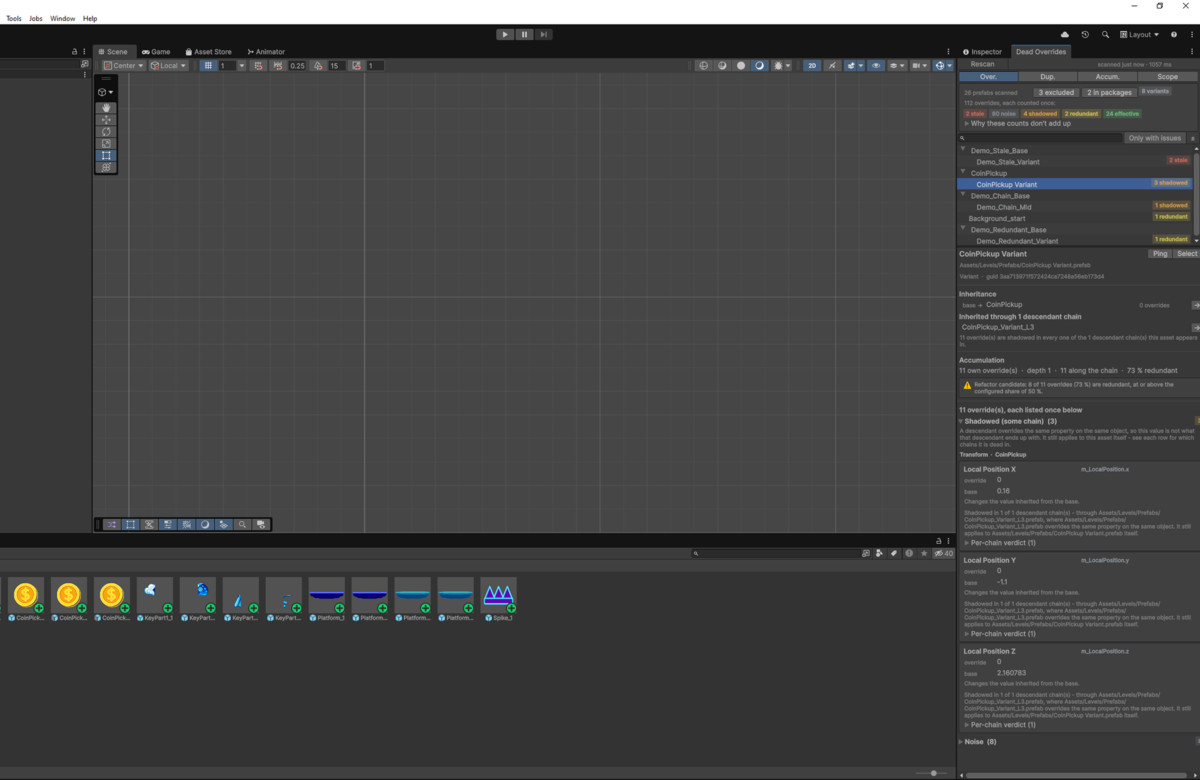
Unity writes 8 dead overrides onto every prefab variant you create. Dead Overrides finds those, plus stale and shadowed ones. Read-only.
Affiliate link · Purchases support this site
Price history
Last 6 months
USDAsset preview
1 / 8
Dead Overrides - Prefab Variant & Duplicate Analyzer screenshot 1
About this asset
WHAT UNITY DOES WITHOUT TELLING YOU
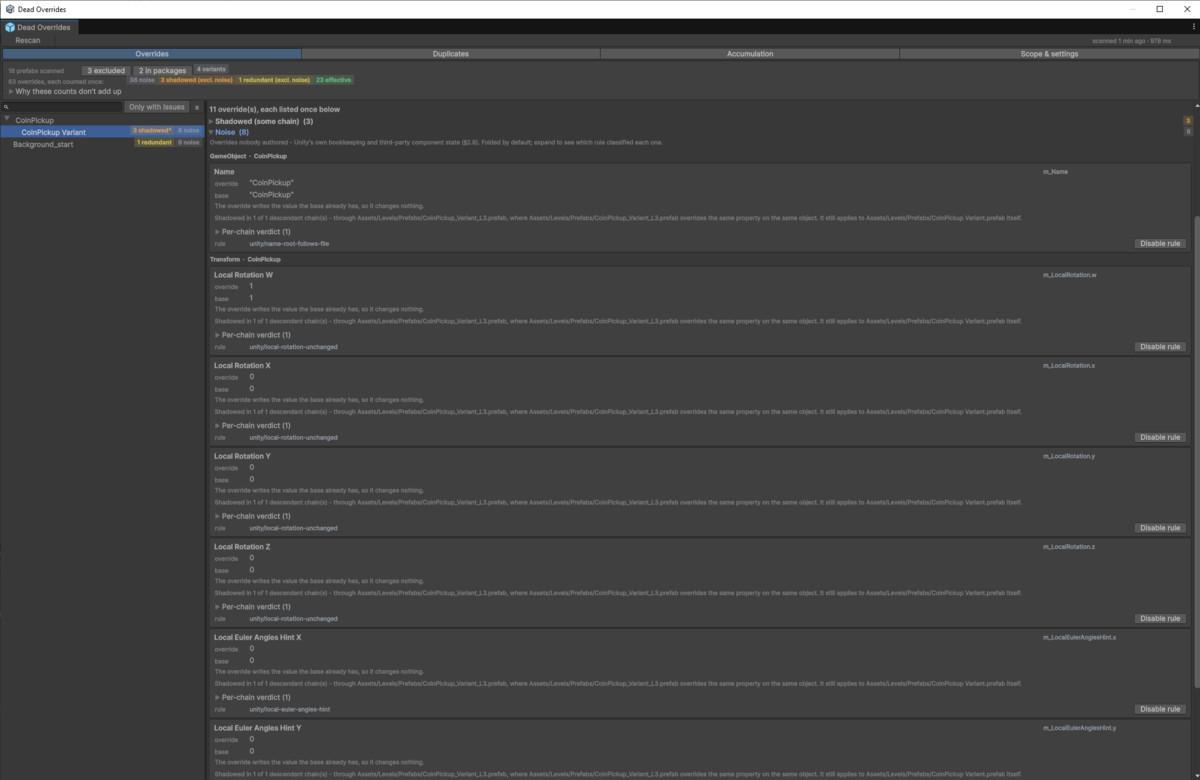
Create a prefab variant. Change nothing. Unity has already written eleven property overrides onto its root: the name, three position components, four rotation components and three rotation-hint values. Eight of them are identical to the base and do nothing at all. For a UI prefab with a RectTransform root there are twenty-one.
That happens on every variant, in every project, before you touch anything. Multiply it across your project, then add the overrides you made and forgot, the ones a teammate's change made pointless, and the ones pointing at script fields renamed two sprints ago.
Dead Overrides reads your prefabs and tells you which overrides still mean something.
WHAT IT FINDS
Redundant — the override writes the value the base already has. Removing it changes nothing. Values are compared by type, never as text: a float written as 0.16 reads back from Unity as 0.15999999642372131, and a string comparison would call that a real change.
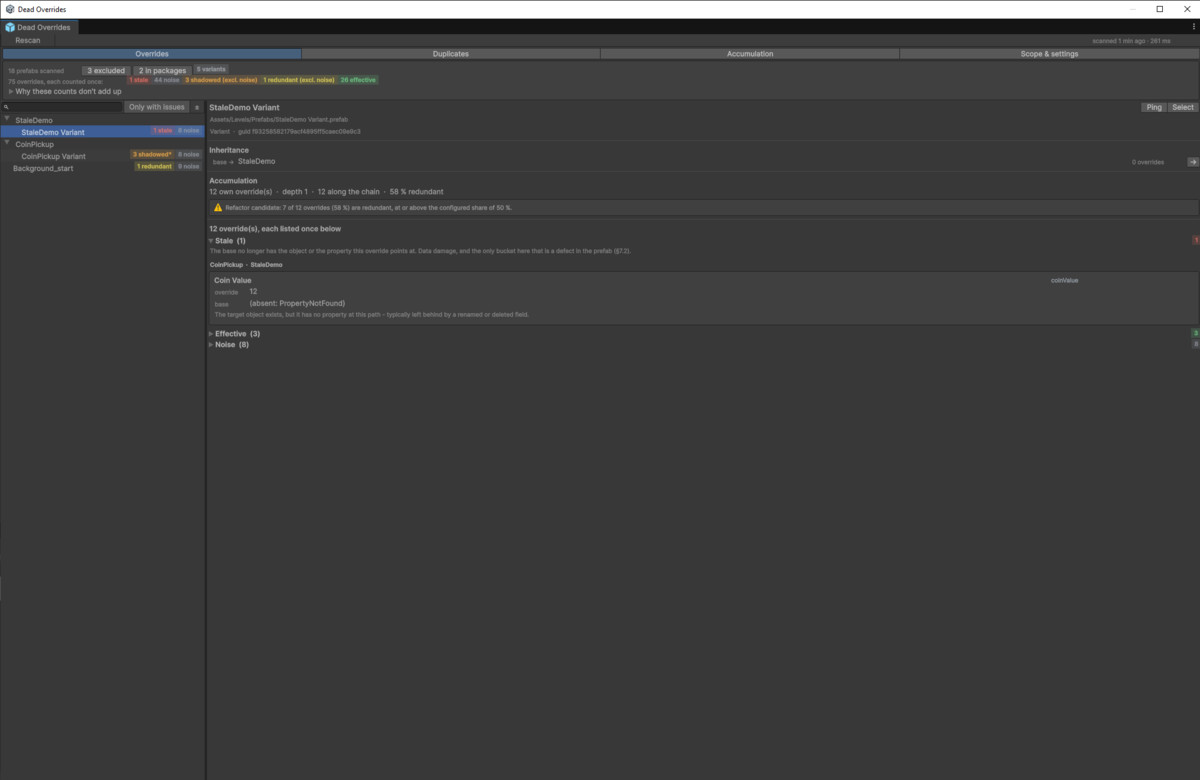
Stale — the target object or property no longer exists in the base. Usually a renamed or deleted script field. This is the one category that means something is actually broken rather than merely wasteful.
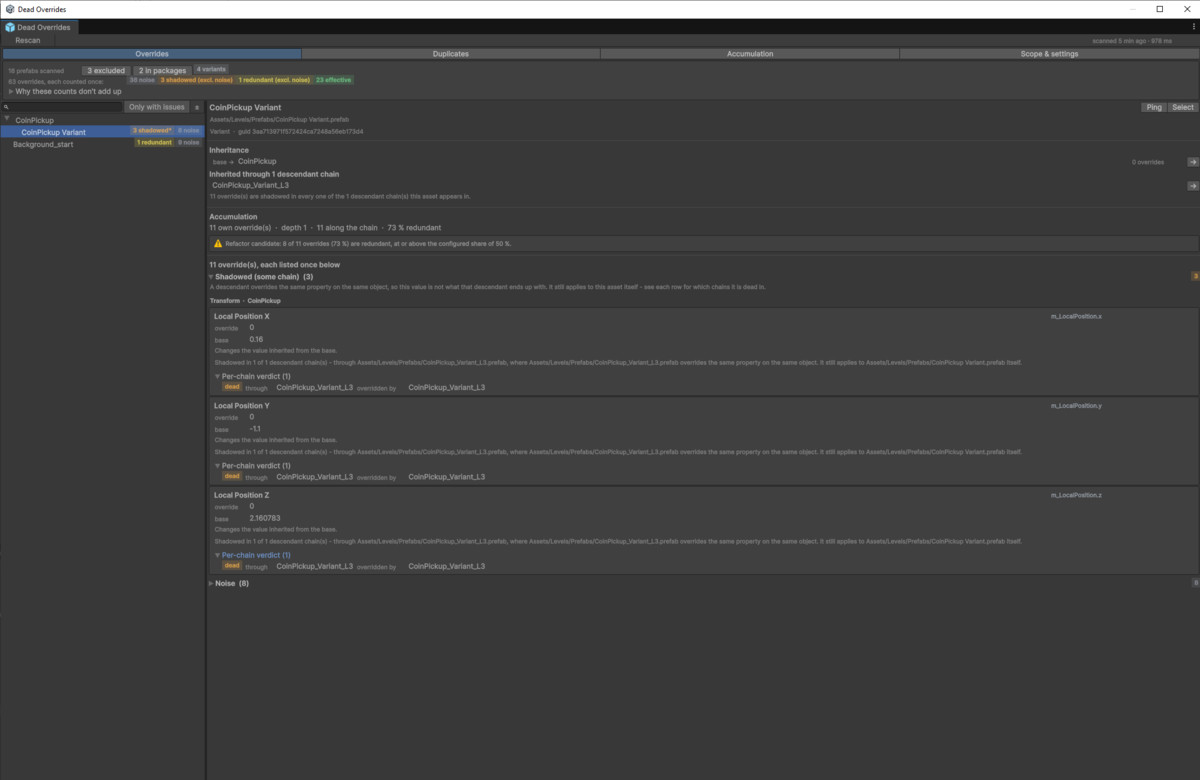
Shadowed — a descendant variant overrides the same property on the same object, so this value never reaches anything. Reported per descendant chain, because an override can be dead through one descendant and live through another.
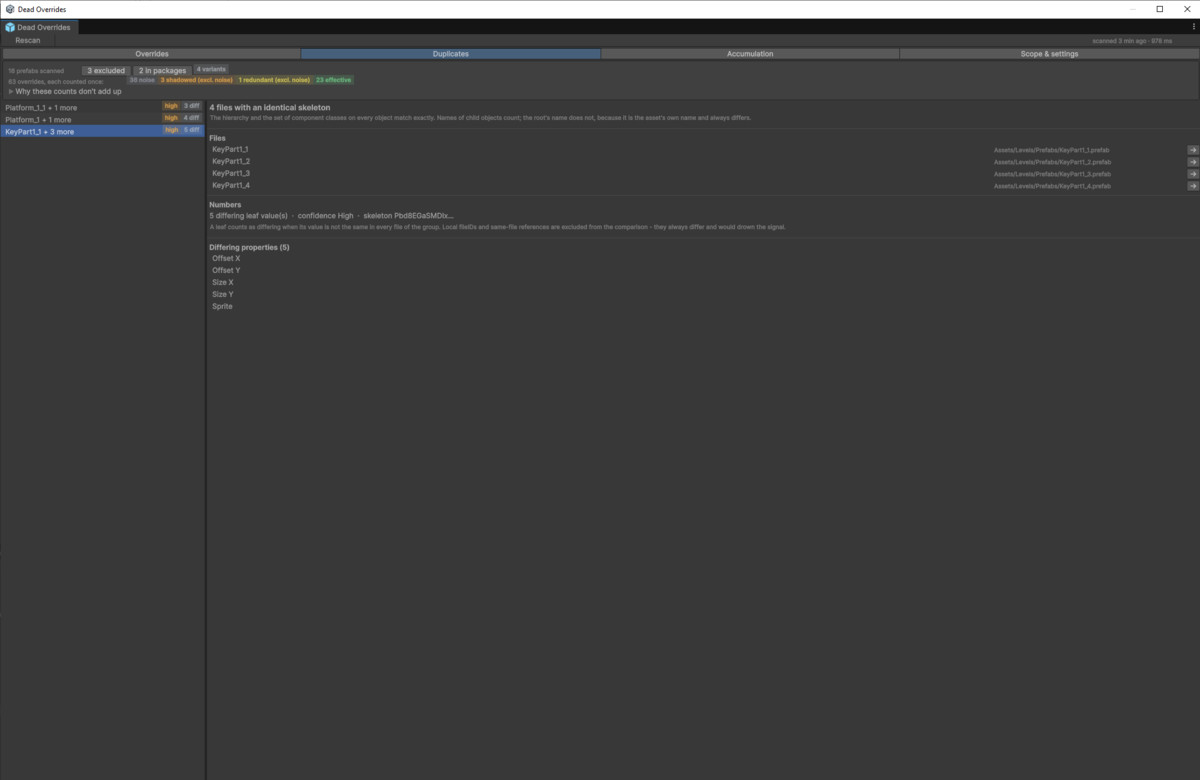
Prefabs that should have been variants — same hierarchy, same components, differing only in a handful of values. Copy-paste instead of inheritance. This works even in projects that use no variants at all.
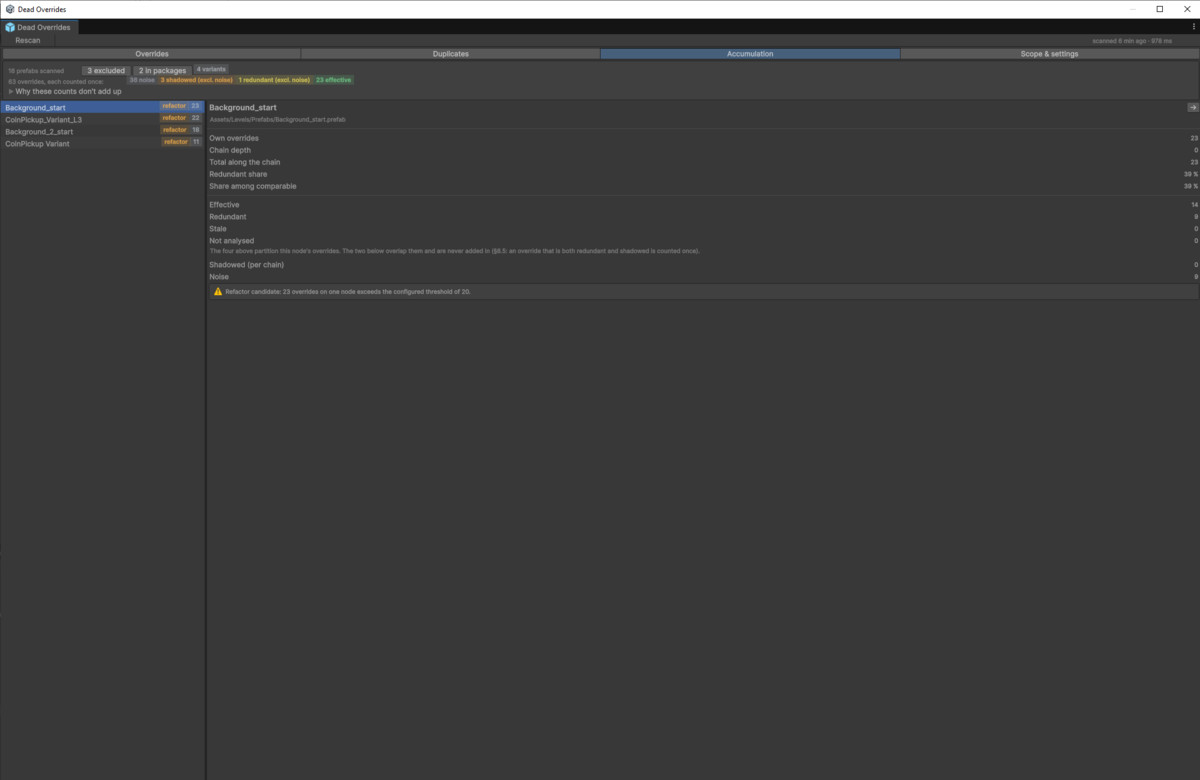
Accumulation metrics — overrides per node, chain depth, total along the chain, share redundant. Flags refactor candidates against thresholds you set.
WHY IT DOESN'T DROWN YOU IN NOISE
A report full of things you cannot act on is worse than no report.
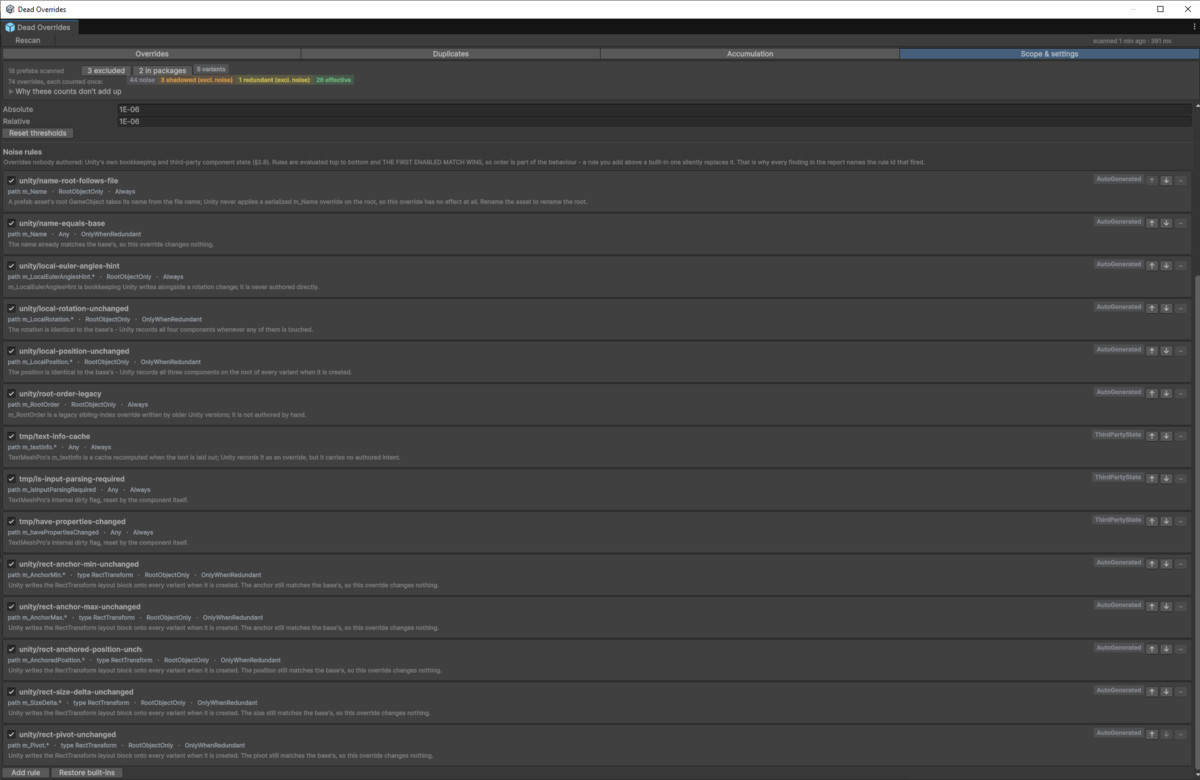
Overrides nobody authored — Unity's own bookkeeping and third-party component state — are classified as noise and folded away by default, with a counter. Open the fold and every entry names the rule that classified it, with a button to turn that rule off. Rules are ordered, editable and yours.
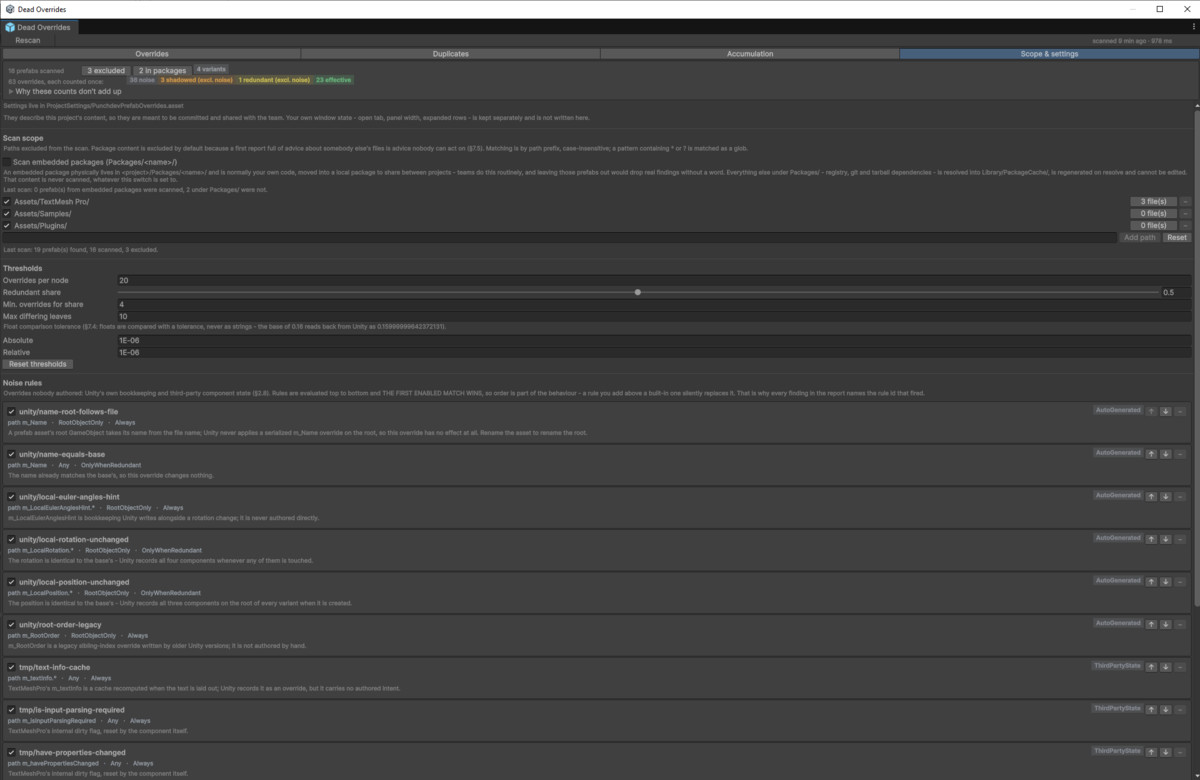
Package content is excluded by default, because the first thing a new tool should not do is hand you a page of advice about somebody else's files. Excluded paths and their file counts are always shown — silent filtering is worse than no filtering.
When the tool cannot analyse something, it says so in a separate line instead of guessing.
WHAT IT DOESN'T DO
This version is read-only. There is no auto-fix button, and nothing is ever written to your prefabs. Deleting an override is a decision, and the tool does not make it for you.
A demo folder with prepared prefabs is included, so the first scan shows all four kinds of finding straight away.
From the publisher's Asset Store listing.
Technical details
- Finds redundant, stale and shadowed prefab overrides
- Finds prefabs that should have been variants
- Values compared by type, not as text — float tolerance, object references by GUID and file ID
- Per-chain shadowing verdicts for branching variant trees
- Configurable noise rules — every classification names the rule behind it, and any rule can be disabled
- Scan scope is configurable; package content excluded by default, embedded packages optional
- Accumulation metrics with configurable refactor thresholds
- Read-only — never writes to your prefabs, scenes or assets
- Editor-only, no runtime components, no third-party dependencies
- Docks like any Unity window; layout adapts to narrow side columns
- Unity 2022.3 LTS through Unity 6.5, verified on both ends of that range
- Offline documentation included (PDF and Markdown)
- Demo folder with prepared prefabs showing all four kinds of finding
Compatibility
| Unity version | Built-in | URP | HDRP |
|---|---|---|---|
| 2022.3.62f3 | Compatible | Compatible | Compatible |
Dead Overrides is an Editor-only tool. It reads prefab files and reports on
their overrides — it never renders anything, uses no shaders or materials,
and has no runtime components. It works identically on Built-in, URP and
HDRP, and requires no render pipeline setup.
As listed on the Asset Store.