
 View on Asset Store (opens in new tab)
Package details
- Latest version
- 1.0.0
- Last updated
- First released
- Unity version
- 6000.3.16 or later
- Package size
- 675 KB
- Files
- 26
- Favorites
- 2
- Views in the past week
- 7
Price tracking
- Last checked
- Tracked since
- Lowest recorded
- $7.50 on
Keywords
- Search for editor tool
- Search for runtime editor
- Search for productivity
- Search for scene transition
- Search for unity ui
- Search for Additive Loading
- Search for scene loading
- Search for Scene Loader
- Search for Scene Management
- Search for Scene Database
- Search for Scene Switcher
- Search for Loading Screen

Scene Master Pro
Manage, switch, and load Unity scenes faster with editor tools, async loading, additive workflows, loading transitions, and a clean runtime API.
Affiliate link · Purchases support this site
Price history
Last 6 months
USDAsset preview
1 / 7
Scene Master Pro screenshot 1

About this asset
Scene Master Pro is a complete scene workflow and loading solution for Unity.
It helps developers manage, open, switch, and load scenes without repeatedly searching through the Project window or rebuilding the same scene-loading systems for every project.
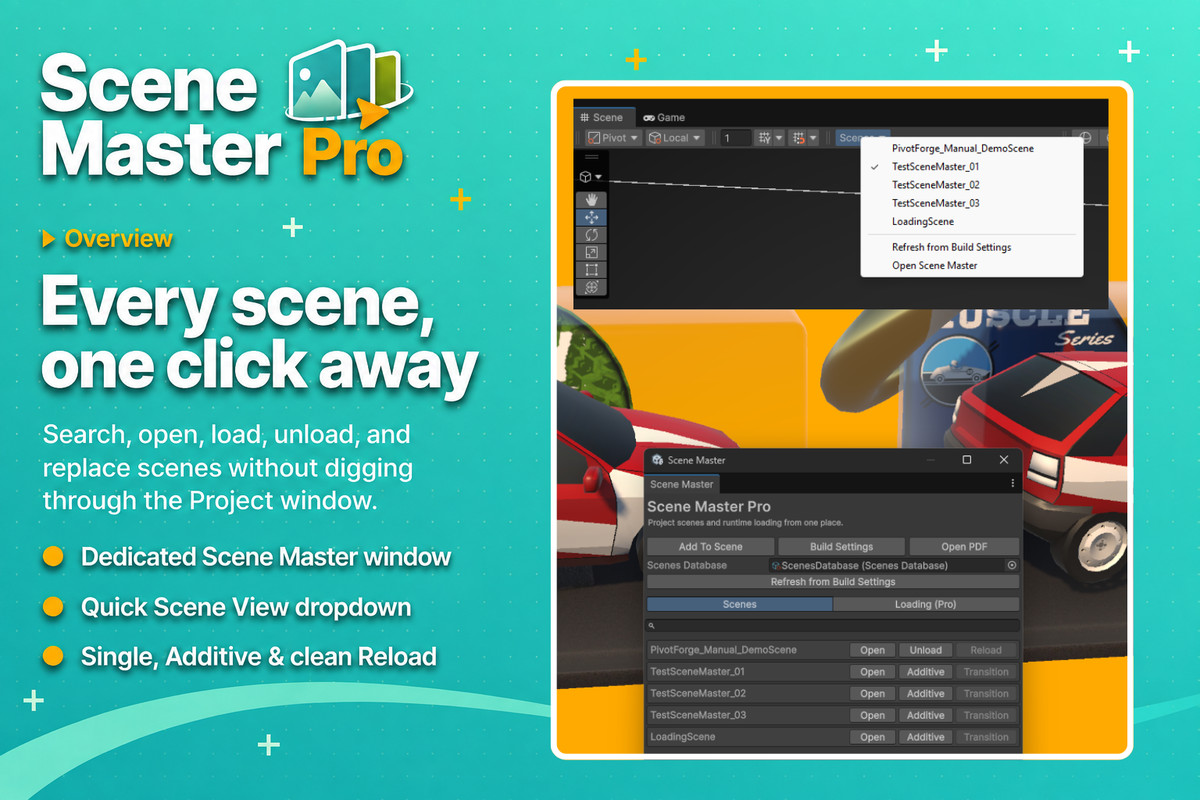
Use the dedicated Scene Master window or the Scene View dropdown to access your project scenes quickly, open them normally, load them additively, unload loaded scenes, or perform clean scene replacements.
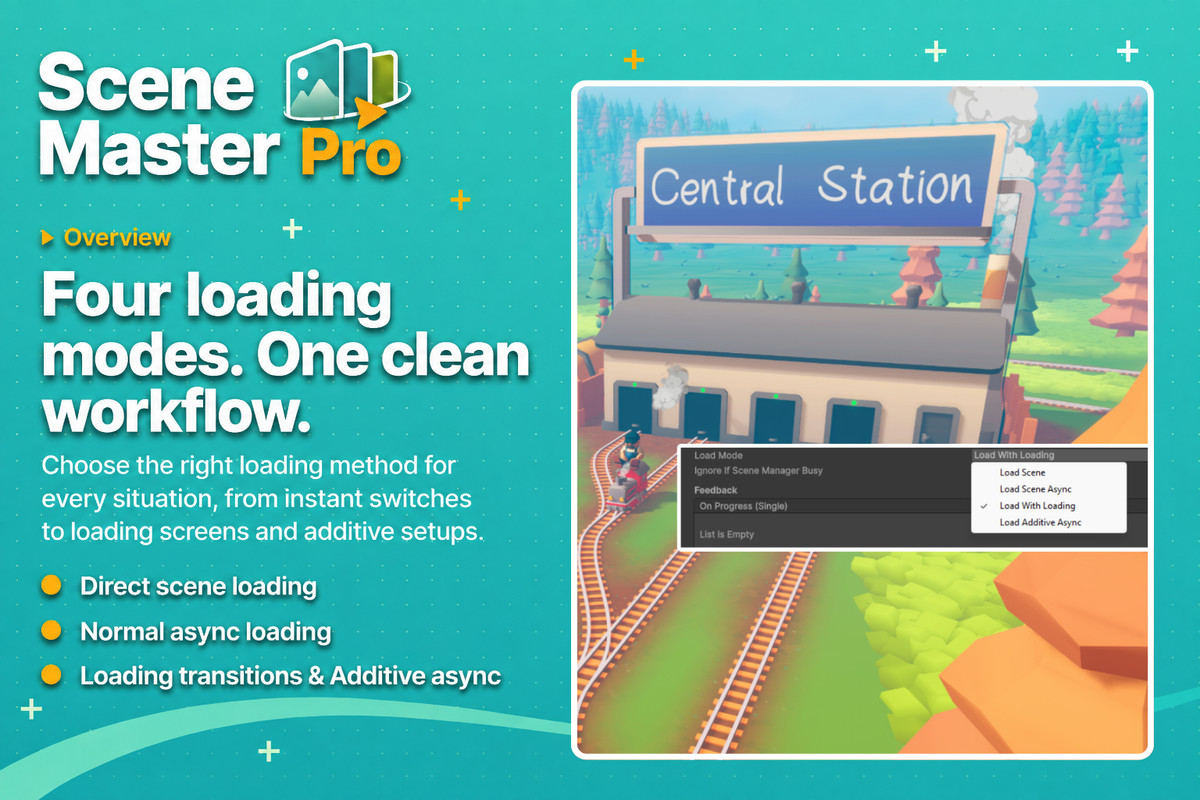
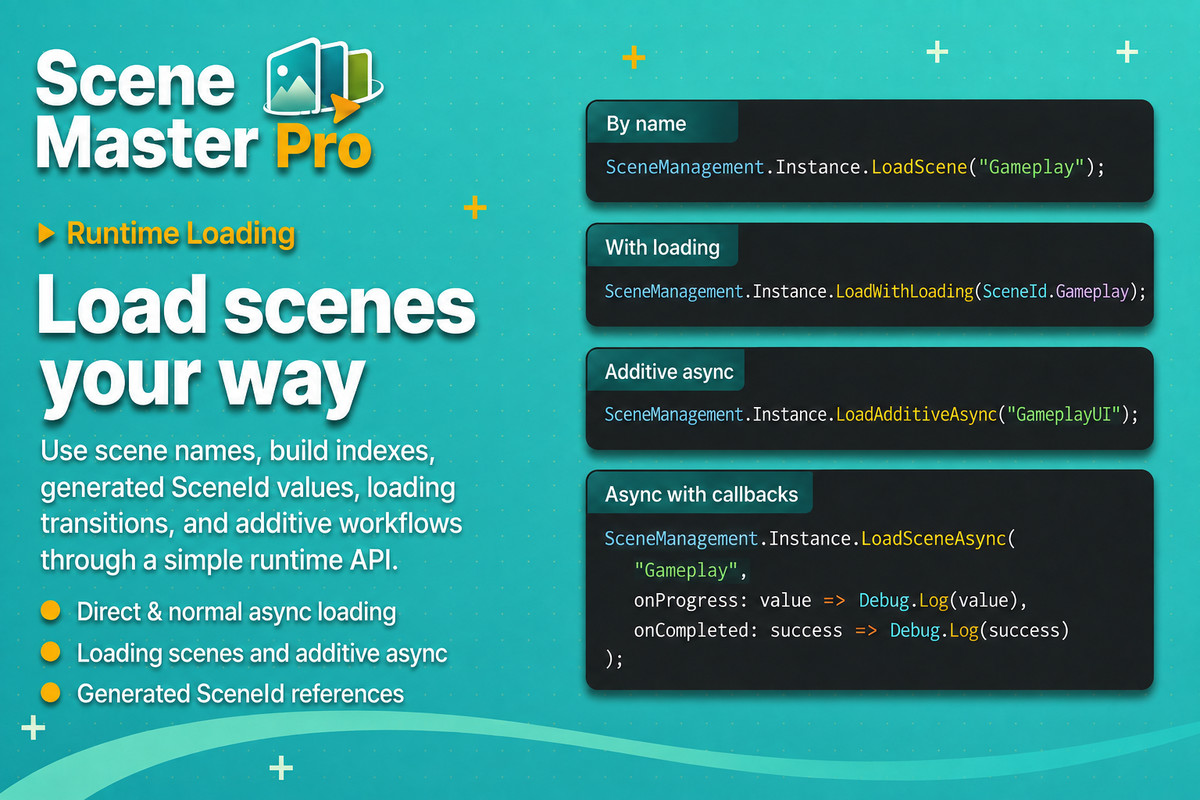
At runtime, Scene Master Pro provides a simple API for synchronous loading, asynchronous loading, additive loading, and loading-screen transitions. Scenes can be referenced by name, build index, or automatically generated SceneId values.
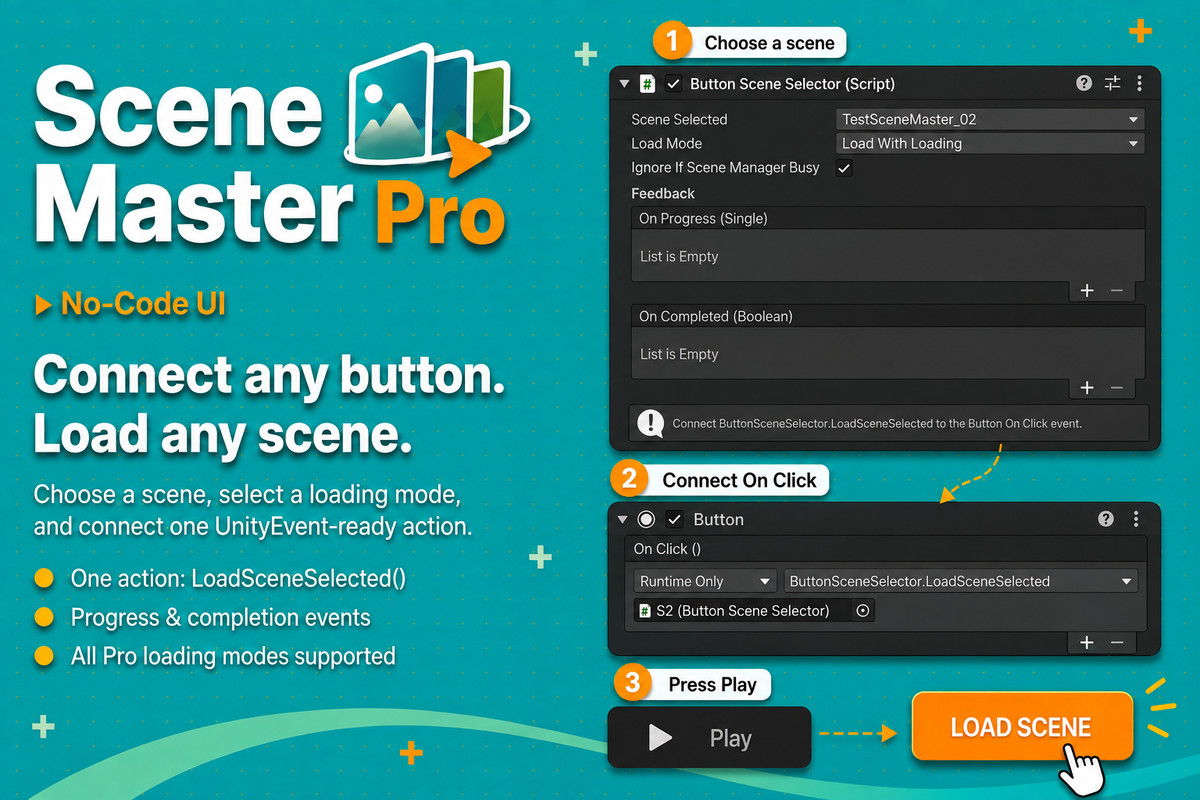
The included ButtonSceneSelector component also lets you connect scene loading directly to Unity UI Buttons without writing additional code. Choose a scene, select a loading mode, and connect LoadSceneSelected to the Button On Click event.
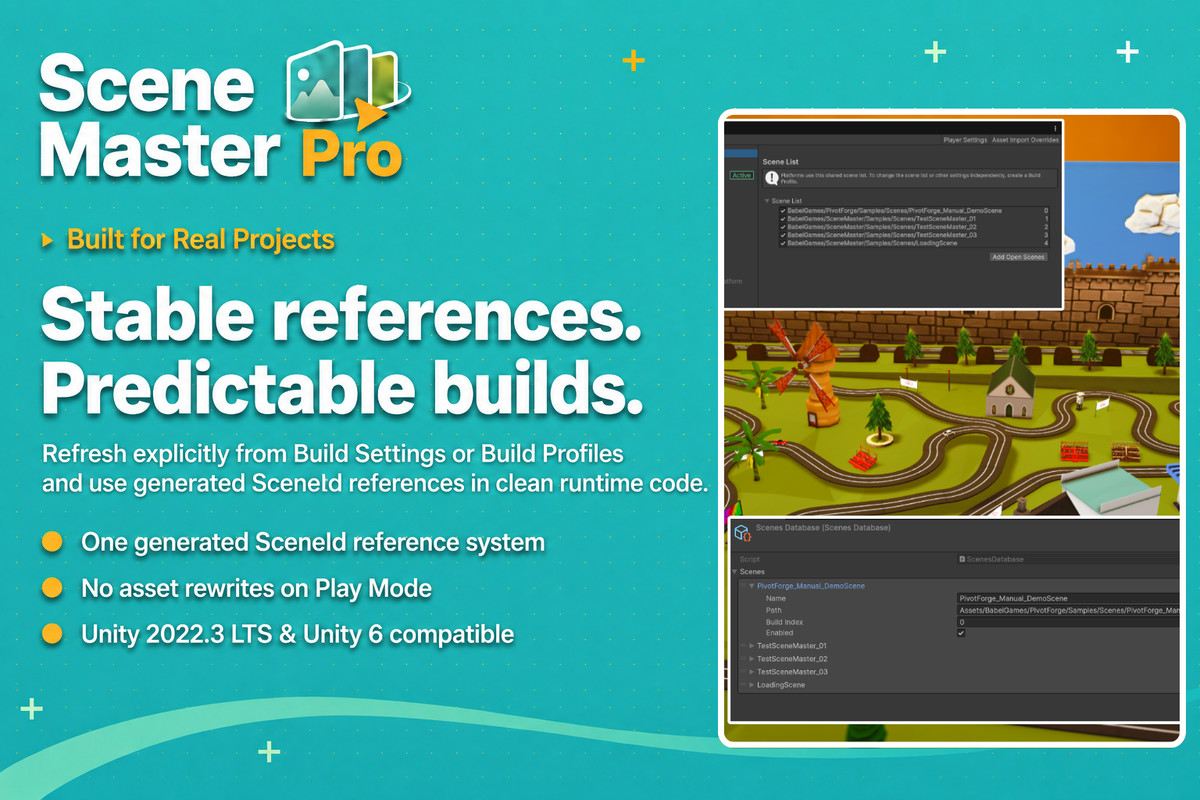
Scene Master Pro uses an explicit ScenesDatabase refresh system. It reads scenes from Build Settings or Build Profiles and generates reliable scene references without modifying assets automatically when entering Play Mode.
Designed for projects of any genre, Scene Master Pro keeps scene management fast, predictable, and easy to integrate.
Scene Master Pro includes:
• A dedicated scene management editor window
• A quick-access Scene View dropdown
• Scene search and fast opening
• Single and additive editor workflows
• Runtime loading by name, build index, or SceneId
• Normal asynchronous scene loading
• Additive asynchronous scene loading
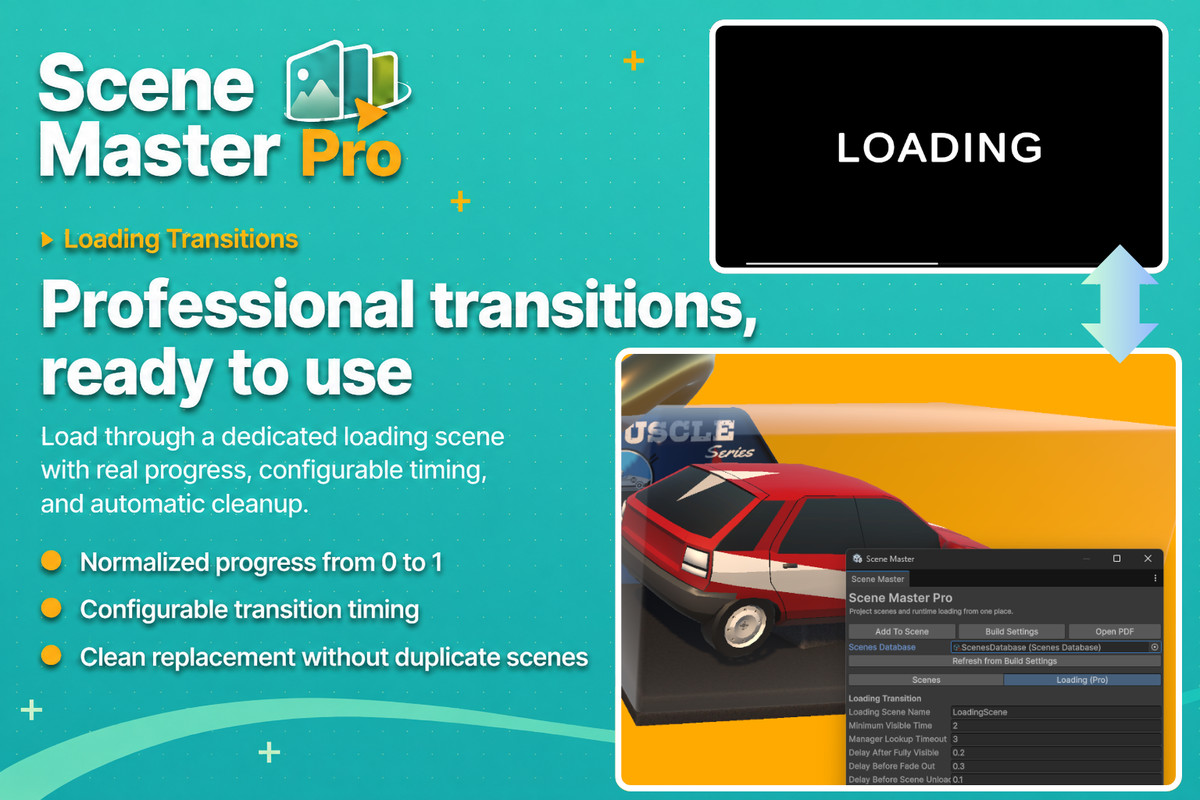
• Configurable loading-screen transitions
• Progress and completion callbacks
• No-code Unity UI Button integration
• Automatic duplicate manager protection
• Build Settings and Build Profiles support
• Complete PDF documentation
Scene Master Pro is compatible with Unity 2022.3 LTS and Unity 6.
From the publisher's Asset Store listing.
Technical details
EDITOR WORKFLOW
• Dedicated Scene Master editor window
• Scene search and quick-access scene list
• Open scenes in Single mode
• Open and unload scenes additively
• Cleanly reload or replace loaded scenes
• Scene View dropdown for fast scene switching
• Direct access to Build Settings and Build Profiles
• Explicit database refresh
• Works without a Scene Master object in the active editor scene
SCENE DATABASE
• Shared ScenesDatabase asset
• Reads scenes from Build Settings or Build Profiles
• Stores scene names, paths, enabled state, and build indexes
• Disabled scenes remain visible for diagnostics
• Generates strongly typed SceneId values
• Resolves duplicate generated identifiers automatically
• Never rewrites assets automatically when entering Play Mode
RUNTIME LOADING
• Load scenes synchronously by name
• Load scenes synchronously by build index
• Load scenes using generated SceneId values
• Load scenes asynchronously without a loading scene
• Normalized loading progress from 0 to 1
• Completion callbacks with success state
• Current loading target information
• Busy-state protection during owned loading operations
PRO FEATURES
• Loading-scene transitions
• Configurable minimum loading-screen visibility
• Configurable fade and transition delays
• Automatic loading progress Slider support
• Additive asynchronous scene loading
• Optional active-scene assignment after additive loading
• Optional loading while another operation is active
• Clean replacement of already loaded target scenes
• Protection against duplicate SceneManagement instances
UNITY UI INTEGRATION
• ButtonSceneSelector component
• Select scenes directly from the Inspector
• One UnityEvent-ready method: LoadSceneSelected()
• LoadScene mode
• LoadSceneAsync mode
• LoadWithLoading mode
• LoadAdditiveAsync mode
• Optional progress and completion UnityEvents
PUBLIC API
• LoadScene(string)
• LoadScene(int)
• LoadScene(SceneId)
• LoadSceneAsync(string, Action<float>, Action<bool>)
• LoadSceneAsync(int, Action<float>, Action<bool>)
• LoadSceneAsync(SceneId, Action<float>, Action<bool>)
• LoadWithLoading(string)
• LoadWithLoading(SceneId)
• LoadAdditiveAsync(...)
• GetEnabledSceneNames()
COMPATIBILITY
• Unity 2022.3 LTS
• Unity 6
• Build Settings support
• Build Profiles support
• Built-in Render Pipeline
• Universal Render Pipeline
• High Definition Render Pipeline
• Upgrade-compatible with Scene Master Lite
• Includes complete PDF documentation
Compatibility
| Unity version | Built-in | URP | HDRP | Custom |
|---|---|---|---|---|
| 6000.3.16f1 | Compatible | Compatible | Compatible | Compatible |
Scene Master is render pipeline independent and is compatible with the Built-in Render Pipeline, URP, and HDRP. It does not include or depend on custom shaders, render features, or pipeline-specific materials. Its editor tools, scene database, runtime loading API, additive loading, and loading-screen transitions work regardless of the render pipeline used by the project.
As listed on the Asset Store.