
 View on Asset Store (opens in new tab)
Package details
- Latest version
- 1.0
- Last updated
- First released
- Unity version
- 2022.3.62 or later
- Package size
- 52 KB
- Files
- 15
- Favorites
- 4
- Views in the past week
- 24
Price tracking
- Last checked
- Tracked since
- Lowest recorded
- Free on
Keywords
TexToolPro - GPU Texture Tools (Channel Packer, Normal Map Generator)
GPU-accelerated texture processing utility for the Unity Editor. Generate PBR maps, pack channels, and edit textures in real-time with zero latency using HLSL Compute Shaders and UI Toolkit.
Affiliate link · Purchases support this site
Price history
Last 6 months
USDAsset preview
1 / 7
TexToolPro - GPU Texture Tools (Channel Packer, Normal Map Generator) screenshot 1

About this asset
Stop wasting time switching between external software just to tweak a texture!
TexToolPro is a high-performance Editor tool designed by Technical Artists, for Technical Artists, 3D Artists, and Developers. Built on Unity's modern UI Toolkit and powered entirely by HLSL Compute Shaders, it brings real-time, zero-latency texture manipulation directly into your Unity Editor workflow.
Whether you need to generate a Normal Map on the fly, pack 4 grayscale masks into a single RGBA texture to save memory, or make a texture tileable using the Seamless mode, TexToolPro handles it instantly—even with 4K textures.
CORE MODULES:
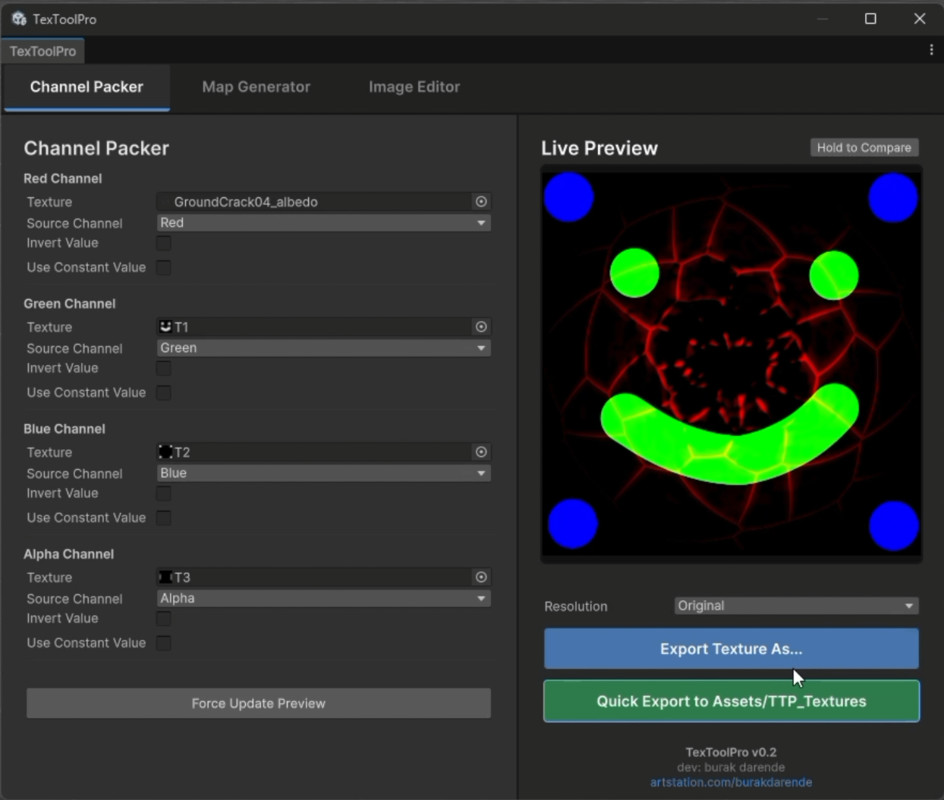
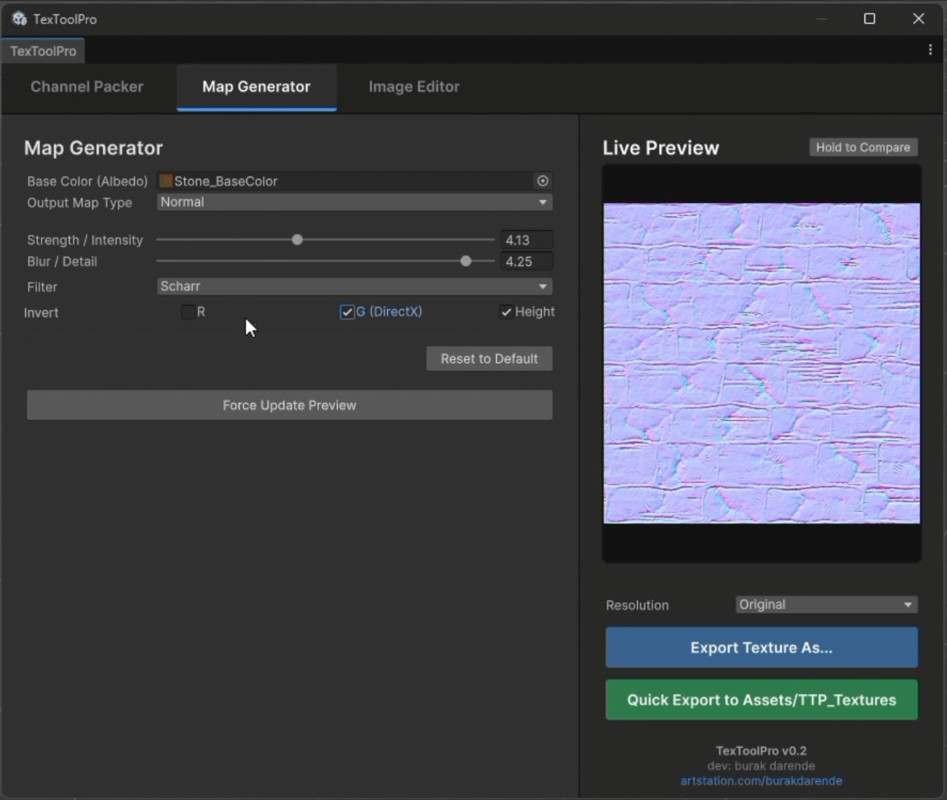
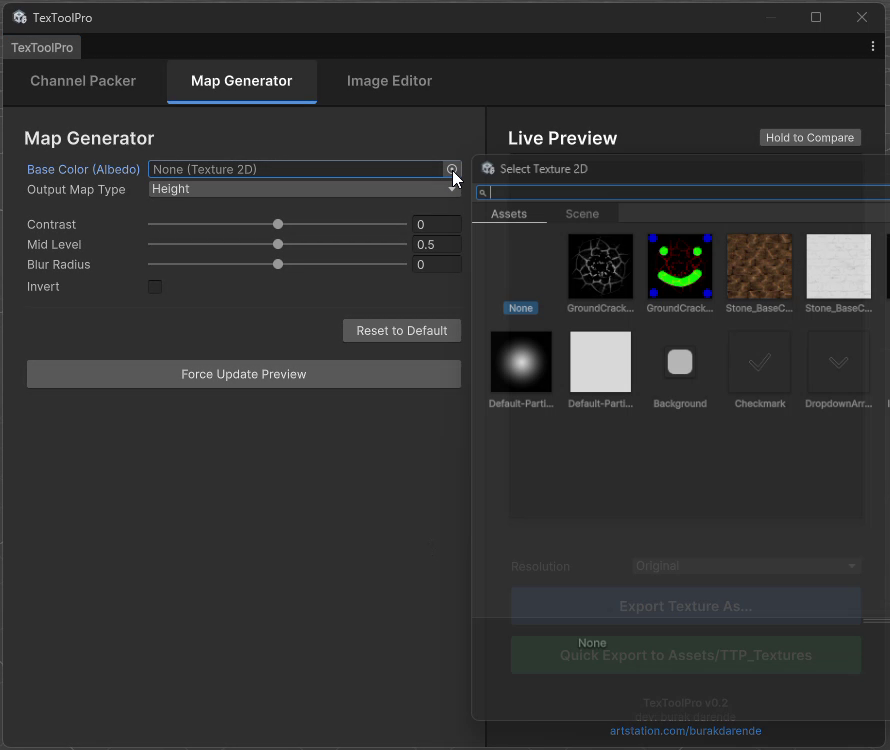
1. Map Generator (PBR Map Creator) Generate a complete set of PBR maps from a single base texture (Albedo/Diffuse). • Normal Maps: Supports Sobel and Scharr edge-detection filters. Options for Strength, Blur, and Inverting X/Y axes (DirectX/OpenGL support). • Displacement / Height Maps: Extract height data with Contrast and Mid-Level controls. • Ambient Occlusion (AO): Add depth with controllable Intensity and Radius. • Roughness & Metallic: Extract realistic surface data using brightness thresholds and inversions. • Cavity: Highlight micro-details and crevices with adjustable Edge Width and Offset.
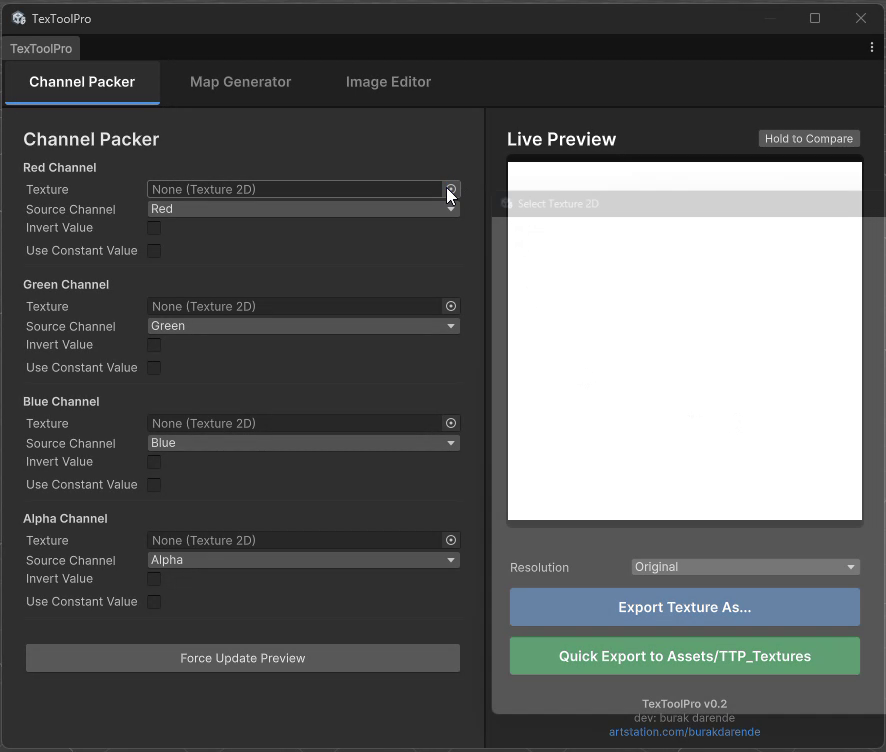
2. Channel Packer (Memory Optimizer) Combine multiple grayscale textures (e.g., Roughness, Metallic, Mask, AO) into a single RGBA texture to heavily optimize your shaders. • Assign textures independently to R, G, B, and A channels. • Use Constant Values (0.0 - 1.0) for specific channels if a texture is unnecessary. • Invert individual channels with a single click.
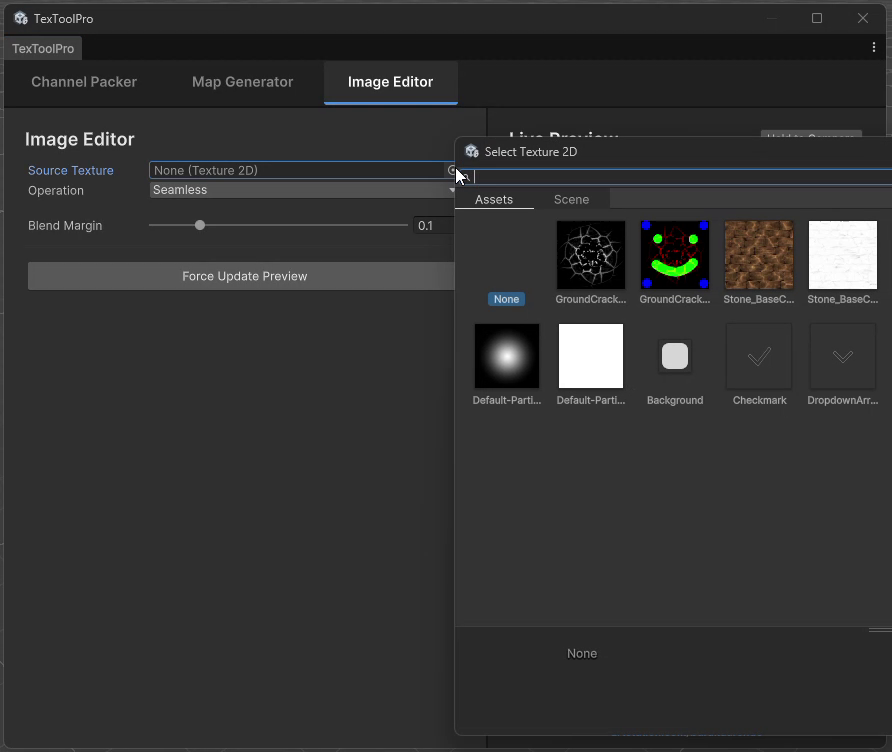
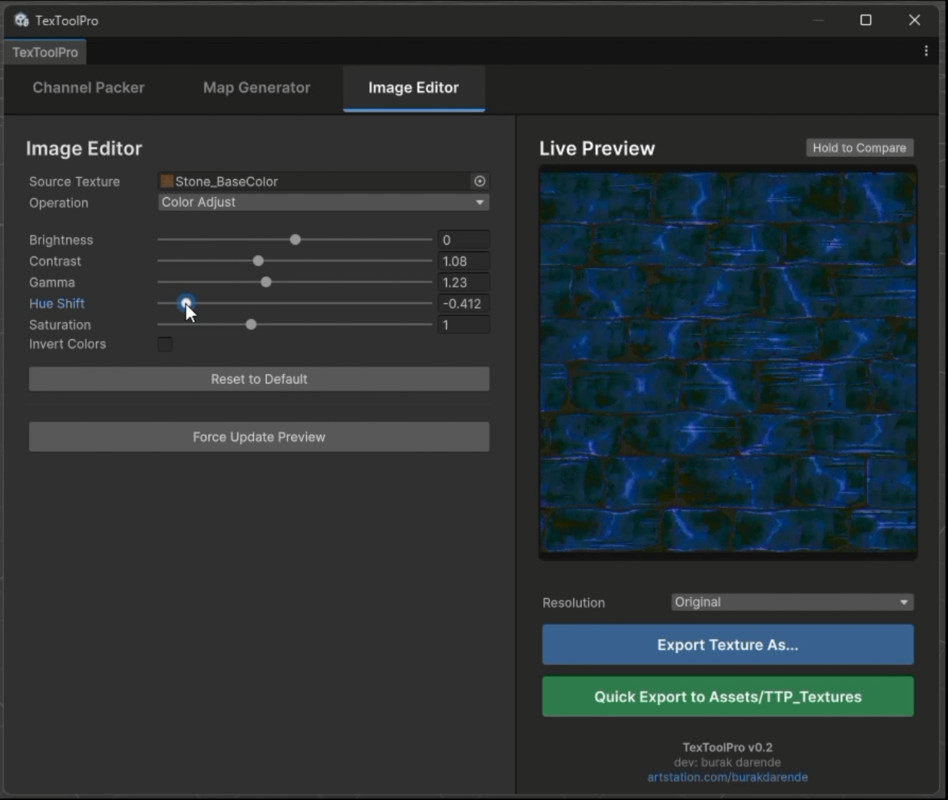
3. Image Editor (Quick Fixes) Quickly adjust or fix existing textures without leaving the editor. • Color Adjustments: Instantly tweak Brightness, Contrast, Gamma, Hue, and Saturation. • Seamless Generator: Make textures perfectly tileable by blending U and V boundaries inwards.
🚀 KEY FEATURES: • Instant Live Preview: See exactly what you're getting in real-time. Use the Hold to Compare button to instantly compare your changes against the original texture. • Quick Export: Export standard formats or use the 1-click Quick Export to instantly save assets into your project folder. • Resolution Control: Retain the original texture dimensions or force export as power-of-two (512, 1024, 2048, 4096). • Pipeline Agnostic: Runs in the Editor space and generates standard textures that can be used in Built-in, URP, or HDRP.
From the publisher's Asset Store listing.
Technical details
3 Independent Modules: Map Generator, Channel Packer, and Image Editor. • GPU-Accelerated: Core algorithms are written in HLSL Compute Shaders, eliminating CPU bottlenecks. • Modern UI: Built with Unity's UI Toolkit for a responsive, dockable, and native editor experience. • "Hold to Compare" real-time preview mechanism. • Safe Integration: Wrapped in an Assembly Definition (.asmdef) targeting only the "Editor" platform. It guarantees zero interference with your build process and player scripts.
Supported OS: Windows & macOS Supported Versions: Unity 2022.3 LTS and newer (Fully compatible with Unity 6.0+) Render Pipelines: Compatible with Built-in, URP, and HDRP (Outputs standard Unity Texture2D assets).
Compatibility
| Unity version | Built-in | URP | HDRP |
|---|---|---|---|
| 2022.3.62f3 | Compatible | Compatible | Compatible |
As listed on the Asset Store.