
 View on Asset Store (opens in new tab)
Package details
- Latest version
- 1.0.0
- Last updated
- First released
- Unity version
- 6000.3.10 or later
- Package size
- 82 KB
- Files
- 62
- Views in the past week
- 10
Price tracking
- Last checked
- Tracked since
- Lowest recorded
- $4.99 on
Keywords
- Search for Model importer
- Search for editor tool
- Search for Asset Import
- Search for asset management
- Search for Import Settings
- Search for asset pipeline
- Search for Audio Importer
- Search for CI integration
- Search for build validation
- Search for Tools Studio
- Search for Texture Importer
- Search for LOD

Conduit
Conduit enforces consistent Unity asset import settings through folder-scoped policies, catching drift before it reaches a build.
Affiliate link · Purchases support this site
Price history
Last 6 months
USDAsset preview
1 / 5
Conduit screenshot 1
About this asset
Import settings drift on a Unity project without anyone deciding it should. A
texture's compression gets changed to test something and never reverted. A
new team member imports assets without knowing the project's conventions.
Nobody notices until a build is larger than expected or a platform behaves
inconsistently.
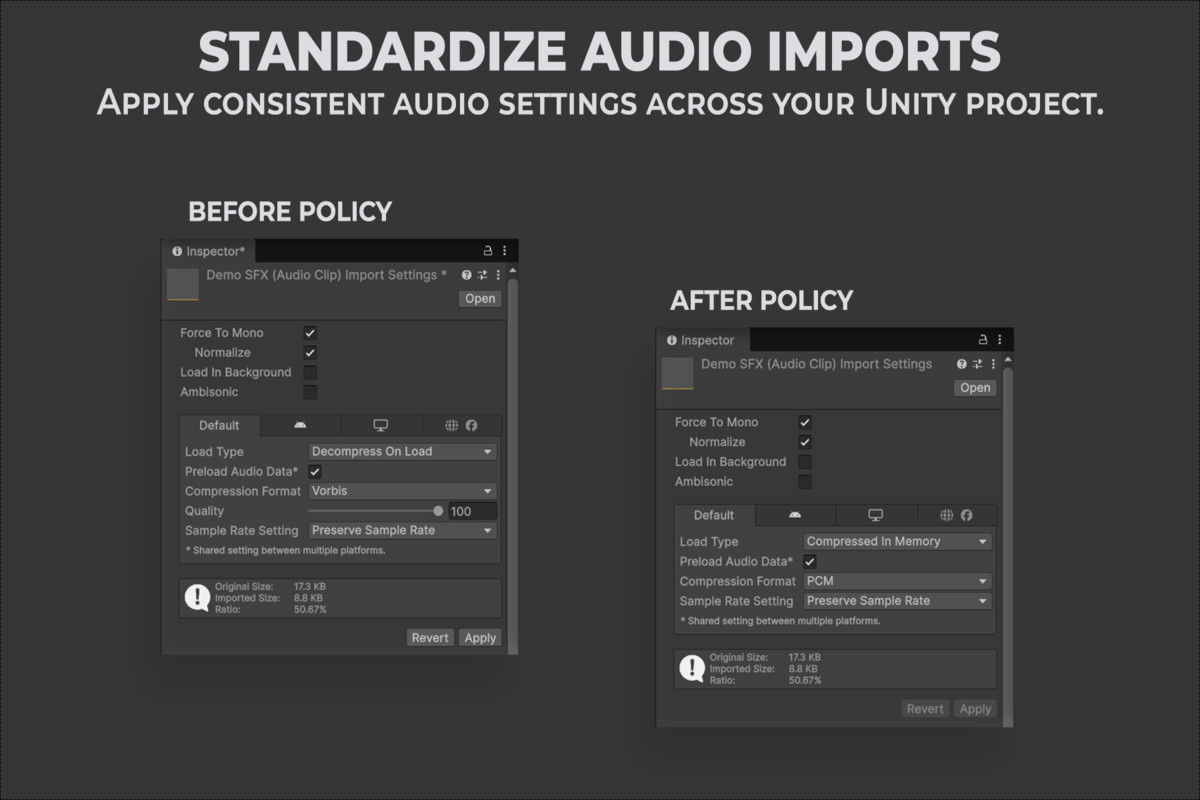
Conduit governs import settings by folder. Define a policy once, and Conduit
keeps every texture, model, and audio clip in that folder — and its
subfolders — compliant with it, automatically at import time and on demand
whenever you ask.
- Folder-scoped policies apply automatically, so new assets inherit the right
settings without anyone remembering a convention.
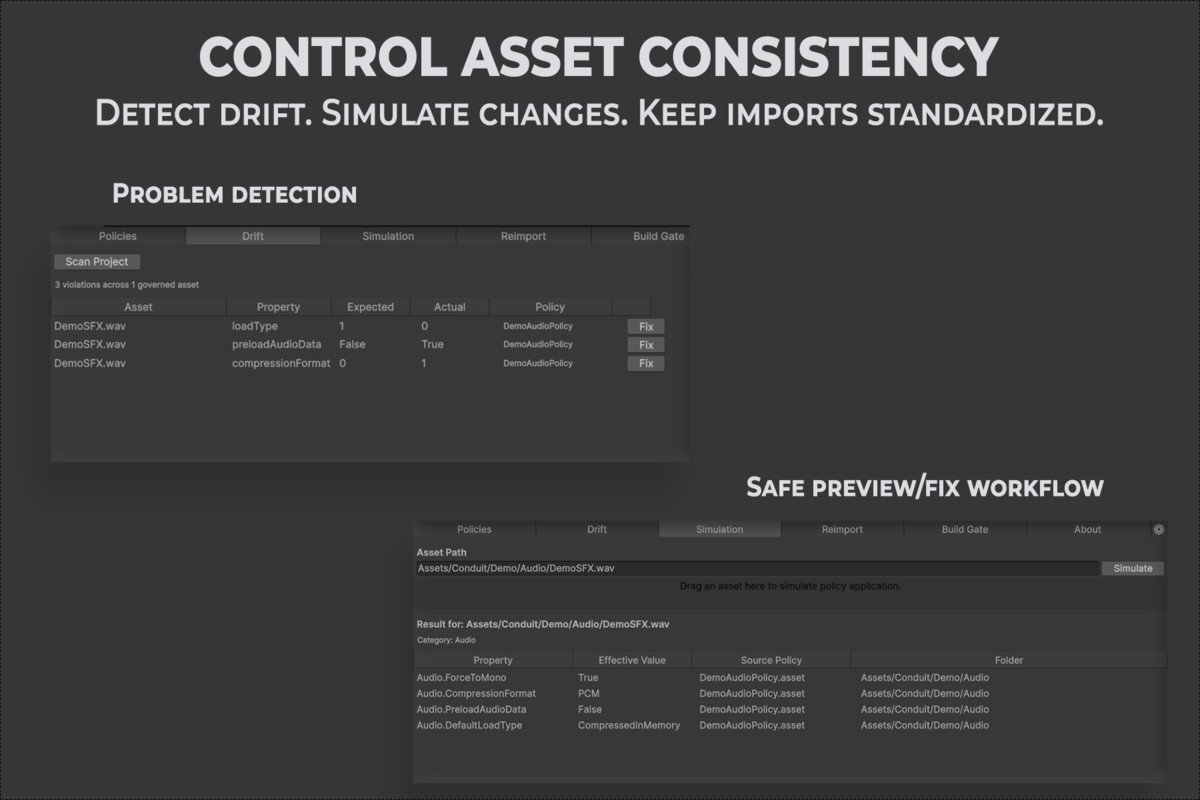
- Drift detection scans the whole project or one folder and shows exactly
which asset, which property, and what it should be, instead of leaving you
to hunt for what's wrong.
- Simulation previews the settings a policy will apply to a specific asset
before anything is changed, so a policy edit can be checked before it runs.
- A build gate stops a non-compliant build automatically when a policy is set
to block, so drift can't silently reach a release.
- A command-line runner and JSON report let a CI pipeline check policy
compliance the same way the Editor does, with clear exit codes.
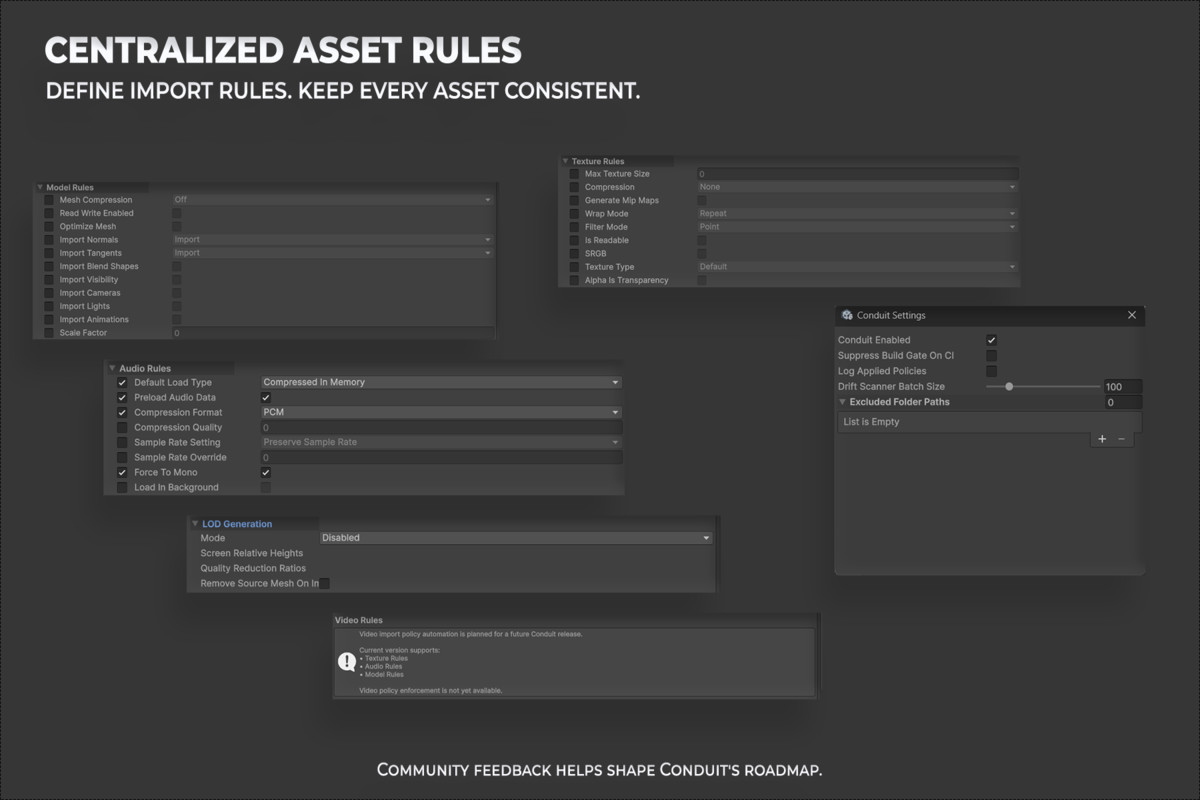
- Texture, model, and audio rules cover compression, mip maps, readability,
mesh optimization, load type, and more, with per-platform overrides for
texture and audio.
- Every workflow is also available from your own Editor scripts through a
single static API.
Requirements: Unity Editor only — Conduit adds nothing to player builds.
Verified on Unity 6000.3.10f1; other versions have not been verified.
This package includes the Conduit Runtime and Editor C# source exactly as it
ships in the product, licensed under the Unity Asset Store EULA. Full
documentation, including a getting-started guide and API reference, is
included in the package's Documentation folder.
From the publisher's Asset Store listing.
Technical details
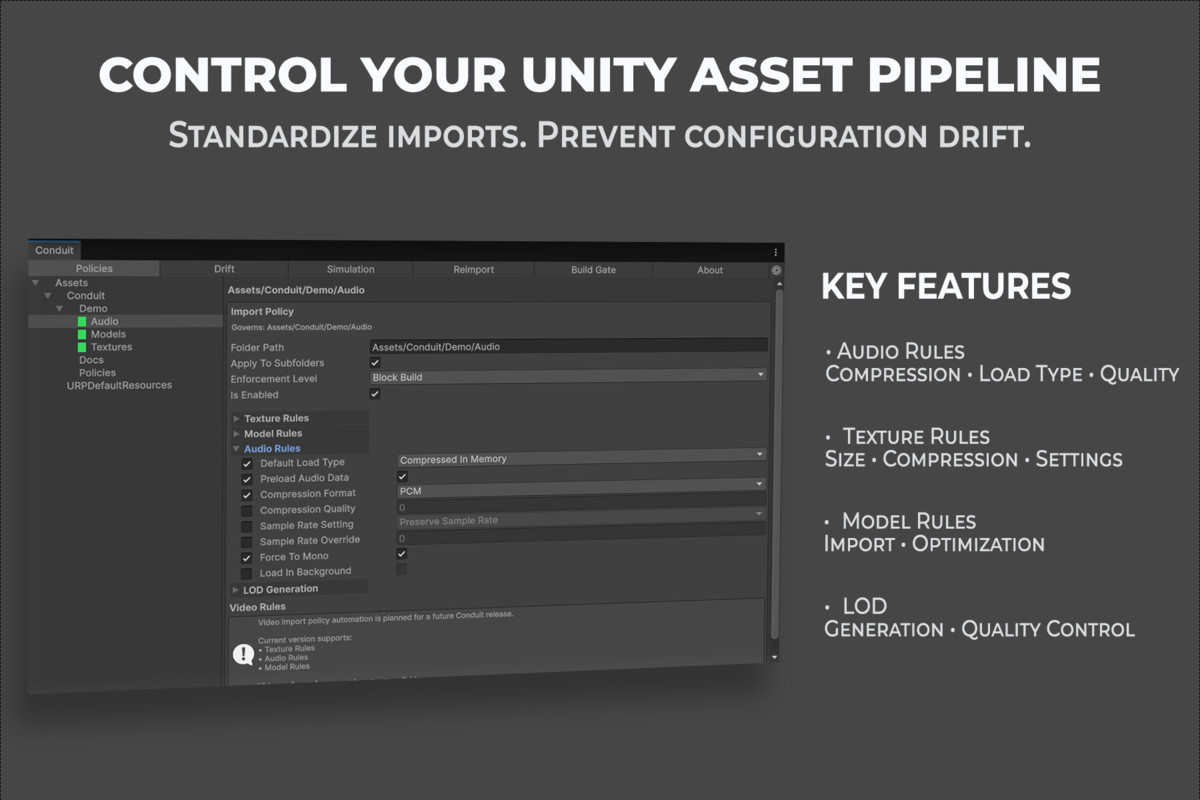
Import Policies — Folder-scoped, cascading policies with per-property opt-in
rules for Texture, Model, and Audio imports.
Drift Detection — Asynchronous, cancellable scans of the whole project or a
single folder, listing every asset, property, expected value, and actual
value that's out of compliance.
Simulation — Read-only preview of the resolved policy for any single asset,
showing the effective value and which policy set it.
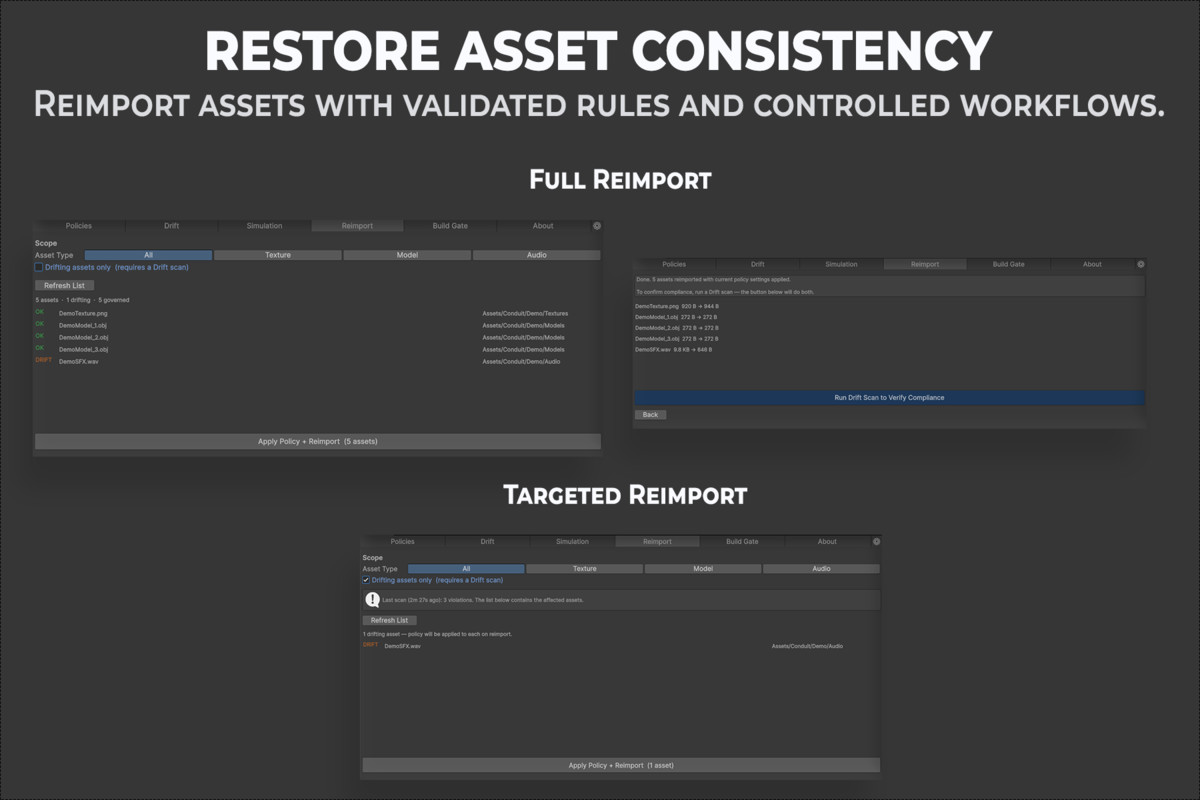
Automatic Correction — Fix a single violation or all of them in one action,
with a confirmation showing the affected asset count first.
Reimport Workflow — Reimport a chosen set of assets under current policy,
filtered by type or by drift status.
Build Gate — Blocks a build automatically when a Block Build policy is
violated; a Build Gate tab runs the same check on demand.
CI Integration — Command-line runner (-executeMethod
ToolsStudio.Conduit.Editor.CIBridge.Run) with a JSON report and exit codes
(0 = clean, 1 = blocking violations, 2 = scan failed).
Audio Rules — Load type, compression, sample rate, force-to-mono, and more,
with per-platform overrides.
Model Rules & LOD — Mesh compression, normals, tangents, animation import
control, and LOD generation by hierarchy cloning at configurable
screen-relative heights.
Editor Integration — A dockable Conduit window with Policies, Drift,
Simulation, Reimport, Build Gate, and About tabs. Editor-only: nothing is
added to player builds.
C# API — Every workflow (ResolvePolicy, ScanForDriftAsync,
ReimportAssetsAsync, RunBuildGateCheck, and more) is exposed on a single
static Conduit class for your own Editor scripts.
Unity: verified on 6000.3.10f1. No third-party dependencies. No telemetry or
background network activity of any kind.
Compatibility
| Unity version | Built-in | URP | HDRP |
|---|---|---|---|
| 6000.3.24f1 | Compatible | Compatible | Compatible |
| 6000.3.10f1 | Compatible | Compatible | Compatible |
Conduit is an Editor-only tool that manages asset import settings. Its LOD generation feature uses Unity's standard MeshRenderer/Renderer API to clone renderers and copy material references, with no URP/HDRP-specific types and no shader inspection. Conduit is not render-pipeline-dependent and is expected to behave identically under Built-in, URP, and HDRP.
As listed on the Asset Store.