
 View on Asset Store (opens in new tab)
Package details
- Latest version
- 1.1.9
- Last updated
- First released
- Unity version
- 2022.3.62 or later
- Package size
- 68 KB
- Files
- 41
- Views in the past week
- 22
Price tracking
- Last checked
- Tracked since
- Lowest recorded
- $9.99 on
Keywords

Quick Quest Log - Quest System
by Krykftn | Advanced Editor Tools & Systems (opens in new tab)
A quest system: design branching quest chains as cards, drop in the journal, then report progress with one call - the log works out the rest.
Affiliate link · Purchases support this site
Price history
Last 6 months
USDAsset preview
1 / 4
Quick Quest Log - Quest System screenshot 1
About this asset
Most games do not need a narrative framework. They need to define objectives, track progress, unlock the next quest and save it - without spending a week on plumbing. Quick Quest Log is exactly that: a visual chain editor for designing quests, a journal your players actually read, and a plain C# quest log you drive with a single call.
DESIGN IT AS CARDS
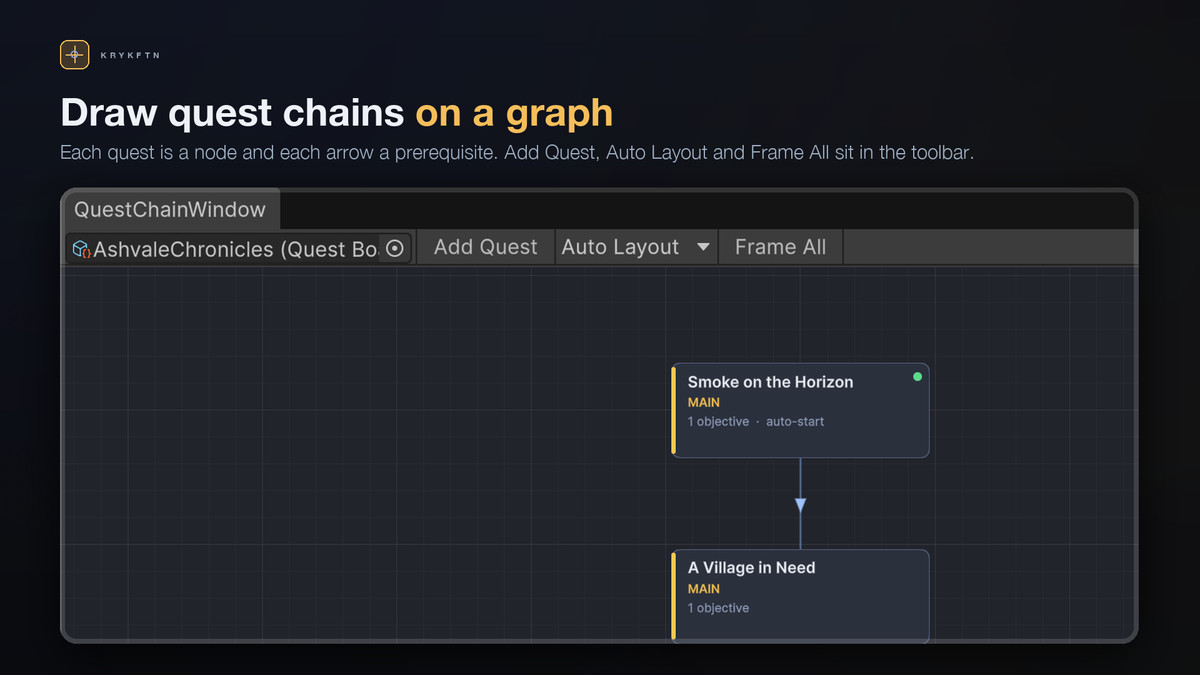
Lay quests out on a board, Alt-drag from one card onto another to make it a prerequisite, and let Auto Layout arrange the whole chain. Loops are detected and refused. Built-in validation calls out quests with no objectives, duplicated quests, empty targets, and quests no player could ever reach.
EVERY OBJECTIVE, EDITED IN PLACE
Pick a card and write its lines right there in the side panel. Five built-in kinds - Collect, Defeat, Reach, Talk, Deliver - plus Custom for anything else. Reorder them, retarget them, and set how they behave: a hidden line that only appears once the one above it is done, or a failure line that ends the quest the moment it completes.
A JOURNAL YOUR PLAYERS READ
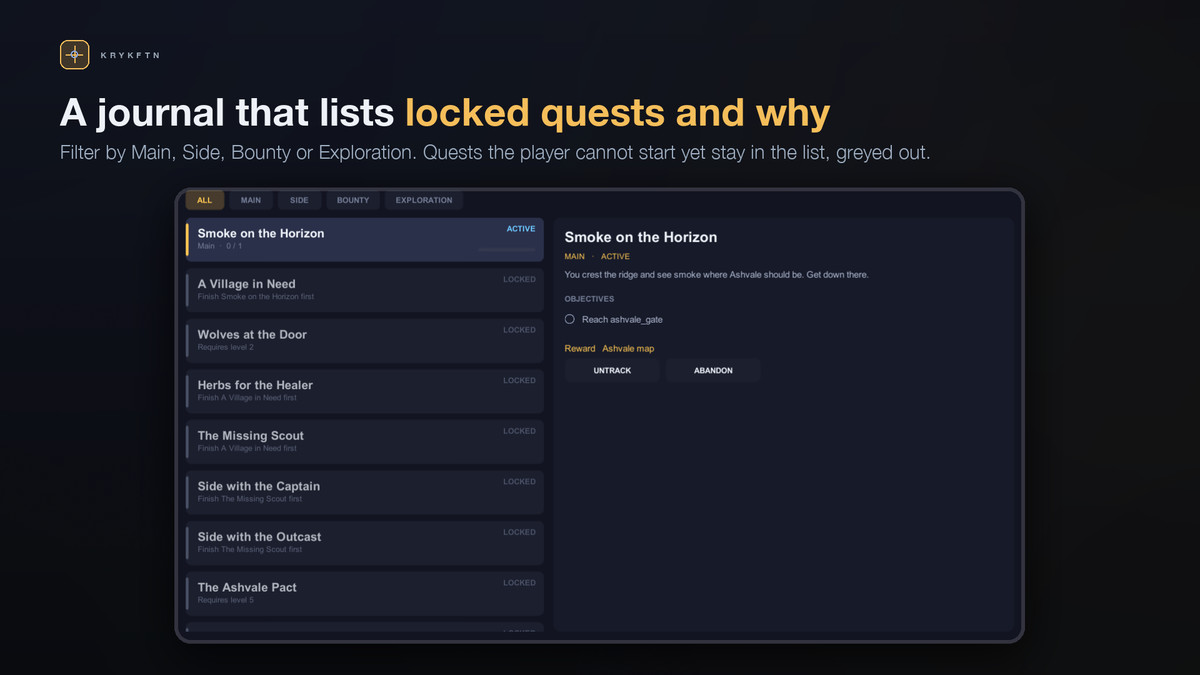
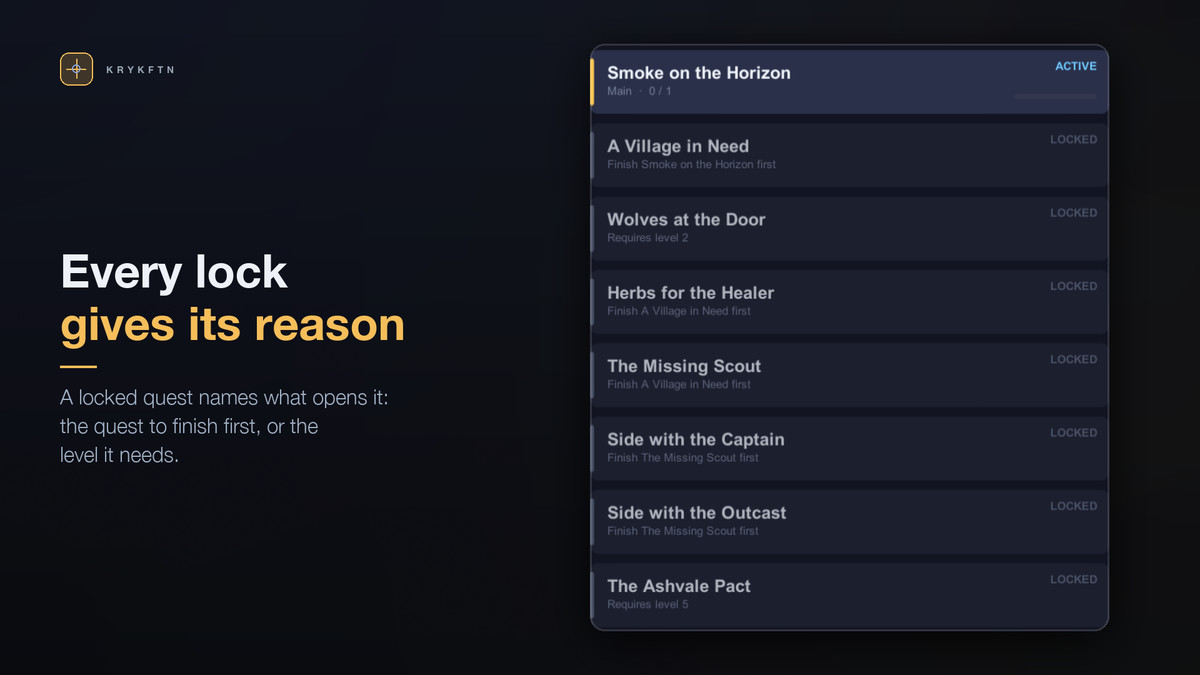
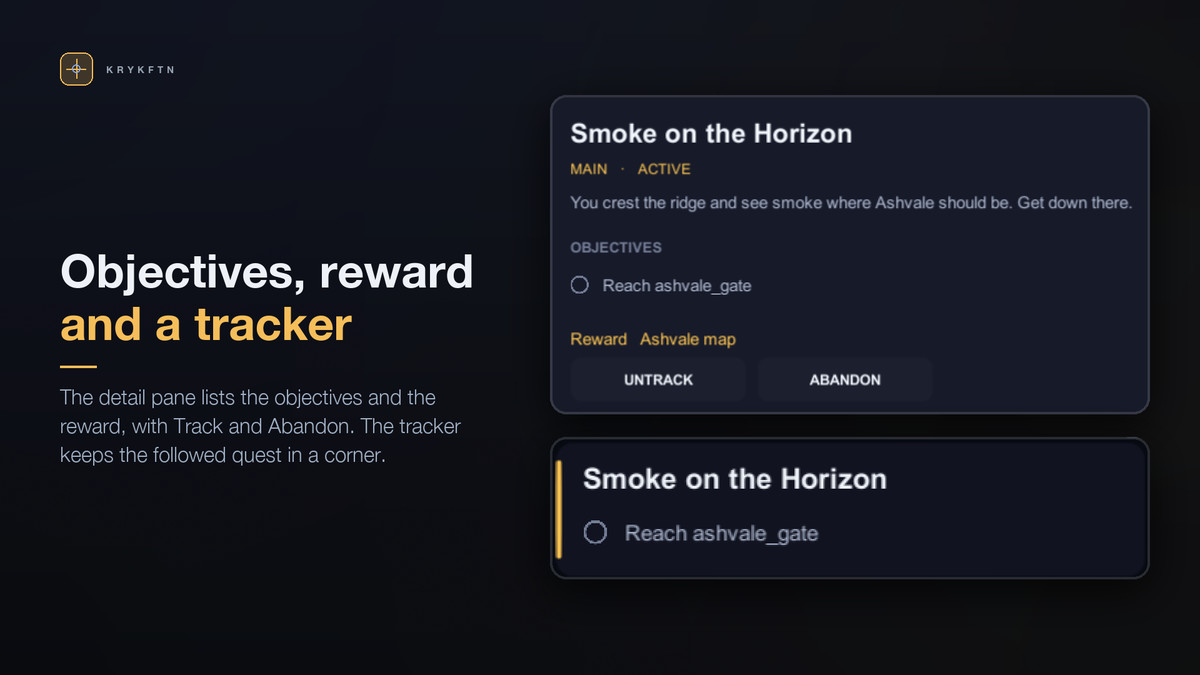
Drop the journal into your scene and it is finished: category tabs, the quest list with live progress bars, and a detail pane holding the briefing, the objective checklist, the reward and the Accept / Track / Abandon buttons. Locked quests stay in the list and say what is standing in the way - "Requires level 5", "Finish A Village in Need first". A HUD tracker follows the quest the player is tracking, ticks its objectives as they happen, and hides itself when there is nothing to show. Four built-in themes - Midnight, Parchment, Slate and Ember - restyle both views at once.
ONE CALL, EVERY QUEST THAT CARES
Gameplay reports what happened. The log works out which quests it moves.
QuestLogContainer.Main.Defeat("wolf");
QuestLogContainer.Main.Collect("moonherb", 5);
Objectives tick, quests complete, the next links unlock and auto-start quests fire - without another line from you. No per-quest wiring, no listener soup.
CHAINS THAT BRANCH AND GATE
Prerequisites with AND or OR logic. Level requirements. Repeatable bounties. Auto-starting openers. And either/or groups, where taking one quest closes the other for good - branching stories without hand-rolling a state machine.
CLEAN UNDER THE HOOD
The journal is optional. Underneath it is a plain C# model: quest states, objective counts, unlock rules and change events, with no scene and no Unity lifecycle - drive it straight from gameplay code and draw your own interface instead if you would rather. Save and load to JSON, PlayerPrefs or a file. Rows are keyed by quest id, so editing your board later never corrupts an existing save.
NO DEPENDENCIES
uGUI and Unity's built-in font. Every sprite the journal draws is generated at runtime, so there is no art to import. No TextMeshPro, no Input System, no third-party packages. Works on Built-in, URP and HDRP.
GET RUNNING IN 30 SECONDS
Tools > Quick Quest Log > Setup Window. Create Demo Board gives you nine quests showing every rule - an auto-starting opener, a repeatable bounty, a hidden objective, a branching either/or choice, level gates and a line that fails its quest. Create Demo Scene wires the journal, the tracker and a bar of stand-in gameplay buttons to it, already populated in the Scene view before you press Play.
Full C# source included.
PART OF A BUNDLE
Quick Quest Log is one of the eight tools in Quick RPG Systems Bundle, together with inventory, crafting, loot tables, skill trees, dialogue, stat formulas and shops. Owning the bundle makes each of the eight a free upgrade.
https://assetstore.unity.com/packages/tools/game-toolkits/quick-rpg-systems-bundle-405658
From the publisher's Asset Store listing.
Technical details
Visual quest chain editor: quests as cards, Alt-drag to link, directional arrows, right-click menus, cycle detection
Auto Layout in two shapes: rows (top-down) and columns (left-right)
Built-in validation: quests with no objectives, duplicate quests, empty objective targets, unreachable quests
Keyboard shortcuts: F frame all, Ctrl+N add quest, Ctrl+D duplicate, Delete remove
Full objective list editor in the side panel — add, reorder, retarget, no Project window round-trips
Runtime journal panel: category tabs, quest list with live progress bars, and a detail pane with the briefing, objectives, reward and Accept / Track / Abandon
Locked quests stay listed with the reason they are locked — level, prerequisite or an exclusive choice already taken
HUD quest tracker that follows the tracked quest, ticks objectives live and hides itself when idle
Theme asset with four built-in palettes (Midnight, Parchment, Slate, Ember) restyling journal and tracker together
Every UI sprite generated procedurally at runtime — no textures to import
Five objective kinds (Collect, Defeat, Reach, Talk, Deliver) plus Custom for anything else
Hidden objectives that appear only once the line above them is done
Failure objectives that end the quest when completed — timers, betrayals, mutually exclusive endings
Quest states: Locked, Available, Active, Completed, Failed
Prerequisite chains with AND or OR logic, level requirements and either/or exclusive groups
Auto-starting quests, repeatable quests, and abandon support
One-call progress reporting that advances every active quest waiting on that target
Pure C# QuestLogModel with Changed, QuestStateChanged and ObjectiveProgressed events
Save / load to JSON, PlayerPrefs or file, keyed by quest id so board edits never break old saves
Quest categories (Main, Side, Bounty, Exploration, Event) with per-category accent colors
One-click demo: a nine-quest sample chain plus a fully wired demo scene
Zero dependencies: uGUI and Unity's built-in font. No TextMeshPro, no Input System
Render pipelines: Built-in, URP and HDRP
Unity 2022.3 LTS or newer
Full C# source included, documented
Compatibility
| Unity version | Built-in | URP | HDRP | Custom |
|---|---|---|---|---|
| 2022.3.62f2 | Compatible | Compatible | Compatible | Compatible |
uGUI and plain C#, so it runs unchanged on Built-in, URP and HDRP. No shaders or materials ship with it: every sprite is generated at runtime and text uses Unity's built-in font. The one requirement is com.unity.ugui; without it the assemblies switch off with zero compile errors and a Setup window installs it. The journal key reads the Input System or the Input Manager, whichever the project uses.
As listed on the Asset Store.