
 View on Asset Store (opens in new tab)
Package details
- Latest version
- 1.0.0
- Last updated
- First released
- Unity version
- 6000.3.19 or later
- Package size
- 97 KB
- Files
- 34
- Favorites
- 3
- Views in the past week
- 15
Price tracking
- Last checked
- Tracked since
- Lowest recorded
- Free on
Keywords

CastXR SDK
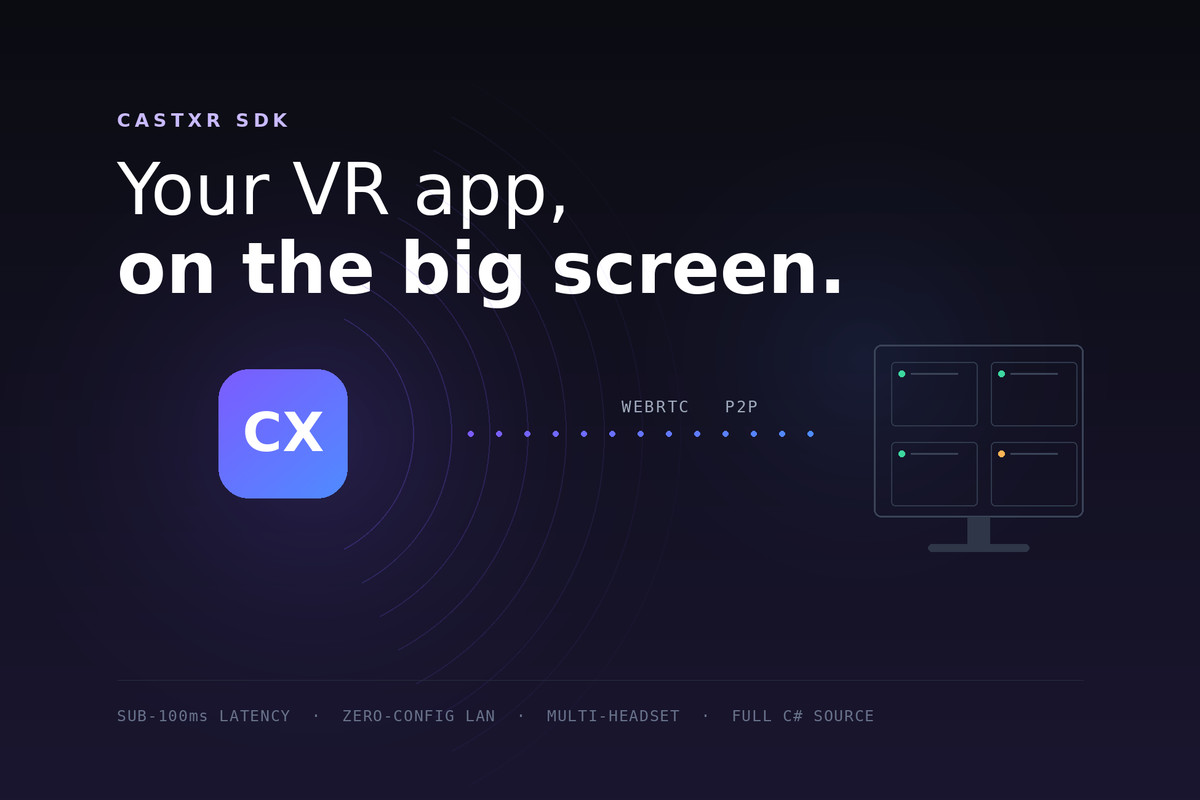
Stream your Unity XR app from a standalone headset to a Windows PC. Sub-100ms, peer-to-peer, no capture card, no code to write.
Affiliate link · Purchases support this site
Price history
Last 6 months
USDAsset preview
1 / 6
CastXR SDK screenshot 1
About this asset
CastXR SDK streams your Unity XR application from a standalone headset to a Windows PC in
real time — typically under 100 ms on a local network, peer-to-peer over WebRTC, with no
capture card and no cloud service.
NO CODE TO WRITE
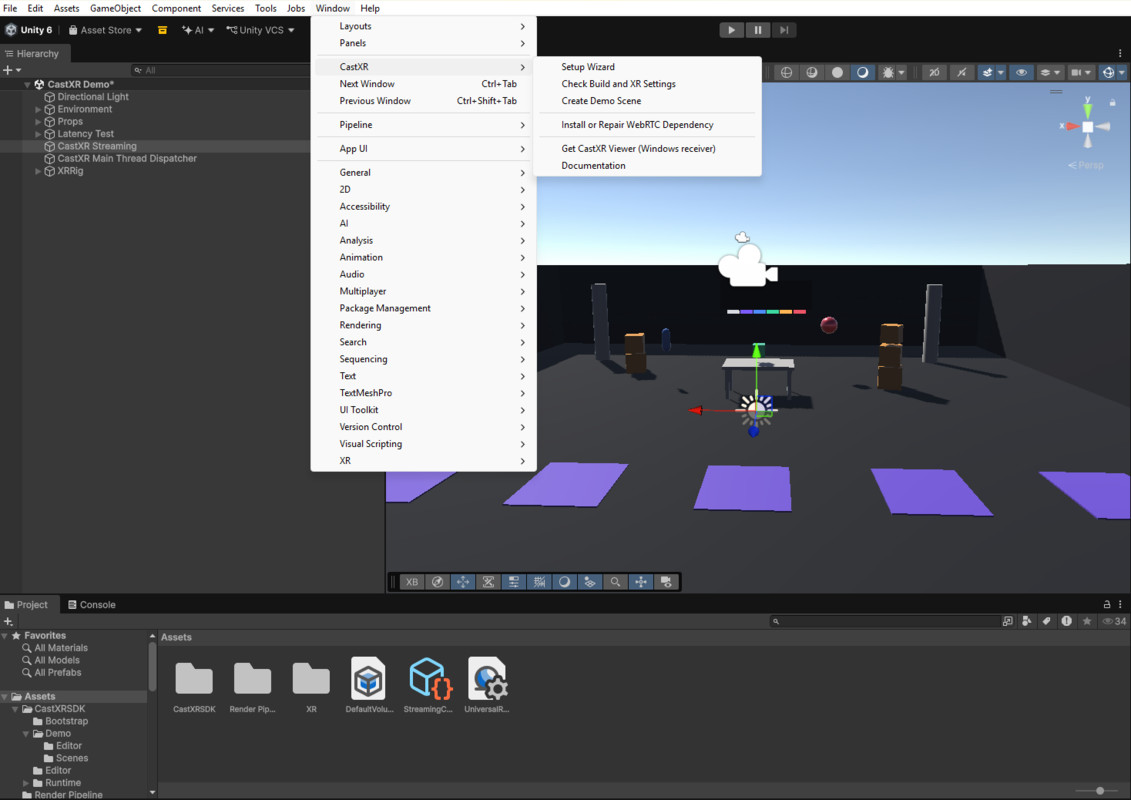
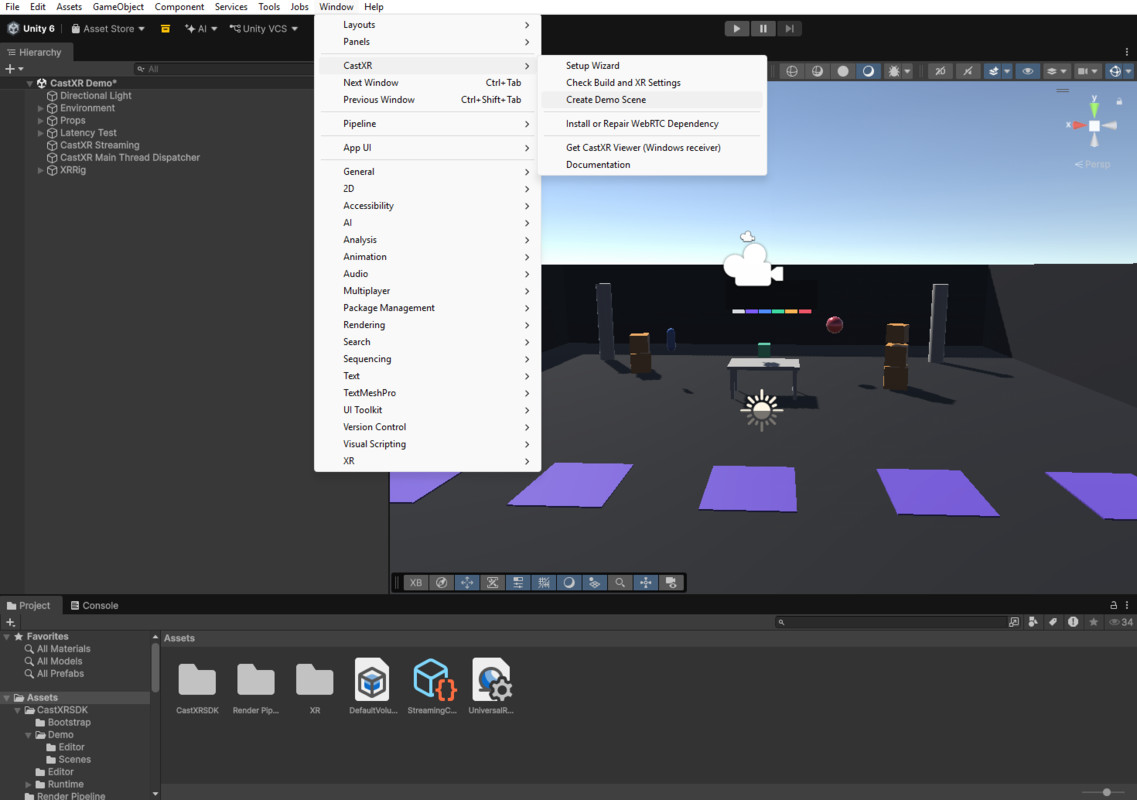
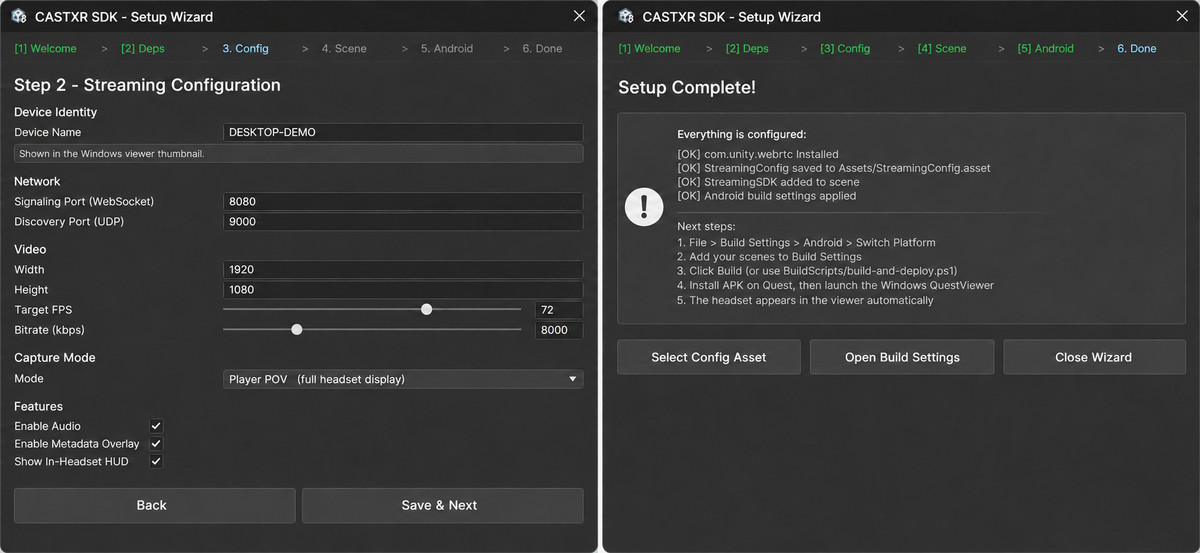
Import the package and run two menu items. The setup wizard installs the WebRTC dependency,
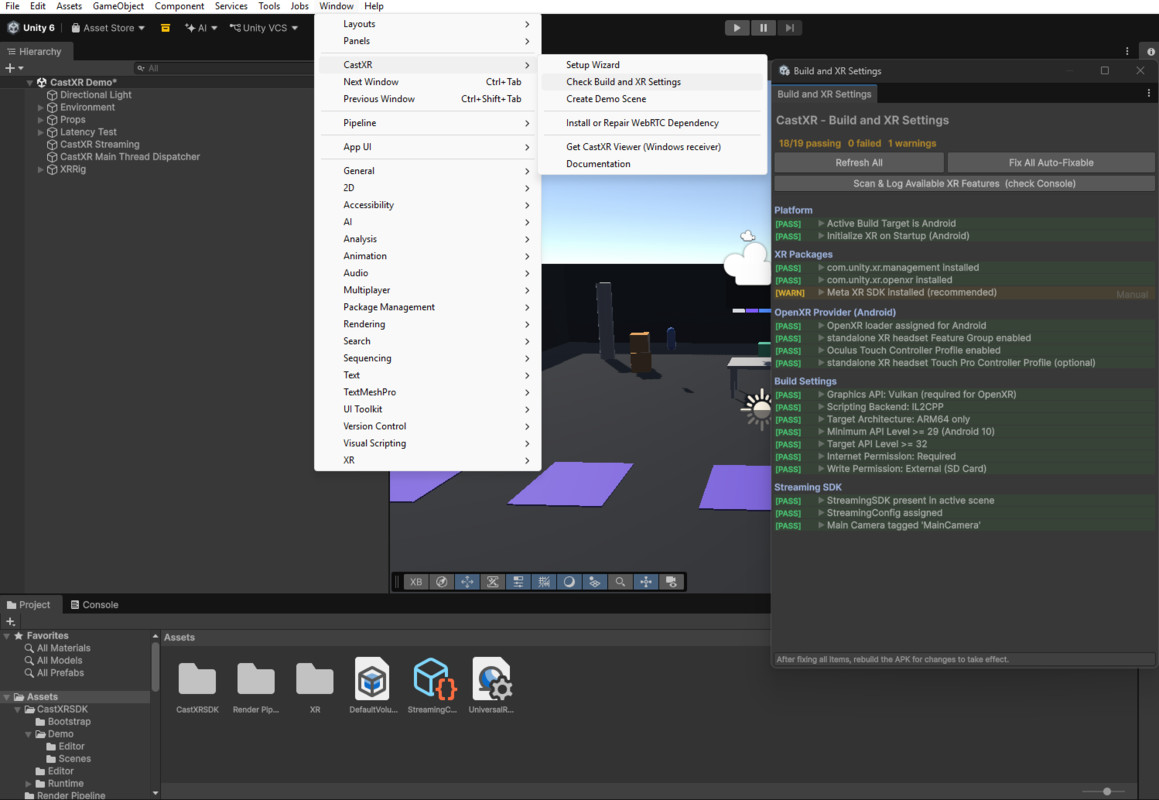
creates a config asset and adds a configured object to your open scene. A second wizard
verifies the Android and OpenXR settings streaming needs and fixes them one click at a time.
Then build your APK exactly as you already do.
There are no SDK calls to make, no prefabs to wire and no callbacks to implement.
WHAT YOU GET
- Real-time video and audio — hardware H.264 on the headset, Opus audio, carried by WebRTC
- Zero-configuration discovery — a headset on the same Wi-Fi appears on the PC by itself.
No IP addresses, no pairing codes, no router changes
- Live quality control — change resolution, frame rate and bitrate per headset while it
streams, without restarting
- Self-healing sessions — the stream recovers on its own when a headset sleeps, loses
tracking or leaves the play boundary
- Many headsets at once — watch a room full of headsets side by side on one PC
- Full C# source — read every line before you ship it
FREE TO EMBED
No activation check, no runtime fee, no phone-home. Embed it in commercial projects at no
cost. The SDK contains no licence check of any kind.
YOU ALSO NEED THE FREE RECEIVER
This SDK is the sender. The video has to arrive somewhere, so you need CastXR Viewer for
Windows on the PC — free on the Microsoft Store, signed and distributed by Microsoft:
https://apps.microsoft.com/detail/9NKR9T8MK6R8
Free forever for one headset at up to 720p. No account, no key, no time limit — enough to
develop, test and ship with. Paid tiers lift the limits; nothing in this SDK is time-limited.
WHAT IT DOES NOT DO
CastXR only streams applications built with this SDK — software you or your team built. It
cannot capture other applications on the headset, or the system menus. That is a design
decision, not a missing feature.
REQUIREMENTS
- Unity 6000.0 or newer
- com.unity.webrtc 3.0.0 or newer (the setup wizard installs it)
- A standalone Android XR headset — Android build target, IL2CPP, ARM64, Vulkan
- Windows 10 1809 or newer for the receiver
Note: com.unity.webrtc 3.0.0-pre.7 and -pre.8 silently transmit no video on Android with
Vulkan. Use 3.0.0 or newer. The setup wizard checks this for you.
SUPPORT
Manual, troubleshooting and contact details ship with the package.
From the publisher's Asset Store listing.
Technical details
PLATFORM
- Unity 6000.0 or newer. Tested on 6000.3.
- Sender: Android, IL2CPP, ARM64, Vulkan. Meta Quest 2, Quest 3 / 3S, Quest Pro.
- Receiver: Windows 10 version 1809 or newer, 64-bit.
DEPENDENCY
- com.unity.webrtc 3.0.0 or newer, installed by the setup wizard or Package Manager.
IMPORTANT: 3.0.0-pre.7 and 3.0.0-pre.8 silently transmit no video on Android + Vulkan,
which is every Quest build. The wizard detects a pre-release and offers to upgrade.
MEDIA PIPELINE
- The scene renders to a RenderTexture, encoded by the headset's hardware H.264/HEVC encoder.
- Audio is captured from the Unity mixer and encoded as Opus.
- Transport is WebRTC. Media is peer-to-peer over UDP between headset and PC.
- Format is negotiated via WebRTC.GetSupportedRenderTextureFormat, not hardcoded.
SIGNALLING AND PORTS
- Discovery: UDP broadcast on port 9000. The headset announces; the receiver answers.
- Signalling: UDP on port 8080 for SDP and ICE exchange on the local network.
- Optional relay: WebSocket on TCP 8090 when the two devices are not on the same subnet.
Join requests are authenticated with an HMAC-SHA256 token over
room:role:timestamp:nonce:deviceId, with a 5-minute clock-drift window and replay
protection. Only signalling crosses the relay — never media.
- ICE: STUN by default; TURN servers can be configured for symmetric NAT.
CONFIGURATION
- A StreamingConfig ScriptableObject holds resolution, frame rate, bitrate, capture mode,
device name, relay settings and ICE servers. Everything is adjustable in the Inspector and
most values can be changed at runtime or remotely from the receiver.
- Device names resolve from the headset's own Android setting, so a fleet of identical builds
still shows distinct names in the receiver.
RUNTIME API
- StreamingManager exposes start, stop, capture-mode switching and quality changes, with
state-change events for wiring your own UI.
SOURCE AND LICENSING
- Complete C# source, no DLLs, no obfuscation.
- No activation check, no licence key, no phone-home, no analytics, no time limit.
- Embeddable in commercial projects at no additional cost.
NOT INCLUDED
- The Windows receiver is a separate free download from the Microsoft Store.
- Multi-viewer (several PCs watching one headset) is not supported in this version. One PC
can watch many headsets.
Compatibility
| Unity version | Built-in | URP | HDRP |
|---|---|---|---|
| 6000.3.19f1 | Compatible | Compatible | Not listed |
As listed on the Asset Store.