
 View on Asset Store (opens in new tab)
Package details
- Latest version
- 1.0
- Last updated
- First released
- Unity version
- 6000.3.10 or later
- Package size
- 143 KB
- Files
- 14
- Favorites
- 3
- Views in the past week
- 19
Price tracking
- Last checked
- Tracked since
- Lowest recorded
- Free on
Keywords

Event Bus Lite
A lightweight event bus system to be used in any Unity project. Event senders/subscribers stay fully decoupled. No setup needed, no external dependencies. Works out of the box.
Affiliate link · Purchases support this site
Price history
Last 6 months
USDAsset preview
1 / 1
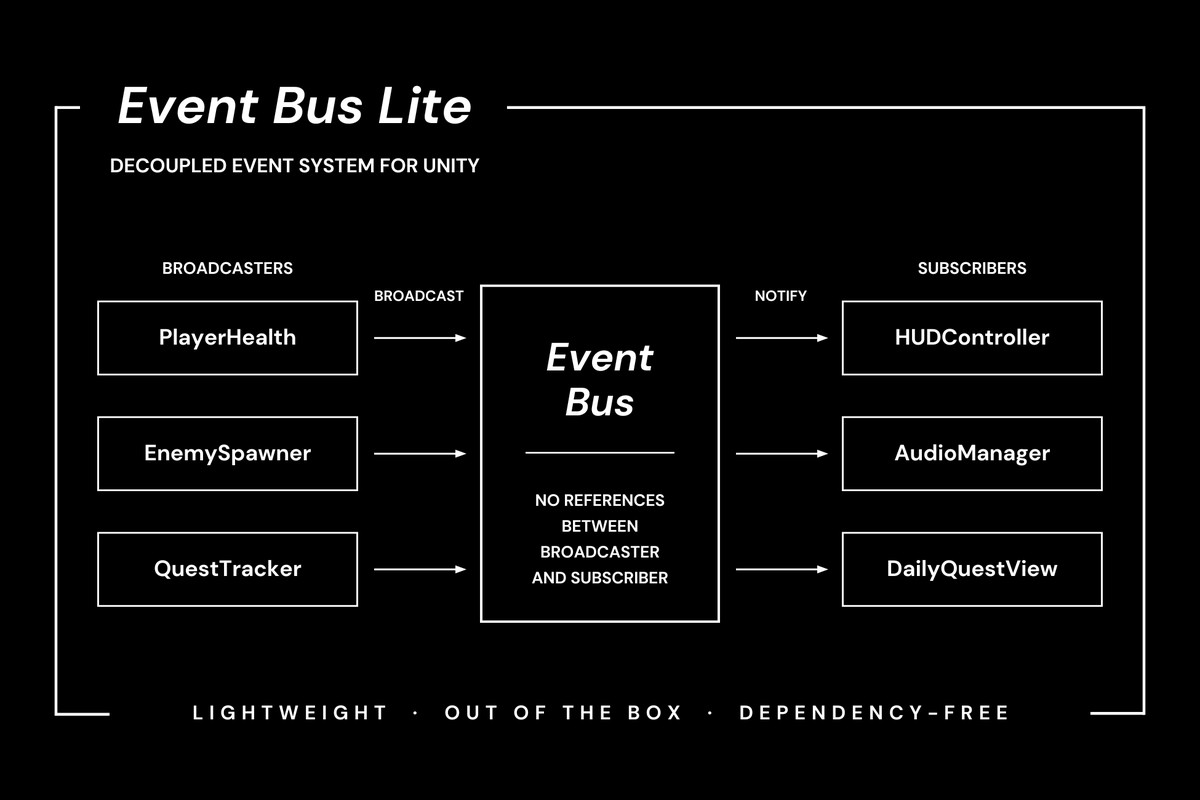
Event Bus Lite screenshot 1
About this asset
Event Bus Lite is a lightweight event system that allows to send/subscribe to events in a clean, decoupled way.
The observer pattern is great for inter-class communication, but it can quickly become a mess when the project grows and references have to be passed between multiple event senders/subscribers. Event Bus Lite solves this problem by providing a single, centralized hub for your events, with several safety mechanisms. Senders/subscribers don't need to know about each other at all.
The asset requires no special setup, just add it to your project and you can start exchanging events between your classes freely, avoiding unnecessary entanglement.
From the publisher's Asset Store listing.
Technical details
Event Bus Lite exposes a simple, yet powerful API:
1. Define your event (class, struct), implementing the IEvent interface. It can carry whatever data you need.
2. Send the event using the static EventBusProvider.Broadcast().
3. Subscribe to the event by implementing IEventSubscriber interface. Use the static EventBusProvider.Subscribe<T>(), passing the method that will be called on receiving the event.
4. Initialize the EventSubscriptionBin that will handle cleaning up of the subscription. Use the convenient extension method AddToSubscriptionBin() and Dispose() of the bin in OnDestroy() (or whenever you need).
That's all! Quick, simple and safe.
Look at the demo scripts and documentation to easily integrate the Event Bus Lite into your project.
Compatibility
| Unity version | Built-in | URP | HDRP | Custom |
|---|---|---|---|---|
| 6000.3.10f1 | Compatible | Compatible | Compatible | Compatible |
As listed on the Asset Store.