
 View on Asset Store (opens in new tab)
Package details
- Latest version
- 1.0.0
- Last updated
- First released
- Unity version
- 6000.3.20 or later
- Package size
- 395.5 MB
- Files
- 225
- Favorites
- 6
- Views in the past week
- 12
Price tracking
- Last checked
- Tracked since
- Lowest recorded
- $14.00 on
Keywords

Advance Tree Chopper
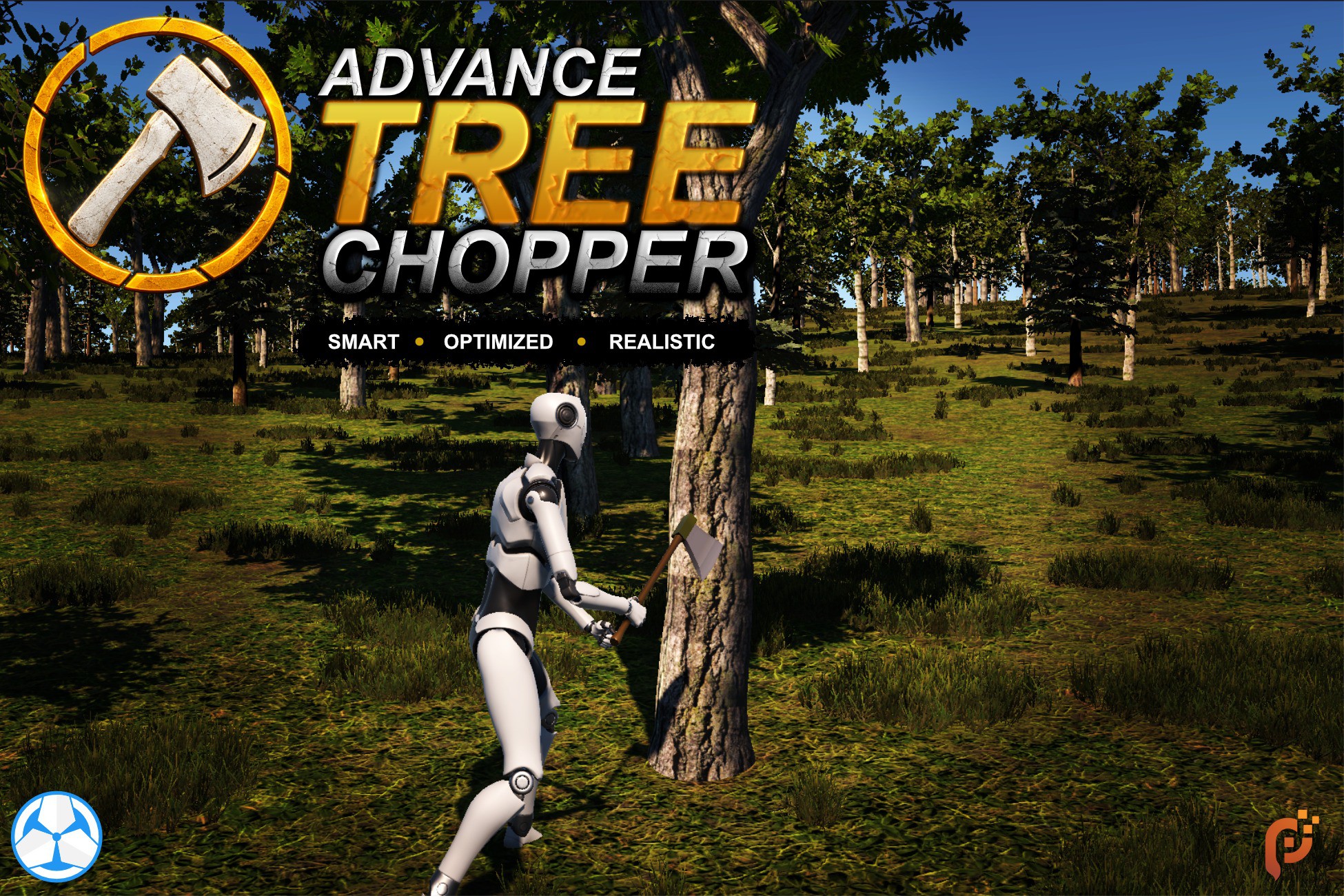
Make Unity terrain trees choppable. Nearby trees swap to interactive stand-ins, chopped spots persist across sessions, and optional regrowth turns your forest into a renewable resource.
Affiliate link · Purchases support this site
Price history
Last 6 months
USDAsset preview
1 / 7

Advance Tree Chopper screenshot 1


About this asset
Advance Tree Chopper makes Unity terrain trees actually choppable, without giving up the performance.
When the player walks near a terrain tree, it is swapped for your own interactive stand-in prefab: a real GameObject with a collider that your combat or interaction system can hit. Walk away and it returns to being a cheap terrain tree. Chop a stand-in down and that location stays chopped — through the rest of the session and across restarts. Turn on regrowth and it grows back after a delay, turning your terrain into a renewable resource.
Key features
- Proximity stand-in swapping — terrain trees become interactive prefabs in range and revert outside it, with a hysteresis band so trees never flicker at the boundary. Distance work runs in a Burst-compiled job, on a configurable tick interval.
- Chop any way you want — the asset never reads input. Call ApplyChop(standIn, amount) from a melee sweep, a raycast, a trigger volume, or a timed harvest. ChopProgressed / ChopCompleted events drive your loot, SFX, and score. Chop effort is set globally with an optional per-prototype override.
- Persistent chopped world — chopped locations are saved per tree and restored before the first proximity tick, so a chopped spot never flashes a standing tree on load. Loading is authoritative: the world is rolled to exactly match the save, which makes mid-session save-slot switching work correctly.
- Plug in your own save system — implement a two-method ISaveAdapter and register it with one call. No source edits. The payload is plain serializable C# with no scene or object references, so it drops into JSON, binary, a database row, or a cloud document. Works out of the box with a built-in JSON file adapter if you don't need any of that.
- Play-time tree regrowth (optional, off by default) — chopped trees regrow after a configurable delay counted in in-game time only; closing the game never advances it. A tree never pops in while the player is standing there — regrowth is deferred until they leave range. Remaining regrow time is saved, so a half-grown tree resumes correctly.
- No-regrow areas — drop a Regrowth Mask (sphere or box, gizmo-drawn, no collider needed) on any object to keep ground clear where the player has built something. Masks are dynamic and stack; remove the building and the tree comes back. Purely runtime — it changes nothing in your save data. Custom rules via IRegrowthBlocker.
- Pooled stand-ins — stand-ins are pooled and reused, with colliders auto-restored and onSpawned / onDespawned hooks so prefabs that fall, break, or swap meshes reset cleanly.
- Safe with your TerrainData — hiding a tree is runtime-only. Every hidden instance is restored on teardown and on exiting Play mode in the Editor, so your terrain asset is left exactly as you authored it.
- Editor tooling — one-click prototype-row generation from your terrain, inspector validation that warns about collider setups that cause invisible colliders, and a live in-inspector debug list of every chopped tree and its regrowth countdown during Play mode.
- Game creator 2 integration — use the familiar game creator 2 visual scripting to add custom behaviour to your choppable trees and reach to tree chopping. (Requires onl game creator 2 core module)
From the publisher's Asset Store listing.
Technical details
Persistence
- Payload is plain serializable C# with no scene or object references.
- Compatible with JsonUtility, System.Text.Json, binary writers, cloud documents, or a blob in your existing save-slot system.
- Default DefaultFileSaveAdapter writes JSON to Application.persistentDataPath — zero setup, zero dependencies.
- Stale entries (unknown terrain key, out-of-range index after re-authoring a terrain) are skipped silently — adapters don't need to validate.
Performance
- Proximity distances computed in a Burst-compiled IJobParallelFor over NativeArray data.
- Configurable tick interval (default: every 3 frames) — the full proximity pass doesn't run per frame.
- Stand-ins are pooled and pre-warmed per prototype; steady-state chopping does no Instantiate/Destroy.
- Hysteresis band prevents repeated spawn/despawn churn at the swap boundary.
- Regrowth timers are plain floats advanced on the same tick — no per-tree coroutines or MonoBehaviours.
Requirements
- Unity 6 (developed on 6000.3) with the Terrain module.
- Package dependencies: com.unity.burst, com.unity.collections, com.unity.mathematics — added to Packages/manifest.json automatically if missing.
- Runtime code is render-pipeline agnostic (no shaders, materials, or rendering code in the runtime assemblies) — usable with Built-in, URP, or HDRP.
Included demo
- Playable scene with a third-person character, axe, animation-event-driven chop impact window, randomized impact/felled SFX, and a working InMemorySaveAdapter template.
- Demo scene is authored for URP and additionally uses the Input System and Cinemachine.
Known limits
- Single proximity source (one assigned player Transform).
- Regrowth uses one global delay — no per-prototype or per-tree delays.
- Regrowth counts play-time only; time while the app is closed never advances it (deliberate).
- Terrain Terrain Key must stay stable, and re-authoring a terrain's tree data after saving invalidates the affected entries (skipped safely, not restored).
Compatibility
| Unity version | Built-in | URP | HDRP | Custom |
|---|---|---|---|---|
| 6000.3.20f1 | Compatible | Compatible | Compatible | Compatible |
As listed on the Asset Store.