
 View on Asset Store (opens in new tab)
Package details
- Latest version
- 1.1
- Last updated
- First released
- Unity version
- 6000.6.4 or later
- Package size
- 422 KB
- Files
- 36
- Favorites
- 3
- Views in the past week
- 8
Price tracking
- Last checked
- Tracked since
- Lowest recorded
- $9.95 on
Keywords

Asset Share Tool - Cross-Project Asset Sharing
Asset Share Tool lets multiple Unity projects use the same asset folder without copying that folder into every project.
Affiliate link · Purchases support this site
Price history
Last 6 months
USDAsset preview
1 / 2
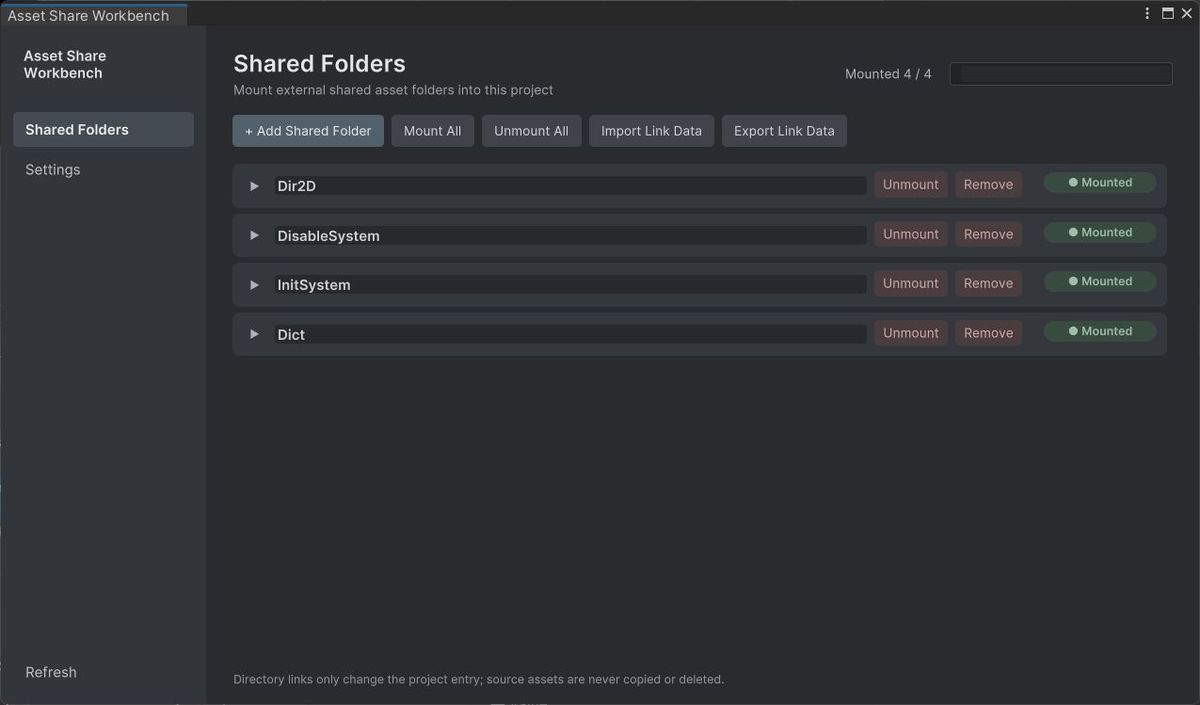
Asset Share Tool - Cross-Project Asset Sharing screenshot 1
About this asset
One shared asset folder. Multiple Unity projects.
Asset Share Tool is a Unity Editor utility that links external asset folders into your project's Assets folder. Keep one shared source library and reuse it across projects without copying the source files into each project.
Use it for reusable models, textures, materials, audio, scripts and editor tools. It fits 2D and 3D projects, prototypes, sample projects and teams maintaining a common asset library.
A clear workflow for shared assets
- Manage links in one workbench. Add shared folders, customize names and destination paths, search your entries, check connection states, and link or unlink folders individually or in batches.
- Work in Unity's Project window. Linked folders appear under Assets with a chain-link badge. Unlinking removes the project link while keeping the shared source folder.
- Organize your external library. The External Asset Explorer lets you browse and search folders, create folders, open files, rename items, and move files within your configured external root while keeping their .meta files together.
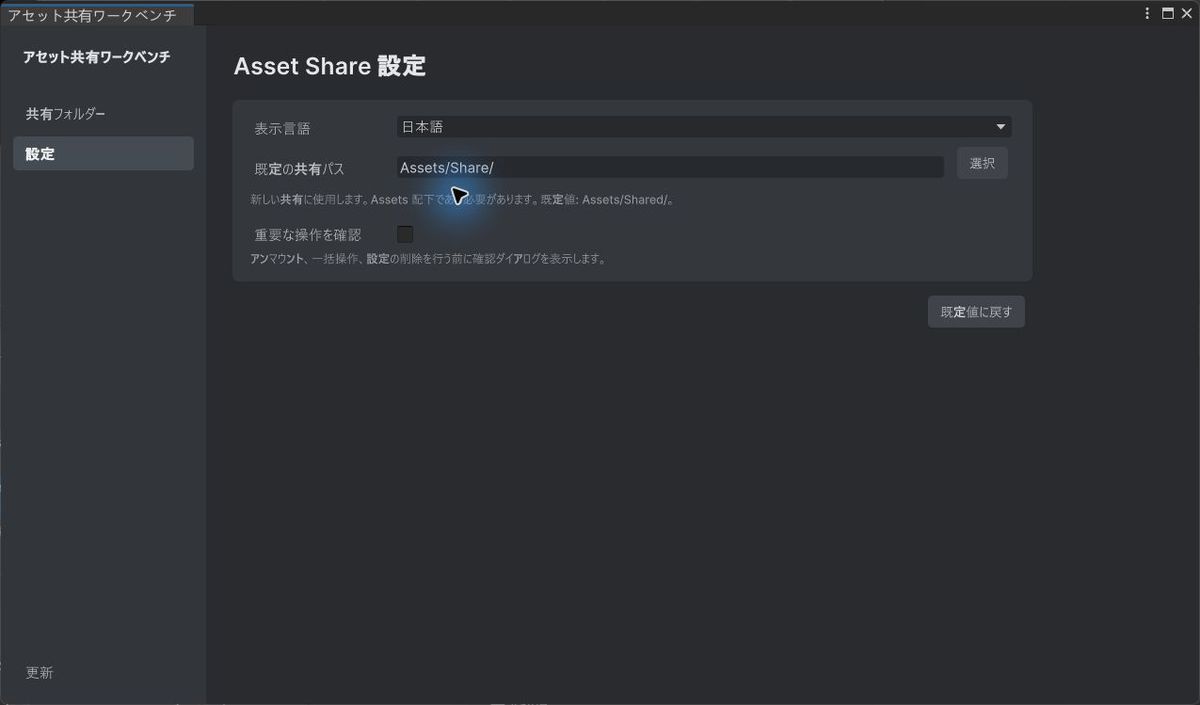
- Reuse your setup. Export and import link configuration as JSON, and switch the interface between English, Simplified Chinese, Japanese and Korean.
Getting started
Open Tools > AssetShare > Asset Share Workbench, choose an external source folder, review its destination under Assets, and click Link. Use Tools > AssetShare > External Asset Explorer to manage your shared library. English and Chinese readmes and a Quick Start guide are included.
Shared files remain shared. Changes made through a linked folder affect the original source and every project using it. Other projects pick up changes when Unity refreshes and imports the assets.
Official support — DZDZ Tools Discord
Join our official community for installation help, bug reports, feature requests and release announcements for Asset Share Tool and future DZDZ tools.
Join the official support community: https://discord.gg/g6GU4vwGgM
From the publisher's Asset Store listing.
Technical details
Editor integration
- Access both windows from Tools > AssetShare. The tool does not depend on a specific render pipeline.
Folder linking and management
- Mount external source folders under the project's Assets folder. The default destination root is Assets/Share/ and can be customized.
- Sources must be outside the current Unity project; link destinations must be inside Assets.
- Windows uses directory junctions; macOS and Linux use symbolic links. The filesystem and account permissions must permit link creation.
- Individual and batch Link/Unlink operations, configurable display names and paths, and search by name, source path or link path.
- Connection states show connected, disconnected, missing-source and path-conflict conditions. Scan Shared Links can register existing directory links under the configured share root.
- Chain-link badges identify shared folders in the Project window. Configurable confirmation dialogs and a Project-window deletion guard help protect tracked, connected shared folders.
- Refresh Sources searches recorded roots by folder GUID to locate moved or renamed sources and reconnect previously linked entries when found. The source folder's .meta file must be retained.
External Asset Explorer
- Browse a configured external root with folder navigation, breadcrumbs, recursive search and adjustable icon size.
- Open files, reveal items in the system file browser, create folders, rename, cut/paste and drag items into folders. Move operations stay within the configured external root.
- Rename and move operations keep companion .meta files with their assets.
- Sync .meta creates missing metadata, removes orphan .meta files and preserves existing valid GUIDs. Changes are monitored while the Explorer is open.
Configuration, localization and documentation
- Export/import JSON containing link records and settings, including language, default share path, external root and confirmation preferences.
- Interface languages: English, Simplified Chinese, Japanese and Korean, with immediate language switching and an editable localization table.
- English and Chinese readmes, a Quick Start guide and C# source are included.
Usage notes
- Unlink removes the project link and retains the source. Editing linked files changes the shared source; deleting items in External Asset Explorer permanently deletes the source files and their .meta files.
- Preserve shared .meta files for stable Unity asset references. Each project still maintains its own Unity import cache and may need a refresh/import to see external changes.
- JSON contains configuration, not asset files. Import replaces the current configuration: unlink existing entries first. Source folders must be available on the target machine, and paths may need adjustment.
Compatibility
| Unity version | Built-in | URP | HDRP | Custom |
|---|---|---|---|---|
| 6000.6.4f1 | Compatible | Compatible | Compatible | Compatible |
As listed on the Asset Store.