
 View on Asset Store (opens in new tab)
Package details
- Latest version
- 1.0.1
- Last updated
- First released
- Unity version
- 6000.0.68 or later
- Package size
- 2.2 MB
- Files
- 74
- Favorites
- 16
- Views in the past week
- 292
Price tracking
- Last checked
- Tracked since
- Lowest recorded
- Free on
Keywords
AnkleBreaker MCP Plugin for Unity
Let your AI agent work inside the Unity Editor. One-click install of the open-source MCP bridge, a 16-page in-editor manual, update checks. Any MCP client. Free.
Affiliate link · Purchases support this site
Price history
Last 6 months
USDAsset preview
1 / 22
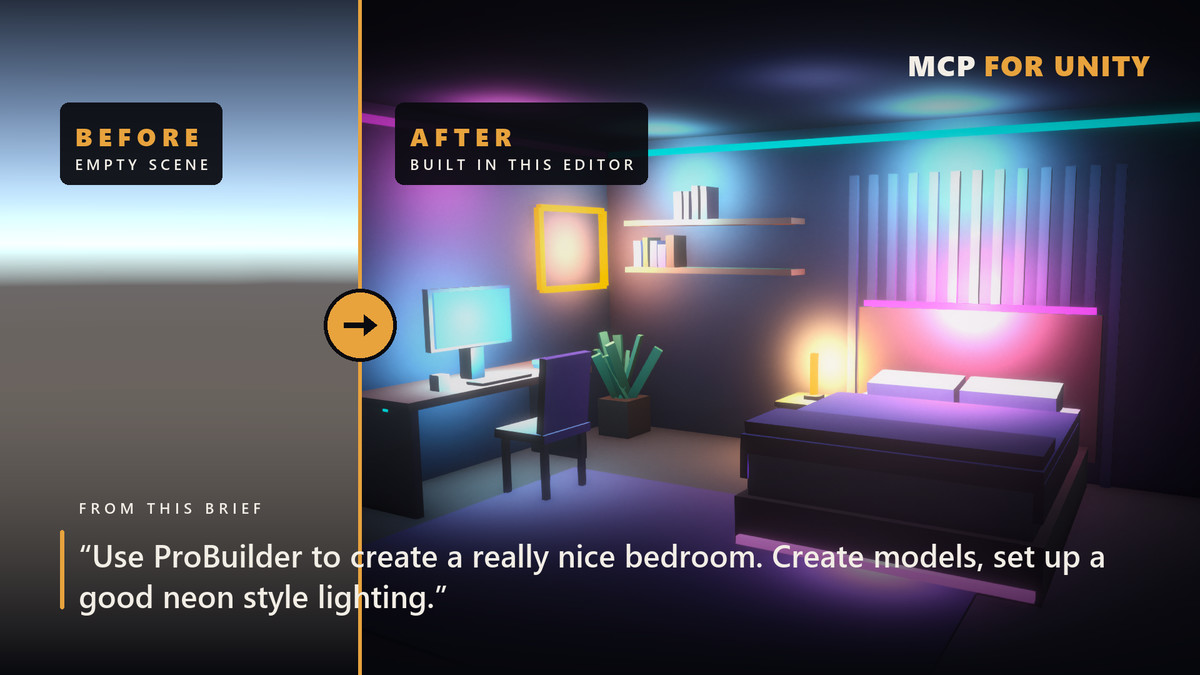
AnkleBreaker MCP Plugin for Unity screenshot 1
About this asset
💬 Join the AnkleBreaker Community! 💬
Got a question, feedback, or a feature you'd love to see? Join our Discord, we actively improve our assets based on your input, it's where we drop our latest announcements and run giveaways.
- 👥 Discord: 👉 https://discord.gg/2D36VUmsYN
- 🌐 Website: 👉https://anklebreaker-consulting.com
🤖 Your AI assistant now works inside the Unity Editor.
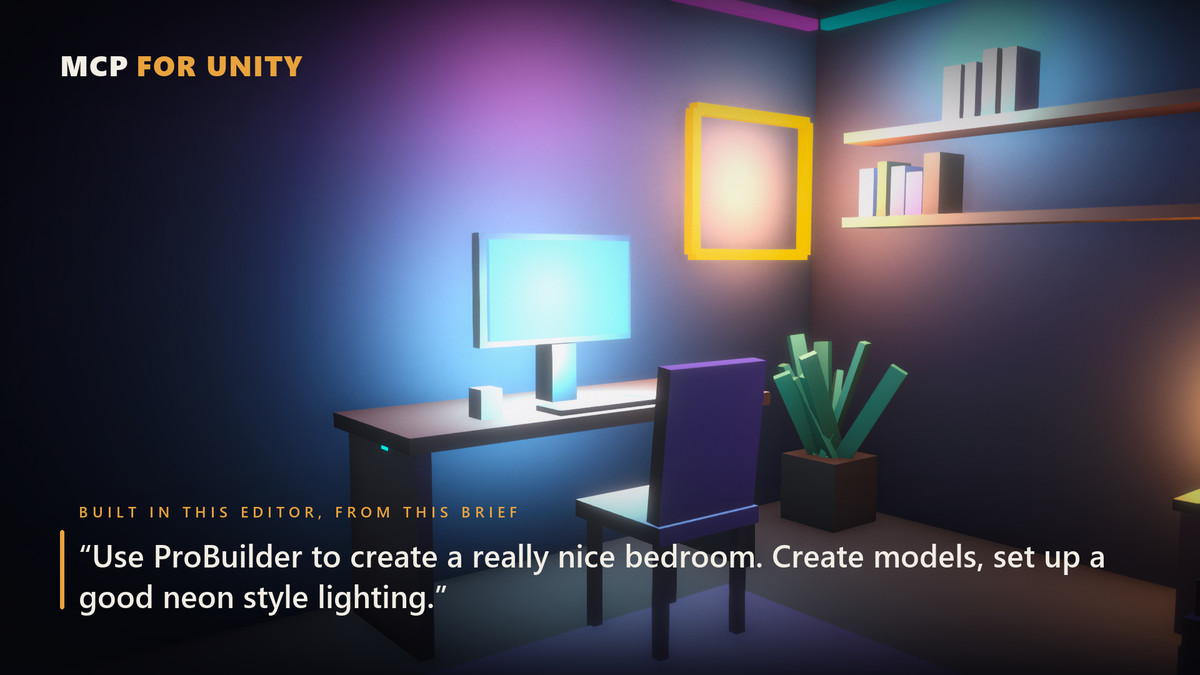
Stop describing your scene to an AI. Let it look for itself — and do the work for you.
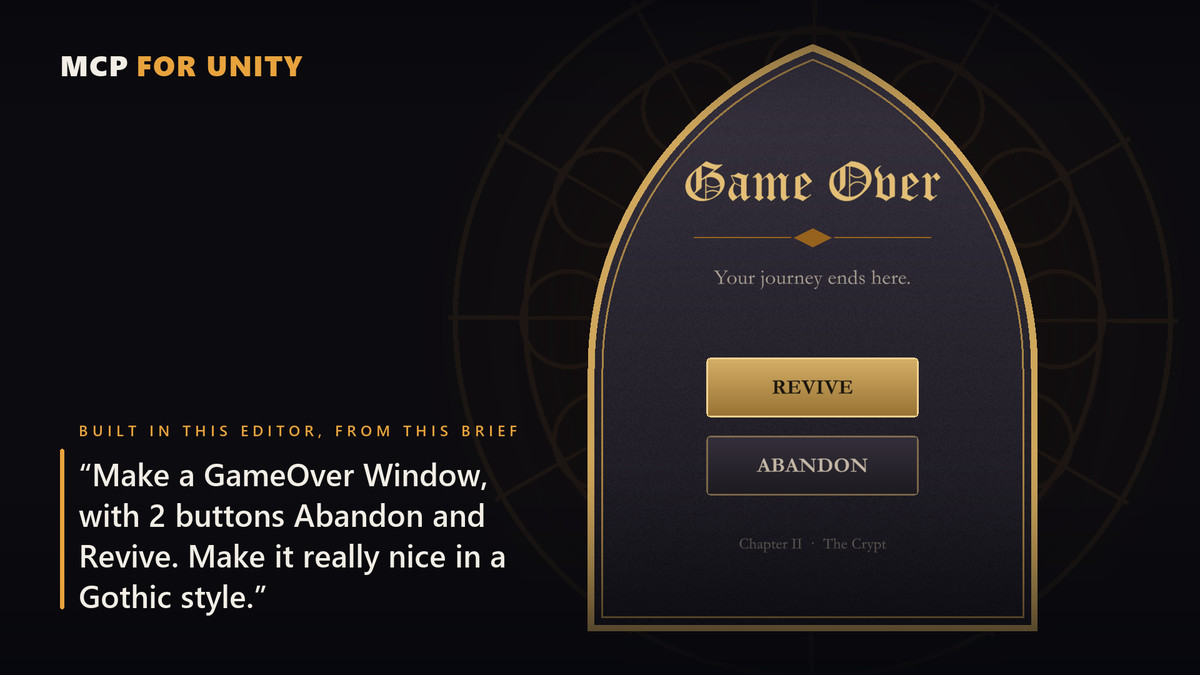
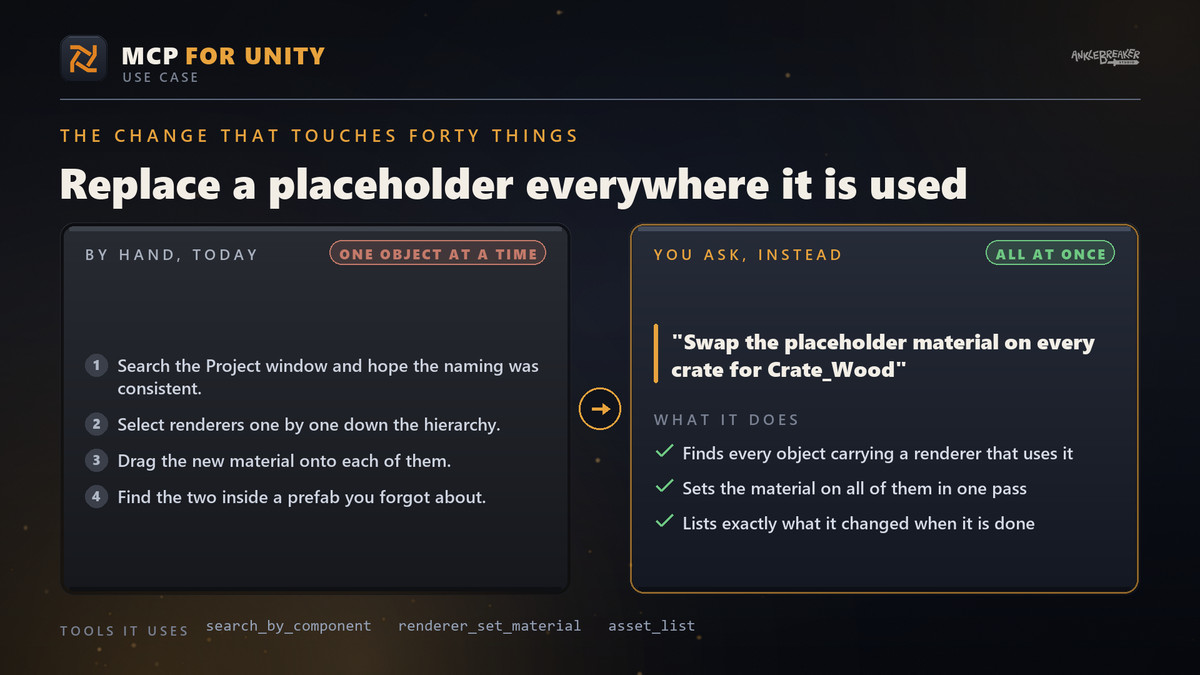
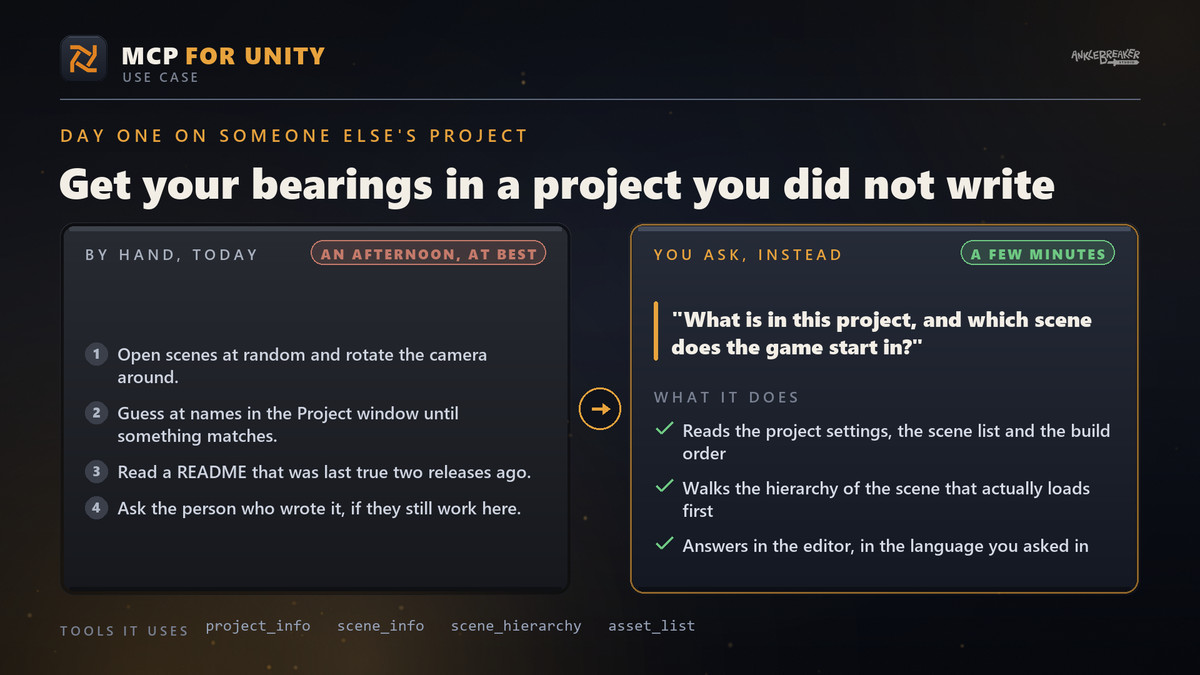
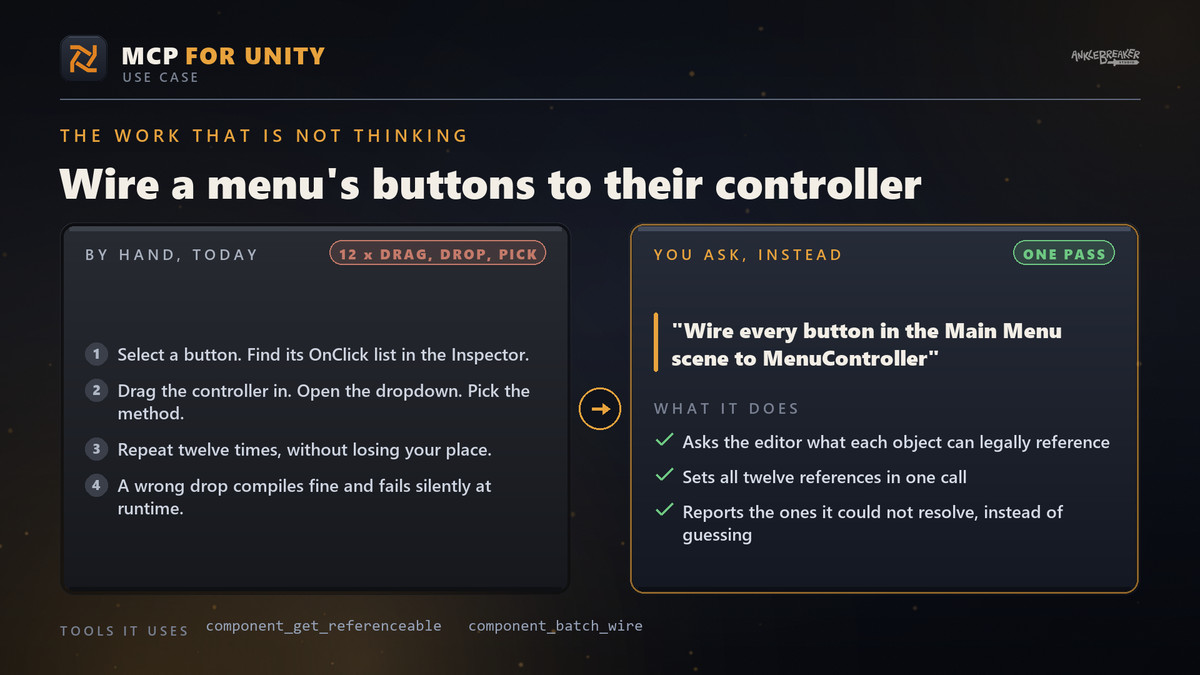
Install it in one click, connect the AI agent you already use, and just ask. It opens your prefabs, wires your components, fixes your materials, runs your builds and reads the errors back to you, right in the project you have open.
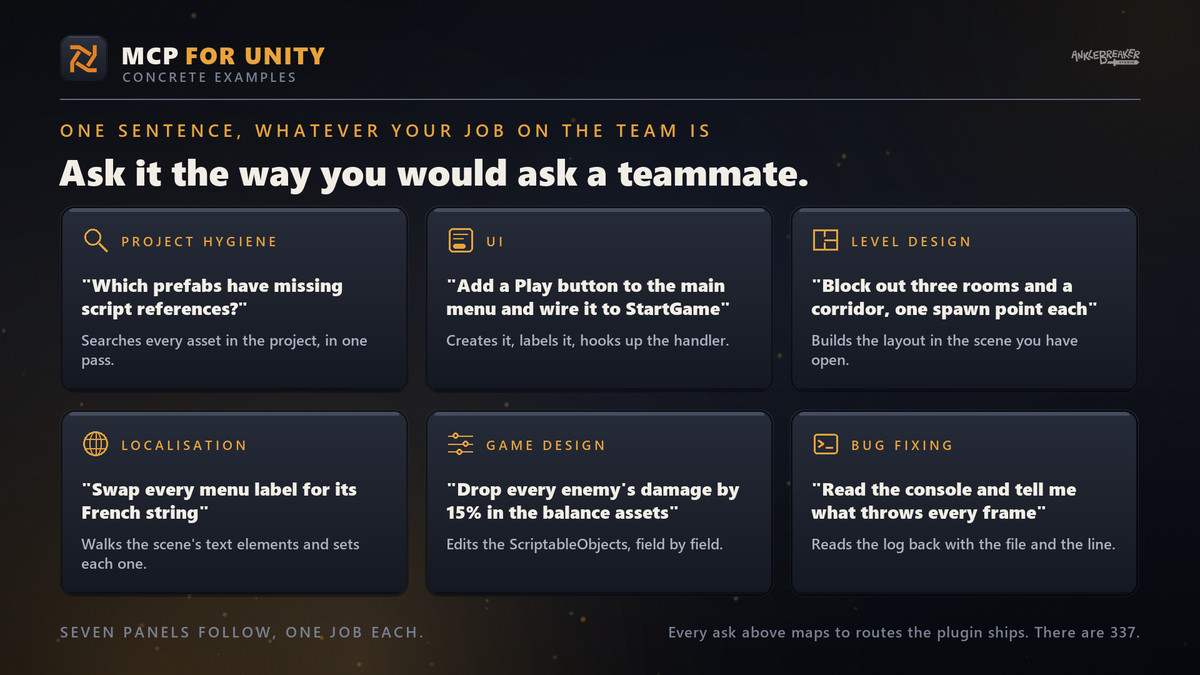
💬 JUST ASK — IT HAPPENS IN UNITY
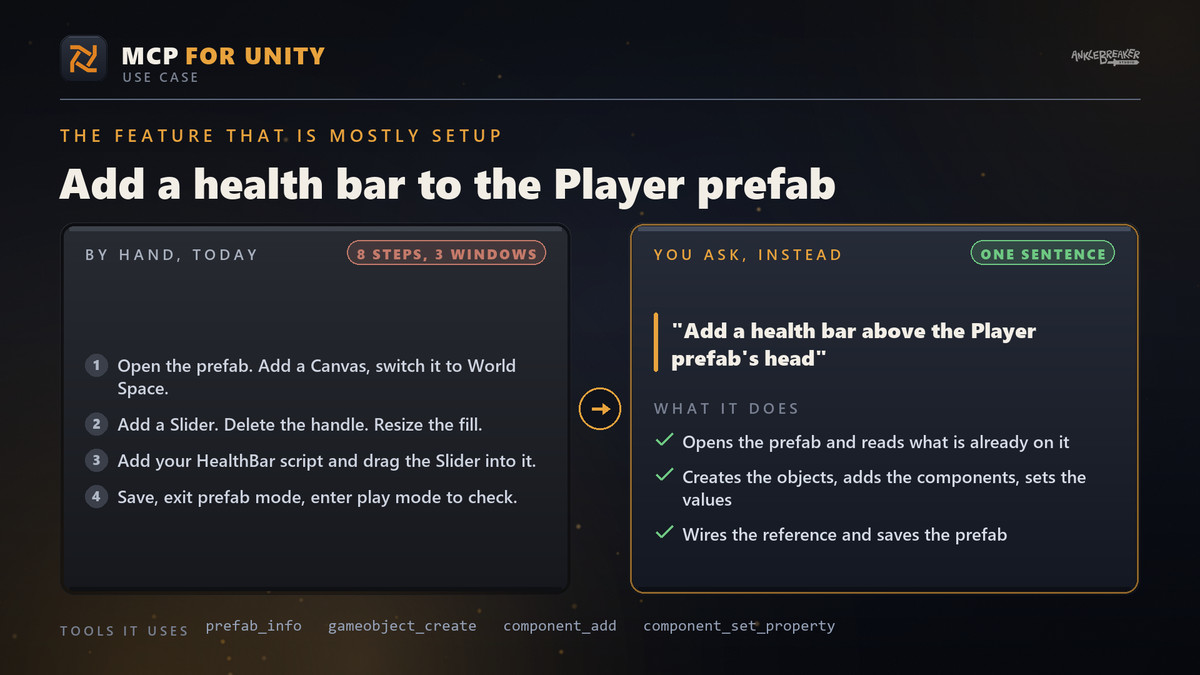
- ✔ "Add a health bar to the Player prefab"
- ✔ "Why is this material pink?"
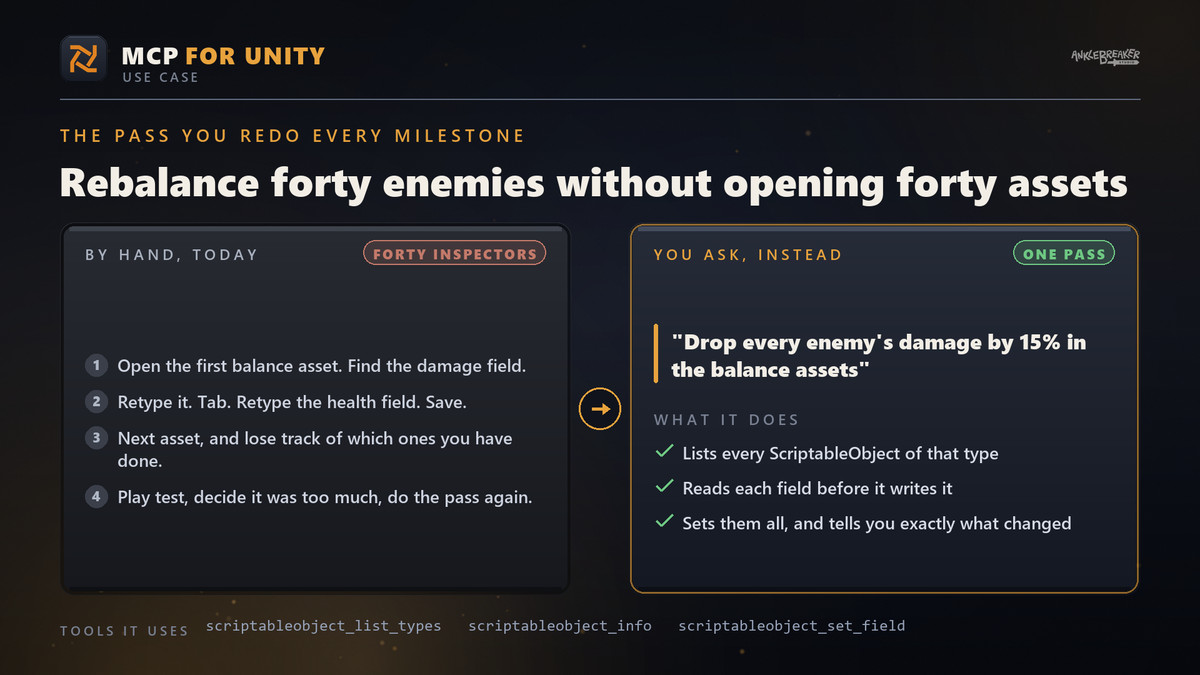
- ✔ "Rename every enemy in this scene"
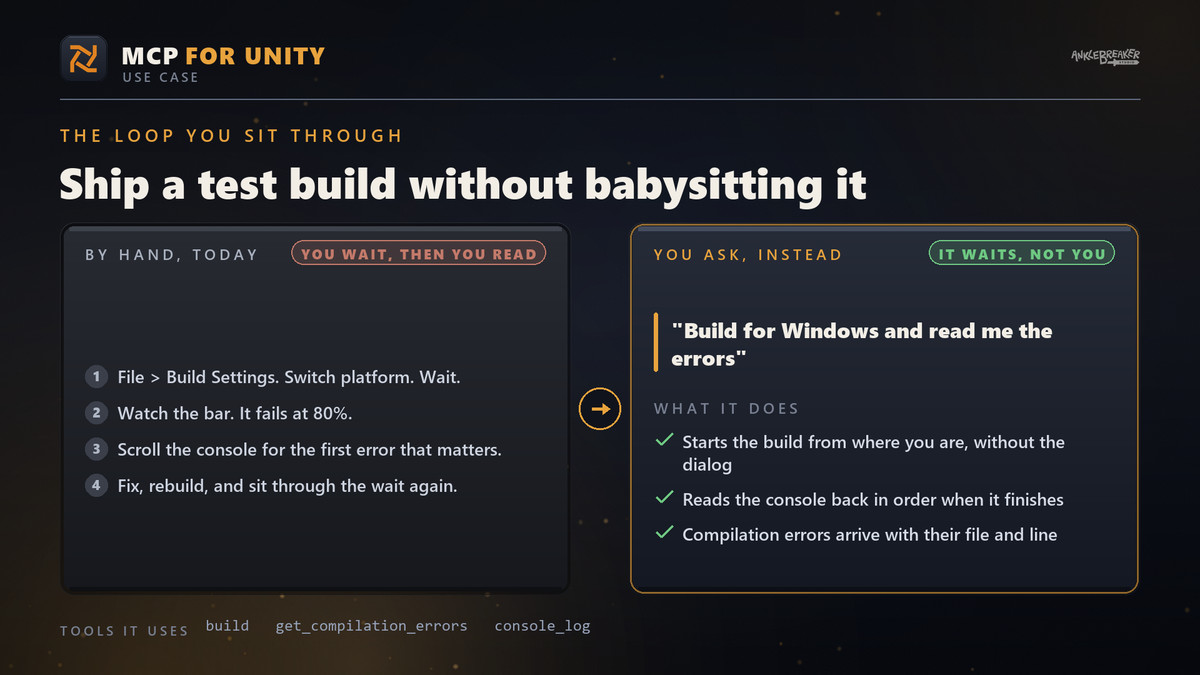
- ✔ "Build for Windows and read me the errors"
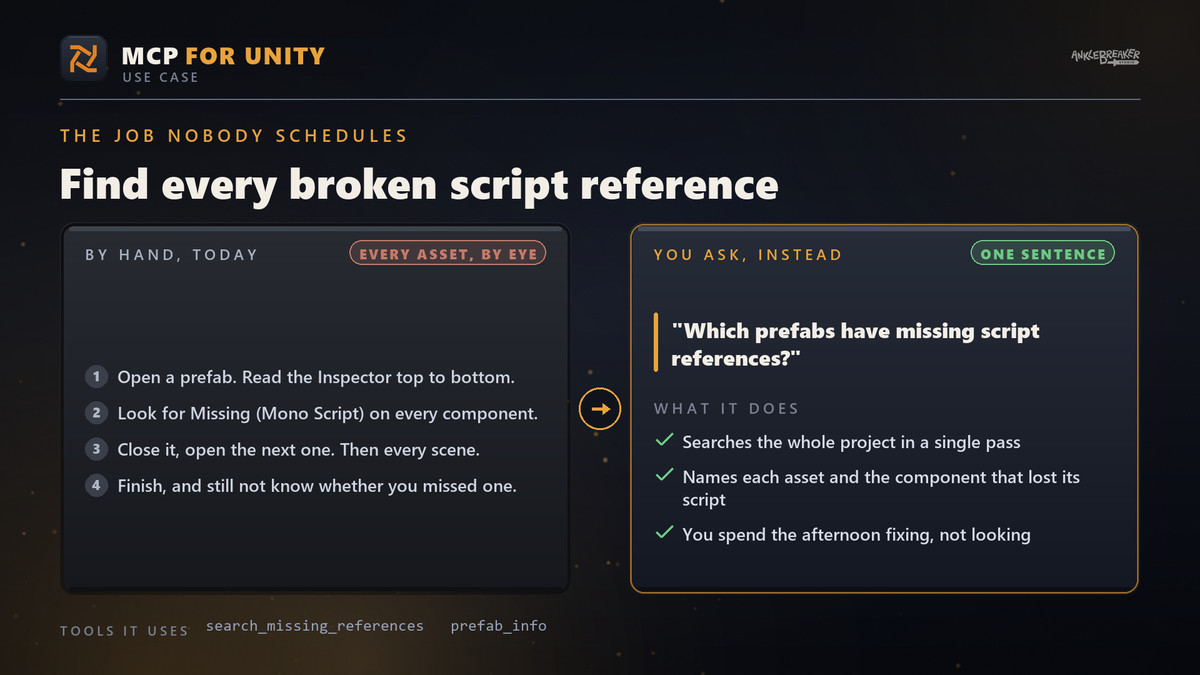
- ✔ "Which prefabs have missing script references?"
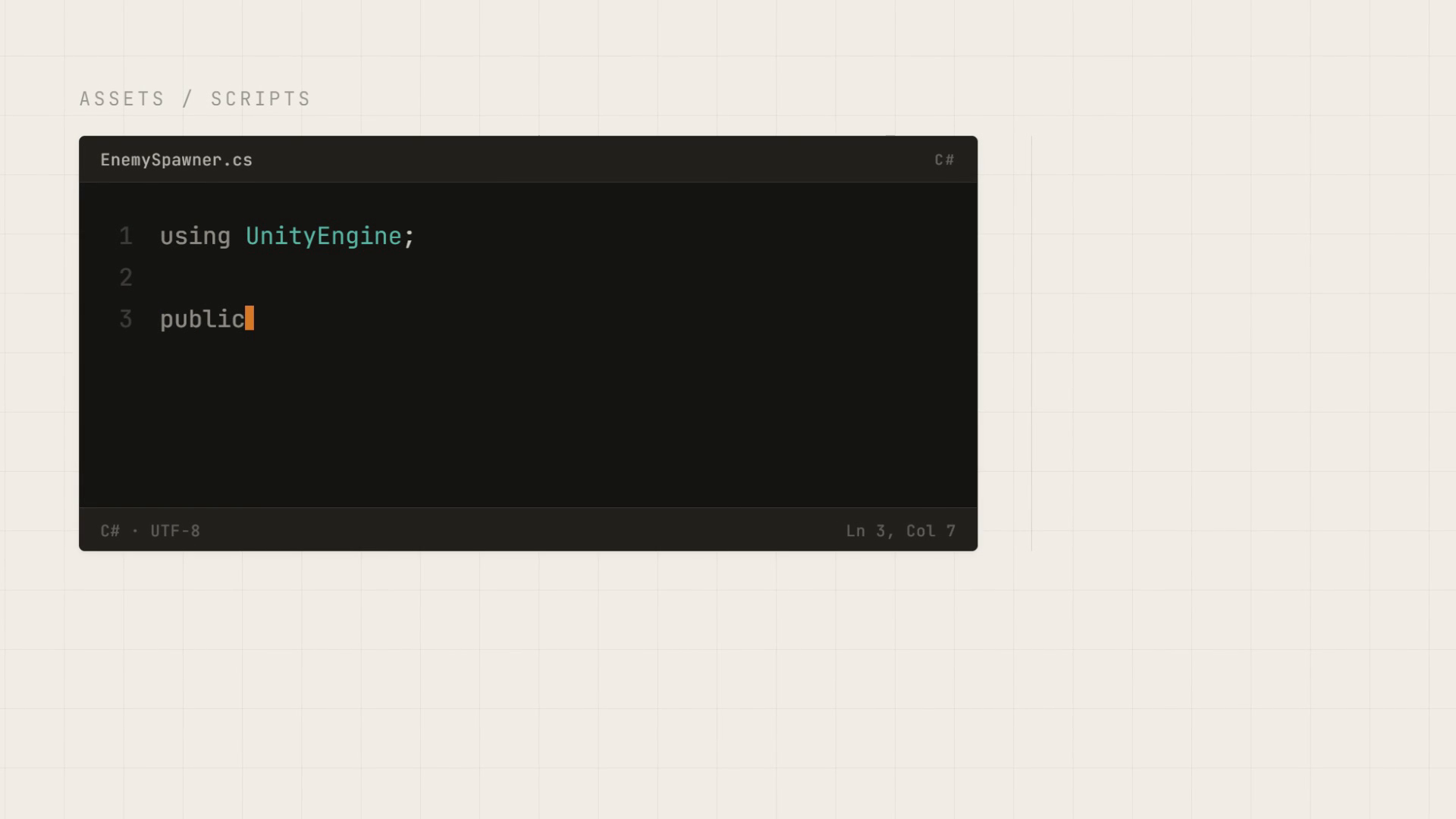
No new tool to learn, no script to write. You say what you want, it happens.
⚡ IT REACHES THE WHOLE EDITOR
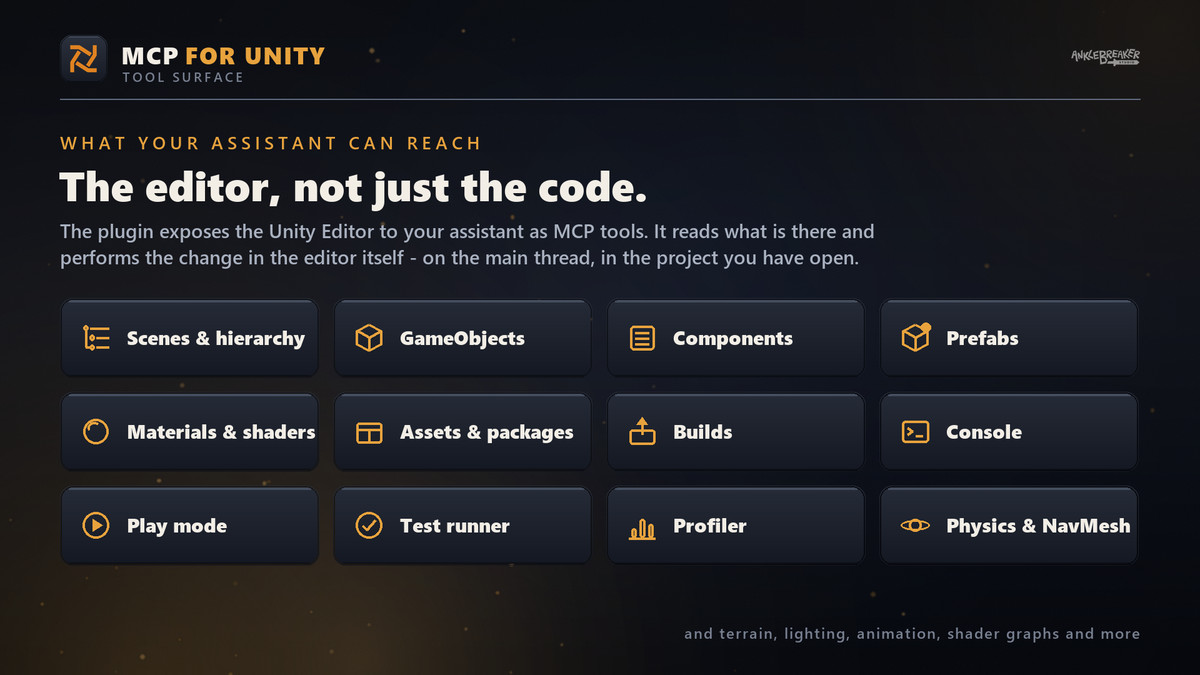
Scenes and hierarchy, GameObjects and components, prefabs, materials and shaders, assets and packages, play mode, tests, builds, the console — and more.
WORKS WITH THE AI AGENT YOU ALREADY USE
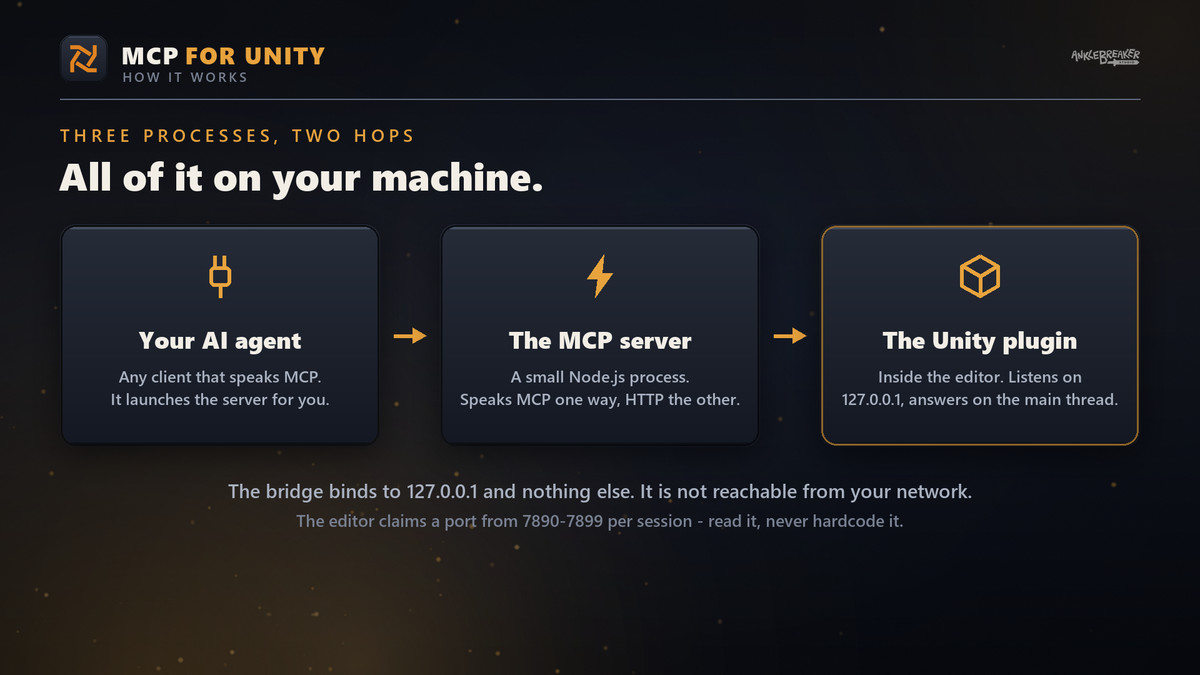
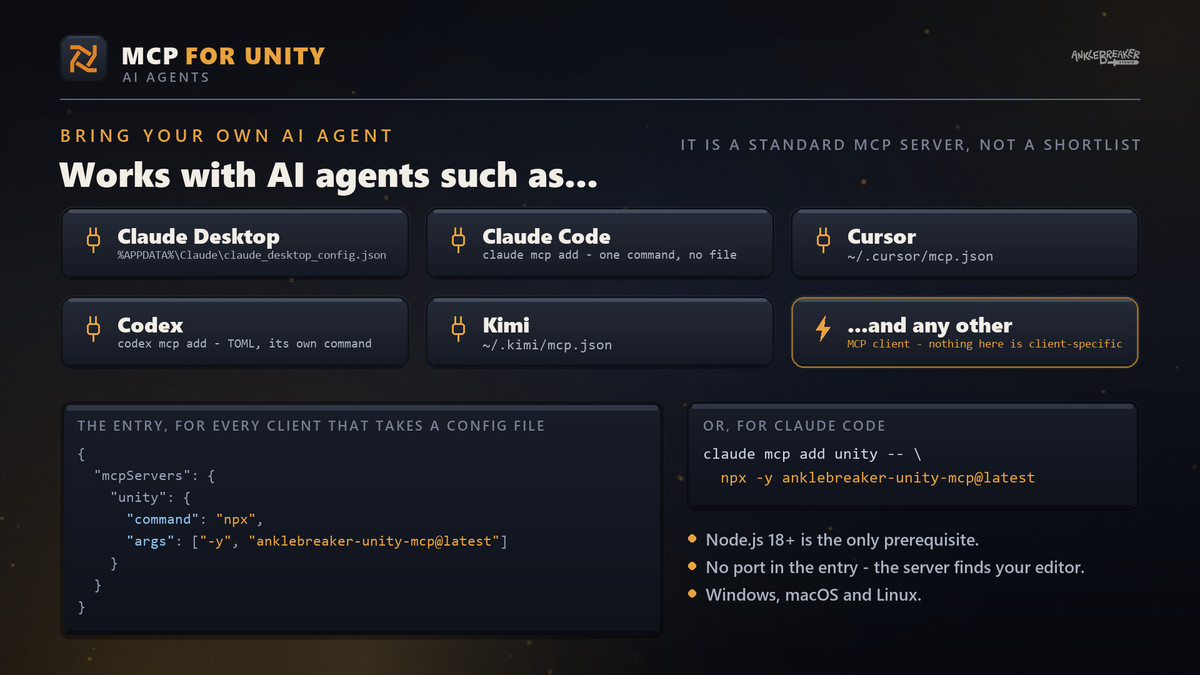
Claude Desktop, Claude Code, Cursor, Codex, Kimi... and any other AI assistant that speaks MCP. One short setup, walked through step by step inside Unity.
⏩ UP AND RUNNING IN FIVE MINUTES
- ✔ One click to install — nothing to download by hand, nothing to configure
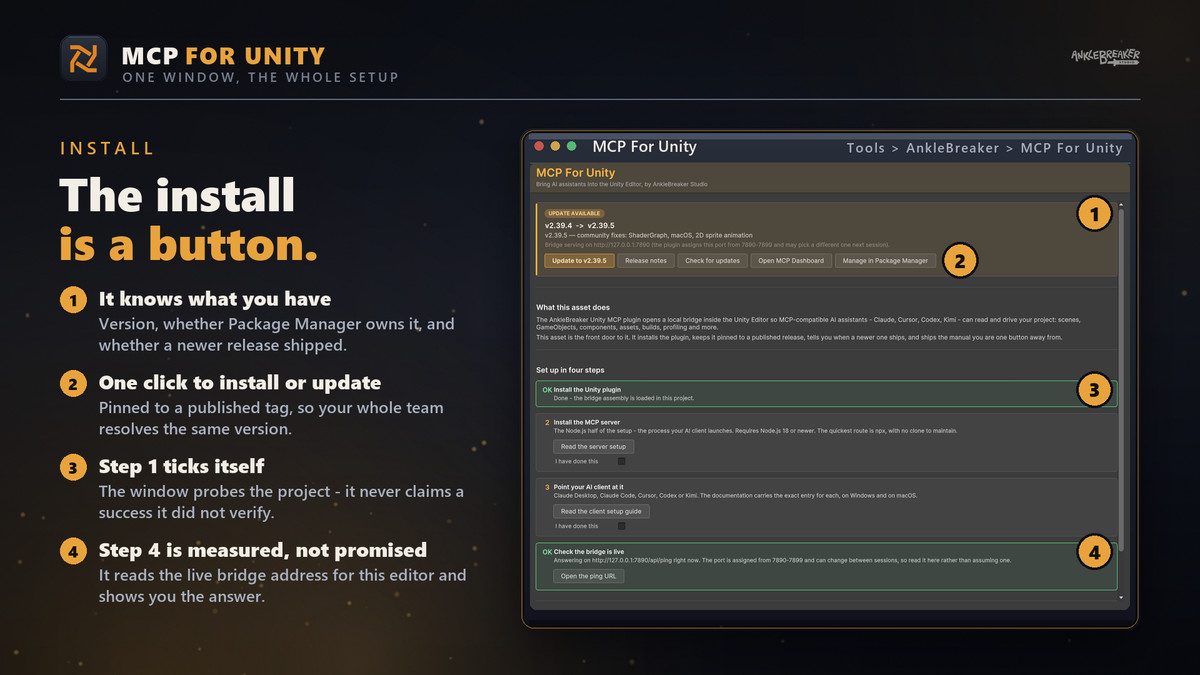
- ✔ A setup window that installs the plugin in one click, then the plugin's own Welcome window, which walks you through the setup and ticks off each step as you go
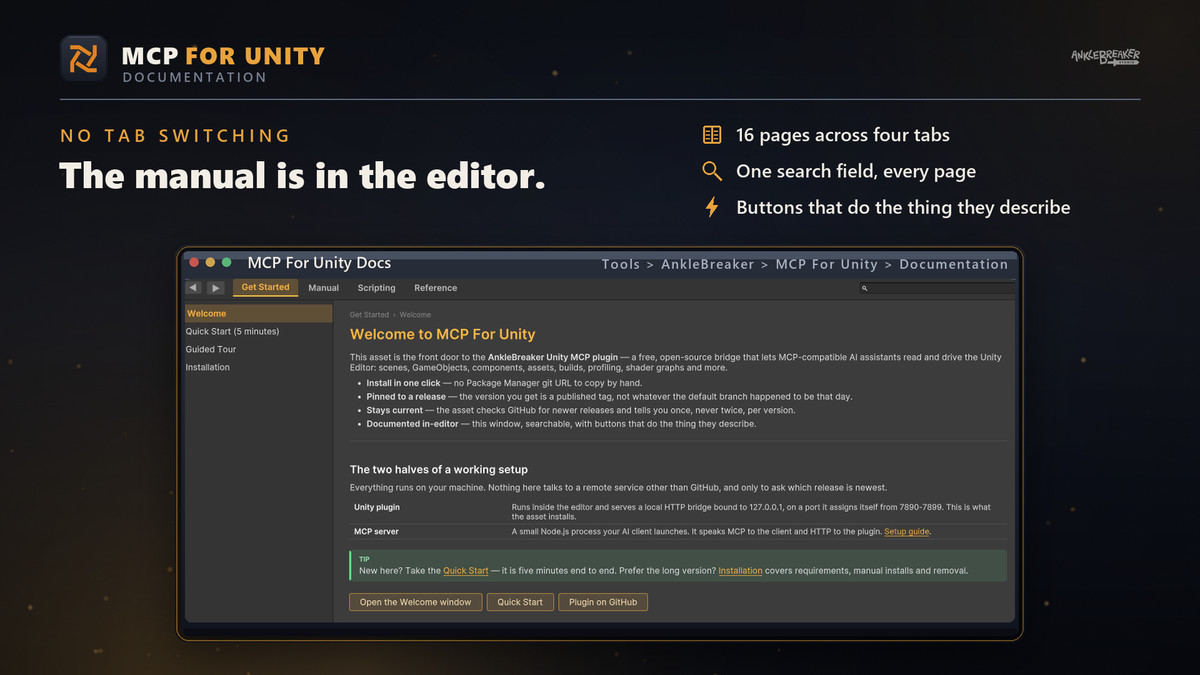
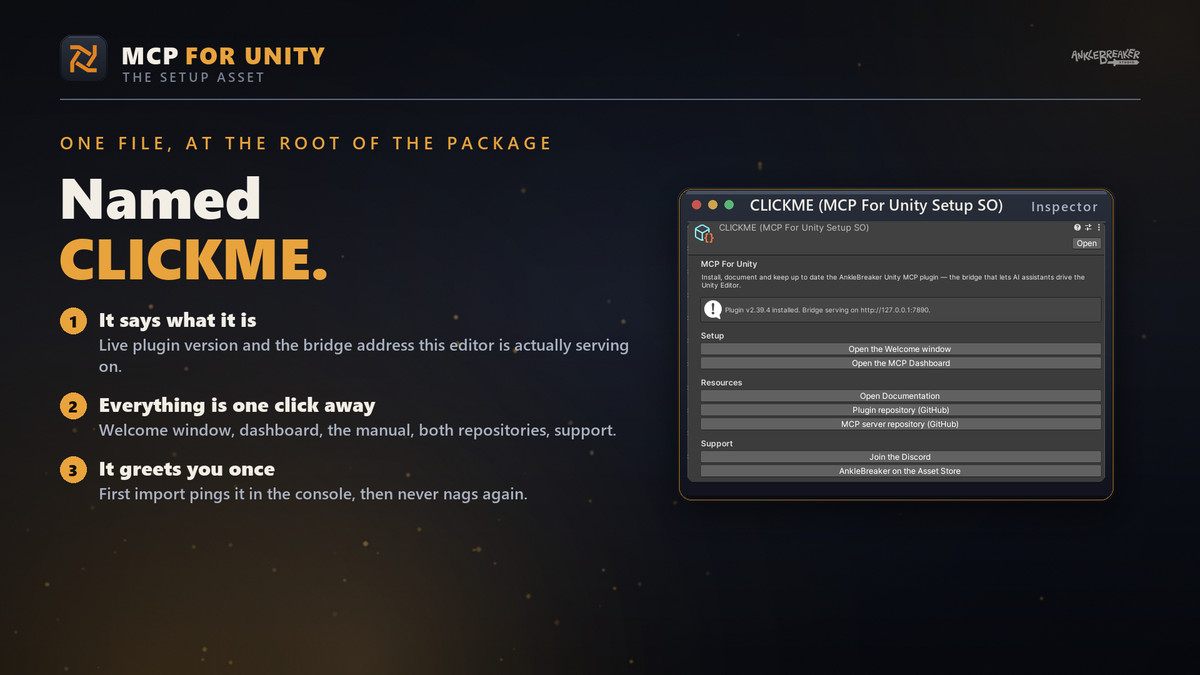
- ✔ A complete manual inside the editor, searchable, with buttons that do what they describe
- ✔ A quiet notice when a new version ships — never a popup in your face
🔒 YOURS, AND PRIVATE
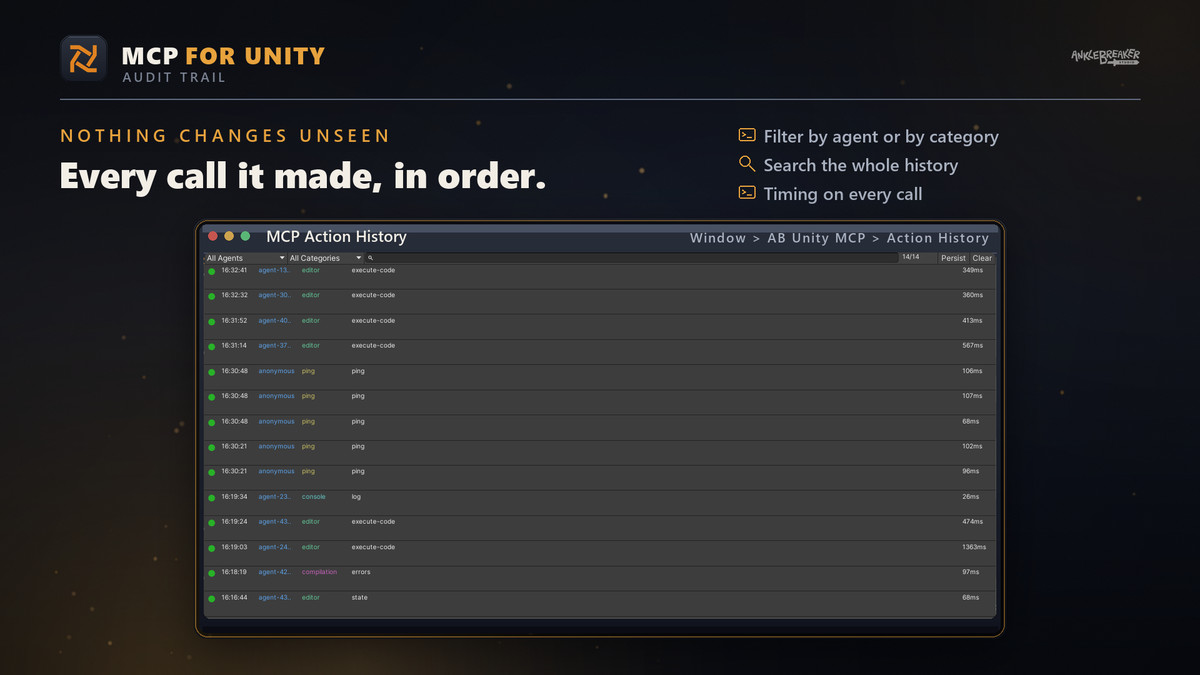
Everything runs on your own machine. No account, no cloud, no telemetry. And every action your assistant takes is listed, so you always know what changed.
FREE, AND OPEN SOURCE
The asset is free. The plugin it installs is free and open source. Nothing is added to your game build.
🛠️ And also quality & productivity tools for Save Systems, Character Customization, Ballistic Systems, Popups & Notifications, Minimaps, Maps & Compasses, and more.
From the publisher's Asset Store listing.
Technical details
SUPPORTED VERSIONS
- ▸ Unity 6000.0 and newer — officially supported and maintained. That is the version line we develop against, test on, and fix.
- ▸ Earlier versions are outside our scope. The plugin declares 2021.3.18f1 as its floor and the asset does run on 2022.3 LTS today, but those versions are not part of our official target: we make no commitment to keep them working, and version-specific issues there are not prioritised.
- ▸ Windows, macOS and Linux editors alike.
REQUIREMENTS
- ▸ git on the PATH. Unity installs git packages with the git command line client, so without it the one-click install fails with an explanation rather than a silent no-op. Package Manager only reads the PATH at editor startup — install git first, then restart Unity.
- ▸ Node.js 18 or newer for the MCP server, the process your AI client launches. Nothing to clone: npx -y anklebreaker-unity-mcp@latest
- ▸ An MCP-capable AI client. No account with us, no subscription, no key.
WHAT GETS INSTALLED
This asset does not vendor the plugin. It adds com.anklebreaker.unity-mcp through Package Manager, pinned to a published tag, so you can see, audit, update and remove it like any other package.
Why the tag matters. Unity records the resolved commit of a git dependency in packages-lock.json and keeps honouring it, so adding the bare repository URL a second time is a no-op — you press Update and nothing happens. Changing the tag forces a re-resolve, and leaves the project on a version a teammate can reproduce.
ASSEMBLIES
- ▸ AnkleBreaker.MCPForUnity.Editor — the plugin setup and Documentation windows.
- ▸ AnkleBreaker.MCPForUnity.Installer.Editor — identity, presence probe, bridge resolver, update checker and installer. It references nothing, which is what lets it describe a project where the plugin is absent, and keeps its install button alive even if something else in the project fails to compile.
Both are editor-only. There is no runtime assembly, so nothing this asset ships reaches a player build.
EDITOR SURFACES ADDED
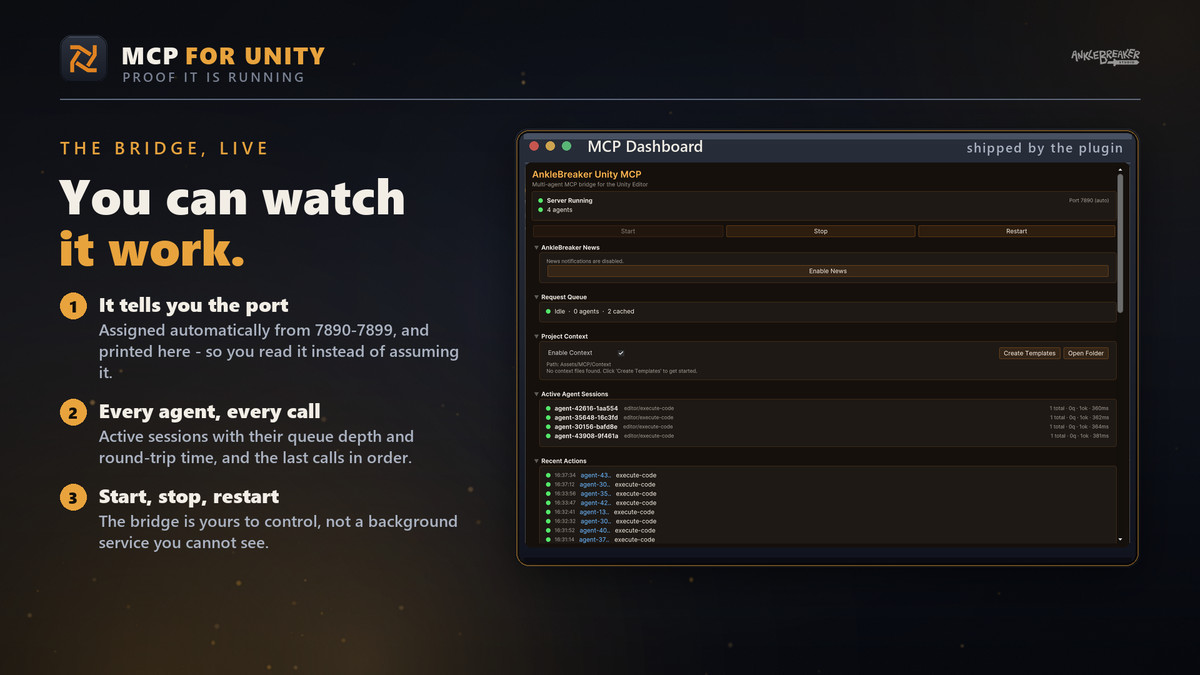
- ▸ Tools > AnkleBreaker > MCP For Unity > Dashboard
- ▸ Tools > AnkleBreaker > Dependencies Installer > MCP For Unity
- ▸ Tools > AnkleBreaker > MCP For Unity > Documentation
- ▸ CLICKME.asset at the package root
Three menu items and one asset — that is the whole footprint. Once installed, the plugin adds its own Welcome window (Tools > AnkleBreaker > Unity MCP > Welcome), Dashboard and Action History windows, which the buttons in this asset open for you.
SETUP — ABOUT FIVE MINUTES
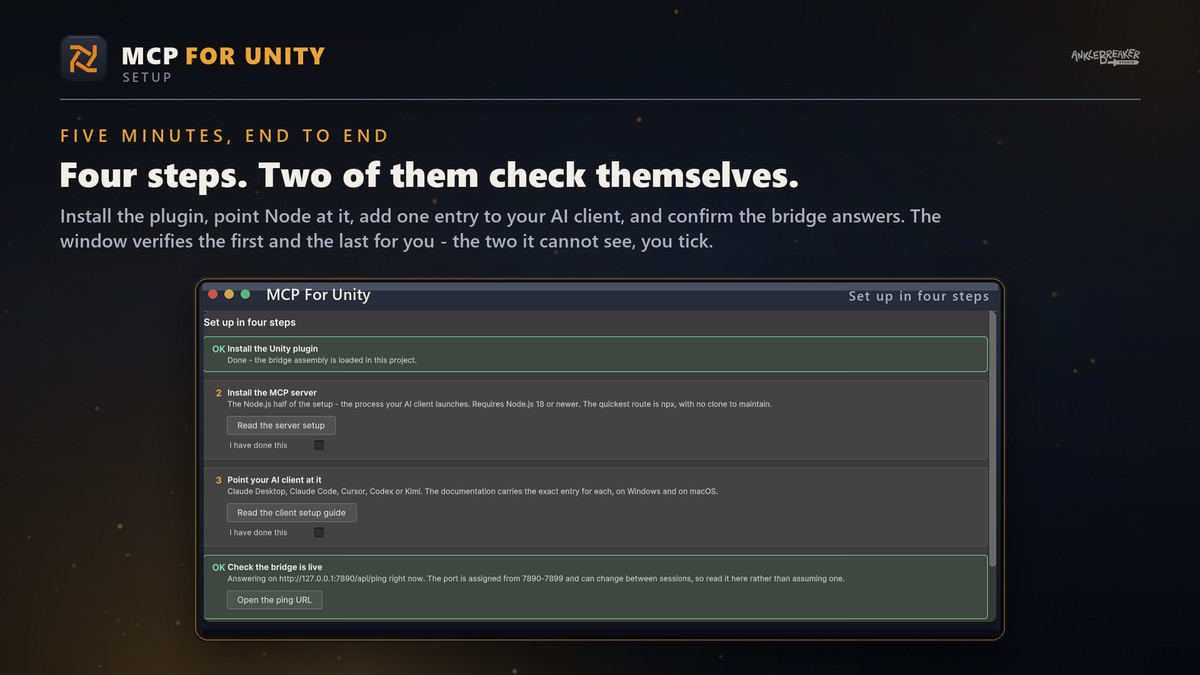
- Import. A setup window opens by itself.
- Install the plugin — one button.
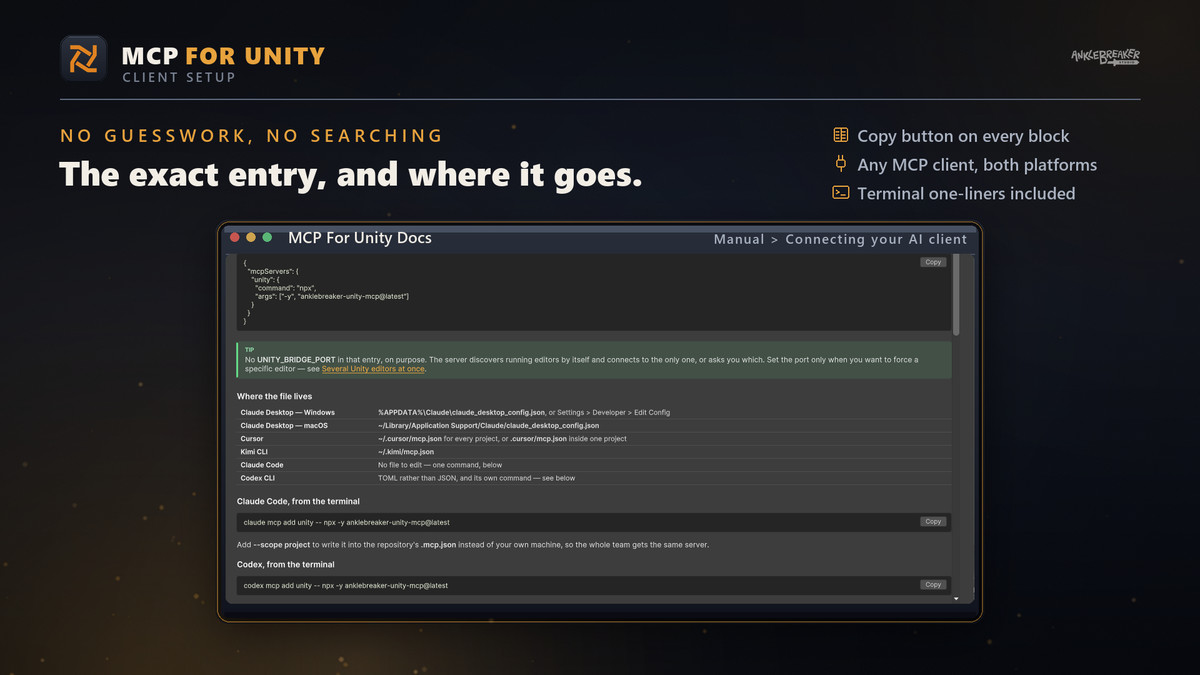
- Add one server entry to your AI client. The Documentation window carries the exact block, per client, per OS, with a copy button.
- Ask your assistant something about the open project. The last step of the plugin's Welcome window opens its Dashboard, which reads the live bridge registry, so it reports the real connection rather than claiming one.
PORTS, AND SEVERAL EDITORS AT ONCE
The plugin assigns itself a free port from 7890-7899, so a second editor never clashes with the first and a restart may land elsewhere. Nothing hardcodes it: both halves read the same shared instance registry — %LOCALAPPDATA%\UnityMCP\ on Windows, ~/.local/share/UnityMCP/ elsewhere — so the server and the editor agree on where an editor is instead of each guessing. Your config entry carries no port at all.
EDITOR SCRIPTING API
Reference AnkleBreaker.MCPForUnity.Installer.Editor from your own editor assembly:
- ▸ MCPForUnityPlugin.IsInstalled and .InstalledVersion — is it here, and which version
- ▸ MCPForUnityPluginInstaller.InstallLatest() — newest release, pinned
- ▸ MCPForUnityPluginInstaller.Install("v1.2.3") — put a whole team on one version through code review
- ▸ MCPForUnityUpdateChecker.Check(force, callback) — cached six hours; force only for an explicit user action
- ▸ MCPForUnityBridge.Resolve() — the live port and ping URL for this editor, never a stored guess
A versionDefines entry only defines its symbol for the assembly that declares it. So if you want to compile against the plugin's own types conditionally, add the same entry to your asmdef — name com.anklebreaker.unity-mcp, define AB_UNITY_MCP — exactly as this package's installer assembly does.
WHAT IT SENDS
The whole package makes exactly one network call: a read of the GitHub API for the plugin's latest release, to learn a version tag. The answer is cached for six hours, so the unauthenticated rate limit is never a problem. Nothing about you or your project is sent anywhere. There is no telemetry and no cloud component in either half.
KNOW THIS BEFORE YOU INSTALL
An assistant connected through the bridge can modify and delete project assets — that is the point of it. Work on a project under version control, and read the plugin's Action History when something surprises you.
LINKS
- ▸ Plugin source — https://github.com/AnkleBreaker-Studio/unity-mcp-plugin
- ▸ MCP server source — https://github.com/AnkleBreaker-Studio/unity-mcp-server
- ▸ Issues — https://github.com/AnkleBreaker-Studio/unity-mcp-plugin/issues
Compatibility
| Unity version | Built-in | URP | HDRP |
|---|---|---|---|
| 6000.0.68f1 | Compatible | Compatible | Compatible |
As listed on the Asset Store.