
 View on Asset Store (opens in new tab)
Package details
- Latest version
- 1.0
- Last updated
- First released
- Unity version
- 2022.3.62 or later
- Package size
- 30 KB
- Files
- 26
- Views in the past week
- 2
Price tracking
- Last checked
- Tracked since
- Lowest recorded
- $11.89 on
Keywords

SaveScope - Save Data Inspector & Editor
Open, inspect and safely edit your game's save data in a tree view — JSON, Easy Save (.es3, incl. encrypted) and PlayerPrefs. Diff two saves, snapshot test states, atomic backups.
Affiliate link · Purchases support this site
Price history
Last 6 months
USDAsset preview
1 / 4

SaveScope - Save Data Inspector & Editor screenshot 1


About this asset
The debug window your save data has been missing.
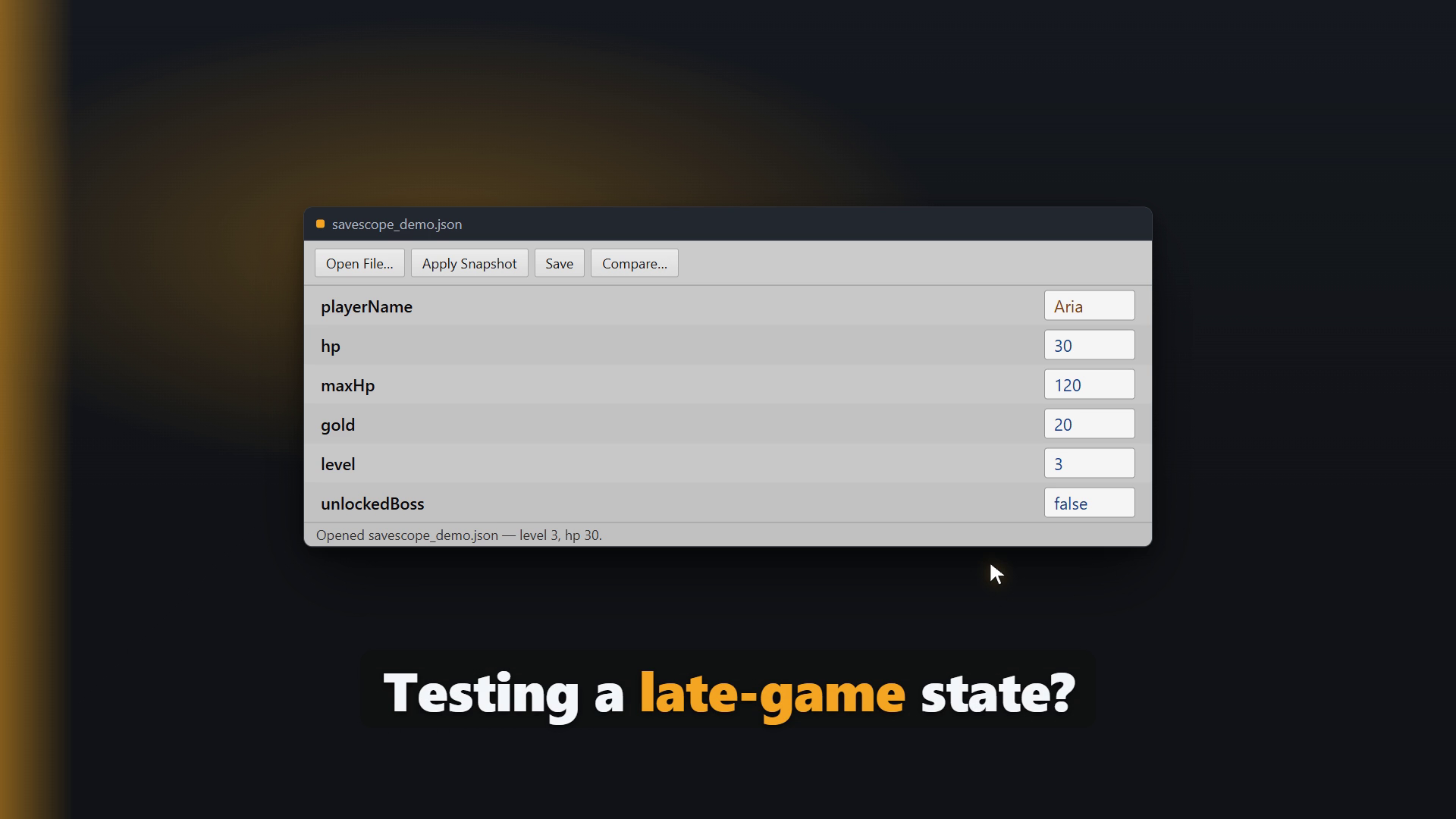
SaveScope opens your game's save file in an editable tree, so you can see what's inside, fix a value, and get back to testing — without hand-editing JSON in a text editor and breaking it. It works with whatever save system you already use, and it does not replace it: SaveScope is a companion, editor-only, and adds nothing to your Assets folder or your build.
Works with your save system
- JSON — the common shape for hand-rolled saves (JsonUtility / Newtonsoft).
- Easy Save 3 (.es3) — plaintext, GZip-compressed, and AES-encrypted files (open with your password; edits are re-encrypted on save).
- PlayerPrefs — see and edit them without opening the registry (Windows).
- Your own format — implement one small interface (ISaveFormat) and the whole tool works on it.
Built for real debugging & QA
- Type-safe editing — change a value in place; numbers stay numbers, so you can't corrupt the file by typing.
- Never a half-written save — every save is atomic and backs up the previous file to .bak first.
- Compare two saves — diff a player's bug-report save against a known-good one and see exactly what differs, by path.
- Snapshots — capture a save state ("before boss fight", "all items unlocked") and restore it with one click to test from that point again and again.
- Schema validation — check a save against a small schema (required keys, expected types) and list every mismatch before it becomes a runtime null.
Safe and lightweight
- Editor-only. No runtime code, no dependencies, nothing in your build.
- Non-intrusive: nothing is added to your Assets folder.
- Unity 2022.3 LTS and Unity 6.
Pairs perfectly with Easy Save: Easy Save is the best way to write your saves; SaveScope is how you look inside and edit them.
From the publisher's Asset Store listing.
Technical details
- Editor-only assembly (SaveScope.Editor); zero runtime footprint.
- No external dependencies; no code added to builds or to the Assets folder.
- Formats: JSON, Easy Save 3 (.es3) plaintext / GZip / AES-encrypted, PlayerPrefs (Windows).
- Extensible via the ISaveFormat interface.
- Automated EditMode tests; verified on Unity 2022.3 LTS and Unity 6.
Compatibility
| Unity version | Built-in | URP | HDRP | Custom |
|---|---|---|---|---|
| 2022.3.62f3 | Compatible | Compatible | Compatible | Compatible |
Editor-only tool built on UI Toolkit and stable public Editor APIs. No renderpipeline dependency — works identically with Built-in, URP, HDRP, and customrender pipelines. Verified on Unity 2022.3 LTS and Unity 6. Optional Easy Save3 (.es3) support is an independent, from-scratch implementation; the Easy Saveasset itself is not required or referenced.
As listed on the Asset Store.