
 View on Asset Store (opens in new tab)
Package details
- Latest version
- 1.0
- Last updated
- First released
- Unity version
- 6000.3.10 or later
- Package size
- 405 KB
- Files
- 12
- Favorites
- 1
- Views in the past week
- 7
Price tracking
- Last checked
- Tracked since
- Lowest recorded
- $4.99 on
Keywords

Simple Screen Space Outline Volume Effect
Customizable screen-space outline Volume effect for Unity 6 URP, using depth and normals with adjustable thickness, color, softness, distance fade, quality modes, and debug views.
Affiliate link · Purchases support this site
Price history
Last 6 months
USDAsset preview
1 / 2

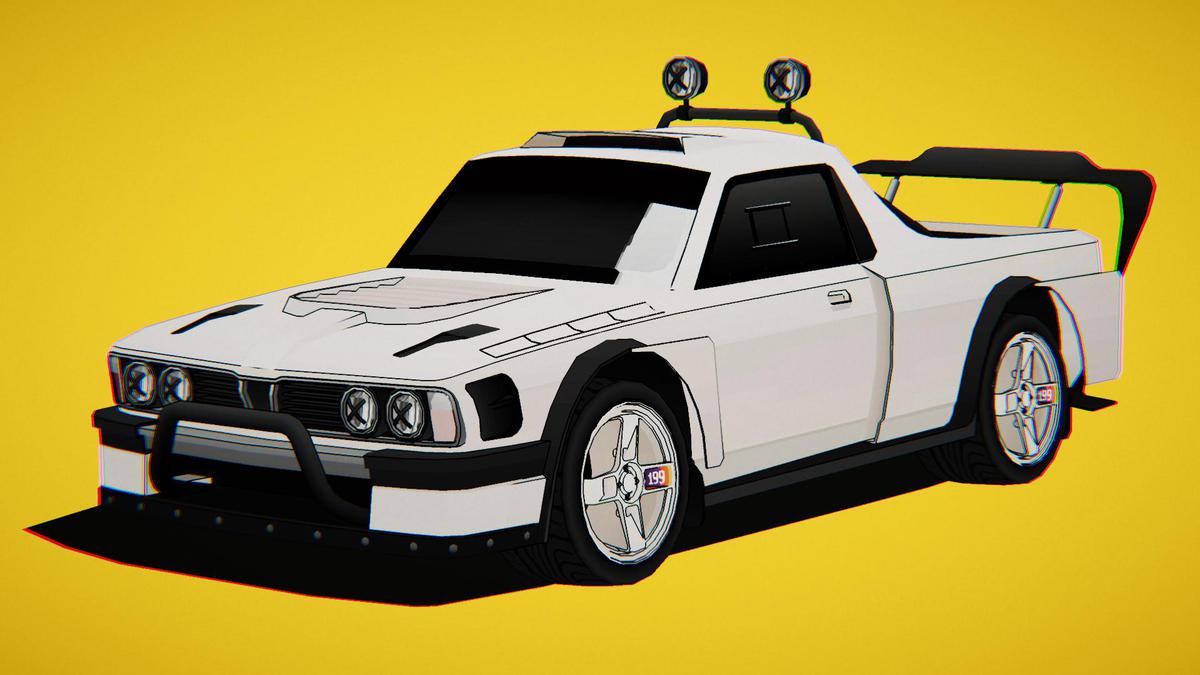
Simple Screen Space Outline Volume Effect screenshot 1
About this asset
Description
Screen Space Outline is a customizable fullscreen outline effect designed for Unity 6 and the Universal Render Pipeline.
The effect analyzes the camera depth and normal textures to detect object silhouettes, depth discontinuities, and visible surface edges in real time. It can be used to improve scene readability or create stylized, cartoon, technical, and illustrative visuals without modifying existing materials.
Screen Space Outline integrates directly with Unity’s Volume system and supports both Global and Local Volumes. Depth-based and normal-based outlines can be enabled and adjusted independently, giving you precise control over which details appear in the final image.
Customize the outline color, opacity, thickness, sensitivity, softness, contrast, and camera-distance fading directly from the Volume Inspector. Several quality modes and diagnostic views are included to simplify optimization and visual tuning.
Key features
- Screen-space silhouette and surface outlines
- Depth-based edge detection
- Normal-based edge detection
- Independent depth and normal controls
- Adjustable outline color and opacity
- Pixel-based outline thickness
- Threshold and sensitivity controls
- Adjustable softness and contrast
- Camera-distance fading
- Low, Medium, and High quality modes
- Global and Local Volume support
- Scene View preview support
- Multiple debug visualization modes
- Unity 6 RenderGraph support
- URP Compatibility Mode support
- Full C# and shader source code included
The effect is suitable for stylized games, environment presentation, product visualization, architectural scenes, technical rendering, and any project requiring stronger visual separation between objects and surfaces.
Models and environments shown in screenshots are for demonstration purposes only and are not included.
From the publisher's Asset Store listing.
Technical details
Compatibility
Unity version: Unity 6 or newer
Render pipeline: Universal Render Pipeline
Rendering paths: Forward and Deferred
Rendering architecture: RenderGraph and Compatibility Mode
Volume support: Global and Local Volumes
Camera support: Game View and optional Scene View rendering
Camera stacking: Optional Overlay Camera support
The Built-in Render Pipeline and High Definition Render Pipeline are not supported.Required rendering data
The effect requests and samples:Camera depth texture
Camera normal texture
Camera color texture
Camera post-processing must be enabled for the effect to run.Custom shaders should contain a compatible URP DepthNormals or DepthNormalsOnly pass to produce correct normal-based outlines. Transparent objects may not contribute unless they write compatible depth and normal information.Quality modes
Low: 4 surrounding samples per pixel
Medium: 8 surrounding samples per pixel
High: 12 surrounding samples per pixel
Low quality is recommended for performance-sensitive applications. Medium is suitable for most gameplay scenarios, while High provides more complete edge sampling for desktop presentation and screenshots.Volume parameters
Enabled Effect
Intensity
Outline Color
Opacity
Thickness
Quality
Use Depth
Depth Threshold
Depth Sensitivity
Use Normals
Normal Threshold
Normal Sensitivity
Softness
Contrast
Fade Start
Fade End
Debug Mode
Debug modes
Combined
Edge Mask
Depth Edges
Normal Edges
Normals
Renderer Feature settings
Fullscreen outline shader assignment
Configurable render-pass injection point
Scene View rendering toggle
Overlay Camera support toggle
By default, the effect runs before URP post-processing so anti-aliasing and color grading can process the generated outlines.Limitations
Screen Space Outline is a screen-space effect and only evaluates geometry visible to the active camera. Hidden, occluded, and off-screen geometry cannot contribute.Very large thickness values or low edge thresholds may generate unwanted outlines around distant or closely overlapping surfaces. These artifacts can be reduced by adjusting the depth threshold, normal threshold, sensitivity, or distance-fade settings.
Compatibility
| Unity version | Built-in | URP | HDRP |
|---|---|---|---|
| 6000.3.10f1 | Not listed | Compatible | Not listed |
As listed on the Asset Store.