
 View on Asset Store (opens in new tab)
Package details
- Latest version
- 1.0
- Last updated
- First released
- Unity version
- 6000.3.10 or later
- Package size
- 741 KB
- Files
- 18
- Views in the past week
- 13
Price tracking
- Last checked
- Tracked since
- Lowest recorded
- $4.99 on
Keywords

Advanced Package Manager – My Assets Catalog
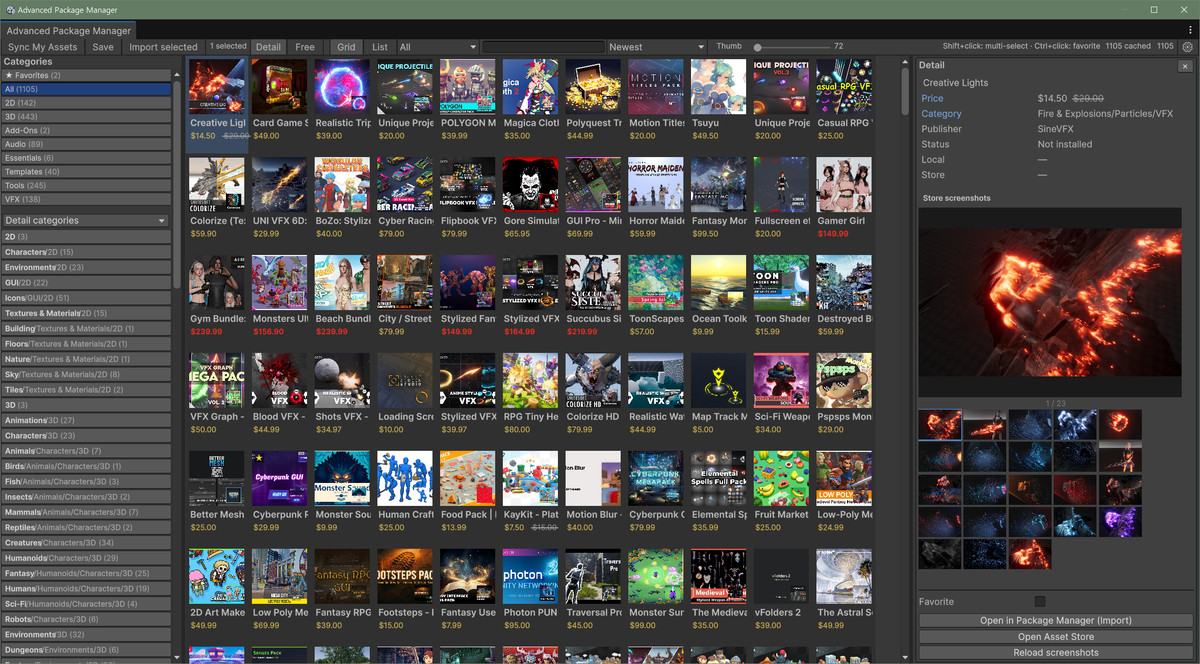
Browse your Unity Asset Store purchases with thumbnails, filters, install status, favorites, and quick open in Package Manager for import.
Affiliate link · Purchases support this site
Price history
Last 6 months
USDAsset preview
1 / 3
Advanced Package Manager – My Assets Catalog screenshot 1

About this asset
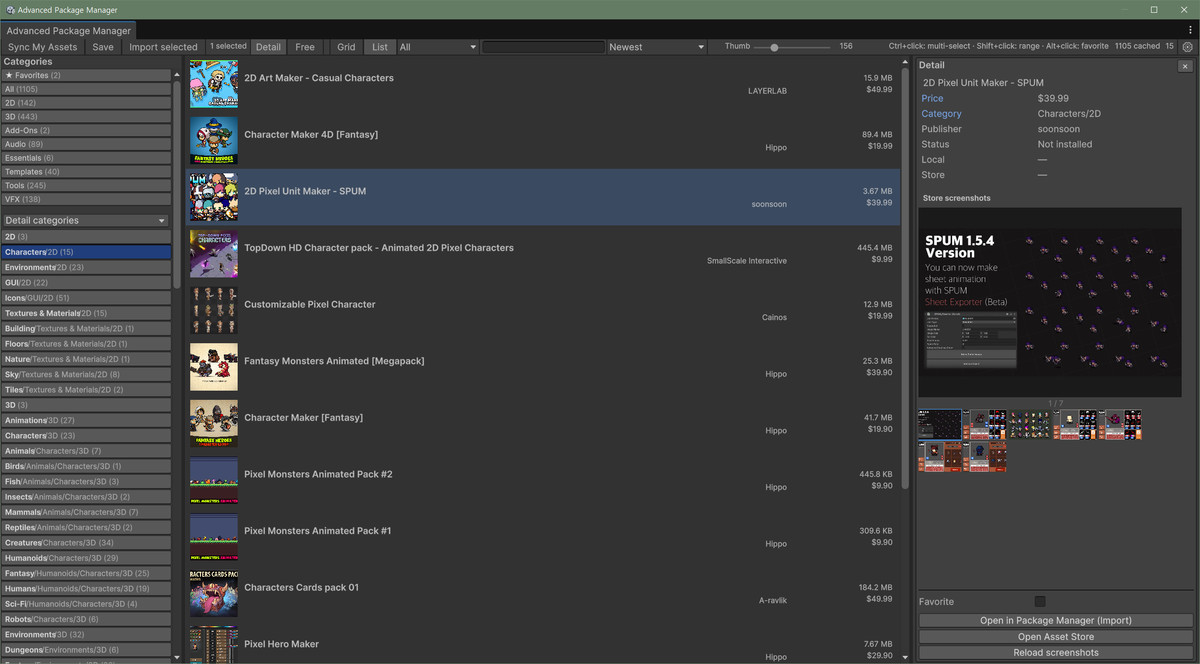
Advanced Package Manager is an Editor tool that makes it easier to browse and manage your Unity Asset Store purchases (My Assets).
Instead of scrolling a plain list, you get a visual catalog with thumbnails, prices, categories, and favorites — plus quick open in Package Manager for import
KEY FEATURES
• Sync My Assets from your Unity account (offline cache supported)
• Thumbnail grid or compact list view
• Search by name, publisher, category, or package ID
• Filters: categories, publishers, free assets, install status
• Install / update badges (best-effort detection)
• Favorites (share across projects by using the same cache folder)
• Multi-select (Ctrl/Cmd+click, Shift+click range) and Import selected
• Multi-language UI: English, Korean, Japanese, Simplified Chinese, Traditional Chinese
• First-import Help window with language selection
HOW TO USE
1. Window > Package Management > Advanced Package Manager
2. Sign in to your Unity account in the Editor / Hub
3. Click Sync My Assets
4. Browse, filter, favorite, then Open in Package Manager (Import)
DOCUMENTATION
Includes an English PDF user manual:
Assets/AdvancedPackageManager/Documentation/AdvancedPackageManager_UserManual.pdf
REQUIREMENTS
• Unity 2022.3 or newer (Unity 6 supported)
• Unity account login in the Editor
• Editor-only tool (no runtime/player scripts)
NOTES
Install status is best-effort based on package metadata and common download locations. Classic .unitypackage content extracted into Assets without product IDs may show as “Not installed”.
SUPPORT
From the publisher's Asset Store listing.
Technical details
Supported Unity: 2022.3+ (incl. Unity 6)
Package type: Editor tool
Import path: Assets/AdvancedPackageManager/
Dependencies: None (Editor-only)
Platforms: Editor (all)
Compatibility
| Unity version | Built-in | URP | HDRP | Custom |
|---|---|---|---|---|
| 6000.3.10f1 | Compatible | Compatible | Compatible | Compatible |
As listed on the Asset Store.