
 View on Asset Store (opens in new tab)
Package details
- Latest version
- 1.1.1
- Last updated
- First released
- Unity version
- 6000.4.1 or later
- Package size
- 27 KB
- Files
- 12
- Views in the past week
- 6
Price tracking
- Last checked
- Tracked since
- Lowest recorded
- $9.99 on
Keywords
PortraitFit — Portrait WebGL Template for Unity
Ship your portrait Unity game on the web without distortion: letterbox bars on desktop, full screen on phones. Set it up from an editor window instead of editing HTML. Full C# source.
Affiliate link · Purchases support this site
Price history
Last 6 months
USDAsset preview
1 / 3
PortraitFit — Portrait WebGL Template for Unity screenshot 1
About this asset
Unity's default WebGL page assumes a landscape game. If your game is portrait, built at 9:16 for phones, that page squeezes or distorts it. On desktop it looks broken, and inside an itch.io embed it looks worse.
PortraitFit keeps your game pixel-true on every screen:
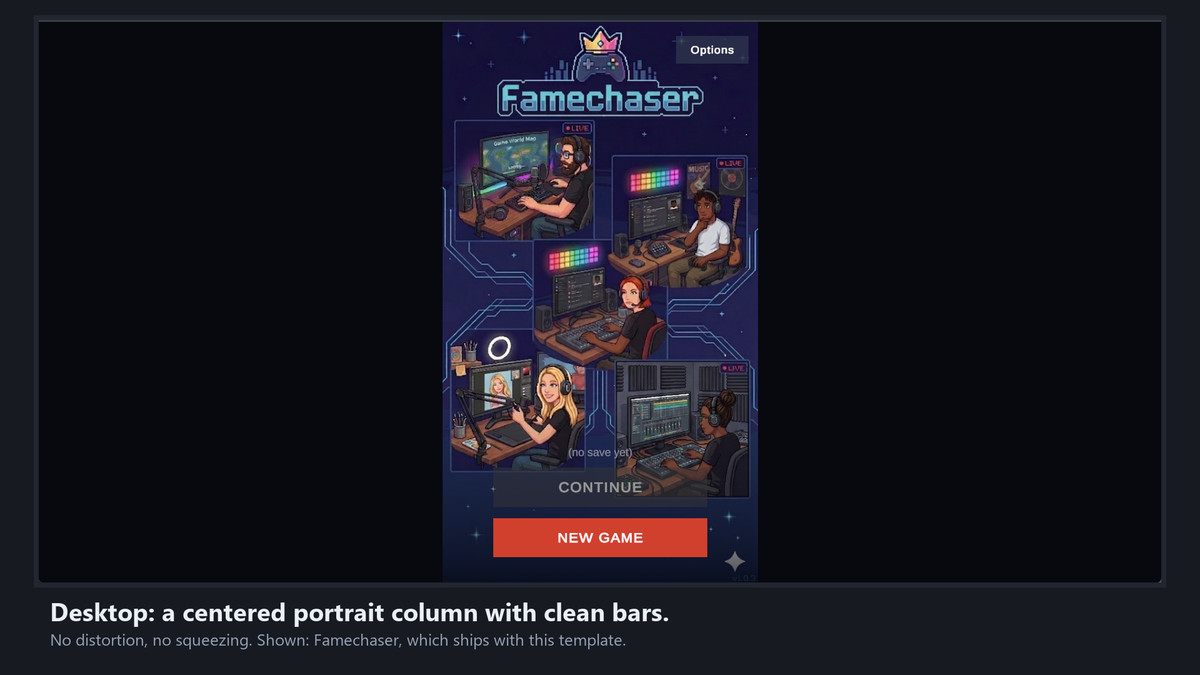
- Landscape windows (desktop): a centered portrait column with clean letterbox bars. No distortion, no squeezing.
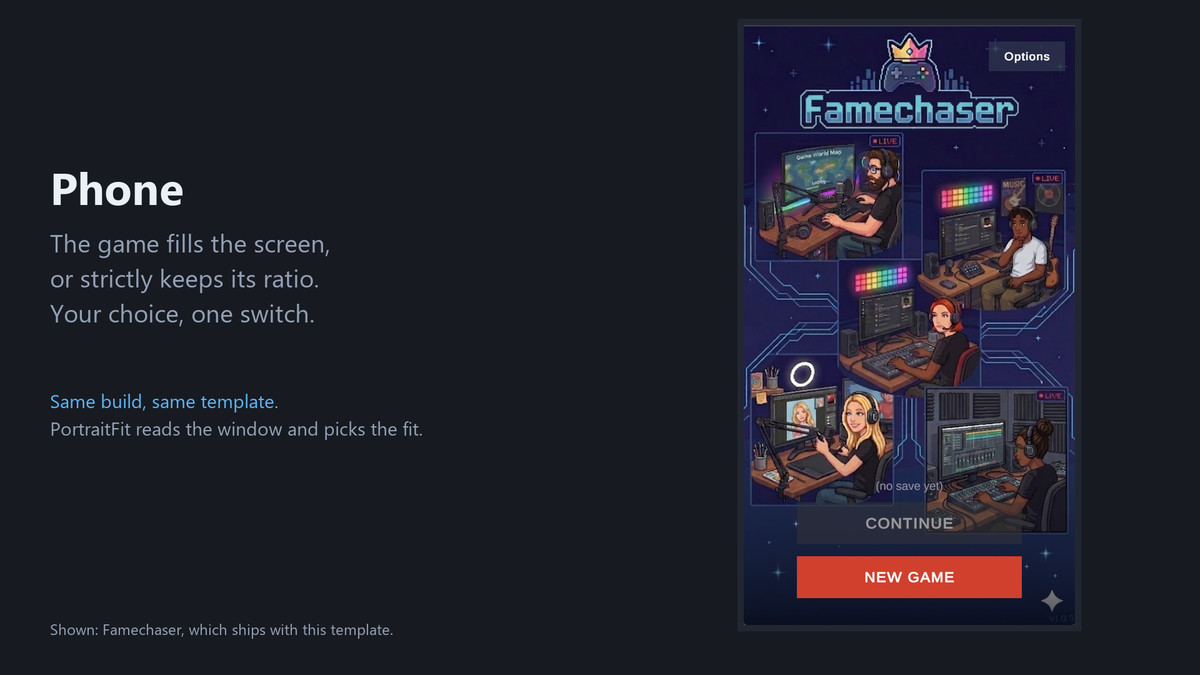
- Portrait windows (phones): the game fills the screen, or strictly keeps its ratio, whichever you choose.
SET UP FROM A WINDOW
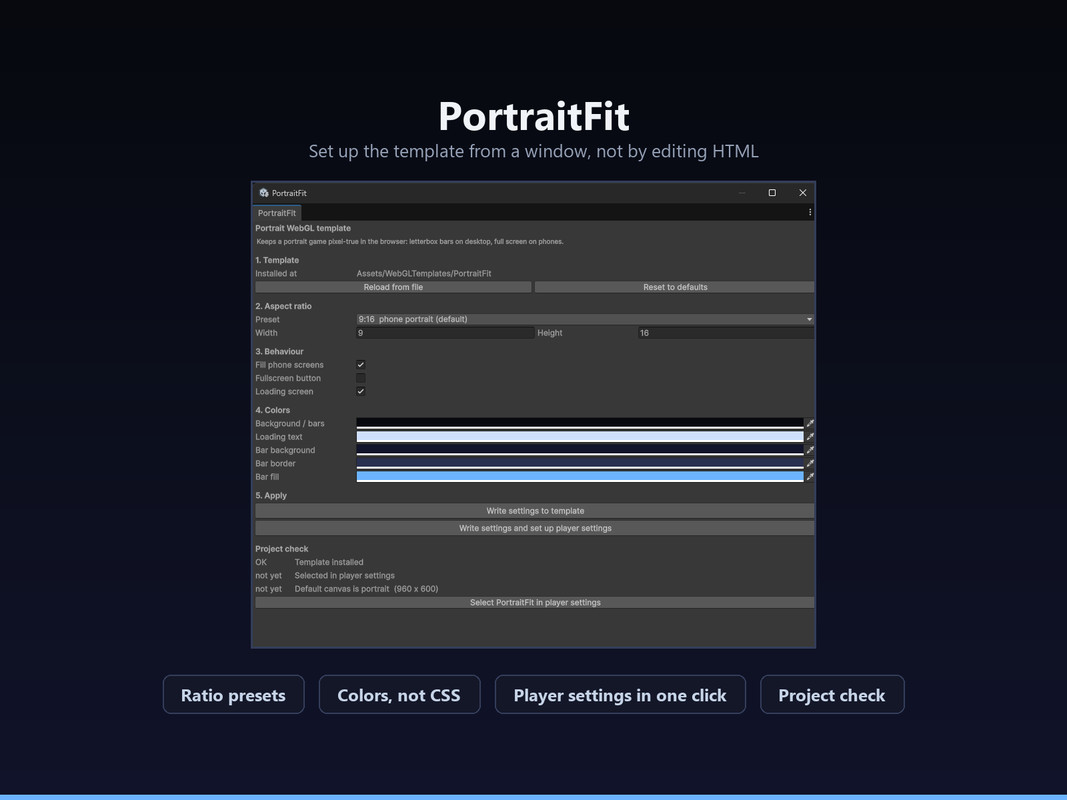
Window > PortraitFit > Setup does the whole job.
- Install template copies it to Assets/WebGLTemplates for you, which is the only place Unity looks.
- Aspect ratio presets for 9:16, 10:16, 3:4, 2:3 and 1:1, plus free entry.
- Colors as normal Unity color fields: background and letterbox bars, loading text, and the three progress bar colors.
- Switches for fill behaviour on phones, the built-in fullscreen button, and the loading screen.
- One click sets PortraitFit as your WebGL template and puts the default canvas in your ratio.
- A project check shows whether the template is installed, whether the player settings point at it, and whether the canvas is portrait. That is where the classic "it still looks stretched" mistake shows up.
The window reads the values back out of index.html, so the file stays readable and you can still edit it by hand.
SAFE AREA
SafeAreaFitter handles what the page cannot: notches, punch-hole cameras and home indicators. Put it on a full-screen child of your Canvas and parent your UI to it. Per axis, with an editor override and extra padding.
DEMO
Window > PortraitFit > Add Demo To Scene drops in a component that builds its UI at runtime, no prefab and no scene file. It shows window size, target ratio, safe area and orientation live.
REQUIREMENTS
Unity 6 or newer. The template itself is plain HTML, CSS and JavaScript with no build tools. SafeAreaFitter and the demo need uGUI; without it those assemblies exclude themselves and the template still works.
Battle-tested: this template ships with my game Famechaser, on desktop and mobile.
NOT A RESPONSIVE UI FRAMEWORK
It makes the page around your game behave and gives you a safe-area helper inside it. Laying out your UI so it survives different ratios is still your job.
FROM THE SAME PUBLISHER
Every Schnurbusch tool follows the same rule: one line of code, your project stays as it is, full C# source.
HintOnce, free: first-time hints with one line of code
https://assetstore.unity.com/packages/tools/gui/hintonce-first-time-hints-with-one-line-of-code-396738
LocLayer: localize without refactoring
https://assetstore.unity.com/packages/tools/localization/loclayer-localize-without-refactoring-394954
ChipForge: procedural retro SFX and music, zero audio files
https://assetstore.unity.com/packages/tools/audio/chipforge-procedural-retro-sfx-music-zero-audio-files-386476
All tools, manuals and what is coming next: https://schnurbusch.github.io
From the publisher's Asset Store listing.
Technical details
- 3 assemblies (Editor, Runtime, Demo), full C# source, no DLLs, no dependencies beyond uGUI for the optional parts
- Editor: setup window with template installer, marker-based read and write of index.html so hand edits survive, player settings sync, project check, and a template thumbnail generated at the chosen ratio
- Runtime: SafeAreaFitter, per axis, editor override, extra padding; polls the safe area because browsers have no reliable event for it
- Demo: runtime-built UI with a live readout of window size, target ratio, safe area and orientation
- Upgrading from 1.0 is handled: a template without the new markers is detected, its values are read out of the old format and carried into the new one
- Verified: all three assemblies compile warning-free with warnings as errors, on Unity 6 and on the legacy code path; an end-to-end check in a real project covers template lookup, the settings round-trip and writing to Assets/WebGLTemplates
- Only index.html and thumbnail.png end up in the template folder, because Unity copies every file from there into your build
Compatibility
| Unity version | Built-in | URP | HDRP | Custom |
|---|---|---|---|---|
| 6000.4.1f1 | Compatible | Compatible | Compatible | Compatible |
As listed on the Asset Store.