
 View on Asset Store (opens in new tab)
Package details
- Latest version
- 1.1.0
- Last updated
- First released
- Unity version
- 6000.0.80 or later
- Package size
- 14.2 MB
- Files
- 225
- Favorites
- 4
- Views in the past week
- 26
Price tracking
- Last checked
- Tracked since
- Lowest recorded
- $14.99 on
Keywords

FuzzyIDE: Code Editor, Git, Notes & Terminal
Code editor, Git client, Obsidian-style notes and a native terminal, all inside the Unity Editor. Roslyn code intelligence, live values and domain reload control. Stop switching apps.
Affiliate link · Purchases support this site
Price history
Last 6 months
USDAsset preview
1 / 9
FuzzyIDE: Code Editor, Git, Notes & Terminal screenshot 1


About this asset
Official Resources
- Documentation: https://fatihbykl.github.io/docs/fuzzyide/
- Discord Community: https://discord.gg/CGpunqn49e
- Support Email: [email protected]
Stop Alt-Tabbing. Code Directly Inside Unity.
FuzzyIDE turns the Unity Editor into a complete development workspace. Write code, commit to Git, plan in Markdown notes and run CLI tools in a real terminal, all in dockable Unity windows, all aware of your project.
No more waiting for an external IDE to load, losing window focus mid-playtest, or keeping design docs in another app. Everything stays next to your scene.
CODE EDITOR
A fast, Roslyn-powered C# editor built for Unity.
- Virtualized rendering: 10,000-line files open and scroll smoothly
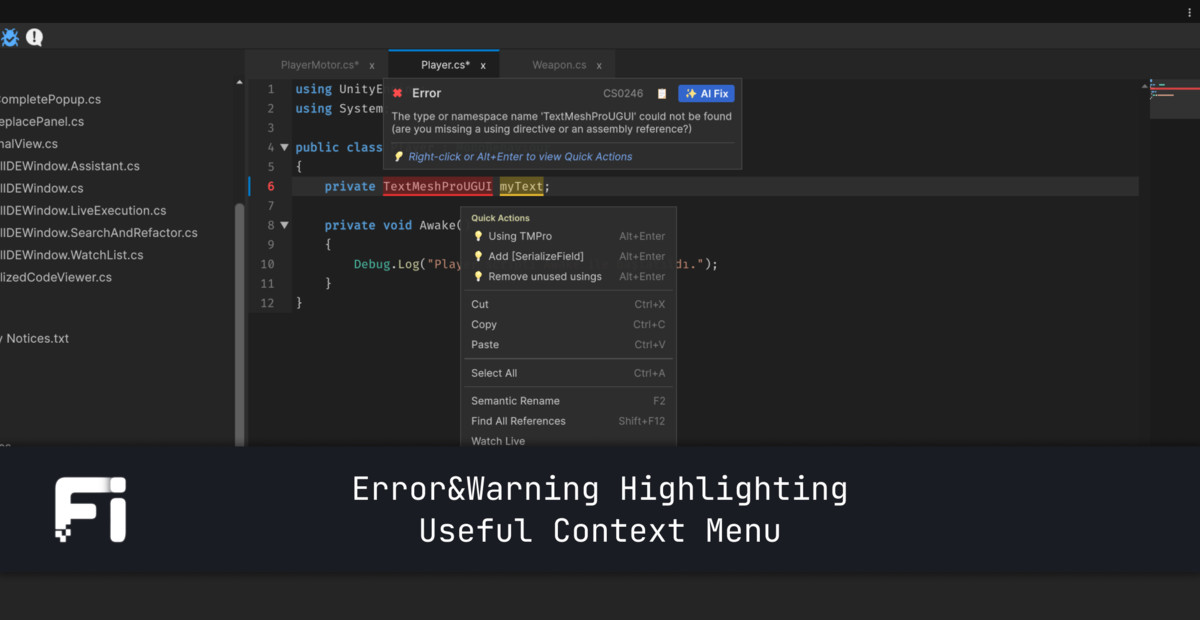
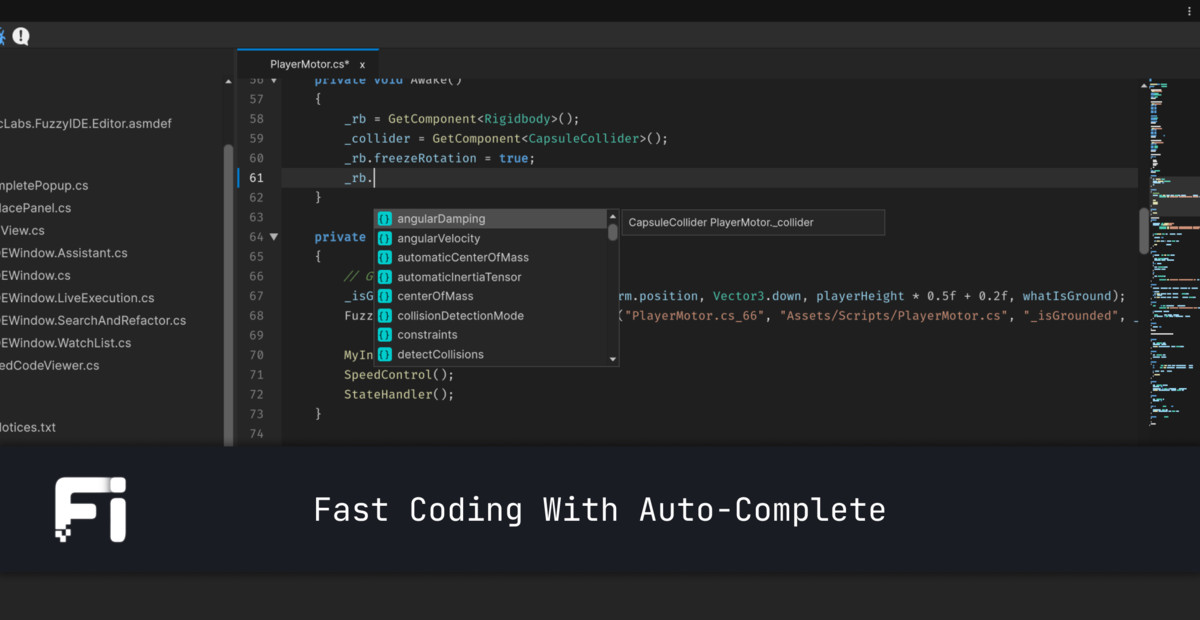
- Errors, completion and refactoring that understand your whole project, including unsaved edits
- Unity analyzers with one-click fixes: tag ==, GetComponent in Update, ?. on UnityEngine.Object, misspelled Unity messages
- Inlay hints, signature help, semantic highlighting, snippets, code cleanup
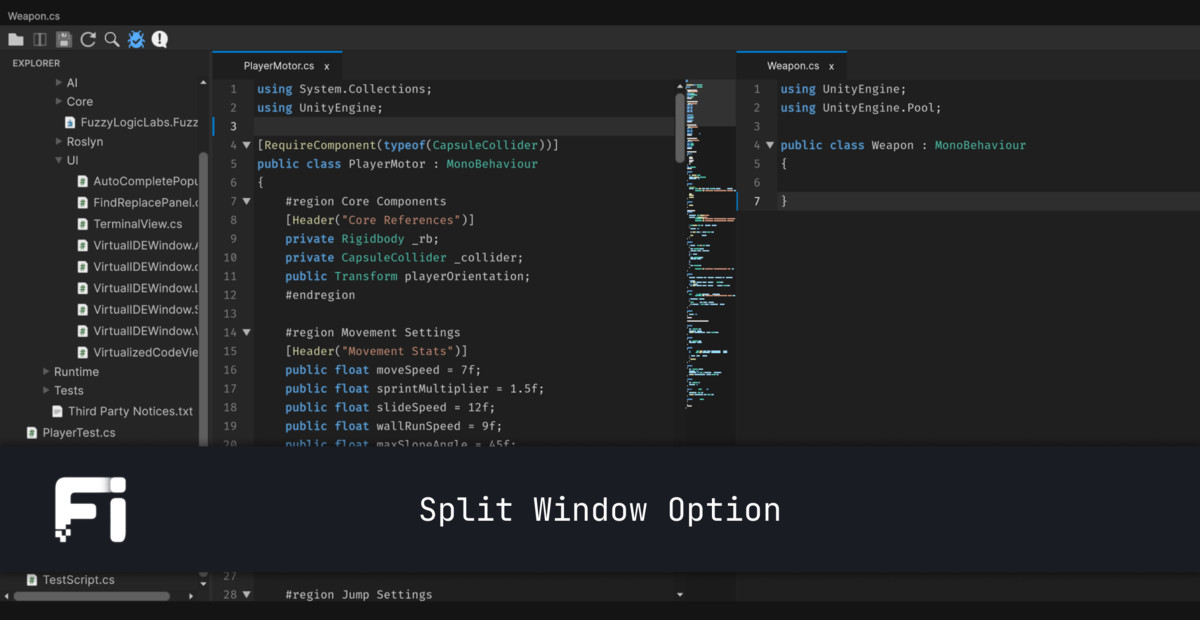
- Quick Open (Ctrl+P), command palette, Find & Replace in Files, Problems panel, split view
- Multi-caret editing, minimap, navigation history
THINGS ONLY AN IN-EDITOR IDE CAN DO
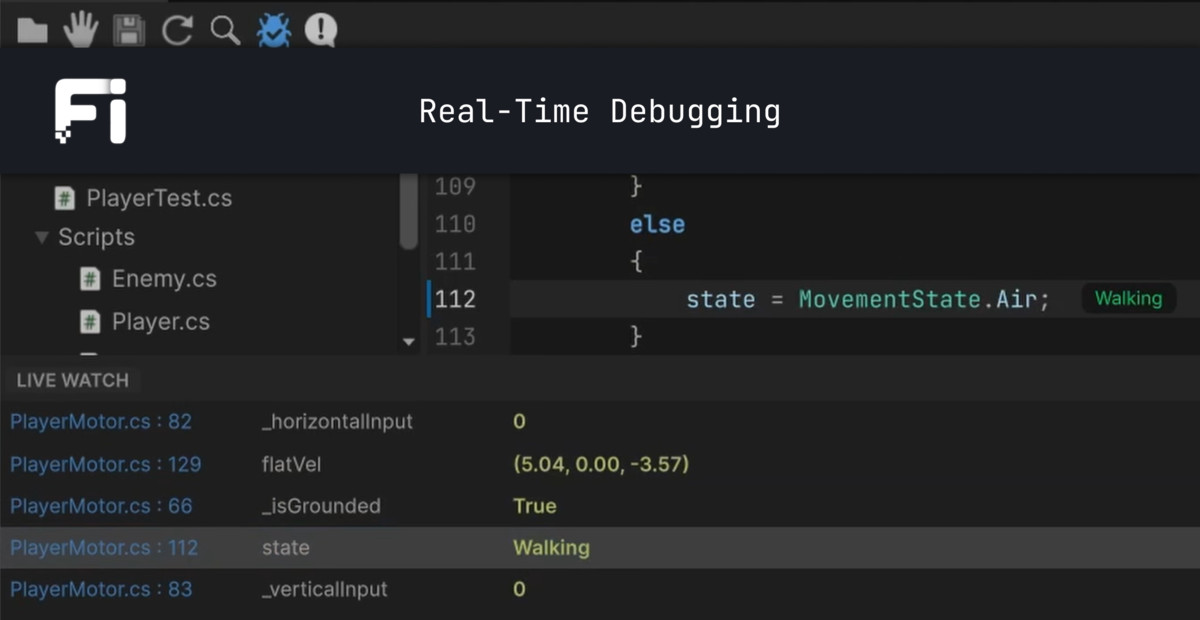
- Live field values of the running instance, shown at the end of each line
- Console errors and logs on the exact line that produced them
- See which scenes, prefabs and UnityEvents use a script
- Test results next to your test methods
- Completion for tags, layers, scenes and animator states
- Rename a serialized field and [FormerlySerializedAs] is added for you
- Drag prefabs, components or scene objects into a script to generate references
GIT CLIENT
A GitHub Desktop-style client that runs your installed git.
- Stage, commit, push, pull, branch, merge, rebase and stash
- Visual conflict resolution: keep yours, use theirs, or edit
- Commit history with code preview
- Changed lines marked in the editor gutter, minimap and file tree
FUZZY NOTES
An Markdown workspace stored in your project and shared with your team through Git.
- Live Preview editor: tables, callouts, code blocks, embeds, slash commands
- [[Wiki links]] to notes, scripts, specific lines, assets and scene objects
- Note markers in the code gutter: see which notes reference a script
- Tasks board, graph view, daily notes, templates, tags and backlinks
- Quick Scratchpad (Ctrl+Alt+N) and a built-in Bug Tracker
- Your project's README and .md docs open right in Fuzzy Notes
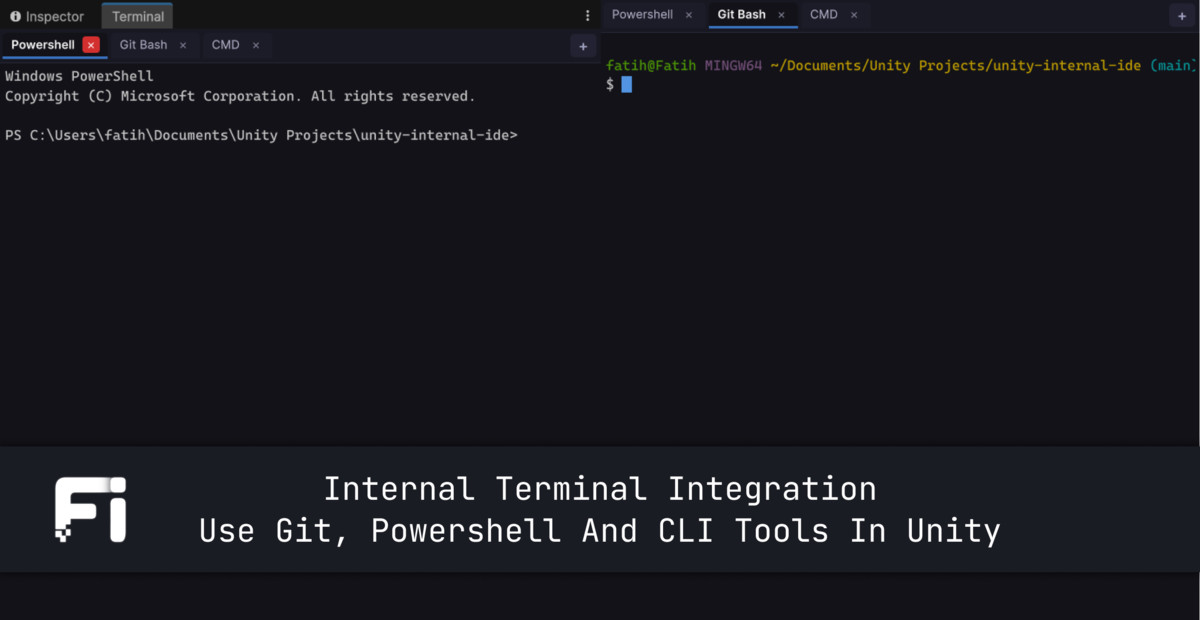
NATIVE TERMINAL
A real pseudo-terminal, not a log viewer.
- PowerShell, cmd, Git Bash, Zsh, Bash, Fish: multiple tabs and shells
- Full VT rendering, mouse support, themes
- Clickable links and file paths that open in the editor
- Modern TUI tools like Claude Code run correctly
- Sessions survive domain reloads
- Run shell code blocks from your notes with one click
COMPILATION CONTROL
- Lock domain reloads: Unity compiles in the background while you keep working, then reloads when you say so
- Clear status indicator for compiling, pending and reload states
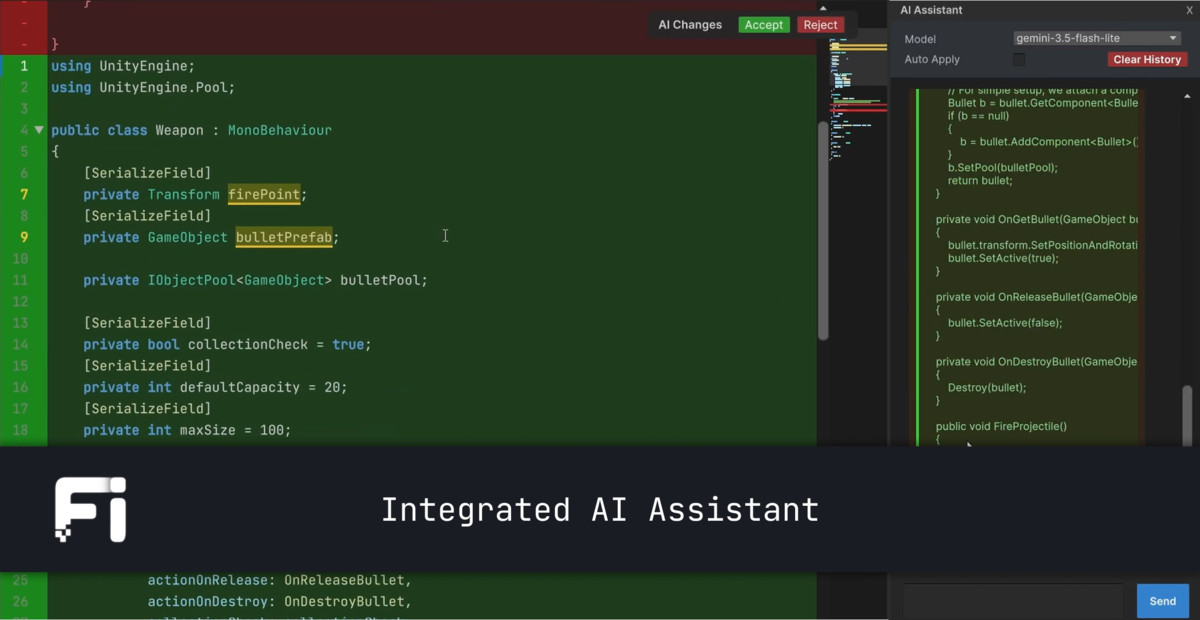
AI ASSISTANT
- Workspace-aware chat that sees your open files
- Generates scripts, fixes compiler errors, edits code
- Review every change in a diff view before accepting
Customization & Preferences
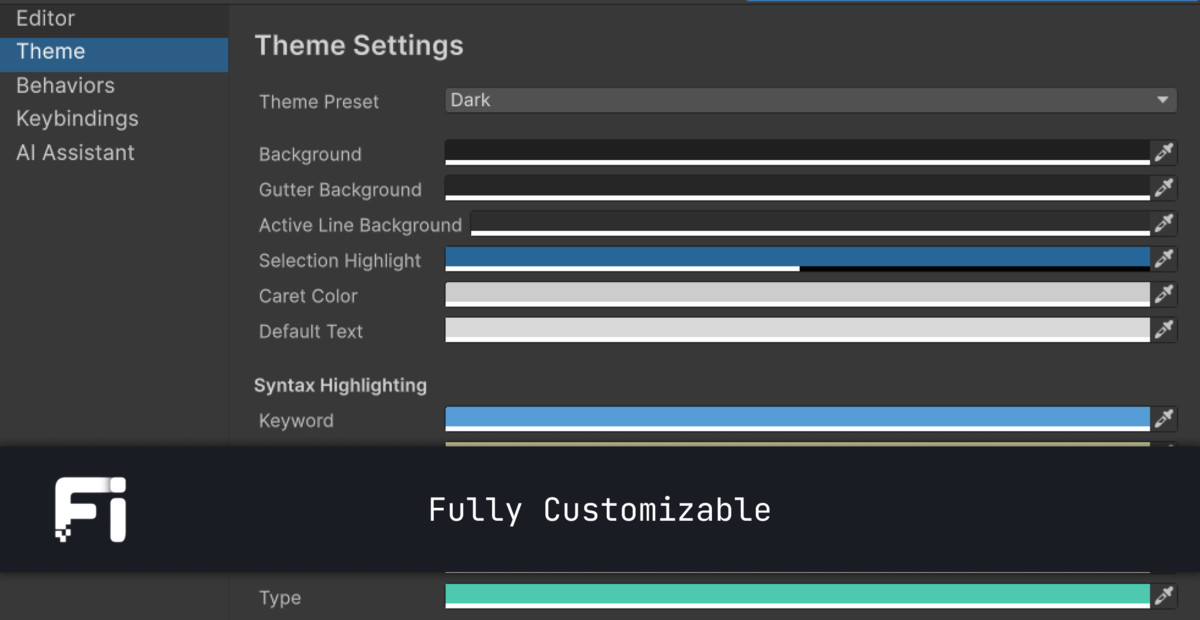
- Color Themes: Out-of-the-box support for Dark, Light, Monokai, High Contrast, and fully customizable palettes.
- Custom Font Support: Pick any font installed in your project (JetBrains Mono, Fira Code, Source Code Pro, Consolas).
- Rebindable Keybindings: Easily customize every shortcut or reset to defaults.
- Default Editor Option: Set FuzzyIDE as your primary external script editor inside Unity's preferences so double-clicking scripts opens them instantly.
Third-Party Notice: This asset uses various font files under the SIL OPEN FONT LICENSE and MIT LICENSE; see the Third-Party Notices.txt file in the package for details.
Developed by Fuzzy Logic Labs.
From the publisher's Asset Store listing.
Technical details
Architecture & Performance:
- UI Toolkit Driven: Built entirely with Unity's modern UI system for Editor windows, ensuring native OS-level performance and crisp rendering.
- Virtualized Code Viewer: Implements dynamic object pooling for line rendering. Memory footprint remains completely flat regardless of script length (tested up to 20,000+ lines).
- Roslyn AST Integration: Uses Microsoft.CodeAnalysis.CSharp for deep syntax tree parsing, safe code injection, and accurate line mapping.
- Thread-Safe Live Tracking: Utilizes ConcurrentDictionary and background polling to ensure updating variable states at 60FPS does not bottleneck the Unity Main Thread.
Compatibility:
- Supported OS: Windows & macOS
- Minimum Unity Version: 6.0 (or newer)
- No external software or bloated dependencies required.
Included in the Package:
- FuzzyIDE Core Window System
- Live State Tracker Engine & Hybrid Watch Panel
- Virtualized List Engine & Minimap components
- Internal Terminal
- Full documentation and quick-start guide
Compatibility
| Unity version | Built-in | URP | HDRP | Custom |
|---|---|---|---|---|
| 6000.0.80f1 | Compatible | Compatible | Compatible | Compatible |
As listed on the Asset Store.