
 View on Asset Store (opens in new tab)
Package details
- Latest version
- 1.0
- Last updated
- First released
- Unity version
- 2022.3.62 or later
- Package size
- 22.3 MB
- Files
- 61
- Views in the past week
- 9
Price tracking
- Last checked
- Tracked since
- Lowest recorded
- $14.99 on
Keywords
Audio Toolkit - Complete Audio System
A complete, editor-first audio management toolkit for Unity with Audio Events, mixer integration, code generation, validation, optimisation, runtime monitoring, and flexible playback controls.
Affiliate link · Purchases support this site
Price history
Last 6 months
USDAsset preview
1 / 7
Audio Toolkit - Complete Audio System screenshot 1
About this asset
Audio Toolkit – Complete Audio System is a data-driven audio management solution designed to replace scattered AudioSource calls with a centralised, organised, and easy-to-debug workflow.
Built around ScriptableObjects, the toolkit lets you create reusable Audio Events, organise them by category and subcategory, configure playback behaviour, connect them to Unity Audio Mixer groups, and trigger them through generated, strongly organised IDs.
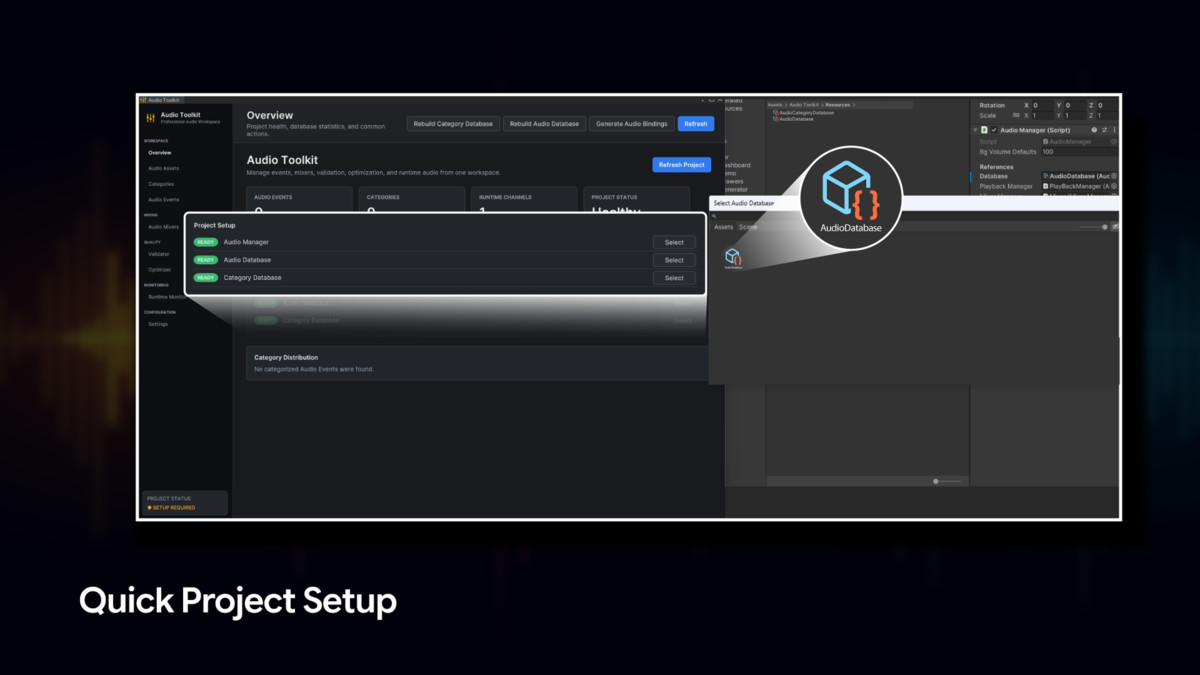
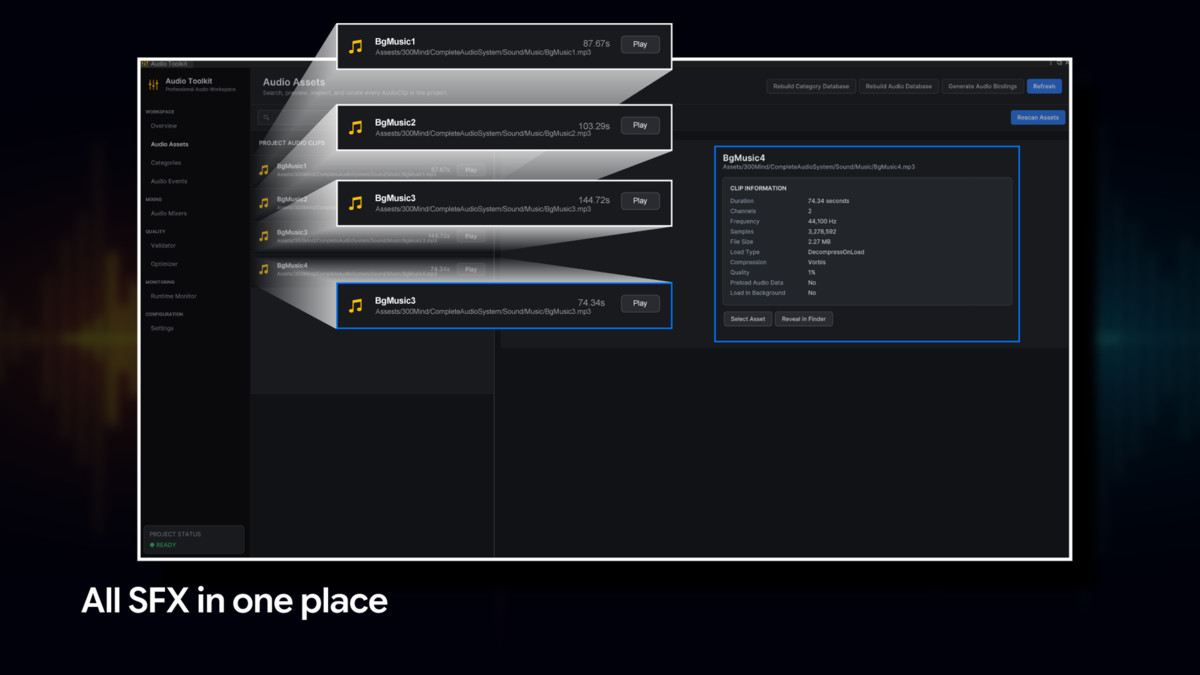
The included dashboard provides one workspace for managing audio assets, events, categories, mixers, validation, optimisation, and runtime debugging.
Key Features
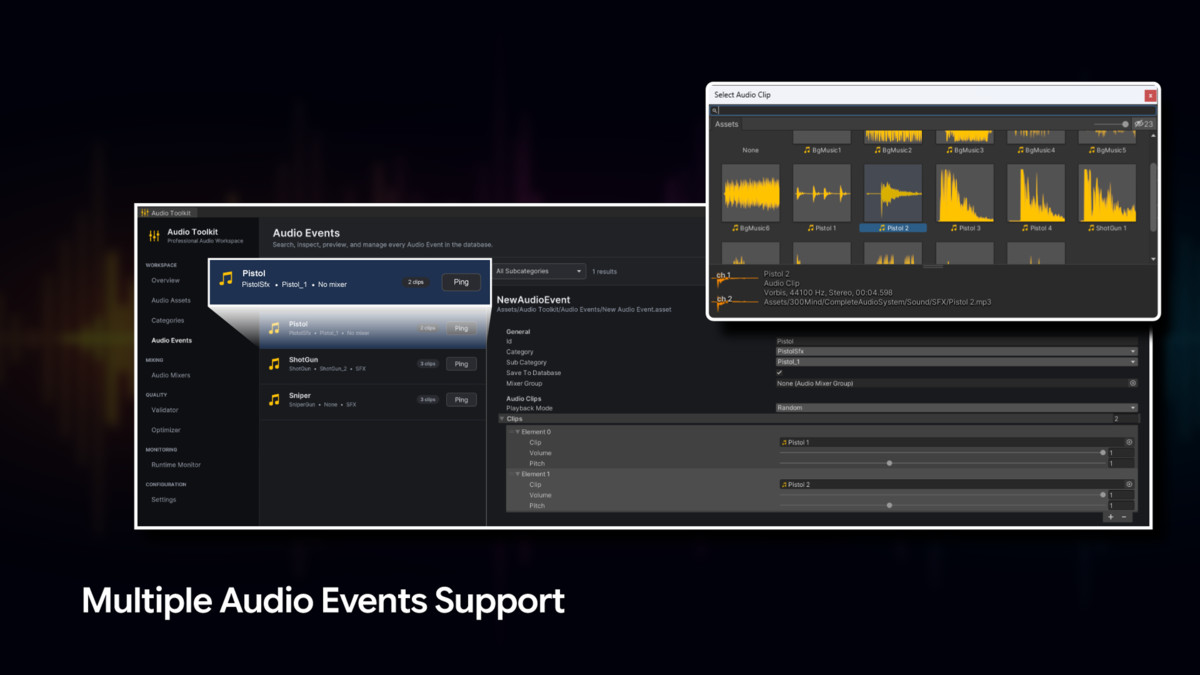
- Audio Event Authoring: Create reusable ScriptableObject-based Audio Events with multiple clips, per-clip volume and pitch, random or sequential playback, looping, priority, and variation controls.
- Flexible Runtime Playback: Play standard, one-shot, delayed, overlapping, and smoothly faded audio, with AudioHandle controls for stopping, pausing, resuming, muting, and adjusting volume or pitch.
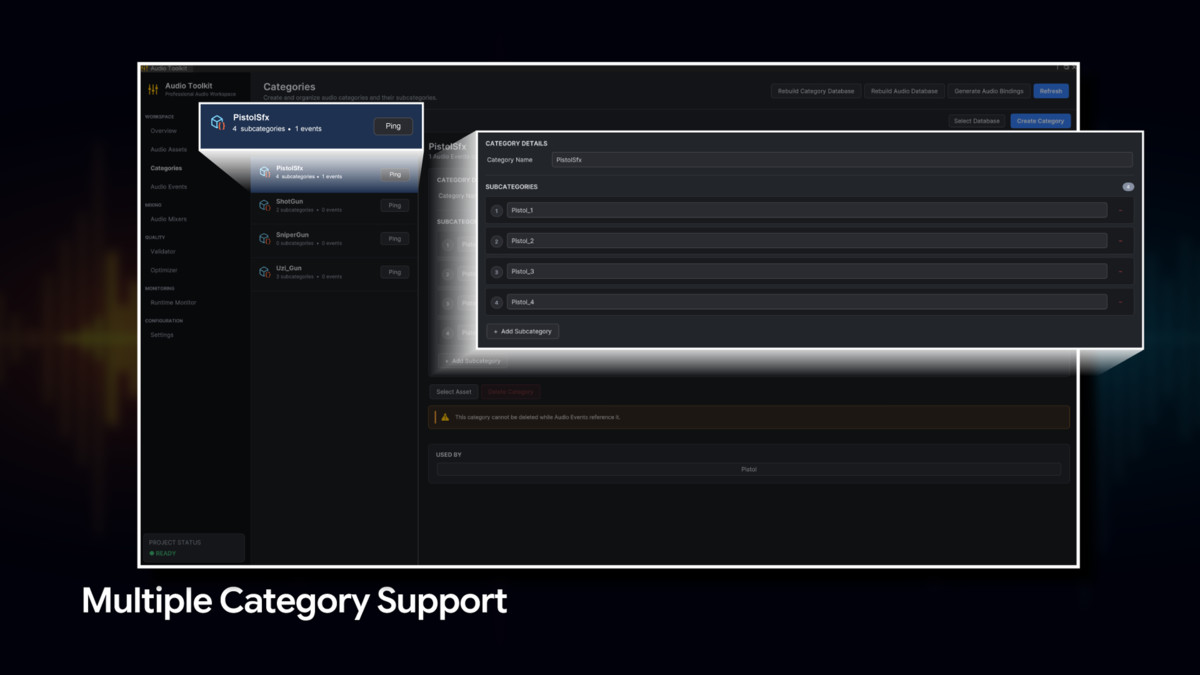
- Organised Audio Categories: Group Audio Events into categories and subcategories, then map them to dedicated AudioSources and mixer groups for a clean, scalable audio structure.
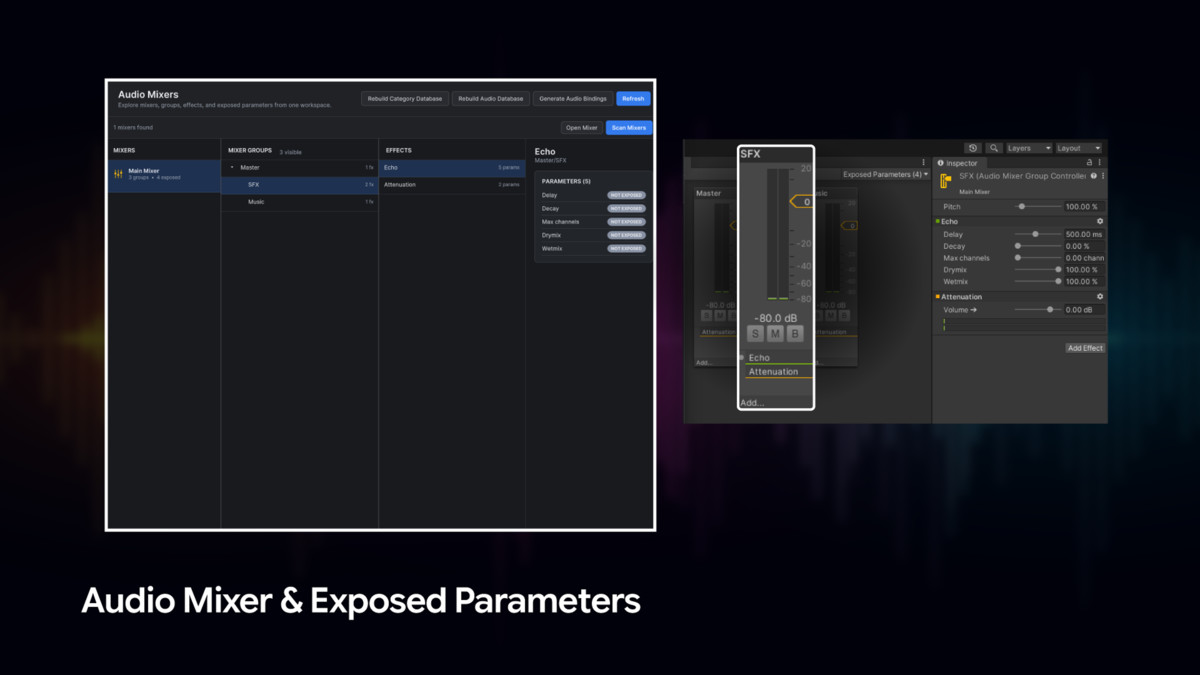
- Unity Audio Mixer Integration: Route Audio Events through Unity Audio Mixer groups and control exposed parameters using perceptually smooth logarithmic volume conversion.
- Automatic Code Generation: Generate organised Audio Event IDs and mixer parameter constants in AudioUtility.cs, reducing raw strings and preventing typing errors.
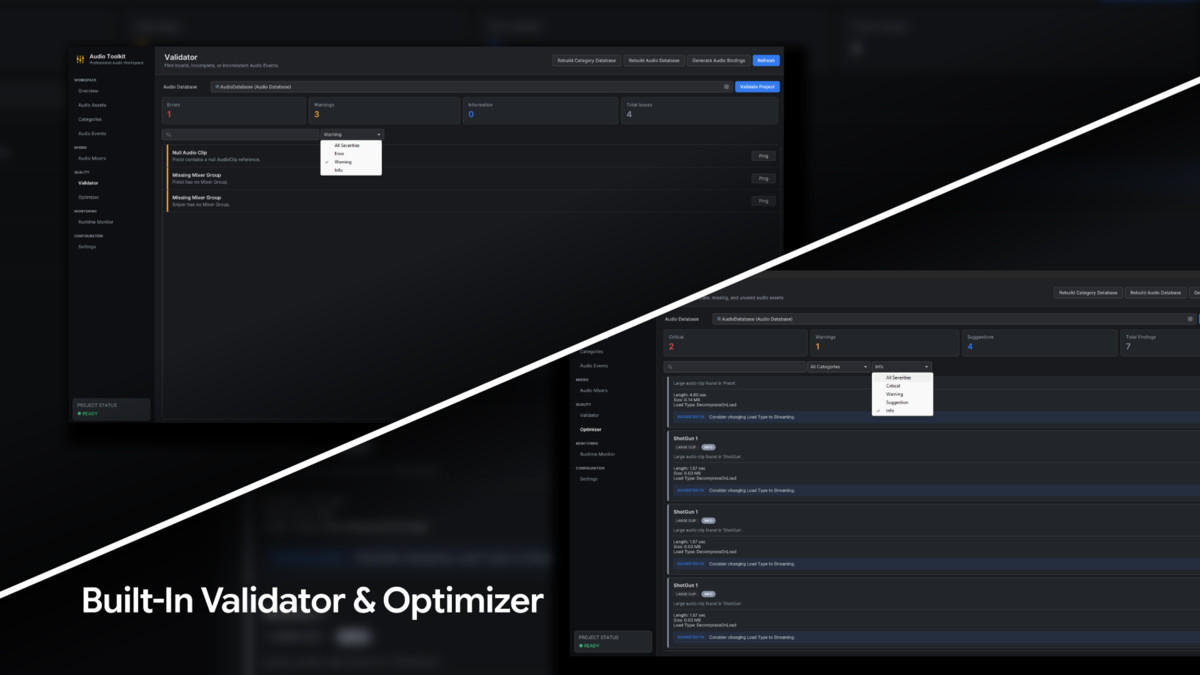
- Project Validation: Detect missing clips, duplicate IDs, invalid values, missing mixer groups, and other configuration issues, with severity-based results and direct asset navigation.
- Audio Optimisation Tools: Scan the project or audio database for large clips, unused assets, missing references, compression concerns, and duplicate clip assignments.
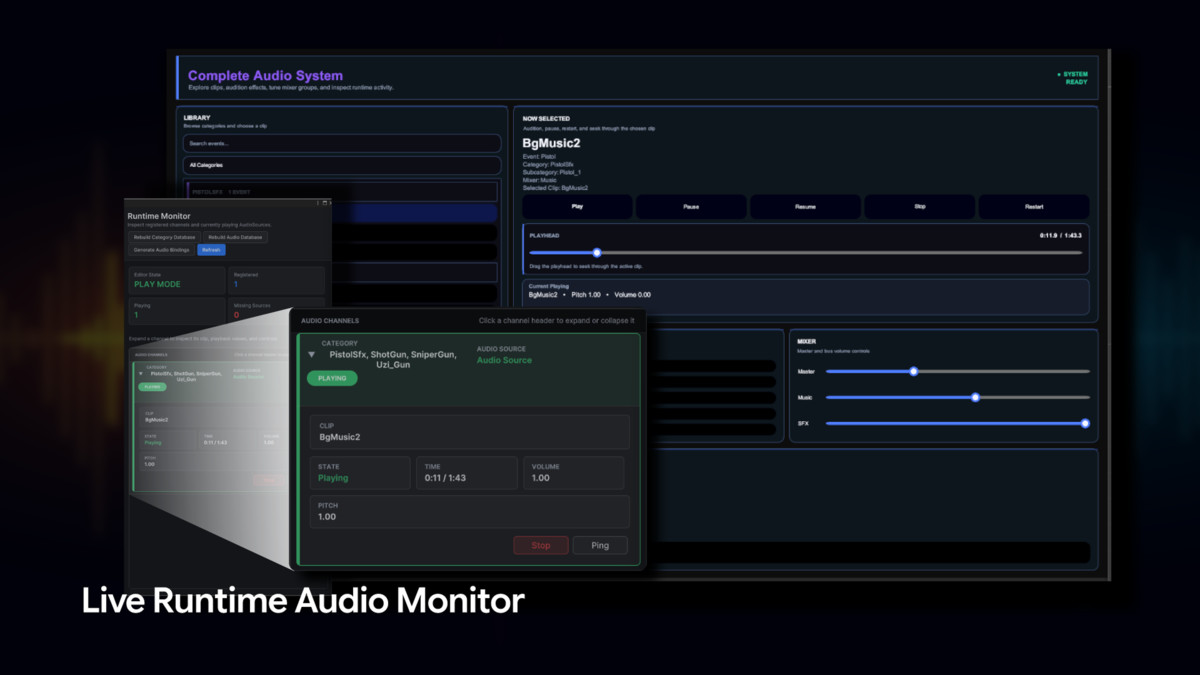
- Runtime Monitor: View active AudioSources, clips, channels, playback states, volume, pitch, and missing assignments during Play Mode, with quick locate and stop controls.
- Editor-First Workflow: Manage audio assets, events, categories, mixers, validation, optimisation, runtime monitoring, and settings from one dockable Unity Editor dashboard.
- Customisable and Genre Independent: Configure categories, playback behaviour, mixer routing, generated IDs, and event settings to suit any project size or game genre.
From the publisher's Asset Store listing.
Technical details
Requirements
- Unity Version: Unity 2022.3 LTS or higher
Supported Workflows
- ScriptableObject-based Audio Event creation
- Random and sequential clip playback
- One-shot, looping, delayed, and overlapping audio
- Fade-in and fade-out playback
- Runtime pause, resume, stop, mute, volume, and pitch controls
- Category and subcategory organisation
- Unity Audio Mixer group routing
- Automatic Audio ID and mixer parameter generation
- Audio validation and optimisation
- Live runtime audio monitoring
Validation and Optimisation
- Detects missing clips, null references, duplicate IDs, and invalid values
- Identifies missing mixer groups and priority issues
- Scans for large, unused, duplicated, or poorly compressed audio clips
- Provides severity-based results and direct asset navigation
Performance
- Centralised audio management reduces repeated setup across scripts
- Audio Events and generated IDs support an organised runtime workflow
- The Runtime Monitor refresh interval is configurable
- Logarithmic mixer volume conversion provides natural volume control
Support and Feedback
We value your feedback and are here to help!
Reach out to 300 Mind via our contact page, email us directly, or join our Discord community for support, updates, and discussions.
Our team is ready to help with any questions you might have about setup, implementation, or customization.
Compatibility
| Unity version | Built-in | URP | HDRP | Custom |
|---|---|---|---|---|
| 2022.3.62f3 | Compatible | Compatible | Compatible | Compatible |
As listed on the Asset Store.