
 View on Asset Store (opens in new tab)
Package details
- Latest version
- 1.0
- Last updated
- First released
- Unity version
- 2022.3.62 or later
- Package size
- 4.1 MB
- Files
- 56
- Favorites
- 1
- Views in the past week
- 7
Price tracking
- Last checked
- Tracked since
- Lowest recorded
- $14.99 on
Keywords
UI Form Builder - Form Forge
A complete attribute-driven Unity form builder that generates styled runtime and Editor forms using UI Toolkit or UGUI, with validation, theming, conditional logic, and editable collections.
Affiliate link · Purchases support this site
Price history
Last 6 months
USDAsset preview
1 / 6
UI Form Builder - Form Forge screenshot 1
About this asset
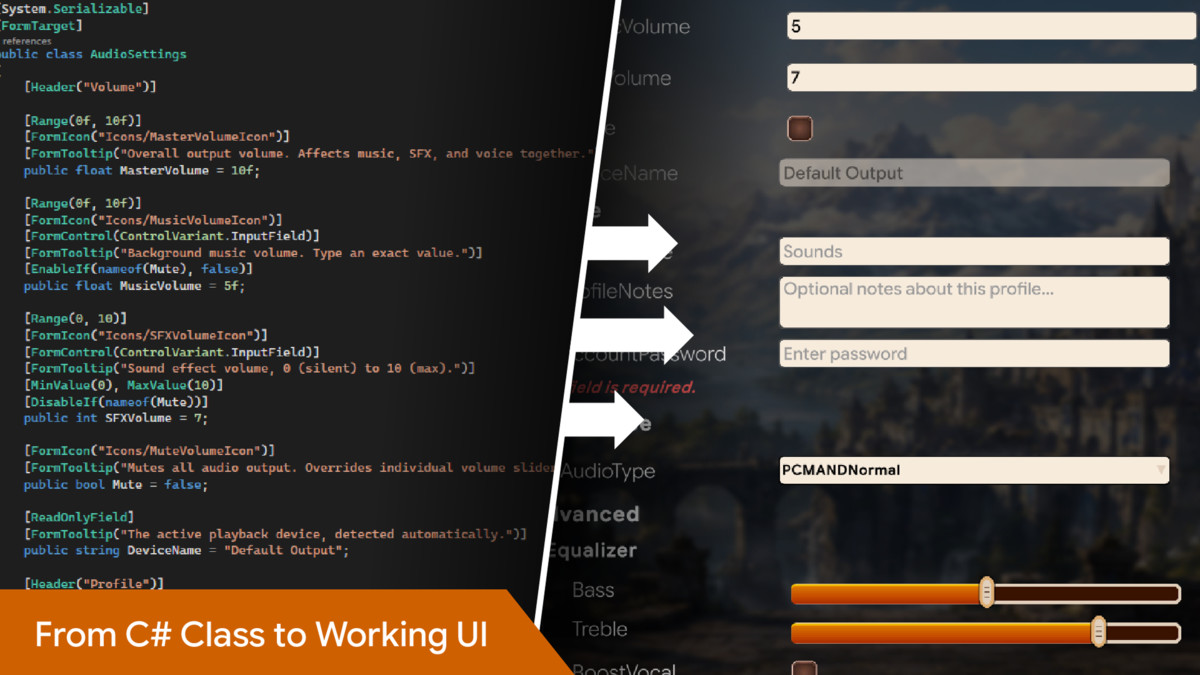
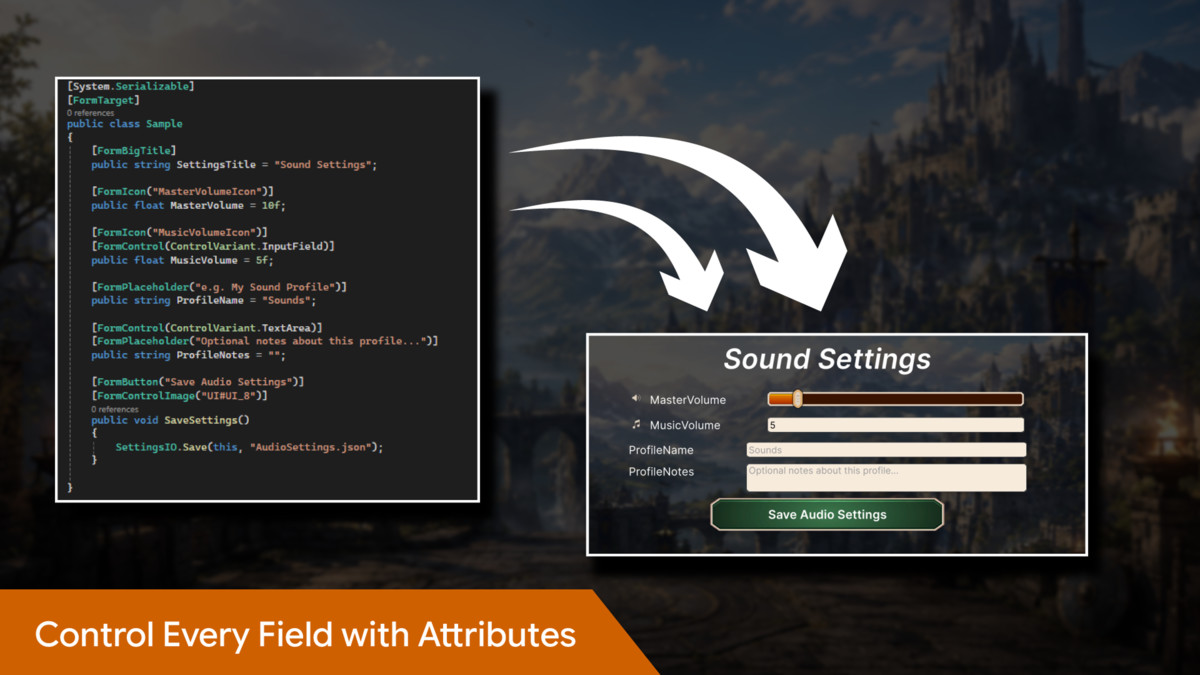
UI Form Builder – Form Forge is an attribute-driven form generation framework for Unity. It converts ordinary annotated C# classes into complete, styled, and interactive forms without requiring you to manually create every field, label, button, validation message, or layout.
Add [FormTarget] to a serializable class, decorate its fields and methods with Form Forge attributes, and generate the form using either the UI Toolkit or UGUI rendering backend. Both backends use the same data model, attributes, validation rules, and conditional logic, allowing you to change rendering systems without rewriting your form classes.
Form Forge supports runtime-generated interfaces, Editor previews, configurable themes, reusable UGUI control prefabs, nested data structures, editable collections, custom icons and fonts, and optional Editor-time UGUI baking.
The package is supplied as precompiled managed assemblies. You write and maintain your own attributed data classes while the framework handles form generation, binding, validation, styling, and interaction.
Key Features
- Attribute-Driven Form Generation: Create complete forms from plain serializable C# classes using [FormTarget] and field-level attributes.
- Two Rendering Backends: Generate forms with UI Toolkit, UGUI, or both in the same project.
- Runtime and Editor Workflows: Build interfaces dynamically at runtime, preview UI Toolkit forms in the Editor, or bake UGUI forms into editable hierarchies.
- Automatic Data Binding: Generated controls remain connected to the underlying class instance.
- Flexible Control Types: Supports sliders, numeric inputs, text fields, text areas, password fields, toggles, dropdowns, colour fields, vectors, buttons, and more.
- Nested Objects and Collections: Render nested classes, custom structs, arrays, and List<T> values as expandable and editable form sections.
- Live Validation: Add required, length, numeric range, and regular-expression validation using attributes.
- Conditional UI Logic: Show, hide, enable, or disable fields based on the current value of another field.
- Custom Labels and Presentation: Configure labels, headers, icons, tooltips, placeholders, fonts, ordering, large titles, control images, and read-only fields.
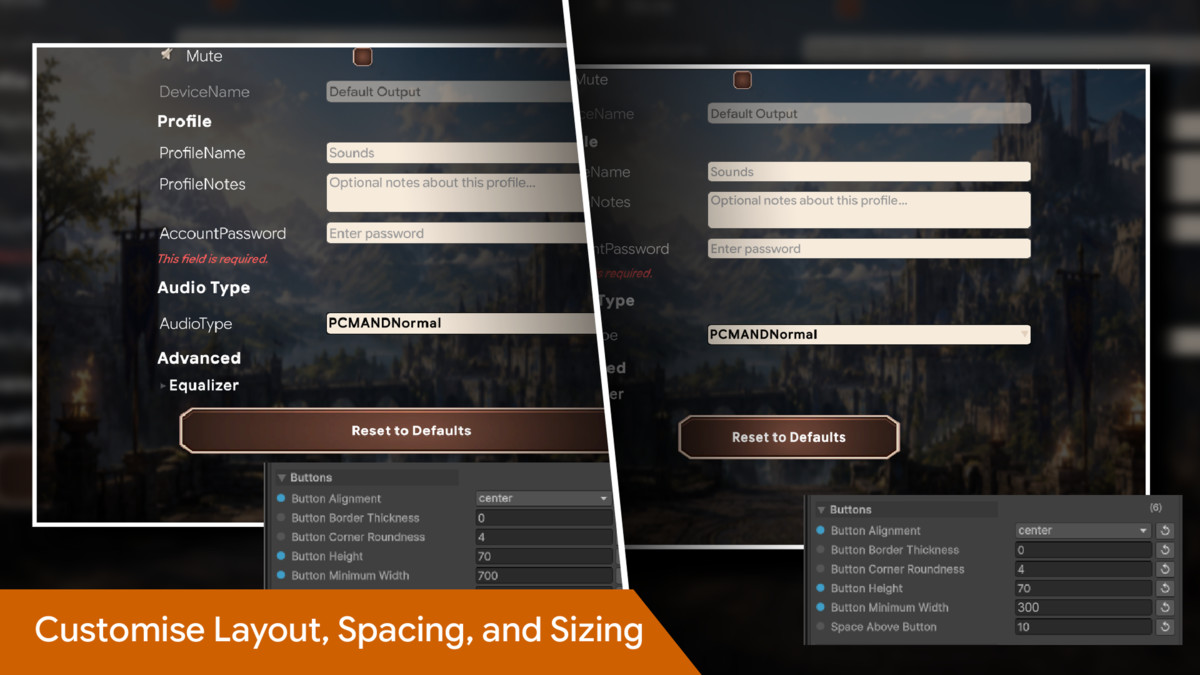
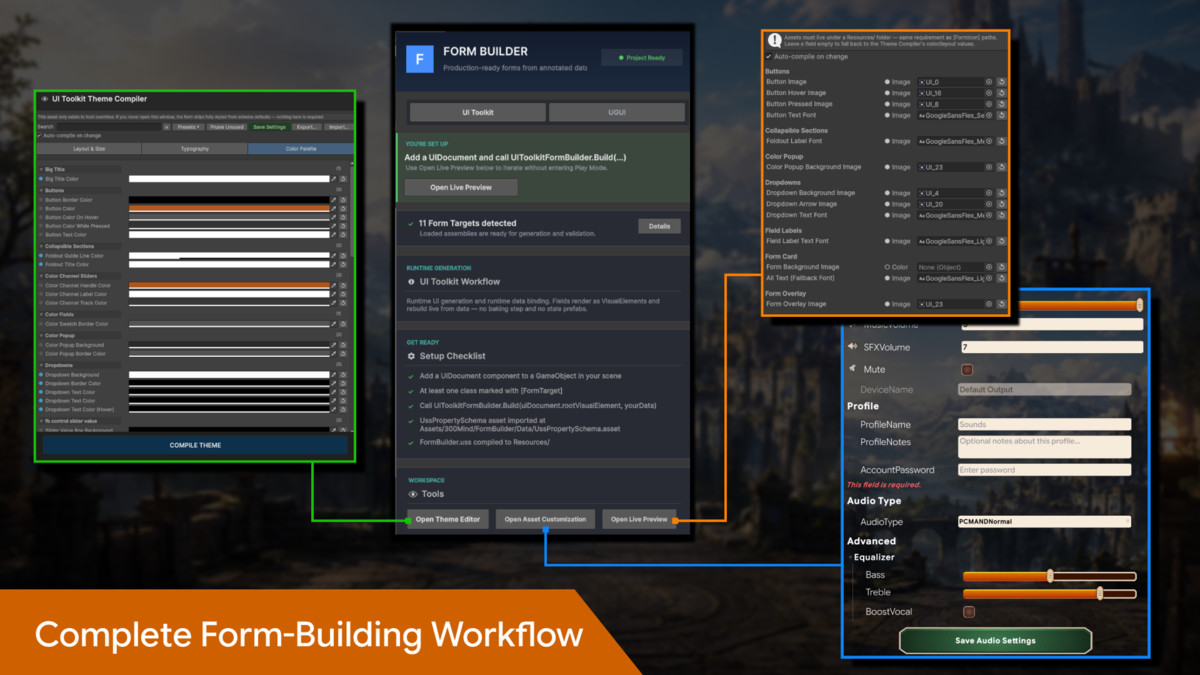
- Theme Compiler: Customise layout, typography, and colour properties through a dedicated Editor window.
- Theme Presets: Includes Dark, Light, Midnight Blue, High Contrast, and packaged default theme options.
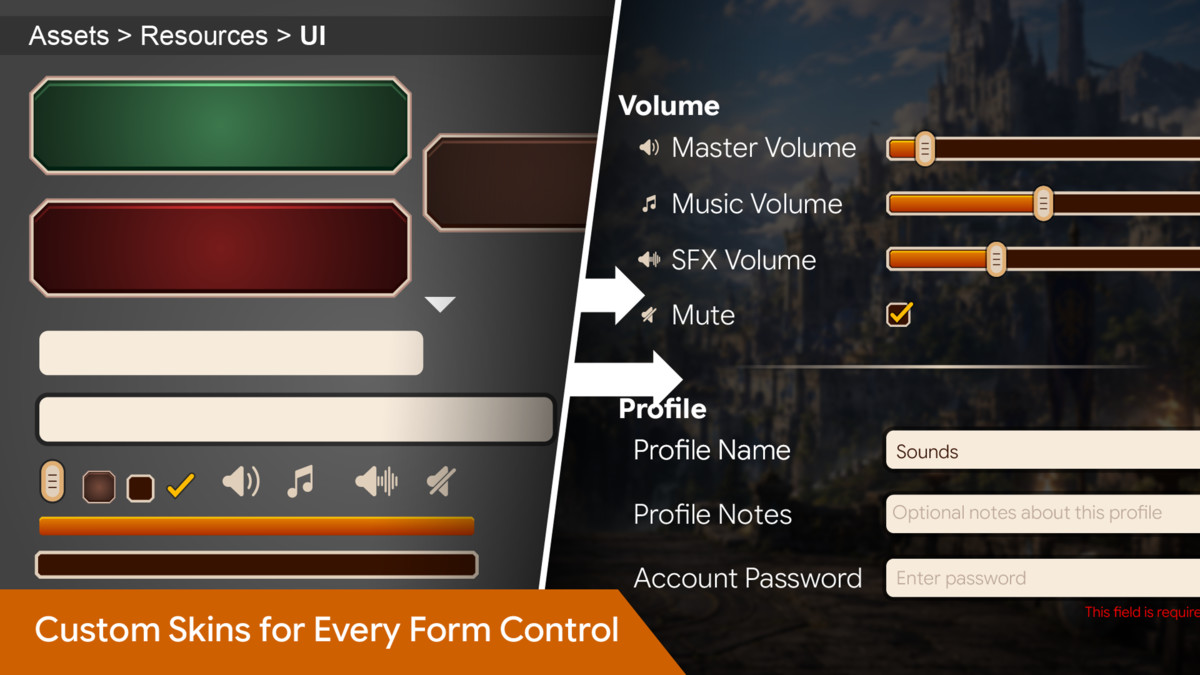
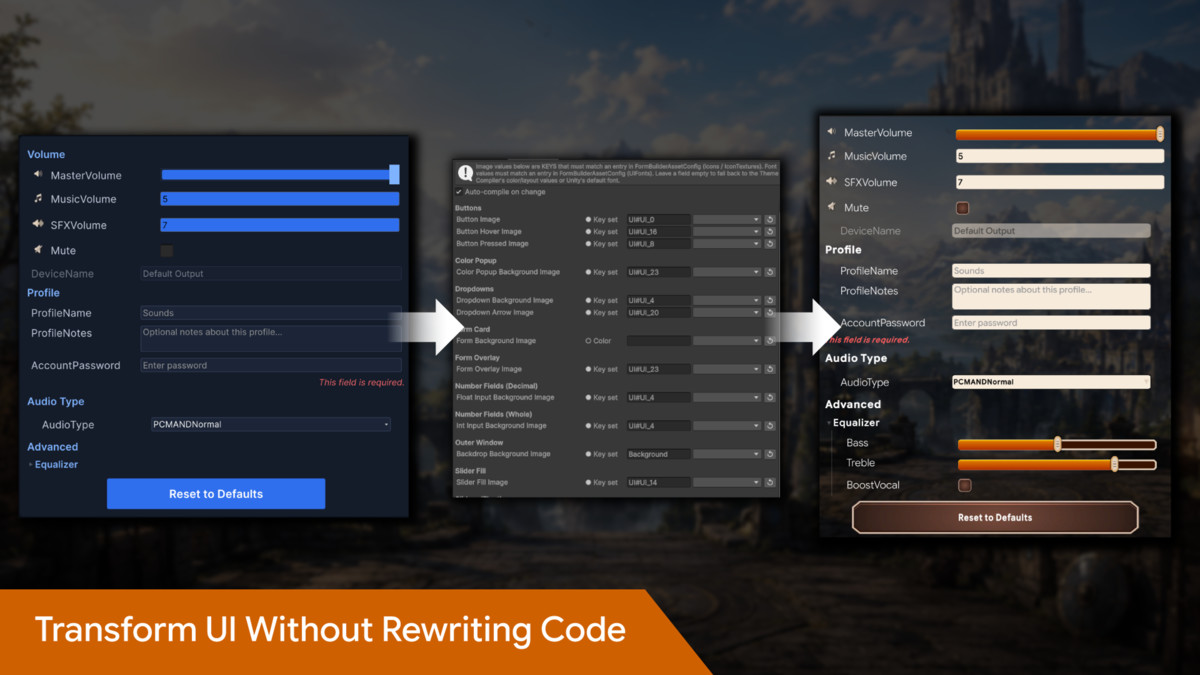
- Asset Customisation: Assign global or per-control images, icons, UI Toolkit fonts, and TextMeshPro fonts through keyed asset references.
- UGUI Control Registry: Map field types and control variants to your own reusable UGUI prefabs.
- UGUI Baking: Generate a static UGUI hierarchy in the Editor for manual arrangement while retaining runtime data binding.
- Live Preview: Preview any compatible [FormTarget] class instantly through the UI Toolkit backend.
- Project-Wide Validation: Scan attributed classes and report invalid or incompatible attribute usage.
- Settings Persistence: Includes a JSON save and load helper using Application.persistentDataPath.
- Backend-Independent Schema: Use the same attributed data classes and business rules with both UI systems.
- Demo Content Included: Example settings forms, scenes, icons, backgrounds, fonts, themes, and configured assets demonstrate both backends.
- Genre Independent: Suitable for settings menus, character editors, configuration panels, debug tools, admin interfaces, data-entry screens, and other form-based workflows.
From the publisher's Asset Store listing.
Technical details
Requirements
- Unity Version: Unity 2022.3 LTS or later recommended
- UGUI Dependency: TextMeshPro
- UGUI Setup: TextMeshPro Essential Resources must be imported before using UGUI generation or baking
- Asset Type: Editor and runtime framework
Supported Rendering Workflows
- Runtime UI Toolkit form generation
- Runtime UGUI form generation
- UI Toolkit Editor live preview
- Optional Editor-time UGUI baking
- UI Toolkit and UGUI are used side by side
- Prefab-based UGUI control customisation
- Compiled USS theme generation
- Asset-based icon, image, and font configuration
Supported Field Types
- float
- int
- bool
- string
- Enums
- Vector2
- Vector3
- Color
- Custom serializable structs
- Nested serializable classes
- List<T>
- T[]
Collections may contain supported primitive, enum, vector, colour, class, or struct types.
Supported Controls and Behaviours
- Slider controls
- Numeric input fields
- Text fields
- Multiline text areas
- Password fields
- Toggle controls
- Enum dropdowns
- Vector controls
- Colour controls
- Read-only fields
- Parameterless method buttons
- Editable lists and arrays
- Nested foldout groups
- Add and remove collection items
- Live field validation
- Conditional visibility
- Conditional interactability
- Runtime tooltips
- Custom labels and headers
- Placeholder text
- Field and button ordering
- Custom icons, fonts, and control images
Validation Features
- Required values
- Minimum string length
- Maximum string length
- Minimum numeric value
- Maximum numeric value
- Regular-expression validation
- Multiple validators on one field
- Live validation after value changes
- Validation after form button actions
- Project-wide attribute validation
Theme and Customisation Tools
- Layout and sizing configuration
- Typography configuration
- Colour palette configuration
- Dark theme preset
- Light theme preset
- Midnight Blue preset
- High Contrast preset
- Packaged default theme
- JSON theme import and export
- Automatic or manual stylesheet compilation
- Unused override pruning
- Global control image customisation
- UI Toolkit font assignment
- TextMeshPro font assignment
- Sprite and texture key mapping
- Sprite atlas sub-asset support
- Per-field and per-button appearance overrides
Included Content
- UI Toolkit demonstration scenes
- UGUI demonstration scenes
- Example Audio, Graphics, Gameplay, and Main Menu settings classes
- Demo icons and background sprites
- Demo fonts
- Default USS Property Schema
- Default Theme Data
- Compiled FormBuilder.uss
- Form Builder Asset Config workflow
- UGUI Control Registry support
- Set up and usage documentation
Performance
- Forms are generated from cached reflection-based schema information.
- Centralised form definitions reduce repeated UI setup across scenes and scripts.
- UI Toolkit forms are created without requiring prefabs or pre-baked layouts.
- UGUI uses reusable prefab mappings through the Control Registry.
- Theme styling is compiled into a USS stylesheet for runtime use.
- Asset references are stored in a central FormBuilderAssetConfig.
- Runtime monitoring is not required after controls have been bound, except where live validation or conditional rules react to value changes.
Support and Feedback
We value your feedback and are here to help!
Reach out to 300 Mind via our contact page, email us directly, or join our Discord community for support, updates, and discussions.
Our team is ready to help with any questions you might have about setup, implementation, or customization.
Compatibility
| Unity version | Built-in | URP | HDRP | Custom |
|---|---|---|---|---|
| 2022.3.62f3 | Compatible | Compatible | Compatible | Compatible |
As listed on the Asset Store.