
 View on Asset Store (opens in new tab)
Package details
- Latest version
- 1.0
- Last updated
- First released
- Unity version
- 6000.3.17 or later
- Package size
- 68 KB
- Files
- 46
- Favorites
- 4
- Views in the past week
- 54
Price tracking
- Last checked
- Tracked since
- Lowest recorded
- Free on
Keywords

UITweenKit
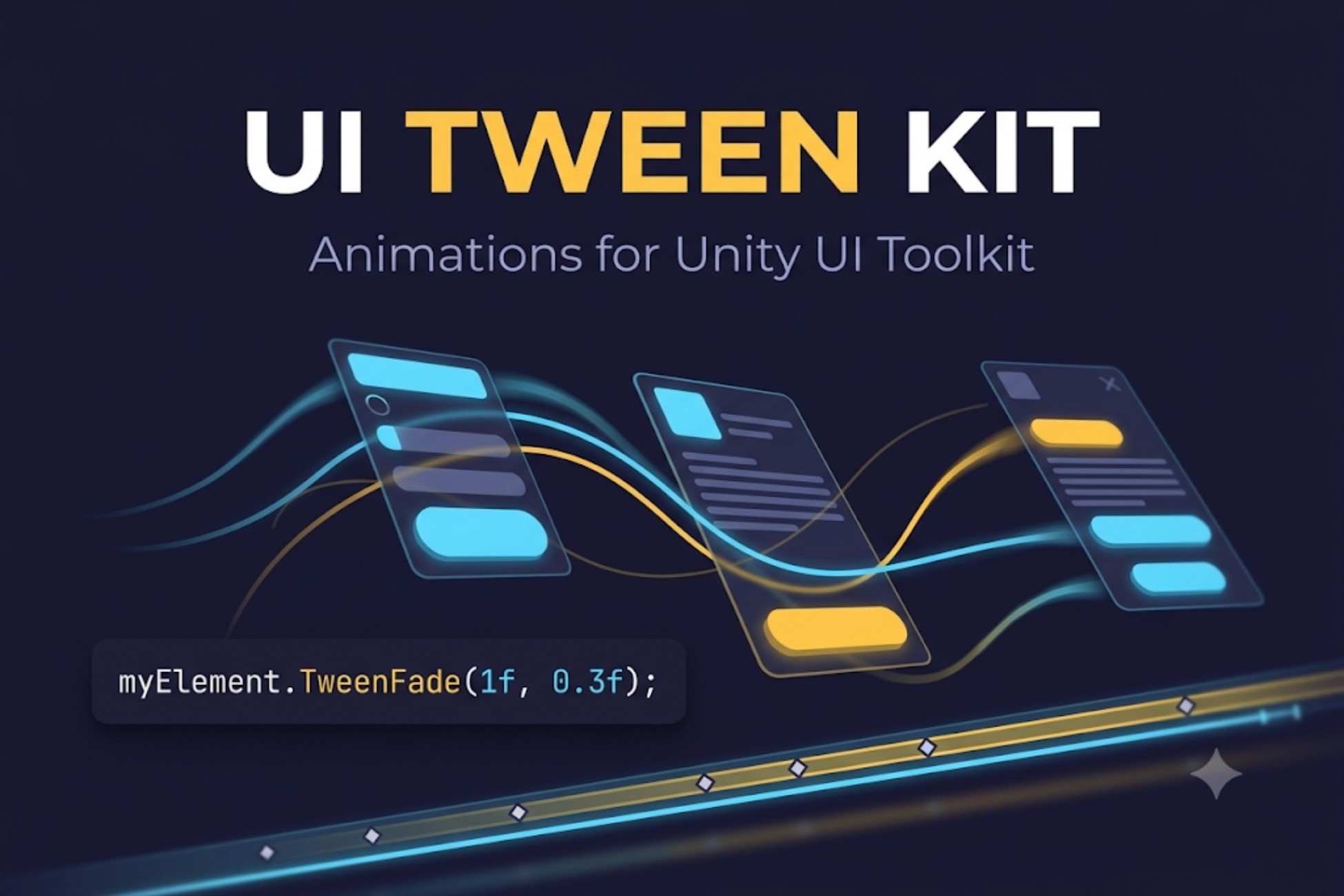
Animate UI Toolkit elements with one line of code, or build animations visually on a timeline with live preview. Fades, slides, scales, juice effects, sequences - no setup required.
Affiliate link · Purchases support this site
Price history
Last 6 months
USDAsset preview
1 / 4
UITweenKit screenshot 1

About this asset
UI Tween Kit brings smooth, expressive animation to Unity UI Toolkit — with a concise C# API and a full visual keyframe editor.
ONE LINE TO ANIMATE
myElement.TweenFade(1f, 0.3f);
Add "using UITweenKit;" and you're done. No managers, no prefabs, nothing to configure.
CHAINABLE API
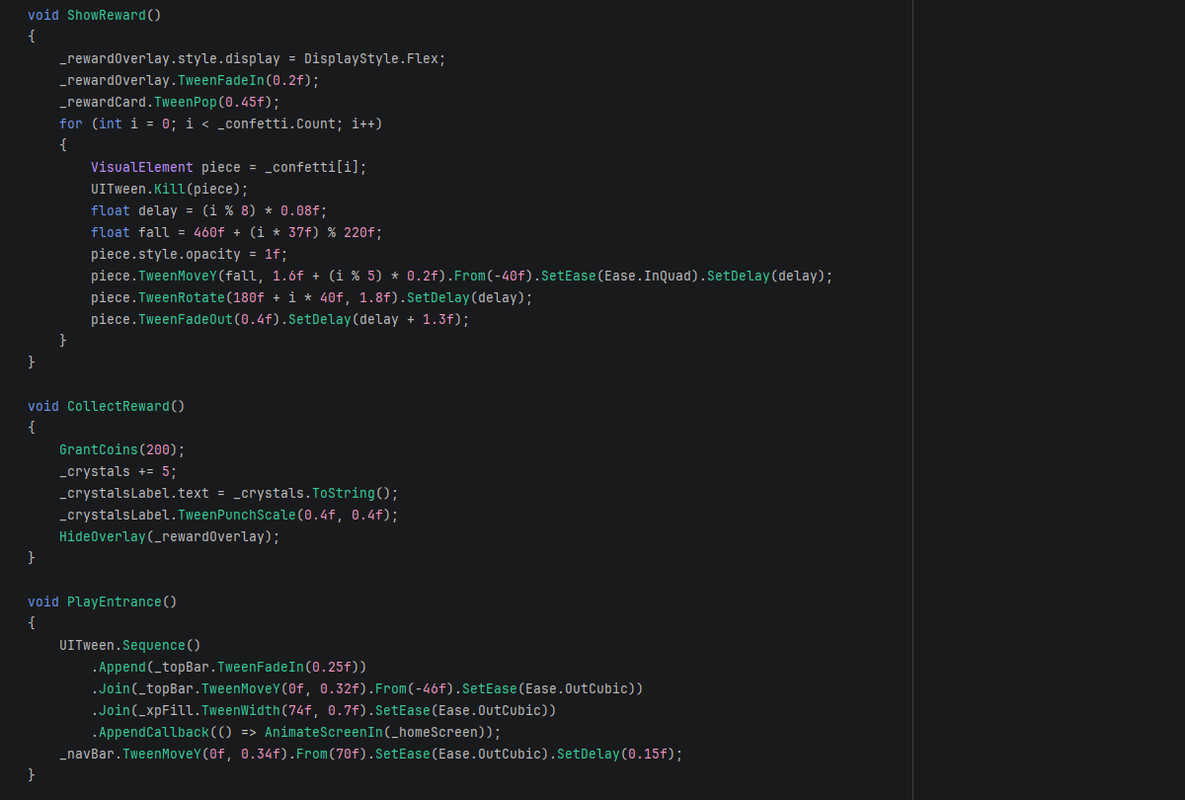
Every tween chains in any order:
button.TweenScale(1.2f, 0.2f).SetEase(Ease.OutBack).SetDelay(0.1f).OnComplete(...);
Animate opacity, position, scale, rotation, size, colors, margins, borders — or anything at all through a getter/setter, including your own values.
SEQUENCES
Append, Join, Insert, intervals and callbacks - build entrance choreographies that read like sentences.
JUICE, READY TO USE
Shake, punch, pop, slide in/out, pulse, flash, typewriter text, path movement along curves - one call each.
VISUAL CLIP EDITOR
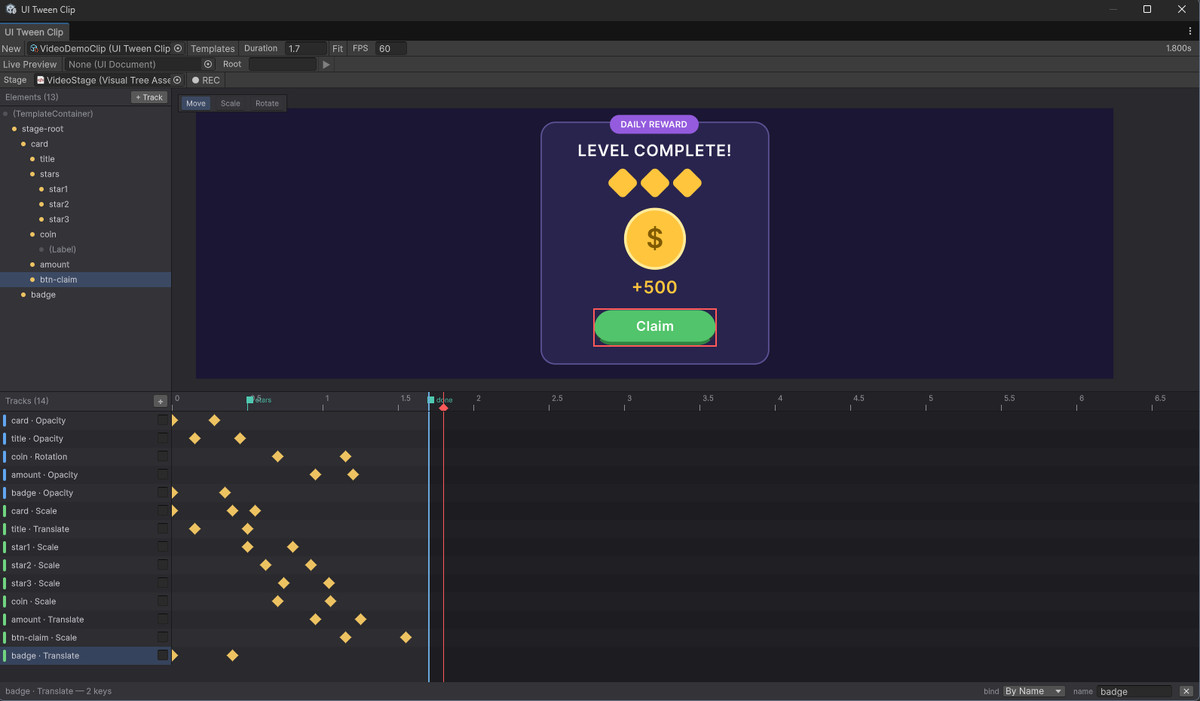
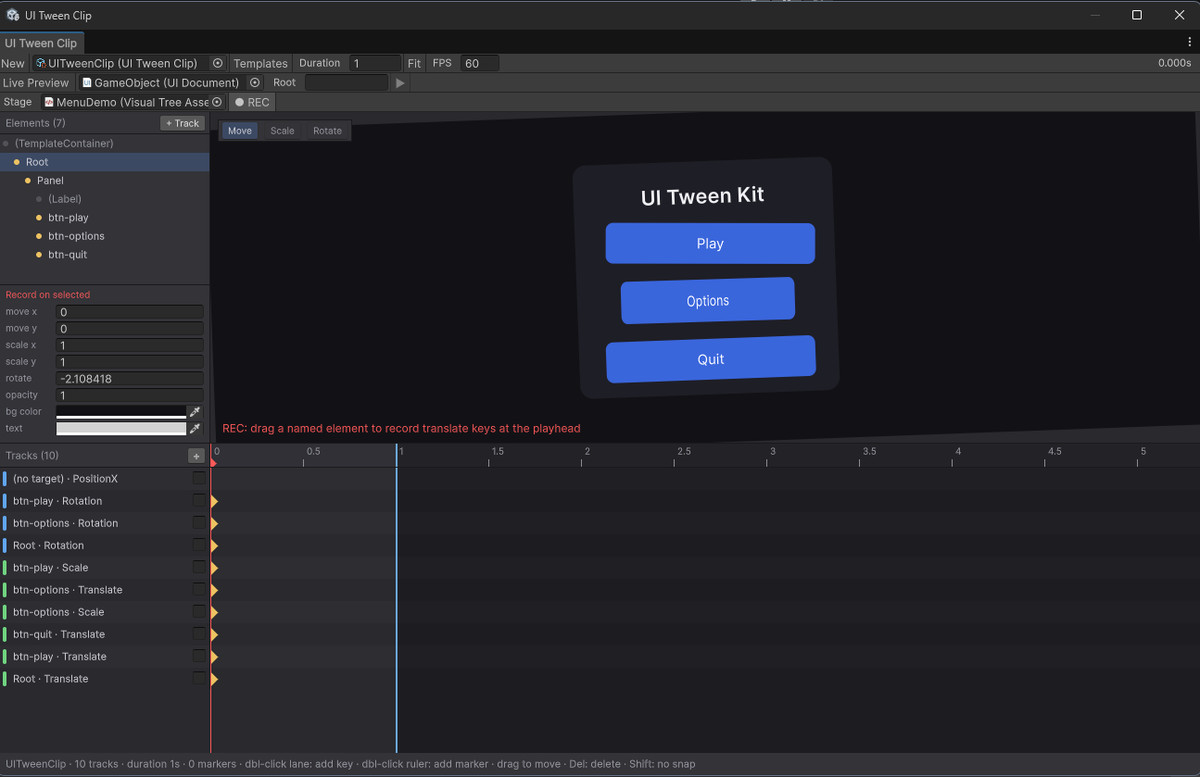
Build animations without code. Create a clip, see your UXML rendered live inside the editor window with a full element tree, and animate by hand:
- Click any element to select it and add tracks — no typing names
- Move, Scale and Rotate tools (W/E/R) — drag elements and keys are recorded at the playhead
- Record panel for position, scale, rotation, opacity and colors, with Unity-style drag-to-scrub fields
- Timeline with draggable keys, per-key easing, markers, frame snapping
- Play your animation right in the editor, no Play mode needed
- Ready-made templates: Fade In, Pop In, Pulse, Slide In
- Full undo support
PLAY CLIPS WITHOUT CODE
Drop a UITweenPlayer component next to your UIDocument, assign a clip, and wire onStarted, onCompleted and onMarker events in the inspector like you would with Buttons.
LIVE PREVIEW
Drive a scene UIDocument straight from the timeline — scrub and watch your real UI move, with every style restored when you're done.
PERFORMANCE
Tweens are pooled and reused for a light GC footprint on mobile, clean themselves up automatically, and smooth out frame-time spikes so animations never jump.
INCLUDED
- Complete runtime API and visual editor
- 31 easing curves plus AnimationCurve support
- Six sample scenes including a full game menu showcase
- README and full documentation
Unity 2022.3+ (Unity 6 ready). Built-in, URP and HDRP.
Support: [email protected]
From the publisher's Asset Store listing.
Technical details
- One-line animation API for UI Toolkit: myElement.TweenFade(1f, 0.3f)
- Chainable configuration: easing, delay, loops (incl. infinite and Yoyo), From-values, unscaled time, callbacks
- Tween any VisualElement property: opacity, position, translate, scale, rotation, size, margins, paddings, borders, radii, colors
- Generic UITween.To animates any value through a getter/setter
- Sequences: Append, Join, Insert, intervals, callbacks
- Juice helpers: shake, punch, pop, slide in/out, pulse, flash, typewriter text, path movement along Catmull-Rom curves
- 31 built-in easing curves + custom AnimationCurve support
- Visual Clip Editor: timeline with tracks and draggable keys, per-key easing, markers, frame snapping, animation templates, full undo
- Stage view: your UXML rendered live in the editor with an element tree, Move/Scale/Rotate tools (W/E/R) and key recording by dragging elements or scrubbing fields
- Editor playback and Live Preview of a scene UIDocument without entering Play mode
- UITweenPlayer component: play clips without code, inspector events (onStarted, onCompleted, onMarker per name)
- Tween pooling for a low-GC runtime, automatic cleanup, frame-spike smoothing
- Compatible with Fast Enter Play Mode (disabled Domain Reload)
- Unity 2022.3+ and Unity 6, Built-in / URP / HDRP
- Six sample scenes + quick start README + full documentation
Compatibility
| Unity version | Built-in | URP | HDRP | Custom |
|---|---|---|---|---|
| 6000.3.17f1 | Compatible | Compatible | Compatible | Compatible |
As listed on the Asset Store.