
 View on Asset Store (opens in new tab)
Package details
- Latest version
- 1.0
- Last updated
- First released
- Unity version
- 6000.4.7 or later
- Package size
- 165 KB
- Files
- 16
- Favorites
- 1
- Views in the past week
- 10
Price tracking
- Last checked
- Tracked since
- Lowest recorded
- $13.50 on
Keywords
Mask Map Creator
Paint region masks straight onto your model in the Scene view. Brush, smart fill, spline cuts and one click masks from existing textures. Clean edges, one PNG per material, any render pipeline.
Affiliate link · Purchases support this site
Price history
Last 6 months
USDAsset preview
1 / 6
Mask Map Creator screenshot 1

About this asset
Mask Map Creator lets you paint grayscale masks directly on models in the Unity Scene view. Each material gets its own mask, and you see the result live as a color overlay while you work. Your meshes and GameObjects are never changed. Masks stay in the tool until you export them as PNG files.
Brush gives you round, square, and surface painting. Round brush has size and hardness controls. Square brush can rotate with Shift and the mouse wheel. Surface brush stays on the mesh under the cursor. Smart mode keeps paint on the current submesh so it does not spill into another part that shares the same texture space. Erase uses the same controls to remove painted areas. Mirror X paints matching strokes on both sides of the model.
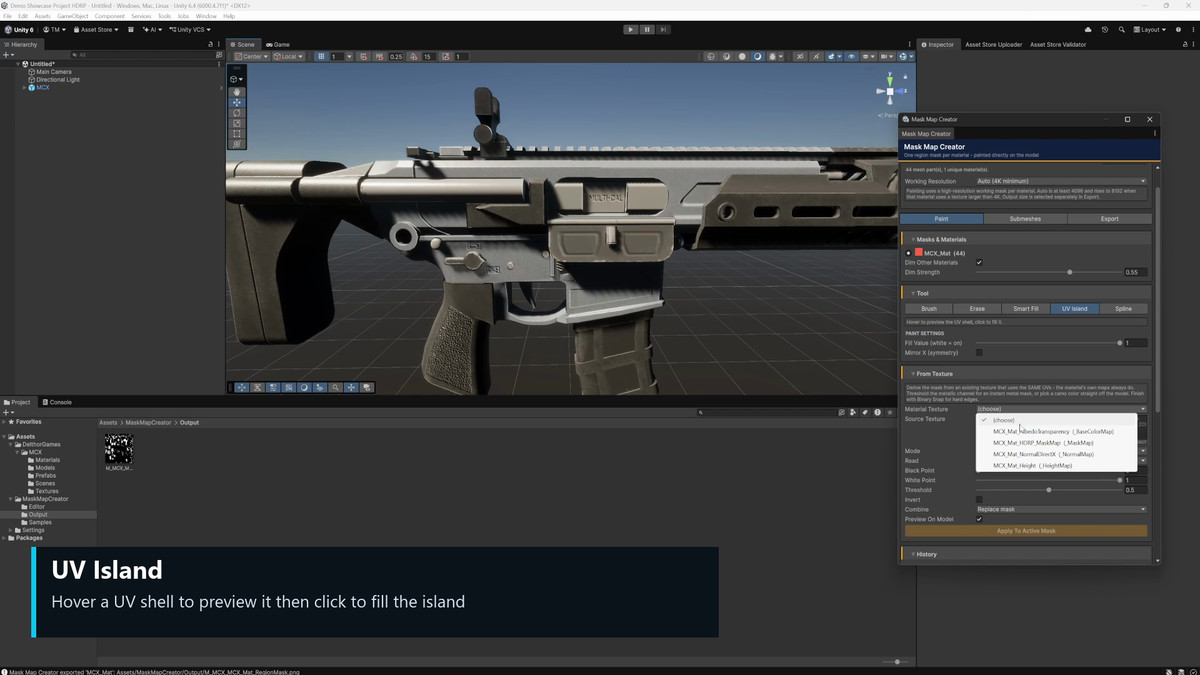
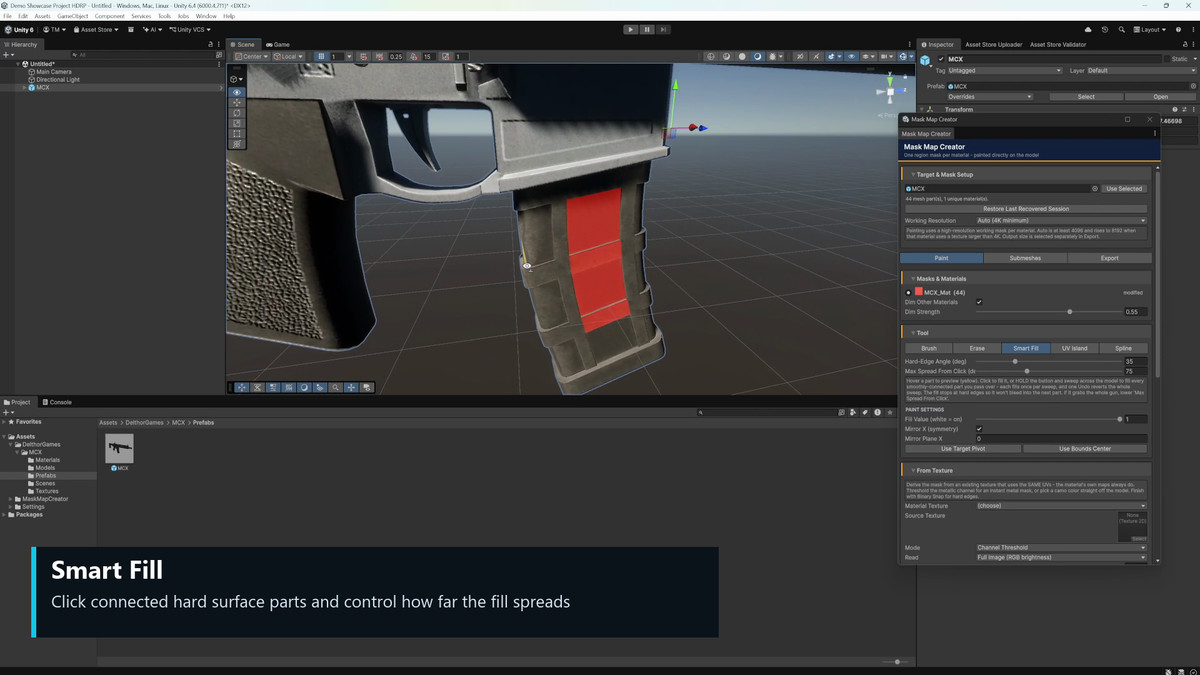
Smart Fill selects connected surfaces with one click. It stops at hard edges, and you can control how far the fill spreads. Hold the mouse button and move across the model to fill several parts in one action. UV Island previews a UV shell when you hover over it, then fills the full island when clicked.
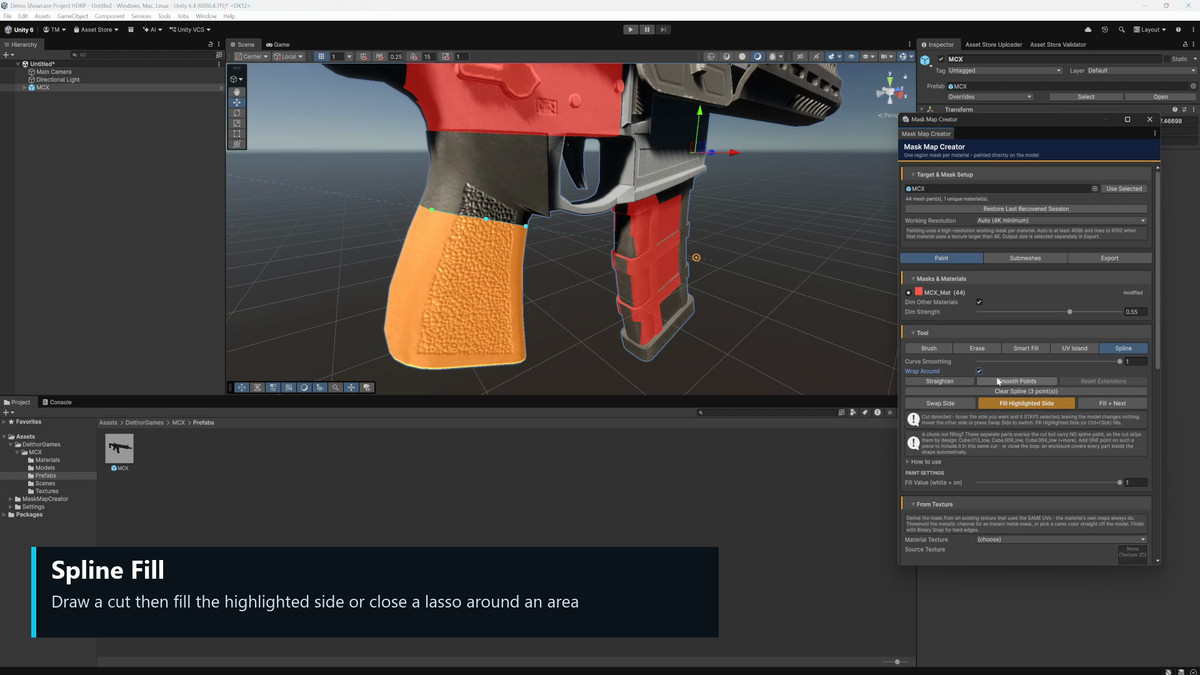
Spline creates clean cuts and lasso selections. Draw an open line across a part to choose and fill one side. Draw a closed shape to fill everything inside it. You can smooth or straighten the curve, choose if the cut wraps around the model, swap sides, or clear one side while filling the other.
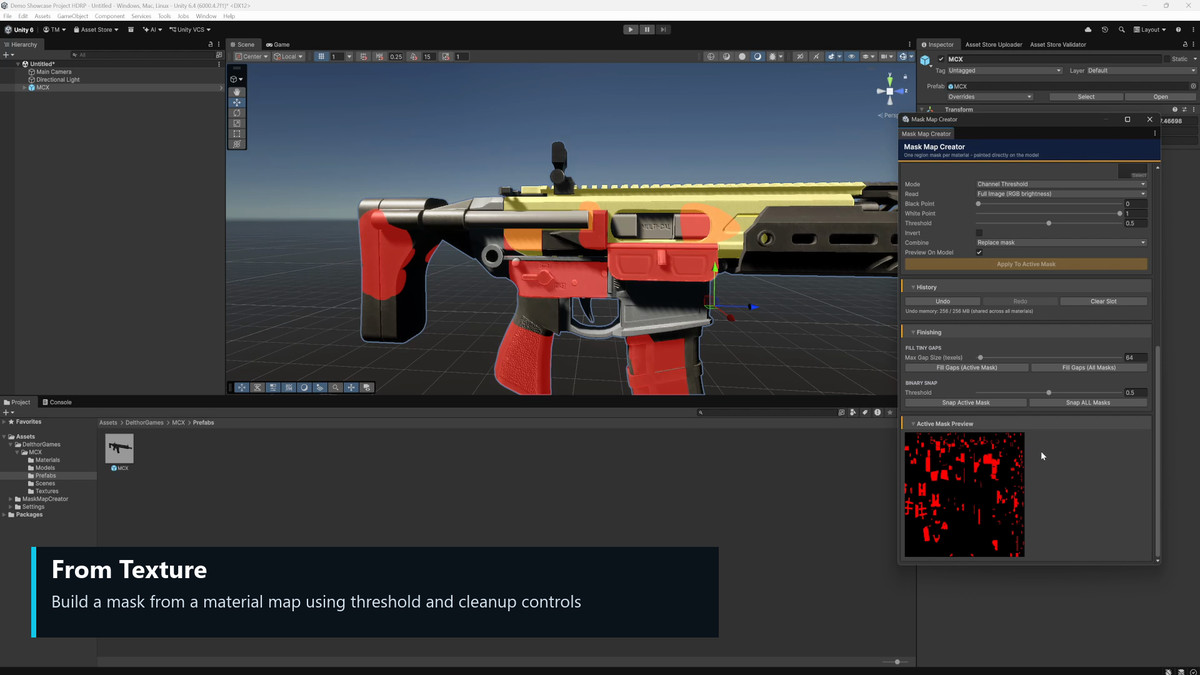
From Texture creates masks from an existing texture that uses the same UVs. Read the full image or a single channel from a packed HDRP Mask Map. Use threshold or color selection, adjust black and white points, preview the result, then replace, add, erase, or invert the mask.
The Submeshes tab lets you preview, fill, clear, or lock individual mesh parts. Fill Tiny Gaps cleans small empty spots. Binary Snap turns the mask into clean black and white values. Control the painted gray value, overlay opacity, and whether other materials appear dimmed.
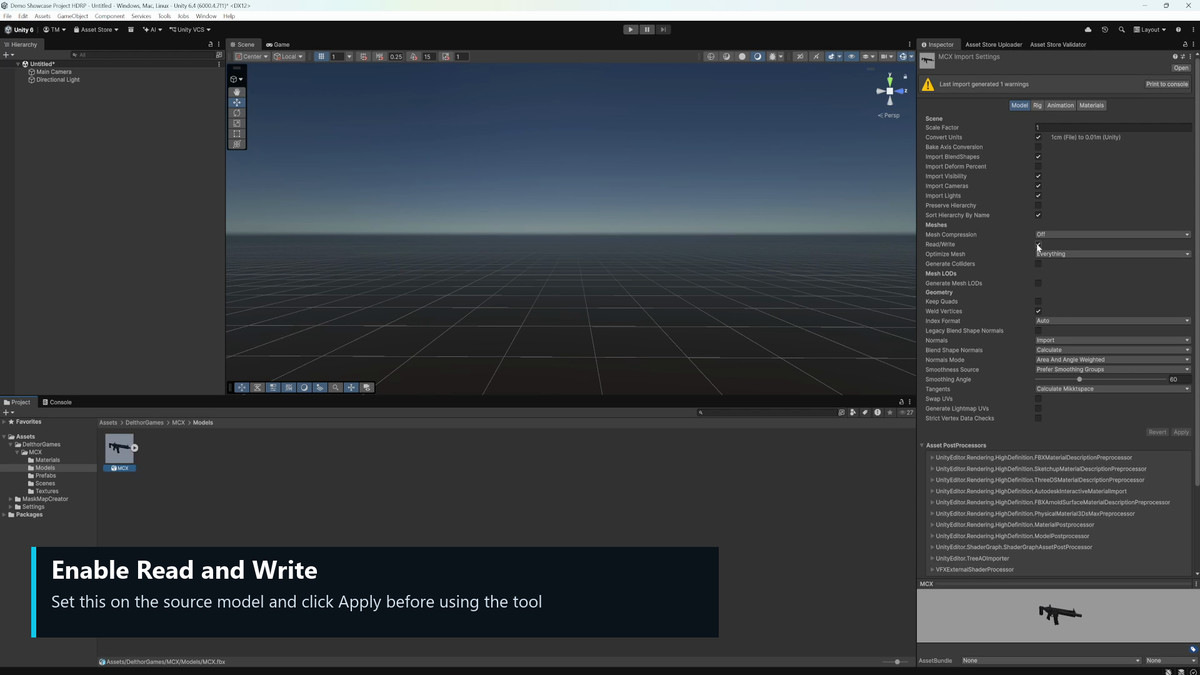
Undo and redo cover brush strokes, fills, spline edits, and whole mask actions. Recovery keeps unsaved work through target changes and script reloads. The tool can also enable Read and Write on an imported mesh and rescan it for you.
Export one PNG per material at the resolution you choose. Add seam dilation to protect UV edges, export the active mask or every mask, and load an existing PNG back in to keep editing.
Works with Built In, URP, and HDRP. No colliders or runtime code needed. Full source code, sample scene, and PDF guide included.
From the publisher's Asset Store listing.
Technical details
5 Scripts
Compatibility
| Unity version | Built-in | URP | HDRP |
|---|---|---|---|
| 6000.4.7f1 | Compatible | Compatible | Compatible |
As listed on the Asset Store.