
 View on Asset Store (opens in new tab)
Package details
- Latest version
- 1.0
- Last updated
- First released
- Unity version
- 6000.3.11 or later
- Package size
- 131 KB
- Files
- 49
- Favorites
- 6
- Views in the past week
- 57
Price tracking
- Last checked
- Tracked since
- Lowest recorded
- Free on
Keywords

Cardstock Studio Bridge - Design Tabletop Cards and Export them for Unity!
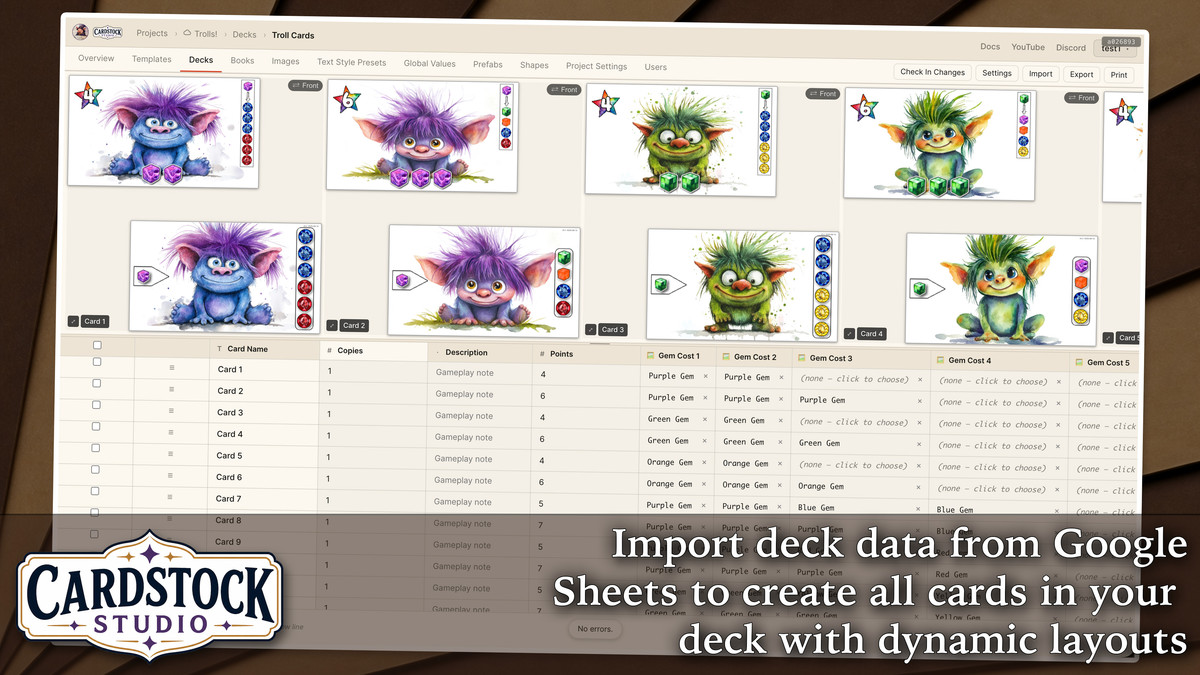
Design your board game cards and components in Cardstock Studio (www.Cardstock.Studio). Import into Unity with layered prefabs and variables set up, to turn your table top game digital quickly!
Affiliate link · Purchases support this site
Price history
Last 6 months
USDAsset preview
1 / 8
Cardstock Studio Bridge - Design Tabletop Cards and Export them for Unity! screenshot 1




About this asset
Discord (Support & Community): https://discord.gg/p2yKDbyGq6
Docs: https://cardstock-studio.gitbook.io/docs
YouTube: https://www.youtube.com/@CardstockStudio
🤖 Support Bot with codebase knowledge available at Cardstock Studio
________________________________
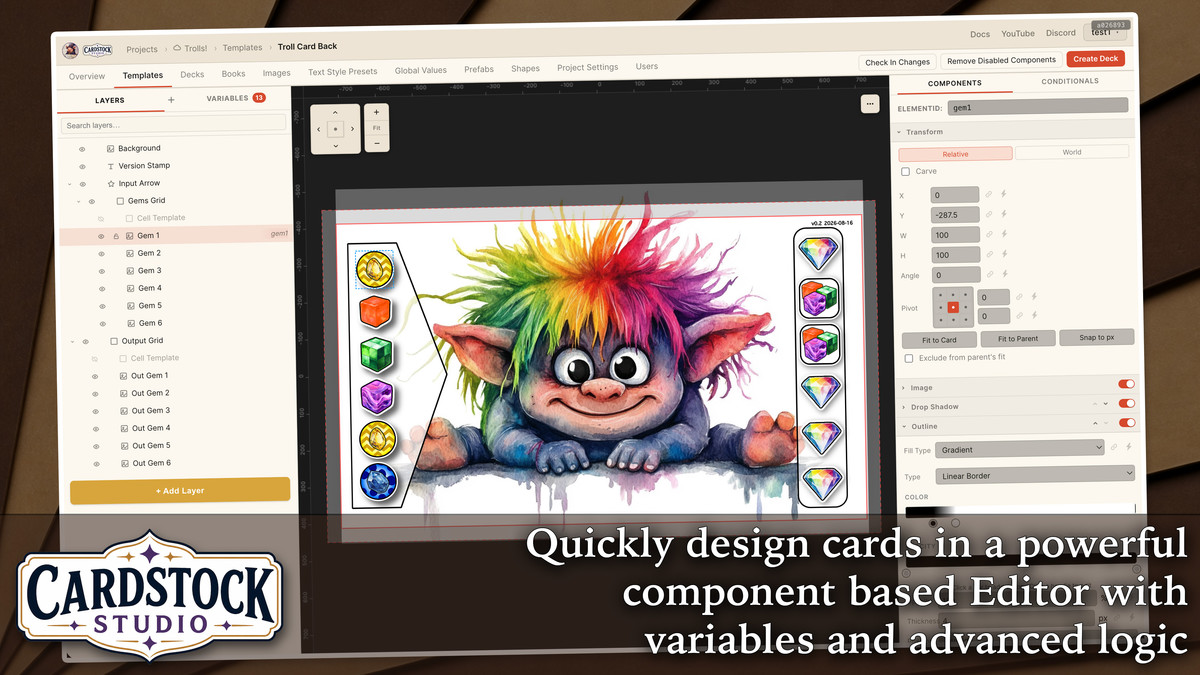
Cardstock Studio enables fast card design for game designers, using a layer and component based workflow that will feel familiar to Unity developers.
The Cardstock Studio Bridge brings additional scripts to ensure that exports from Cardstock Studio look, feel, and act the same in Unity as they do in the Cardstock Studio editor.
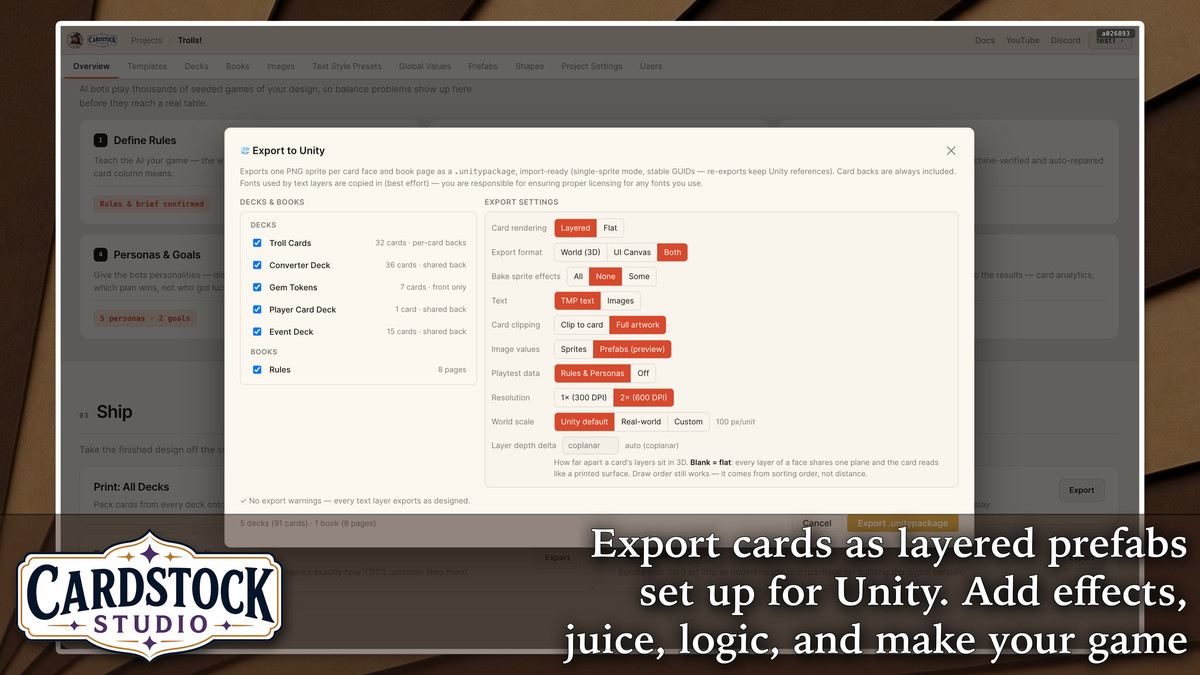
Cardstock Studio is free. An account is required to design cards, and export to Unity. In the Cardstock Studio web app, click the "Export: Unity" button and choose which Decks you'd like to export.
There are many additional options depending on how you'd like the prefabs to be set up. Cardstock Studio will export a .unitypackage file that you import into Unity, and the Bridge will automatically set up your cards.
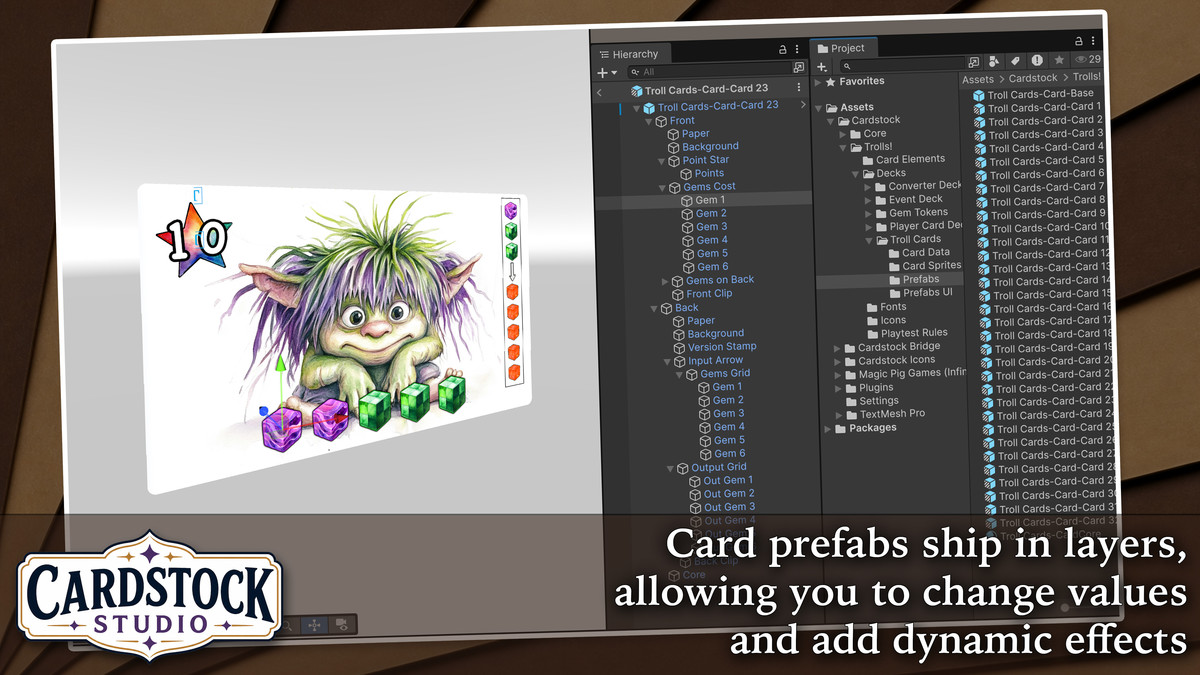
Cards are prefabs already set up for you, and can include all the layers so that you can add dynamic effects, juice, and particles. You can quickly change variables on the card using the Card Browser or the CardstockCard component attached to each card.
Cardstock Studio also contains a built in simulator. If you've set up your rules and personas in the simulator, all the details will be sent to Unity as well, helping your favorite AI assistant understand your game, to speed up development of the digital version.
Come to the Discord if you have any questions or want to connect with other game developers.
Use the Support Bot in Cardstock Studio to ask questions -- the bot replies in 1-3 minutes and has codebase knowledge to provide the best answers and tips quickly.
From the publisher's Asset Store listing.
Compatibility
| Unity version | Built-in | URP | HDRP | Custom |
|---|---|---|---|---|
| 6000.3.11f1 | Not listed | Compatible | Not listed | Compatible |
As listed on the Asset Store.