
 View on Asset Store (opens in new tab)
Package details
- Latest version
- 1.0.2
- Last updated
- First released
- Unity version
- 6000.4.1 or later
- Package size
- 2.4 MB
- Files
- 33
- Favorites
- 5
- Views in the past week
- 10
Price tracking
- Last checked
- Tracked since
- Lowest recorded
- Free on
Keywords

Beautiful Tabs
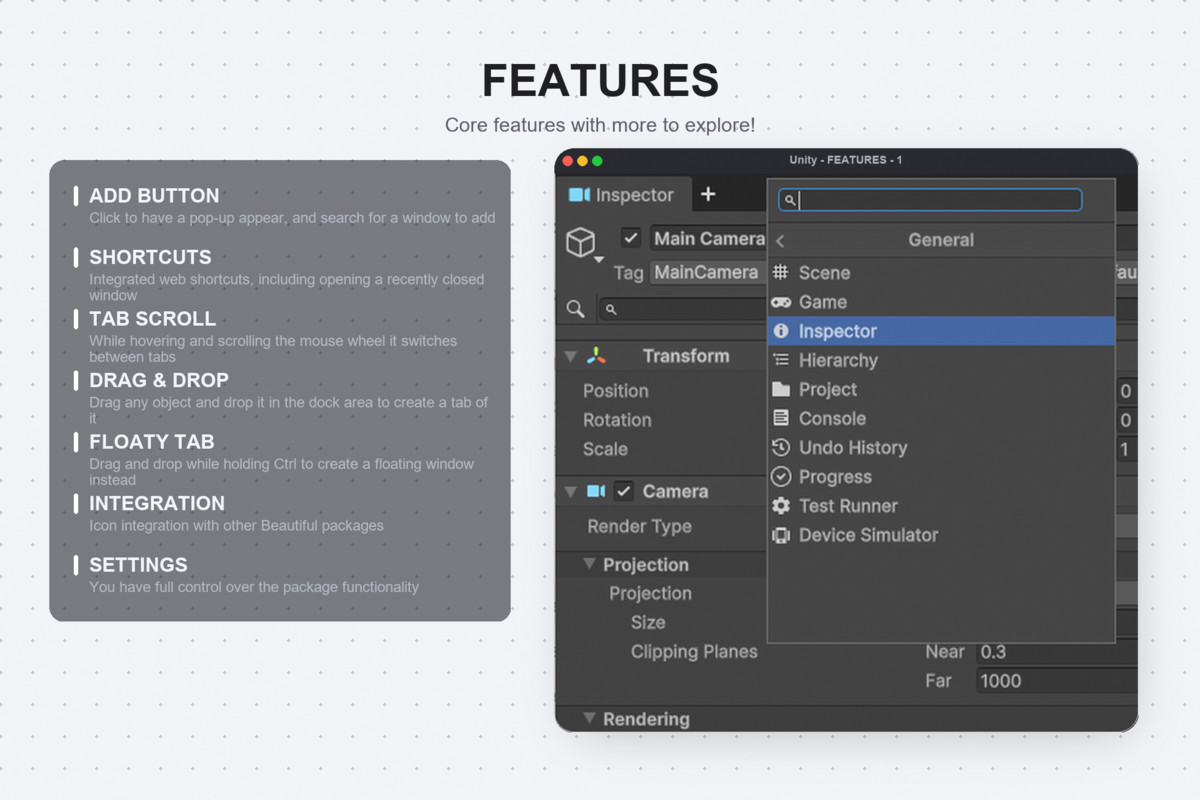
Beautiful Tabs modernizes the Unity Editor window management system. With a beautiful, browser-like tabbing experience, native + button, fluid dragging, and a smart search window categorizer.
Affiliate link · Purchases support this site
Price history
Last 6 months
USDAsset preview
1 / 4
Beautiful Tabs screenshot 1
About this asset
Beautiful Tabs is a premium editor extension that completely modernizes the Unity Editor's window docking system by introducing a beautiful, browser-like tabbing experience. It elevates your daily workflow by seamlessly integrating a native '+' button directly into Unity's DockArea, allowing you to instantly spawn new windows without navigating messy drop-down menus.
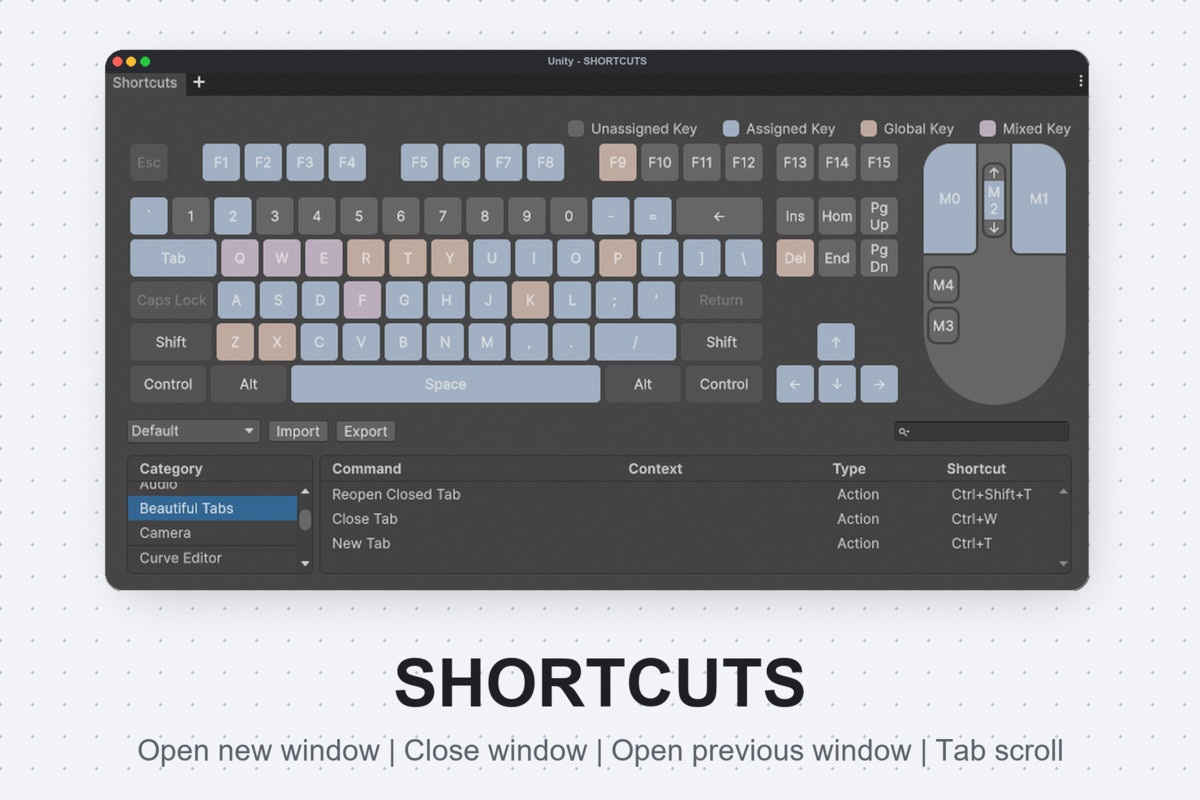
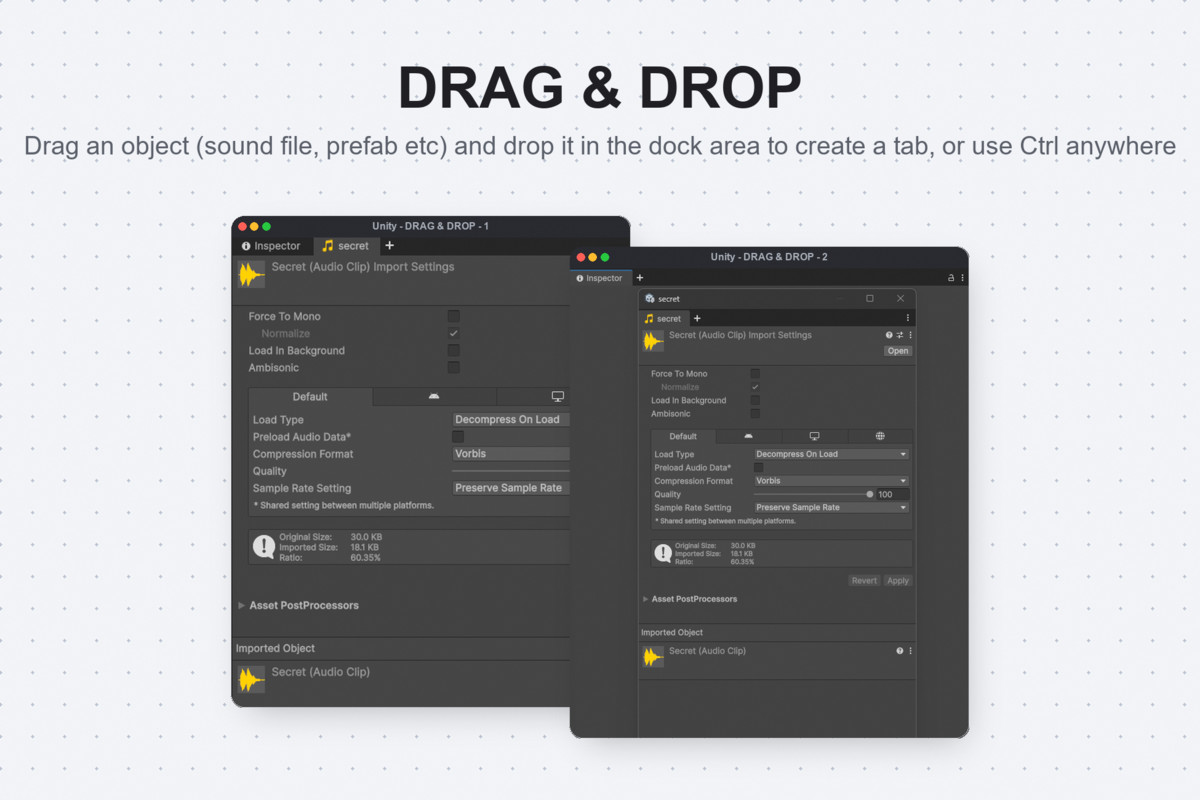
Boost your productivity with fluid tab dragging and standard browser keyboard shortcuts (Ctrl + T to open, Ctrl + W to close) for lightning-fast workspace management. When adding a new tab, you are greeted with a visually clean, smart Search Window that intelligently categorizes all available editor tools, from the Inspector to third-party assets, into logical groups. Designed for maximum performance, it integrates flawlessly into the editor's layout system with absolutely zero runtime overhead.
From the publisher's Asset Store listing.
Technical details
- Type: Unity Editor extension (no runtime dependency for gameplay)
- Core hook: Hooks into Unity's internal DockArea GUI to seamlessly inject the native '+' button alongside standard tabs
- Input model: Global editor event interception to support standard browser-style shortcuts (Ctrl+T, Ctrl+W)
- UI: Replaces standard window dropdowns with a highly categorized, visually clean Search Window popup for instant tool discovery
- Data model: Categorization dictionary that logically groups and sorts both built-in Unity windows and third-party tools
- Rendering extras: Fluid tab dragging, native icon integration, and smart window sorting within the search menu
- Performance: Lightweight, optimized GUI execution that integrates cleanly into Unity's layout system without causing expensive redraws
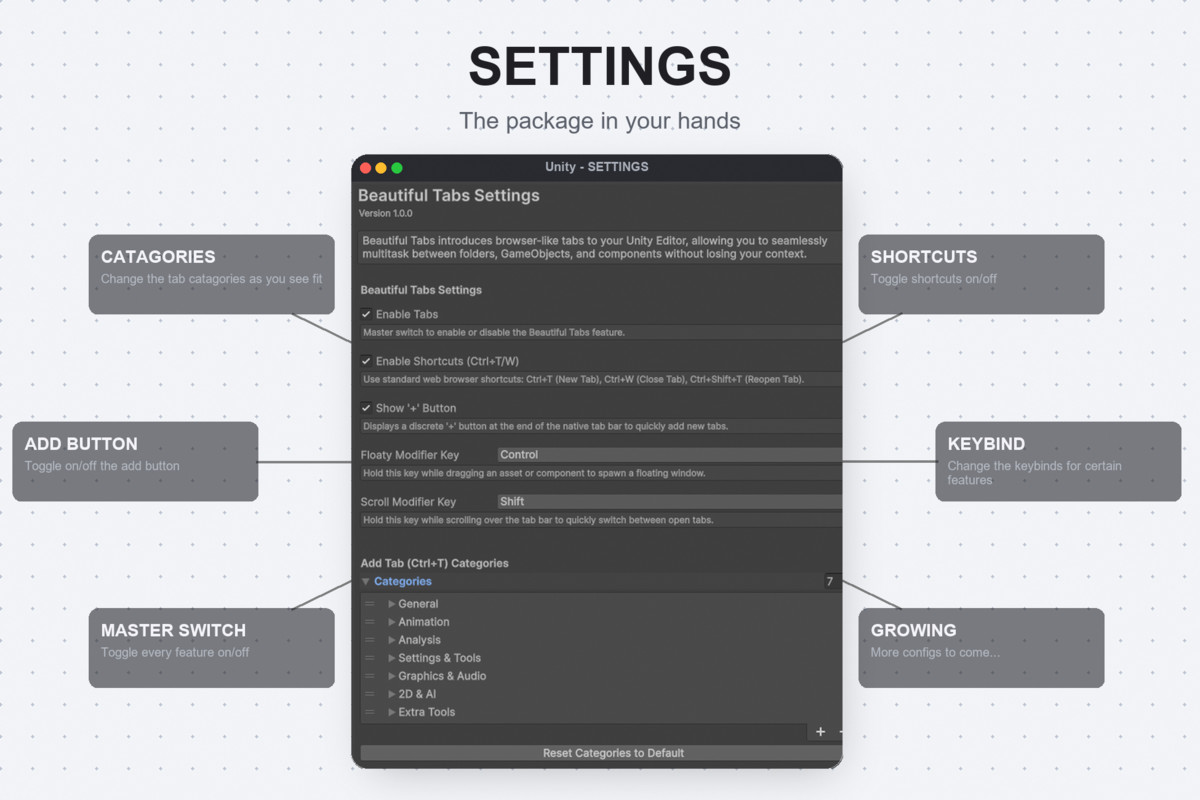
- Management: Fully integrated into the Beautiful Unity Hub for toggling the native button, shortcuts, and global settings
Compatibility
| Unity version | Built-in | URP | HDRP | Custom |
|---|---|---|---|---|
| 6000.4.1f1 | Compatible | Compatible | Compatible | Compatible |
As listed on the Asset Store.