
 View on Asset Store (opens in new tab)
Package details
- Latest version
- 1.0.0
- Last updated
- First released
- Unity version
- 2022.3.62 or later
- Package size
- 156 KB
- Files
- 44
- Views in the past week
- 19
Price tracking
- Last checked
- Tracked since
- Lowest recorded
- $5.99 on
Keywords
AI Rules Studio
Manage CLAUDE.md, Cursor rules & Copilot instructions inside Unity. View, edit, auto-generate and sync AI agent config files from one window. Fully offline — no API keys, no network calls.
Affiliate link · Purchases support this site
Price history
Last 6 months
USDAsset preview
1 / 7
AI Rules Studio screenshot 1
About this asset
If you use Claude Code, Cursor, GitHub Copilot or Windsurf with Unity, your project is full of agent instruction files — CLAUDE.md, AGENTS.md, .cursorrules, copilot-instructions.md, SKILL.md. Unity shows them as raw plain text and gives you no way to manage them. AI Rules Studio fixes that.
Why it matters
Your AI agent is only as good as the context you give it. A well-written rules file makes agents follow your architecture, naming conventions and folder structure instead of guessing. AI Rules Studio helps you create, maintain and keep those files consistent — without leaving the Editor.
What it does
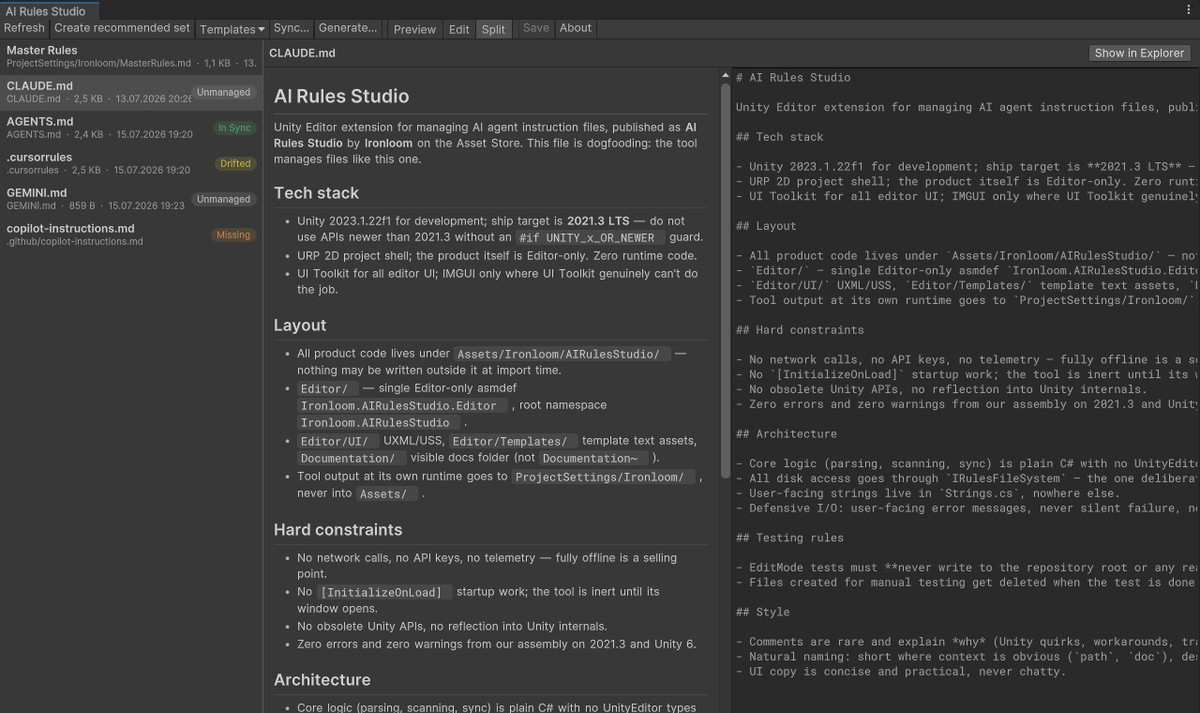
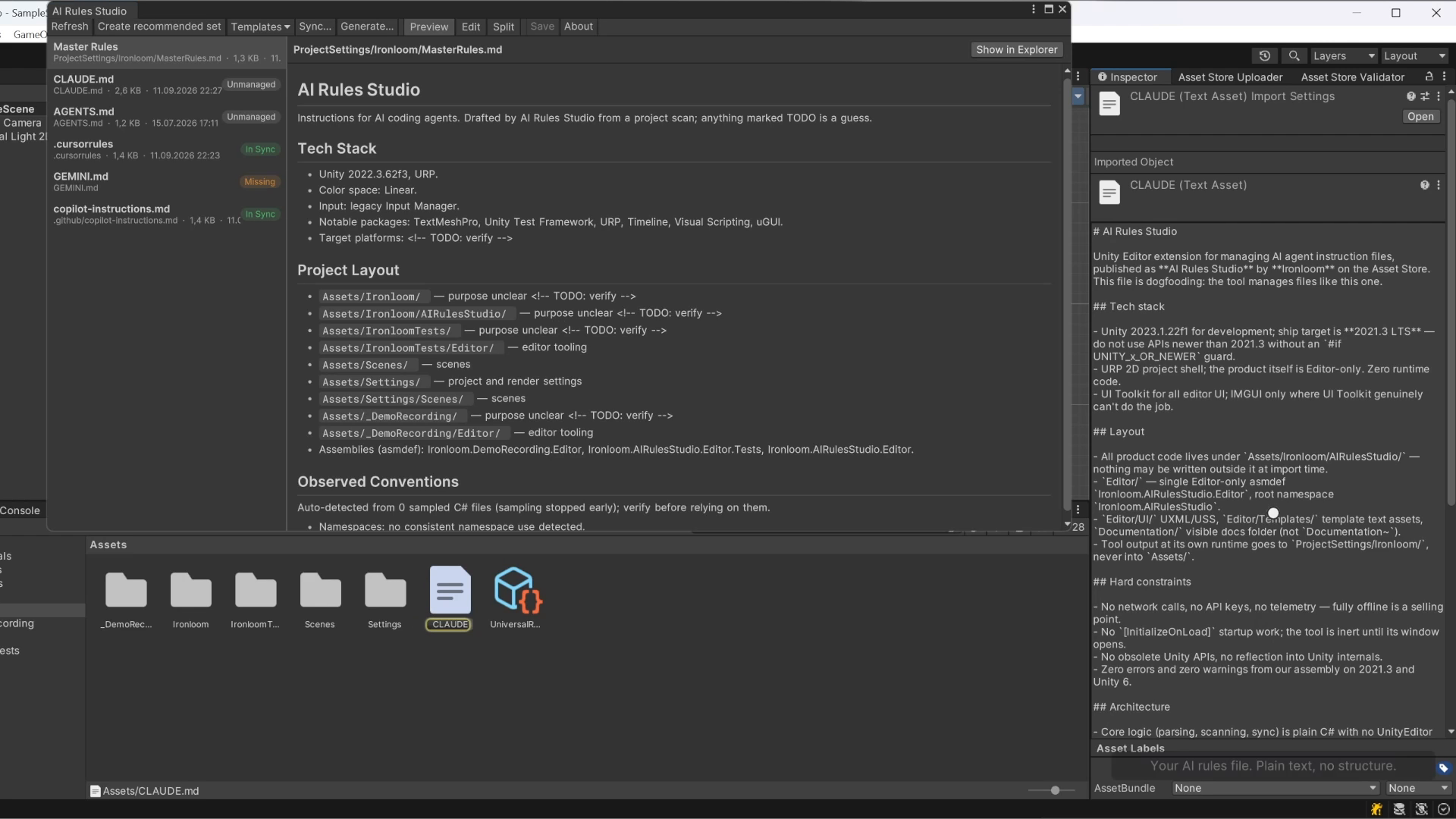
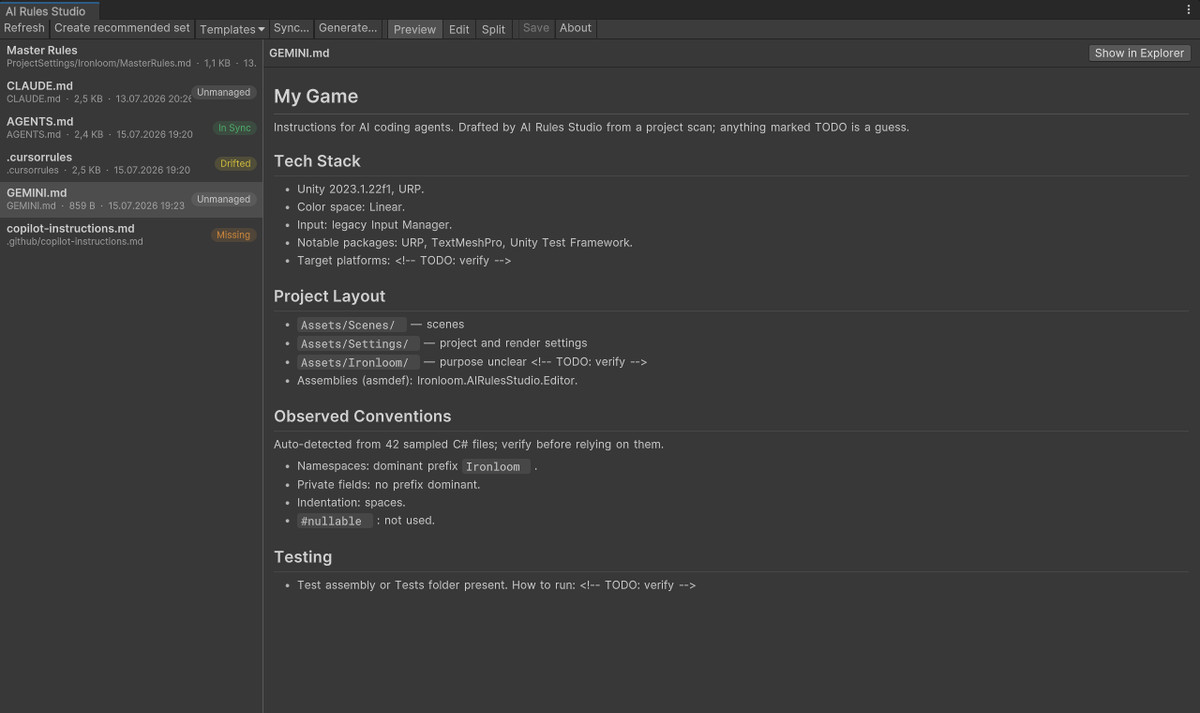
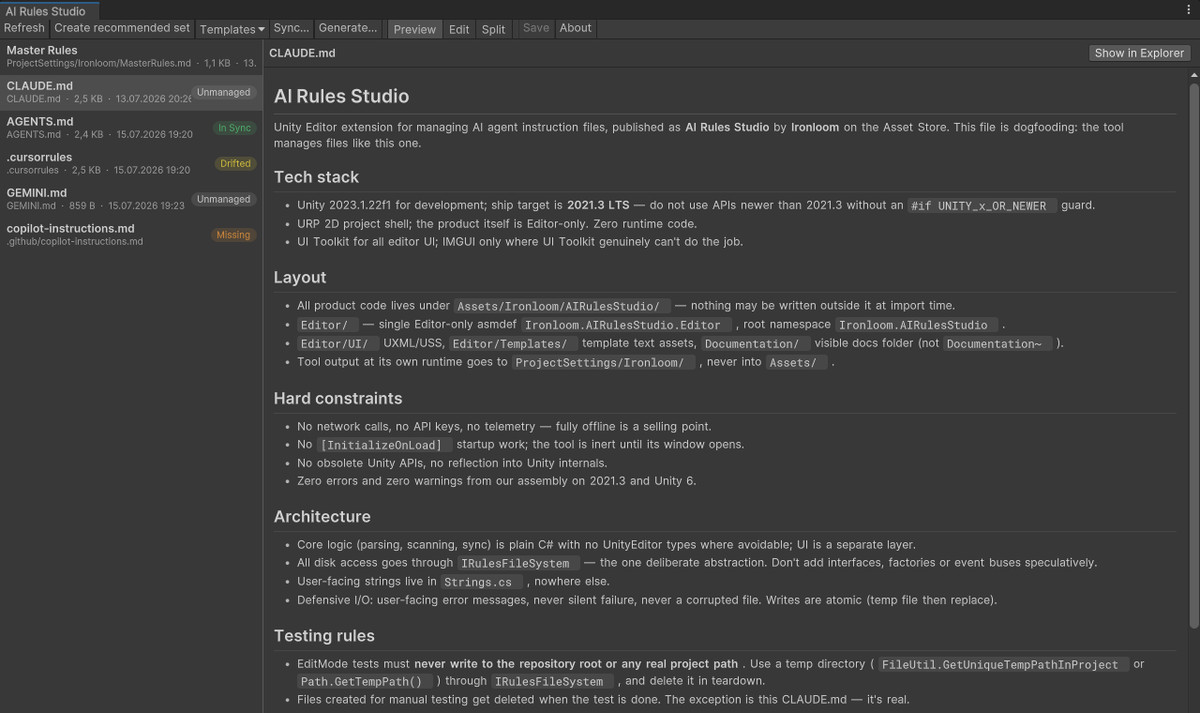
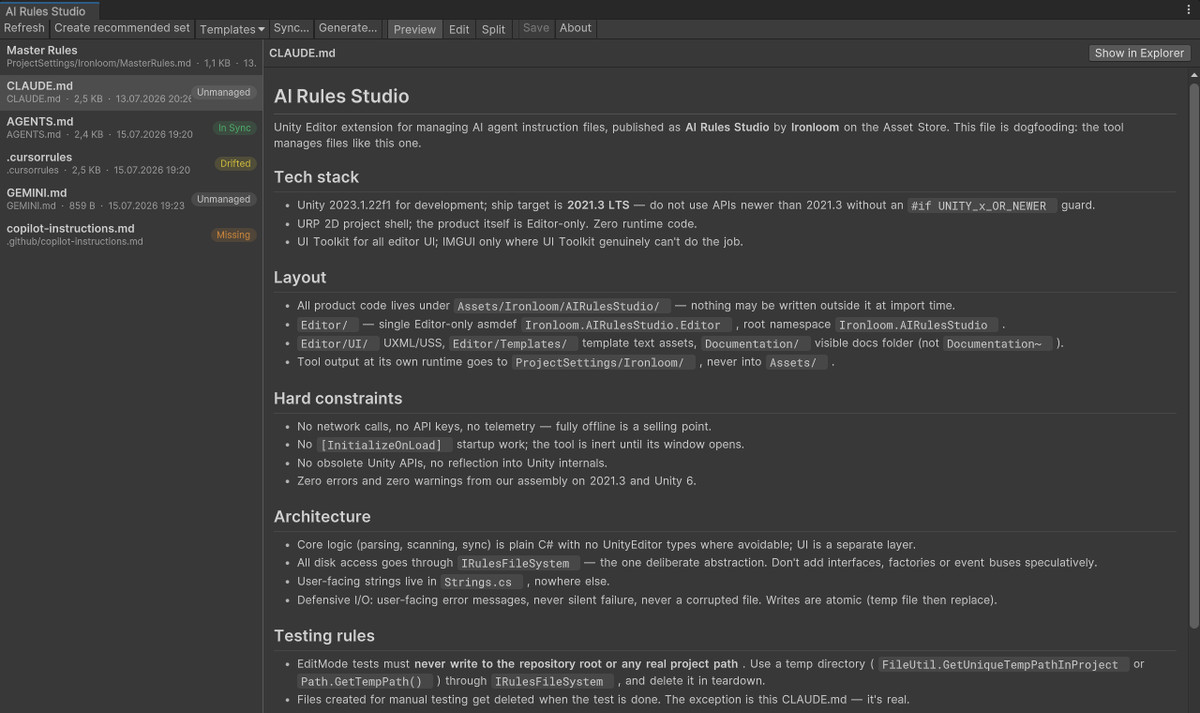
- Dashboard — automatically detects every agent instruction file in your project and shows its sync status at a glance.
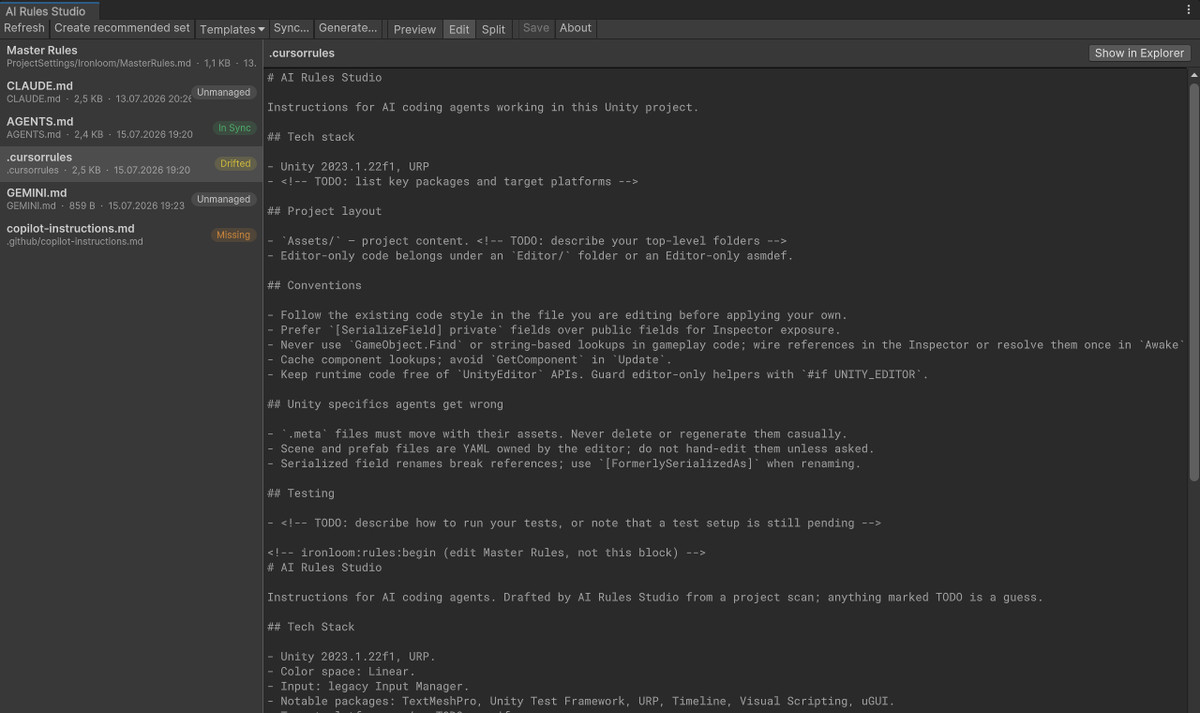
- Markdown viewer & editor — read and edit your rules files with Preview, Edit and Split modes, rendered properly inside Unity.
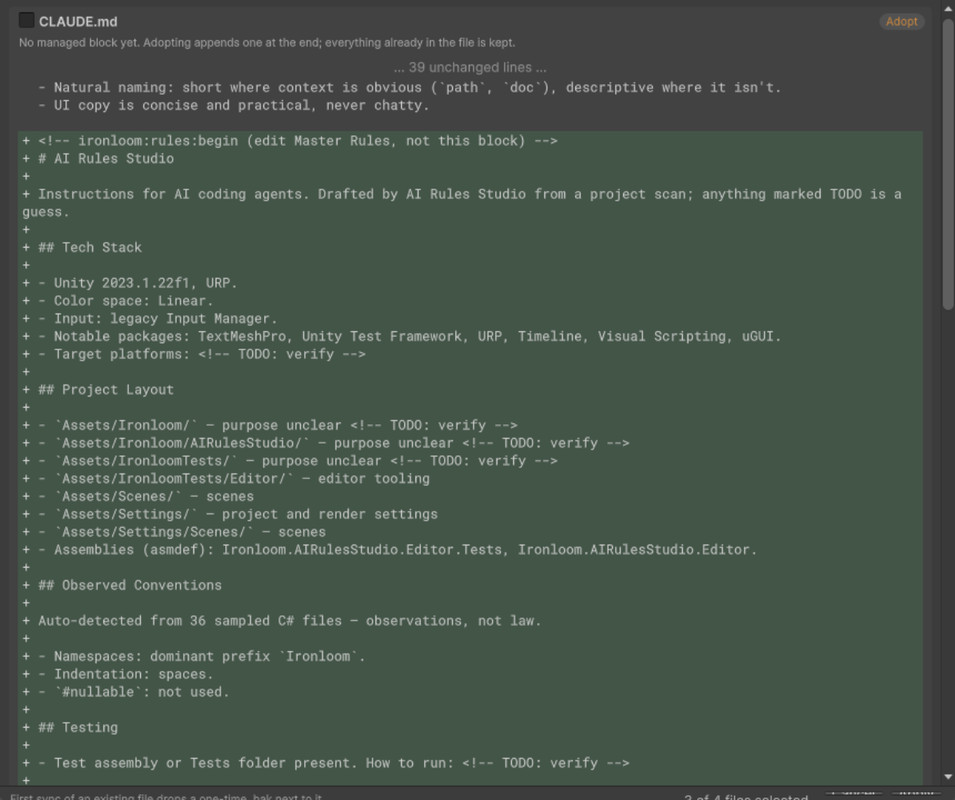
- Project scanner — analyzes your project (Unity version, render pipeline, installed packages, folder structure, observed coding conventions) and generates a solid CLAUDE.md draft in seconds. Rule-based, no AI calls.
- Master Rules sync — write your rules once, then sync them to Claude Code, Cursor and Copilot formats. Your hand-written content outside managed blocks is never touched, and every sync shows a diff preview before writing anything.
- Template library — 7 practitioner-grade templates: Mobile URP, 2D, HDRP, Multiplayer (Netcode for GameObjects), Generic, Minimal, and a SKILL.md starter. Insert whole templates or individual sections.
Private by design
Everything runs locally. No API keys, no accounts, no network calls, no telemetry. Your code never leaves your machine.
Works with any project genre — 2D, 3D, mobile, multiplayer. Editor-only: adds zero runtime overhead and nothing to your builds.
From the publisher's Asset Store listing.
Technical details
- Supported Unity versions: 2022.3 LTS through Unity 6
- Editor-only extension — no runtime code, no impact on builds
- Built with UIToolkit; supports dark and light editor skins
- Detects: CLAUDE.md, AGENTS.md, .cursorrules, .cursor/rules/*.mdc, .github/copilot-instructions.md, GEMINI.md, SKILL.md
- Sync engine with managed blocks — user content outside blocks is preserved byte-for-byte
- Diff preview before every write; automatic one-time .bak backup on first adoption
- Atomic file writes; preserves line endings (CRLF/LF) and UTF-8 encoding
- Project scanner: render pipeline, input system, Packages/manifest.json, asmdefs, coding convention sampling
- Fully offline: no network calls, no API keys, no telemetry
- Supported OS: Windows, macOS
- Full source code included (C#)
- Documentation included in the package
Compatibility
| Unity version | Built-in | URP | HDRP | Custom |
|---|---|---|---|---|
| 2022.3.62f3 | Compatible | Compatible | Compatible | Compatible |
As listed on the Asset Store.