
 View on Asset Store (opens in new tab)
Package details
- Latest version
- 2.0.0
- Last updated
- First released
- Unity version
- 6000.3.10 or later
- Package size
- 13.9 MB
- Files
- 36
- Favorites
- 15
- Views in the past week
- 17
Price tracking
- Last checked
- Tracked since
- Lowest recorded
- $12.50 on
Keywords

Video Player Cross-Platform
A powerful plug-and-play tool that enhances video playback capabilities in your projects. It provides support for playing both local and online video files across all platforms including WebGL.
Affiliate link · Purchases support this site
Price history
Last 6 months
USDAsset preview
1 / 7

Video Player Cross-Platform screenshot 1



About this asset
⭐ TRY THE DEMO:
🕸️ WebGL | 🪟 WINDOWS | 📱 ANDROID
DESCRIPTION:
🔥 Cross-Platform Video Player Plugin is a powerful tool designed to take your video playback capabilities in Unity to the next level. With this plugin, you can effortlessly integrate high-quality video playback functionalities into your Unity projects, providing your users with a seamless and immersive video experience.
⚡ This plug-and-play plugin utilizes Unity’s built-in VideoPlayer component and is incredibly easy to set up, allowing you to save time and effort while integrating advanced video player features. Whether you're developing a game, an interactive application, or a multimedia project, the Cross-Platform Video Player Plugin offers a range of essential functionalities to enhance your project's video playback capabilities.
💪 One of the key benefits of this plugin is its support for playing both local and online videos on all major platforms, including WebGL. Since it’s cross-platform, you don't need to configure each platform separately, set it up once and use it everywhere.
🚀 FEATURES:
- Quick plug-and-play setup
- Setup once, use across all platforms
- Compatibility across all platforms
- 3D Space Support
- Subtitles Support
- Keyboard Shortcuts
- No increase in build size
- High-quality video playback capabilities
- Ability to play both locally stored and online videos
- Seek controls for easy navigation
- Play/pause functionality
- Volume controls for adjusting audio levels
- Next and previous video navigation
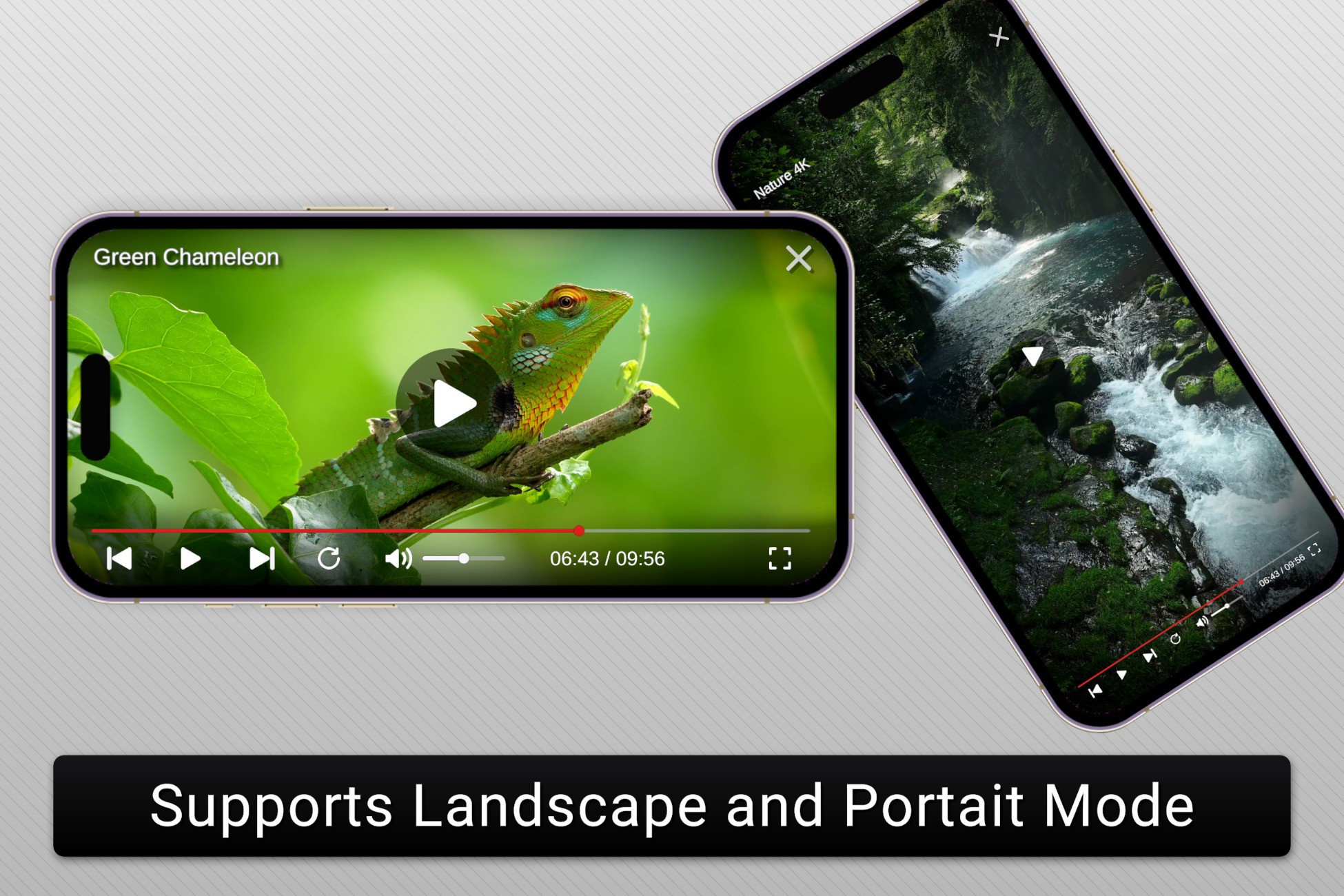
- Supports both landscape and portrait modes
- Maintenance of video aspect ratio
- Thumbnail support for video clips
- Loading icon for indicating video loading or buffering
- Fullscreen mode for an immersive video experience
- Easy to resize the video player's controls
- Support for modifying device orientation in fullscreen mode on mobile platforms.
- Supports both Old and New Input System
✅ Supported Unity Versions:
- Unity 6
- Unity 2023, 2022, 2021, 2020
- 2019.4.40f1 and above.
👉 Other Assets
📧 Support & Feedback
- Website: https://voxellabs.in
- Support/Feedback: [email protected]
- Join our Discord (Fastest Support): https://discord.gg/EsJ2zQx9Dr
👨💻 Crafted with ❤️ by Voxel Labs.
Enhance your video playback controls with Video-Player Cross-Platform. 🌟
From the publisher's Asset Store listing.
Compatibility
| Unity version | Built-in | URP | HDRP | Custom |
|---|---|---|---|---|
| 6000.3.10f1 | Compatible | Compatible | Compatible | Compatible |
As listed on the Asset Store.