
 View on Asset Store (opens in new tab)
Package details
- Latest version
- 1.0
- Last updated
- First released
- Unity version
- 6000.3.9 or later
- Package size
- 200 KB
- Files
- 84
- Views in the past week
- 8
Price tracking
- Last checked
- Tracked since
- Lowest recorded
- $39.99 on
Keywords

UI Breakpoint Lab
Test your UI on many screen sizes in one run. Find clipped text, unsafe buttons, overlap, and more before your players do.
Affiliate link · Purchases support this site
Price history
Last 6 months
USDAsset preview
1 / 9
UI Breakpoint Lab screenshot 1
About this asset
Your UI may look great on one screen and break on another. UI Breakpoint Lab checks many screen sizes, shapes, safe areas, and text lengths in one run.
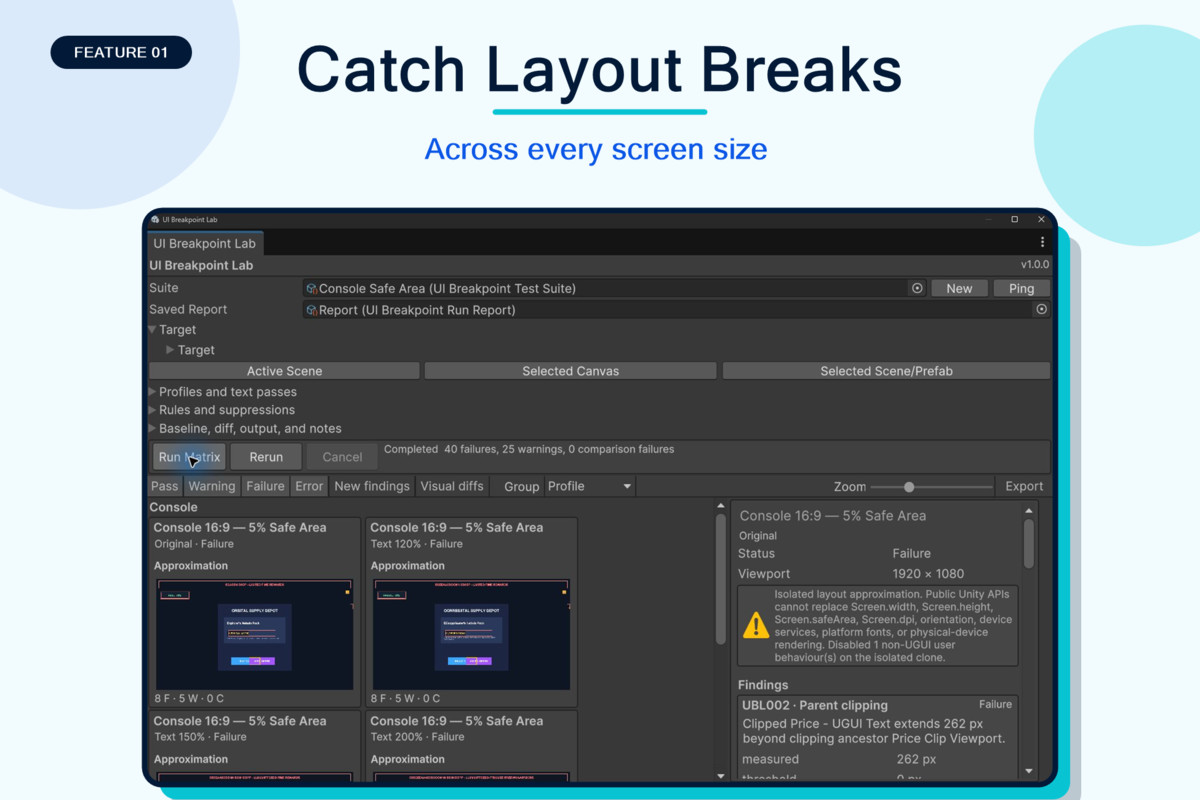
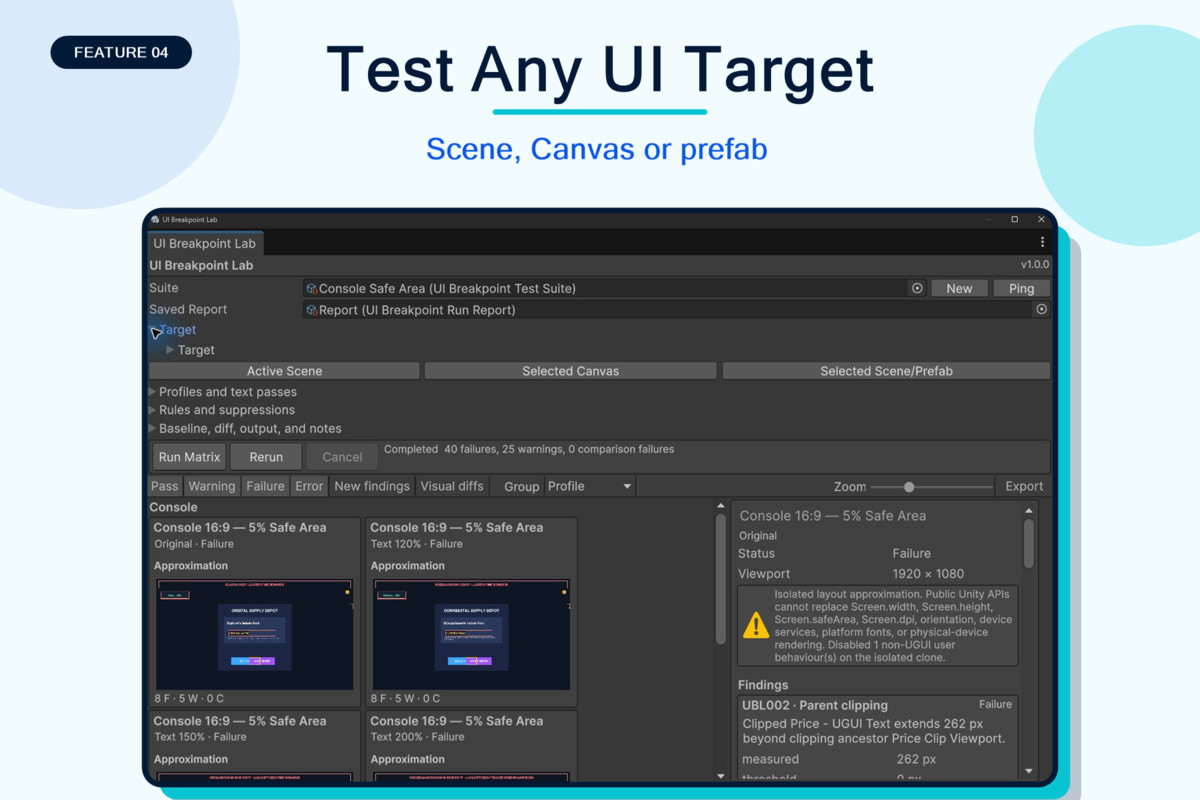
Pick a scene, Canvas, or UI prefab. Choose a ready-made test set or make your own. Press Run Matrix to see a clear wall of screen previews. Passes, warnings, and failures are easy to spot.
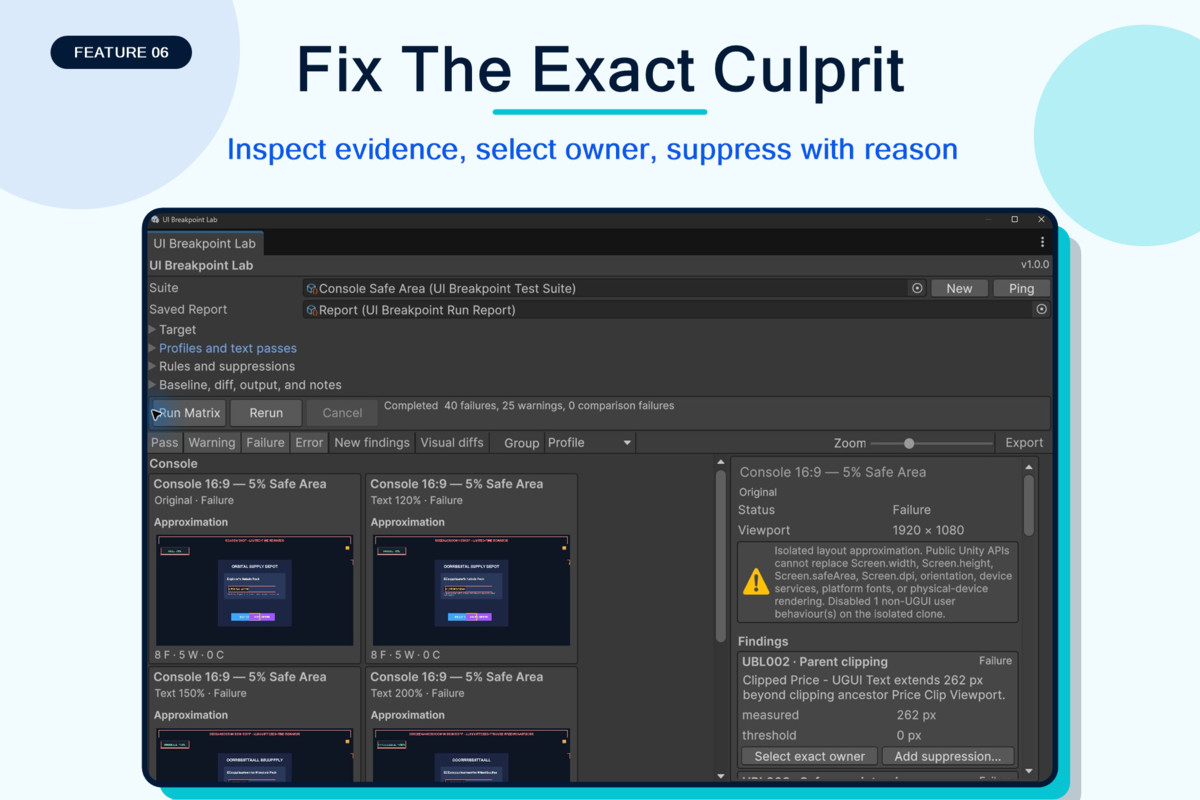
Click a failed preview to learn what went wrong. The tool shows the problem and the object that caused it. Jump to that object and start fixing it right away.
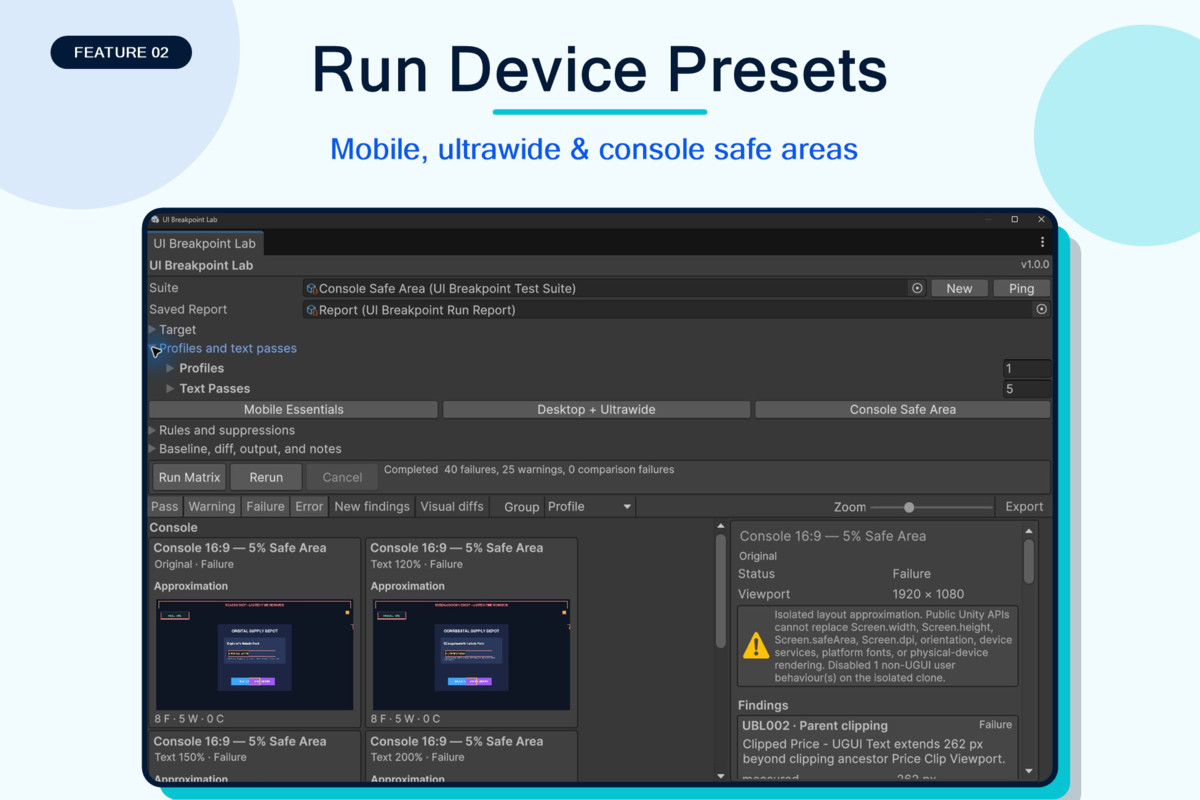
Test phones, tablets, desktop screens, ultrawide screens, and console safe areas. Make text 120%, 150%, or 200% longer. Find clipped text, overlap, small buttons, and UI that leaves the screen.
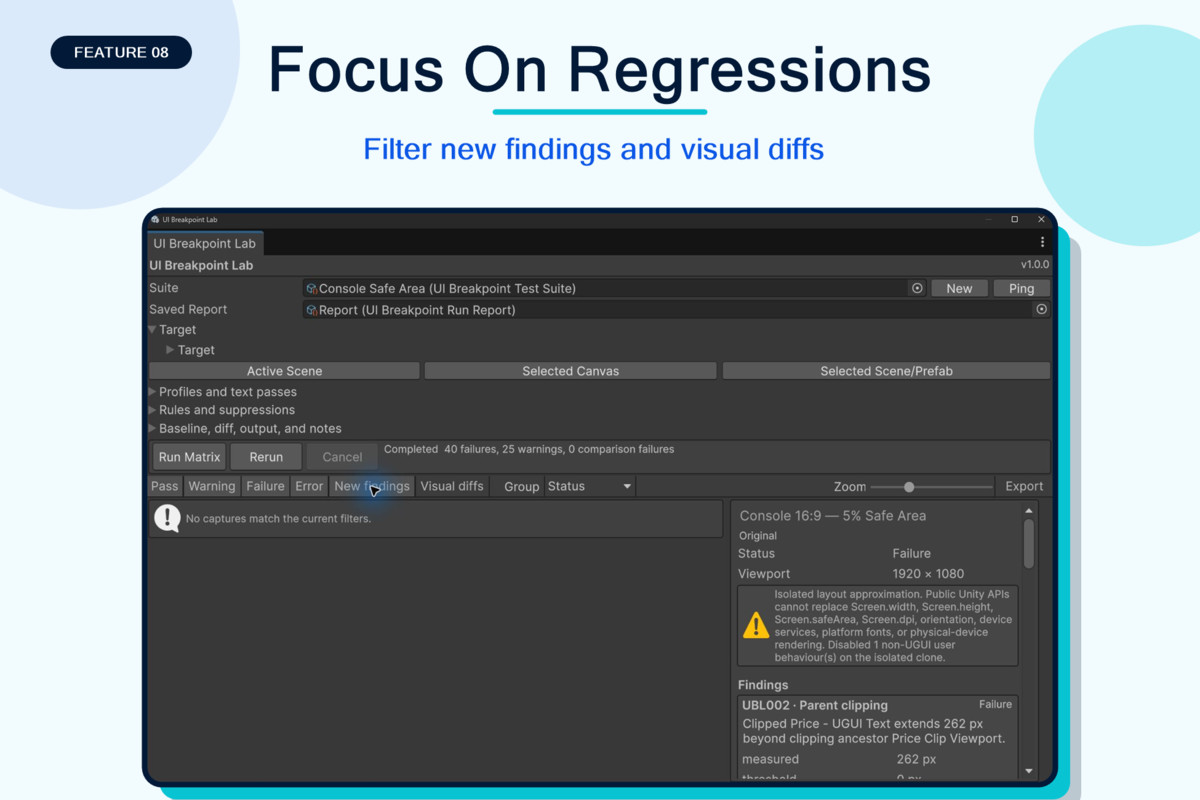
Save your tests and good results. Run them again after each UI change. Compare images, filter new problems, add notes, and export HTML or JSON reports for your team.
UI Breakpoint Lab tests a safe copy of your UI. It does not save changes to your scene or prefab.
Spend less time changing the Game view. Find more bugs before your players do.
From the publisher's Asset Store listing.
Technical details
UI Breakpoint Lab supports UGUI in 2022.3.41f1 or newer, including tested 6 versions. UGUI is required. TextMesh Pro is optional. TMP checks turn on when a matching TMP version is installed.
You can test an active scene, a selected scene, one Canvas, or a UI prefab. The tool makes a safe preview copy. Your source scene and prefab are not changed.
Ready-made test sets cover phones, tablets, desktop screens, ultrawide screens, and console safe areas. You can also set the width, height, screen direction, DPI data, pixel scale, safe area, and labels.
Text tests include normal text, 120%, 150%, 200%, and fake translated text. Built-in UGUI Text and public TMP text are supported. An adapter is included for custom text sources.
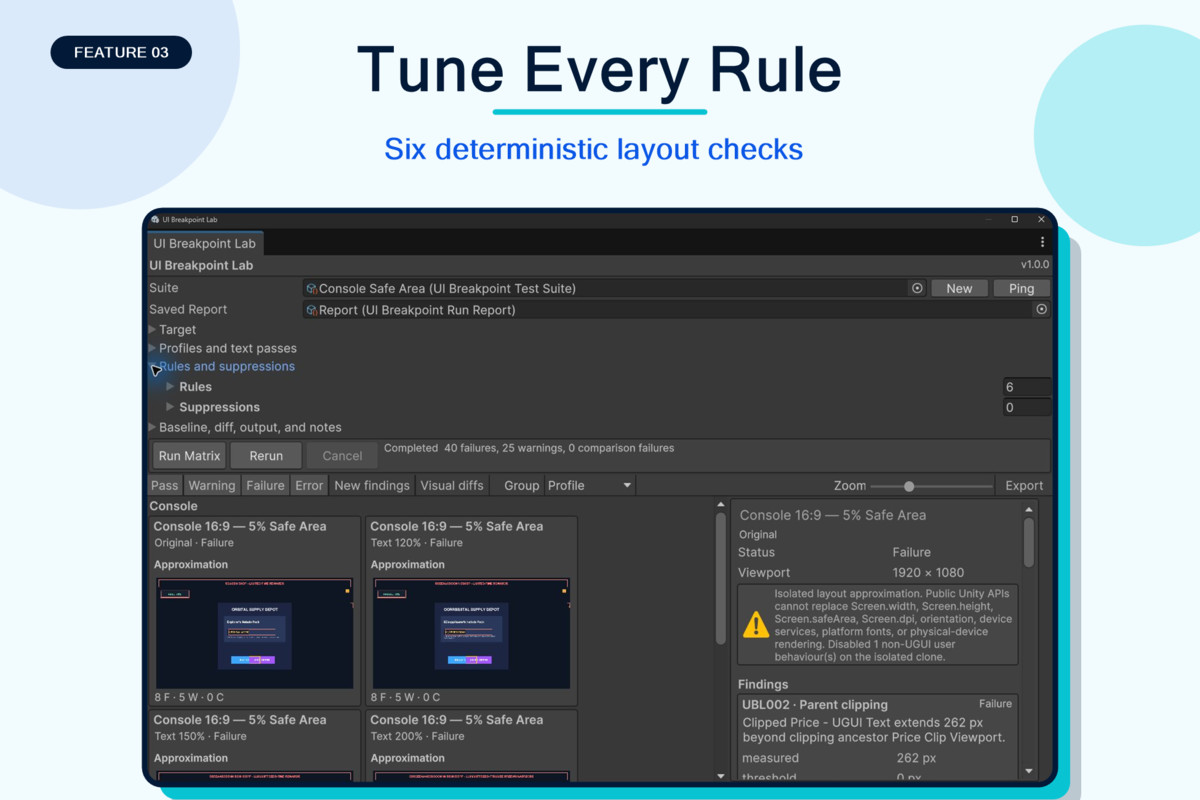
Six checks are included. They find UI outside the screen, parent clipping, safe-area hits, TMP overflow, clear overlap, and touch targets that are too small.
Each problem includes a rule ID, warning level, measured values, image position, and a link to the source object. Rules can be changed. You can hide an expected result while keeping a saved reason.
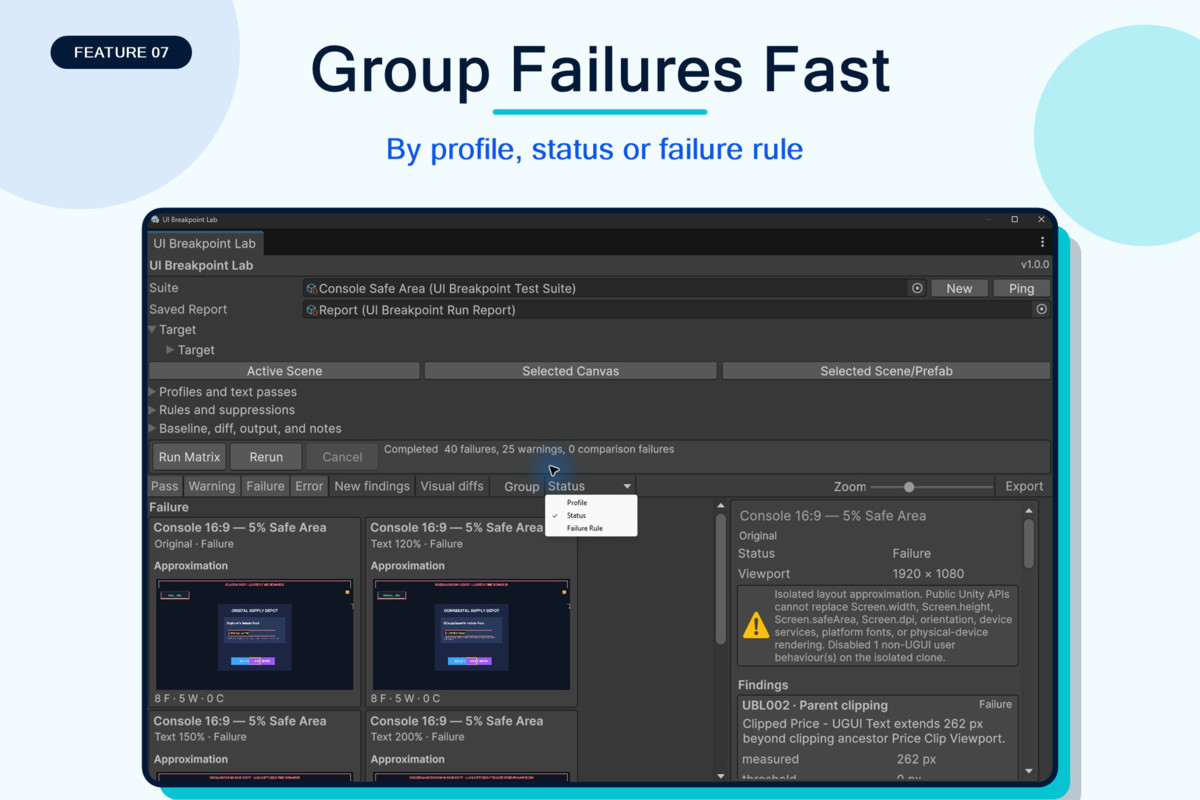
Results appear in a clear contact sheet. Each result shows a pass, warning, or failure state. You can zoom, filter, and group results. Click a problem to select its exact object.
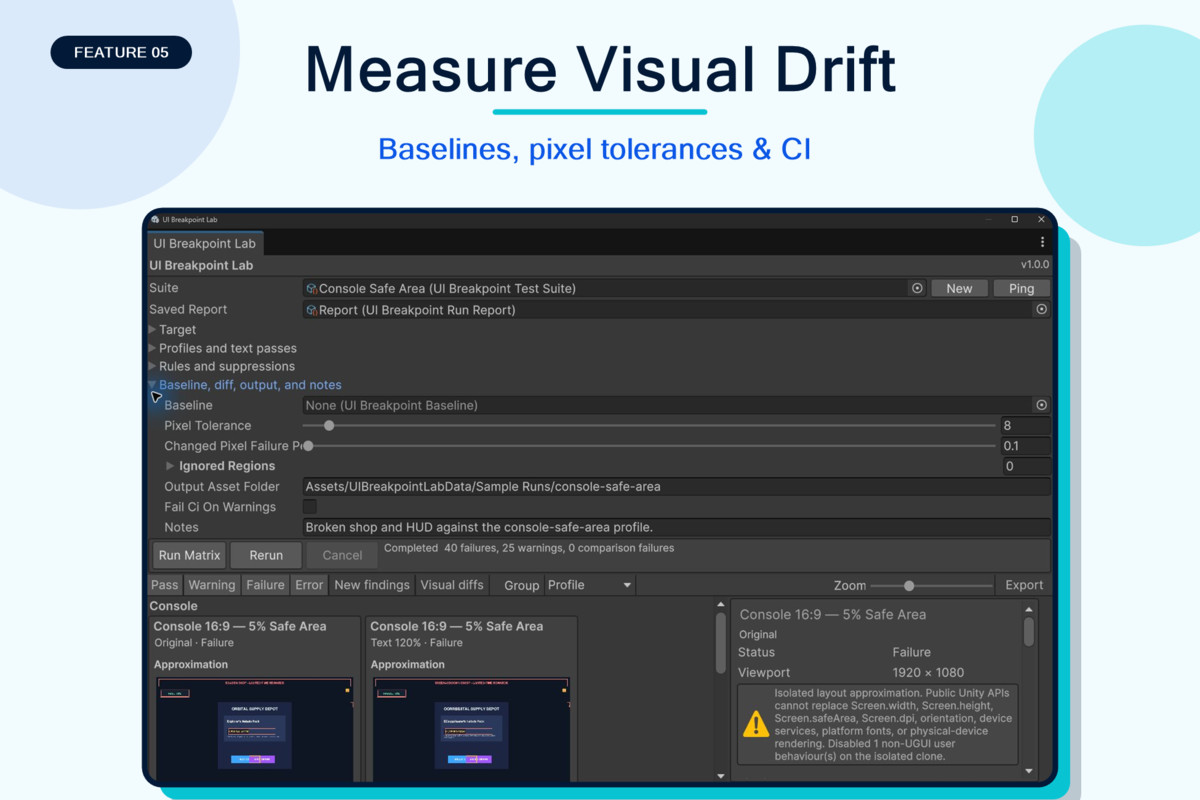
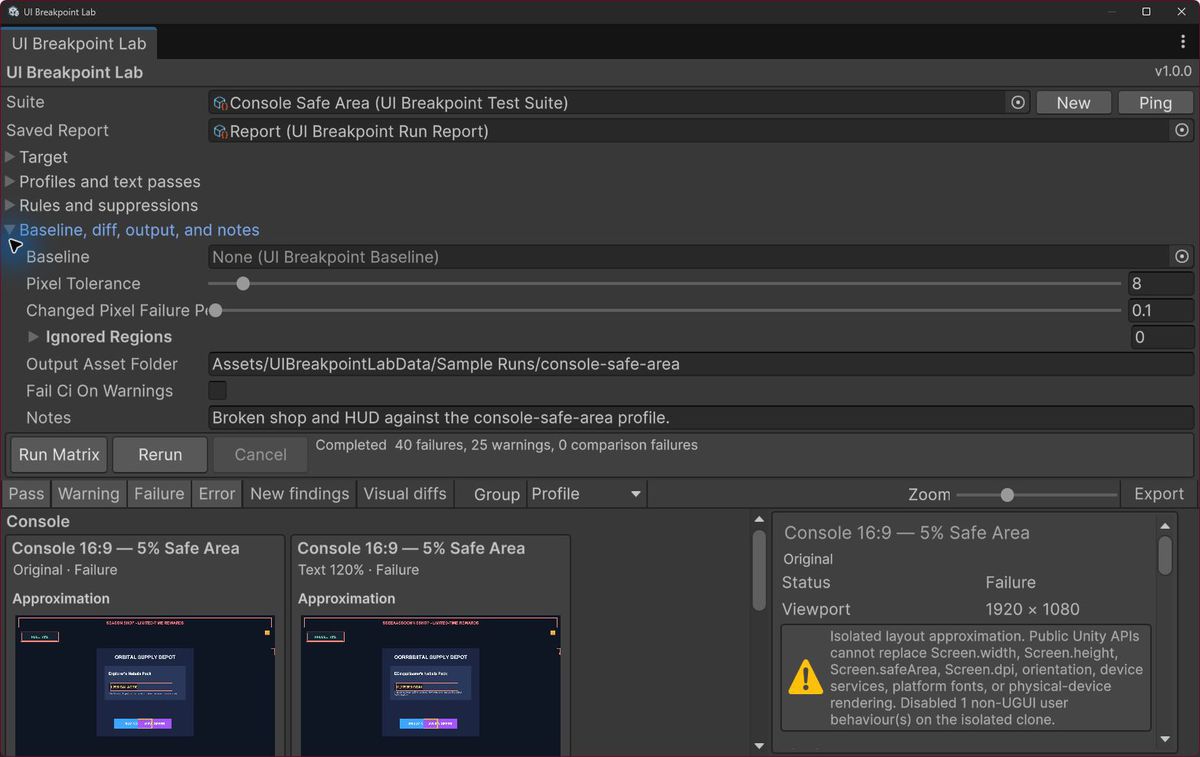
Saved test suites keep your target, screen profiles, text tests, rules, hidden results, baseline, image tolerance, ignored areas, output folder, CI rules, and notes.
Baselines use PNG images and saved version data. Compare a new run with a good run. Set the allowed image change, ignore known moving areas, or approve a planned update.
Reports can be saved in and exported as portable HTML or JSON files. Reports include screen images, problems, profile data, data, notes, run time, and comparison results.
A command-line runner is included for CI. It uses the same tests, rules, baselines, and reports as the Editor window. CI image tests need working graphics and do not support -nographics.
The Built-in Render Pipeline and URP are tested. A custom render pipeline must allow public camera render request. Projects with Domain Reload turned off are supported.
UI Breakpoint Lab checks layout inside an Editor preview. It is not a real phone or console.
Code that reads screen size, safe area, DPI, screen direction, or device services may need the included preview helper.
Version 1 does not test UI Toolkit, XR UI, custom render-texture UI, device speed, GPU use, memory use, or platform fonts. It does not open every game screen for you or fix anchors for you.
Compatibility
| Unity version | Built-in | URP | HDRP |
|---|---|---|---|
| 6000.3.9f1 | Compatible | Compatible | Compatible |
Tested and verified working in Unity 2022 -> Unity 6.5.
As listed on the Asset Store.