
 View on Asset Store (opens in new tab)
Package details
- Latest version
- 1.0
- Last updated
- First released
- Unity version
- 6000.0.49 or later
- Package size
- 147 KB
- Files
- 82
- Favorites
- 3
- Views in the past week
- 10
Price tracking
- Last checked
- Tracked since
- Lowest recorded
- $14.00 on
Keywords
- Search for Inspector Tools
- Search for inspector search
- Search for productivity
- Search for play mode
- Search for Custom Inspector
- Search for keep play mode
- Search for pinboard
- Search for unity productivity
- Search for quick menu
- Search for Inspector
- Search for filter inspector
- Search for pin properties

Smart Workflow - Efficient Inspector
Keep your Play Mode tweaks with a review-and-apply diff, pin any Inspector property to one dockable board, and filter the Inspector by name. Three workflow tools, one clean editor-only toolkit.
Affiliate link · Purchases support this site
Price history
Last 6 months
USDAsset preview
1 / 4
Smart Workflow - Efficient Inspector screenshot 1
About this asset
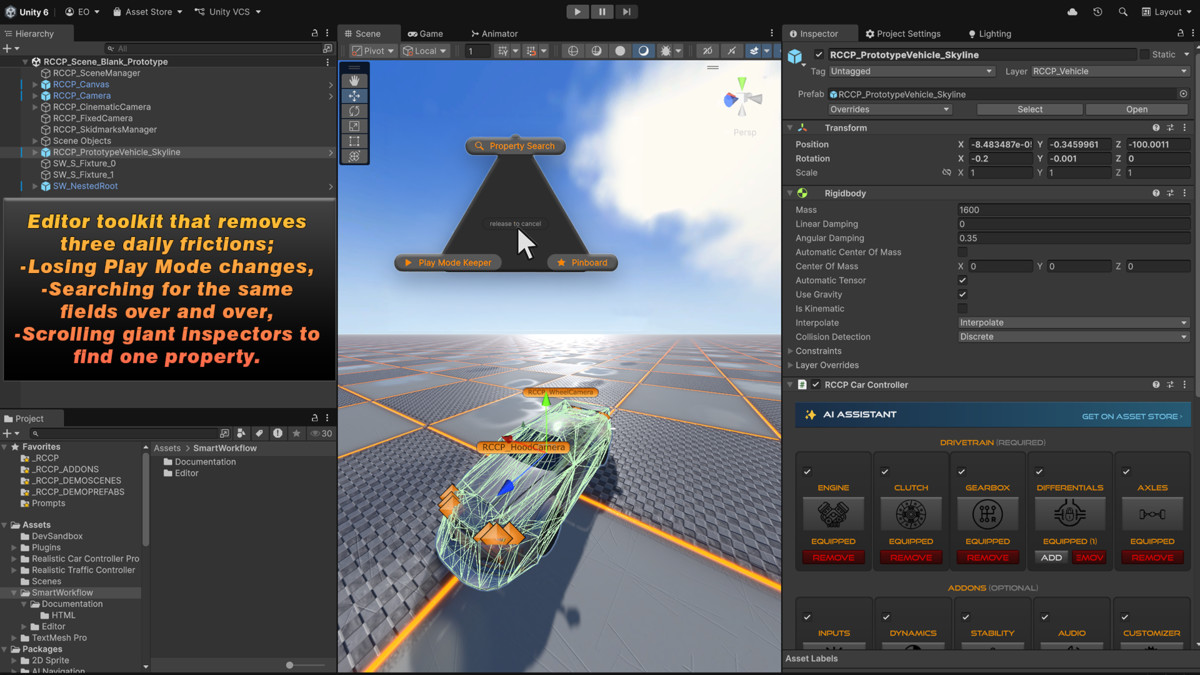
SmartWorkflow is a focused editor toolkit that removes three daily frictions;
- Losing Play Mode changes
- Searching for the same fields over and over
- Scrolling giant inspectors to find one property
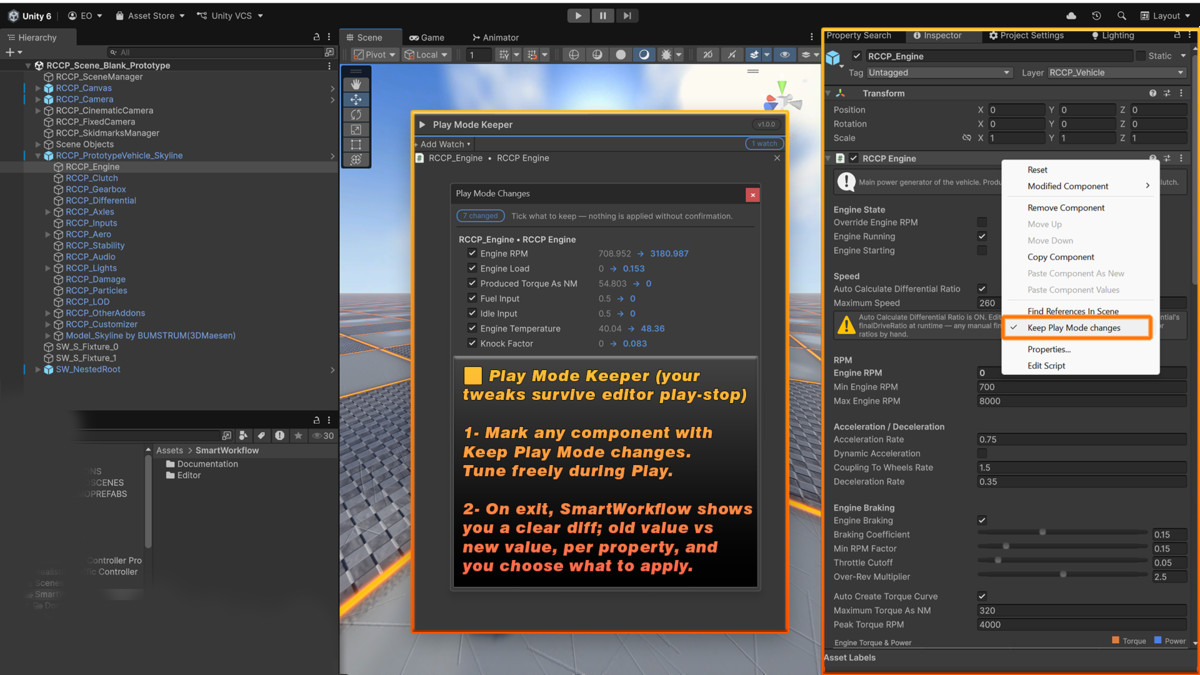
▶️⏸️ Play Mode Keeper (your tweaks survive editor play-stop)
- Mark any component with Keep Play Mode changes.
- Tune freely during Play.
- On exit, SmartWorkflow shows you a clear diff; old value vs new value, per property, and you choose what to apply.
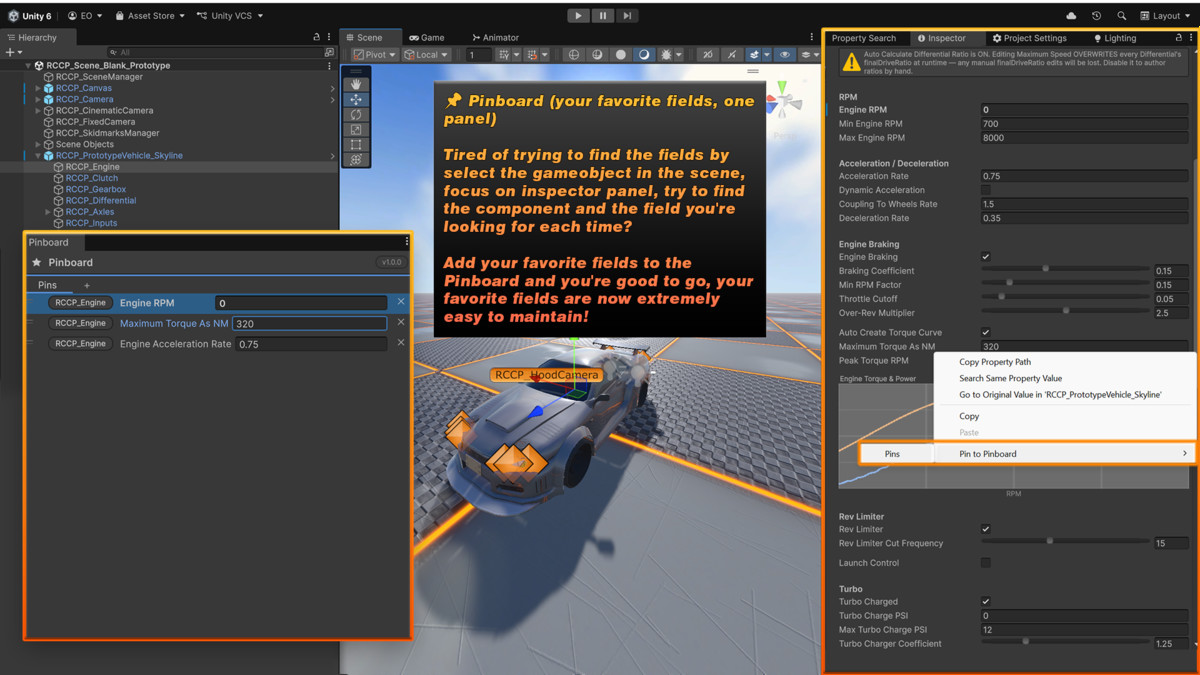
📌 Pinboard (your favorite fields, one panel)
Tired of hunting the same fields every time? Select the GameObject, focus the Inspector, scroll to the component, find the field? Pin your favorite fields once, from scene objects, prefabs, or assets, and they live in one panel. Always a click away.
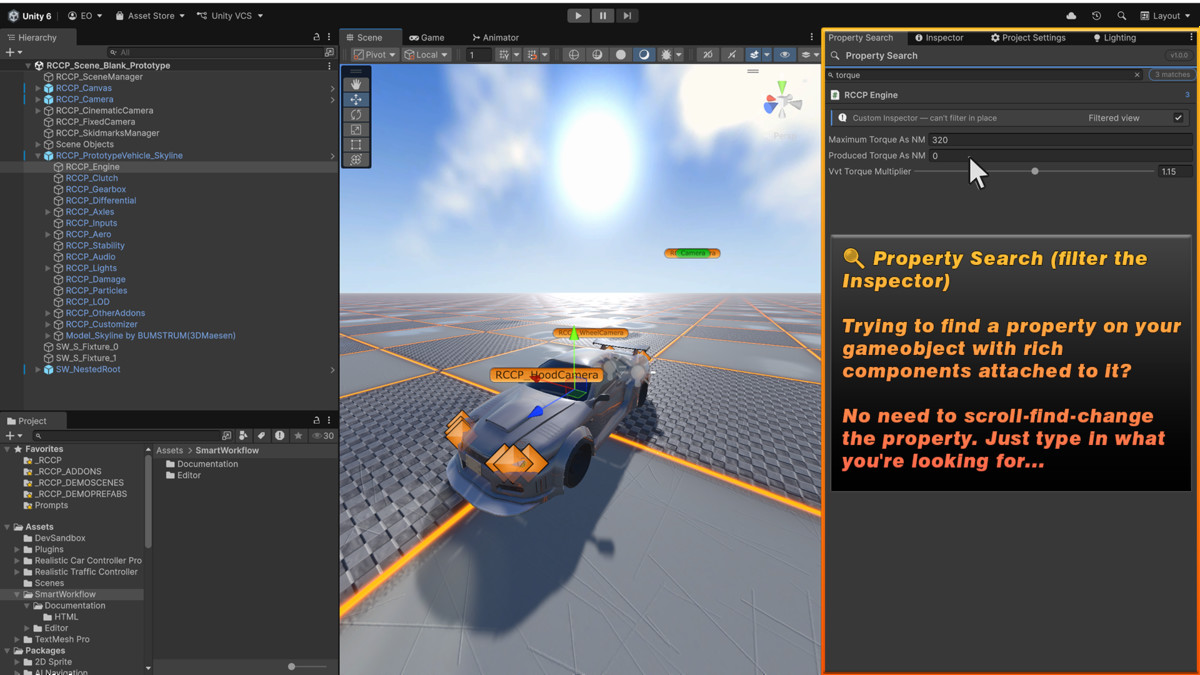
🔍 Property Search (filter the Inspector)
Need one property on a GameObject packed with components? No more scroll-find-change. Type what you're looking for and the Inspector shows only the matching properties. Objects with custom editors are detected and offer an opt-in default view.
🎡 Quick Menu (everything one chord away)
Hold Ctrl+Shift+Space (rebindable in Edit → Shortcuts) and a radial menu opens right around your cursor. Every SmartWorkflow tool and action one flick away. No docked-tab hunting, no menu diving.
Built like it belongs in your editor
- 100% UI Toolkit interface. Fast, crisp, HiDPI-ready icons
- Editor-only: adds zero scripts to your builds
- All data stored in ProjectSettings/SmartWorkflow/. your Assets folder stays untouched, and pins/watches are version-control friendly JSON
- Full Undo/Redo support everywhere state changes
- NUnit-tested core, 11-part documentation including an honest Known Limitations guide
From the publisher's Asset Store listing.
Technical details
- Review-and-apply diff dialog for 'Play Mode' changes, never auto-applies
- One-click opt-in per component: 'Keep Play Mode' changes in the component menu
- Single Undo step per apply; prefab instances become proper overrides
- Dockable Pinboard for properties from any object, prefab, or asset
- Tab groups for pins; references survive Play Mode and domain reloads
- Dead pins gray out with Relink, nothing silently lost
- Live Inspector property filtering by name
- Custom-editor detection with opt-in default-view fallback
- 'Radial Quick Menu' on a rebindable Ctrl+Shift+Space chord
- 100% UI Toolkit UI, HiDPI @2x icons
- Editor only, zero runtime code, zero build footprint
- Data in ProjectSettings as clean JSON, VCS-friendly, Assets stay untouched
- Project Settings integration + first run welcome window
- 11 documentation guides (Markdown + HTML) incl. Troubleshooting & Known Limitations
Compatibility
| Unity version | Built-in | URP | HDRP |
|---|---|---|---|
| 6000.0.49f1 | Compatible | Compatible | Compatible |
As listed on the Asset Store.