
 View on Asset Store (opens in new tab)
Package details
- Latest version
- 1.0
- Last updated
- First released
- Unity version
- 6000.0.68 or later
- Package size
- 62 KB
- Files
- 3
- Views in the past week
- 13
Price tracking
- Last checked
- Tracked since
- Lowest recorded
- $9.99 on
Keywords

Entity Viewer Pro
Editor tool that lets you browse, filter, and live-edit every entity in your scene from one dockable window.
Affiliate link · Purchases support this site
Price history
Last 6 months
USDAsset preview
1 / 2
Entity Viewer Pro screenshot 1
About this asset
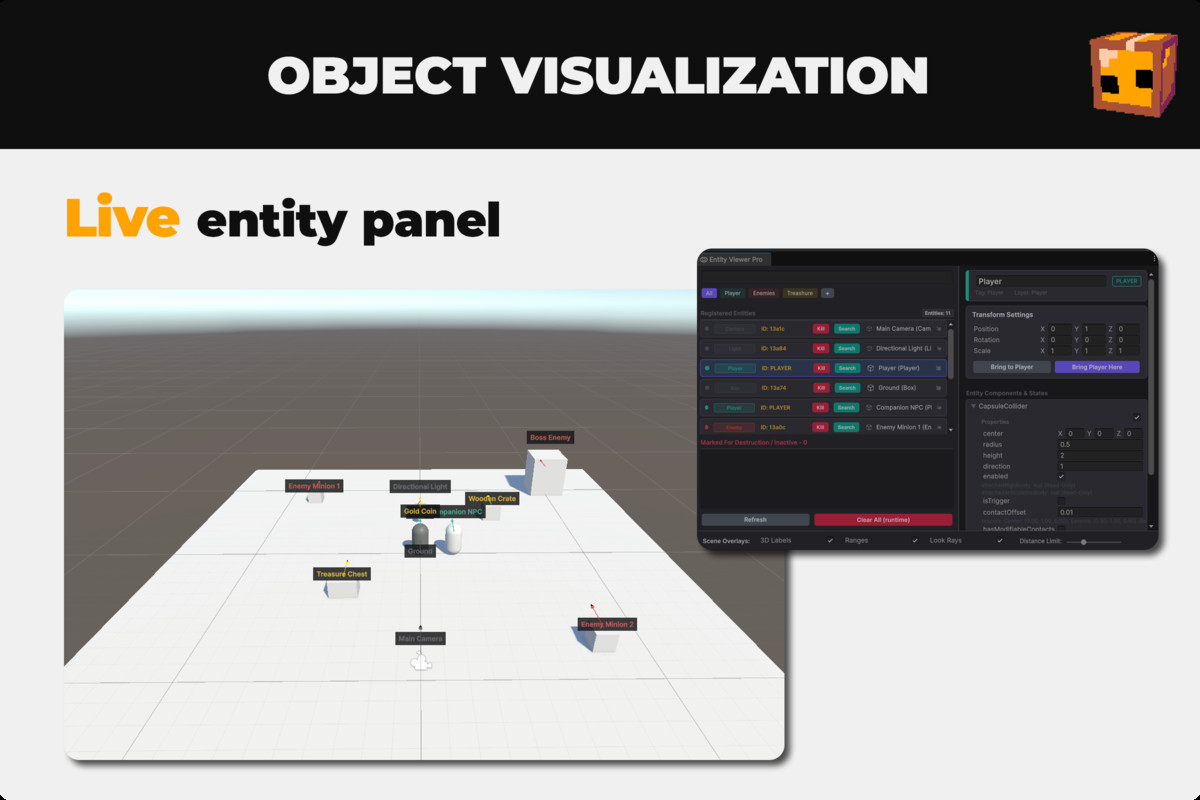
Stop hunting through a cluttered Hierarchy to find, inspect, and tweak the objects that actually matter during playtesting. Entity Viewer Pro gives you a single dockable editor window that auto-detects your Players, Enemies, Bosses, Weapons, and Managers, lets you organize them into your own custom tabs, and puts live editing tools right at your fingertips — in Edit Mode and Play Mode alike.
🔍 Smart Entity Browser
- Live-searches your entire loaded scene hierarchy by name or tag
- Auto-classifies entities as Player, Enemy, Boss, Weapon, Manager, or common primitive shapes
- Splits results into an active "Registered Entities" list and a collapsed "Marked For Destruction / Inactive" list
- Refreshes automatically on hierarchy changes, with a manual Refresh button for full control
📂 Custom Categories
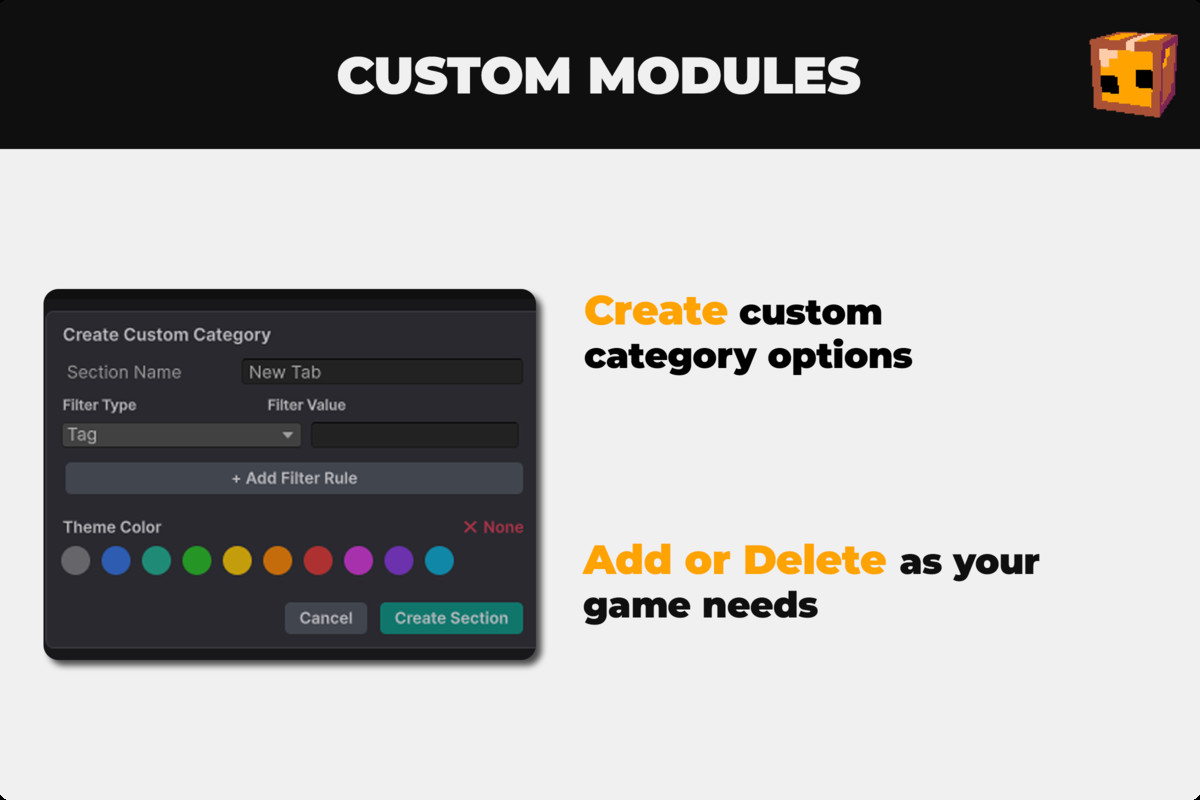
- Build your own filter tabs using Tag, Layer, Component, or Name Contains rules
- Stack multiple rules per category with OR logic to catch entities across different setups
- Pick a theme color from a curated 10-color palette to color-code rows, badges, and scene labels
- Right-click any tab to edit or delete it — settings persist between Editor sessions
🎯 One-Click Entity Actions
- Kill button destroys or triggers death logic depending on Edit Mode vs Play Mode
- Search button frames and selects the entity instantly in the Scene view
- Teleport tools bring an entity to the player or the player to an entity during Play Mode
- Clear All (runtime) wipes every filtered entity except the player in one click
🔧 Universal Reflection Inspector
- Auto-generates editable fields for any MonoBehaviour, Collider, Rigidbody, or CharacterController
- Supports bool, int, float, string, Vector3, Color, enum, and object reference fields, plus read-only properties
- Every edit is wrapped in full Undo support
- Collapsible per-component foldouts with enable/disable toggles, and state fields (state, AI, patrol, mode) get their own highlighted panel
💾 Health & Faction Tools
- Displays a live health bar and faction switcher for entities with a compatible health/faction setup
- Quick damage, heal, full-regenerate, and instant-kill buttons for fast playtesting
- Optional multiplayer panel shows Network ID, owner, server/client, and spawn state when Netcode for GameObjects is present
🎨 Scene View Overlays
- Floating 3D labels above entities showing name, live HP, and detected behavior/FSM state
- Color-coded range and facing-direction indicators drawn with Scene view Handles
- Distance-based culling slider keeps large scenes readable
- Independent toggles for Labels, Ranges, and Look Rays
From the publisher's Asset Store listing.
Technical details
- Unity 2021.3 LTS or higher (UI Toolkit-based editor window)
- Editor-only tool — Scene view overlays use Editor Handles, no runtime footprint
- Single Editor window script — one file, drop-in integration
- Reflection-driven inspector works with any of your own component types out of the box
- Health/Faction and Netcode panels activate automatically when compatible components are detected in your project
Compatibility
| Unity version | Built-in | URP | HDRP |
|---|---|---|---|
| 6000.0.68f1 | Not listed | Compatible | Compatible |
As listed on the Asset Store.