
 View on Asset Store (opens in new tab)
Package details
- Latest version
- 1.0
- Last updated
- First released
- Unity version
- 6000.5.0 or later
- Package size
- 136 KB
- Files
- 21
- Favorites
- 15
- Views in the past week
- 32
Price tracking
- Last checked
- Tracked since
- Lowest recorded
- Free on
Keywords

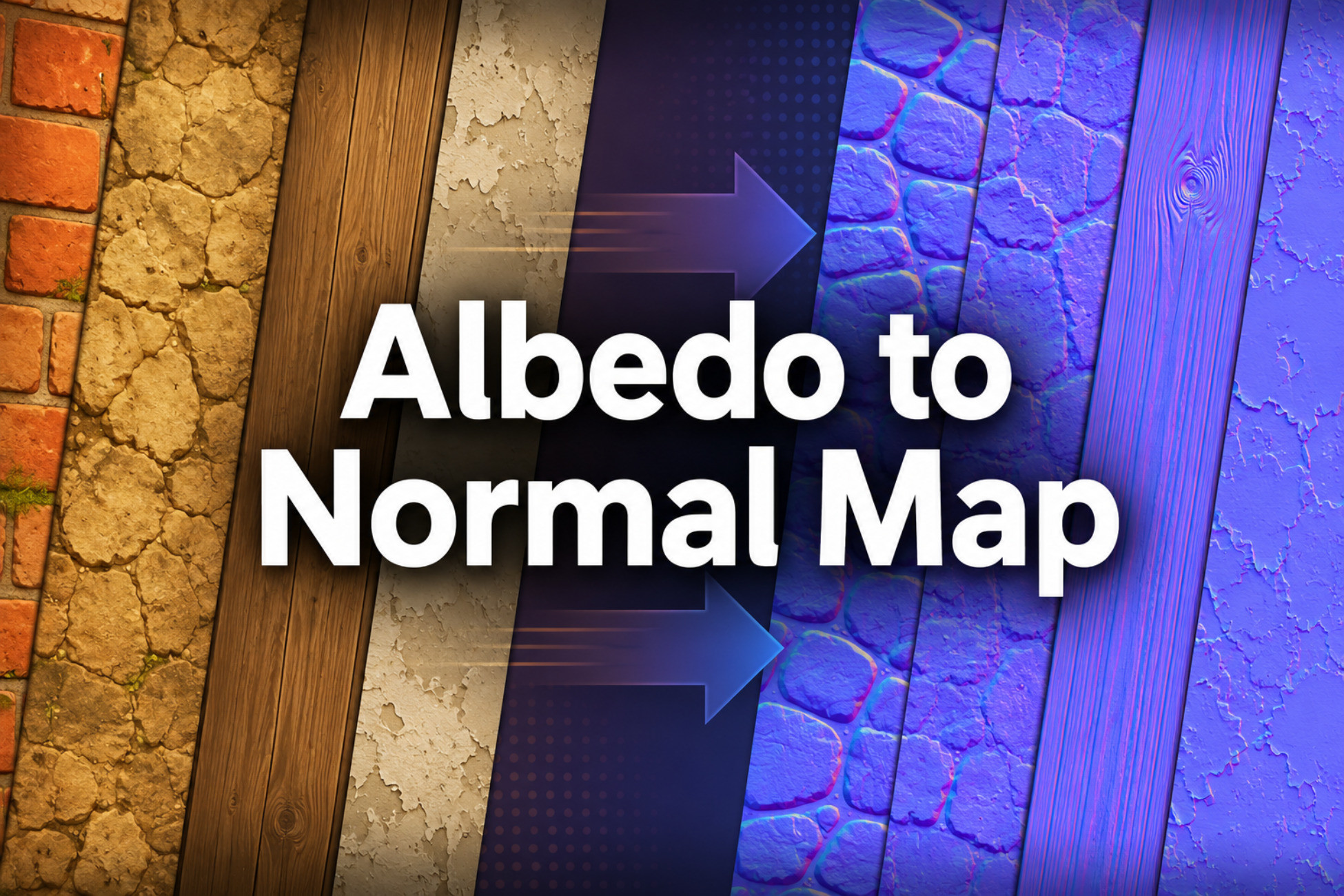
Albedo to Normal and PBR Map Generator
Generate normal maps and related PBR texture maps from assigned albedo images in the Unity Editor, including height, smoothness, cavity/AO, metallic masks, URP packed maps, and HDRP mask maps.
Affiliate link · Purchases support this site
Price history
Last 6 months
USDAsset preview
1 / 7
Albedo to Normal and PBR Map Generator screenshot 1
About this asset
Albedo to Normal and PBR Map Generator is a free Unity Editor utility for generating normal maps and related PBR texture maps from assigned albedo images and optional normal inputs.
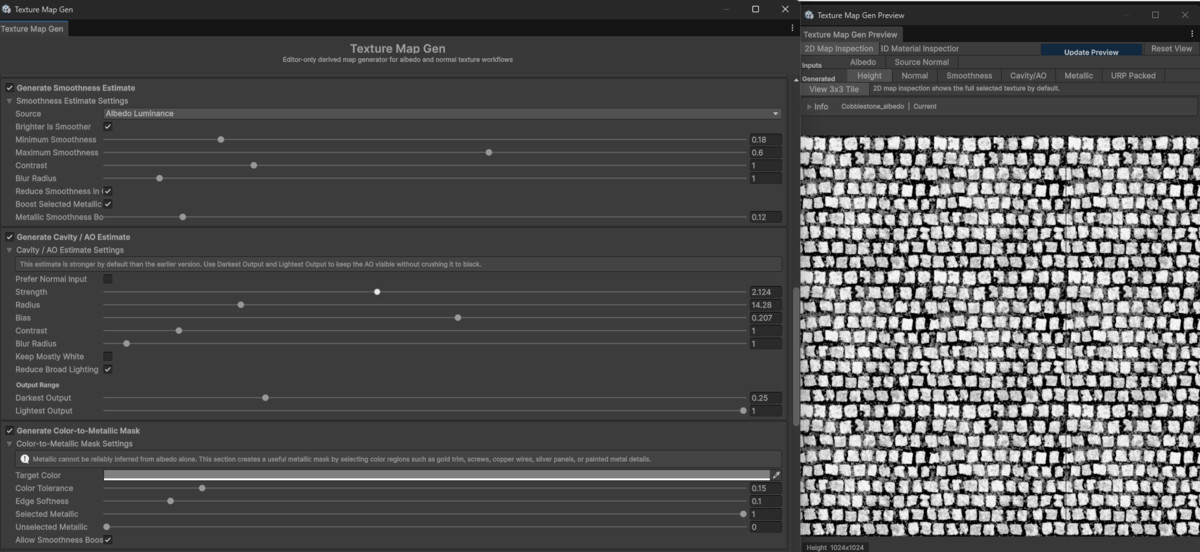
The tool is intended for texture workflows where you have a color/albedo texture but need supporting maps for material setup, prototyping, or further editing. It can generate normal maps, height estimates, smoothness estimates, cavity/AO estimates, color-selected metallic masks, URP Lit packed maps, and HDRP mask maps.
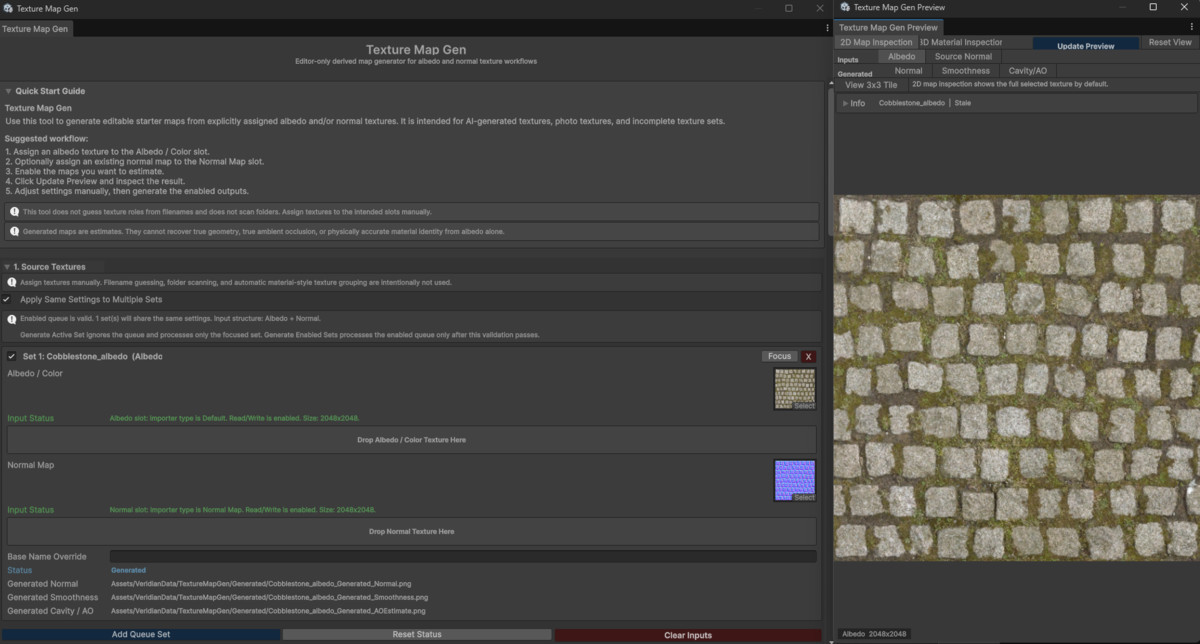
The workflow is manual and predictable. Instead of scanning folders or guessing texture roles from filenames, the tool uses explicit input slots. Assign an albedo texture, a normal texture, or both, then choose which outputs to generate.
Generated maps are estimates. Albedo textures do not contain true surface geometry, true baked ambient occlusion, or reliable material identity. This tool is designed to create useful derived maps that can be previewed, saved, and refined as part of a Unity material workflow.
Main Uses
• Generate a normal map from an albedo texture.
• Save the height estimate used for albedo-derived normal generation.
• Process an existing normal map by adjusting strength, read mode, green-channel orientation, blue-channel rebuilding, and normalization.
• Generate smoothness from albedo luminance, inverted luminance, saturation, normal detail, or metallic mask data.
• Generate a cavity/AO-style estimate from albedo-derived height data or normal detail.
• Create a metallic mask by selecting pixels similar to a chosen target color.
• Pack generated metallic, AO, and smoothness data into URP or HDRP texture formats.
• Preview generated maps before writing files to the project.
• Process one texture set or a small manually assigned queue using shared settings.
Normal Map Generation
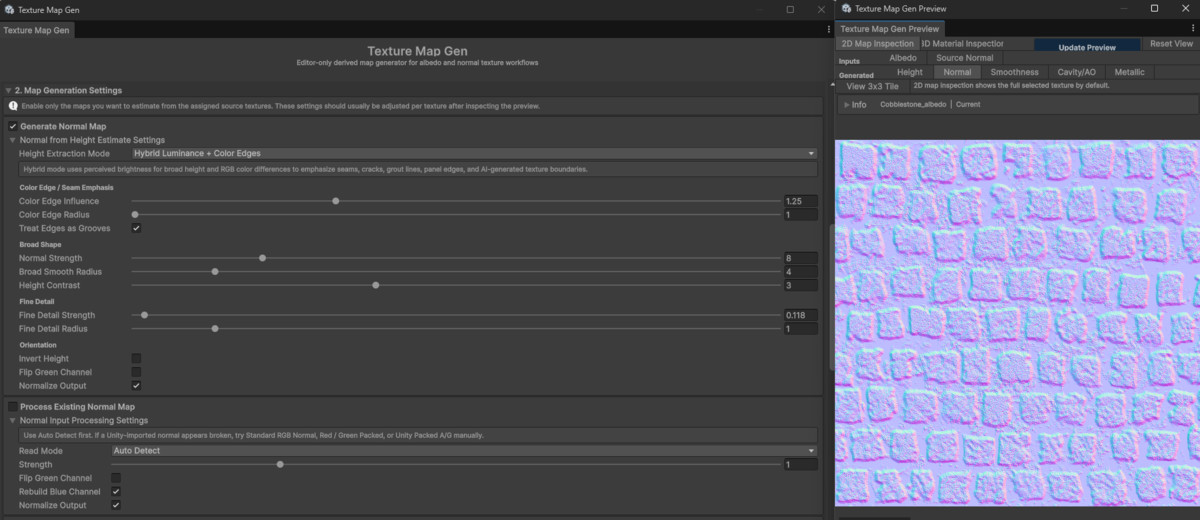
The normal map workflow starts by converting the assigned albedo texture into an estimated height field. The height estimate can be derived from luminance, inverted luminance, RGB average, max/min RGB, saturation, individual color channels, alpha, a custom channel mix, or local color-edge detail.
The default hybrid mode uses luminance for broader height information and color differences for visible seams, cracks, tile borders, cobblestone divisions, panel edges, and other local boundaries.
Normal generation controls include:
• Normal strength
• Broad smoothing radius
• Height contrast
• Fine detail strength
• Fine detail radius
• Color edge influence
• Color edge radius
• Treat edges as grooves
• Invert height
• Flip green channel
• Normalize output
Existing Normal Map Processing
If you already have a normal map, the tool can process it instead of generating one from albedo.
Supported normal input read modes include:
• Auto Detect
• Standard RGB Normal
• Red / Green Packed
• Unity Packed A/G
This is useful when a normal map needs format handling, strength adjustment, green-channel flipping, blue-channel rebuilding, or normalized output.
Smoothness, Cavity/AO, and Metallic Outputs
The tool can create editable grayscale maps for material setup.
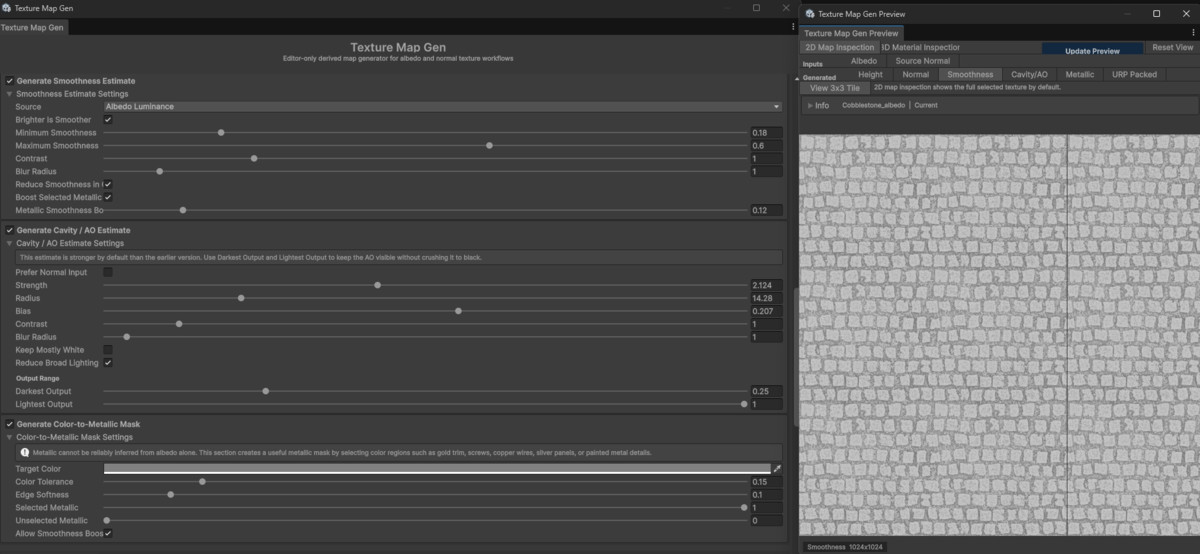
Smoothness can be generated from:
• Albedo luminance
• Inverted albedo luminance
• Albedo saturation
• Normal detail
• Metallic mask data
Cavity/AO can be estimated from:
• Albedo-derived height data
• Normal detail, when a normal input is assigned
The cavity/AO output is a local image-based estimate. It is not a replacement for baked ambient occlusion from real geometry.
The metallic mask is generated through user-guided color selection. Choose a target color in the albedo texture, then adjust tolerance, edge softness, selected metallic value, and unselected metallic value.
This is useful for textures with distinct metal-colored regions such as gold trim, copper wires, screws, bolts, silver panels, or metallic flecks.
URP and HDRP Packed Map Output
The tool can save packed texture maps for common Unity render pipeline workflows.
URP Lit packed map layout:
• Red = Metallic
• Green = AO / Occlusion
• Blue = Unused
• Alpha = Smoothness
HDRP mask map layout:
• Red = Metallic
• Green = AO
• Blue = Detail Mask
• Alpha = Smoothness
Packed output uses generated metallic, cavity/AO, and smoothness sources when available. If a channel source is missing, fallback values can be used. The tool blocks packed maps that would contain only fallback constants.
Preview Workflow
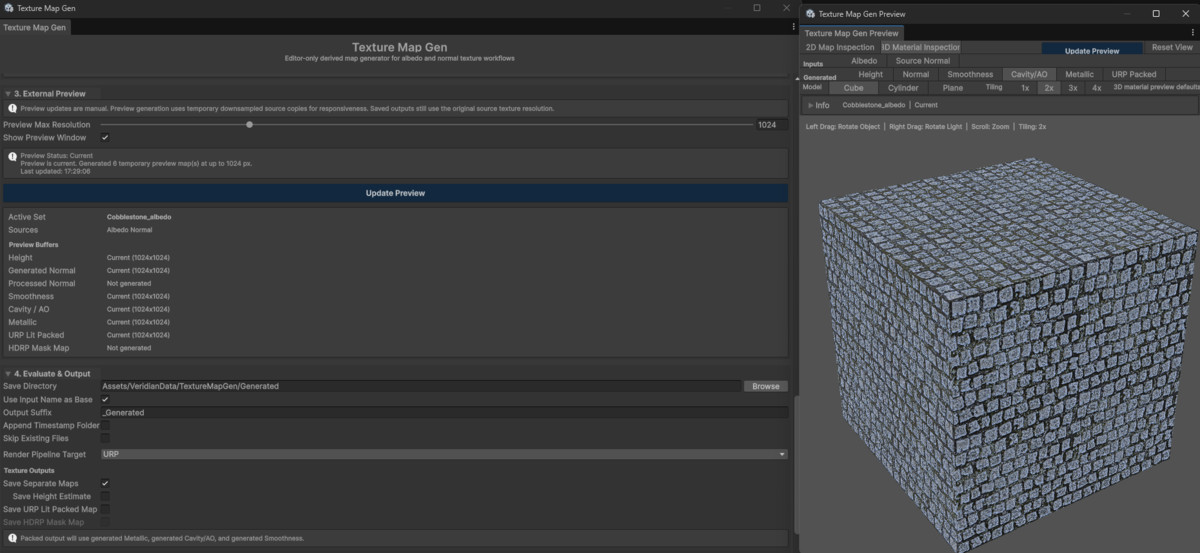
The asset includes an external preview window for checking source textures and generated outputs before saving files.
The preview can inspect:
• Source albedo
• Source normal
• Height estimate
• Generated normal
• Processed normal
• Smoothness
• Cavity/AO
• Metallic
• URP packed map
• HDRP mask map
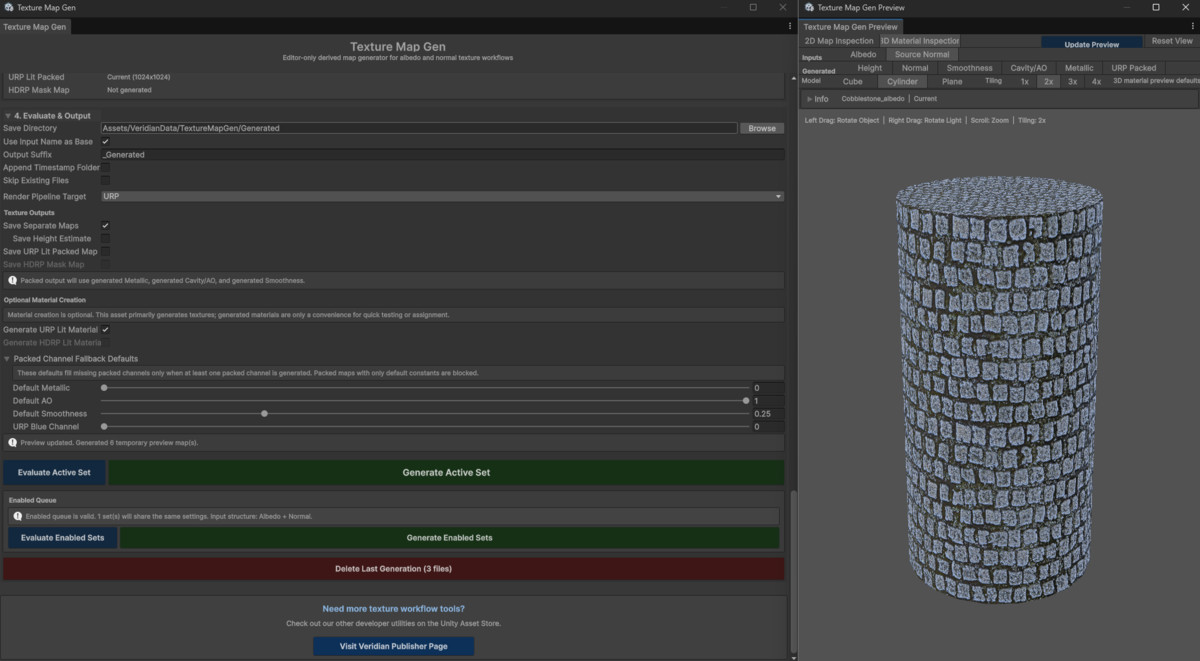
The 2D view can display the selected map directly or as a repeated 3x3 tile. The 3D view can preview the material response on a cube, cylinder, or plane with adjustable tiling, object rotation, light rotation, and zoom.
Preview textures are temporary editor-memory data. They are not saved until you run generation from the main window.
Manual Queue Workflow
The tool can process one active texture set or a small manually assigned queue.
When using multiple input sets, all enabled sets must use the same input structure:
• All albedo-only
• All normal-only
• All albedo + normal
This avoids mixed queue cases where some enabled outputs are valid for one texture set but invalid for another.
Procedural Demo Textures
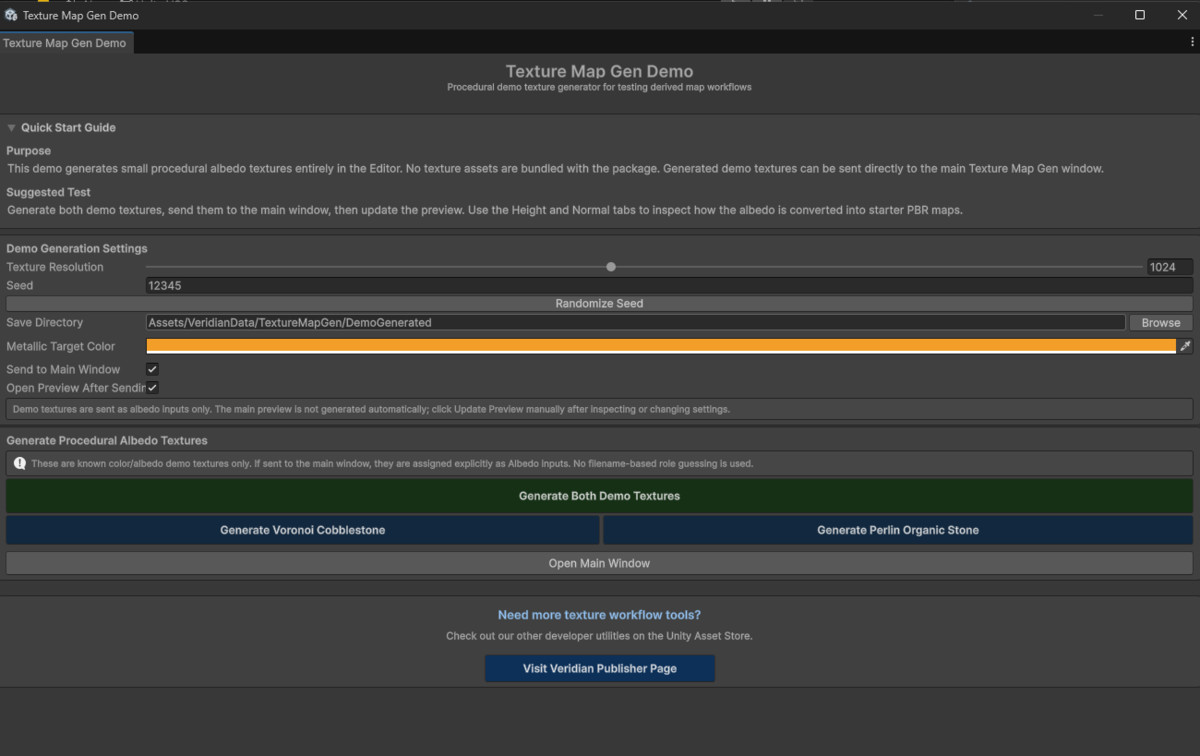
A small demo window is included for testing the workflow. It can generate procedural albedo textures in the Editor and send them to the main window as known albedo inputs.
The demo generator can create:
• Voronoi cobblestone-style albedo texture
• Perlin organic stone-style albedo texture
No large texture library is included. Demo textures are generated inside the Editor and saved into your project only when you run the demo generation actions.
Generated Asset Ownership
The texture maps and optional materials you generate with this tool are your generated output assets.
You may use, modify, sell, and redistribute generated texture maps and generated material assets in your own games, demos, scenes, rendered media, asset packs, or commercial projects.
This permission applies to generated output assets. It does not grant permission to redistribute the original package, source code, editor tools, documentation, demo scripts, or other original package files.
Important Scope Notes
This tool is meant for derived texture map generation from albedo and optional normal inputs. It is not a complete PBR texture authoring suite, full channel-packing toolkit, material scanner, or physically accurate material reconstruction system.
Important limitations:
• Albedo-derived maps are estimates.
• The tool cannot reconstruct true 3D geometry from albedo.
• The cavity/AO output is not true baked AO from real scene geometry.
• The metallic mask is based on user-selected color similarity, not automatic material recognition.
• Painted shadows, highlights, baked lighting, or stylized color changes in the source texture may affect the generated maps.
• The packed map tools are focused on this generator’s URP and HDRP outputs, not broad arbitrary channel packing.
• Optional generated materials may need adjustment for custom shader workflows.
• Runtime texture generation is not included.
For best results, preview the generated maps, adjust settings per texture, and refine the saved maps manually if your project requires more exact material behavior.
Support the Tool
If this free tool is useful in your project, a rating or short review on the Unity Asset Store helps other users evaluate it and supports continued maintenance.
Related Veridian Tools
• Rock Generator Pro: A procedural rock generation workflow for creating rock meshes, baked textures, prefab output, terrain placement, and environment-art production. Check the publisher page for availability.
• Mesh Constructor: A utility for combining or organizing dense prefab setups into more optimized static mesh structures.
• BurstLOD: A tool for generating runtime or Editor-based LODs for custom meshes and environment assets.
You can view available tools on my publisher page:
From the publisher's Asset Store listing.
Technical details
Requirements and Compatibility:
Minimum Unity Version:
Unity 6 or newer.
Render Pipelines:
Texture outputs can be used manually in any compatible material workflow.
Optional generated materials target:
• Universal Render Pipeline / Lit
• HDRP / Lit
If the required URP or HDRP shader is not available in the project, the related material asset is not created. The generated texture maps can still be saved and assigned manually.
Projects using custom shaders, custom render pipelines, or specialized material workflows may need to assign or remap generated textures manually.
Editor-Only Workflow
This is an Editor utility. It is not a runtime texture generation system.
Texture processing, preview generation, asset saving, importer configuration, and optional material creation are performed through Unity Editor actions.
Generated textures and materials are saved as normal Unity project assets. Once generated, the saved output assets do not require the editor window to remain open.
Main Editor Windows
Current menu paths:
• Tools > Veridian > TextureMapGen > Main Window
• Tools > Veridian > TextureMapGen > Demo Window
The package also includes a lightweight demo launcher component for opening the editor tools from an inspector. The launcher does not run texture generation during gameplay.
Core Inputs
The tool uses manually assigned texture inputs:
• Albedo / Color
• Normal Map
Texture roles are assigned directly through input fields or drag-and-drop slots. This is intentional: the tool does not scan folders, parse filenames, or automatically group texture sets.
The source texture drop zones accept one Texture2D asset at a time. Folders, materials, and multiple dragged assets are not accepted by the drop zones.
Supported Input Set Structures
• Albedo only
• Normal only
• Albedo + Normal
Multiple input sets can be processed with the same settings, but all enabled sets in the queue must use the same input structure.
Generated Texture Outputs
Depending on settings and assigned inputs, the tool can save:
• Height estimate
• Generated normal map
• Processed normal map
• Smoothness estimate
• Cavity / AO estimate
• Metallic mask
• URP Lit packed map
• HDRP mask map
Generated texture files are saved as PNG assets.
Generated Filename Suffixes
The tool uses generated map suffixes such as:
• _HeightEstimate
• _Normal
• _ProcessedNormal
• _Smoothness
• _AOEstimate
• _Metallic
• _URPLitPacked
• _HDRPMaskMap
• _URPLit
• _HDRPLit
The output base name can use the input texture name, a manual base name, or a per-set base name override.
Output Directory Rules
Generated assets must be saved inside the Unity project’s Assets folder.
The tool can create missing output folders during generation.
Optional output behavior includes:
• Use input name as base
• Manual base name
• Output suffix
• Per-set base name override
• Append timestamp folder
• Skip existing files
• Delete last generation
Delete Last Generation permanently deletes files recorded from the last generation run and bypasses Unity Undo.
Texture Import Behavior
Generated normal maps are imported as normal maps where possible.
Generated data maps such as height, smoothness, AO, metallic, and packed maps are imported as non-sRGB textures where possible.
Generated textures use repeat wrapping and mipmaps where possible.
Texture copy and read access are validated during evaluation. Source textures generally do not need Read/Write enabled because the tool uses a RenderTexture copy path for processing.
Preview System
The preview window uses temporary editor-memory textures.
Preview generation can use downsampled copies of source textures for responsiveness. The Preview Max Resolution setting controls the temporary preview size only.
Saved outputs use the source texture resolution, subject to Unity and system texture size limits.
Preview states include:
• Not Generated
• Generating
• Current
• Stale
• Error
The preview window includes:
• 2D map inspection
• 3x3 tile view
• 3D material inspection
• Cube, cylinder, and plane preview models
• Tiling controls
• Object rotation
• Light rotation
• Camera zoom
• Reset view
URP Packed Map Layout
URP Lit packed map channel layout:
• Red: Metallic
• Green: AO / Occlusion
• Blue: Unused / fallback value
• Alpha: Smoothness
HDRP Mask Map Layout
HDRP mask map channel layout:
• Red: Metallic
• Green: AO
• Blue: Detail Mask / fallback value
• Alpha: Smoothness
Packed Channel Fallbacks
Packed maps can use fallback values for missing channels:
• Default Metallic
• Default AO
• Default Smoothness
• URP Blue Channel
• HDRP Detail Mask
Packed output is blocked if it would contain only fallback constants. At least one generated packed-channel source must be enabled:
• Color-to-Metallic Mask
• Cavity / AO Estimate
• Smoothness Estimate
Normal Map Generation Details
Albedo-derived normal generation creates a height estimate first, then converts that height estimate into a tangent-space normal map.
Height extraction modes include:
• Hybrid Luminance + Color Edges
• Luminance
• Inverted Luminance
• RGB Average
• Max RGB
• Min RGB
• Saturation
• Red Channel
• Green Channel
• Blue Channel
• Alpha Channel
• Custom Channel Mix
• Color Difference / Edge Detail
Normal output controls include:
• Normal strength
• Broad smooth radius
• Height contrast
• Fine detail strength
• Fine detail radius
• Color edge influence
• Color edge radius
• Treat edges as grooves
• Invert height
• Flip green channel
• Normalize output
Existing Normal Processing
Normal input read modes include:
• Auto Detect
• Standard RGB Normal
• Red / Green Packed
• Unity Packed A/G
Processing controls include:
• Strength
• Flip green channel
• Rebuild blue channel
• Normalize output
Smoothness Sources
Smoothness can be generated from:
• Albedo luminance
• Inverted albedo luminance
• Albedo saturation
• Normal detail
• Metallic mask
Smoothness controls include minimum smoothness, maximum smoothness, contrast, blur radius, cavity reduction, and optional smoothness boost on selected metallic regions.
Cavity / AO Sources
Cavity/AO can be generated from:
• Albedo-derived height data
• Normal detail, when normal input is available and preferred
Cavity/AO controls include strength, radius, bias, contrast, blur radius, mostly-white output, broad-lighting reduction, darkest output, and lightest output.
Metallic Mask Generation
The metallic mask is generated through user-guided color selection from the albedo texture.
Controls include:
• Target color
• Color tolerance
• Edge softness
• Selected metallic value
• Unselected metallic value
• Optional smoothness boost support
This is not automatic metal detection.
Optional Material Creation
The tool can optionally create URP Lit or HDRP Lit materials using the generated texture outputs.
For generated materials, normal texture priority is:
- Processed normal output
- Generated normal output
- Assigned source normal input
Material creation is provided as a convenience. The main purpose of the asset is texture map generation.
Demo Content
The demo window generates procedural albedo textures inside the Editor.
Demo texture types include:
• Voronoi cobblestone-style albedo
• Perlin organic stone-style albedo
No large source texture library is included.
Demo textures can be sent directly to the main window as albedo inputs. The main preview is still generated manually with Update Preview.
Dependencies
No external third-party DLL dependencies are required.
The tool uses standard Unity Editor and engine APIs, including EditorWindow, AssetDatabase, TextureImporter, Texture2D, RenderTexture, Graphics.Blit, PreviewRenderUtility, and standard Unity material/shader access.
The package should be treated as an Editor tool package. Editor-only code should remain inside Editor folders or Editor-only assemblies.
Generated Asset Usage Rights
Generated texture maps and generated material assets may be used, modified, sold, and redistributed in games, demos, scenes, rendered media, asset packs, or commercial projects.
This applies only to generated output assets.
This does not grant permission to redistribute the original package, source code, editor tools, documentation, demo scripts, or other original package files.
Compatibility
| Unity version | Built-in | URP | HDRP |
|---|---|---|---|
| 6000.5.0f1 | Not listed | Compatible | Compatible |
As listed on the Asset Store.