
 View on Asset Store (opens in new tab)
Package details
- Latest version
- 1.0
- Last updated
- First released
- Unity version
- 6000.3.13 or later
- Package size
- 257 KB
- Files
- 31
- Views in the past week
- 31
Price tracking
- Last checked
- Tracked since
- Lowest recorded
- Free on
Keywords
Game Feel Essentials – 12 Plug-and-Play Effects
A collection of 12 lightweight, reusable Unity components for adding game feel and visual feedback to your 2D/3D games. Create effects such as shake, pulse, pop, etc with an easy-to-config Inspector.
Affiliate link · Purchases support this site
Price history
Last 6 months
USDAsset preview
1 / 4
Game Feel Essentials – 12 Plug-and-Play Effects screenshot 1
About this asset
Game Feel Essentials – 12 Plug-and-Play Effects
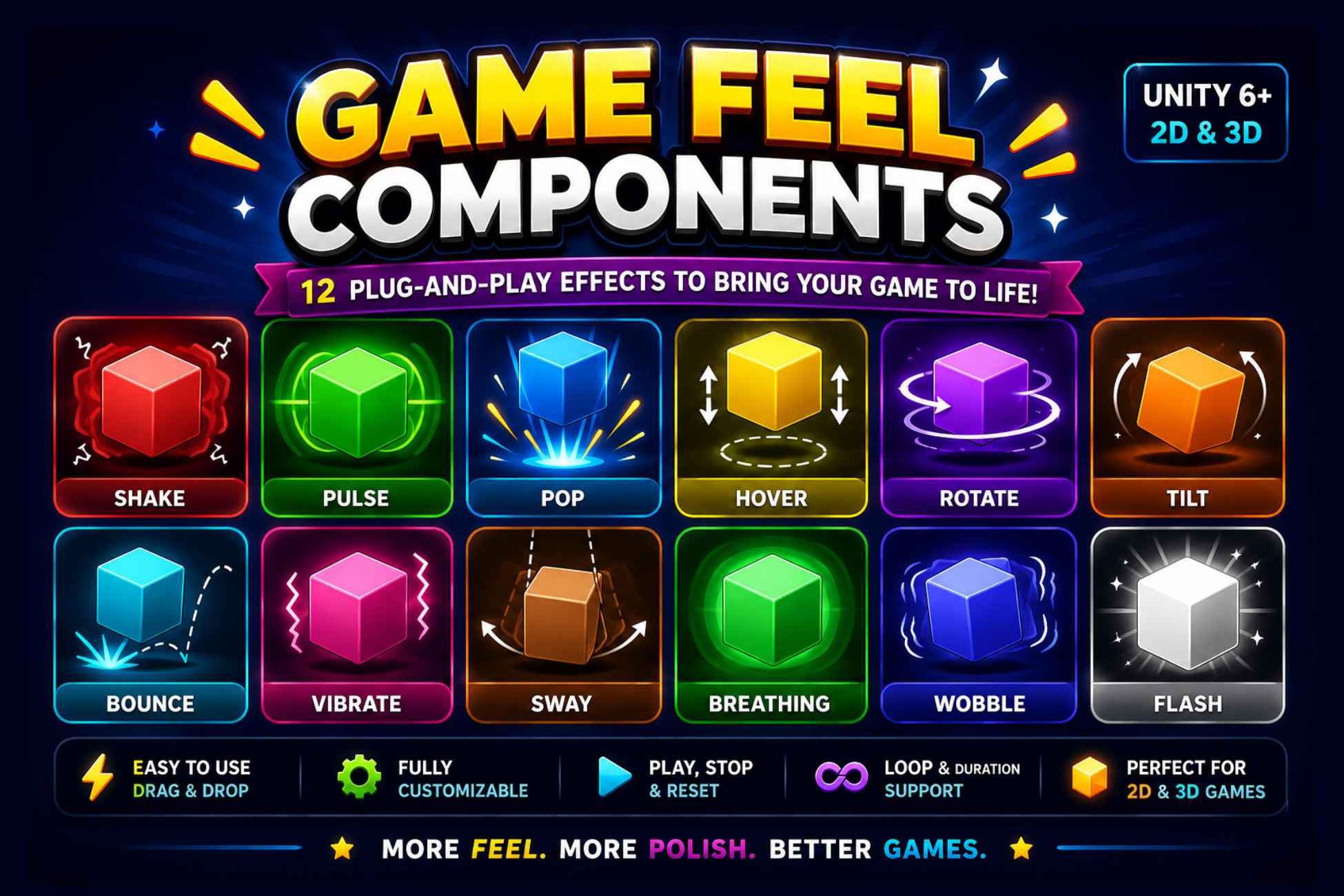
Bring your game to life with a collection of lightweight, reusable Unity components designed to add visual feedback, motion, and polish to your gameplay.
From floating collectibles to damage feedback, these components help you add common game feel effects without building every animation from scratch.
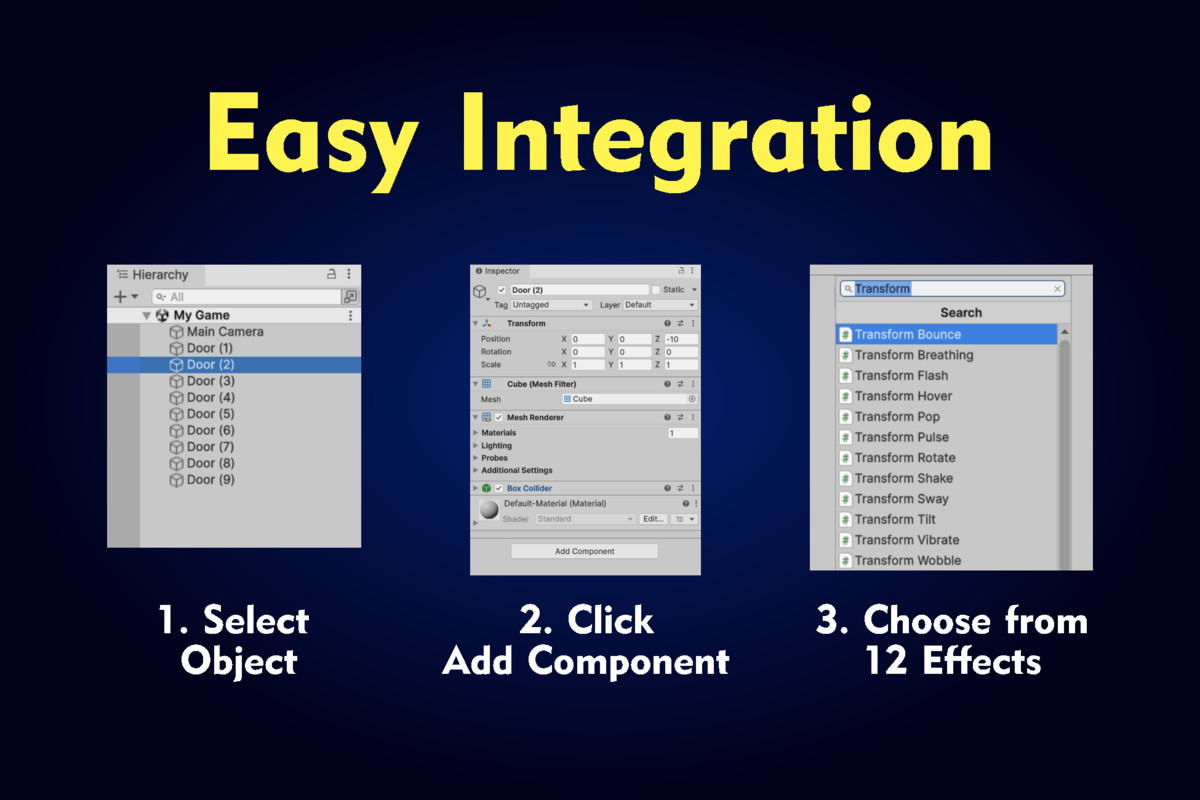
Simple setup: Attach a component, configure its Inspector settings, and press Play.
✨ Included Effects
1. Transform Shake
- Impact and damage feedback
- Explosion reactions
- Object shake effects
2. Transform Pulse
- UI buttons and icons
- Hearts and collectibles
- Attention-grabbing elements
3. Transform Pop
- Pickup feedback
- Reward animations
- UI interactions
4. Transform Hover
- Floating coins, gems, and keys
- Power-ups and collectibles
- Decorative objects
5. Transform Rotate
- Rotating pickups
- Decorative objects
- Fans and other rotating props
6. Transform Tilt
- Vehicles and aircraft
- Floating platforms
- Objects that lean or tilt
7. Transform Bounce
- Buttons and interactive objects
- Chests and pickups
- Simple bouncing animations
8. Transform Vibrate
- Warning indicators
- Electrical or mechanical props
- Objects requiring a vibration effect
9. Transform Sway
- Trees and signs
- Hanging objects
- Decorative environmental props
10. Transform Breathing
- Characters and NPCs
- Bosses and creatures
- Objects with subtle scale animations
11. Transform Wobble
- Slimes and balloons
- Cute characters
- Playful object animations
12. Transform Flash
- Damage feedback
- Temporary invincibility feedback
- Power-up effects
⚙️ Key Features
- 12 reusable C# components
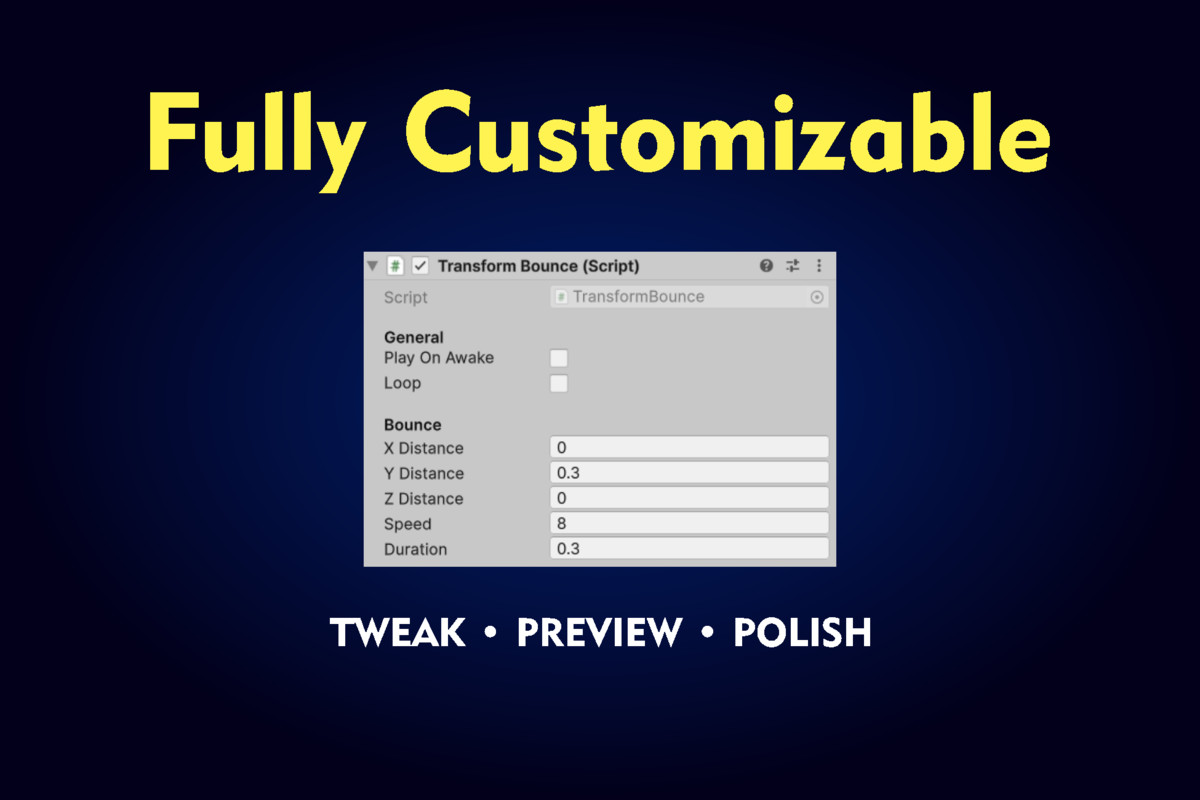
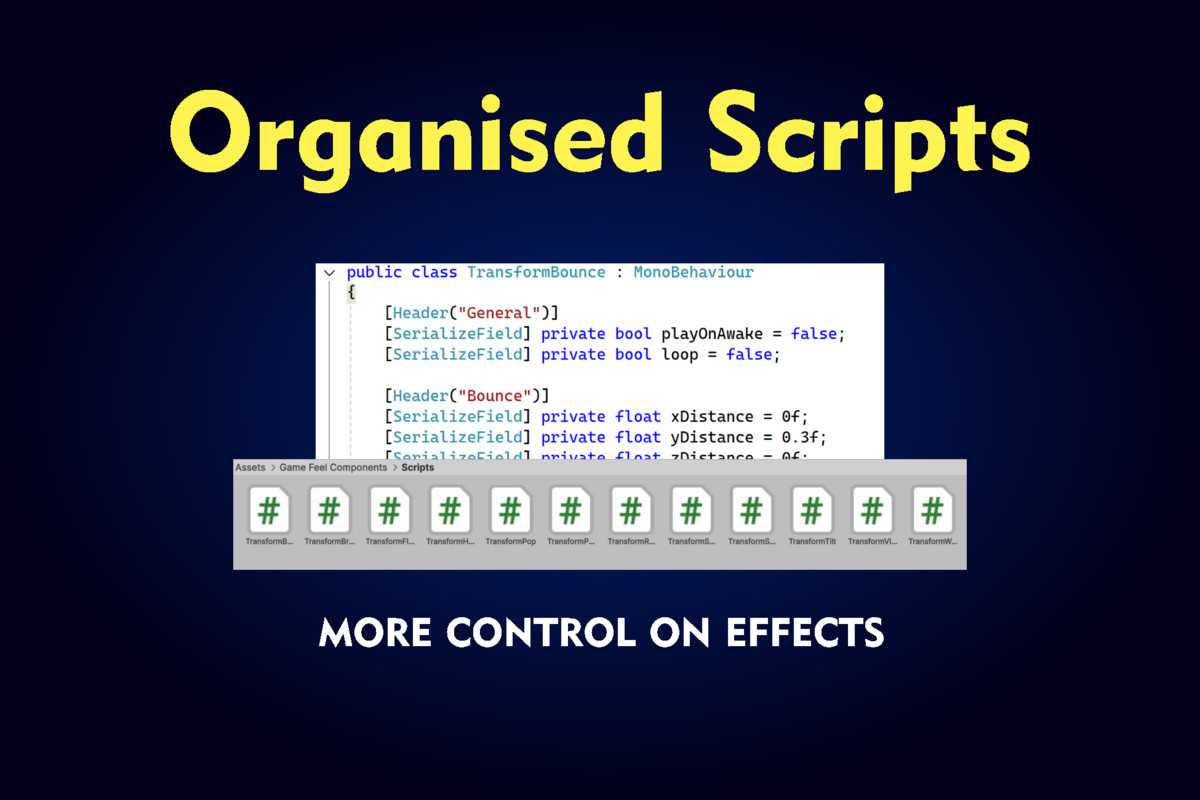
- Inspector-based customization
- Play On Awake support
- Loop support
- Public Play(), Stop(), and ResetTransform() functions
- Lightweight implementation
- No third-party asset dependencies
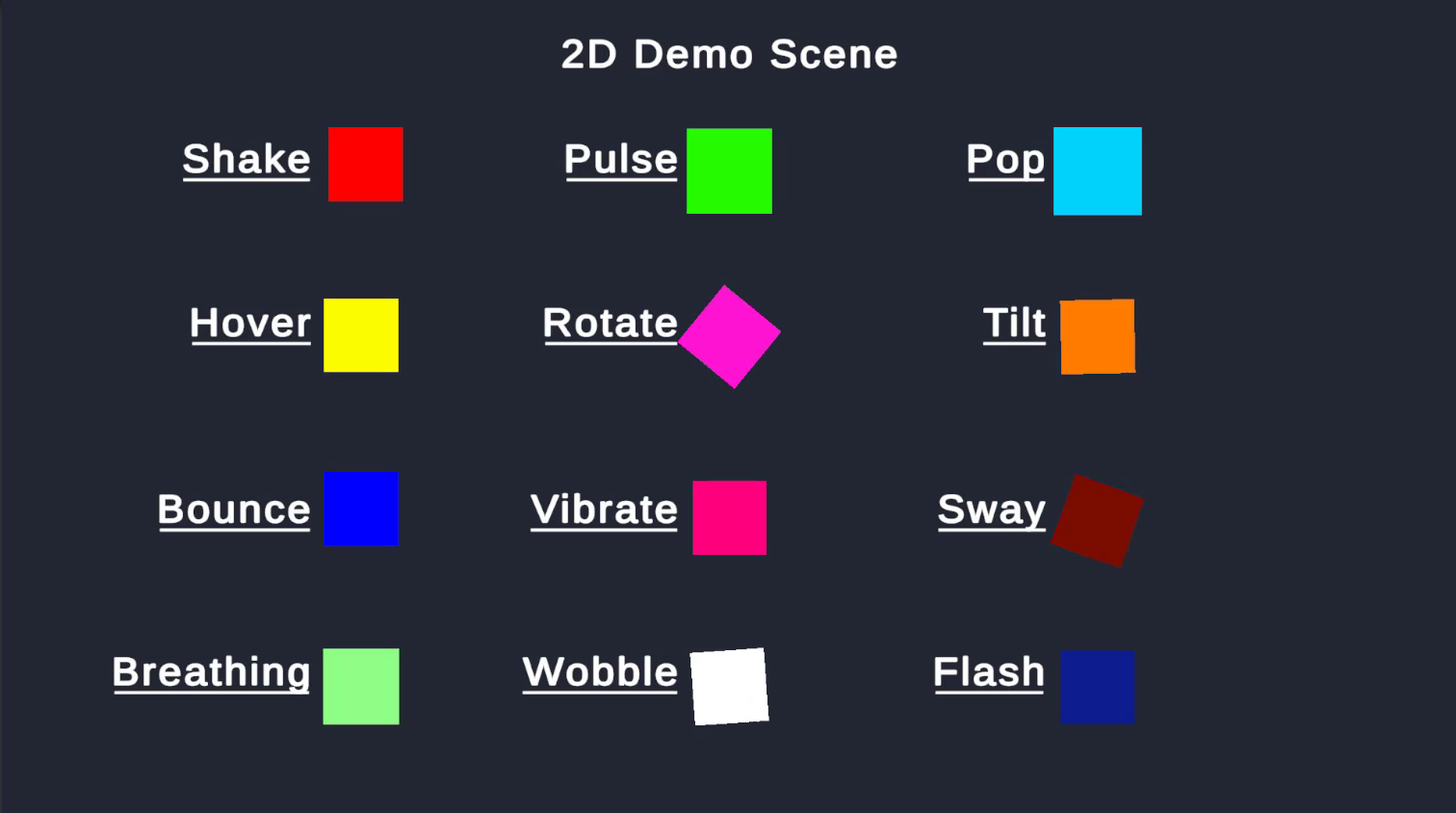
- Includes a demonstration scene and README documentation
🎮 Suitable For
- 2D platformers
- Action and adventure games
- RPGs and shooters
- Puzzle games
- Mobile games
- Indie game projects and prototypes
📦 What's Included?
- 12 C# effect components
- 1 Game Feel Showcase scene
- README documentation
🛠️ Compatibility
Designed for Unity projects using the Built-in Render Pipeline.
See the Technical Details section for the supported Unity versions and tested configurations.
From the publisher's Asset Store listing.
Technical details
Technical Details
- Scripts: 12 reusable C# components
- Demo Scene: 1 Game Feel Showcase scene
- Project Compatibility: 2D and 3D projects, subject to individual component requirements
- Render Pipeline: Built-in Render Pipeline
- Dependencies: None
- Third-Party Assets: None
- Documentation: README included
Included Components
- Transform Shake
- Transform Pulse
- Transform Pop
- Transform Hover
- Transform Rotate
- Transform Tilt
- Transform Bounce
- Transform Vibrate
- Transform Sway
- Transform Breathing
- Transform Wobble
- Transform Flash
Common Features
- Play On Awake
- Looping
- Duration and speed settings
- Inspector customization
- Play(), Stop(), and ResetTransform() functions, where implemented
Unity Compatibility
List the exact Unity Editor versions tested successfully. Specify Built-in Render Pipeline compatibility and disclose any limitations affecting UI, sprites, or 3D objects.
Compatibility
| Unity version | Built-in | URP | HDRP |
|---|---|---|---|
| 6000.3.13f1 | Compatible | Compatible | Not listed |
As listed on the Asset Store.