
 View on Asset Store (opens in new tab)
Package details
- Latest version
- 2.0.1
- Last updated
- First released
- Unity version
- 6000.4.0 or later
- Package size
- 2.1 MB
- Files
- 183
- Favorites
- 11
- Views in the past week
- 87
Price tracking
- Last checked
- Tracked since
- Lowest recorded
- Free on
Keywords

Easy Node Dialogue System with MCP - ENDS
Master your game's story with Easy Node Dialogue System - a powerful visual editor for branching dialogues, variables, localization and optional AI-assisted editing through MCP
Price Free
Get it free on Asset Store (opens in new tab)
Affiliate link · Purchases support this site
Price history
Last 6 months
USDAsset preview
1 / 5
Easy Node Dialogue System with MCP - ENDS screenshot 1
About this asset
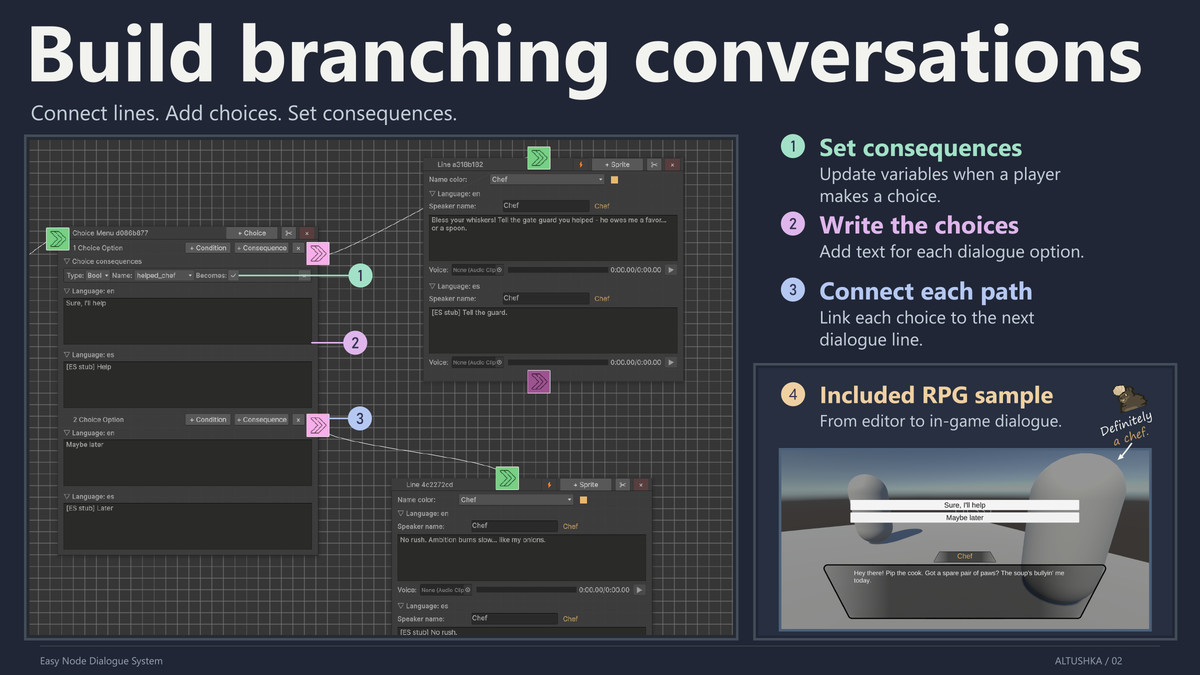
Build branching conversations for RPGs and visual novels with Easy Node Dialogue System. Write and connect dialogue nodes, manage translations, control character sprites, and play conversations using the included runtime UI.
Work directly in the visual editor or connect a compatible MCP client for AI-assisted editing. Review pending changes before saving them.
Key Features
- Visual Node Editor: Build conversations using dialogue lines, player choices, conditions, and redirects.
- Optional AI Editing through MCP: Let a compatible client inspect and edit dialogue content alongside the visual editor. Multiple clients can work on separate dialogs with editing ownership and conflict checks.
- Changes and AI Highlights: Review added, removed, and modified content in a Changes panel. Identify pending and saved AI edits directly on graph fields.
- Selective Saving: Save or discard selected dialogs and shared data while leaving other work pending. Manual and MCP edits share Unity Undo/Redo.
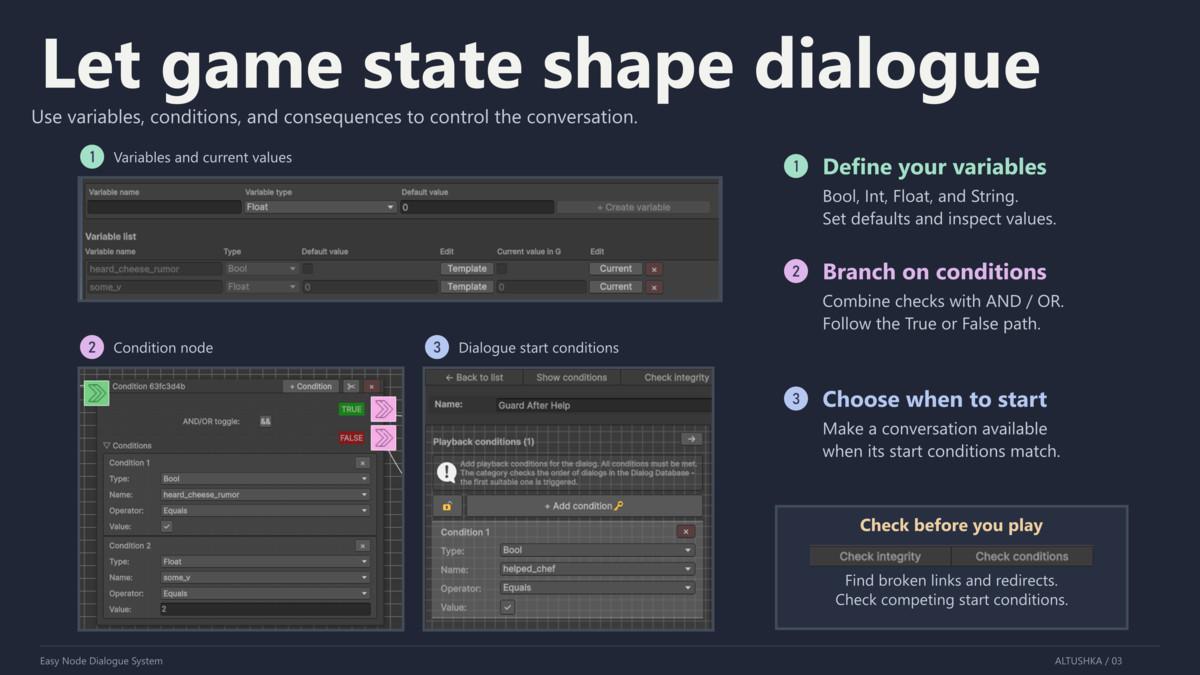
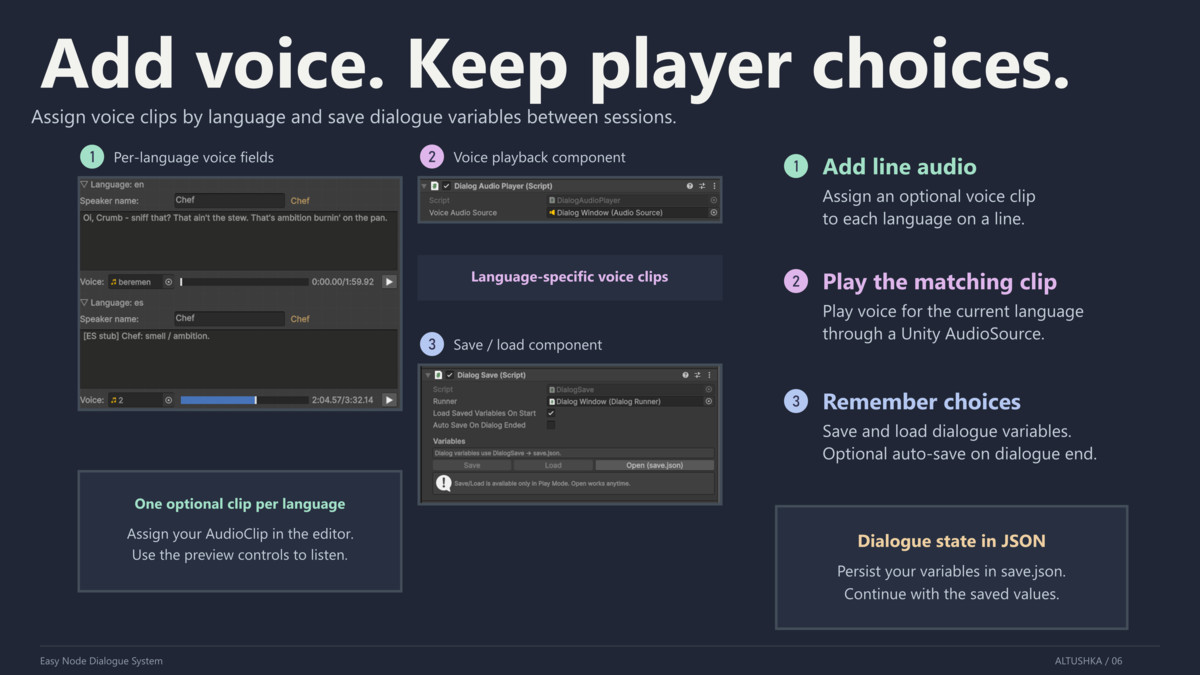
- Variables and Consequences: Use Bools, Ints, Floats, and Strings to control branching. Assign variable values or apply += and -= operations to numeric values from choices. Save and load runtime variable values with built-in JSON persistence.
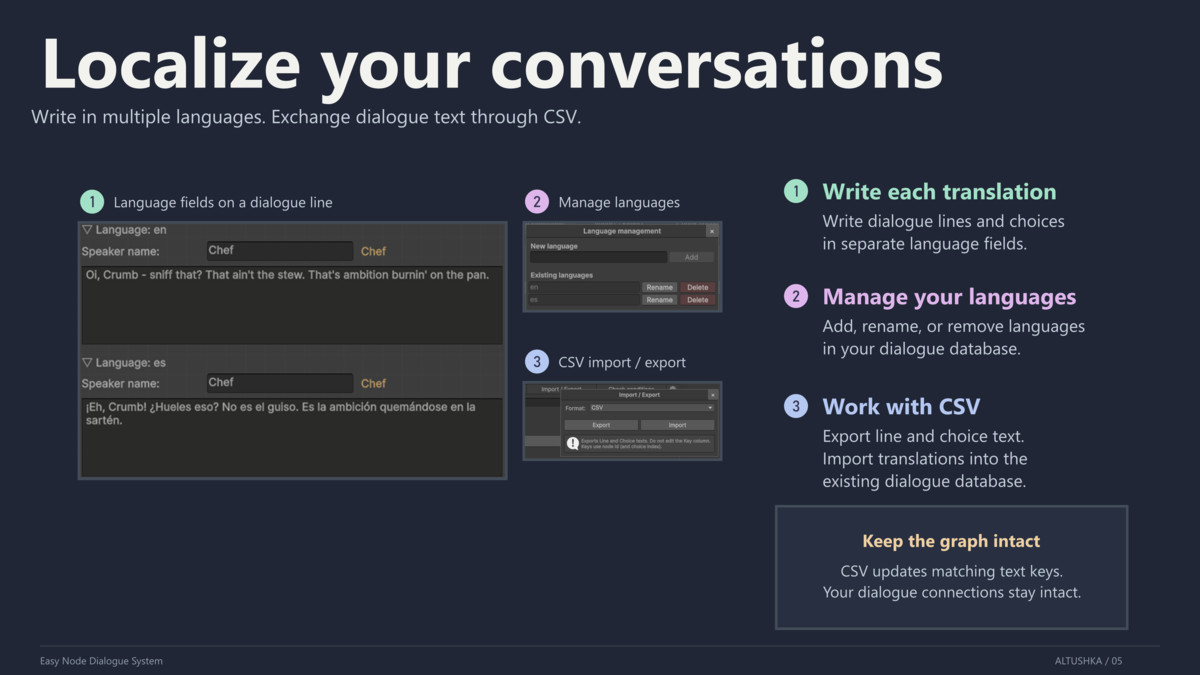
- Localization and CSV: Edit dialogue text, choice text, and character display names in multiple languages. Export and import dialogue and choice translations through CSV.
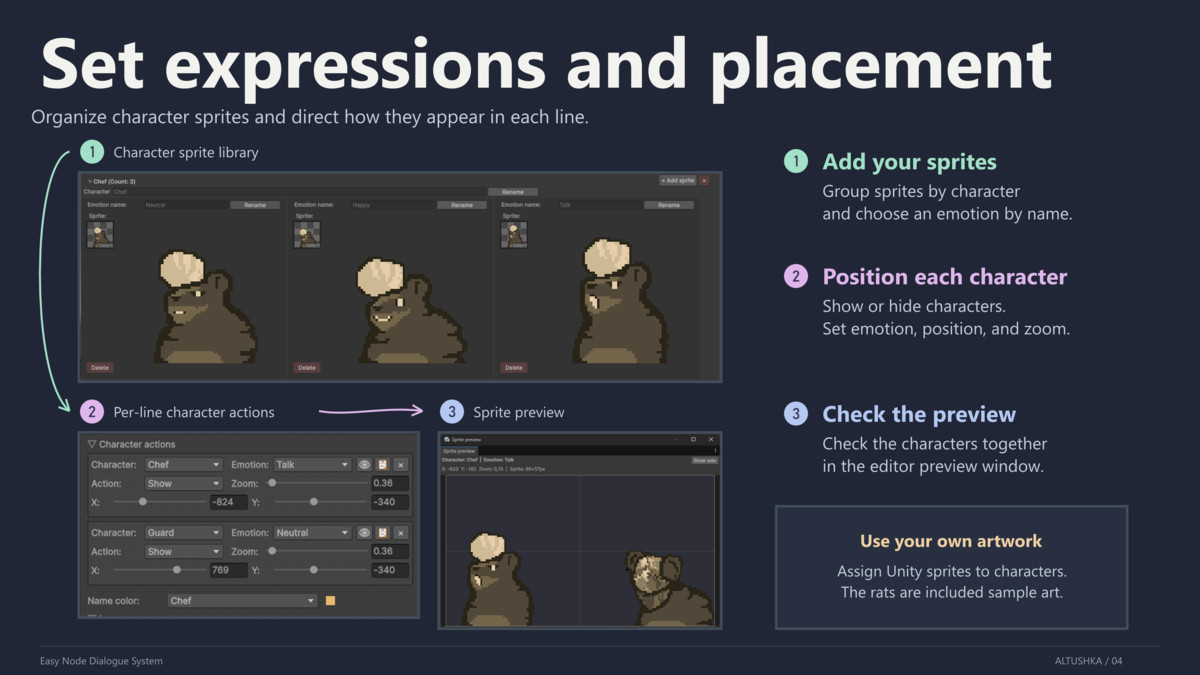
- Character Presentation: Manage localized speaker names, name colors, character sprites, emotions, and line voice clips.
- Validation Tools: Check node connections, variable references, and overlapping dialogue start conditions.
- Runtime UI and Samples: Get started with included dialogue UI prefabs and RPG and Visual Novel sample scenes. Use the C# API to control dialogue playback and integrate the system into your game.
Requirements (Unity Registry Packages):
- TextMeshPro (Required for the core dialogue UI).
- Input System (Required only for the RPG Sample scene).
From the publisher's Asset Store listing.
Technical details
- Database Assets: Dialog databases use native Unity ScriptableObject assets.
- Runtime API: Start and control dialogue playback, access variables, and connect your own dialogue UI through C# APIs.
- Variable Saving: Save and load runtime variable values as JSON using the included DialogSave component or C# API.