
 View on Asset Store (opens in new tab)
Package details
- Latest version
- 1.0.0
- Last updated
- First released
- Unity version
- 6000.3.12 or later
- Package size
- 103 KB
- Files
- 11
- Views in the past week
- 9
Price tracking
- Last checked
- Tracked since
- Lowest recorded
- $6.99 on
Keywords

Better Logger - Channels, Colors and Toggles
Type-safe, channel-based logging for Unity. Organize logs into color-coded channels, toggle them on/off, filter in a custom console, and convert existing Debug.Log calls in one click.
Affiliate link · Purchases support this site
Price history
Last 6 months
USDAsset preview
1 / 4
Better Logger - Channels, Colors and Toggles screenshot 1
About this asset
Better Logger replaces scattered, hard-to-read Debug.Log calls with an organized, channel-based logging system for Unity.
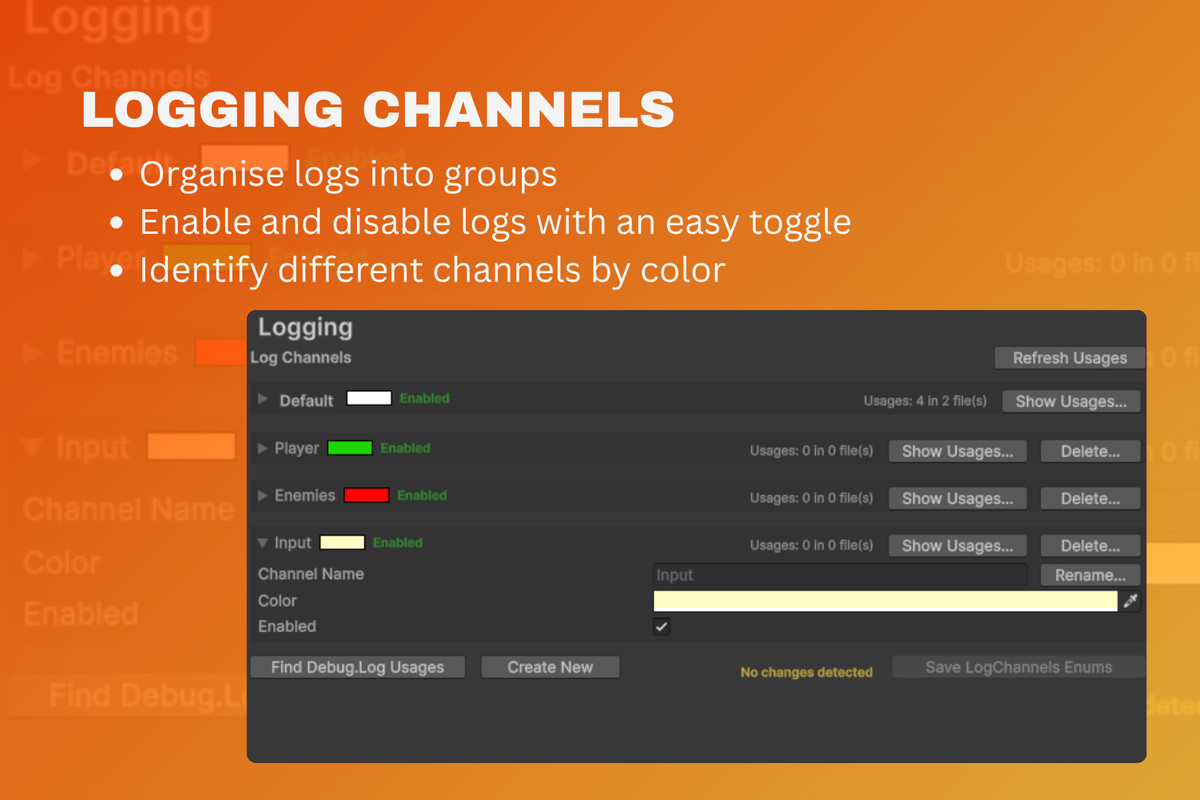
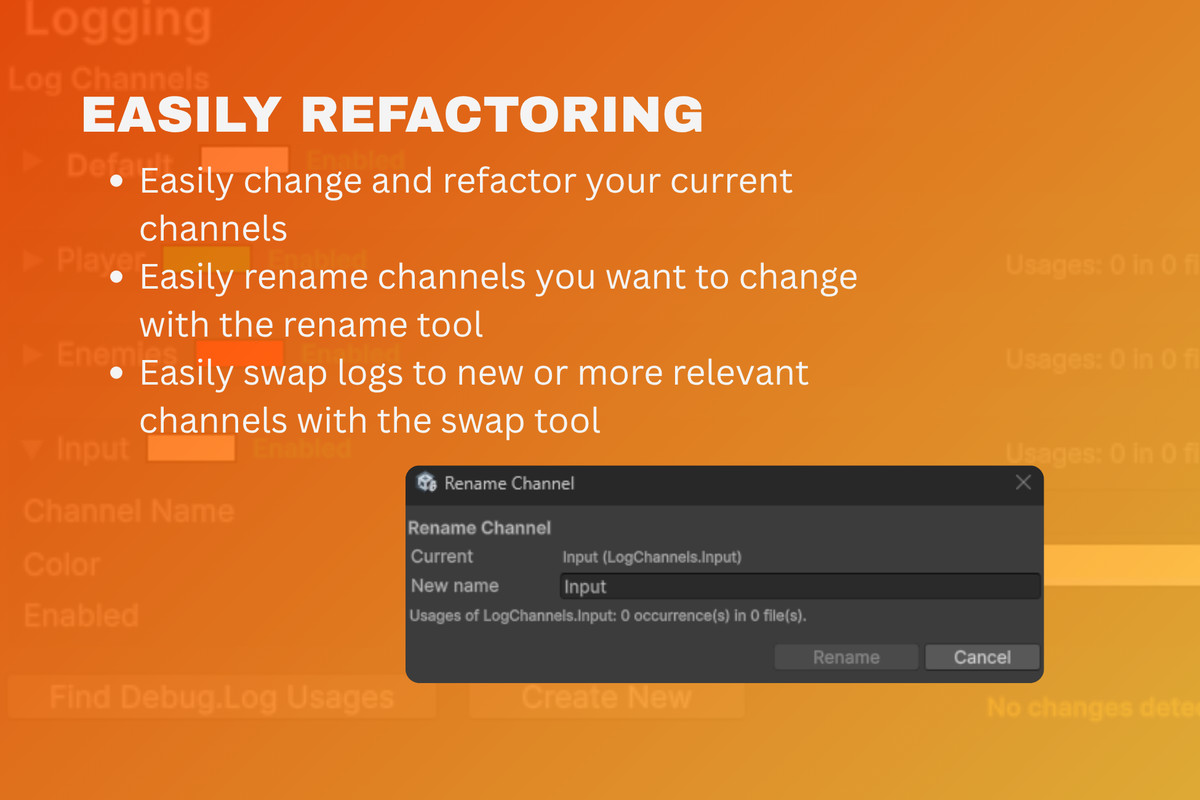
Instead of one undifferentiated console stream, you group your logs into named channels; Gameplay, AI, Networking, UI, or whatever fits your project. Each channel gets its own color and an on/off toggle, so you can silence the noise and focus on the subsystem you're debugging. Channels are fully customizable: create, rename, recolor, and delete them from a dedicated Project Settings page, no code required.
Logging is type-safe. Channels are exposed through an auto-generated LogChannels enum, so you pick a channel with autocomplete instead of error-prone magic strings, and renaming a channel updates everywhere it's used.
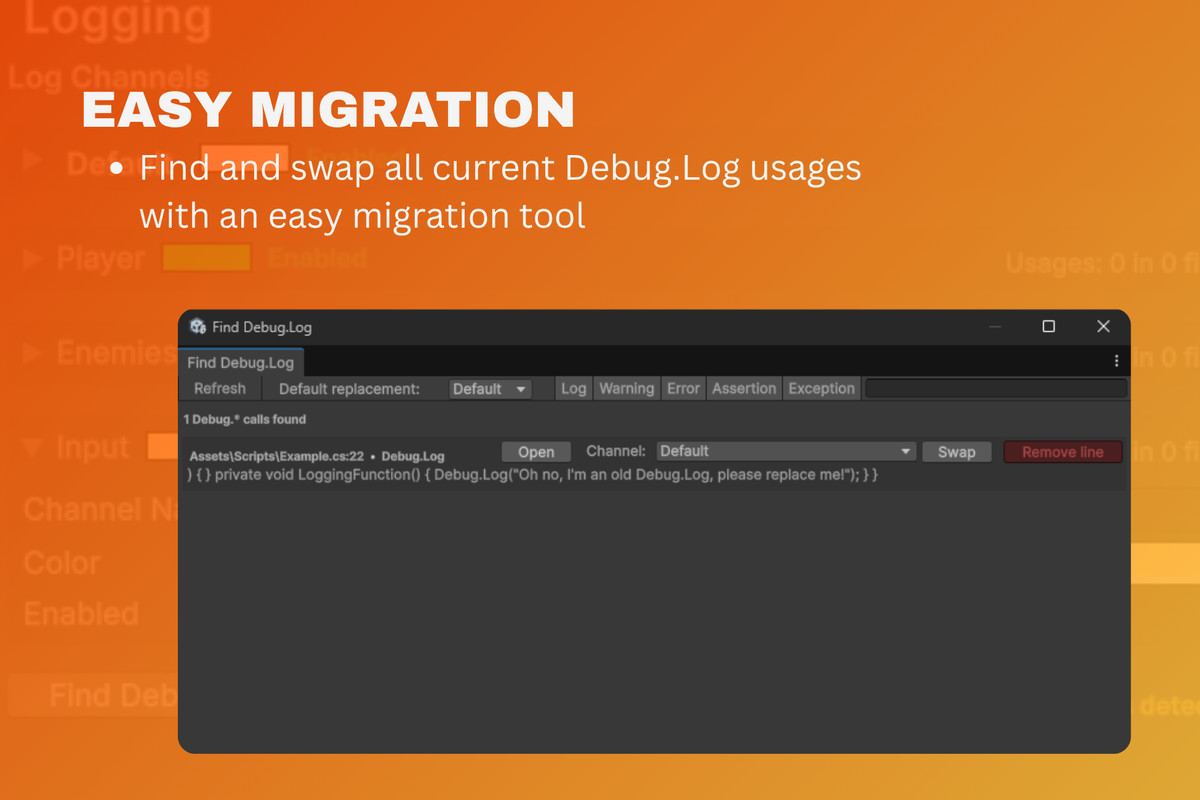
Better Logger is genre-agnostic and suits any project, 2D, 3D, mobile, or desktop. From solo prototypes to large team codebases where keeping console output readable actually matters. Already have hundreds of Debug.Log calls? The built-in finder migrates them to channels for you.
From the publisher's Asset Store listing.
Technical details
- Channel-based logging: group logs into named, color-coded channels with a single Log.Send(LogChannels.Gameplay, "message") call
- Type-safe channels: channels are code-generated into a LogChannels enum; no magic strings, full autocomplete
- Per-channel color & enable toggle: recolor channels and mute them individually without touching code
- Project Settings integration: create, rename, recolor, and delete channels from a dedicated settings page
- Custom Logging Console window: dedicated window with per-channel filtering and search
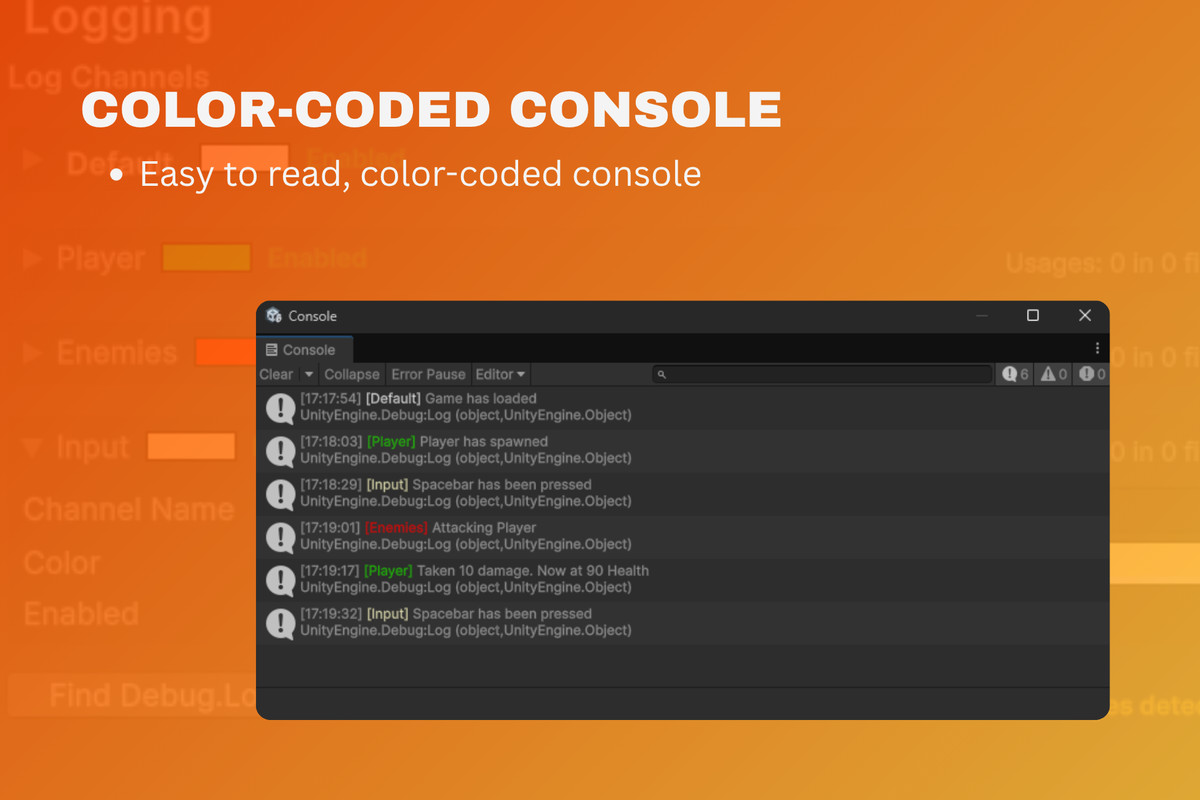
- Colored console prefixes: each entry is tagged [Channel] in the channel's color in the standard Unity console
- One-click Debug.Log migration: the "Find Debug.Log Usages" tool locates existing Debug.Log/Warning/Error calls and converts them to channels, preserving log type and context
- Channel usage finder: see everywhere a channel is referenced, and get safe rename/delete with usage checks
- Runtime OnLog event: subscribe to a LogEntry stream to build in-game consoles, overlays, or custom log sinks
- Clean assembly definitions: separate runtime and editor asmdefs keep editor tooling out of your builds
Compatibility
| Unity version | Built-in | URP | HDRP | Custom |
|---|---|---|---|---|
| 6000.3.12f1 | Compatible | Compatible | Compatible | Compatible |
As listed on the Asset Store.